Your authorized face
FacePass clears a face you own — or one with written consent — before any swap into animation.
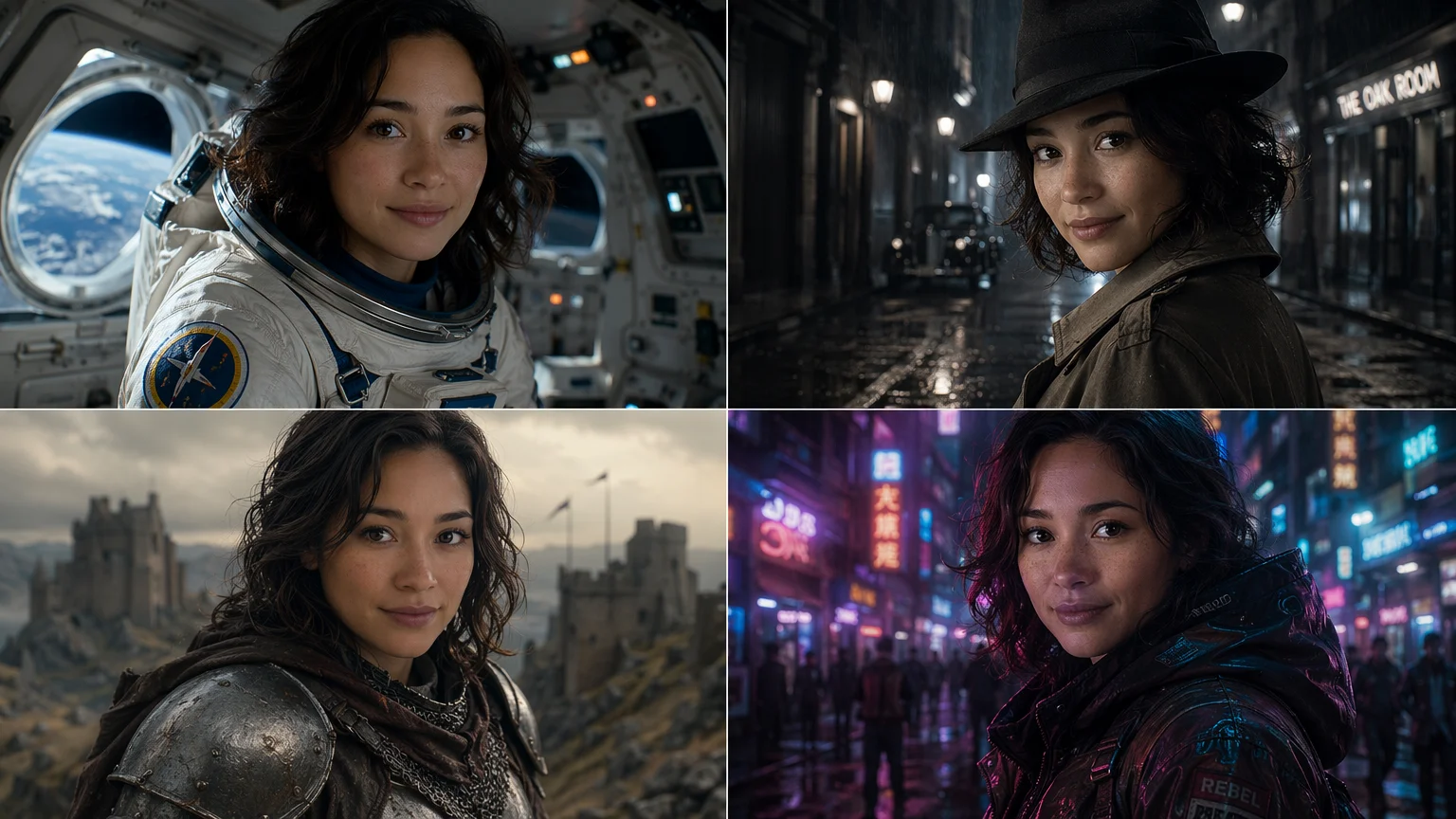
Your authorized face, swapped into animated scenes and exported as a loop.
Register your own face as a FacePass so Renoise clears your identity, then generate a short animated clip on Kling 3.0 Omni with your face swapped into the scene. Export the clip and convert it to a GIF with any standard video-to-GIF tool. FacePass only works with a face you own or have written consent to use — never a public figure.
Want a still face swap image instead? See the face swap guide
What an animated face swap looks like in Renoise.
FacePass clears a face you own — or one with written consent — before any swap into animation.
Generate a 3–15s clip with your face swapped in, then export it as a looping GIF.
Cyberpunk city, fantasy realm, retro cartoon — your face, swapped into any animated look.
No public figures, celebrities, or minors — authorized likeness only, every time.
From a few selfies to your face in a shareable animated loop.

Upload clear, front-facing photos of your own face to register a FacePass and clear your identity.

Write the animated scene, reference your FacePass, and generate a short clip on Kling 3.0 Omni.
Export the animated clip, then convert it to a GIF with any standard video-to-GIF tool for sharing.
FacePass holds your identity while the scene and style change — fictional characters shown.

A fictional face swapped into a dynamic animated loop — identity intact, scene restyled.

A short looping expression-change GIF generated from a single prompt and FacePass reference.
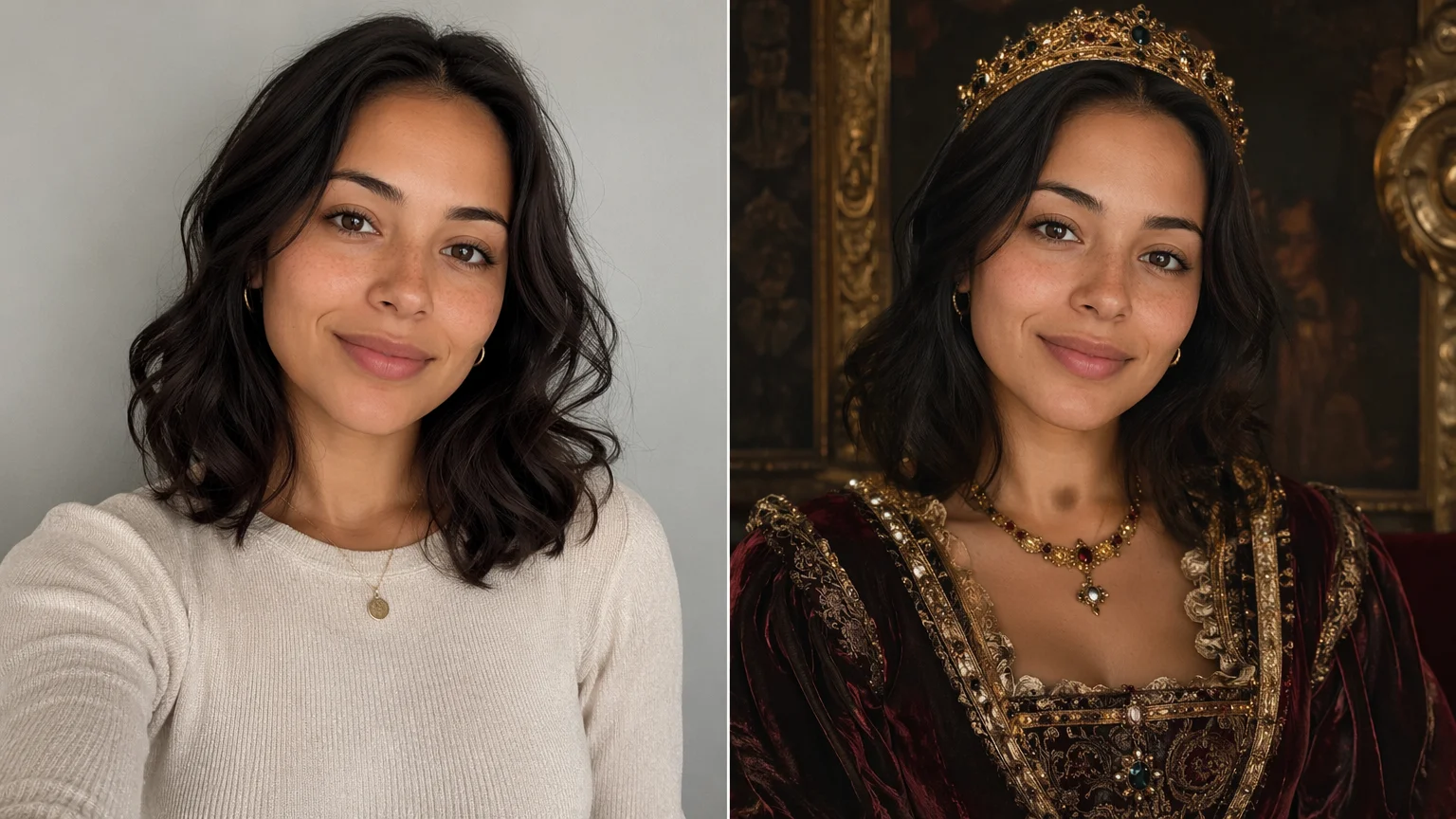
The same fictional face dropped into a Renaissance-era portrait — swapped style, same identity.
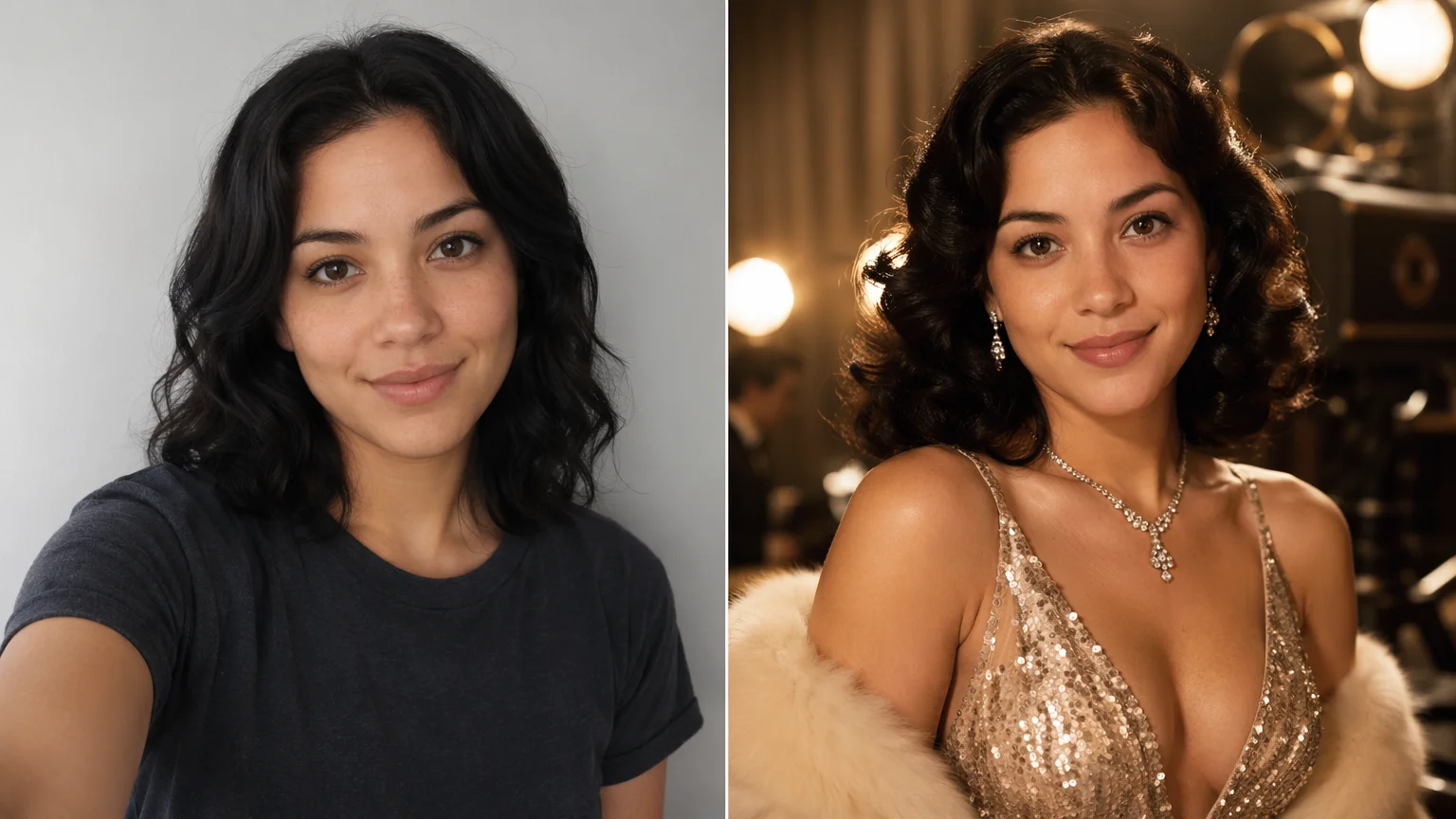
A fictional face placed into a classic Hollywood glamour scene — only the styling and lighting change.
One plan unlocks GPT Image 2, Nano Banana Pro, and every other image model.
For first-time AI content creators
Billed $168 annually
Upgrade PlanSave $72/year
For creators shipping content every week.
Billed $504 annually
Upgrade PlanSave $216/year
For studios and pros producing at commercial scale.
Billed $1680 annually
Upgrade PlanSave $720/year
For first-time AI content creators
Billed monthly
Upgrade PlanFor creators shipping content every week.
Billed monthly
Upgrade PlanFor studios and pros producing at commercial scale.
Billed monthly
Upgrade PlanRenews automatically each year until canceled.
Renews automatically each month until canceled.
Clear a FacePass and generate — watermark-free exports on paid plans.
Register your own face as a FacePass in Renoise, then generate a short animated clip on Kling 3.0 Omni with your face swapped into the scene. Export the clip and convert it to a GIF using any standard video-to-GIF converter. The result is a looping animated GIF with your face in the chosen scene.
Only a face you are authorized to use — your own, or someone who has given written consent. FacePass requires that clearance step, and detectable real faces are blocked until they pass it. Public figures, celebrities, and minors are not permitted.
No. A deepfake puts a real person's face into content without their permission to deceive. A face swap in Renoise starts from a face you cleared through FacePass — your own, or one with written consent. The technology overlaps; the difference is consent, which Renoise enforces.
Renoise generates short animated video clips rather than .gif codec files. The output loops and covers every face swap GIF use case — reactions, meme loops, stickers. If you specifically need a .gif file, export the clip from Renoise and convert it with any standard video-to-GIF tool.
Kling 3.0 Omni (by Kuaishou) for animated, motion-based face swap loops — it handles physics-aware dynamics so the swapped face moves naturally. Nano Banana Pro is the better choice if your GIF is more of a styled still or slow-motion loop where face fidelity in a single frame matters most.
Kling 3.0 Omni generates clips from 3 to 15 seconds. For a tight looping GIF, 3–5 seconds tends to feel most natural — prompt for "a seamlessly looping 4-second animated clip" to guide the model toward loop-friendly motion.
Upload several clear, front-facing photos of your own face with good lighting and no heavy filters. The more angles and lighting conditions you include, the more consistently your identity will hold across different animated scenes and styles.
Yes. Generate a short looping clip with your face swapped into the scene, export it, and convert to GIF for use as an animated profile picture or sticker on any platform that accepts animated GIFs or short video loops.