The family pet
The dog or cat the kids already talk about, as a sheet they can colour in.
Upload a photo and AI turns it into clean black-and-white line art on white — with a line weight you pick to suit the age of whoever is colouring.
Follow us and get 20 free credits — about 5 images
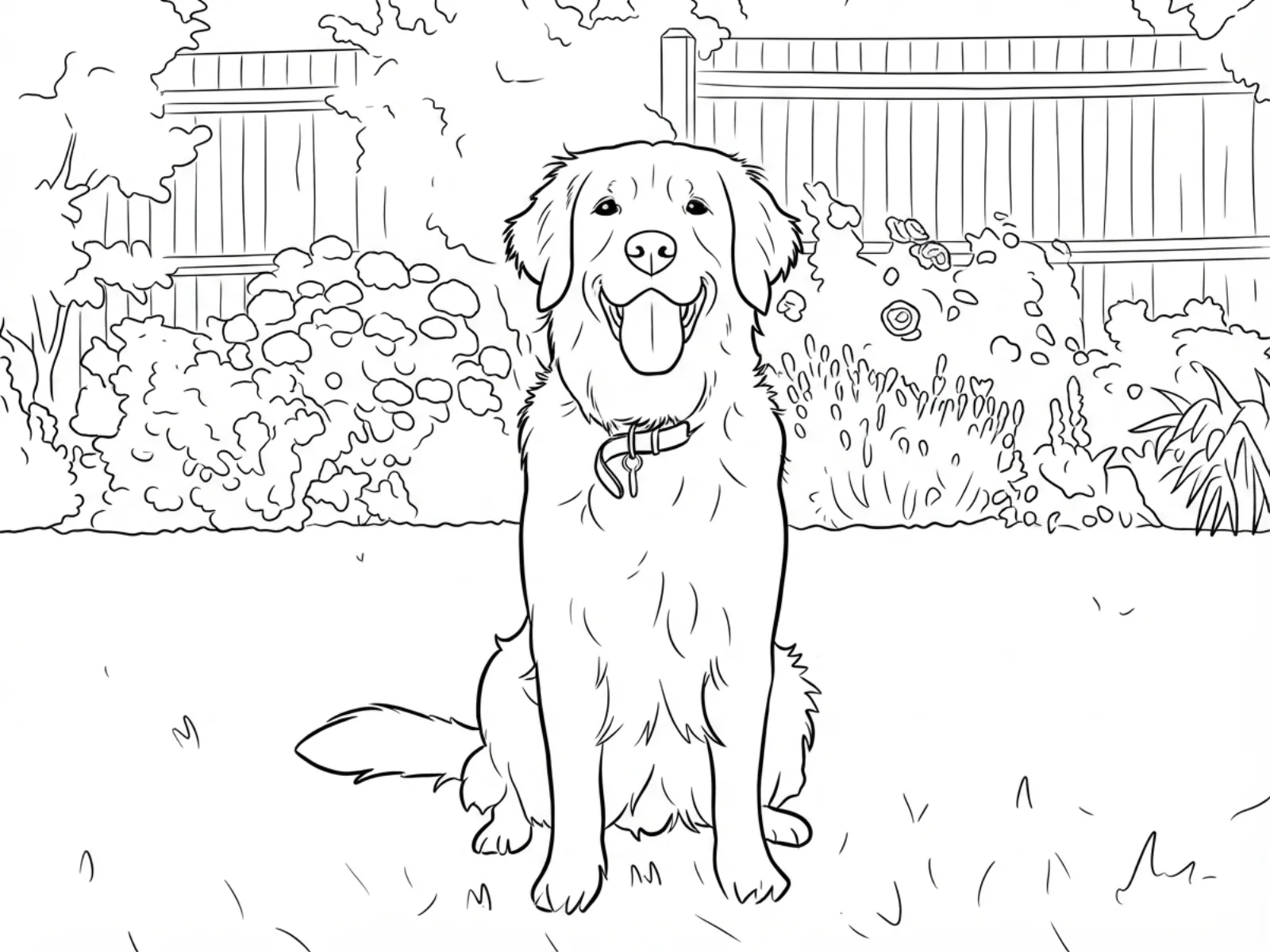
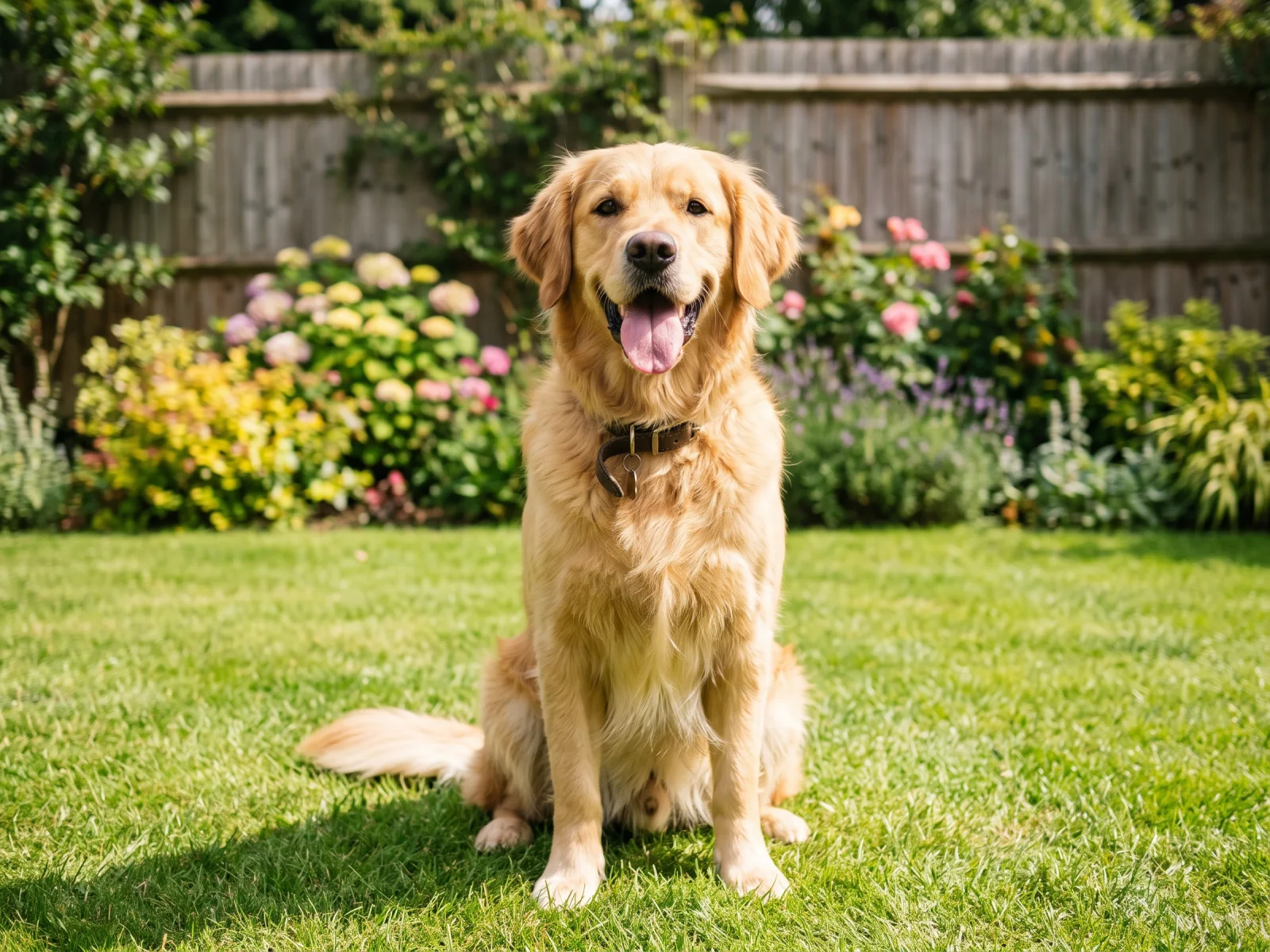
Real model output from this exact photo — drag the handle to compare.
Subscribe for more credits and more models.
Upload your photo above, pick a line weight — extra bold for toddlers, bold for kids, fine detail for older kids and adults — and generate. In about a minute AI redraws the picture as clean black outlines on a white background, ready to print. Following us on X and YouTube earns 20 free credits, which covers your first five sheets here.
Looking for coloring page ideas and prompts instead of uploading a photo? See the AI coloring page guide
The appeal is simple: a colouring sheet of something the child actually knows.
The dog or cat the kids already talk about, as a sheet they can colour in.
Grandparents, cousins, a holiday snapshot — a personal page instead of a generic one.
A birthday photo becomes a table activity for every guest.
Match the sheet to what the class is studying this week — an animal, a landmark, a plant.
Each run is billed per image after your free credits, so you can try more than one line weight.
Drop in the photo you want as a colouring sheet — a phone photo is fine.
Extra bold for toddlers, bold for kids, or fine detail for older kids and adults.
The sheet is ready in about a minute. Compare it with the photo, download the image, and print it at A4 or Letter.
Honest expectations by photo type — the model traces the picture into closed line shapes, and how well that works depends on the photo. Tested on our own photos.
| Photo type | Expected result | Tip |
|---|---|---|
| One subject, plain background | Best — clean closed outlines, easy to colour inside | The default bold weight suits most kids |
| Pets and animals | Excellent — fur becomes clear line texture | Fine detail suits older kids; extra bold for toddlers |
| People and portraits | Good — faces stay recognisable as line art | Fill the frame with the person so features stay large |
| Busy scene with lots behind the subject | Mixed — background detail can crowd the page | Ask for a plain background, or use extra bold to simplify |
| Low light or blurry photo | Loose — outlines may not close properly | Use a sharper photo; line art cannot invent missing edges |
The same dog photo at three line weights, plus a people-and-pet photo — every sheet below is a real model output.
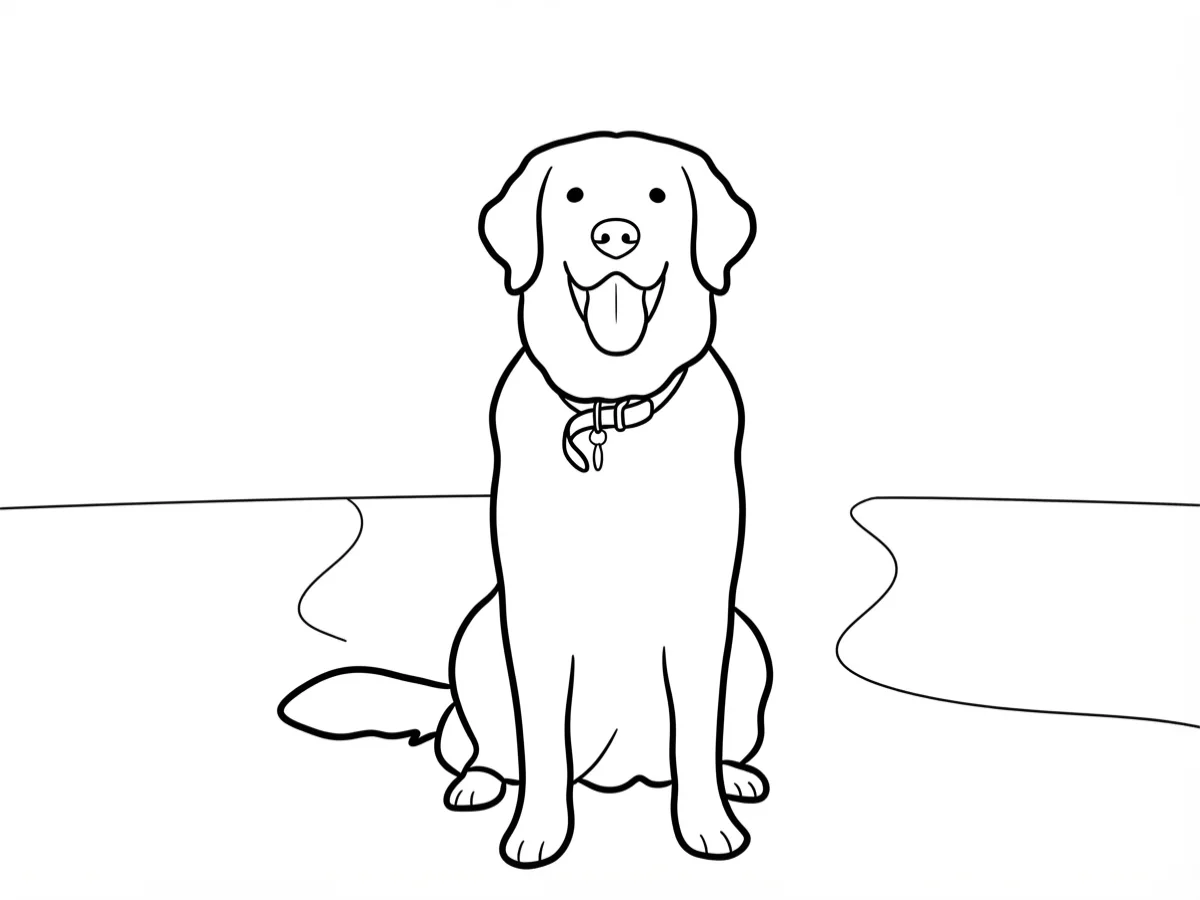
Thick outlines and large open areas for the youngest hands.
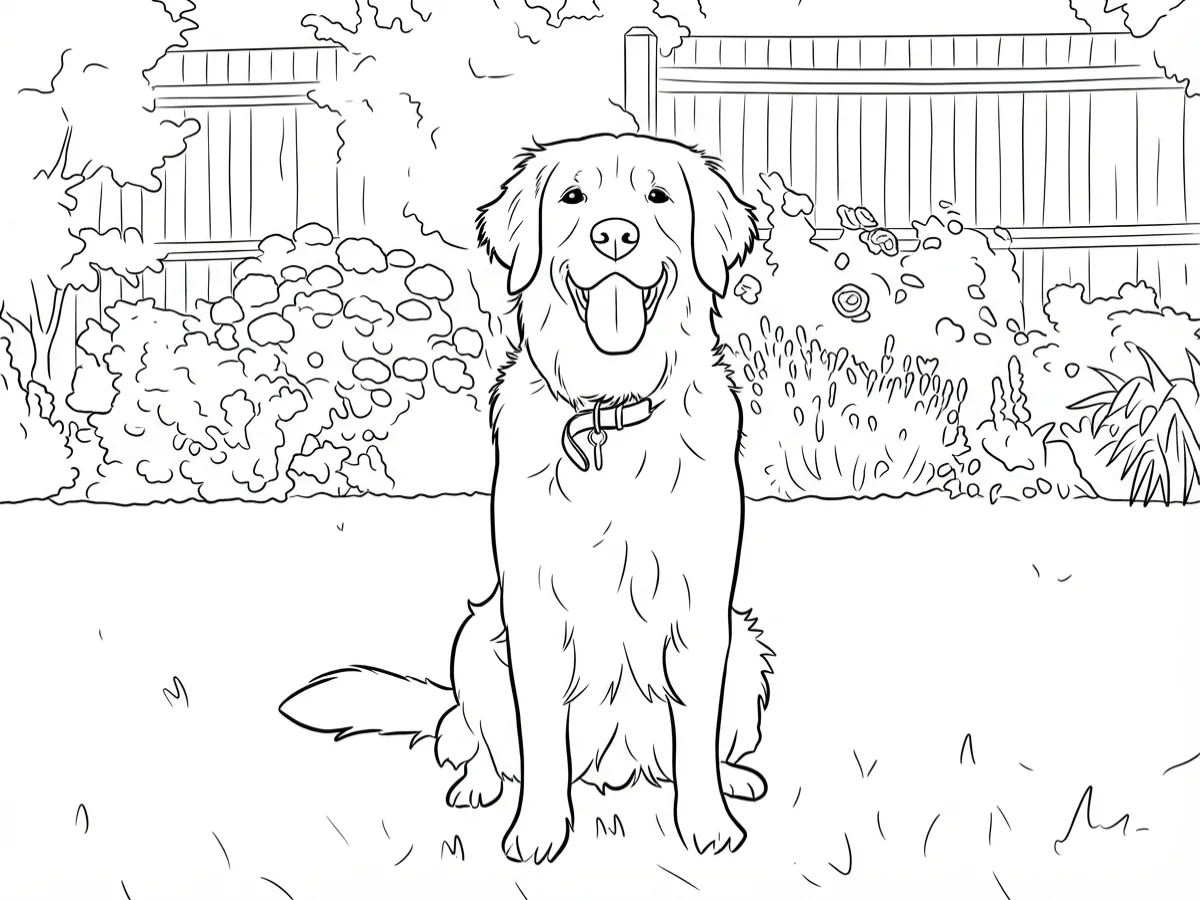
The default: clear closed shapes with a little detail.
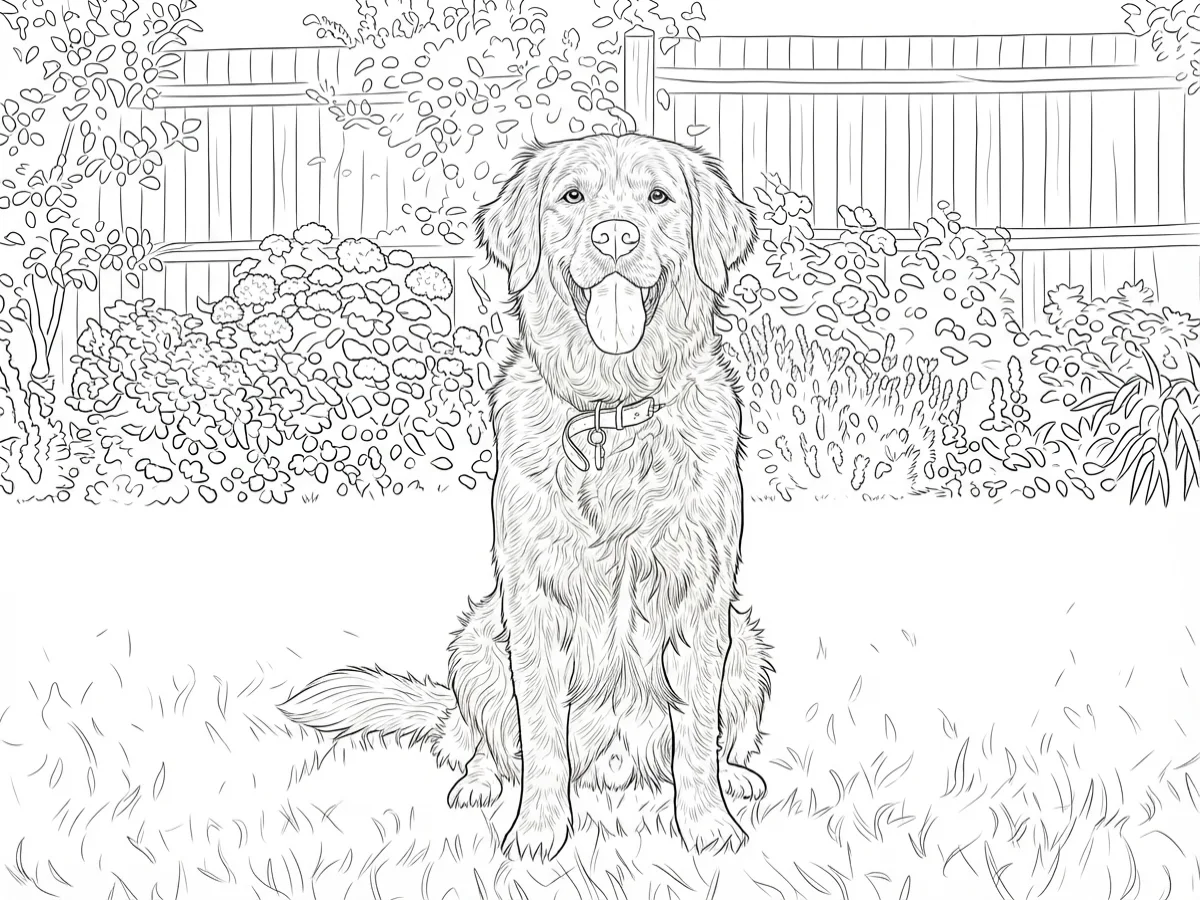
Intricate fur and foliage line work for older colourists.
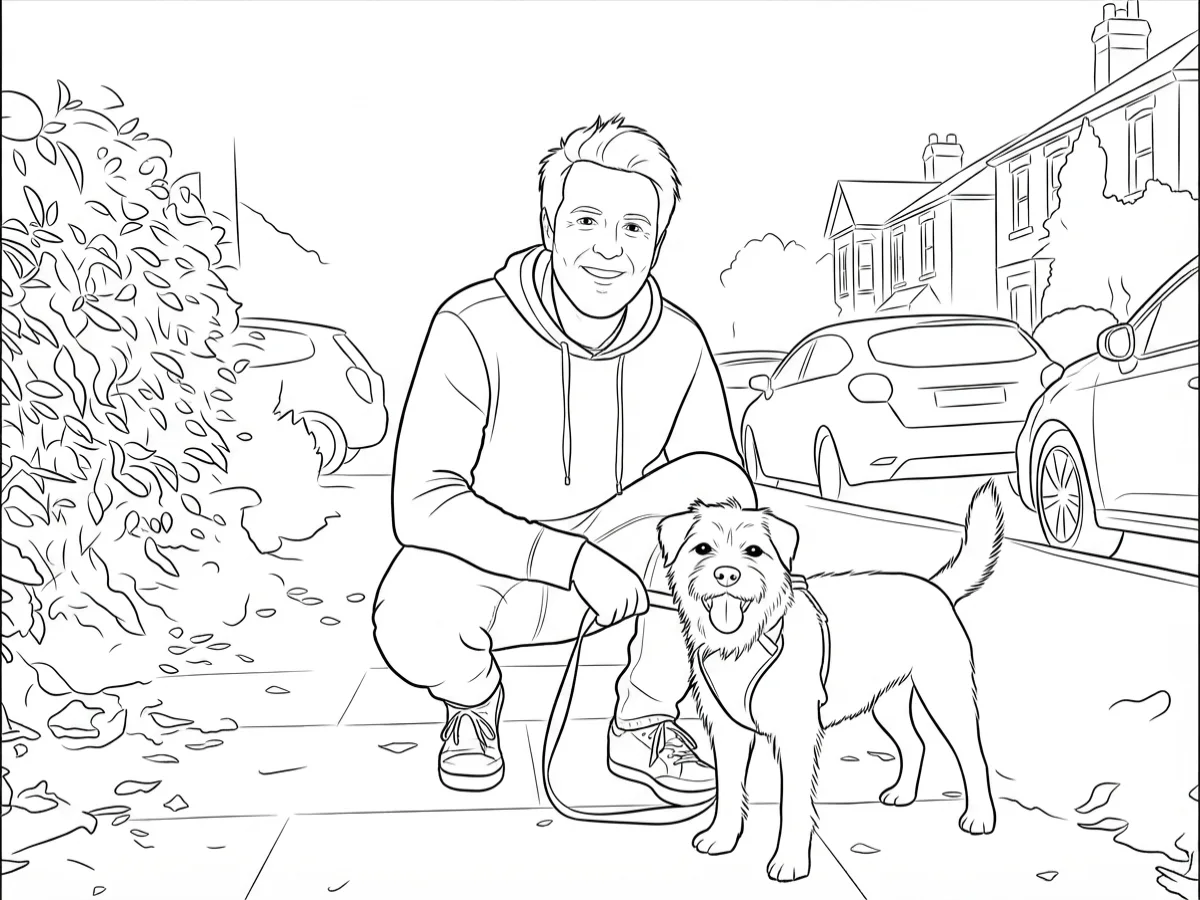
A street photo of a man and his dog as a single sheet.
This page runs a generative image-to-image edit on Nano Banana 2 Lite, one of Google's Gemini image models. Your photo goes in as a reference image and the instruction asks the model to rebuild it as line art: black outlines, closed shapes, pure white background, no shading and no grey. That last part matters more than it sounds — a plain edge-detection filter leaves grey fuzz and broken lines that print badly and are miserable to colour inside. Because the model understands what it is looking at, it decides where a real outline belongs and closes it.
Line weight is a real control, not decoration. When we tested this pipeline the default strokes were clean but fine — good for an adult, too delicate for a three-year-old — so the page ships three weights: extra bold with fiddly detail removed, bold as the everyday default, and fine detail that keeps fur and foliage texture. Pick by who is holding the crayon.
Two honest limits. First, you get an image file (JPG or PNG), not a PDF or a vector SVG, so scale it in your printer dialog rather than expecting infinite resolution — and print sharpness follows your source photo. Second, blurry or dark photos give the model no edges to find, so outlines may not close. Everything else you would expect afterwards works: the sheet lives in the Renoise Canvas, so you can upscale it before printing large. Upload only photos you own or are allowed to use — other people's children are not yours to upload.
The download is a standard image, so printing is the same as printing any photo — but a few choices make the difference between a crisp sheet and a grey one.
Print at A4 or US Letter with "fit to page" and normal quality; because the artwork is pure black on white, a draft or eco setting is usually enough and saves ink. Keep the source photo's shape in mind: a landscape photo prints with white margins at the top and bottom of a portrait sheet, so if you want a full page, upload a photo taken in the same orientation as the paper. For a poster-sized sheet or a colouring book you plan to bind, run the result through the image upscaler first — the line art enlarges cleanly and the outlines stay sharp. And if a page comes out too busy for a small child, run the same photo again at extra bold rather than reprinting the detailed version smaller.
What happens to an uploaded photo — worth knowing before you upload one of your kids.
Picking a file only previews it on your device. Not one byte is stored until you sign in and click generate.
Uploads land in your private library, never a public gallery, and re-running the same photo stores nothing new.
Remove uploads and results from your library whenever you want.
As of October 2026, 100,000+ creators in 170+ countries and regions use Renoise AI, an AI video, image and audio platform, to generate 300,000+ images and videos with 30+ models.
Source: Renoise internal data, March–October 2026. Figures are rounded down and updated quarterly. Last updated
Real feedback from creators who use Renoise AI to make videos, images and ads.
Renoise is pretty easy to use, with a clean and smooth interface. The results from Seedance 2.5 also feel noticeably smoother in action sequences.
Renoise Ai is a good tool for making ai videos and photos. it puts several Ai models in one place, so you don't need to use many different apps.
あまりAIツールを使ったりしたことなかったですが、キャラクターの固定や動画を続いて作成できて使いやすいです。これからどんどん進んでいくアップデートが楽しみです。
Renoise has been a great platform for AI creativity. The tools are easy to use, the experience is smooth, and it makes creating content more enjoyable and efficient. I really appreciate the work the team is doing and look forward to seeing more improvements. Highly recommended!
What I like about Renoise AI compared to other platforms: Fast generation speed: Slow generation takes up way too much time, but Renoise AI is surprisingly about 30% faster. Intuitive and user-friendly UI: Cheaply made platforms have terrible UIs that make me not even want to log in, but Renoise is very clean and convenient. Remembers my previous settings: It helpfully remembers my last workspace settings. Some odd platforms force you to re-adjust everything every single time you generate a video, which is extremely frustrating. Overall preference: For all these reasons, Renoise AI is definitely my preferred platform. Thank you!
Renoise is your go to one stop all for ai creators. all view and use all models in one place, for any type of content you have your mind on!
I have a creat experience with the app. Consistent characters but also unique. THere were some issues with storyline continuity and non-typical humanoid characters.
Credits work across every tool — upscaling, image editing and the video models.
For first-time AI content creators
Billed $168 annually
Upgrade PlanSave $72/year
For creators shipping content every week.
Billed $504 annually
Upgrade PlanSave $216/year
For studios and pros producing at commercial scale.
Billed $1680 annually
Upgrade PlanSave $720/year
For first-time AI content creators
Billed monthly
Upgrade PlanFor creators shipping content every week.
Billed monthly
Upgrade PlanFor studios and pros producing at commercial scale.
Billed monthly
Upgrade PlanRenews automatically each year until canceled.
Renews automatically each month until canceled.
Make the sheet here, then upscale it in the Renoise Canvas if you want to print it big.
Following us on X and YouTube earns 20 free credits. A sheet here costs 4 credits, so your first five are free. After that runs are billed per image — there is no free plan, and no subscription is needed to spend the credits you were given.
Upload the photo at the top of this page, pick a line weight, and generate. About a minute later you get black-and-white line art of the same picture, which you can download and print.
Extra bold for toddlers — thick outlines, small detail removed. Bold for school-age kids, which is the default. Fine detail for older kids and adults, keeping texture like fur and foliage. Trying two weights on the same photo costs 4 credits each.
You can print it — the download is a standard image file (JPG or PNG), not a PDF or vector SVG. Print at A4 or Letter with "fit to page"; the printing section above covers orientation and poster-size sheets.
Yes — pets are the strongest case, because fur turns into clear line texture. The examples on this page are all real outputs from our own dog photos.
Yes. Faces stay recognisable as line art, and it works best when the person fills most of the frame so features stay large enough to colour inside.
JPG, PNG, and WebP, up to 20MB per photo. One photo per run, and the sheet keeps your original framing rather than being cropped square.
Only photos you own or are allowed to use. That matters most with children: a photo of someone else's child is not yours to upload, even for something as harmless as a colouring sheet.


