Five parts, one character
Archetype, age, hair, wardrobe, mood, palette. On our test brief every clause landed — down to the copper hairpin and the muted autumn colours.
Write the spec — race, age, wardrobe, mood, art style — and the AI character generator draws it. Your design, illustrated; not a random face.
Follow us and get 20 free credits — about 5 images
Original characters only — not real people, and not characters you do not own.
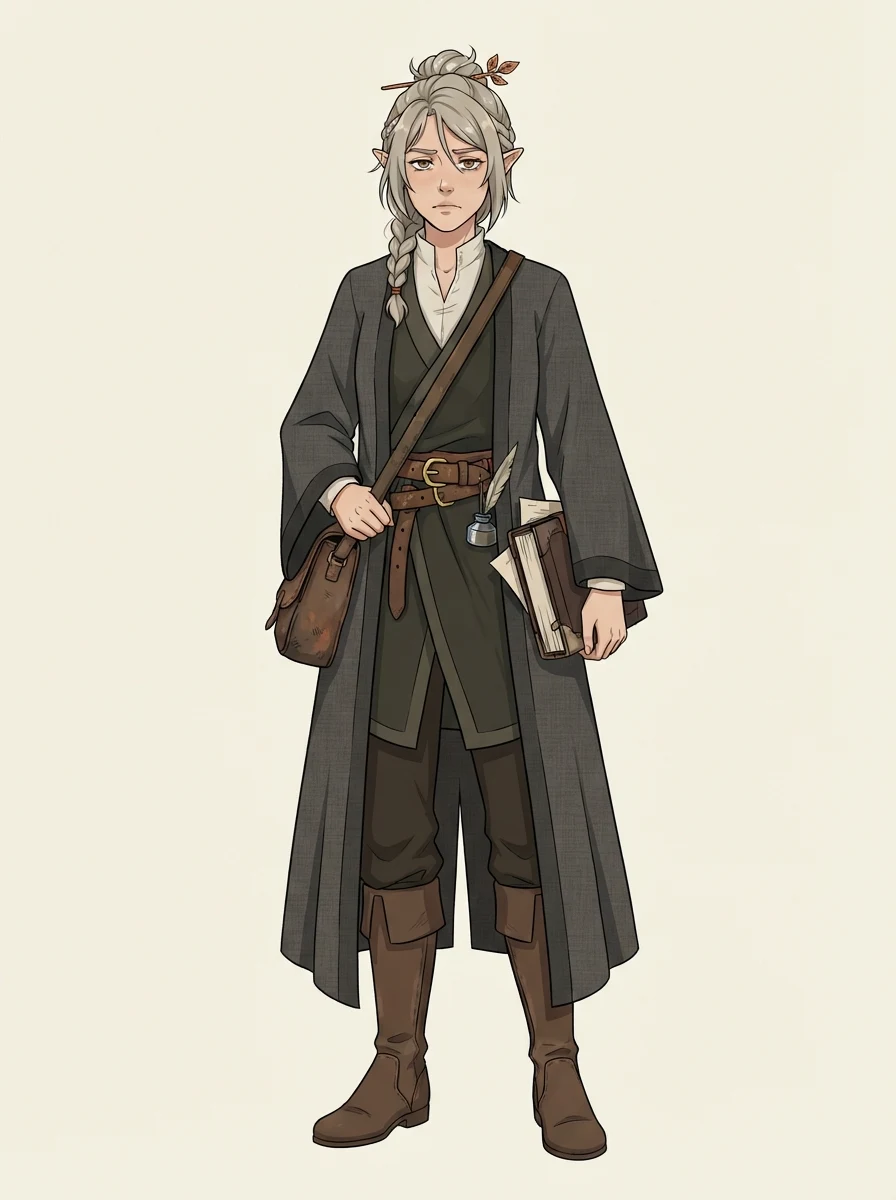
a half-elf archivist in her late twenties, ash-blonde hair tied back with a copper pin… — Anime · Full body
Real model output from the description in the box — every clause landed.
Subscribe for more credits and more models.
Yes — if you bring the design. Write the spec in the box above (archetype, age, hair, wardrobe, mood, palette), pick a style and a framing, and the model draws that character in about half a minute. What it will not do is invent a character worth keeping from three vague words: the specificity you put in is the specificity you get out. Following us on X and YouTube puts 20 credits on the account and one design costs 4, so the first five are covered.
Want a look for streaming instead — overlay framings and a rigging-ready sheet? See the AI VTuber maker
This page starts from a spec you already have. That is the difference between a character and a stranger.
Archetype, age, hair, wardrobe, mood, palette. On our test brief every clause landed — down to the copper hairpin and the muted autumn colours.
Anime, painterly, semi-realistic or ink and wash. The same spec in a different style is a different drawing of the same idea.
Front, side and back on one sheet — the reference an illustrator or rigger asks for when you commission the next step.
The people who search for this are writing, running games or drawing fan work. The copy assumes you have a character sheet, not a blank page.
No account needed to try the controls; sign in when you generate.

Replace the starter description clause by clause. Concrete nouns beat adjectives: "layered charcoal robes over a high-collared linen shirt" lands, "cool mysterious outfit" does not.
Anime, painterly, semi-realistic or ink and wash; full body, portrait, or the three-view character sheet.
Each design costs 4 credits and the 20 a follow earns cover five. Save the design as soon as it is right; the next run will not reproduce it.
Tested 2026-09-02 on the exact model this page runs, on original characters. The last two rows are the ones competitors leave out.
| What we tried | Result | What it means for you |
|---|---|---|
| A five-part spec (archetype, age, hair, wardrobe, mood, palette) | Good — every clause landed | Half-elf ears, the copper hairpin, layered charcoal robes, the weary expression and the autumn palette all came through, plus props that suited the archetype |
| The same spec in a different art style | Good | Style is genuinely independent of the spec — the same character reads as the same idea in anime and in painterly |
| A vague brief ("mysterious elf girl") | Generic result | The pills only supply style and framing. The character comes from your words |
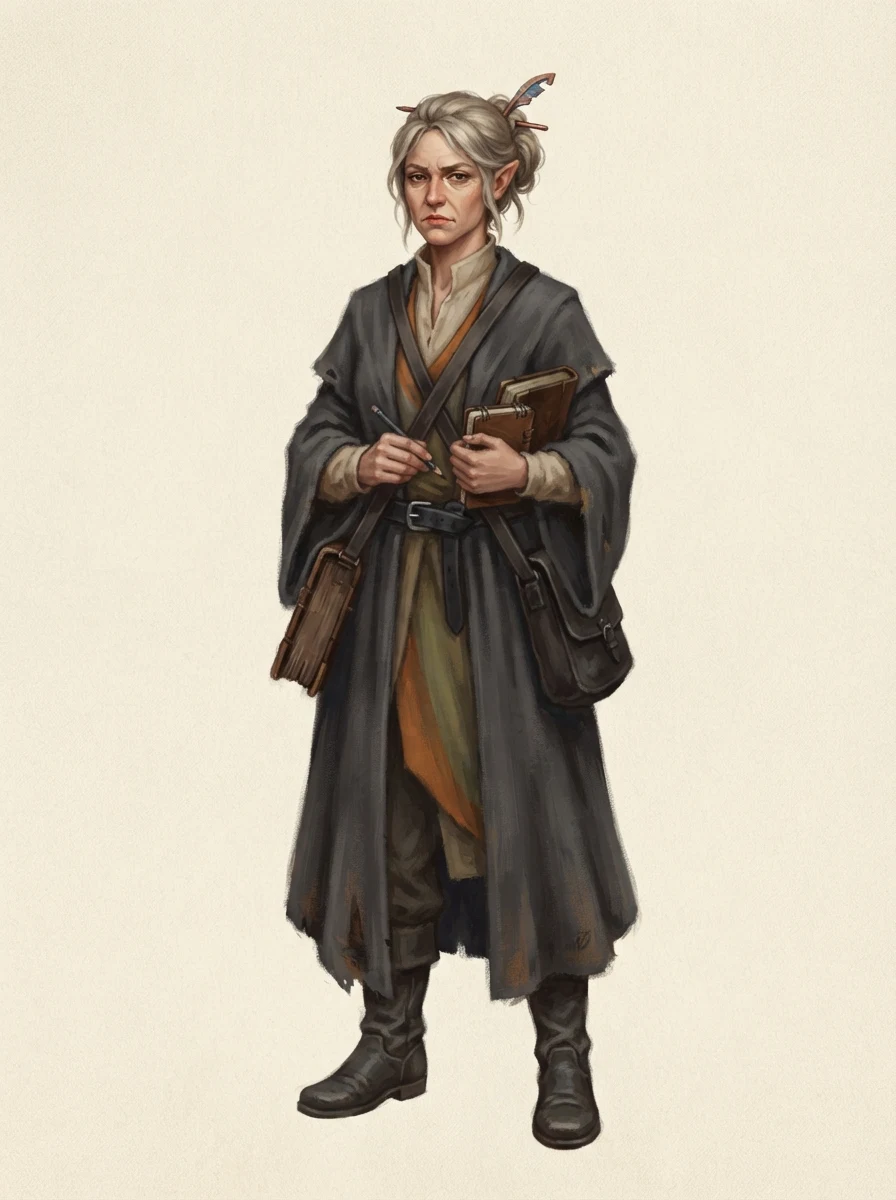
| ⚠️ Running the same spec twice | You get a different character | Hair down with a braid vs an updo with a stick pin; boots and trousers vs a long skirt. Same brief, different person. Save the one you like |
| ⚠️ Naming an existing anime or game character | It will draw it anyway | We tested this. Every run carries an "original character" clause and the model produced a recognisable franchise character regardless. The clause is a request, not a filter — so this line is on you |
All three came from the description in the box above. The first two are the same prompt run twice — read that pair carefully before you start.
The five-part spec, drawn in the default style. Hair down with a braid, satchel on the hip, books in hand.
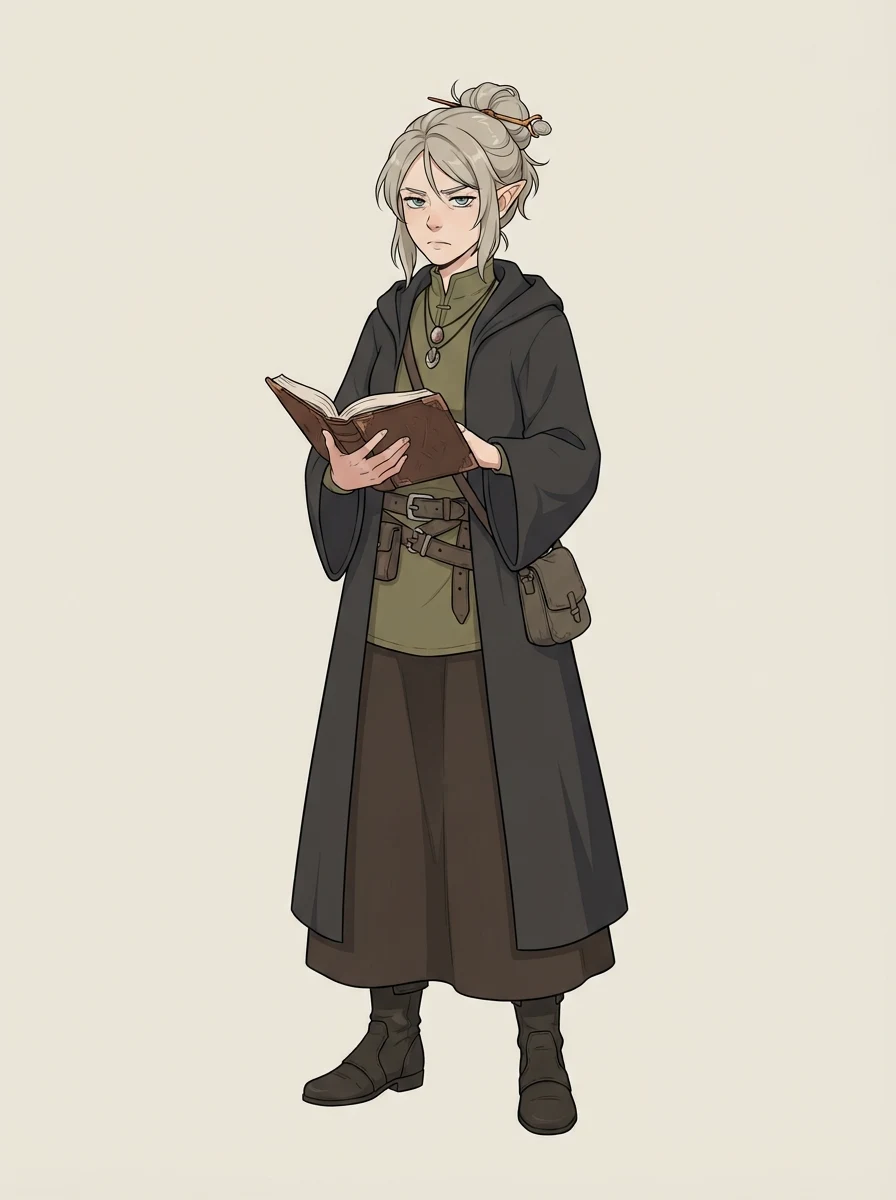
Identical spec, nothing changed. An updo with a stick pin, a long brown skirt, an open book. The idea survived; the person did not.
The same spec with the style pill moved. Useful when the character belongs to a story with a painted look rather than a line-art one.
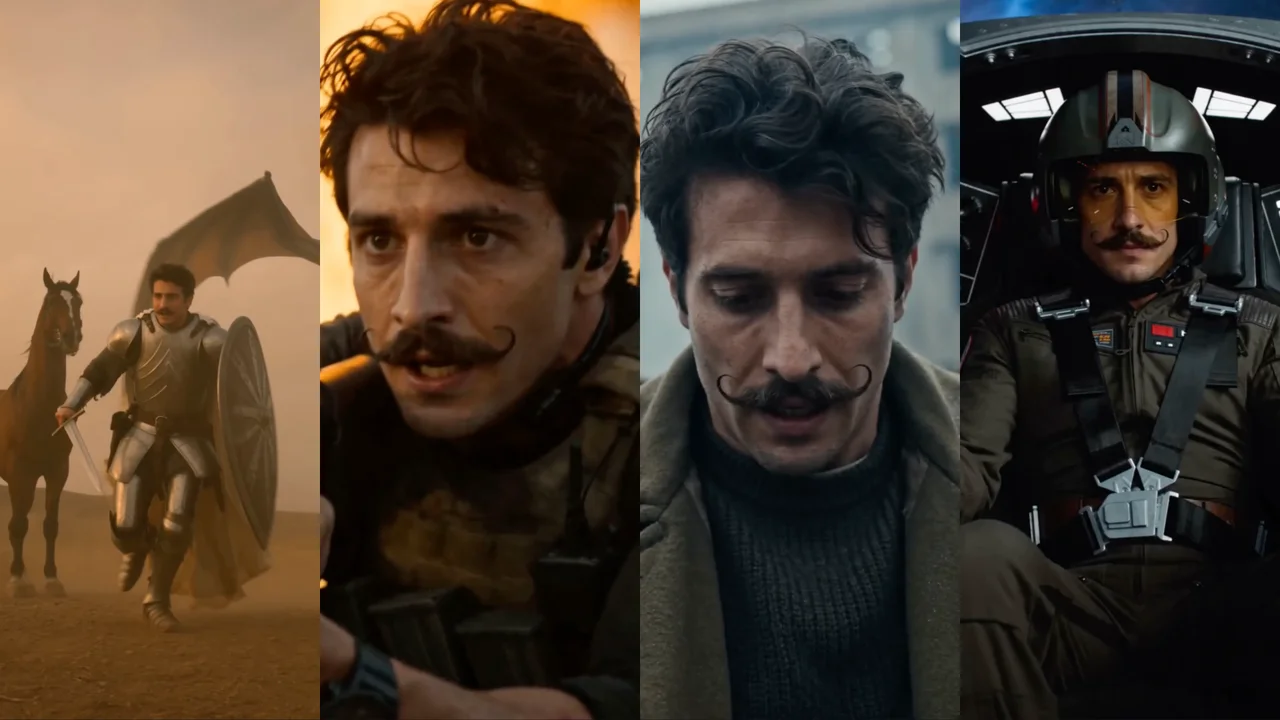
Four original characters in cinematic roles — what a cast looks like once the individual designs exist.
The prompt box is the protagonist on this page, so it is worth being concrete about what to put in it. Five parts get you a character rather than a mood board. Archetype and age anchor the silhouette — "a half-elf archivist in her late twenties" already rules out a dozen wrong drawings. Hair is the single most identity-carrying detail in illustration, so specify length, colour and how it is held: "ash-blonde, tied back with a copper pin". Wardrobe should be layered nouns, not adjectives — "layered charcoal robes over a high-collared linen shirt" gives the model three things to draw, while "cool robes" gives it none. Mood shows up in the face and the posture; "weary but stubborn" is a useful kind of contradiction. Palette ties the whole thing together — "muted autumn" prevents the default candy colours that make every AI character look related.
What you leave out, the model fills in — and it fills in with the average of everything it has seen. That is why a vague brief comes back generic: not because the tool is weak, but because you delegated the character design. Our own test brief was exactly the five parts above, and the props it added on its own (a quill, an inkpot, a satchel of books) suited the archetype because the archetype was specific enough to imply them.
A lot of people arrive here from the OC community, and it is worth splitting that search in half. Half of what "OC generator" means is what this page does: you have a character and you want to see them. The other half is a name generator, a personality generator, a trait randomiser — text tools. This page has no text output at all. It draws; it does not name, and it does not write a backstory.
That is not a gap we are going to paper over, so here is the method instead. Write the premise as one sentence with a situation in it, not a vibe. Derive the visual hooks from that premise and put those in the box above, so someone can guess the premise from the drawing. Pick a name you can say out loud and that survives being typed in a chat. Give them two or three speech habits — a thing they always say, a word they use wrong on purpose, a subject they refuse. Then write down the boundaries: what they do not know, and what you will not do with them. Characters built this way hold up across a campaign or a novel; characters assembled from a random generator tend not to.
This is the question that separates "I got a nice picture" from "I can use this", and it deserves a straight answer: not from this page alone. We ran one identical specification twice and got two different people — the idea held, the character did not. Consistency holds inside a single generation, which is why the three-view sheet framing works and why it is the right thing to generate once you have a design you like.
Getting one character to recur across many images is a different technique with its own trade-offs, and we keep a separate write-up for it rather than compressing it into a FAQ answer here. The short version: lock a canonical reference first — the sheet from this page is a good one — and carry that reference forward rather than re-describing the character each time. The full treatment, including what still breaks, is in the character consistency guide.
This page runs the fast tier deliberately. Nano Banana 2 Lite costs 4 credits a design, which is what makes "the 20 credits a follow earns cover five" a promise we can keep — and five is about how many attempts it takes to find the version of your character that feels right. Cheap iteration is the correct shape for character design; an expensive first render is not.
Once the design is settled and you want to push it — a bigger canvas, a set of expressions, the character placed in a scene, or a model with a different sense of anatomy — open the full image workspace. Every model on the platform is available there, including Nano Banana Pro, and you keep working on one canvas instead of re-prompting from zero each time.
What happens to what you generate here.
Picking a file only previews it on your device. Not one byte is stored until you sign in and click generate.
Uploads land in your private library, never a public gallery, and re-running the same design stores nothing new.
Remove uploads and results from your library whenever you want.
Credits work across every tool — image editing, upscaling and the video models.
For first-time AI content creators
Billed $168 annually
Upgrade PlanSave $72/year
For creators shipping content every week.
Billed $504 annually
Upgrade PlanSave $216/year
For studios and pros producing at commercial scale.
Billed $1680 annually
Upgrade PlanSave $720/year
For first-time AI content creators
Billed monthly
Upgrade PlanFor creators shipping content every week.
Billed monthly
Upgrade PlanFor studios and pros producing at commercial scale.
Billed monthly
Upgrade PlanRenews automatically each year until canceled.
Renews automatically each month until canceled.
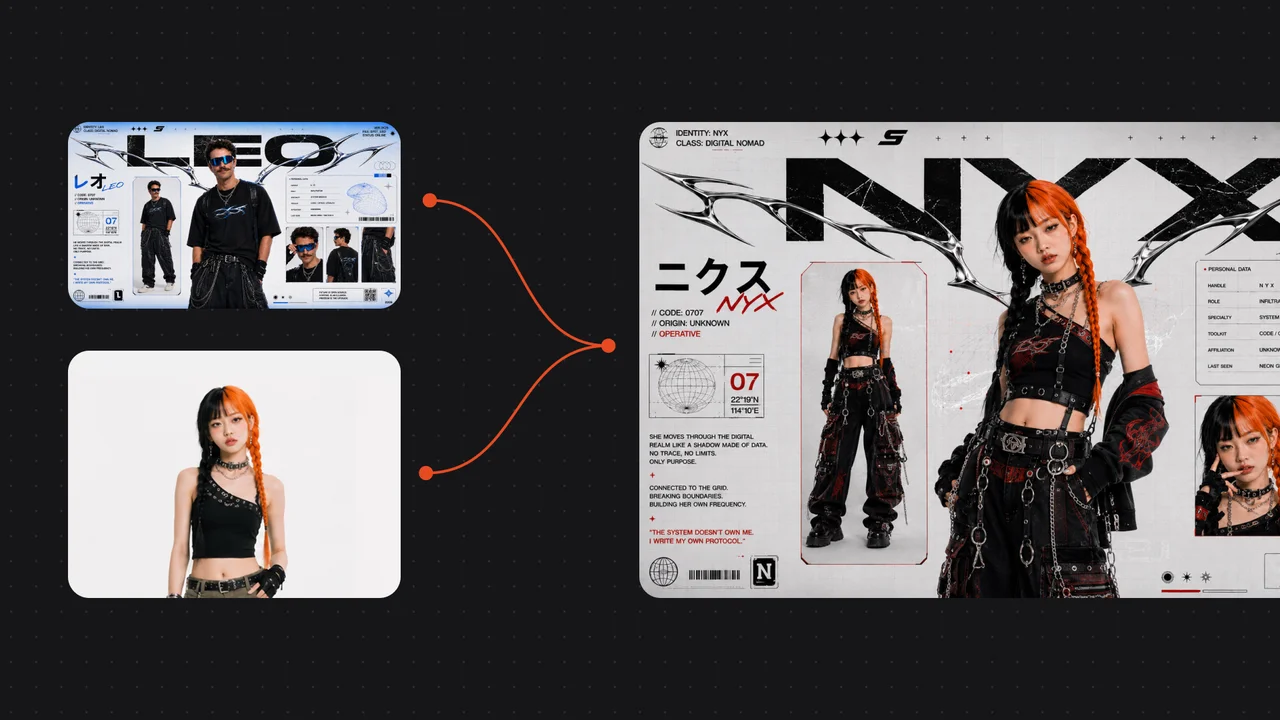
Generate the three-view sheet, try another style, or take the design into the workspace.
Yes, when you supply the design. The model draws what your specification describes — on our test brief the half-elf ears, the copper hairpin, the layered charcoal robes, the weary expression and the muted autumn palette all came through. What it cannot do is originate a character worth keeping from a vague phrase: whatever you leave out gets filled in with the average of everything the model has seen, which is why vague briefs come back generic.
No, and this is the most important thing to know before you start. We ran one identical five-part specification twice and got two different people — hair down with a braid versus an updo with a stick pin, boots and trousers versus a long skirt. Consistency holds within a single image, which is why the three-view sheet works, but it does not carry across runs. Save the design the moment you like it.
Physically, yes — and you should hear that from us rather than discover it. We tested it: with the "original character" clause present in every prompt, naming a well-known franchise character still returned a recognisable version of them. That clause is a request to the model, not a filter, and we are not going to pretend otherwise. What it does help with is keeping a vague brief from drifting into someone else's design. So the boundary is yours to hold: do not generate real people, and do not generate characters you do not own.
No. This tool has exactly one output and it is an image; there is no text generation on this page. Half of what people mean by "OC generator" is a name or personality generator, and we would rather say we do not do that than fake it. The section above gives the method we would use instead — premise, visual hooks, name, speech habits, boundaries — which produces characters that hold up better than a randomiser does.
Following us on X and YouTube puts 20 credits on the account and one design costs 4 credits, so five are covered. We would rather give you that arithmetic than the word "free" — the credits are shared across every tool here, so those 20 could equally go to upscaling or video.
Nano Banana 2 Lite, from Google. It is the fast tier, chosen so one design costs 4 credits and the free credits stretch to five attempts. Every image on this page is real output from it, generated on original characters.
It is the difference between a character and a stranger. This page starts from a specification you wrote and draws that character — the output is yours in the sense that the design was. The face generator does the opposite: it hands you a plausible person who does not exist, with no design brief involved, which is what you want for a placeholder avatar or a mockup rather than for a story.
Same model, different job. The VTuber maker is aimed at streaming — overlay-friendly framings, a rigging-ready sheet, and a persona method built around going live. This page is aimed at fiction and games: designing to a spec you already have, for a story rather than a channel. If you are choosing between them, pick by what happens to the drawing afterwards.
The designs are yours to use. Watermark-free exports come with a paid plan. Because the model draws from a description rather than a reference image, an original description gives you an original design — but if you are about to build a product on one, a reverse-image check is worth the two minutes, as with any generated art.