Synthetic persona
A fully fictional AI model — no real-person likeness, no casting.
Design a virtual persona, keep them consistent, then animate to video.
Design a synthetic persona on Nano Banana Pro — describe the face, hair, and style until you like it. Reuse that image as a reference so the same persona carries across new shots, then animate it into short clips with Seedance 2.0. It is a fictional AI model, not a real person.
Want to animate a single talking persona instead? See the AI avatar guide
What building an AI influencer looks like in Renoise.
A fully fictional AI model — no real-person likeness, no casting.
Reuse the persona image as a reference to hold the look across new shots.
Design on Nano Banana Pro, then animate up to 15s with Seedance 2.0.
From a text brief to a consistent persona you can animate into clips.

On Nano Banana Pro, prompt the face, hair, age, and style — "24, freckles, auburn bob, streetwear" — and generate.

Drop the persona image back in as an `@` reference, then generate new poses and outfits so the same face carries over.

Pick Seedance 2.0 from the Canvas model bar, set ratio to 9:16, and animate the persona into a short clip.
One synthetic persona, carried across UGC, fashion, and promo clips inside a single canvas.
The persona moving through a city montage — Seedance 2.0 turns a static AI model into a short vertical clip.
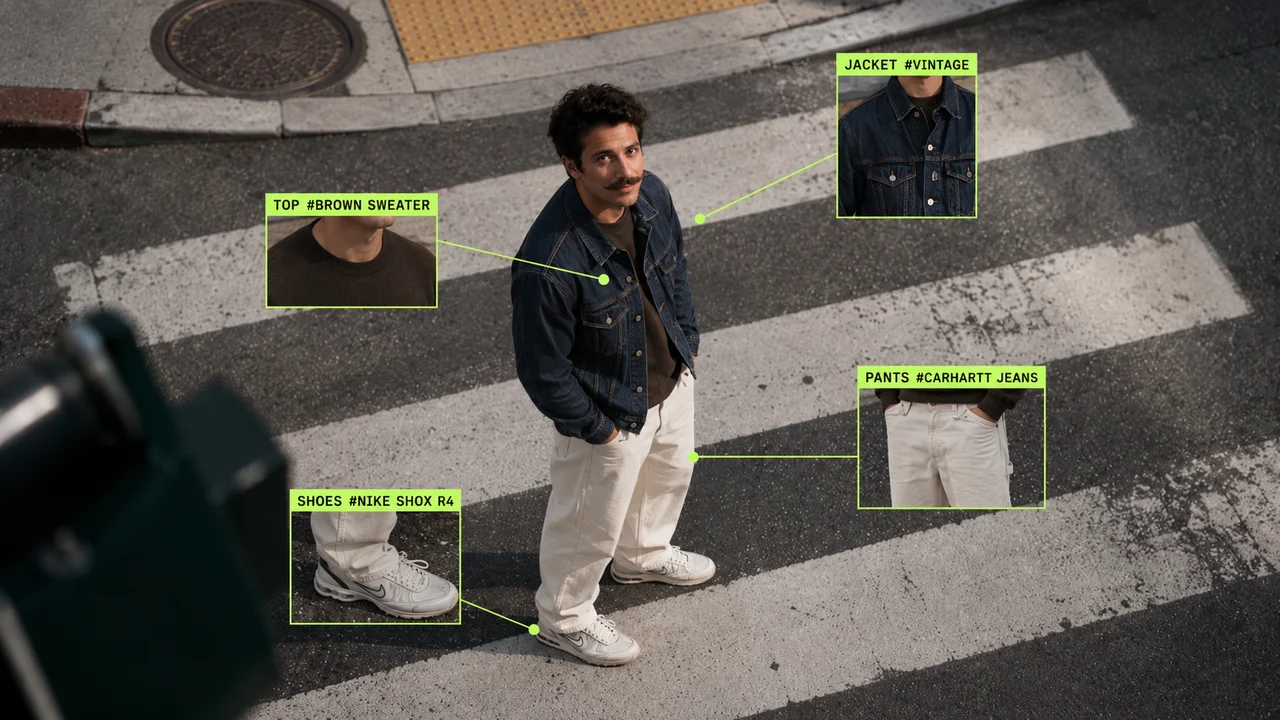
A synthetic AI fashion model in a styled streetwear look — ideal for ecommerce and lookbook shots.
A close-up street portrait of the same persona — the look stays recognizable from shot to motion.
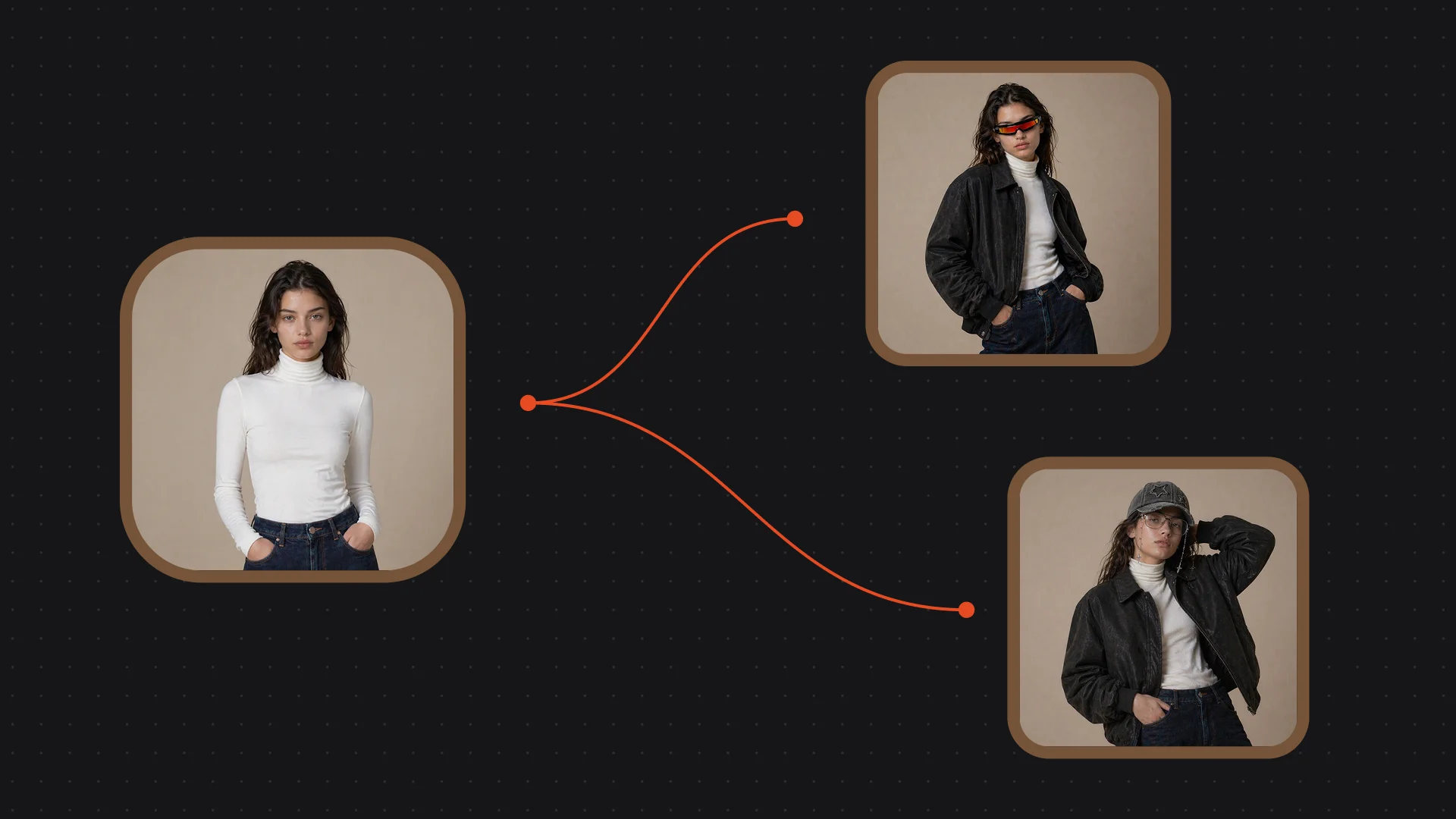
The same AI model rendered in several outfits — swap the wardrobe while the persona holds.
You design the persona as an image first, then animate it. Both image models live in the same Canvas — Nano Banana Pro for photoreal skin and lighting, GPT Image 2 when you need to fuse many reference shots.
| For the persona | Nano Banana Pro (Recommended) | GPT Image 2 |
|---|---|---|
| Best for | Photoreal persona + lighting | Multi-reference fusion |
| Realistic faces | Best | Good |
| Reference images | Image-to-image | Up to 16 |
| Max resolution | 4K | 4K |
| Same canvas | ✓ | ✓ |
The hard part of a virtual influencer is not the first image — it is the second, the tenth, and the one in motion. Generate from a fresh text prompt each time and you get a slightly different person every shot: the jaw shifts, the hair changes, the freckles move. A believable AI model needs the same face across a feed, a lookbook, and a video, so consistency is the whole game.
The lever is image reference, not text. Once you have a persona you like, treat that image as the source of truth: drop it back into the Canvas with an `@` reference and generate new poses, outfits, and backdrops from it rather than re-describing the face in words. Pin a short "character sheet" — front, three-quarter, and profile shots of the persona — and reference those when you need a new angle. Keep wardrobe and scene in the prompt, but let the reference carry the identity.
When you move to motion, feed the persona still into Seedance 2.0 as the first frame so the clip starts from the exact look you locked. Image reference is a strong model-layer capability, not a guarantee — outputs can still drift — so generate a few takes and keep the ones that match. Note that this persona is synthetic; animating a real person's face instead requires their consent and a FacePass clearance.
A virtual influencer leans on a few things — Renoise gives you Nano Banana Pro, Seedance 2.0, and image reference in one canvas.
Designs a photoreal persona with believable skin, hair, and studio lighting.
Reuse the persona image with `@` so the same look carries across new shots.
Animates the persona still into 4–15s clips, with first-frame control.
Switch between image and video models per shot without leaving Canvas.
One plan unlocks Nano Banana Pro, Seedance 2.0, and every other model.
Design a virtual persona and animate it, with watermark-free exports on paid plans.
An AI influencer is a fully synthetic, fictional persona — an AI model that does not exist as a real person. You design the face and style as an image, keep it consistent across posts, and animate it into clips. It is not based on anyone real.
Reuse the persona image as an `@` reference instead of re-describing the face in text. Pin a few angles as a character sheet and generate new poses, outfits, and scenes from those. Image reference is a strong model-layer lever, not a guarantee, so keep the best takes.
Nano Banana Pro for most personas — it renders photoreal skin, hair, and lighting. Reach for GPT Image 2 when you need to fuse many reference shots into one frame. Both live in the same Canvas, so you can switch per shot and reuse the result.
Feed the persona still into Seedance 2.0 as the first frame, set the ratio to 9:16 for vertical feeds, and generate a 4–15 second clip. Starting from the locked image keeps the animated persona looking like the one you designed.
Yes. Design one synthetic model, then reference it while you swap outfits, backdrops, and poses for lookbook and product shots. The same persona carries across the set, so your catalog looks coherent without booking a real model.
No — it is a synthetic, fictional character you generate, so there is no real-person likeness involved. If you instead want to animate a real person, you need their consent and a FacePass likeness clearance before using their face as a reference.
Seedance 2.0 makes 4 to 15 second clips and supports six ratios from 21:9 down to 9:16. Use 9:16 for TikTok, Reels, and Shorts, or 16:9 for landscape promos. Generate at the ratio your channel needs from the start.
Outputs are watermark-free on paid plans. You design the persona on image models and animate it on Seedance 2.0, all from one subscription, then export the stills and clips for your feed, store, or ad campaign.
