A portrait
A blink, a faint smile, a slow push-in. The face stays the same face.
Upload a photo and get a 4-second video back. There is no prompt to write — the motion is chosen for you. Your first clip is free after signup; it runs at 480p and takes about two minutes.
Follow us and get 20 free credits — about 1 video
For photos of yourself, of people who agreed to appear, or of things you own.
Real output from this page, playing on loop. One photo went in.
Subscribe for more credits and more models.
The photo to video AI above takes one photo and gives back a 4-second clip of it moving — a small shift from the subject, a slow push-in, background that drifts. Upload, press generate, and in about two minutes it is done. There is nothing to write: this AI photo to video tool runs one fixed motion instruction so it can be a single button. Following us on X and YouTube earns 20 free credits and a clip here costs 20 at list price, so your first one is free, and a failed generation refunds itself.
Want to write the motion yourself, or need longer than 4 seconds? Use the full video models
One upload, one button. The photo does not have to be of a person.

A portrait, a product shot, a landscape — all three work, and we tested all three. Sharper photos animate better than dark or blurry ones.
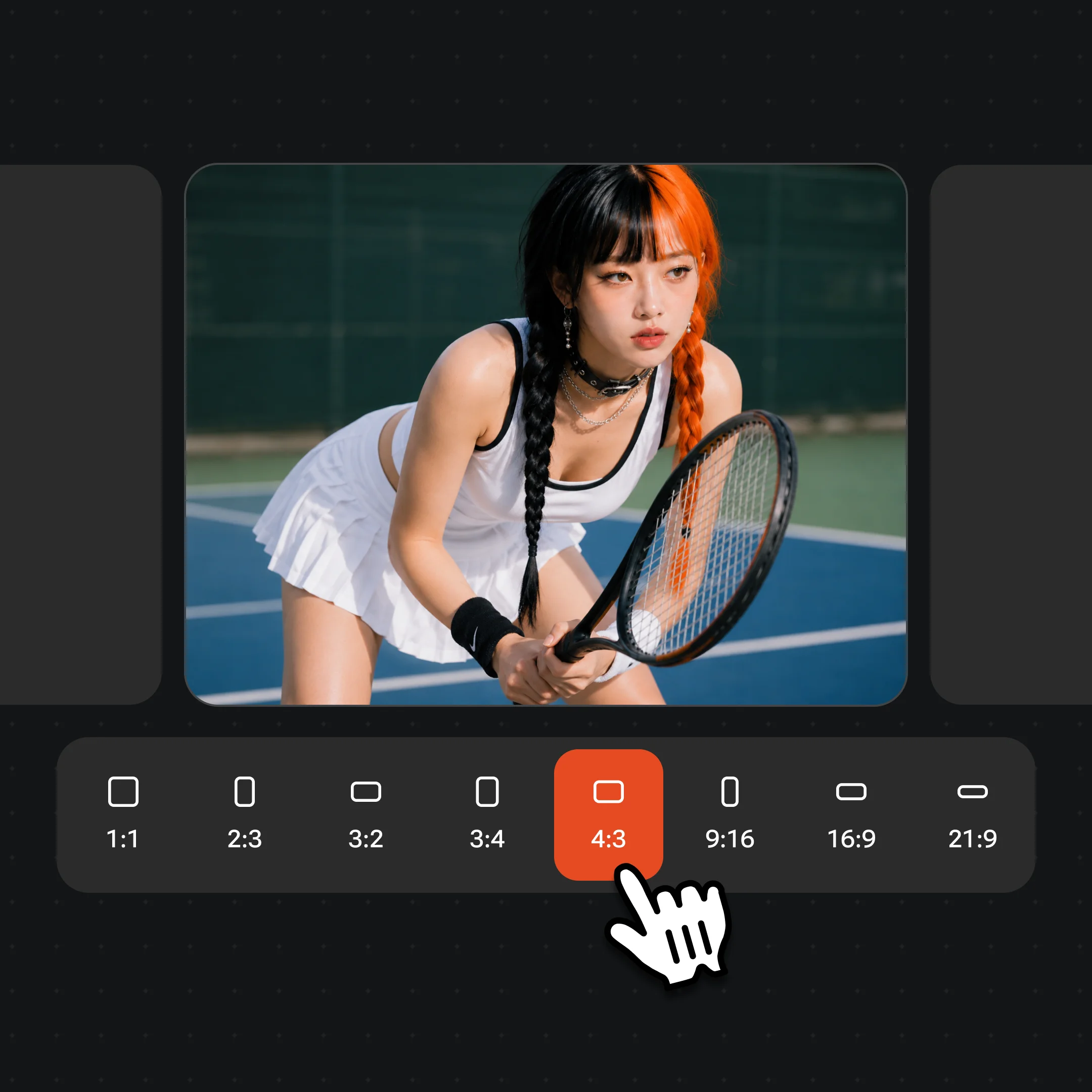
480p and 4 seconds is preselected — what the free credits cover. The line above the button opens the model, the resolution and the length, and reprices as you pick, so a sharper or longer clip costs what it says before you run it.
The clip renders server-side — 91 to 122 seconds in our own runs. You can leave the page and come back; it lands in your videos either way.
Most image to video tools hand you a text box and ask you to describe the motion you want. Google's own summary of this search describes the job that way. This page does not, and that is deliberate rather than missing: it runs one motion instruction, chosen and tested by us, so that turning a photo into a video is one button instead of a writing exercise.
What that instruction asks for is small, real movement — the subject shifts a little, the camera pushes in slowly, background elements drift, and the lighting and the face stay put. We picked it over two more dramatic alternatives for one reason: it does not break on photos that have no person in them. A prompt that says "the subject comes to life" looks great on a portrait and invents a creature when you hand it a product render. This page gives you one free clip, so the floor matters more than the ceiling.
The trade is that you cannot ask for a specific camera move, a specific action, or a specific mood. If you want those, the video surface is where you write your own prompt against the full model lineup — same account, no separate signup. This page is for when you have a photo and want to see it move, right now, without composing anything.
Every clip here is real output from this page at 480p and 4 seconds — the same tier your first free clip runs at, not a demo from a bigger model.
A blink, a faint smile, a slow push-in. The face stays the same face.
Glass and water ripple around the product while the product itself stays exactly as photographed.
Wheat moves in the wind and the figure in the distance shifts. Quiet, but genuinely moving.
This prompt-written clip comes from the video surface on Seedance 2.0, a model not offered in the one-button tool above.
Here are the actual numbers from our runs, because almost nothing on this search page publishes them. The free tier gives you 4 seconds at 480p — around 640×640 for a square input — a silent H.264 file, 1 to 2MB, and 91 to 122 seconds end to end including queue time. It carries a watermark.
That is enough to see a photo move and to send it to someone. It is not enough for a finished piece. A 4-second clip holds one small movement, not a sequence: no scene change, no story, no beat drop. And 480p is fine on a phone and soft on a laptop. Both of those are the honest cost of the first one being free.
Some photos will not animate well no matter what. Deep shadow, heavy motion blur, or a subject cropped so tightly there is nothing around it all give the model too little to work with. Moderation also declines some photos of people outright. When either happens the generation fails and the credits come straight back, so a bad attempt costs you time rather than your free clip.
One more limit worth knowing before you upload: the clip inherits your photo's shape. A square photo gives a square video, a tall phone photo gives a tall one. Nothing is cropped away, but nothing is added either — the model cannot widen a portrait into a landscape.
Seven of the nine tools ranking for this search say free in their title and almost none says what that buys. Ours: following us on X and YouTube earns 20 credits, one clip at the default tier costs 20 credits at list price, so the first video is free — no card, no trial period, no plan to cancel. After that you are on per-generation pricing. A free tier is not something we have, and calling the free credits one would be a lie you would discover on your second clip.
Two things keep that from being a technicality. Failed generations refund automatically, so a photo the model cannot use does not silently consume your one free run. And this page deliberately defaults to the cheap tier: a stronger model, higher resolution or longer clip can cost several times as much, which is why the line above the button prices every combination while you choose instead of quietly charging you when you click.
The free clip is watermarked. Watermark-free exports come with a paid plan, which is the honest trade for something that costs real compute to produce.
Most of the tools ranking here call this image to video AI rather than photo to video AI, and they mean the same operation: one still frame in, a short generated clip out. If you searched for an image to video AI generator, a picture to video AI, or an AI photo animator, this page is the thing you were looking for — the widget above does not care which phrase brought you.
Where the names do diverge slightly is scope. "Image to video" is also used for text-driven generation, where you write a prompt and the model builds motion to match. That is the video surface, not this page. And free image to video AI usually means a watermarked low-resolution clip wherever you find it, ours included; anyone offering unlimited HD for nothing is either about to ask for a card or about to stop.
One genuine difference in what you get here: because we run one tested instruction rather than your prompt, results are consistent across photo types. That is worth less to someone who knows exactly what motion they want, and worth a lot to someone who just wants their photo to move.
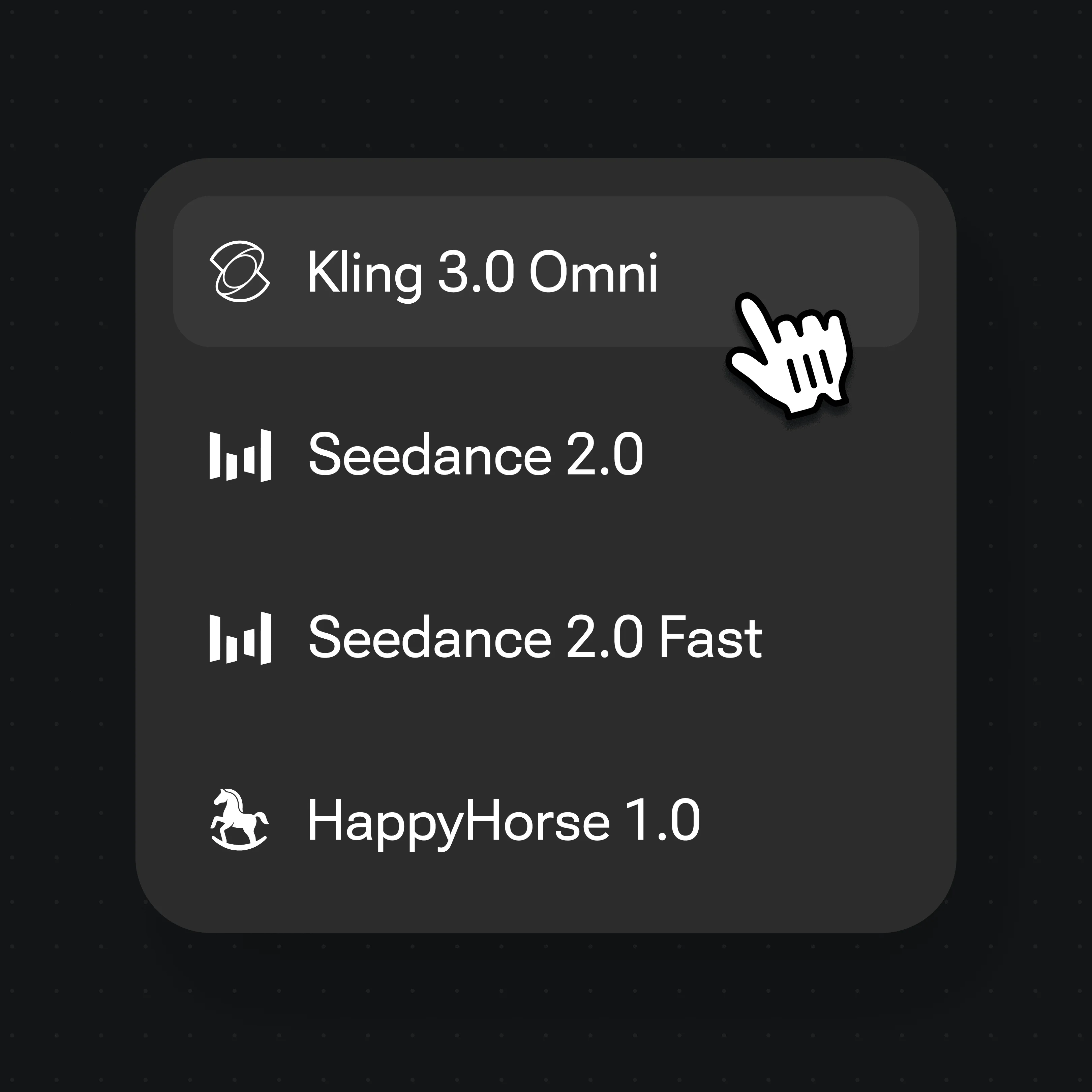
The widget above defaults to the fast, cheap tier so the first clip can be free, but it also lets you choose two Seedance models, up to 1080p and 15 seconds. The video surface adds ratios, longer clips and the full model lineup.
| What you get | This page | Renoise video models (Recommended) |
|---|---|---|
| Resolution | Up to 1080p | Up to native 4K |
| Clip length | 4–15 seconds | 4–30 seconds |
| Write your own prompt | — | ✓ |
| Choose the camera move | — | ✓ |
| First one free | ✓ | — |
| Watermark | Yes | Watermark-free on paid plans |
This page animates a single photo. It does not take a folder of photos and assemble them into a montage with music, and there is no way to make it do that — one upload, one clip, every time.
If a slideshow is what you actually want, that is a different tool and we have a guide for it. It is worth being clear about the difference because the two get confused: a slideshow keeps your photos still and moves between them, while this page keeps one photo and moves what is inside it.
Restoring an old photo is also its own step, and it belongs first. Animating a scratched, faded scan animates the scratches too — clean it up, then bring it back here.
Use photos of yourself, of people who agreed to appear in a clip, or of things you own. Animating a stranger, a celebrity, or someone who never consented is non-consensual synthetic media — do not use this for that, and in most places it is illegal as well as harmful. Never use photos of minors.
Face compliance runs automatically on every generation, which is why nothing has to be registered first. But an automated check is a floor, not permission: it cannot know whether the person in your photo agreed, and neither can this page. That judgement is yours, both for making the clip and for sharing it.
Your uploads are not a gallery. Nothing is stored until you sign in, generations are private to your account, and the photo you upload is used for that generation rather than added to a public feed.
What happens to an upload on this page.
Picking a file only previews it on your device. Not one byte is stored until you sign in and click generate.
Uploads land in your private library, never a public gallery, and re-running the same photo stores nothing new.
Remove uploads and results from your library whenever you want.
One plan unlocks Seedance, Kling 3.0 Omni and every other video model.
For first-time AI content creators
Billed $168 annually
Upgrade PlanSave $72/year
For creators shipping content every week.
Billed $504 annually
Upgrade PlanSave $216/year
For studios and pros producing at commercial scale.
Billed $1680 annually
Upgrade PlanSave $720/year
For first-time AI content creators
Billed monthly
Upgrade PlanFor creators shipping content every week.
Billed monthly
Upgrade PlanFor studios and pros producing at commercial scale.
Billed monthly
Upgrade PlanRenews automatically each year until canceled.
Renews automatically each month until canceled.
Your first clip is free. Following us on X and YouTube earns 20 credits and one clip at the default 480p, 4-second tier costs 20 at list price, so the first one is covered. After that each generation is billed per clip — there is no free plan and no trial period, just the credits you were given and then per-generation pricing.
You need an account. There is no way around it, and we would rather say so than send you through an upload only to hit a wall: the free credits are attached to the account, so without signing up there is nothing free to spend. An account costs nothing, and following us on X and YouTube earns 20 credits, which is exactly one clip here.
Not on this page. The prompt is fixed — that is what makes this one button rather than a text box — so you cannot ask for a specific camera move, action or mood. Writing your own prompt is what the video surface is for, on the same account, with the full model lineup and longer clips.
No. One photo in, one clip out, every time — this tool animates the inside of a single image rather than moving between several. For a montage of photos set to music, see our guide to building a photo slideshow.
Four seconds at 480p by default, which is what the free credits cover. The line above the button goes to 720p on Seedance 2.0 Mini and 1080p on Seedance 2.5, up to 15 seconds either way, and it prices the combination before you commit. For still longer clips or a different model, use the video surface with a plan.
No. Failed, cancelled and moderation-declined generations refund their credits automatically, so a photo that does not work costs you time rather than your free clip. We verified this against real failures: the charge and the refund land within seconds of each other.
It helps but it is not the deciding factor. What matters more is that the subject is clearly visible: even light, reasonable focus, and not cropped so tightly that there is nothing around it. A sharp small photo animates better than a large very dark one. Your upload does not set the output resolution; choose it in the line above the button, where 480p is the default.
Mostly, and better than you might expect at this tier — in our portrait run the face was clearly the same person throughout, with a blink and a small smile added. It is not a guarantee. Faces in profile, in deep shadow or very small in the frame have less to work from and can drift over the four seconds.
Yes, and this is one of the few places where the fixed prompt is an advantage. We ran a 3D product render and a wheat field through the same instruction: the product stayed exactly as photographed while the glass and water around it rippled, and the field moved in the wind. A prompt written for people would have invented a subject in both.
For this tool, yes — image, picture and photo all mean one still frame going in and a short clip coming out, and most competitors happen to use "image to video". The phrase is also used for text-driven video where you write the motion yourself, which is the video surface rather than this page.
Seedance 2.0 Mini at 480p and 4 seconds is the default. It is the cheapest video combination we run, which is precisely why the first clip can be free. The line above the button also lets you choose Seedance 2.5, up to 1080p; the rest of the models — Seedance 2.0, Kling 3.0 Omni and more — are on the video surface.
Free clips at this tier carry a watermark. Watermark-free exports come with a paid plan, which is also where commercial use belongs. Whatever the plan, the consent rules still apply: clips of people need those people to have agreed.