Preset cuts
Long waves, bob, pixie, curls, buzz, ponytail, bangs — one tap per look.
Pick a preset cut or color — AI renders the new hair and keeps your face the same.
Follow us and get 20 free credits — about 6 images
For your own photo, or photos you’re authorized to use.
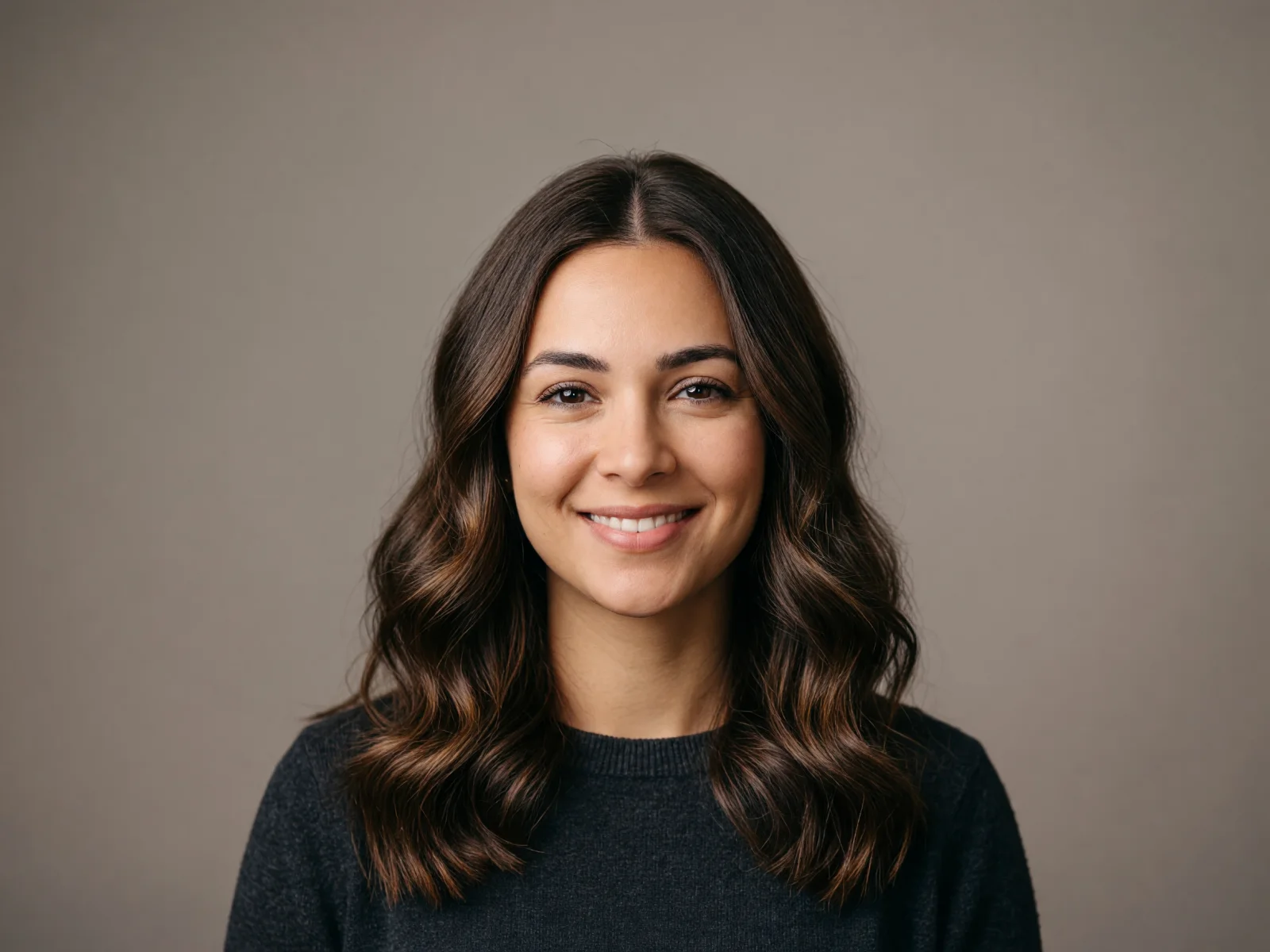
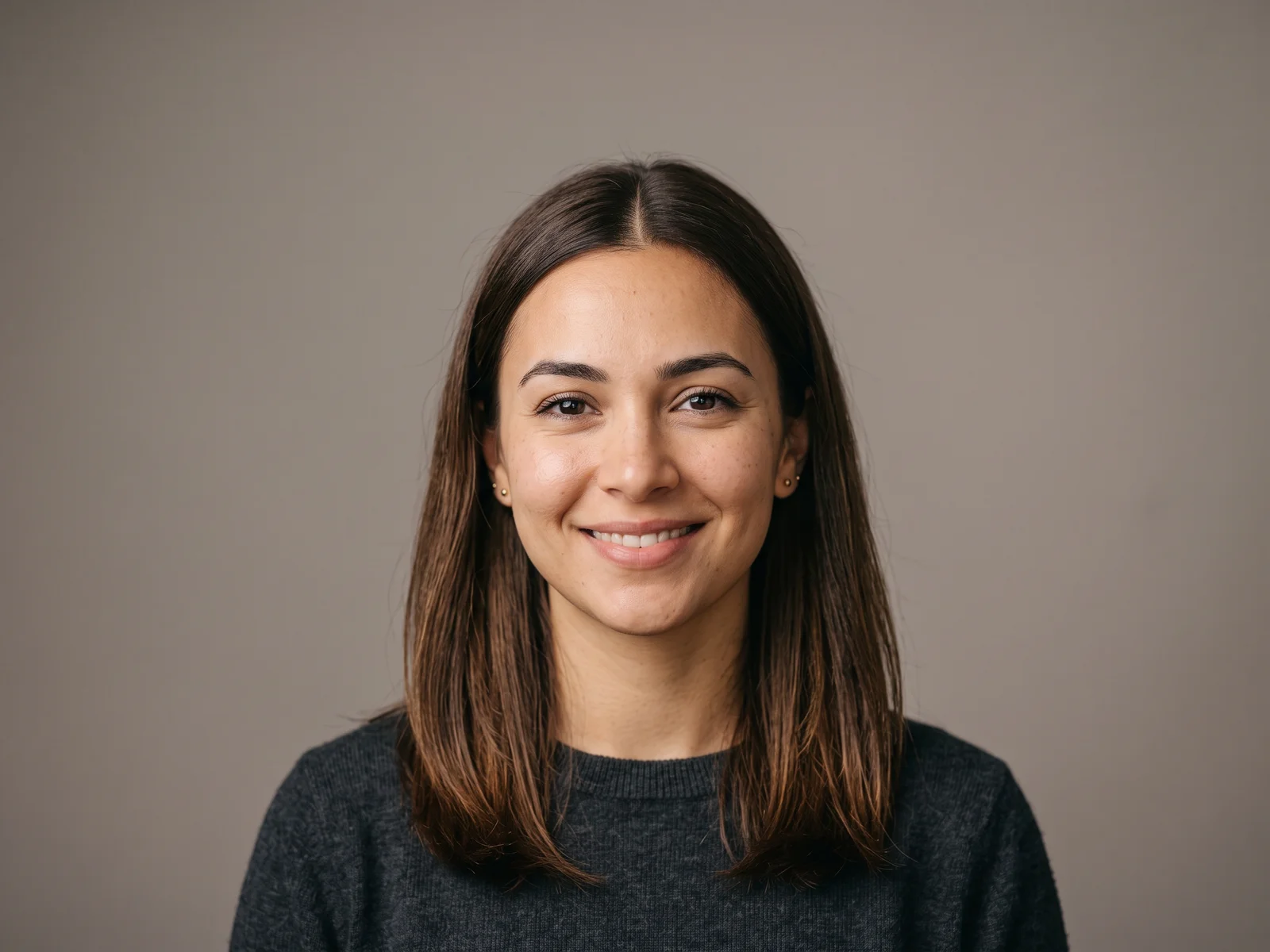
Real model output on an AI-generated fictional person — drag the handle to compare.
Subscribe for more credits and more models.
Yes — upload a clear, front-facing photo of yourself above, pick a preset cut or color, and the model re-renders the hair while keeping your face, expression, and background the same. Treat the result as a preview: a real haircut also depends on your hair’s texture and density. Use your own photo, or one you’re authorized to use.
Prefer to prompt a look in your own words on the canvas? See the hairstyle changer guide
What this hairstyle changer does — and the lines it keeps.
Long waves, bob, pixie, curls, buzz, ponytail, bangs — one tap per look.
The hair is re-rendered; your face, expression, and background stay put.
Preview blonde, black, brown, or auburn on your own hair, not a swatch.
Use your own photo or one you’re authorized to use — never someone else’s without consent.
From one portrait to a look you can compare and download.
Drop one clear, front-facing portrait of yourself into the uploader at the top of this page.
Tap a hairstyle preset, optionally a color, and add details like "side part" or "shoulder length".
The new look renders in about a minute. Drag the slider to compare, then download the result.
Honest expectations by photo type — the model rebuilds hair from what it can see, so the input photo decides most of the result. Tested on our own AI-generated portraits.
| Photo type | Expected result | Tip |
|---|---|---|
| Clear, front-facing portrait | Good — face and hairline fully visible | Even lighting and a plain background help |
| Slight angle or tilted head | Good — minor angles are fine | Keep both eyes visible for best identity hold |
| Strong side profile or extreme angle | Partial — the unseen side is guessed | Retake front-facing if you can |
| Hat, hands, or hair cut off by the frame | Poor — occlusion degrades the rebuild | Remove the hat; leave space above the head |
| Group photo | Not supported — one face per run | Crop to a single person first |
The same AI-generated fictional person run through four presets on this page — real Renoise outputs, not mockups. The face holds; only the hair changes.
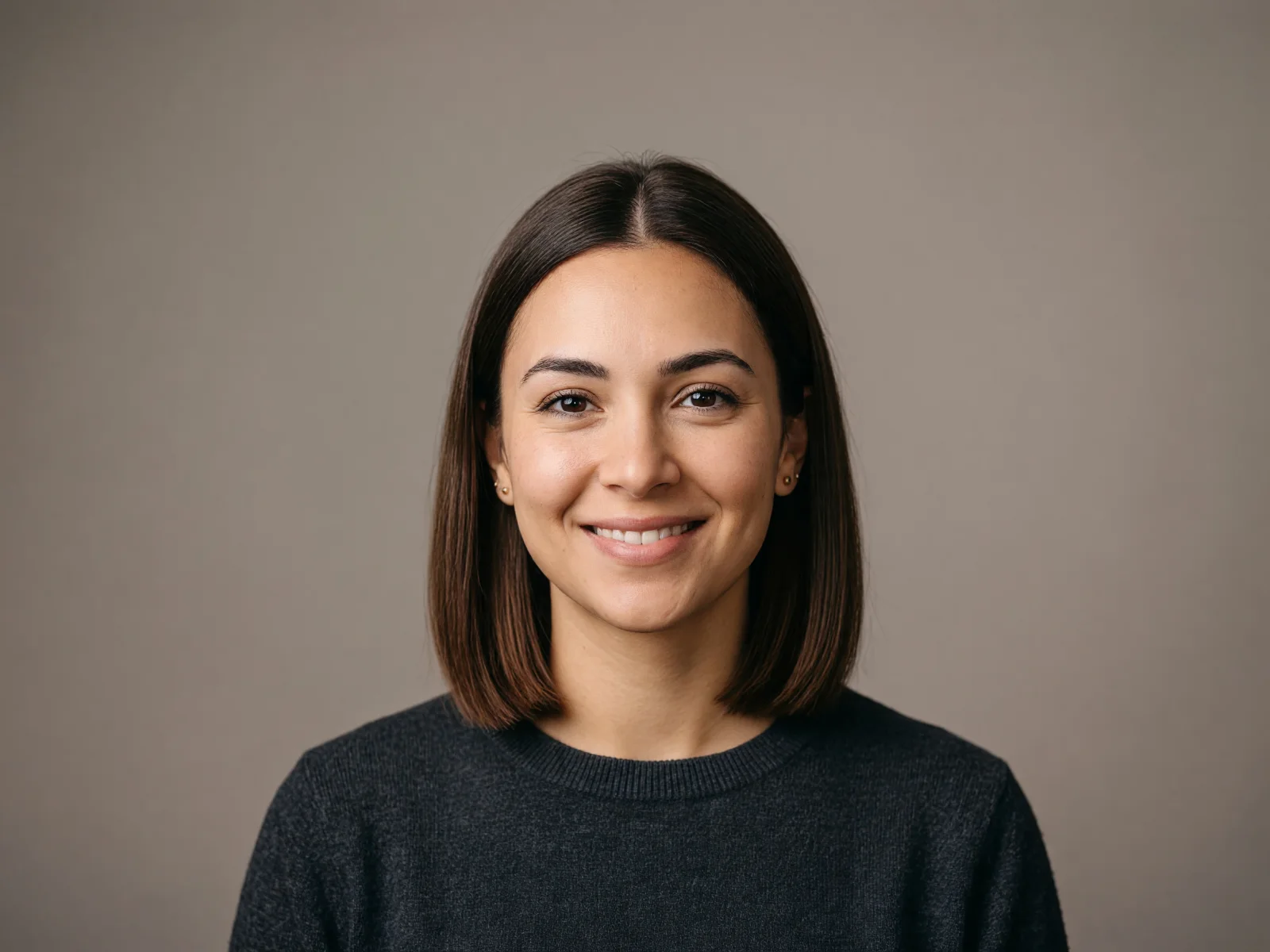
The "Bob" preset: shoulder-length hair re-rendered as a chin-length classic bob.
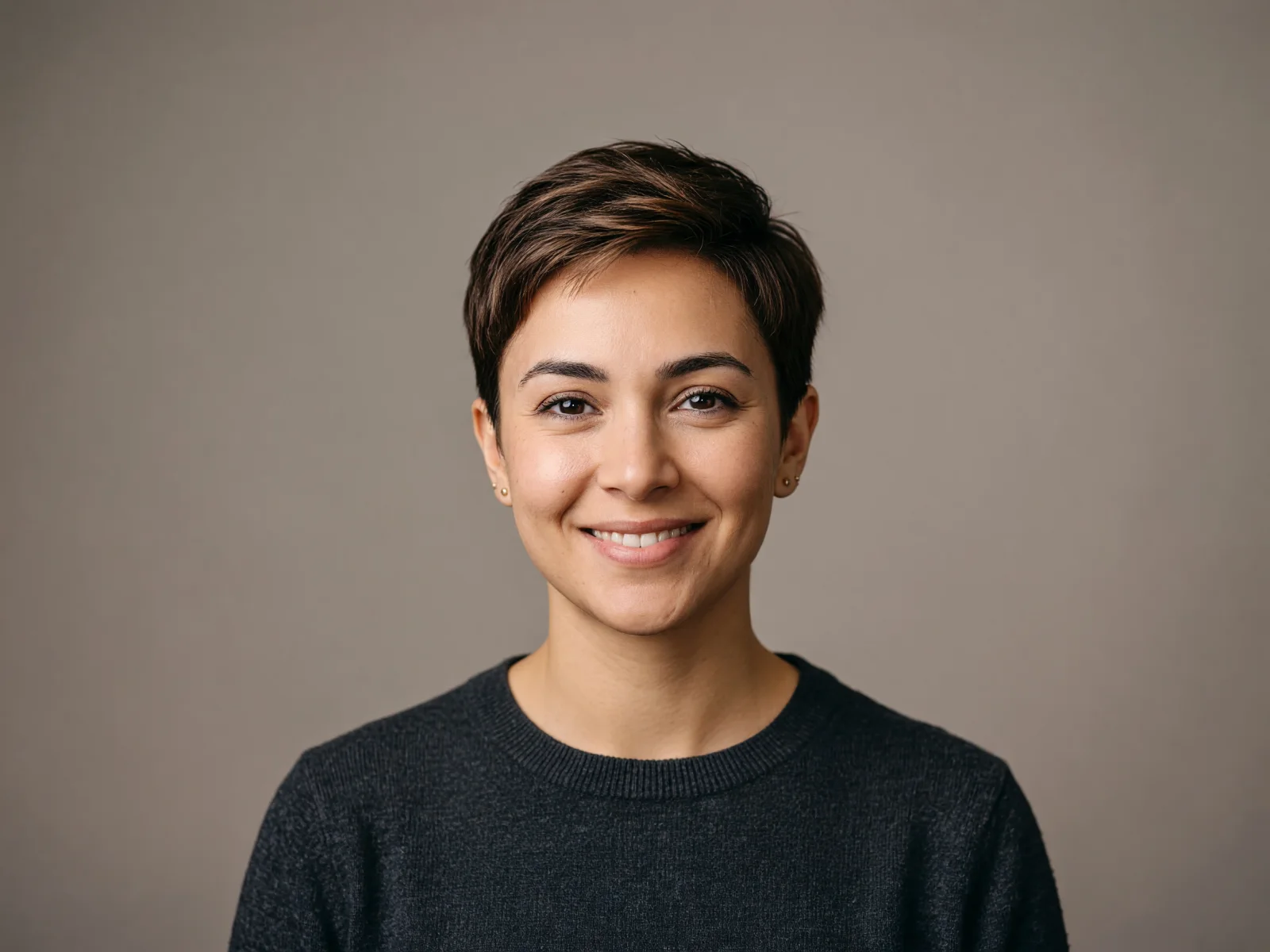
The "Pixie cut" preset — the biggest length change, face identity intact.
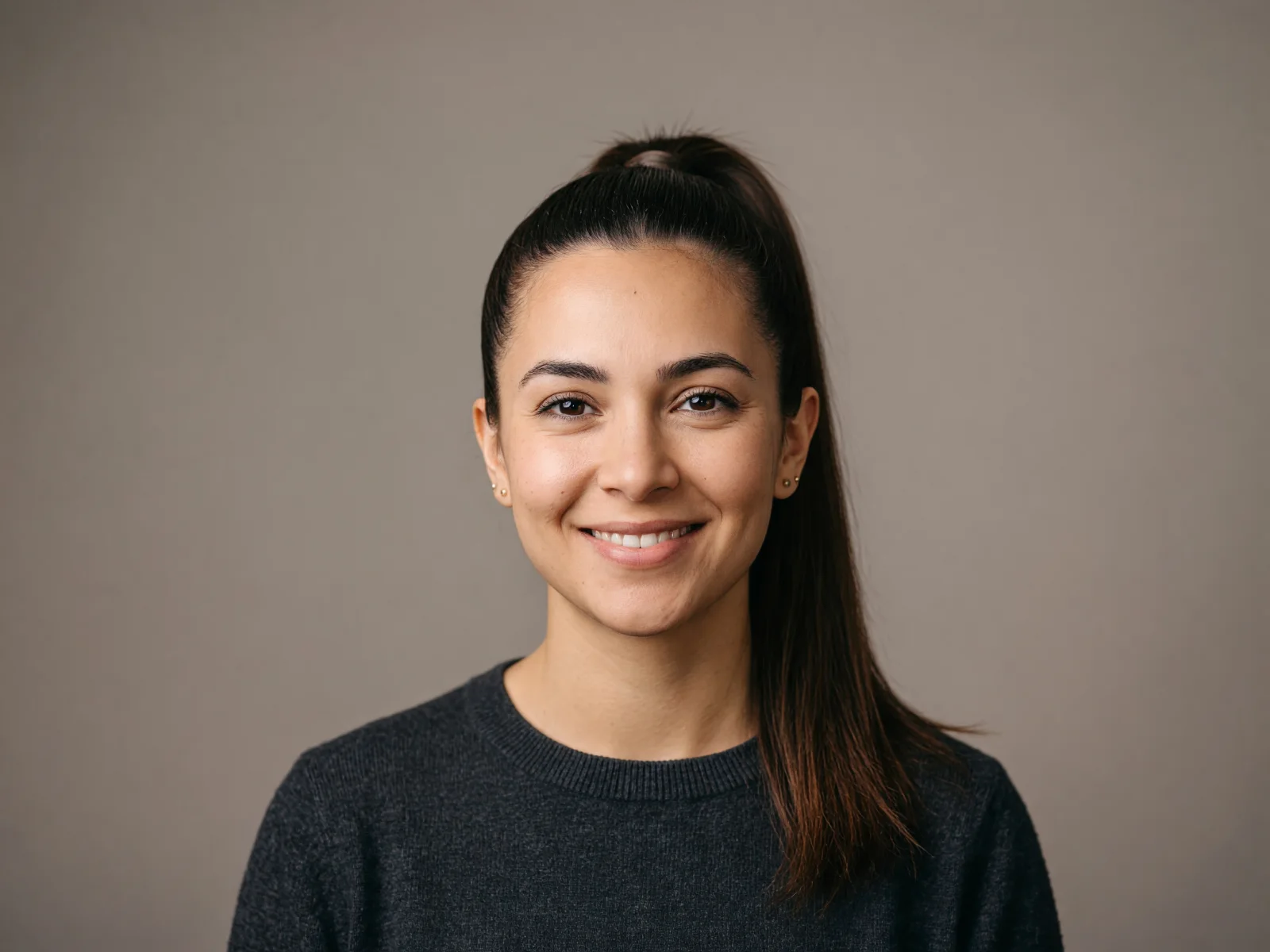
The "High ponytail" preset — hair pulled up, hairline rebuilt cleanly.
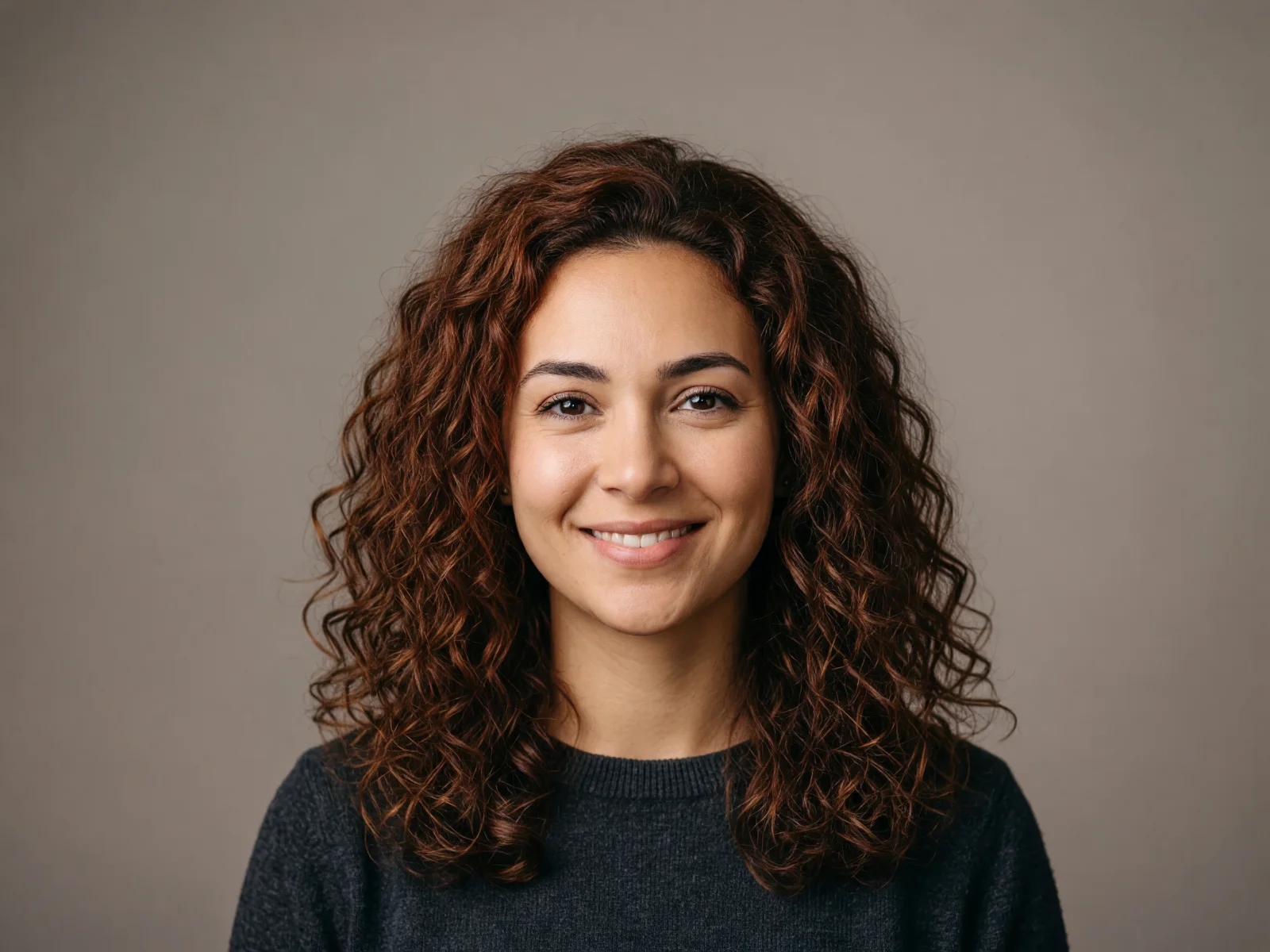
The "Curly" preset with the auburn color pill — cut and color in one run.
What runs on this page is a generative image-to-image edit on Grok Imagine Image (xAI): the model re-renders the hair region of your photo from the instruction you compose with the pills, while it is told to keep the face, expression, lighting, and background unchanged. It is a re-render, not a wig pasted on — which is why strands, shadows, and the hairline usually look like they belong to the photo. It is also why the result is an interpretation: run the same preset twice and you will get two slightly different renders.
Be equally clear about what a preview cannot promise. The model does not know your hair’s real texture, density, or how it falls at 3pm — so an AI preview answers "does this shape suit my face?", not "is this exactly what I’ll walk out of the salon with". Real-world outcomes vary; the honest workflow is to generate two or three looks you like, bring them to your stylist, and let them translate the shape to your actual hair. And a boundary worth keeping: change hairstyles on your own photo or one you’re authorized to use — not on someone else’s picture without their consent, and never on public figures or minors.
What happens to an uploaded portrait — the answer most try-on apps avoid.
Picking a file only previews it on your device. Not one byte is stored until you sign in and click generate.
Uploads land in your private library, never a public gallery, and re-running the same photo stores nothing new.
Remove uploads and results from your library whenever you want.
As of October 2026, 100,000+ creators in 170+ countries and regions use Renoise AI, an AI video, image and audio platform, to generate 300,000+ images and videos with 30+ models.
Source: Renoise internal data, March–October 2026. Figures are rounded down and updated quarterly. Last updated
Real feedback from creators who use Renoise AI to make videos, images and ads.
Renoise is pretty easy to use, with a clean and smooth interface. The results from Seedance 2.5 also feel noticeably smoother in action sequences.
Renoise Ai is a good tool for making ai videos and photos. it puts several Ai models in one place, so you don't need to use many different apps.
あまりAIツールを使ったりしたことなかったですが、キャラクターの固定や動画を続いて作成できて使いやすいです。これからどんどん進んでいくアップデートが楽しみです。
Renoise has been a great platform for AI creativity. The tools are easy to use, the experience is smooth, and it makes creating content more enjoyable and efficient. I really appreciate the work the team is doing and look forward to seeing more improvements. Highly recommended!
What I like about Renoise AI compared to other platforms: Fast generation speed: Slow generation takes up way too much time, but Renoise AI is surprisingly about 30% faster. Intuitive and user-friendly UI: Cheaply made platforms have terrible UIs that make me not even want to log in, but Renoise is very clean and convenient. Remembers my previous settings: It helpfully remembers my last workspace settings. Some odd platforms force you to re-adjust everything every single time you generate a video, which is extremely frustrating. Overall preference: For all these reasons, Renoise AI is definitely my preferred platform. Thank you!
Renoise is your go to one stop all for ai creators. all view and use all models in one place, for any type of content you have your mind on!
I have a creat experience with the app. Consistent characters but also unique. THere were some issues with storyline continuity and non-typical humanoid characters.
Credits work across every tool — upscaling, image editing and the video models.
For first-time AI content creators
Billed $168 annually
Upgrade PlanSave $72/year
For creators shipping content every week.
Billed $504 annually
Upgrade PlanSave $216/year
For studios and pros producing at commercial scale.
Billed $1680 annually
Upgrade PlanSave $720/year
For first-time AI content creators
Billed monthly
Upgrade PlanFor creators shipping content every week.
Billed monthly
Upgrade PlanFor studios and pros producing at commercial scale.
Billed monthly
Upgrade PlanRenews automatically each year until canceled.
Renews automatically each month until canceled.
Refine your new hairstyle on the canvas, or turn the photo into an avatar or headshot.
It is a generative image-to-image edit: the model re-renders the hair region of your photo from the preset and options you pick, while keeping the face, expression, and background unchanged. It rebuilds hair that fits the photo’s lighting — not a template wig pasted on top.
That is the goal — the instruction explicitly keeps your face identity, features, skin tone, and expression unchanged, and Grok Imagine Image holds identity well on clear front-facing photos. Extreme angles or heavy occlusion weaken it; see the photo-type table above.
Upload your photo and tap the Pixie cut, Bob, or Buzz cut preset — the model renders the shorter cut on your own face, so you can judge the shape before committing to the scissors. The same one-run preview answers "how would I look with bangs?" or with long hair: pick the Bangs or Long waves preset and compare the renders side by side.
Yes. Pick a color pill — blonde, black, brown, or auburn — with any hairstyle preset, and both change in one run. Leave it on "Keep current" to change only the cut, or describe a specific shade like "ash blonde balayage" in the details box.
Yes. The presets are unisex — buzz cut, pixie, and curls all read naturally on men — and the details box takes any brief: "short fade, textured top" works the same way as a preset.
Only with their permission. Upload your own photo or one you’re authorized to use, and don’t change hairstyles on someone’s picture without their consent — no public figures, no minors. Follow your local laws.
No — treat it as a preview of the shape on your face, not a guarantee. The model doesn’t know your hair’s real texture or density, so outcomes vary. Bring your favorite renders to your stylist and let them translate the look to your actual hair.
JPG, PNG, and WebP, up to 20MB. One clear, front-facing portrait per run — crop group photos to a single person first.
Yes. Every render lands on your Renoise canvas, so you can try another preset on the same photo, refine the look with a prompt, or take the result into an avatar or headshot workflow.


