You are publishing in ten minutes
The video is rendered, the title is written, and the thumbnail is the only thing standing between you and upload.
Type the headline you want on the thumbnail, pick a look, and generate. Output is 1280×720 — YouTube’s own size — with the words rendered into the artwork rather than pasted on afterwards.
Follow us and get 20 free credits — about 6 images
Generated thumbnails are yours to publish. Do not use them to imply an endorsement you do not have.
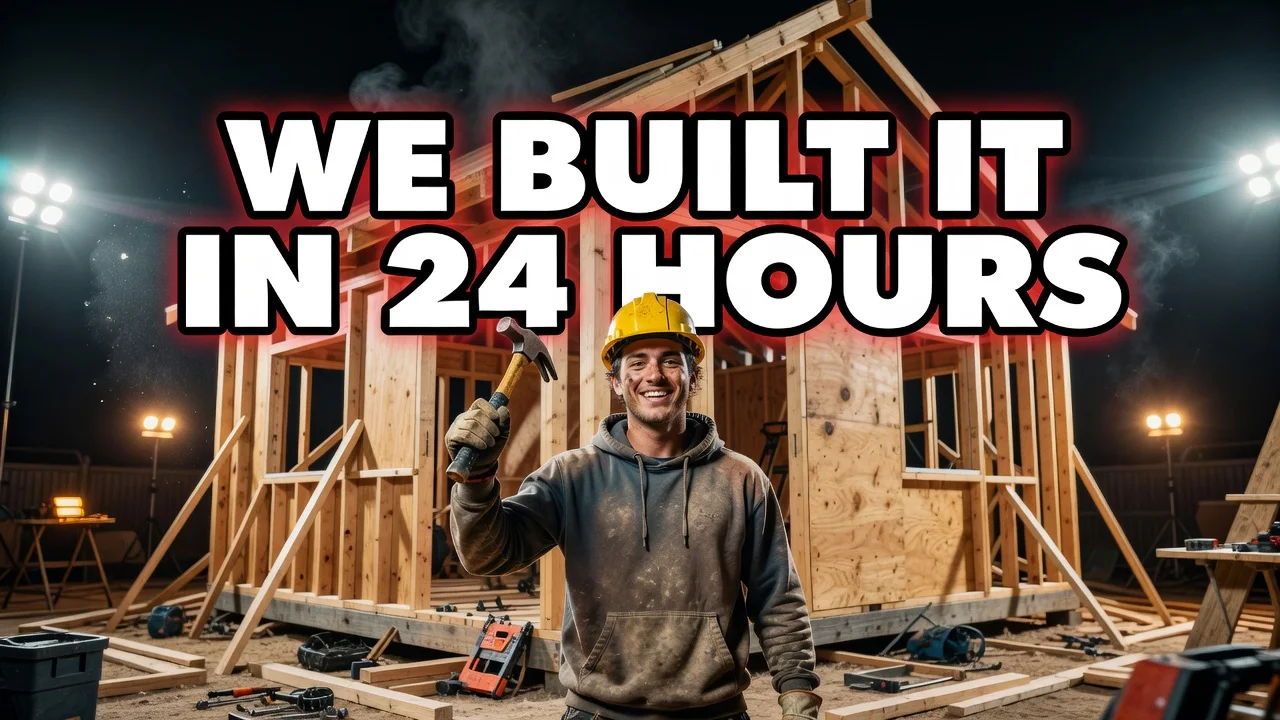
WE BUILT IT IN 24 HOURS — High-energy
A real run from this page, at this page’s tier.
Subscribe for more credits and more models.
Type the headline you want on the thumbnail, choose one of five looks, and generate. You get a 1280×720 image — YouTube’s own thumbnail size — with the text rendered as part of the artwork, so there is no second step in a design tool. It takes about fifteen seconds. Following us on X and YouTube earns 20 free credits and a run here costs three, so your first six thumbnails are free; after that each one is billed per image.
Making a printed piece rather than a thumbnail? Use the poster generator
Four situations where generating beats opening a design tool.
The video is rendered, the title is written, and the thumbnail is the only thing standing between you and upload.
Run the same headline in two or three looks and pick — six free runs is enough to compare properly.
A talking-head frame grab rarely makes a thumbnail. Generating gives you a composed shot built around the headline.
Seeing the words at thumbnail size tells you fast whether a title is too long — before you commit to it.
The first step is the one that decides everything else.
Three to six words. Anything longer shrinks below readable size on a phone, which is where most of your impressions happen.
High-energy, clean tech, cinematic, gaming or lifestyle. The look decides the composition, not just the colours.
You get 1280×720. Check the text at small size, re-run if a word broke, then upload it to YouTube.
From our own runs. The dividing line is almost always how much text you asked for.
| What you ask for | Expected result | What to do |
|---|---|---|
| A short headline, 3–6 words | Best case — bold, correctly spelled, readable at phone size | Nothing needed |
| A specific subject plus a headline | Strong — the subject is composed around the text rather than behind it | Name the subject in the same box as the headline |
| A long sentence as the headline | Type shrinks and can break awkwardly across lines | Cut it to the six words that carry the click |
| Your own face on the thumbnail | Not possible here — this page takes text only, no uploads | Generate the background here, or use the Images surface for photo edits |
| A brand logo or channel watermark | Generated logos come out as invented shapes and garbled letterforms | Add your real logo afterwards in any editor |
| A headline in Chinese, Japanese or Korean | Unreliable — this tier misrenders CJK characters | Use the Images surface, where stronger text models are available |
Every one of these came out of this page’s own model and tier on 2026-08-25.
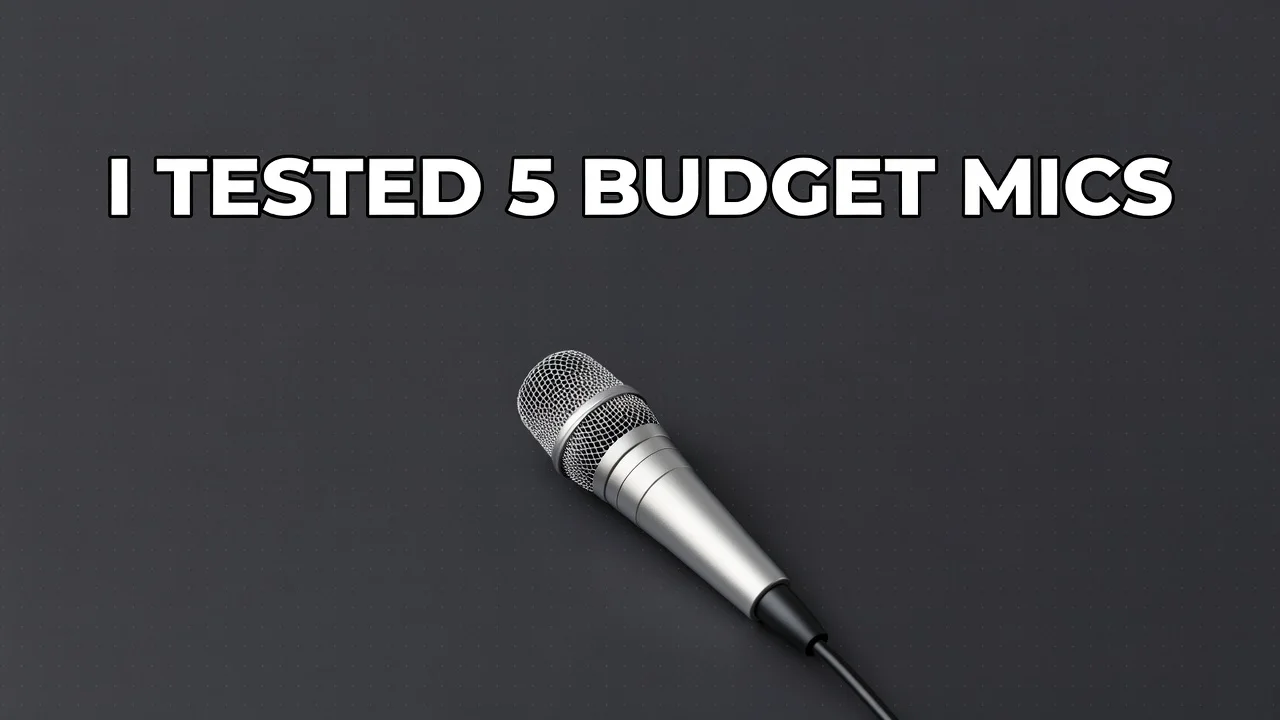
“I TESTED 5 BUDGET MICS” — one product, dark ground, nothing competing with the type.
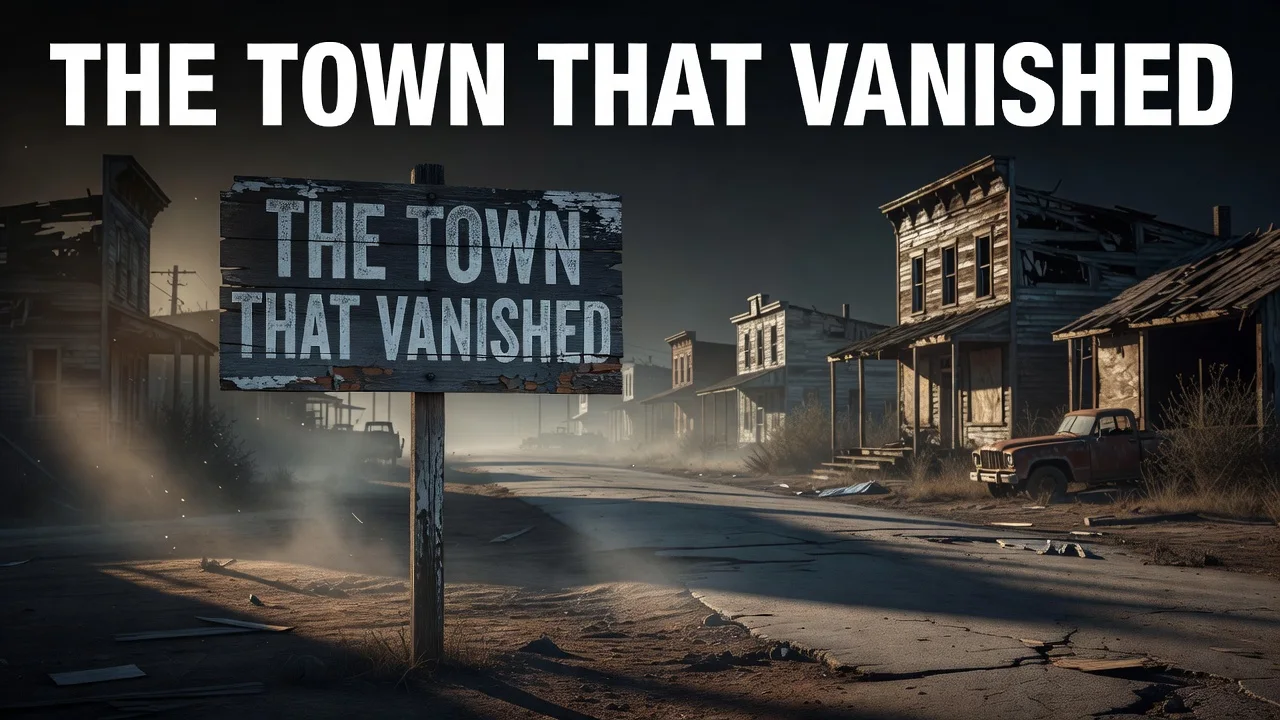
“THE TOWN THAT VANISHED” — and an honest quirk: the model also painted the headline onto a sign inside the scene.
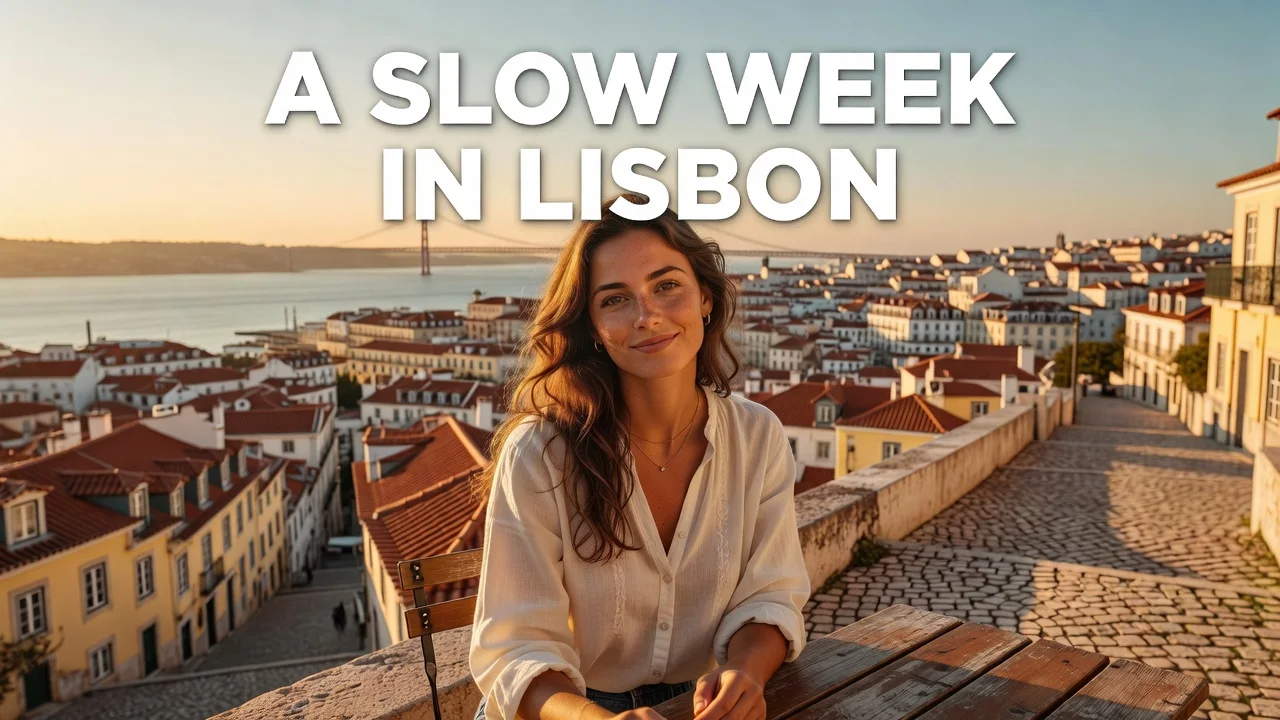
“A SLOW WEEK IN LISBON” — warm light, candid framing, type kept out of the subject’s way.
“WE BUILT IT IN 24 HOURS” — the look most channels mean when they say “thumbnail”.
Almost every AI image tool can produce a nice-looking 16:9 picture. Very few can put five specific words on it and spell them correctly, which is why "youtube thumbnail text generator" exists as a search at all. A thumbnail without its headline is not a thumbnail — it is a background you now have to open a design tool to finish.
That is the reason this page runs Grok Imagine Image rather than the cheapest model on the platform. Among the fast tiers it is the one whose lettering holds together, and in four runs on four different headlines we did not get a typo. It costs three credits instead of four, so the free credits buy six goes here — enough to try two headlines in three looks, which is roughly how the job actually goes.
The honest limits sit in the same place. Keep the headline to about six words: the model sizes type to fit, so a long sentence gets small, and small type is exactly what fails on a phone. Expect the occasional oddity, too. In our cinematic test the model rendered the headline correctly across the top and then, unprompted, painted the same words onto a wooden sign inside the scene. That is normal behaviour for text-to-image — it reads your words as part of the picture as well as as a caption. Re-run it, or shorten the line, and it usually goes away. We left that example in the grid above rather than quietly replacing it.
One thing this page deliberately cannot do: put your own face on the thumbnail. There is no upload here, by design — it is a text-to-image tool, and the moment a photo of a real person is involved you want the editing surface, not a generator. Generate the composition here and composite yourself in afterwards, or work on the Images surface where reference photos and stronger models are available.
The People Also Ask box on this search is unusually blunt: "Can ChatGPT create YouTube thumbnails?" and "What do YouTubers use to create thumbnails?" Both deserve a straight answer.
A general chat assistant will make you a thumbnail-shaped image, and if you are patient with it the text often lands. What you do not get is a repeatable shape: no 1280×720 guarantee, no style you can re-select next week, and a conversation to scroll through every time you want another one. It is a fine way to find out whether you like AI thumbnails, and an awkward way to make one every week.
Canva comes at it from the template side. You get real design control, your own photo, your own logo, exact type — and you do the layout. That is the right tool when you have a face to place, a brand to match, and ten minutes. It is a slow tool when all you have is a title and a deadline.
This page is the narrow one, and being narrow is the point: one box, one look, fifteen seconds, correct size, text already on it. It will not match a designer, it cannot put you in the frame, and it does not try to be an editor. What it does is turn "I still need a thumbnail" from a ten-minute detour into a fifteen-second one — and give you six free tries to find out whether that trade works for your channel.
The facts a creator needs before spending a credit:
YouTube’s own thumbnail spec, straight out of the tool. Nothing to crop or resize.
One run, one image. Re-running with a different look costs another credit, not another wait.
20 credits for a follow, three per run. No free plan and no trial — a one-time grant you spend how you like.
Use the output on your channel. Nothing here is watermarked on a paid plan.
Unlock every image model — and the video models on the same canvas — on one plan.
For first-time AI content creators
Billed $168 annually
Upgrade PlanSave $72/year
For creators shipping content every week.
Billed $504 annually
Upgrade PlanSave $216/year
For studios and pros producing at commercial scale.
Billed $1680 annually
Upgrade PlanSave $720/year
For first-time AI content creators
Billed monthly
Upgrade PlanFor creators shipping content every week.
Billed monthly
Upgrade PlanFor studios and pros producing at commercial scale.
Billed monthly
Upgrade PlanRenews automatically each year until canceled.
Renews automatically each month until canceled.
This page is text-only by design. For reference photos, stronger text models and full editing, open the Images surface.
Yes, including the text on them — which is the part that used to fail. The tool at the top of this page takes your headline, composes an image around it and renders the words into the artwork at 1280×720. The practical limit is length: three to six words is the reliable range, because the model sizes type to fit and a long sentence ends up too small to read on a phone.
1280×720 pixels, 16:9 — YouTube’s own recommended thumbnail size, so there is nothing to crop or resize before uploading.
Following us on X and YouTube earns 20 free credits and a run here costs three, so your first six thumbnails are free. After that each one is billed per image. There is no free plan and no trial — the credits are a one-time grant, and you do not need a subscription to spend them.
It can produce a thumbnail-shaped image, and the text often comes out right after a few attempts. What it does not give you is a repeatable process: no guaranteed 1280×720, no style you can pick again next week, and a chat to scroll through each time. This page is the narrow version of the same job — one box, one look, correct size.
Not on this page. It is text-to-image only and has no upload slot by design. Generated logos in particular come out as invented shapes with garbled letterforms, so add your real logo afterwards in any editor. If you need a photo of yourself in the frame, use the Images surface, where reference images are supported.
Text-to-image models read your words as part of the scene as well as as a caption, so they sometimes render them twice — once as the headline and once as signage inside the image. It is normal rather than broken. Re-run it, or shorten the headline, and it usually resolves. We left a real example of this in the grid above.
Latin-alphabet languages are reliable. Chinese, Japanese and Korean are not on this tier — characters come back subtly wrong, which is worse than obviously wrong because it is easy to miss. For CJK headlines use the Images surface, where stronger text-rendering models are available.


