Image models by Midjourney. Four stylized images per prompt, 7 aspect ratios, up to 4 image prompts.
Midjourney V8.2 key features
Every result below is Midjourney V8.2 output made in Renoise; the two small inputs in the last row are our own reference images.
Four images from every prompt
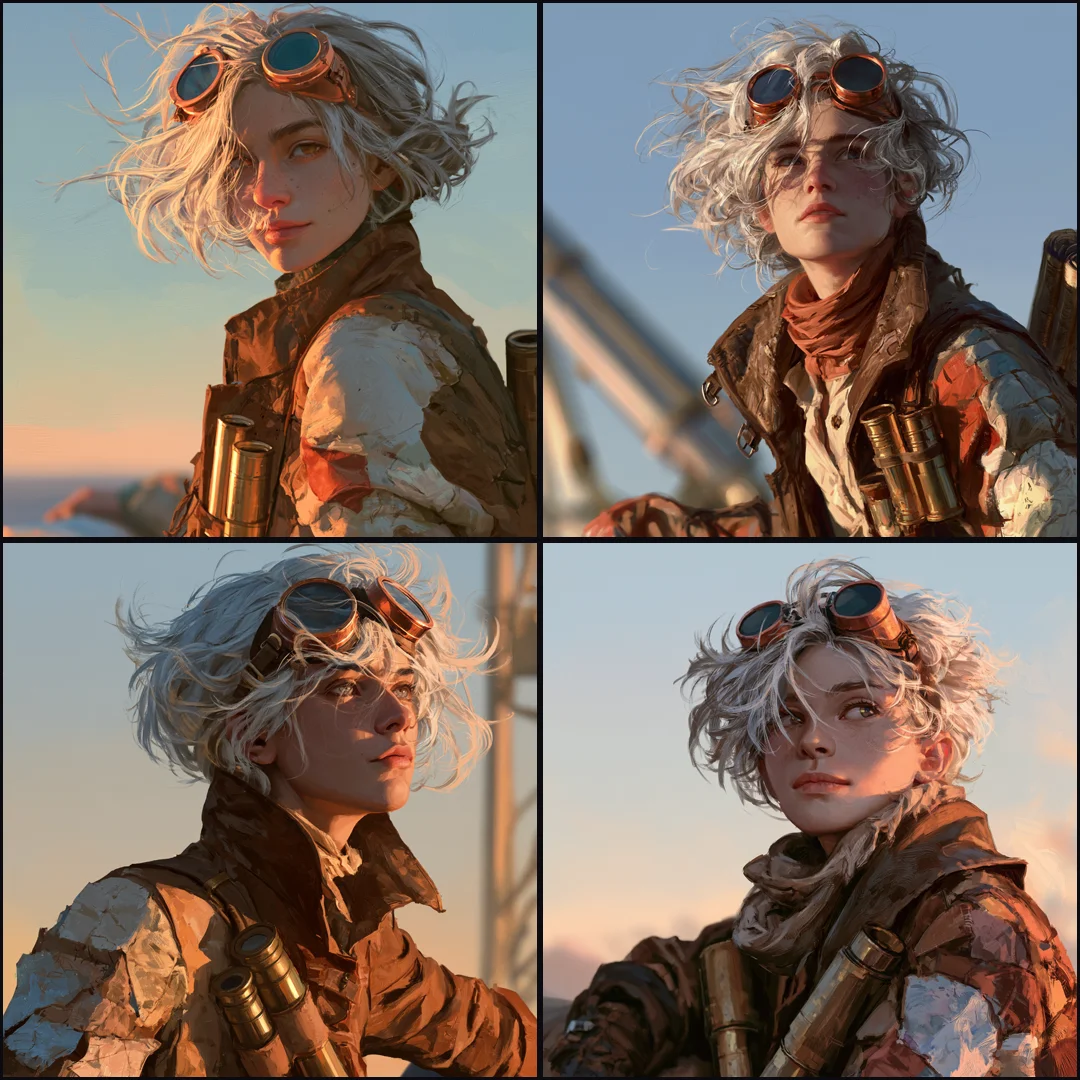
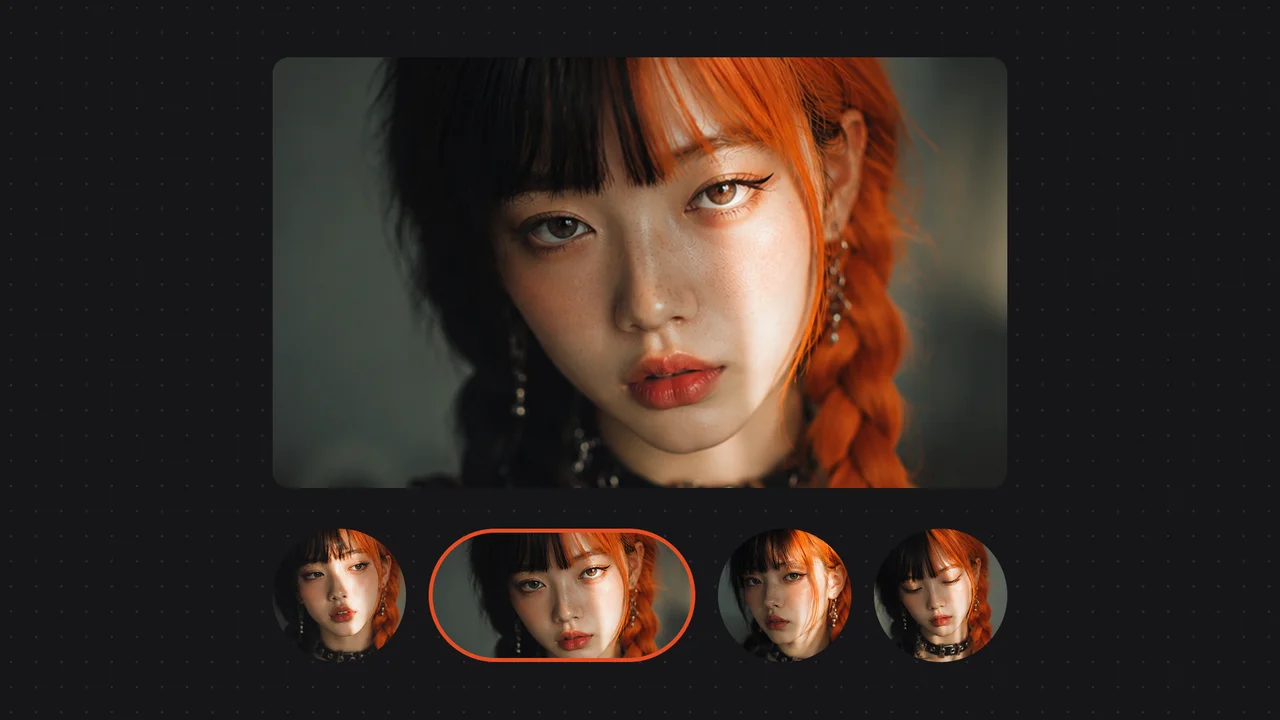
Each run returns four images at once, so you compare poses, crops and moods before you commit. This grid is one run of a single character prompt: same goggles, coat and golden-hour light, four different takes to choose from.
A bolder default look
Midjourney says V8.2 makes images that are more creative, bold and fresh, with better aesthetics than V8.1. In practice it suits art-directed work where the look matters more than a literal reading of the prompt: toys, characters, mood pieces.
Cinematic scenes that hold their detail
Crowded interiors keep three layers of depth, readable faces and a single clear light source. Describe the room, the people and where the light comes from in plain sentences, and leave the camera language to the end of the prompt.
Campaign portraits in 7 aspect ratios
Pick 1:1, 4:3, 3:4, 16:9, 9:16, 3:2 or 2:3 before you generate, from square feed posts to vertical stories and widescreen banners. There is no resolution setting: Midjourney sets the size, about 1456×816 for a 16:9 image in our runs.
Steer it with up to 4 image prompts
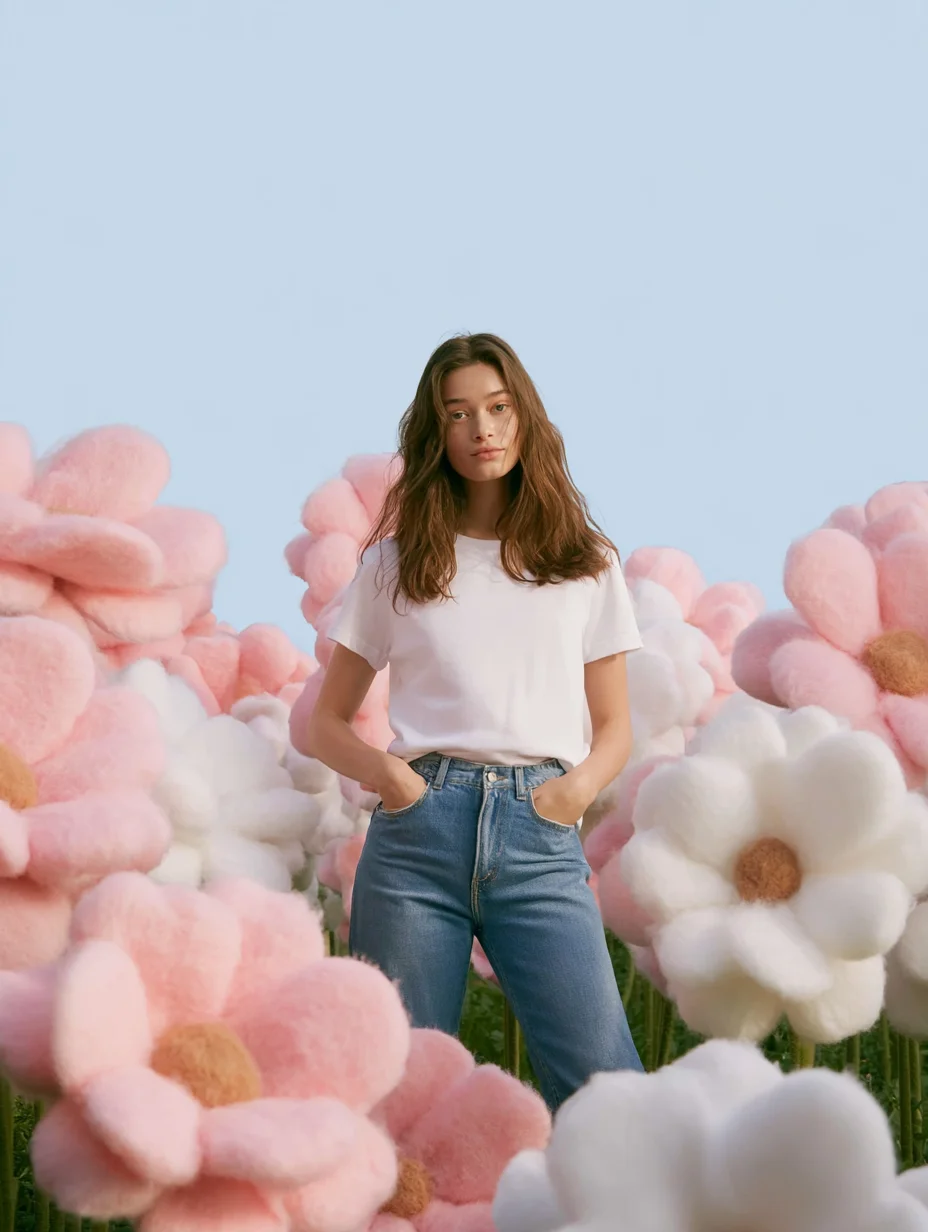
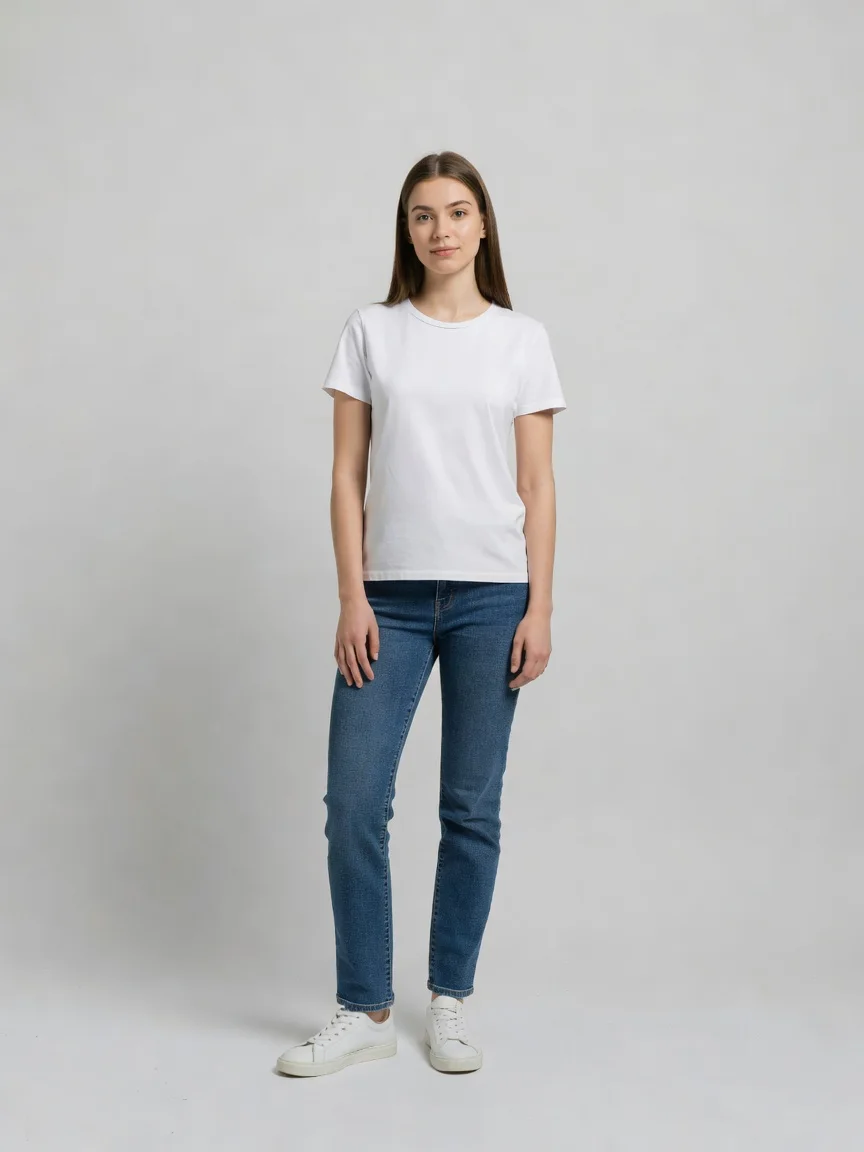
Add up to four reference images and Midjourney blends their look into the result. Here a studio photo of a woman and a felt-flower scene became one storybook image. They guide the look; they are image prompts, not a face or style lock.
Midjourney V8.2 is the latest image model from Midjourney, Inc., made Midjourney’s default on July 24, 2026, with a focus on aesthetics and image quality.
Renoise added it on July 31, 2026, next to Midjourney V7. Both share one subscription with 30+ other models, feed into video on the Canvas, and run from Claude Code, Codex or OpenClaw.
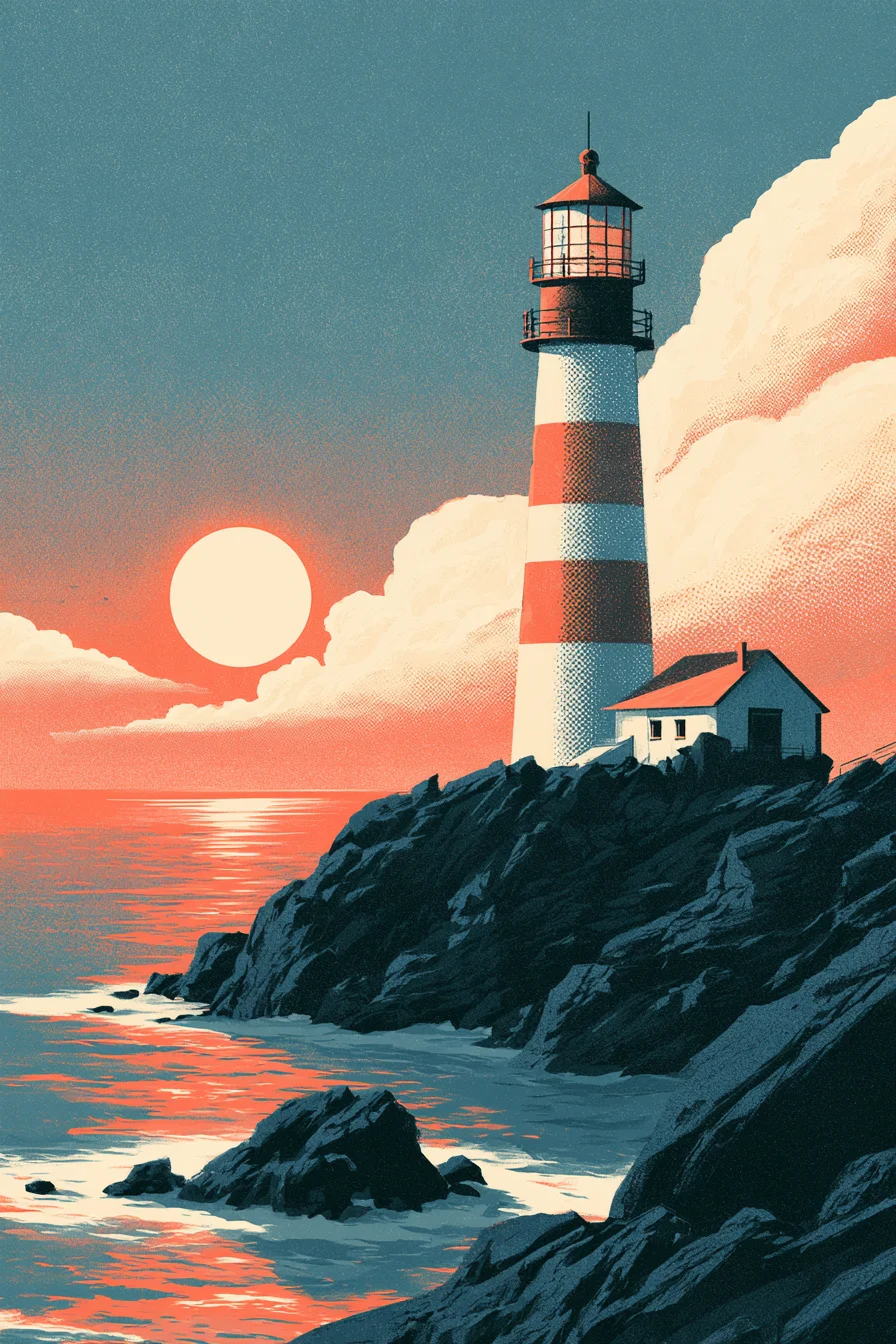
A lighthouse at sunset in three flat colors with halftone grain, at 2:3 and with no stray lettering.
Original anime characters
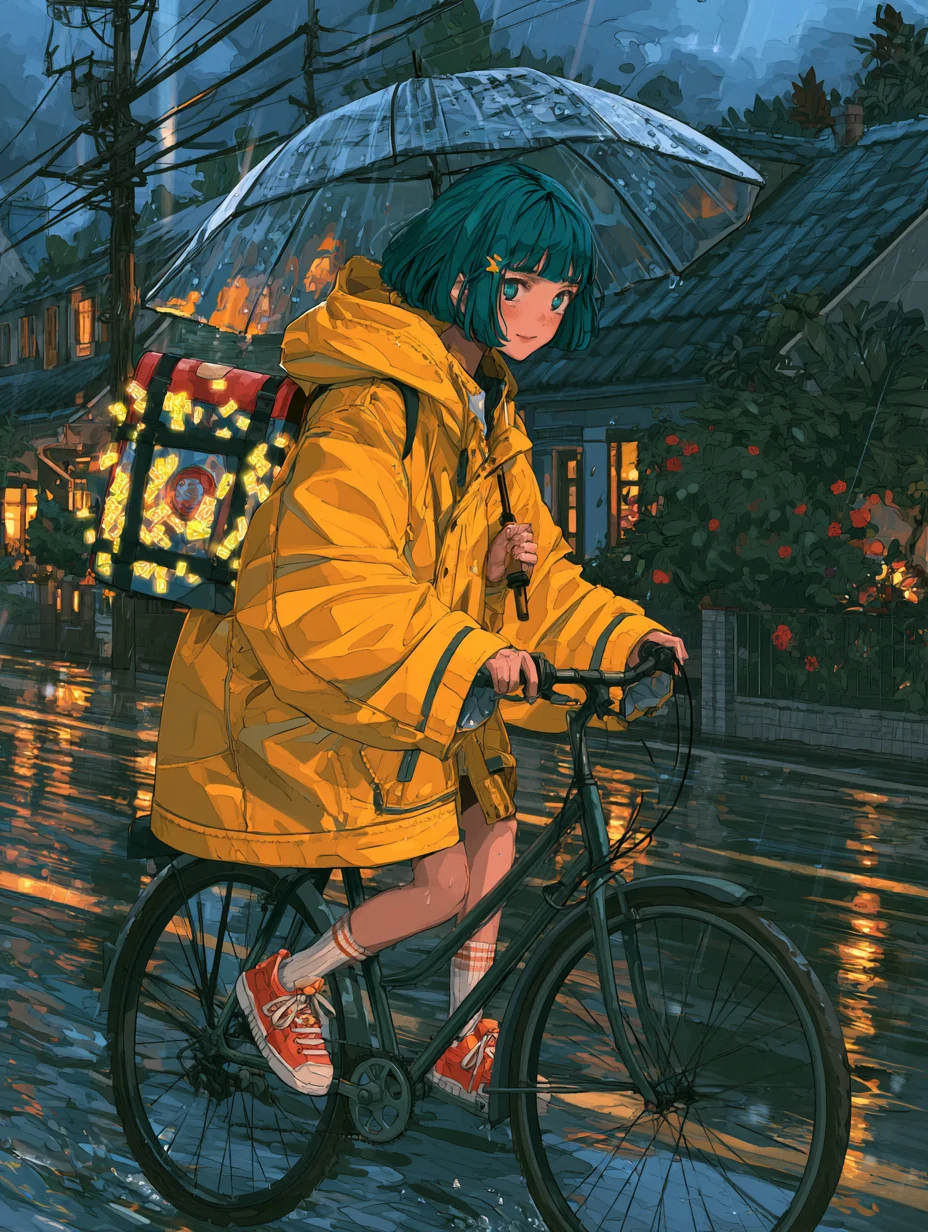
A courier in a yellow rain jacket cycling through a wet street at dusk, in cel-shaded anime style.
Product still life
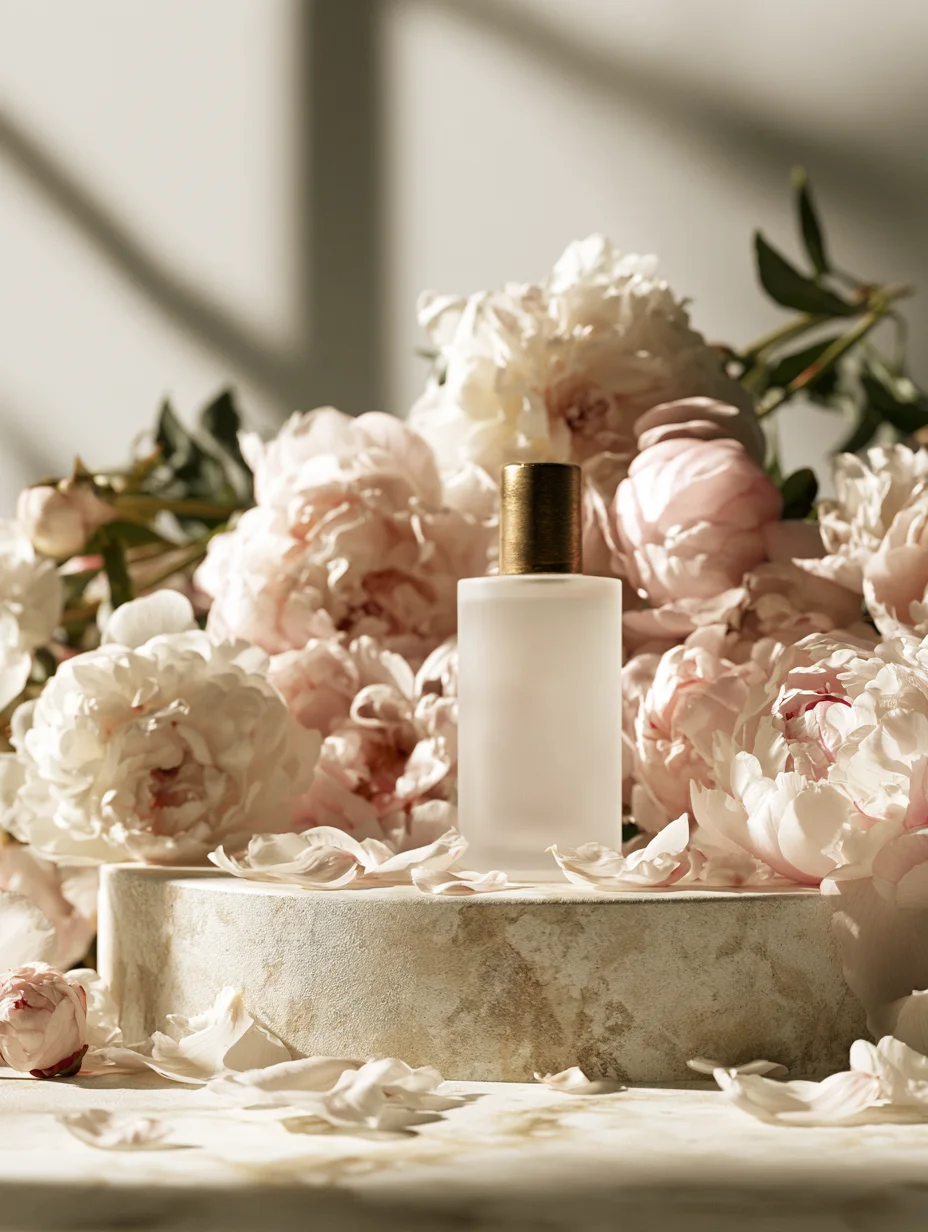
An unbranded perfume bottle with peonies on a stone plinth, lit like an editorial beauty shot.
Vertical fantasy scenes
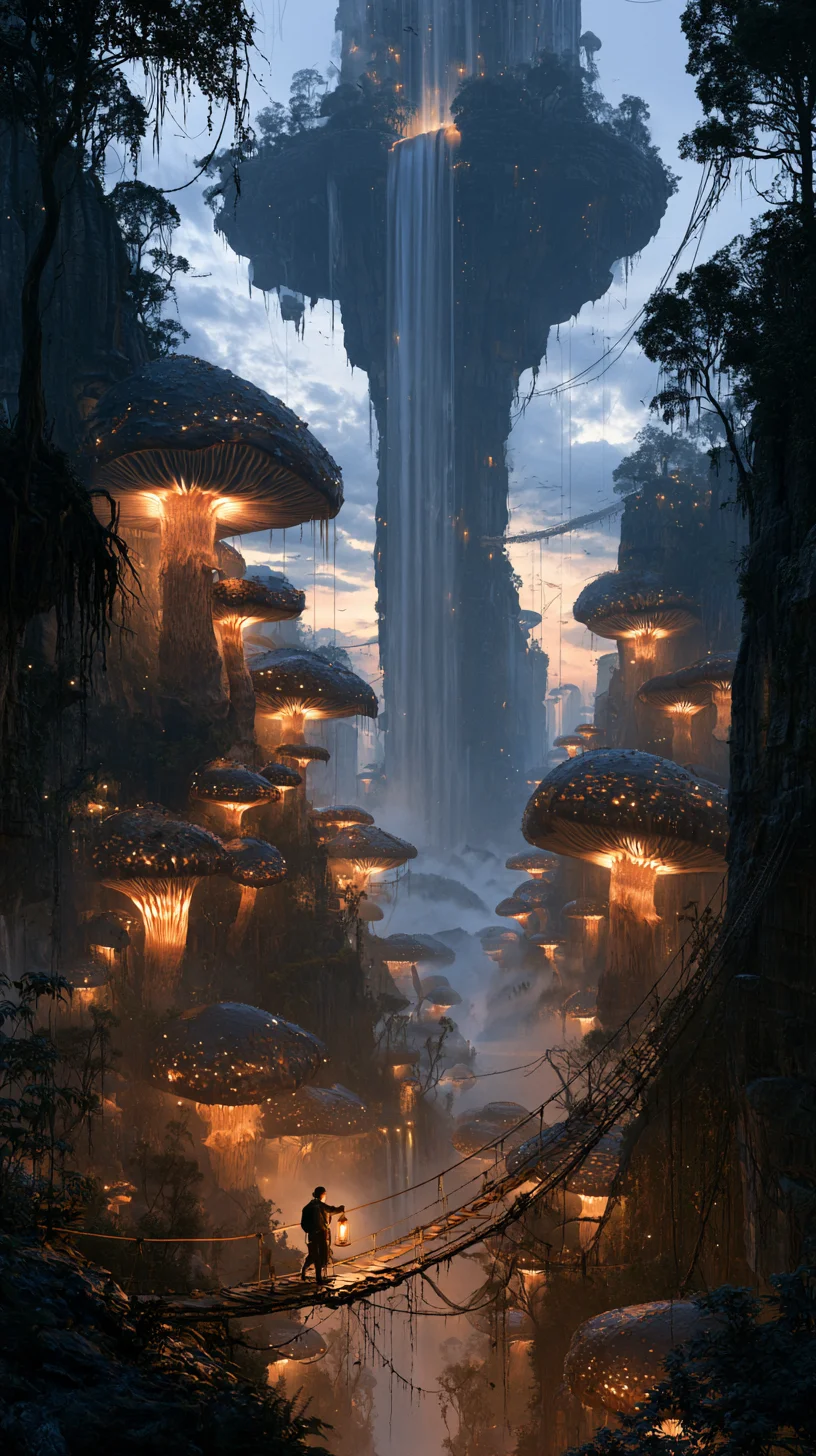
A 9:16 matte painting of a floating waterfall and glowing mushrooms, ready for a phone wallpaper or story.
How to use Midjourney V8.2 in Renoise
Step 1
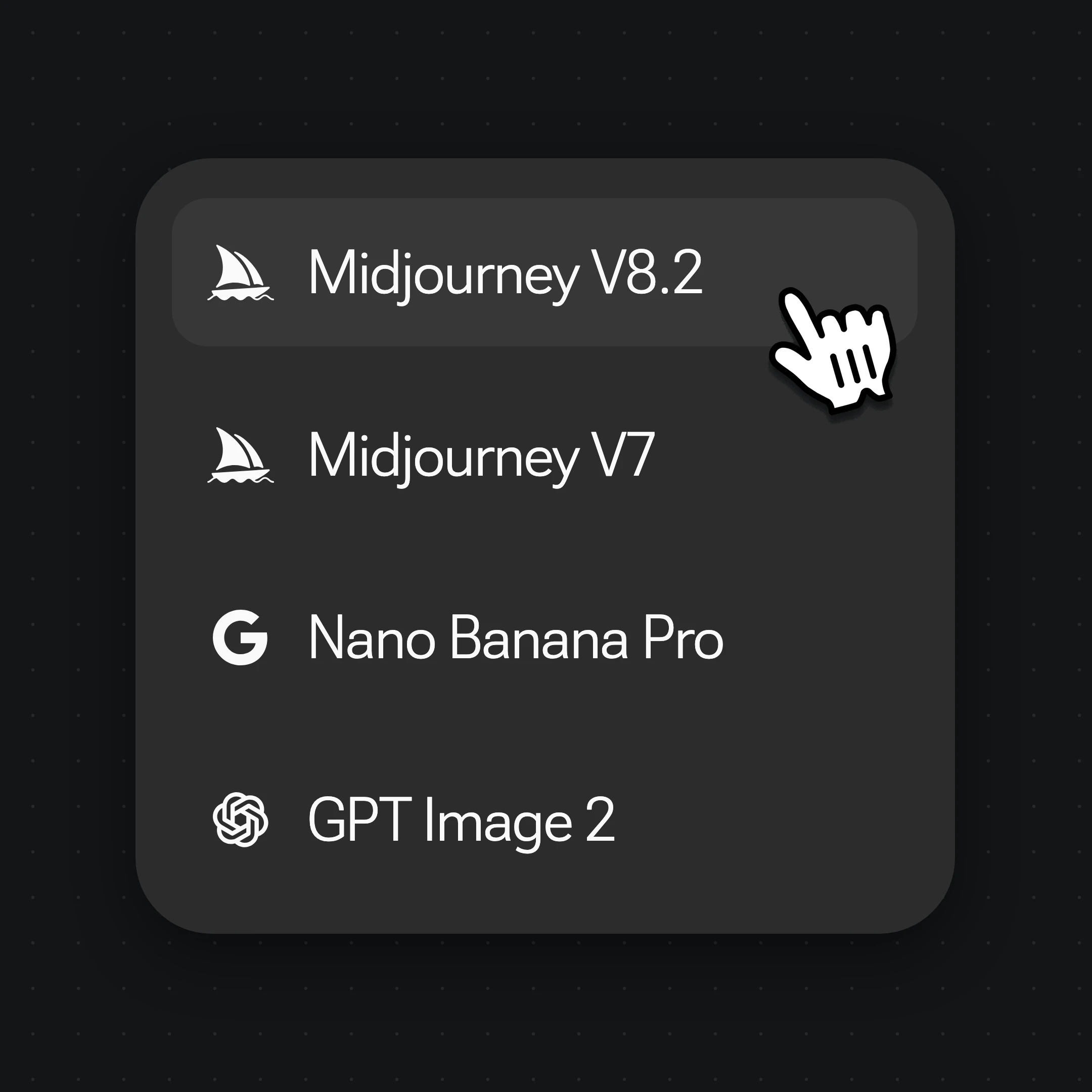
Pick Midjourney V8.2 or V7
Open Images and choose Midjourney V8.2 from the model menu. Choose Midjourney V7 instead when you are continuing a series you started on V7.
Step 2
Write the prompt and add image prompts
Describe the subject, setting, light and style in plain sentences; V8.2 prompts stay under 1,024 characters. Put any short word you want on the image in quotes. Drag in up to 4 images to guide the look.
Step 3
Pick one of the four and keep going
Set the ratio and generate. Keep the best of the four images, then carry it into the Canvas: upscale it, edit details with another image model, or turn it into a video.
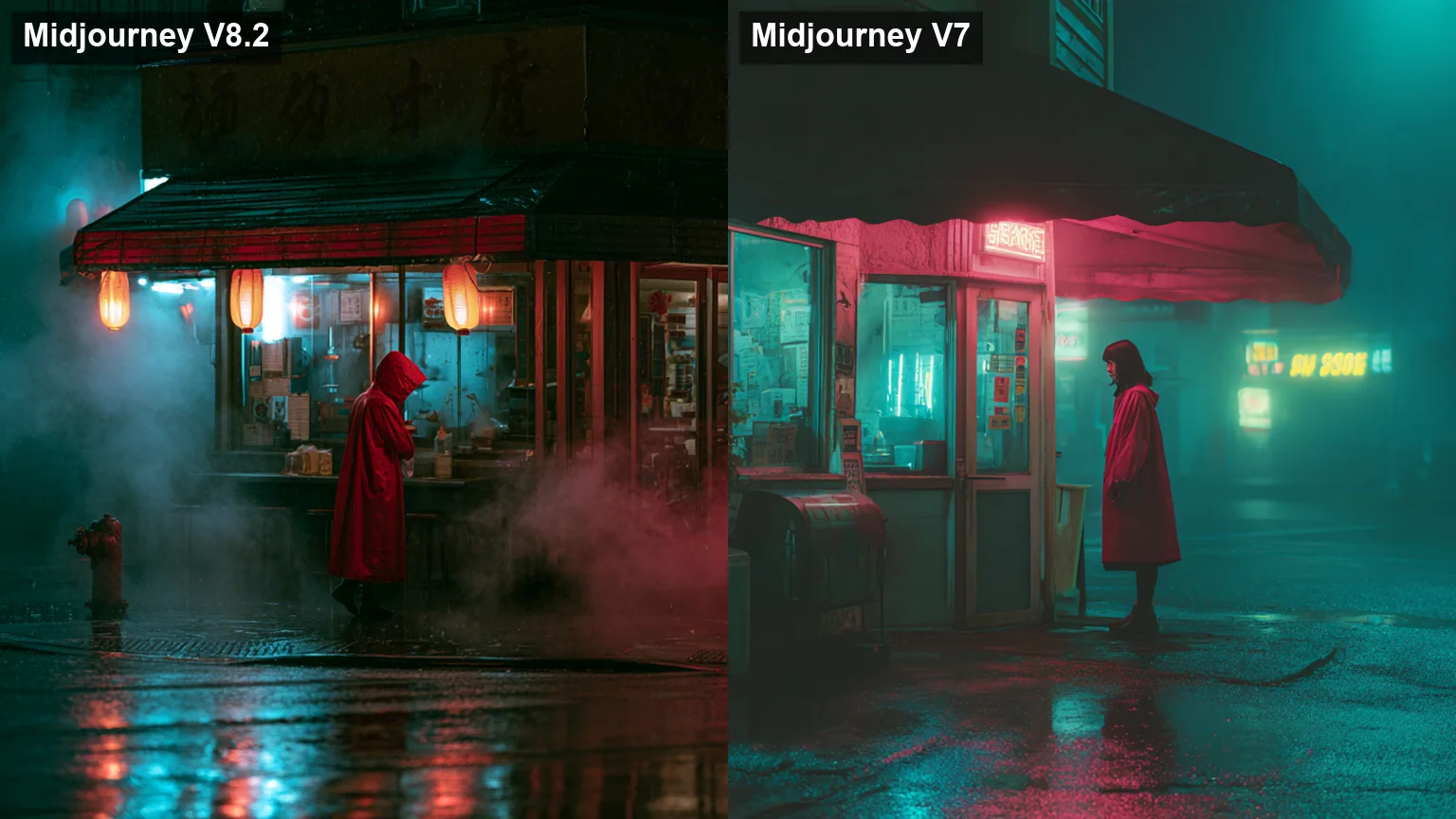
Same prompt, same 16:9 ratio: Midjourney V8.2 on the left, Midjourney V7 on the right.
One image from each run, same prompt and ratio, cropped to the center.
01
V8.2 fills the frame with more detail
In our same-prompt test, V8.2 added steam, lanterns and a busier shopfront, while V7 gave a softer, foggier frame with flatter teal light. Midjourney describes V8.2’s default style as bolder.
02
Short quoted words come out cleaner
The V8 family renders one to three quoted words, like a product name or a sign, more reliably than V7. Longer copy still breaks, and neither made readable signs in our test.
03
V8.2 prompts have a 1,024-character limit
Renoise blocks Midjourney V8.2 prompts longer than 1,024 characters before they are sent; Midjourney V7 has no such limit. Write a tight description instead of a keyword list.
04
Price, ratios and references are the same
Both cost 4 credits per run of four images, take the same 7 ratios and up to 4 image prompts. If a project began on V7, staying on V7 keeps its look consistent.
How many creators use Renoise?
As of October 2026, 100,000+ creators in 170+ countries and regions use Renoise AI, an AI video, image and audio platform, to generate 300,000+ images and videos with 30+ models.
Creators
100K+
Registered accounts on Renoise since March 2026
Countries and regions
170+
Where creators signed in from in the last 90 days
Images and videos generated
300K+
Completed generations, March–October 2026
AI models
30+
Seedance, Kling, GPT Image, Midjourney and more in one subscription
Source: Renoise internal data, March–October 2026. Figures are rounded down and updated quarterly. Last updated
What creators say about Renoise
Real feedback from creators who use Renoise AI to make videos, images and ads.
LLộc Bùi Nguyễn Vinh
Renoise is pretty easy to use, with a clean and smooth interface. The results from Seedance 2.5 also feel noticeably smoother in action sequences.
FFaith Joy Cloma
Renoise Ai is a good tool for making ai videos and photos. it puts several Ai models in one place, so you don't need to use many different apps.
Renoise has been a great platform for AI creativity. The tools are easy to use, the experience is smooth, and it makes creating content more enjoyable and efficient. I really appreciate the work the team is doing and look forward to seeing more improvements. Highly recommended!
Ssergio ramos
What I like about Renoise AI compared to other platforms: Fast generation speed: Slow generation takes up way too much time, but Renoise AI is surprisingly about 30% faster. Intuitive and user-friendly UI: Cheaply made platforms have terrible UIs that make me not even want to log in, but Renoise is very clean and convenient. Remembers my previous settings: It helpfully remembers my last workspace settings. Some odd platforms force you to re-adjust everything every single time you generate a video, which is extremely frustrating. Overall preference: For all these reasons, Renoise AI is definitely my preferred platform. Thank you!
ZZeus
Renoise is your go to one stop all for ai creators. all view and use all models in one place, for any type of content you have your mind on!
MMichał Reszka
I have a creat experience with the app. Consistent characters but also unique. THere were some issues with storyline continuity and non-typical humanoid characters.
LLộc Bùi Nguyễn Vinh
Renoise is pretty easy to use, with a clean and smooth interface. The results from Seedance 2.5 also feel noticeably smoother in action sequences.
FFaith Joy Cloma
Renoise Ai is a good tool for making ai videos and photos. it puts several Ai models in one place, so you don't need to use many different apps.
Renoise has been a great platform for AI creativity. The tools are easy to use, the experience is smooth, and it makes creating content more enjoyable and efficient. I really appreciate the work the team is doing and look forward to seeing more improvements. Highly recommended!
Ssergio ramos
What I like about Renoise AI compared to other platforms: Fast generation speed: Slow generation takes up way too much time, but Renoise AI is surprisingly about 30% faster. Intuitive and user-friendly UI: Cheaply made platforms have terrible UIs that make me not even want to log in, but Renoise is very clean and convenient. Remembers my previous settings: It helpfully remembers my last workspace settings. Some odd platforms force you to re-adjust everything every single time you generate a video, which is extremely frustrating. Overall preference: For all these reasons, Renoise AI is definitely my preferred platform. Thank you!
ZZeus
Renoise is your go to one stop all for ai creators. all view and use all models in one place, for any type of content you have your mind on!
MMichał Reszka
I have a creat experience with the app. Consistent characters but also unique. THere were some issues with storyline continuity and non-typical humanoid characters.
LLộc Bùi Nguyễn Vinh
Renoise is pretty easy to use, with a clean and smooth interface. The results from Seedance 2.5 also feel noticeably smoother in action sequences.
FFaith Joy Cloma
Renoise Ai is a good tool for making ai videos and photos. it puts several Ai models in one place, so you don't need to use many different apps.
Renoise has been a great platform for AI creativity. The tools are easy to use, the experience is smooth, and it makes creating content more enjoyable and efficient. I really appreciate the work the team is doing and look forward to seeing more improvements. Highly recommended!
Ssergio ramos
What I like about Renoise AI compared to other platforms: Fast generation speed: Slow generation takes up way too much time, but Renoise AI is surprisingly about 30% faster. Intuitive and user-friendly UI: Cheaply made platforms have terrible UIs that make me not even want to log in, but Renoise is very clean and convenient. Remembers my previous settings: It helpfully remembers my last workspace settings. Some odd platforms force you to re-adjust everything every single time you generate a video, which is extremely frustrating. Overall preference: For all these reasons, Renoise AI is definitely my preferred platform. Thank you!
ZZeus
Renoise is your go to one stop all for ai creators. all view and use all models in one place, for any type of content you have your mind on!
MMichał Reszka
I have a creat experience with the app. Consistent characters but also unique. THere were some issues with storyline continuity and non-typical humanoid characters.
LLộc Bùi Nguyễn Vinh
Renoise is pretty easy to use, with a clean and smooth interface. The results from Seedance 2.5 also feel noticeably smoother in action sequences.
FFaith Joy Cloma
Renoise Ai is a good tool for making ai videos and photos. it puts several Ai models in one place, so you don't need to use many different apps.
Renoise has been a great platform for AI creativity. The tools are easy to use, the experience is smooth, and it makes creating content more enjoyable and efficient. I really appreciate the work the team is doing and look forward to seeing more improvements. Highly recommended!
Ssergio ramos
What I like about Renoise AI compared to other platforms: Fast generation speed: Slow generation takes up way too much time, but Renoise AI is surprisingly about 30% faster. Intuitive and user-friendly UI: Cheaply made platforms have terrible UIs that make me not even want to log in, but Renoise is very clean and convenient. Remembers my previous settings: It helpfully remembers my last workspace settings. Some odd platforms force you to re-adjust everything every single time you generate a video, which is extremely frustrating. Overall preference: For all these reasons, Renoise AI is definitely my preferred platform. Thank you!
ZZeus
Renoise is your go to one stop all for ai creators. all view and use all models in one place, for any type of content you have your mind on!
MMichał Reszka
I have a creat experience with the app. Consistent characters but also unique. THere were some issues with storyline continuity and non-typical humanoid characters.
Choose your plan
One Renoise plan unlocks Midjourney V8.2, Midjourney V7 and every other image and video model, billed per generation from your plan credits.
Yes. Midjourney V8.2 has been Midjourney’s default model since July 24, 2026. V8.1 came out on April 30, 2026, and the original V8.0 alpha from March has been retired. In Renoise, the image menu offers Midjourney V8.2 and Midjourney V7.
2.What’s the difference between Midjourney V8.1 and V8.2?
+
V8.1 was Midjourney’s speed release, which it called its fastest model so far. V8.2 keeps the V8 base and targets aesthetics, personalization and image quality. Renoise replaced V8.1 with V8.2 in the menu on July 31, 2026; `mj-v8.1` stays callable through the API for older workflows.
3.Is Midjourney V7 still available?
+
Yes. Midjourney V7 is still in the Renoise image menu at the same price as V8.2, 4 credits per run of four images, with the same 7 ratios and up to 4 image prompts. Use it to keep a series that began on V7 consistent. Open Midjourney V7.
4.How many reference images can Midjourney use in Renoise?
+
Up to 4, and Renoise sends them to Midjourney as image prompts that guide the overall look. Style reference (sref), character reference and Omni Reference are not available in Renoise. To keep a character or product closer across many images, use Nano Banana 2 or Seedream 5.0 with reference images.
5.What resolution are Midjourney images in Renoise?
+
There is no resolution setting; Midjourney decides the size from the aspect ratio. In our October 2026 runs, a 1:1 image came back at 1024×1024 and a 16:9 image at 1456×816. Midjourney’s own HD and 2K modes are not offered in Renoise; for 4K, use Nano Banana Pro or upscale the image.
6.Can Midjourney V8.2 render text?
+
Only short words. Put one to three words in quotes, like a label or a sign, and V8.2 often gets them right; sentences, prices and fine print still come out garbled. For posters, menus and ads with real copy, use GPT Image 2.5 or Nano Banana Pro in Renoise.
7.How much does Midjourney cost in Renoise?
+
Midjourney V8.2 and Midjourney V7 both cost 4 credits per run, and each run returns four images. Credits come from your Renoise plan and are shared with every other model. See pricing for what each plan includes.
8.Is Midjourney free in Renoise?
+
No. Midjourney V8.2 and V7 are billed per run from the credits in a paid Renoise plan, like every other model. Each run costs 4 credits and returns four images, so you can compare takes before spending more.
9.Can I use Midjourney through an API?
+
Yes, through Renoise. Call `mj-v8.2` or `midjourney-v7` with the same Renoise API key (`X-API-Key`), CLI and MCP server you use for every other model, or ask Claude Code, Codex or OpenClaw to generate with it. Each call returns four images and costs 4 credits.
10.Who makes Midjourney, and can I use the images commercially?
+
Midjourney V8.2 and V7 are made by Midjourney, Inc., an independent research lab. Renoise integrates them next to Seedream, Nano Banana, GPT Image and others, and does not train image models. Commercial use of what you generate follows the Renoise terms.
Midjourney V8.2 is on the Canvas.
Four images from every prompt.
Generate with Midjourney V8.2 or V7 in Renoise, next to Seedream, Nano Banana and GPT Image, and turn the best image into video.