
Straight hair → Classic Bixie. Long straight hair becomes a rounded, cheekbone-length bixie with a shorter back and softly layered crown.
Upload one clear portrait, choose a bixie hairstyle, and preview the bob-pixie shape before you book the cut.
Follow us and get 20 free credits — about 6 images
Use your own photo, or one you’re authorized to use.

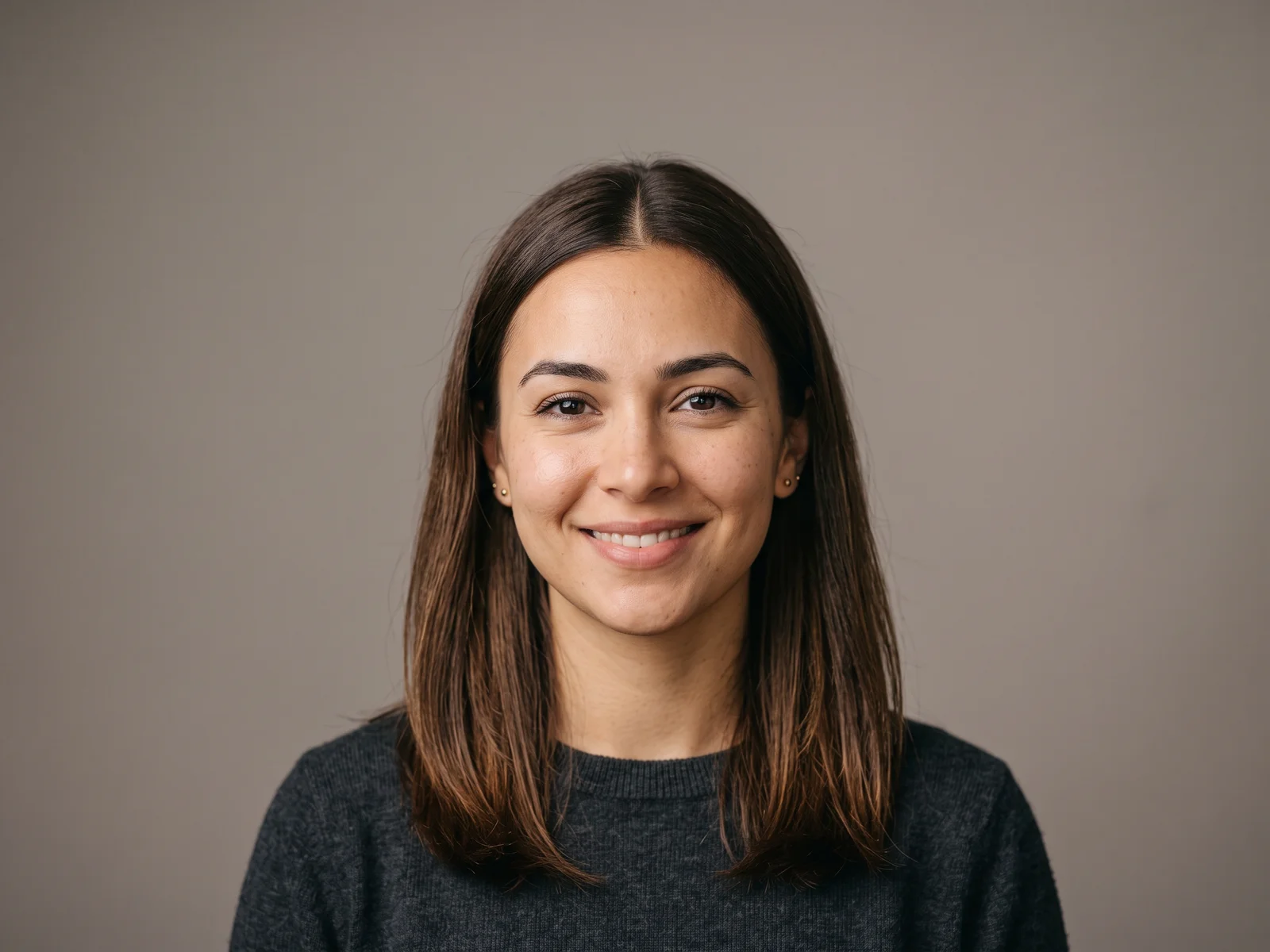
Selected bixie preset preview — real model output on an AI-generated fictional person.
Subscribe for more credits and more models.
A bixie haircut is a short, layered cut between a bob and a pixie. It usually combines a pixie’s shorter, tapered nape and crown layers with a bob’s longer pieces around the ears, cheekbones, or jaw. The exact balance can be polished, shaggy, wavy, curly, or paired with bangs. Use the try-on above to compare those shapes on your own face before choosing the version to show your stylist.
Want to compare the bixie with completely different cuts and colors? Open the AI hairstyle changer
Each case shows the actual flow: an AI-generated fictional portrait goes in, a bixie style is selected, and the page’s image model produces the preview. The arrows and labels are layout graphics; the before and after portraits are real Renoise outputs.
Straight hair → Classic Bixie. Long straight hair becomes a rounded, cheekbone-length bixie with a shorter back and softly layered crown.

Fine silver hair → Long Bixie. The prompt keeps the natural silver color and fine texture while cutting the length above the jaw and tapering the sides.

Natural curls → Curly Bixie. Shoulder-length curls become a shorter rounded bixie while the prompt preserves curl pattern, density, and realistic shrinkage.
The names overlap in salons, so focus on the silhouette and where the longest pieces end. This table gives you practical language for choosing a cut.
| Feature | Bixie haircut | Pixie cut | Bob haircut |
|---|---|---|---|
| Overall length | Between pixie and bob | Shortest of the three | Usually chin to shoulder length |
| Nape and back | Short or tapered | Closely cropped or tapered | Fuller, with a clearer perimeter |
| Crown | Layered for movement | Short, shaped layers | Can be blunt or lightly layered |
| Front and sides | Longer pieces around ears, cheeks, or jaw | Usually cropped closer | Length connects to the main bob line |
| Styling feel | Piecey, airy, polished, wavy, or curly | Defined short shape | Sleek, blunt, rounded, or layered |
Start with the shape you are most likely to wear day to day. The optional details box can refine the parting, fringe, color, or exact length.
Choose Classic for a balanced bob-pixie outline. Choose Long when you want more coverage around the ears and jaw.
Shaggy adds choppy, piecey layers. With Bangs adds a wispy fringe while keeping the nape short.
These presets describe both the bixie outline and texture, with volume concentrated through the layered crown.
Add details such as “deep side part,” “long curtain fringe,” “less crown volume,” or a specific hair color.
One portrait and one style choice are enough to create a first preview.
Use a front-facing photo with even light, one person, no hat, and enough space to see your full current hairstyle.
Select Classic, Long, Shaggy, With Bangs, Wavy, or Curly. Add a short detail if you want a different part or fringe.
Drag the before-and-after slider, download the strongest preview, and take two or three versions to your stylist.
Bring the preview, but describe the construction too. Ask for a short or softly tapered nape, movable layers through the crown, and longer face-framing pieces at the cheekbone or jaw. Then say how polished or textured you want the finish. “Piecey and airy” points toward a shaggy bixie; “smooth with a soft side part” points toward a classic or long bixie. A photo gives the stylist the silhouette, while those details explain what matters about it.
Hair texture changes how the shape behaves. Fine straight hair may need light layers that keep the perimeter from looking thin. Thick hair may need internal weight removed so the crown does not become bulky. Wavy and curly hair need enough length left for their natural pattern and shrinkage. Face shape is a starting point rather than a rule: fringe length, side volume, and where the longest pieces land can all be adjusted. Your stylist can translate the same bixie idea to your density, growth pattern, and styling routine.
The preview is strongest when the model can see your face, hairline, and current texture. The result is still a visual reference, not a promise of the salon outcome.
| Photo | Expected preview | What to do |
|---|---|---|
| Front-facing, even light | Best identity and hairline hold | Keep both eyes and the full head visible |
| Natural texture visible | Better texture guidance | Avoid flattening all hair under a hat or hood |
| Strong side profile | The hidden side is interpreted | Use a front or gentle three-quarter angle |
| Hair cropped out of frame | Length and volume may be guessed | Choose a photo with space above and beside the hair |
| Group photo | The wrong person may be edited | Crop to one person before uploading |
The same privacy rules apply to a haircut preview as to every Renoise photo edit.
Picking a file only previews it on your device. Not one byte is stored until you sign in and click generate.
Uploads land in your private library, never a public gallery, and re-running the same photo stores nothing new.
Remove uploads and results from your library whenever you want.
Credits work across the bixie try-on, other image edits, and Renoise video models.
For first-time AI content creators
Billed $168 annually
Upgrade PlanSave $72/year
For creators shipping content every week.
Billed $504 annually
Upgrade PlanSave $216/year
For studios and pros producing at commercial scale.
Billed $1680 annually
Upgrade PlanSave $720/year
For first-time AI content creators
Billed monthly
Upgrade PlanFor creators shipping content every week.
Billed monthly
Upgrade PlanFor studios and pros producing at commercial scale.
Billed monthly
Upgrade PlanRenews automatically each year until canceled.
Renews automatically each month until canceled.
Generate a few lengths and textures on the same portrait, then save the version that best explains your idea.
A bixie haircut blends a bob and a pixie. It normally has a shorter or tapered nape, layers through the crown, and longer pieces around the ears, cheekbones, or jaw. There is no single fixed outline: the cut can be classic, long, shaggy, wavy, curly, or worn with bangs.
A bixie keeps more length and movement around the sides and front. A pixie is usually cropped closer throughout. If a pixie feels too short and a bob feels too heavy or long, a bixie occupies the space between them.
It can be. A shorter outline can remove weight, while carefully placed crown layers can create movement. Ask your stylist to keep enough fullness at the perimeter; too many layers can make fine ends look sparse. The Fine silver hair case above shows a preview that does not invent extra density.
Yes. The cut needs to account for curl pattern and shrinkage, so the dry shape may be more useful than a stretched length measurement. Try the Wavy or Curly preset and tell the tool to preserve your natural texture, then discuss the result with a curl-experienced stylist.
Yes. Wispy, side-swept, curtain, or shorter textured bangs can connect the layered crown to the longer front pieces. Select With Bangs above, then use the detail box to specify the fringe you want.
Age does not determine whether the shape works. Hair density, texture, growth pattern, desired maintenance, and the placement of the fringe and side pieces matter more. The Long Bixie case above keeps natural silver color and visible texture instead of changing age.
No. It is a visual preview of silhouette, length, fringe, and texture on your face. The model cannot feel your density, cowlicks, or how your hair behaves after styling. Use the render as a conversation aid and let your stylist adapt it to your actual hair.
Yes. Keep the same uploaded portrait and run Classic, Long, Shaggy, With Bangs, Wavy, or Curly one at a time. Saving two or three versions makes the differences easier to compare.
Use your own photo or one you have permission to edit. Do not upload someone else’s portrait without consent, and do not use public figures or minors.


