Put yourself somewhere new
Swap a messy room for a beach, a studio or a city street. The person stays the same and the light is matched.
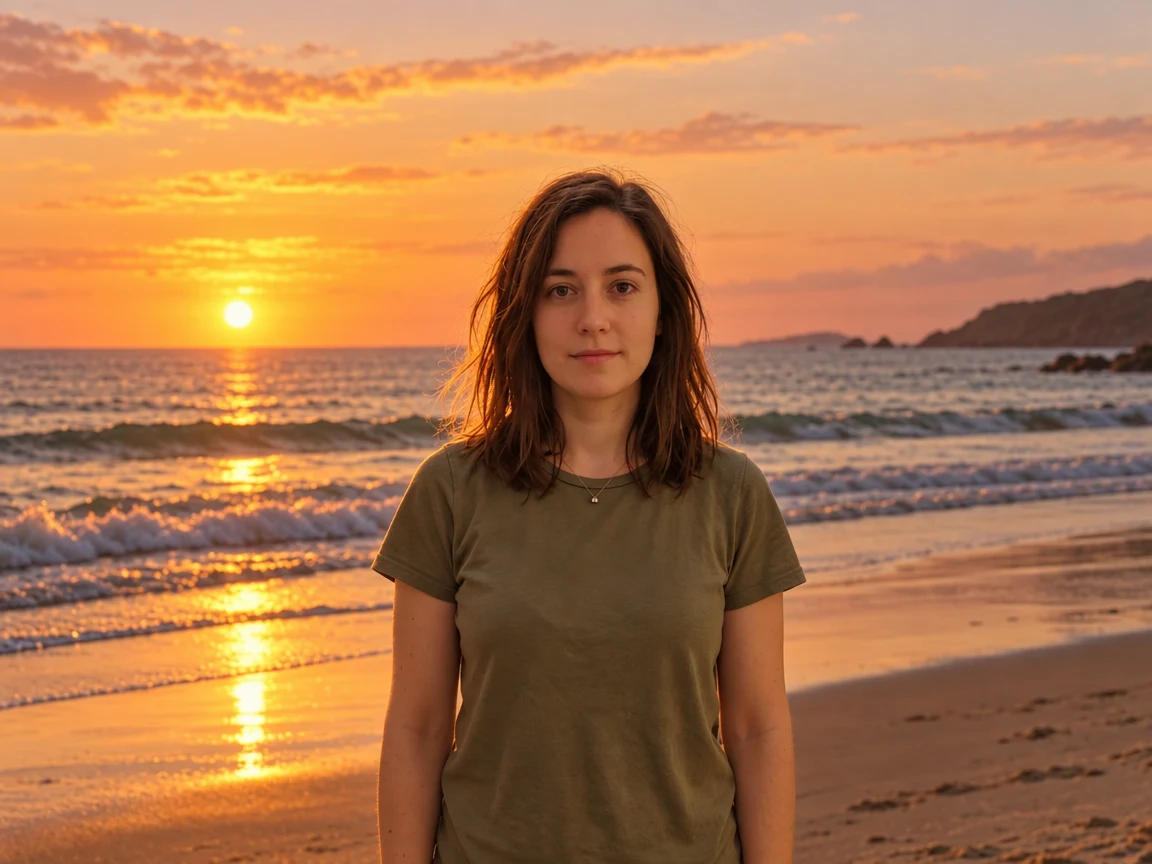
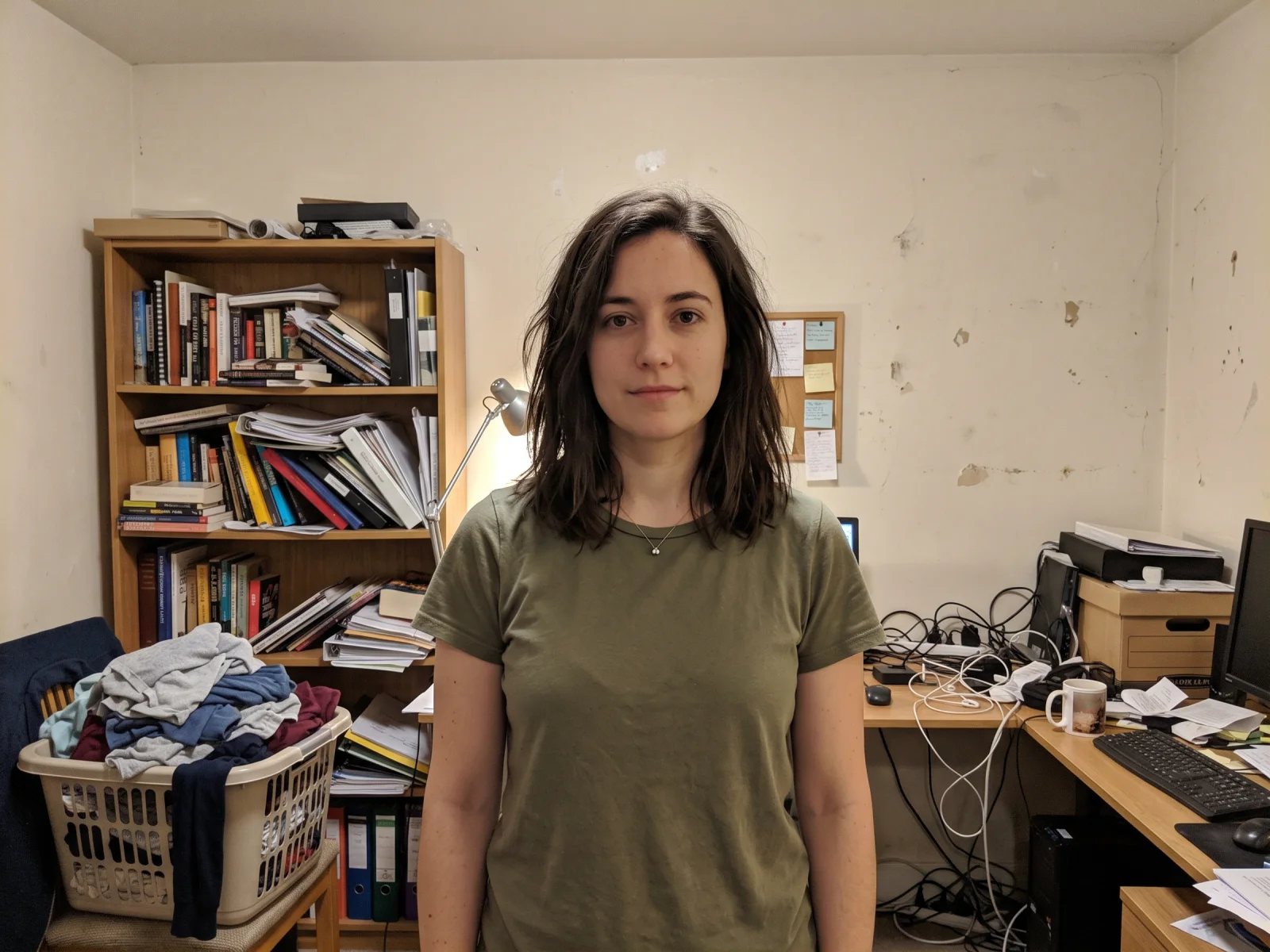
Upload a photo and say what to change. The Renoise Agent makes the edit, then keeps going when you ask for the next one.
Opens in the Renoise Agent, where you can keep refining the same photo.
Real model output from this photo and a one-sentence instruction — drag the handle to compare.
Swap a messy room for a beach, a studio or a city street. The person stays the same and the light is matched.
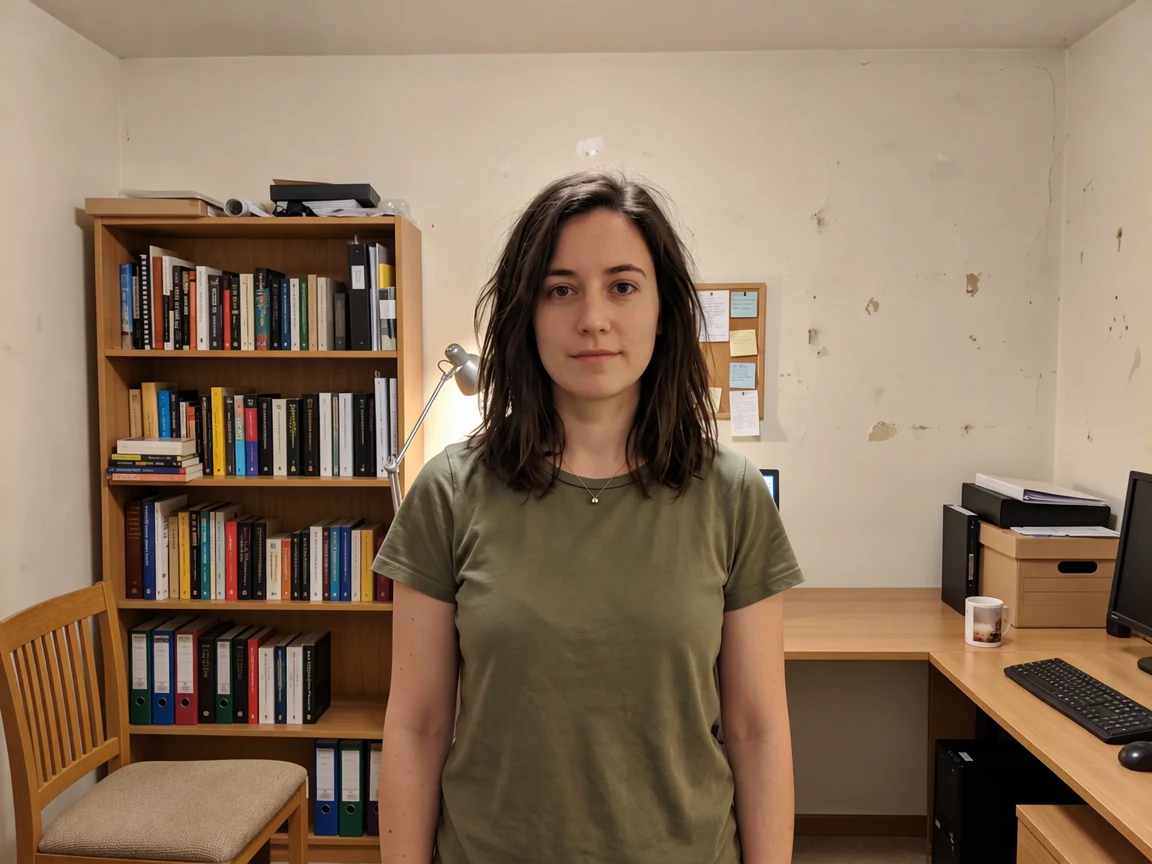
Ask for the laundry, cables and papers to go. The editor fills in the floor and desk behind them.
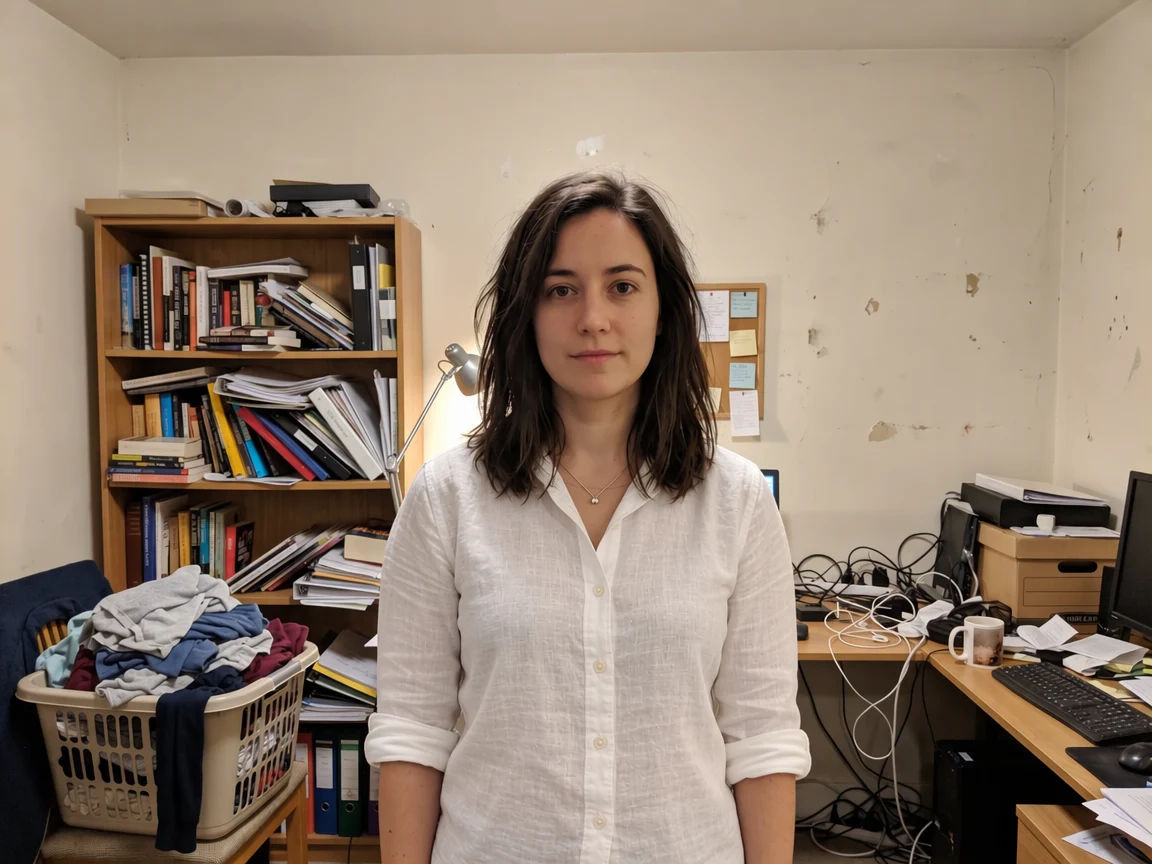
Turn an olive T-shirt into a white linen shirt without touching the face, hair or room around it.
Replace a logo or label with your own words. GPT Image 2.5 spelled NORDLYS correctly on the first try.
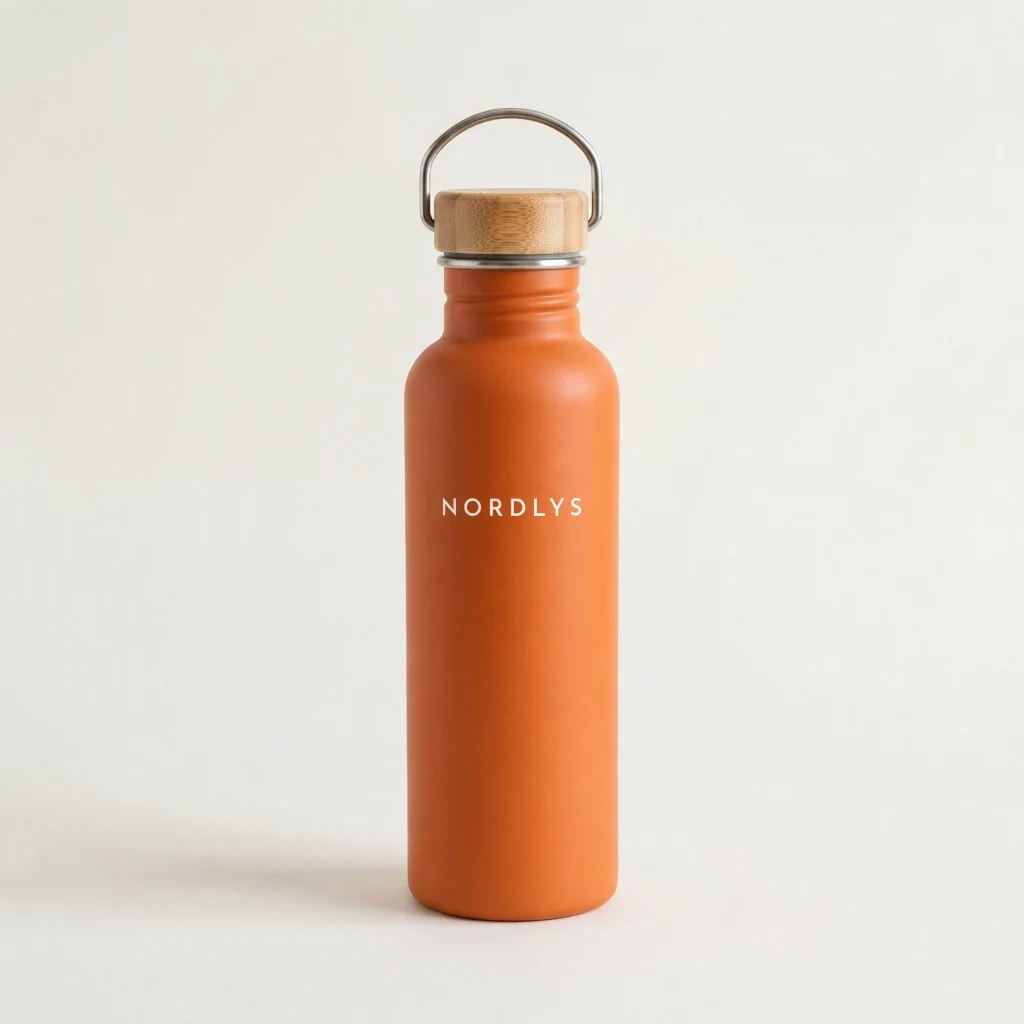
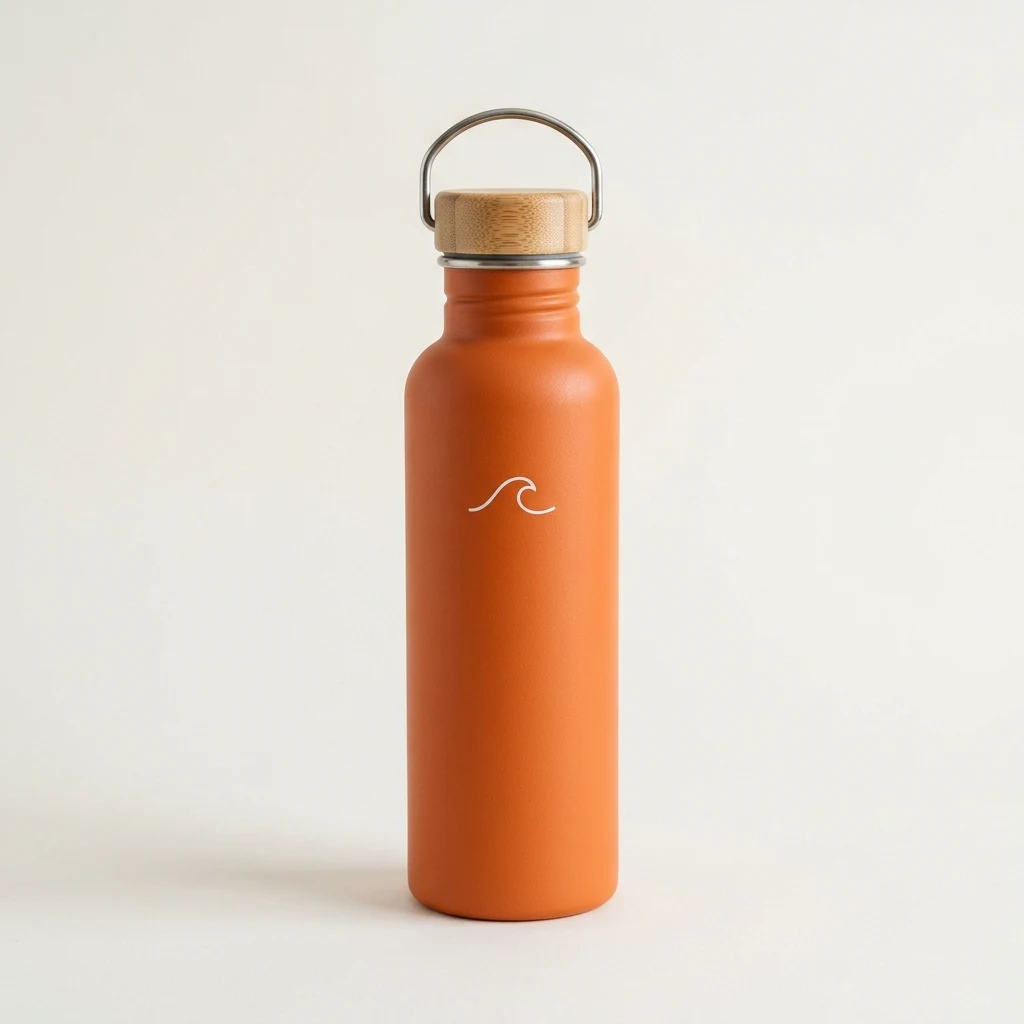
No layers, masks or brushes. Write what should change, the way you would tell a person.
In our tests, edits changed only what was asked and kept faces and framing.
Ask for the next change in the same chat, or upscale or animate the result.
Photos of real people go through. Edit only photos you own or have permission to edit.
Upload the photo above, write one sentence about what should change, such as a new background, a different shirt or warmer light, and click Edit My Photo. The Renoise Agent opens with your photo, makes that edit and leaves everything else as it was. Ask for the next change in the same chat, or download the result.
For edits that need an exact area, use Erase, Inpaint or Expand in the Renoise Canvas.
Only need a new background? The AI Background Changer has ready-made backdrops.
Add a JPG, PNG or WebP and write what should change. Name what must stay if it matters.
The Renoise Agent opens with your photo and sentence, and returns the edited photo in the chat.
Ask for the next change in the same chat, or download the result.
What to expect by type of edit, from our own tests with GPT Image 2.5. The model redraws the photo around your instruction rather than painting pixels by hand.
| Edit | Expected result | Tip |
|---|---|---|
| New background or setting | Clean: the person stays and the light is matched | Say where and what light ("sunset beach") |
| Removing clutter | Good: gaps are filled with plausible floor or wall | List each thing to remove |
| Clothes and colors | Clean on one person with a clear outline | Name the garment and the new color |
| Text on a label or sign | Short words come out right | Put the exact text in capitals or quotes |
| Several small edits at once | Mixed: one change may be skipped | Ask for one change per message, then the next |
One street photo and one portrait, edited with the instructions below. Every image is a real model output.
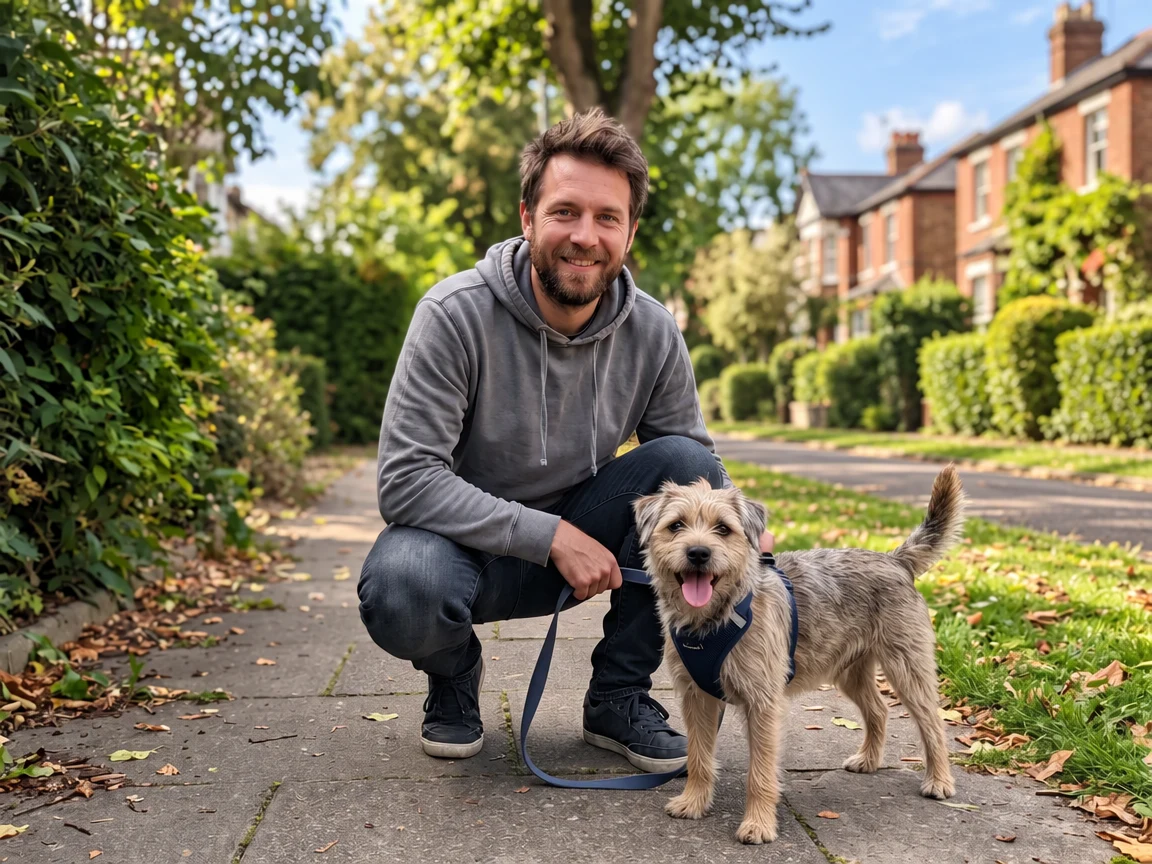
"Remove all the parked cars from the street." The road and grass are filled in.
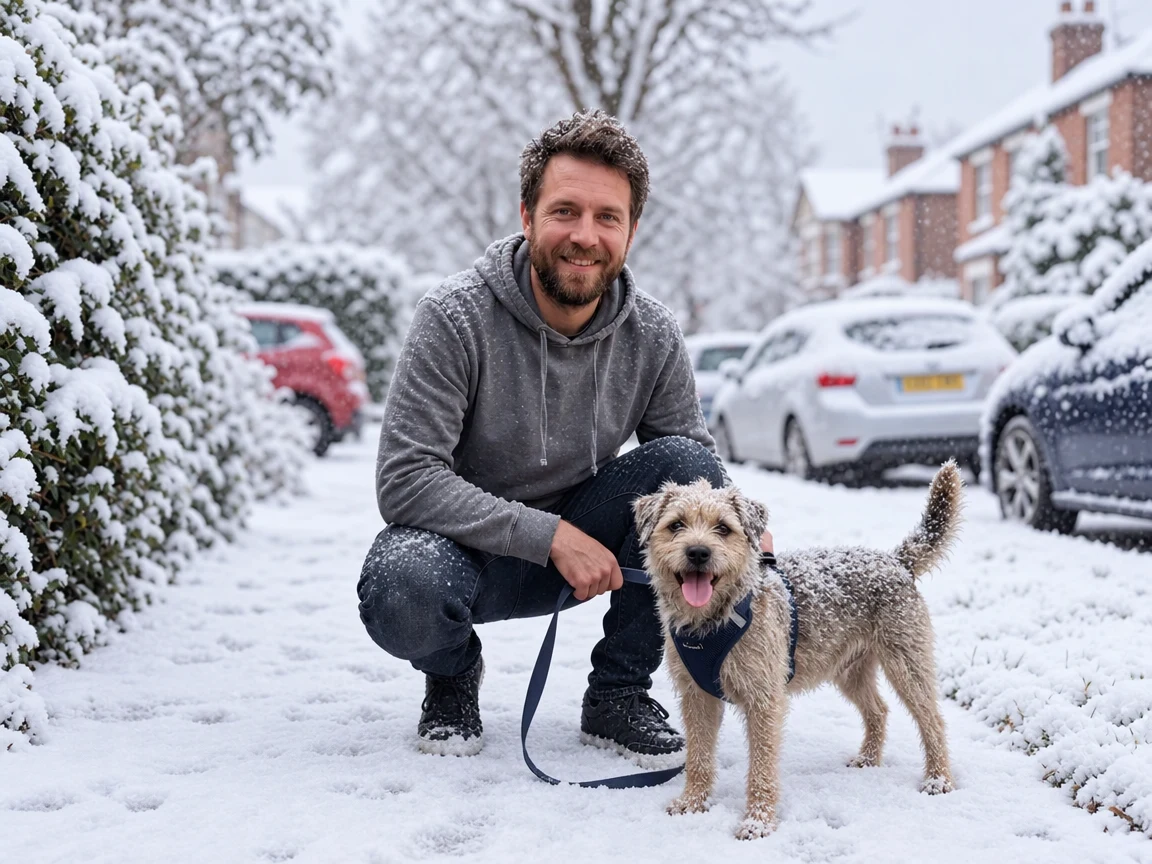
"Make it a snowy winter morning." Same man, same dog, new season.
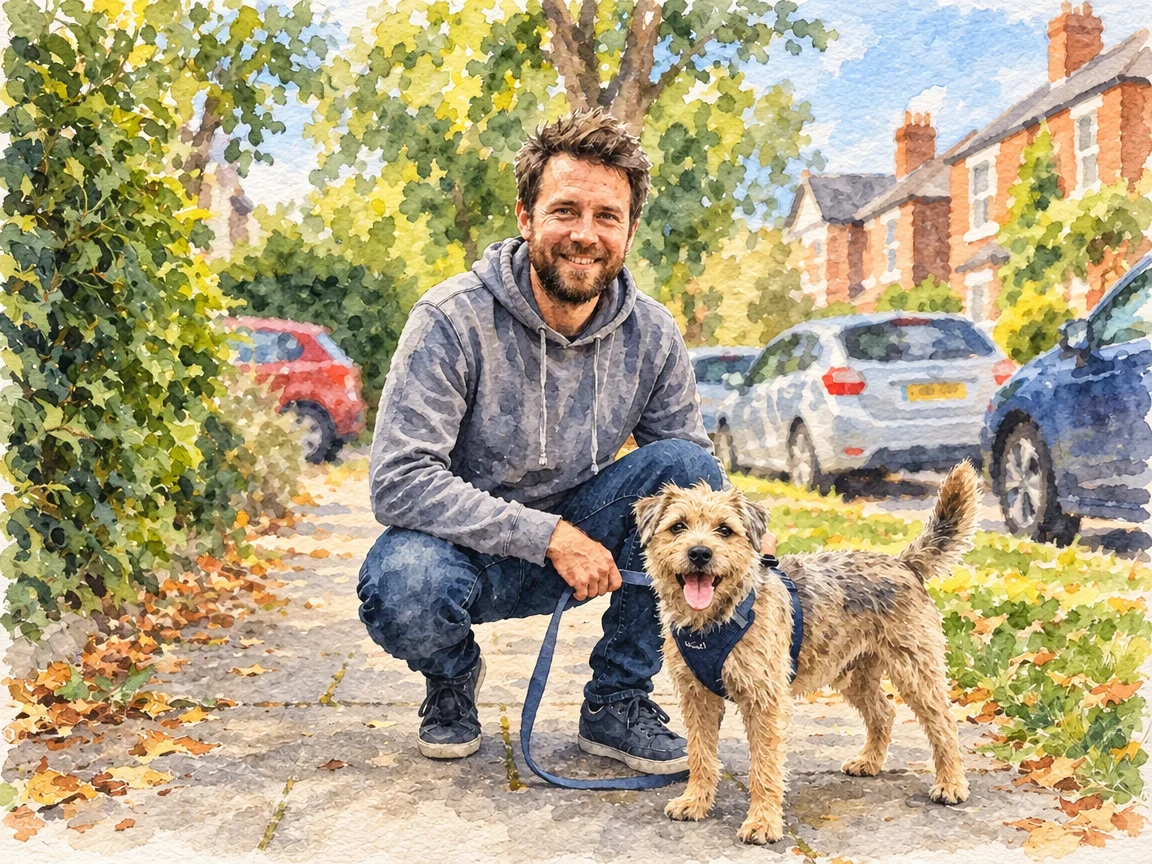
"Turn this photo into a soft watercolor illustration."
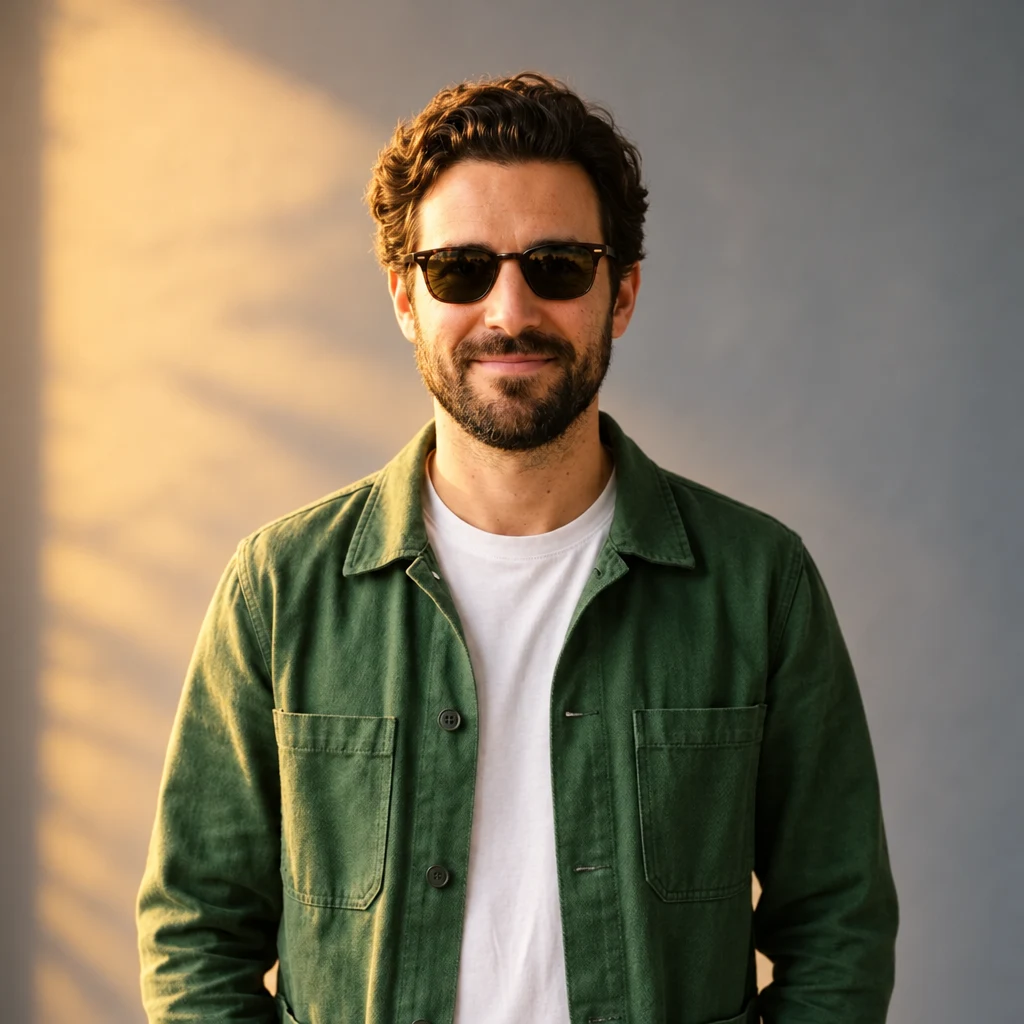
"Add black sunglasses and warm golden-hour light from the left."
This page hands your photo and sentence to the Renoise Agent, which runs an image-to-image edit with an image model. Every example on this page came from GPT Image 2.5, OpenAI's image model: the photo goes in as a reference, the sentence says what should change, and everything else is kept, including the same people, faces, clothing and framing. Because the model reads the whole picture, it relights what it adds, so a new background or a sunglasses reflection looks photographed rather than pasted in. And because the edit happens in a chat, the next change is one more message.
That is also the limit. There is no brush or mask here, so the model decides where the change goes. Small, well-described edits land reliably; asking for five changes at once can drop one, and very fine detail such as hands or small text in the background can shift. When you need an exact area, open the photo in the Renoise Canvas and use Erase to remove something, Inpaint to redraw a marked area, or Expand to widen the frame.
For single jobs there are dedicated tools with presets: the background changer, the object remover, virtual try-on for outfits, and the image upscaler when the edit needs more pixels.
What happens to an uploaded photo, in plain words.
Picking a file only previews it on your device. Not one byte is stored until you sign in and click generate.
Uploads land in your private library, never a public gallery, and re-running the same photo stores nothing new.
Remove uploads and results from your library whenever you want.
As of October 2026, 100,000+ creators in 170+ countries and regions use Renoise AI, an AI video, image and audio platform, to generate 300,000+ images and videos with 30+ models.
Source: Renoise internal data, March–October 2026. Figures are rounded down and updated quarterly. Last updated
Real feedback from creators who use Renoise AI to make videos, images and ads.
Renoise is pretty easy to use, with a clean and smooth interface. The results from Seedance 2.5 also feel noticeably smoother in action sequences.
Renoise Ai is a good tool for making ai videos and photos. it puts several Ai models in one place, so you don't need to use many different apps.
あまりAIツールを使ったりしたことなかったですが、キャラクターの固定や動画を続いて作成できて使いやすいです。これからどんどん進んでいくアップデートが楽しみです。
Renoise has been a great platform for AI creativity. The tools are easy to use, the experience is smooth, and it makes creating content more enjoyable and efficient. I really appreciate the work the team is doing and look forward to seeing more improvements. Highly recommended!
What I like about Renoise AI compared to other platforms: Fast generation speed: Slow generation takes up way too much time, but Renoise AI is surprisingly about 30% faster. Intuitive and user-friendly UI: Cheaply made platforms have terrible UIs that make me not even want to log in, but Renoise is very clean and convenient. Remembers my previous settings: It helpfully remembers my last workspace settings. Some odd platforms force you to re-adjust everything every single time you generate a video, which is extremely frustrating. Overall preference: For all these reasons, Renoise AI is definitely my preferred platform. Thank you!
Renoise is your go to one stop all for ai creators. all view and use all models in one place, for any type of content you have your mind on!
I have a creat experience with the app. Consistent characters but also unique. THere were some issues with storyline continuity and non-typical humanoid characters.
Credits work across every tool: photo edits, upscaling, image generation and the video models.
For first-time AI content creators
Billed $168 annually
Upgrade PlanSave $72/year
For creators shipping content every week.
Billed $504 annually
Upgrade PlanSave $216/year
For studios and pros producing at commercial scale.
Billed $1680 annually
Upgrade PlanSave $720/year
For first-time AI content creators
Billed monthly
Upgrade PlanFor creators shipping content every week.
Billed monthly
Upgrade PlanFor studios and pros producing at commercial scale.
Billed monthly
Upgrade PlanRenews automatically each year until canceled.
Renews automatically each month until canceled.
Following us on X and YouTube earns 20 free credits, enough for a first edit: an edit with GPT Image 2.5 at 1K costs 13 credits. After that each image the Agent makes is billed in credits; there is no free plan.
None in practice. Both mean editing an existing picture with AI instead of generating one from scratch. This page handles photos, screenshots and product shots the same way.
Yes, that is how this editor works. Describe the change in one sentence, for example "make it a snowy morning" or "change the shirt to white linen", and the model applies it to your photo.
In our tests faces, hair and expressions stayed the same in every edit, because the instruction tells the model to keep them. Edits close to the face, like adding glasses, are the ones to check before you use the result.
Yes. Name what should go, such as "remove the parked cars", and the editor fills in what was behind it. For dedicated presets, see the object remover and remove people from photo.
Yes. Describe the new place and light. If you just want a studio, office or plain backdrop, the background changer has those as one-click options.
Yes, for short text. Put the exact words in your instruction. Longer paragraphs and very small print are less reliable.
Yes, that is what the Agent chat is for. One change per message works best; then ask for the next change in the same chat. Each image the Agent makes is billed separately.
JPG, PNG and WebP up to 20MB each, and up to three photos at a time, for example a portrait plus a reference for the new outfit.
Only photos you own or are allowed to edit. Someone else’s portrait, a public figure or a photographer’s work needs permission before you change it.
Start the edit here, keep refining it with the Agent, then upscale, expand or animate the result.