Talking avatar from one photo
One front-facing photo and a short script. The mouth follows the voice, and the clip lasts as long as the speech.
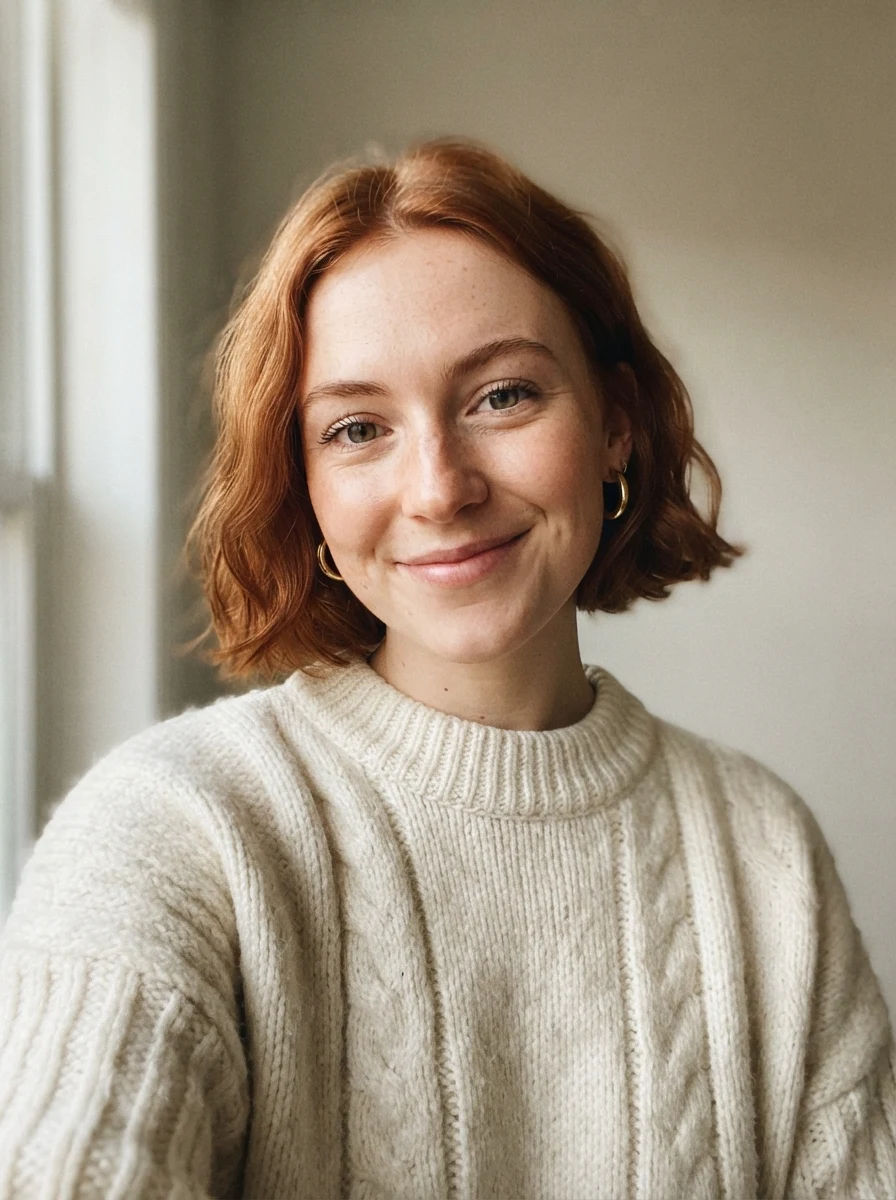
Upload a photo and type what it should say. The Renoise Agent gives it a voice and makes your avatar talk.
Opens in the Renoise Agent with your photo and request.
Real model output from one photo and a typed script.
One front-facing photo and a short script. The mouth follows the voice, and the clip lasts as long as the speech.
A phone-selfie style review with product close-ups and stickers added in the same Agent project.
Sum up a book, a lesson or a question. The presenter talks while cards and pictures appear beside her.
The same presenter greets viewers in French, Spanish, Japanese and Chinese, each line written for that language.
Use your recording as is, or clone your voice from a clean 15-second clip.
No recording? Gemini 3.8 Flash TTS reads your script in one of 30 voices.
One clip runs as long as its audio, from 4 seconds to 5 minutes.
Add product shots and B-roll from other video models in the same Agent project.
Upload one clear, front-facing photo and add a script or a recording of speech. The script is turned into a voice with a text-to-speech model, then OmniHuman 2.0 lip-syncs your photo to that audio for as long as it runs, from 4 seconds up to 5 minutes, at 720p.
The clip at the top of this page was made exactly that way: one photo, a 30-word script, about 10 seconds of video.
The request opens in the Renoise Agent. See how the Renoise Agent works.
One front-facing or three-quarter photo with the mouth visible. The video keeps the photo’s framing.
Type a script for a preset voice, or add 4–300 seconds of your own speech as MP3 or WAV.
The clip runs as long as the speech, at 720p. OmniHuman 2.0 costs 14 credits per second of audio.
Real avatar films from Renoise Avatar Studio. Open one there to make your own version with your topic, photo or voice.
HeyGen is the larger avatar platform: more ready-made presenters, longer videos, translation. Renoise is the choice when the avatar is your own photo and voice and the video also needs generated shots.
| Feature | HeyGen | |
|---|---|---|
| Ready-made presenters | 18 in Avatar Studio | 700+ on Creator |
| Start from your photo | ✓ One authorized portrait | ✓ Photo avatars |
| Longest single clip | 5 minutes | 30 minutes on Creator |
| Output resolution | 720p | 1080p on Creator, 4K on Pro |
| Video translation | ✕ Re-voiced per language | ✓ 175+ languages |
| Generated product shots | ✓ Seedance 2.5, Kling 4.0 and more, from Starter | Seedance 2.5 on Pro |
Renoise: models API and Avatar Studio, checked 2026-11-06. HeyGen: heygen.com/pricing and help.heygen.com articles 15126059 and 17680953, accessed 2026-10-27.
A photo avatar is a still portrait driven by a voice track. OmniHuman 2.0, the model behind the example at the top, reads the speech and animates the mouth, face and head to match it, so the exact words and timing come from your audio. The video is as long as the audio, anywhere from 4 seconds to 5 minutes, and the framing is the framing of your photo: upload a vertical portrait for a vertical video. Output is 720p.
The audio has to be speech or singing as MP3 or WAV; music without vocals is rejected. A script can be read by Gemini 3.8 Flash TTS in one of 30 voices, or your voice can be cloned with Seed Audio 1.0 from a clean recording of you. One clip costs 14 credits per second of audio, so 10 seconds is 140 credits.
A photo avatar talks to the camera. It does not pick up a product, walk through a room or change scenes. Those shots come from generative video models such as Seedance 2.5 or Kling 4.0, and the Agent can cut them together with the talking parts, which is how the Avatar Studio films above were made. The AI video generator page lists those models.
Two neighbouring jobs have their own pages: making a person in an existing video say new lines is AI lip sync, and bringing an old photo to life with a short line is an AI talking photo.
Only use faces and voices you have the rights to: your own, or someone who has authorized it. Public figures and minors are not allowed.
What happens to an uploaded photo or voice recording, in plain words.
Picking a file only previews it on your device. Not one byte is stored until you sign in and click generate.
Uploads land in your private library, never a public gallery, and re-running the same photo or voice recording stores nothing new.
Remove uploads and results from your library whenever you want.
As of October 2026, 100,000+ creators in 170+ countries and regions use Renoise AI, an AI video, image and audio platform, to generate 300,000+ images and videos with 30+ models.
Source: Renoise internal data, March–October 2026. Figures are rounded down and updated quarterly. Last updated
Real feedback from creators who use Renoise AI to make videos, images and ads.
Renoise is pretty easy to use, with a clean and smooth interface. The results from Seedance 2.5 also feel noticeably smoother in action sequences.
Renoise Ai is a good tool for making ai videos and photos. it puts several Ai models in one place, so you don't need to use many different apps.
あまりAIツールを使ったりしたことなかったですが、キャラクターの固定や動画を続いて作成できて使いやすいです。これからどんどん進んでいくアップデートが楽しみです。
Renoise has been a great platform for AI creativity. The tools are easy to use, the experience is smooth, and it makes creating content more enjoyable and efficient. I really appreciate the work the team is doing and look forward to seeing more improvements. Highly recommended!
What I like about Renoise AI compared to other platforms: Fast generation speed: Slow generation takes up way too much time, but Renoise AI is surprisingly about 30% faster. Intuitive and user-friendly UI: Cheaply made platforms have terrible UIs that make me not even want to log in, but Renoise is very clean and convenient. Remembers my previous settings: It helpfully remembers my last workspace settings. Some odd platforms force you to re-adjust everything every single time you generate a video, which is extremely frustrating. Overall preference: For all these reasons, Renoise AI is definitely my preferred platform. Thank you!
Renoise is your go to one stop all for ai creators. all view and use all models in one place, for any type of content you have your mind on!
I have a creat experience with the app. Consistent characters but also unique. THere were some issues with storyline continuity and non-typical humanoid characters.
One plan unlocks every video model, plus the image and audio models.
For first-time AI content creators
Billed $168 annually
Upgrade PlanSave $72/year
For creators shipping content every week.
Billed $504 annually
Upgrade PlanSave $216/year
For studios and pros producing at commercial scale.
Billed $1680 annually
Upgrade PlanSave $720/year
For first-time AI content creators
Billed monthly
Upgrade PlanFor creators shipping content every week.
Billed monthly
Upgrade PlanFor studios and pros producing at commercial scale.
Billed monthly
Upgrade PlanRenews automatically each year until canceled.
Renews automatically each month until canceled.
Not here: there is no free plan. OmniHuman 2.0 costs 14 credits per second of speech, so a 10-second avatar clip is 140 credits, and turning a script into a voice adds about 2. The 20 credits for following us on X and YouTube do not cover one clip.
Yes. Upload your own photo and add your own recording, or clone your voice from a clean 12–20 second clip of you reading aloud. Only your own face and voice, or those of someone who has authorized it.
One clip lasts as long as its audio, from 4 seconds to 5 minutes. For a longer video, the Agent can make several clips and join them into one cut.
One person, facing the camera or turned slightly, with the mouth clear of hands, hair or a microphone and even light on the face. The video keeps the photo’s framing, so crop it the way you want the video to look.
Yes: speech as MP3 or WAV, 4 to 300 seconds. The box on this page takes images, so add the recording in the Agent chat after you start, or begin in Avatar Studio, which takes a photo and a voice clip together. Instrumental music is rejected.
Yes. Write the script in that language or ask for one; the voice reads it and the lips follow. Each language is voiced on its own, so this is not one-click translation of a video you already made.
It depends on the job. For a large library of ready-made presenters, translation and long training videos, HeyGen or Synthesia fit better. For your own face and voice plus generated product shots in one project, from the browser or Claude Code, Renoise fits.
Yes. The clay bear and the Shiba Inu presenter above were made in Renoise Avatar Studio. For non-human characters the Agent generates the talking shots with a video model instead of driving a photo.
This page makes talking videos. For a still avatar or profile picture from your selfie, see the AI profile picture guide.
No. Use only faces and voices you have the rights to. Avatars of public figures, of minors, or of anyone who has not agreed are not allowed.
Upload a portrait, add a script or a recording, and pick a presenter style.