The mouth changes
Lips, teeth and the expression muscles around the mouth — cheeks and the crease at the eyes follow, because a real smile moves them too.
Upload a portrait, pick how wide the smile should be, and the model edits the mouth — your face, hair, lighting and background stay exactly as they were.
Follow us and get 20 free credits — about 6 images
For your own photo, or photos you’re authorized to use.
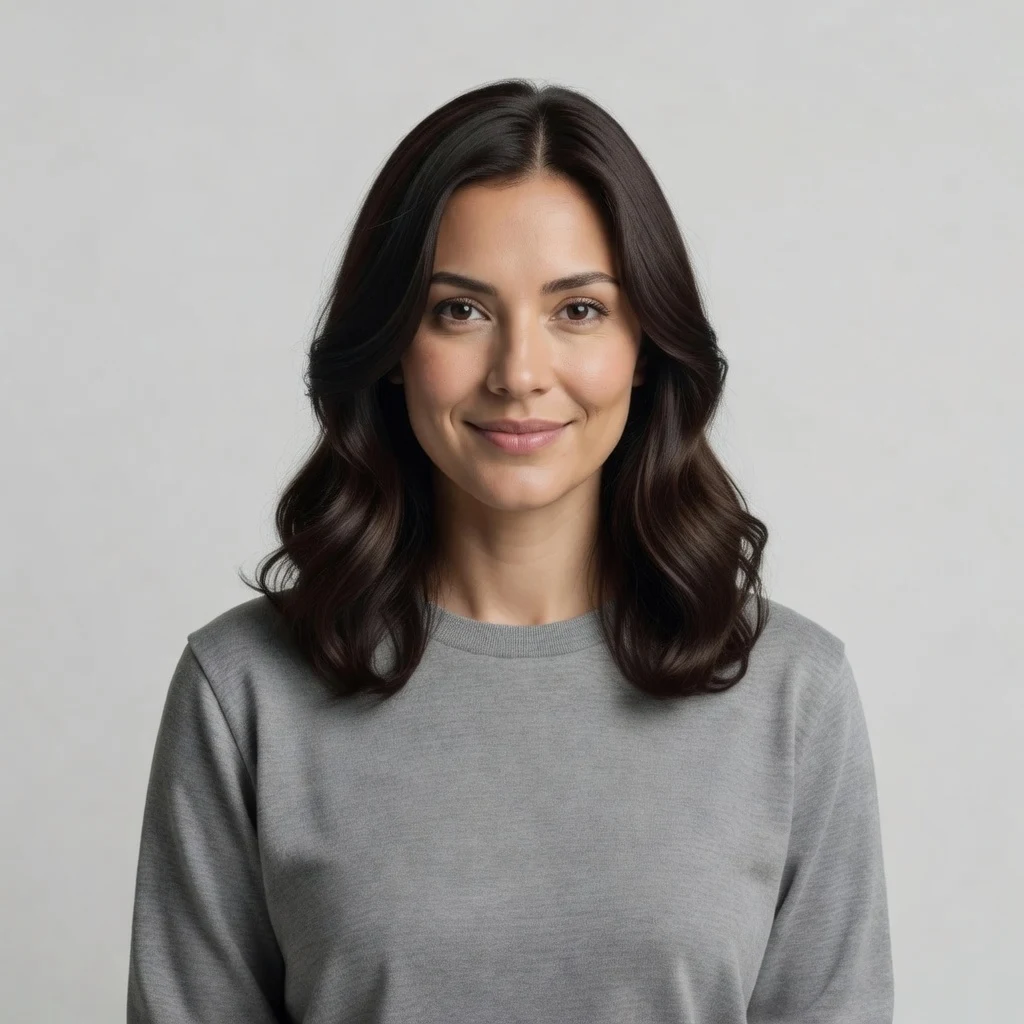
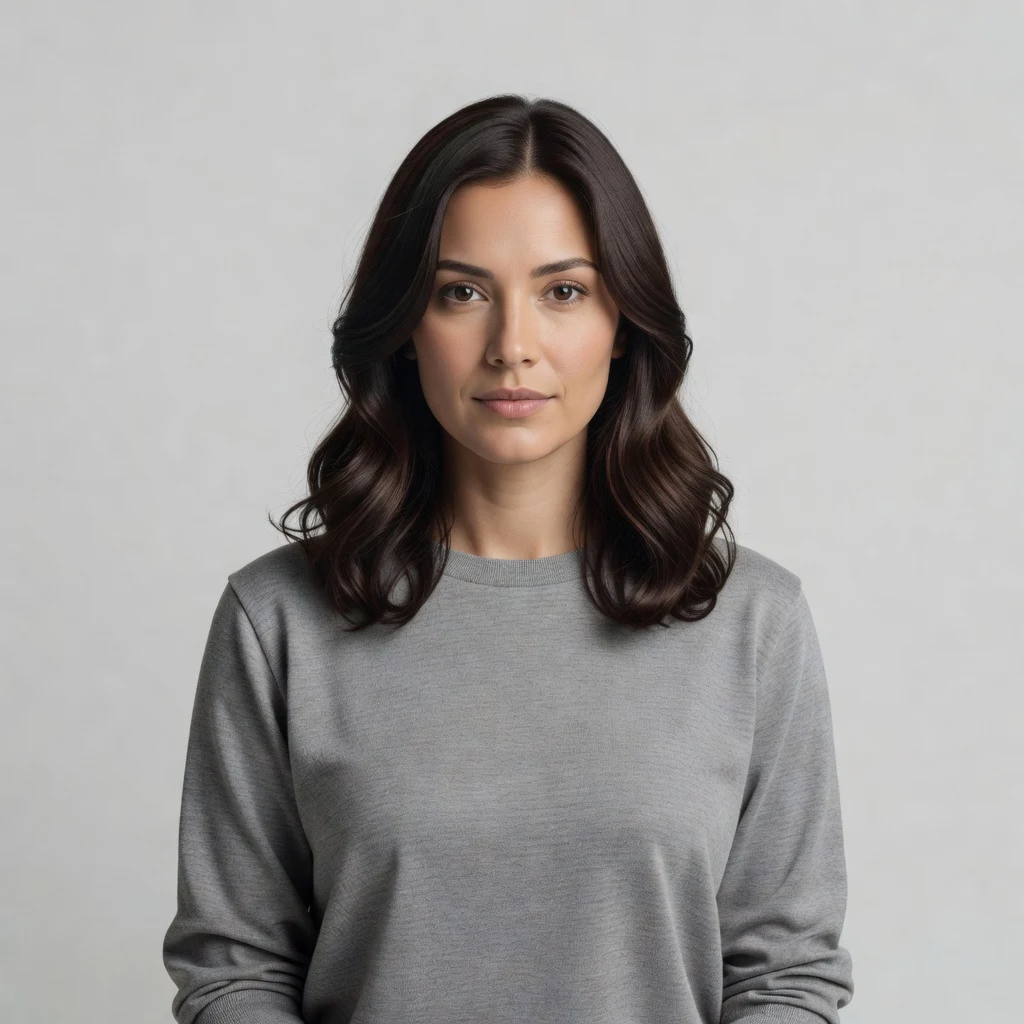
Real model output on an AI-generated fictional person — drag the handle to compare.
Subscribe for more credits and more models.
Upload the portrait above, choose subtle, medium or wide, and the model re-renders the mouth and the expression muscles around it while holding the face, skin tone, hair, pose, lighting and background. It is an edit of your photo, not a new portrait — the person who comes back is the person who went in. Following us on X and YouTube puts 20 credits on the account and one edit costs 3, so the first six are covered.
Want to change the background, the hair, or retouch the whole photo instead? See the AI photo editor guide
An AI smile filter is only worth using if it leaves the rest of the photo alone. Here is where the line sits on this page.
Lips, teeth and the expression muscles around the mouth — cheeks and the crease at the eyes follow, because a real smile moves them too.
Face shape, eyes, nose, skin tone and hair are held by the instruction. Measured on our own test portraits, the subject sits within 2% of its original size in the frame.
No relighting, no background swap. The smile has to look like it was lit by the same lamp as the rest of the photo, or it reads as pasted on.
Subtle for an ID photo, medium for a family shot, wide when you want teeth. One tap — no prompt writing required.
No account needed to try the controls; sign in when you generate.
Drop in a clear photo. A face that fills a good part of the frame gives a far better result than a wide group shot — see the table below for why.
Subtle, medium or wide. If there is more than one person in the photo, name the one you mean in the optional field.
One edit costs 3 credits and the 20 credits a follow earns cover six. Download at full resolution.
Tested on our own AI-generated portraits on 2026-09-02, on the exact model this page runs. Two of these results contradict what we expected before running them.
| Photo type | Result | Why |
|---|---|---|
| Clear, front-facing portrait | Good — the case this page is built for | The face is large enough that the model can rebuild the mouth with detail to spare |
| Strong side profile, up to full 90° | Good — better than we expected | We assumed profiles would fail. They do not: the smile lands correctly on the visible half of the mouth |
| Opaque sunglasses covering the eyes | Good — the glasses survive | Also better than expected. The frames come back untouched; only the mouth moves |
| Group or wide shot where each face is small | Poor — this is the real failure case | Naming a person often changes nothing, and the whole frame is re-rendered ~10% softer. Crop to one person first |
| Very dark, blurry or heavily filtered photo | Unpredictable | The model can only work from what it can see; a mouth it cannot resolve is a mouth it has to invent |
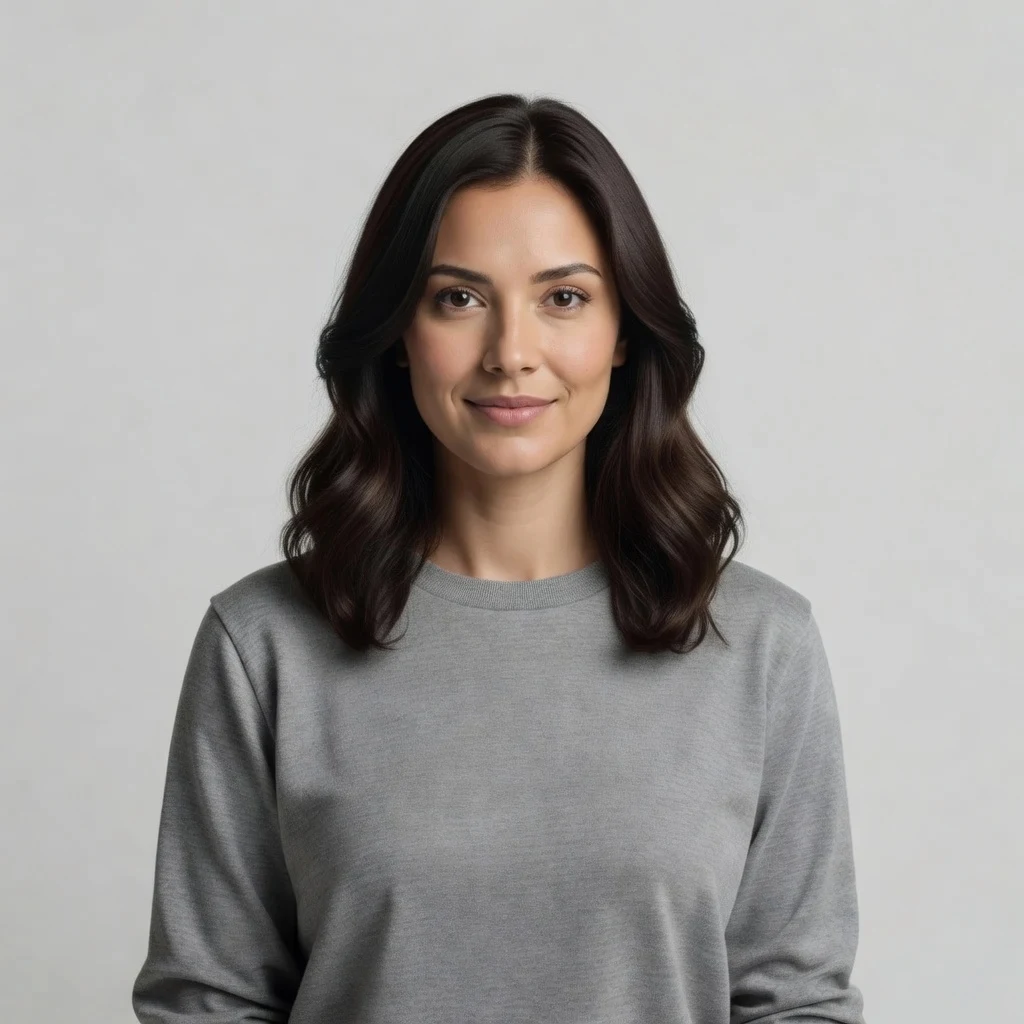
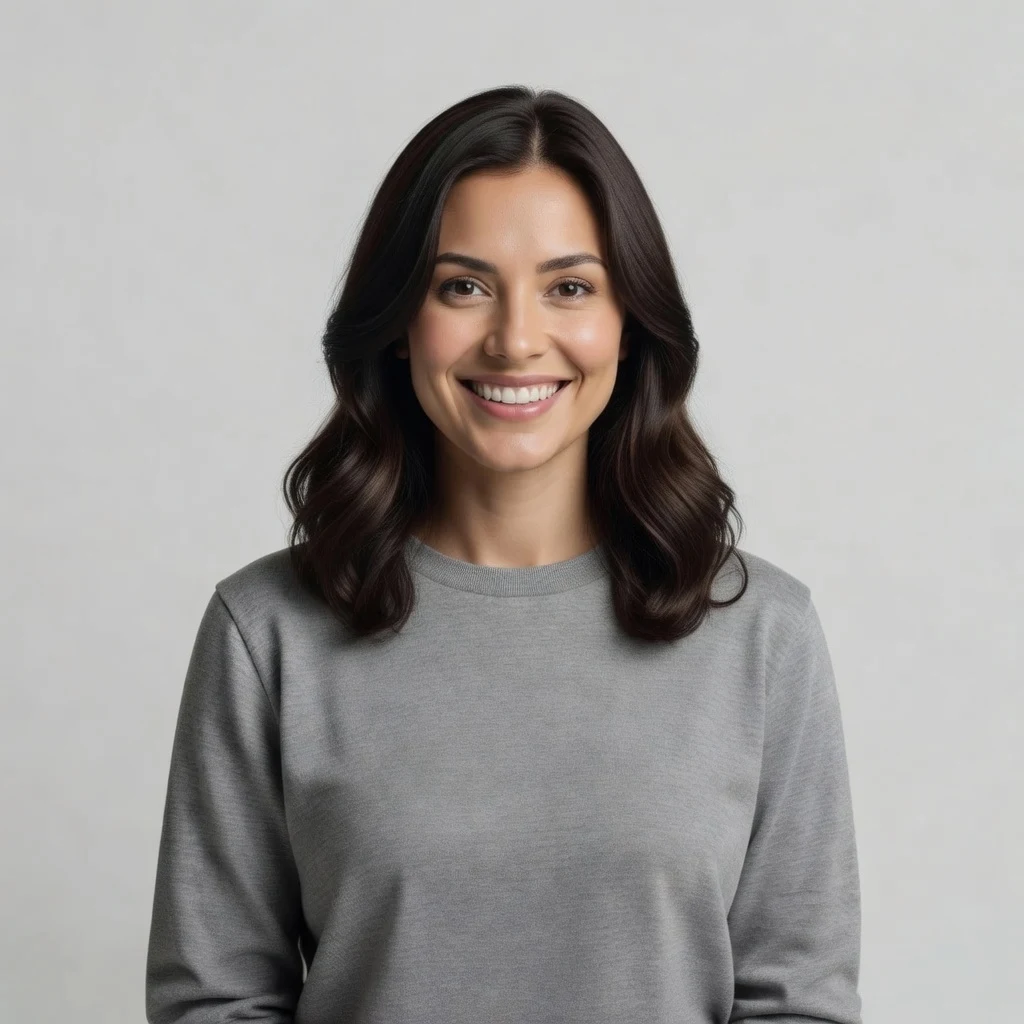
One AI-generated fictional portrait run through all three pills on this page. Real outputs, not mockups — the differences you see are the differences you get.
A closed-lip lift at the corners. This is the setting for ID and passport photos, where a broad smile is often not accepted.
A warm, natural closed-lip smile — the default, and the one that survives the widest range of source photos.
An open smile showing the upper teeth. The biggest change, and the one that most rewards a sharp, well-lit source photo.
The neutral portrait all three started from. Every image on this page came out of the same model the tool above runs.
What runs on this page is a generative image-to-image edit on Grok Imagine Image (xAI). The model reads your whole photo, then produces a new image of it in which the mouth carries the expression you picked. That word — new — matters more than most tools admit. It is not a smile decal pasted over your lips, which is why the teeth catch the same light as the rest of the face and the cheeks move the way cheeks move. It is also why running the same setting twice gives you two slightly different renders, and why the result is an interpretation rather than a retouch.
The honest consequence of a full re-render is that every pixel is rebuilt, not just the ones near the mouth. On a portrait where the face fills a good part of the frame, we measured the cost of that at about 7% of fine detail — invisible unless you pixel-peep, and comfortably worth the trade. On a wide group photo where each face is small, the same mechanism costs about 10% and, worse, the expression change often does not land on the person you named at all. That is the single biggest limitation of this page and the reason the table above says to crop to one person first. Competing smile filters do not publish either number; we would rather you know before you spend a credit.
A few boundaries worth stating plainly. Edit your own photo, or one you are authorized to use — not someone else's picture without their consent, and never a public figure or a minor. Nothing is stored before you sign in. And if a photo comes back looking wrong, it is almost always the input rather than the setting: a mouth the model cannot resolve is a mouth it has to invent.
This page deliberately runs the fast tier. Grok Imagine Image costs 3 credits an edit, which is what makes "the 20 credits a follow earns cover six edits" a sentence we can actually keep — put a flagship model behind this button and the first click would spend a third of the grant. For an expression change on a decent portrait, the fast tier is the right tool, and the samples on this page are all it.
When you want more than that — Nano Banana Pro, multi-step retouching, a different aspect ratio, or the same face carried across a set of images — open the full image workspace, where every model on the platform is available and you keep editing on one canvas instead of re-uploading. If the next thing you want is motion rather than a still, the video models live in their own workspace and take a photo as their starting frame.
What happens to an uploaded portrait — the question most smile filters skip.
Picking a file only previews it on your device. Not one byte is stored until you sign in and click generate.
Uploads land in your private library, never a public gallery, and re-running the same photo stores nothing new.
Remove uploads and results from your library whenever you want.
Credits work across every tool — image editing, upscaling and the video models.
For first-time AI content creators
Billed $168 annually
Upgrade PlanSave $72/year
For creators shipping content every week.
Billed $504 annually
Upgrade PlanSave $216/year
For studios and pros producing at commercial scale.
Billed $1680 annually
Upgrade PlanSave $720/year
For first-time AI content creators
Billed monthly
Upgrade PlanFor creators shipping content every week.
Billed monthly
Upgrade PlanFor studios and pros producing at commercial scale.
Billed monthly
Upgrade PlanRenews automatically each year until canceled.
Renews automatically each month until canceled.
Refine the result on the canvas, change the background, or turn it into a headshot.
Yes, on a portrait where the face is a decent size in the frame. The model is told to change the mouth and the expression muscles around it and to hold the face shape, skin tone, hair, pose, lighting and background. On our own test portraits the subject came back within 2% of its original size in the frame, with the hair and the studio backdrop unchanged. It is most reliable on clear, evenly lit photos.
Following us on X and YouTube puts 20 credits on the account, and one edit on this page costs 3 credits — so the first six are covered. We would rather give you that number than the word "free": the credits are shared across every tool on the platform, so what six edits really means is 20 credits you can also spend on upscaling or video.
Grok Imagine Image, from xAI. It is the fast tier, chosen so that one edit costs 3 credits and the free credits stretch to six runs. It is also not GPT Image 2 for a specific reason: that model routes through a gateway that refuses photographs of real people, and every input to a smile tool is a photograph of a person.
Not well, and this is the clearest limitation of the tool. We tested a five-person garden photo, asked for the two people on the right to smile, and their expressions did not change — while the whole image was re-rendered about 10% softer, visibly flattening the grass and flowers. Crop to the person you want first. On a single cropped face the same edit works normally.
Both work, which surprised us — we listed them as expected failures before testing and had to correct that. On a full 90-degree profile the smile lands correctly on the visible half of the mouth. With opaque sunglasses the frames come back untouched and only the mouth changes.
The pills on this page only go in the additive direction. To soften an expression instead, use the optional field to say so — "make the expression neutral and relaxed" — or open the image workspace and prompt the edit directly, where you are not limited to the three presets.
JPEG, PNG and WebP. What matters more than format is how much of the frame the face occupies: the model rebuilds the mouth from the pixels it can see, so a face that is a few hundred pixels tall gives a far better edit than the same person in a wide shot. Very dark, blurry or heavily filtered photos are unpredictable for the same reason.
No, and the difference decides which page you want. This tool is image-to-image: you bring a photo and the expression on it changes. Generating a portrait creates a new person who never existed from a text description. If that is what you are after, the image workspace is the right place — this page will always start from your upload.


