Working out what you actually want
Seeing an idea drawn is the fastest way to discover you wanted it smaller, simpler, or facing the other way.
Describe what you want inked and pick a style. You get a clean flash-sheet drawing on white — the kind of thing you save, sit with for a week, and take to an artist.
Follow us and get 20 free credits — about 5 images
A design, not a stencil. Your artist will resize, adjust line weight and place it on the body.
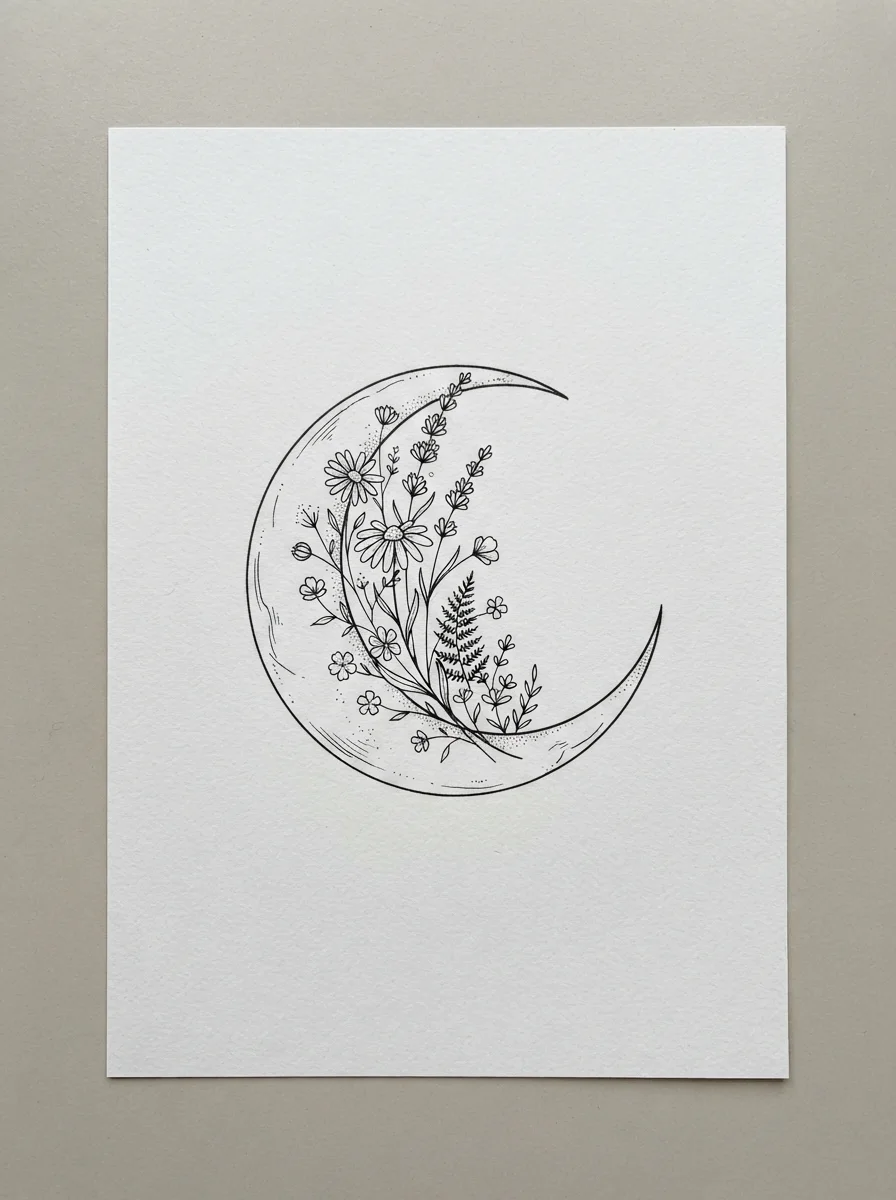
a crescent moon cradling a sprig of wildflowers — Fine-line
A real run from this page, at this page’s tier.
Subscribe for more credits and more models.
Describe the tattoo in a sentence — the subject and anything that matters to you about it — pick one of six styles, and generate. You get a flash-sheet drawing on white paper in about twenty seconds: clean linework, centred, nothing to crop out. Following us on X and YouTube earns 20 free credits and a run here costs four, so your first five designs are free. Save the ones you like, come back and try another style, and bring the result to an artist rather than expecting a stencil.
Already have a sketch you drew yourself? Turn it into finished linework instead
A tattoo decision takes weeks. Most of that time is spent looking at things.
Seeing an idea drawn is the fastest way to discover you wanted it smaller, simpler, or facing the other way.
The same subject in fine-line and in blackwork are two different tattoos. Five free runs is enough to find out which is yours.
A drawing beats a paragraph. Artists redraw it their way — that is the point — but it starts the conversation in the right place.
Generate, save, look at it again in a week. The ones that survive that week are the ones worth booking.
Specific beats poetic. "A stag skull framed by pine branches" outperforms "something about the forest".
Name the thing and one or two details. Composition words help: framed by, cradling, inside a hexagon, in profile.
Fine-line, traditional, blackwork, geometric, neo-traditional or minimal line. This changes the drawing more than the subject does.
Download the ones worth keeping, then re-run with one thing changed. Comparing two runs teaches you more than one perfect run.
From our own runs. The pattern is simple: it draws subjects well and it draws rules badly.
| What you ask for | Expected result | What to do |
|---|---|---|
| A natural subject — animal, plant, moon, mountain | Best case — clean, well-composed, usable as a starting design | Nothing needed |
| A subject plus a composition instruction | Strong — "inside a hexagon", "framed by pine" are followed reliably | Say it in the same sentence as the subject |
| Lettering, a name, a date, a quote | Unreliable on this tier — letterforms come back subtly wrong | Have the artist letter it; get the imagery here |
| A specific real person’s face | Not offered — we do not generate likenesses of real people | Bring a reference photo to your artist instead |
| A cover-up over an existing tattoo | Not possible here — that needs a photo of the existing piece as input | This page is text-only; a cover-up is an artist conversation |
| Exact placement on a body | You get the design on paper, not a preview on skin | Your artist mocks up placement; that is part of what you pay them for |
Everything here came out of this page’s own model and tier on 2026-08-25.
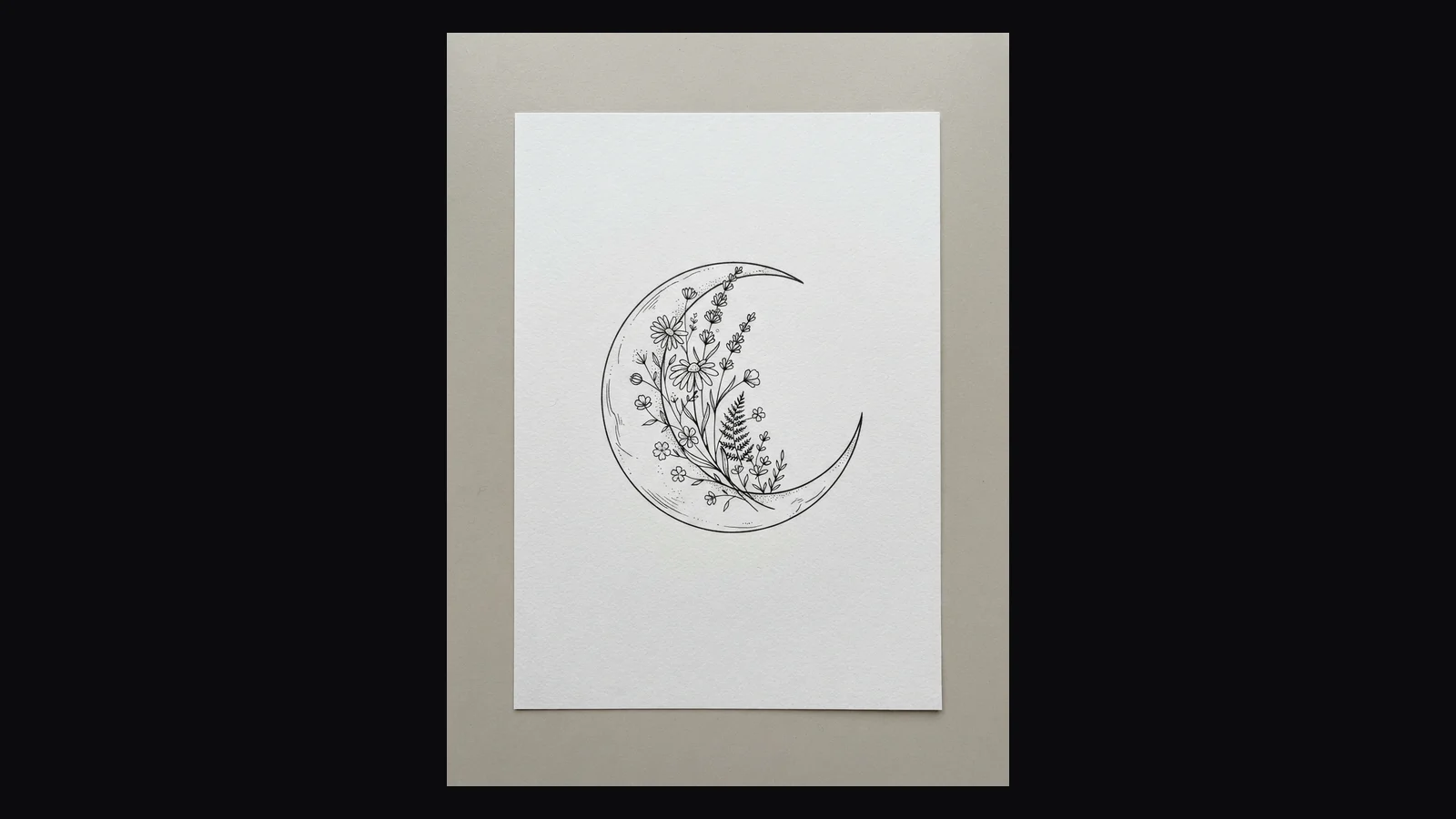
“A crescent moon cradling a sprig of wildflowers” — delicate, even line weight, sparse dot shading.
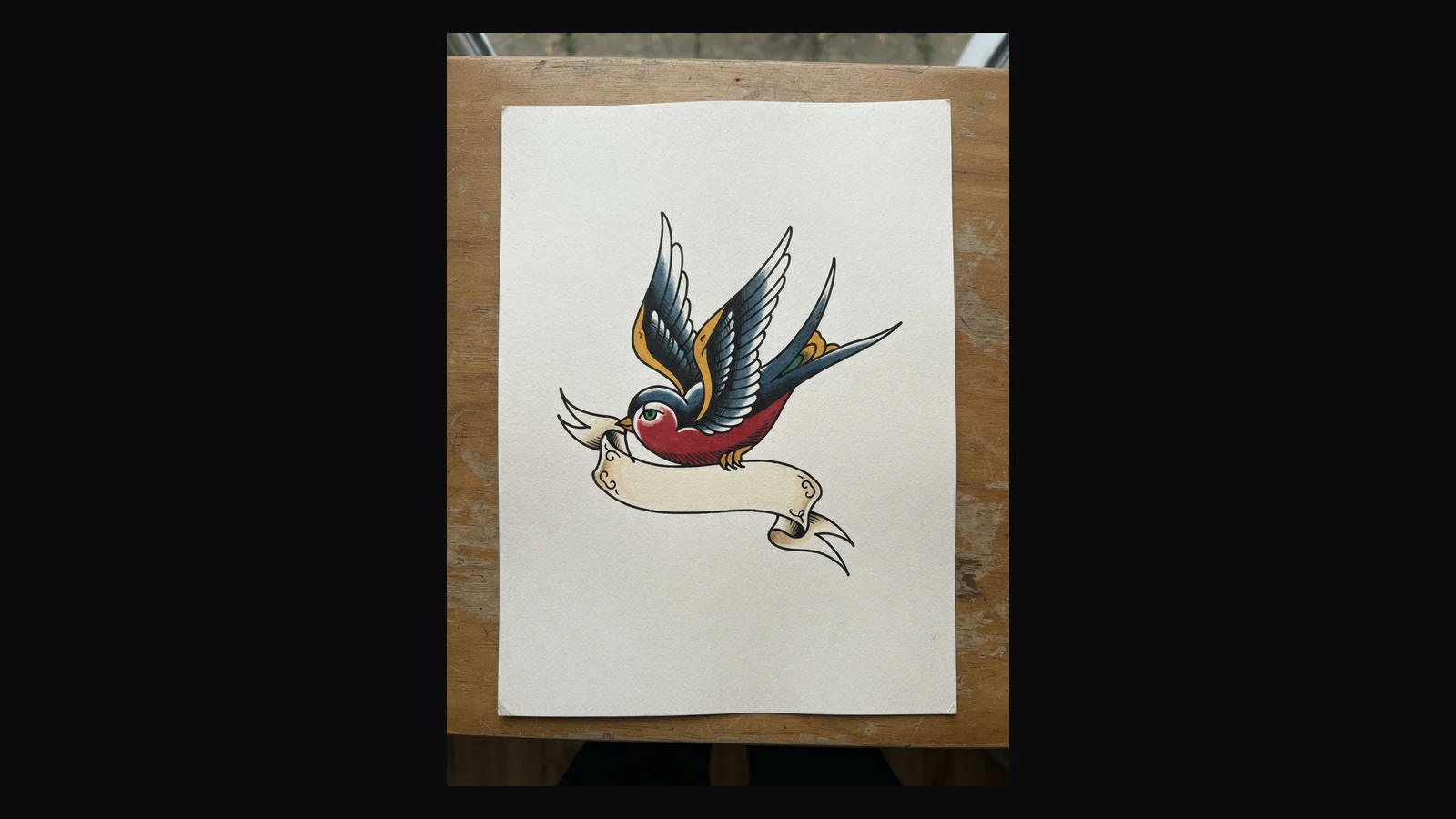
“A swallow in flight holding a banner” — bold outline, flat colour, the classic American vocabulary.
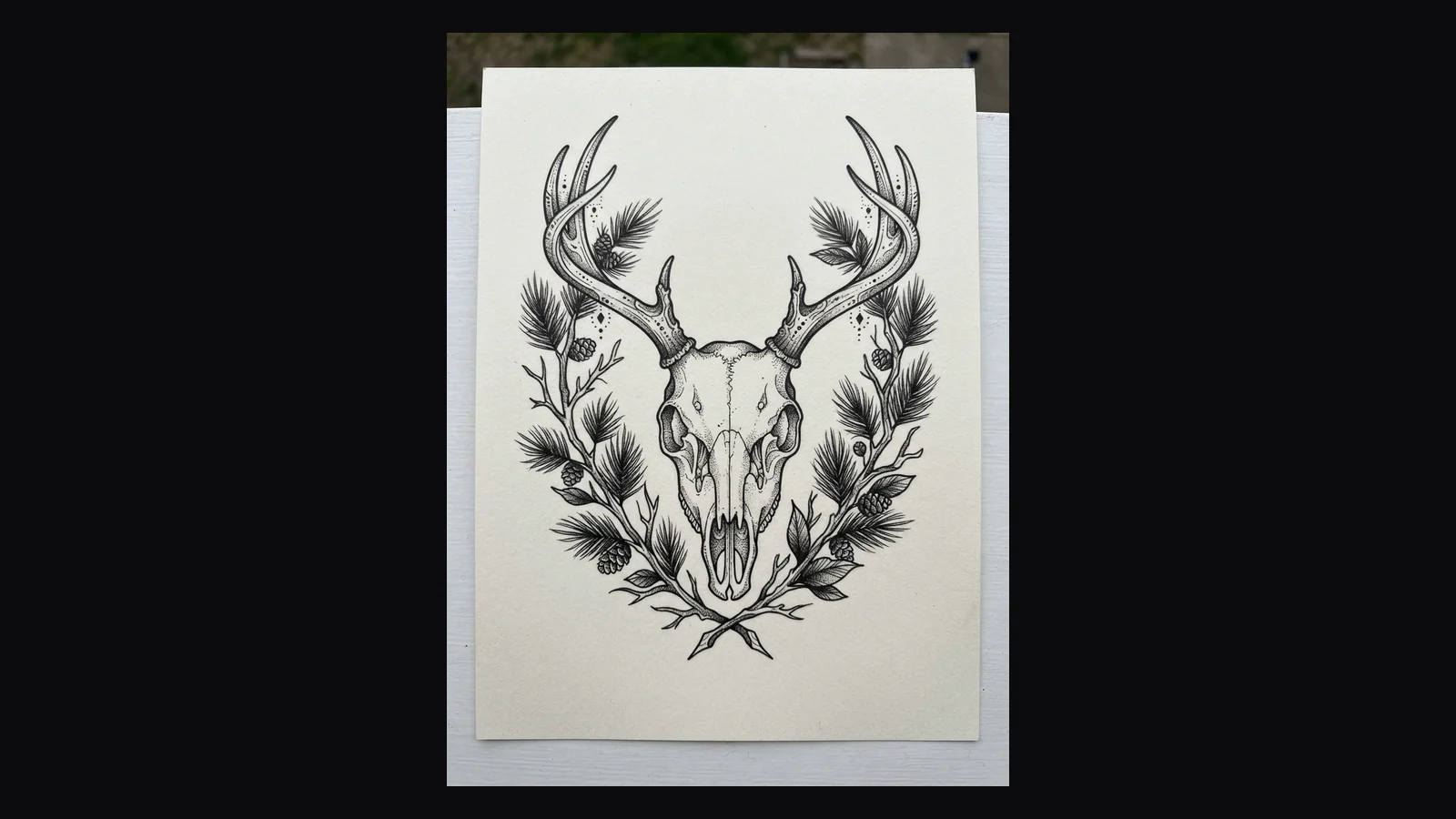
“A stag skull framed by pine branches” — solid black masses, no colour, high contrast.
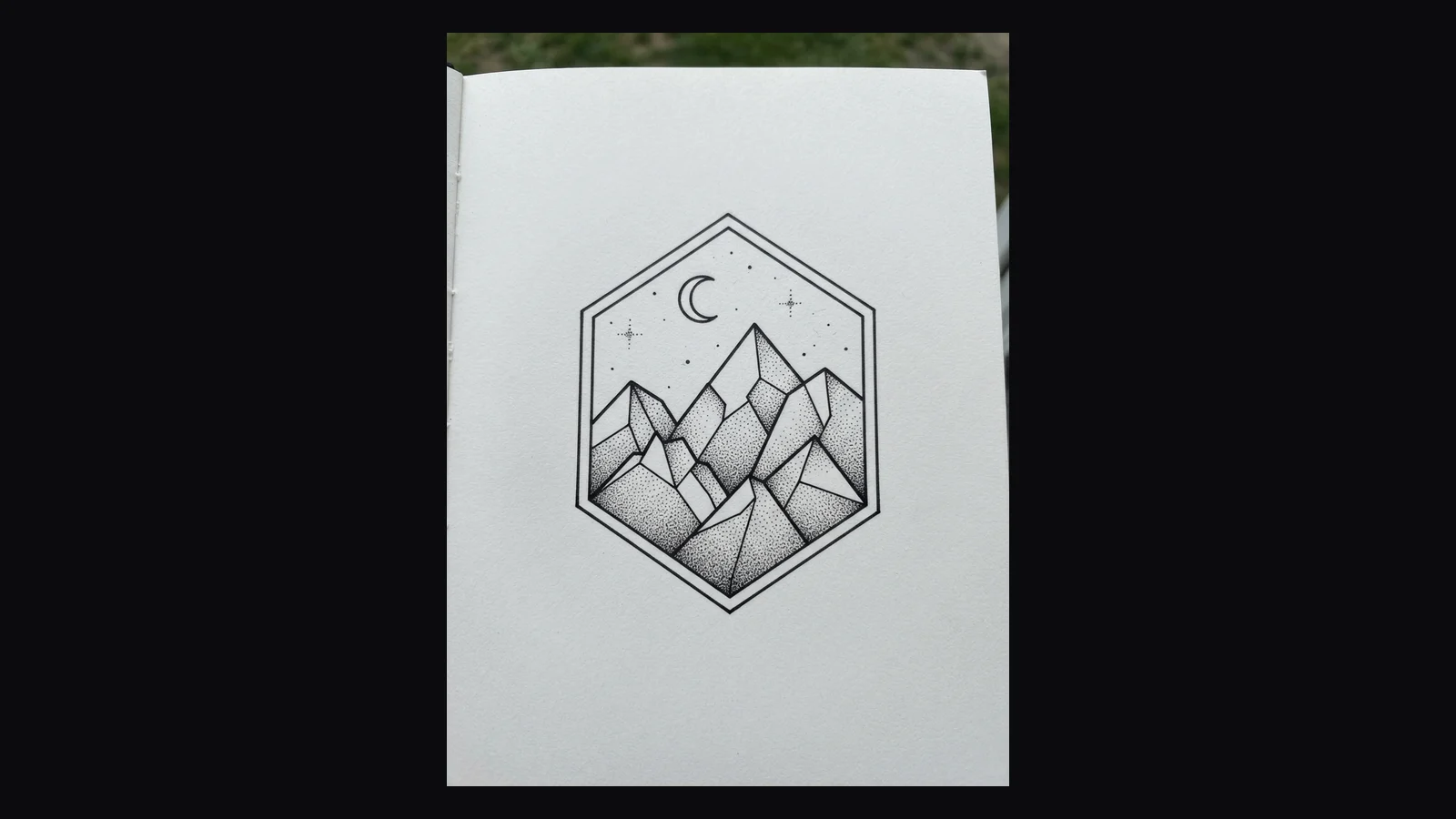
“A mountain range inside a hexagon with fine dot shading” — construction lines and symmetry.
Every tool in this category shows you a beautiful drawing and lets you assume it is ready to be inked. It is not, and knowing why saves you an awkward conversation at the studio.
A tattoo has to survive being put on curved skin at a specific size and then ageing for twenty years. That imposes rules an image model knows nothing about: line weight has to hold up as ink spreads, fine detail packed too close will blur into a smudge within a decade, solid black needs to sit where the skin can take it, and the whole thing has to flow with the limb it lands on. What comes out of this page is a drawing that solves the artistic question — what should it look like — and ignores the technical one entirely.
So treat the output as a reference, which is exactly how a good artist wants to receive it. They will redraw it. They will change the line weight, open up detail that would close in, resize it for the placement and often improve the composition while they are there. Turning up with a printed AI image and asking for it to be traced is the fastest way to a bad tattoo and a tired sigh; turning up with one and saying "this is the feeling I am after, what would you do with it" is a genuinely useful starting point.
Two things this tier will not do, stated plainly. Lettering is unreliable — names, dates and quotes come back with letterforms that are subtly wrong, which is worse than obviously wrong when it is going on your arm forever, so get the imagery here and let your artist letter it by hand. And we do not generate likenesses of real people, so a portrait tattoo starts with a photograph and an artist, not with this box.
The People Also Ask box asks "Can ChatGPT design a tattoo?" and "Is there a free app that can create tattoos?" Both are fair questions with concrete answers.
ChatGPT will draw you a tattoo, and for a simple subject the result is often fine. Two things make it awkward for this particular job. You are describing style in prose every time instead of picking it, so comparing fine-line against blackwork means writing two careful paragraphs rather than tapping twice. And it tends to render the design on skin, or on a person, because that is what a "tattoo" looks like in its training data — which is a nice picture and a poor reference for an artist, who wants the artwork flat on white.
The free tattoo apps are the other extreme. Most are built around a virtual try-on gimmick — see it on your arm through the camera — with the generator attached as a lead magnet. The try-on is genuinely fun and the underlying drawings are usually thin, low-resolution and heavily watermarked until you subscribe.
This page does one narrow thing: six named styles, flash-sheet output on white, five free runs for a follow, no watermark on a paid plan, no app to install. It does not show it on your skin and it does not pretend to be your artist. If what you need right now is a clean drawing of your idea in a style you can name, this is the shortest path to it.
The facts before you spend a credit:
Portrait format, centred artwork, plain background — the form an artist can actually work from.
One run, one design. Iterating is a new run, not a long wait.
20 credits for a follow, four per run. No free plan and no trial — a one-time grant you spend how you like.
Save it, print it, send it. Expect your artist to redraw it — that is what you want them to do.
Unlock every image model — and the video models on the same canvas — on one plan.
For first-time AI content creators
Billed $168 annually
Upgrade PlanSave $72/year
For creators shipping content every week.
Billed $504 annually
Upgrade PlanSave $216/year
For studios and pros producing at commercial scale.
Billed $1680 annually
Upgrade PlanSave $720/year
For first-time AI content creators
Billed monthly
Upgrade PlanFor creators shipping content every week.
Billed monthly
Upgrade PlanFor studios and pros producing at commercial scale.
Billed monthly
Upgrade PlanRenews automatically each year until canceled.
Renews automatically each month until canceled.
Upscale it for a large print, or open the Images surface for reference-image edits and stronger models.
Following us on X and YouTube earns 20 free credits and a run here costs four, so your first five designs are free. After that each design is billed per image. There is no free plan and no trial — the credits are a one-time grant, and you do not need a subscription to spend them.
It can, and for a simple subject the drawing is often decent. The awkward parts are that you describe style in prose every time instead of picking it, and that it tends to render the design on skin rather than flat on paper — which looks good and is a poor reference to hand an artist. This page is the narrow version: six named styles, flash-sheet output, five free runs.
Treat it as a design, not a stencil. Tattoos have technical constraints an image model knows nothing about — line weight that survives ink spread, detail that will not blur in ten years, flow with the limb. Your artist will redraw it, and that is the correct outcome. Bring it as "this is the feeling I want", not as "trace this".
No. A cover-up starts from a photo of the piece you already have, which makes it an image-to-image job, and this page is text-to-image with no upload. It is also the single most artist-dependent kind of tattoo there is — worth booking a consultation rather than a generator.
Not on this page — there is no upload slot. If you have your own rough sketch you want turned into clean linework, the sketch-to-image tool does exactly that. For other photo-based edits, use the Images surface.
Not reliably at this tier. Letterforms come back subtly wrong, and subtly wrong is the dangerous kind when it is permanent. Generate the imagery here and have your artist letter the text by hand — most of them prefer it that way anyway.
Not here. This tool produces the artwork; it does not do camera try-on. Placement and sizing are exactly the part a tattoo artist earns their fee on, and a flat drawing is what they need in order to do it.


