Short film storyboard
Six cinematic panels carry one courier from a wide street shot to a close-up, same raincoat throughout.
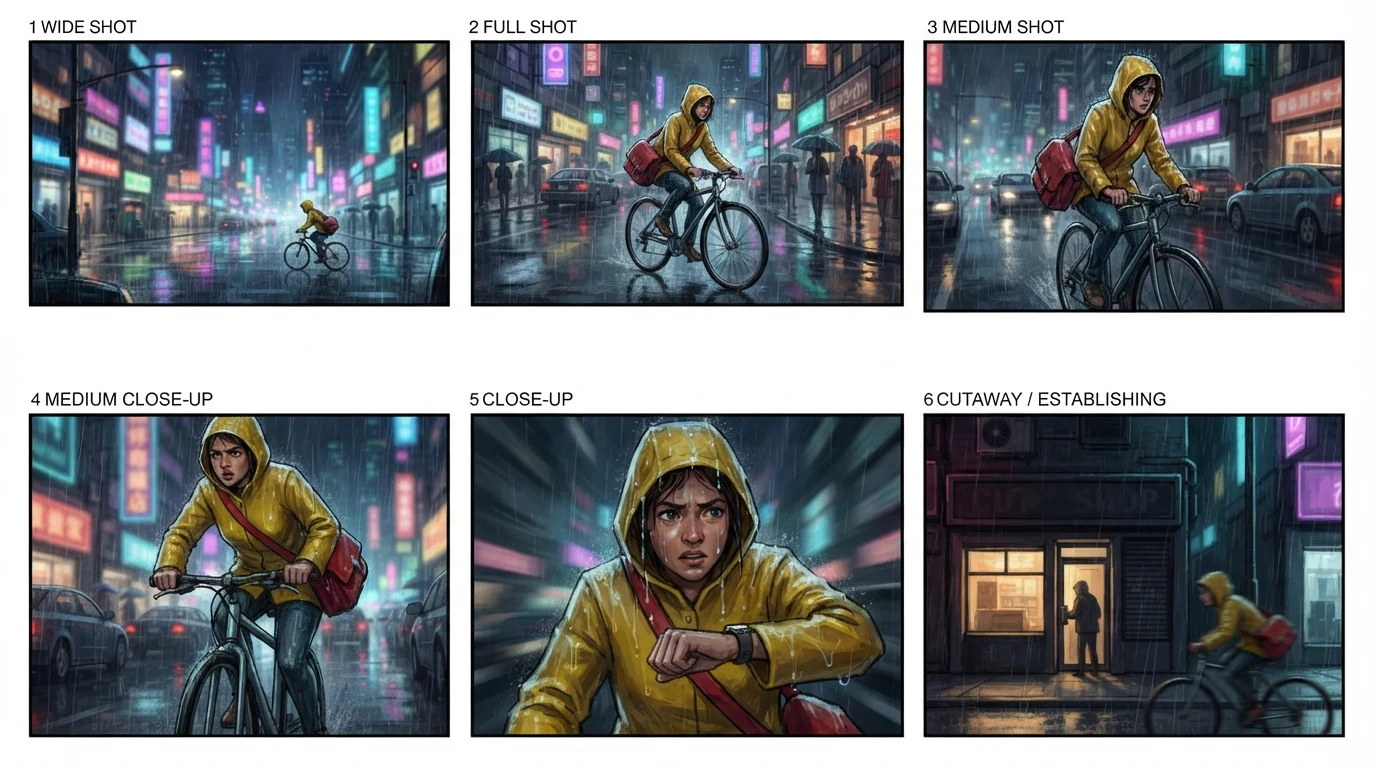
Storyboard AI that turns one scene into labeled, shot-by-shot panels.
Follow us and get 20 free credits — about 5 images
Shot labels are drawn into the image, not editable text. Check every panel: small props can change between panels.
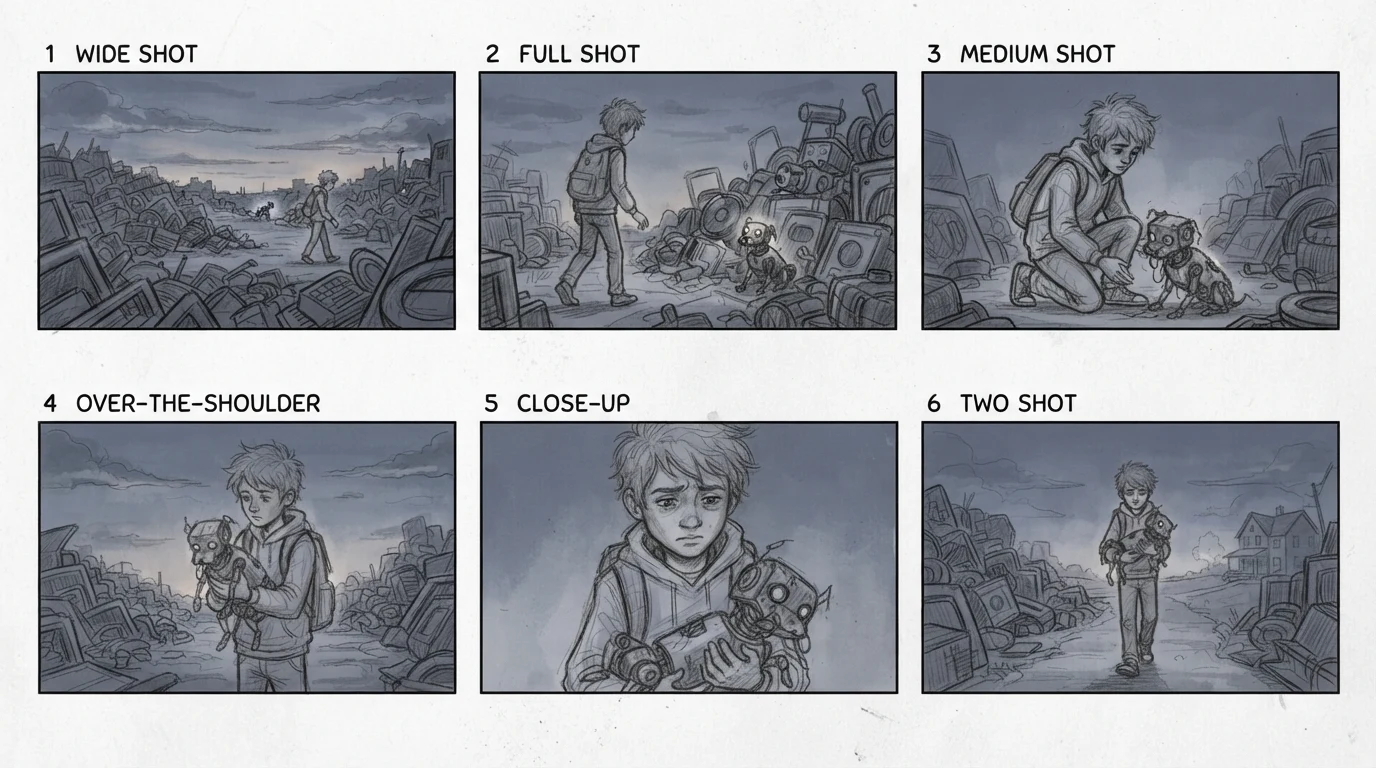
a boy finds a stray robot dog in a junkyard and carries it home at dusk
Real output from the default settings. Panel 6 is labeled TWO SHOT but framed wide: check each label.
Subscribe for more credits and more models.
Each sheet below came from a one-sentence scene description at this page’s default tier. Storyboard AI plans the shots; you review them.
Six cinematic panels carry one courier from a wide street shot to a close-up, same raincoat throughout.
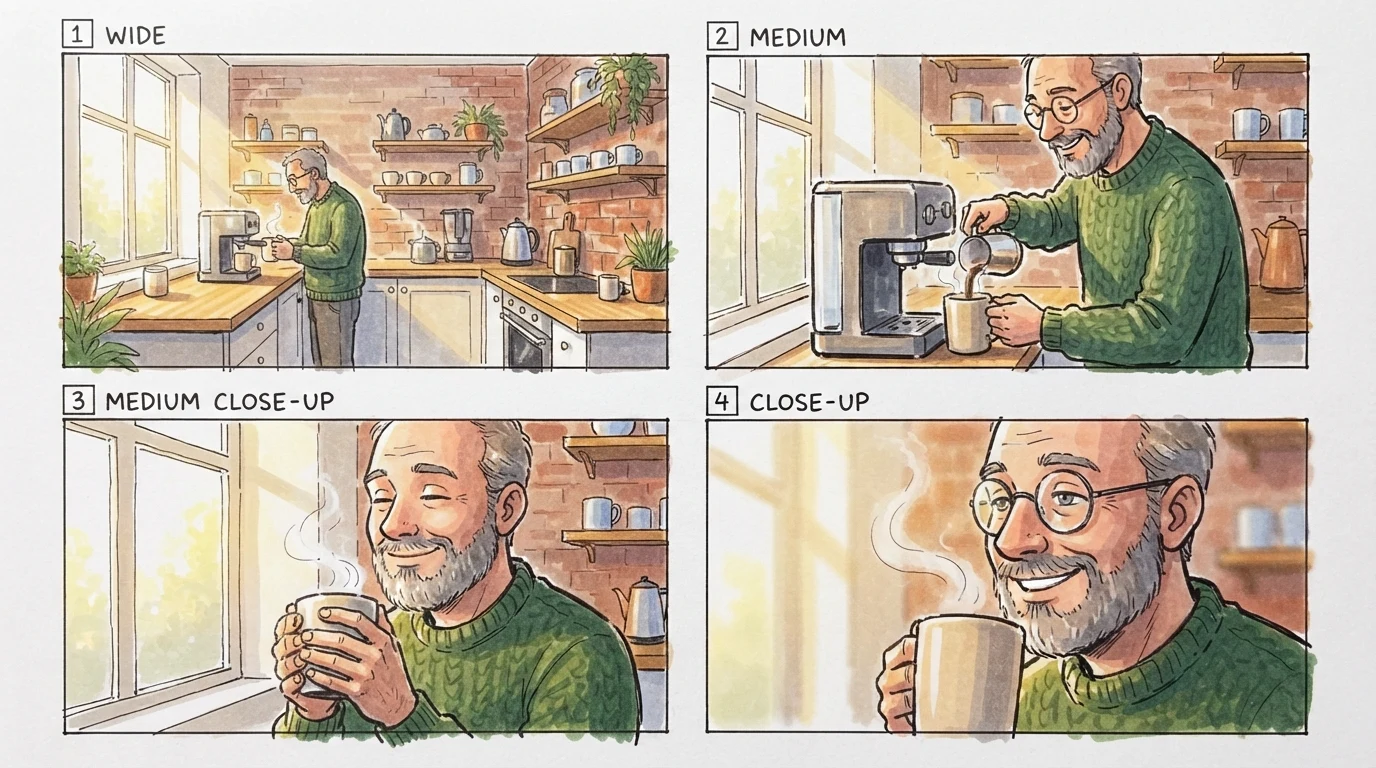
A 15-second coffee spot as four marker panels. Note panel 3: his glasses disappeared, a typical drift.
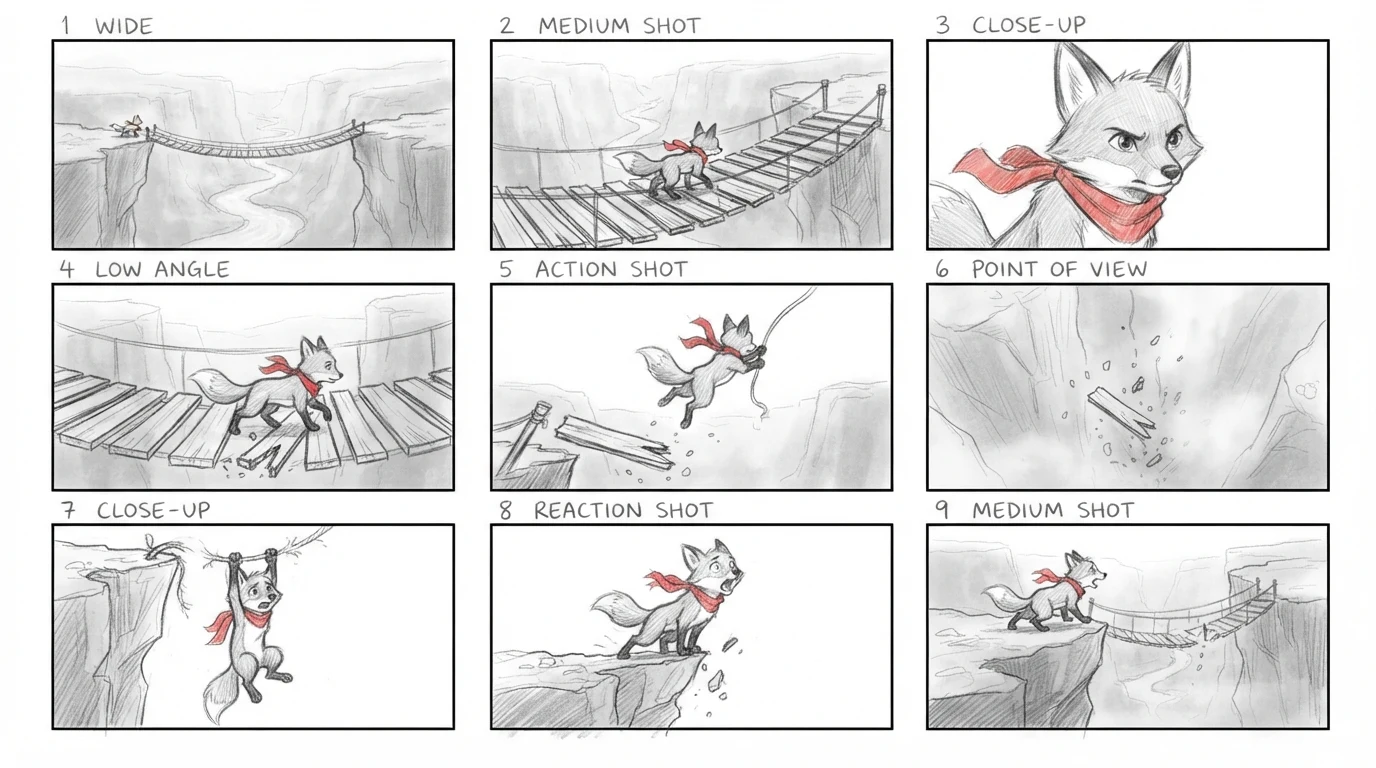
Nine pencil panels map a whole beat for an animation pitch: approach, snap, leap, landing.
The next step, not this tool: panel 4 of the courier sheet, cropped and animated into a four-second clip.
One balance covers storyboard sheets, sharper image models and video generation.
Turn a finished panel into a moving shot without leaving Renoise.
Rebuild a key panel at higher resolution with the full image workspace.
Keep boards, reference images and video shots together in one node graph.
Describe one scene in a sentence, choose 4, 6 or 9 panels and a style, and the generator draws a labeled sheet that moves from wide shots to close-ups. Write the scene the way a director would brief it: who is in it and what they wear, where and when it happens, and the one action that changes things. Repeat the character’s look word for word if you generate several sheets for the same story. Before you download, read the sheet like a shot list: does every panel show the shot type its label claims, and did props such as glasses, bags or helmets stay where they belong?
Want to design the character first? Try the AI character generator
Write one or two sentences: the character’s look, the location, the time of day and the key action.
Pick Panels 4, 6 or 9, then Pencil sketch, Color marker or Cinematic color.
Click Generate Storyboard, check labels and props panel by panel, then download the 16:9 sheet.
Template-based storyboard creators and hand drawing are still the right choice for some jobs. Pick by what you need to hand over.
| Your decision | This AI generator | Storyboard creator template | Drawing by hand |
|---|---|---|---|
| Starting point | One sentence about the scene | An empty grid plus your own images | Paper, a pencil and your shot list |
| Who draws the frames | The model, in one generation | You place or upload each image | You or a storyboard artist |
| Shot labels | Drawn into the image; verify each | Editable text fields | Handwritten |
| Character continuity | Faces and outfits usually hold; props can drift | Depends on the images you supply | Depends on the artist |
| Changing one panel | Regenerate the sheet | Swap that panel | Redraw that panel |
| Next step to video | Animate a panel in Renoise | Export, then use a video tool | Scan, then use a video tool |
A storyboard earns its keep before you spend anything on video: it fixes the order of shots and how close the camera is for each one. Read a six-panel sheet as a shot list and you can see whether the wide shot, the reaction and the insert are all there. The sheets on this page are drafts made with Nano Banana 2 Lite at 1K. Faces and outfits usually carry across panels, but small props can change and a label can name a closer shot than the panel shows. When that happens, regenerate the sheet, or rebuild the panels that matter in Canvas with a reference image of your character.
Once a panel is right, crop it and upload it to the photo-to-video tool for a four-second clip, as in the courier example above. For longer or more controlled shots, open Videos: Seedance 2.0 generates 4 to 15 seconds and accepts up to nine reference images, and Kling 3.0 Omni can return up to six shots in one job. String a few clips together and you have a rough animatic of the scene.
If you need an annotated board with action notes, or a frame sharp enough to pitch, the full image workspace offers Nano Banana Pro and GPT Image 2 at higher resolutions. Those runs are billed at their own rates.
Picking a file only previews it on your device. Not one byte is stored until you sign in and click generate.
Uploads land in your private library, never a public gallery, and re-running the same image stores nothing new.
Remove uploads and results from your library whenever you want.
One credit balance for storyboard frames and the video models that animate them. Check the live quote before each generation.
For first-time AI content creators
Billed $168 annually
Upgrade PlanSave $72/year
For creators shipping content every week.
Billed $504 annually
Upgrade PlanSave $216/year
For studios and pros producing at commercial scale.
Billed $1680 annually
Upgrade PlanSave $720/year
For first-time AI content creators
Billed monthly
Upgrade PlanFor creators shipping content every week.
Billed monthly
Upgrade PlanFor studios and pros producing at commercial scale.
Billed monthly
Upgrade PlanRenews automatically each year until canceled.
Renews automatically each month until canceled.
Following Renoise on X and YouTube earns 10 credits each, up to 20 free credits in one shared balance. An unused balance currently covers five storyboard sheets at this page’s default settings. After those credits are used, further generation is paid. Check the live quote before starting.
Yes, one scene at a time. Condense the scene’s action into one or two sentences and generate a sheet for it, then repeat for the next scene with the same character description. This page does not read screenplay files or split a full script into scenes for you.
Usually the face, hair and outfit colors hold. Small props and accessories, such as glasses, bags or helmets, can appear, vanish or move between panels. Regenerate the sheet, keep the character description identical, or use a reference image in Canvas when continuity matters.
Choose 4, 6 or 9 panels per sheet. For a longer sequence, generate several sheets and reuse the same character description in each one, so the scenes read as one story when you place them side by side.
Not on this page. It draws only panel numbers and shot types, because dialogue that the model draws into an image is often misspelled or unreadable. Add dialogue, timing and action notes in a layout or document tool after downloading the sheet.
Not always. A panel labeled CLOSE-UP can come back as a medium shot, or a low angle as eye level. Treat labels as the plan and the drawing as the draft, and regenerate or relabel panels that do not match.
Yes. Crop the panel you want and upload it to the photo-to-video tool for a four-second clip, or open Videos for longer shots with more control. This page makes the storyboard image; it does not turn a whole sheet into a video automatically.
The default returns a 16:9 sheet at the 1K tier, which measured 1376×768 pixels in our tests. Use the image upscaler if you need more pixels for printing, or rebuild key frames in the full image workspace.
It depends on the job. Script-based tools suit breaking a full screenplay into a shot list. This page suits turning one scene into a visual draft quickly, then animating the strongest panel inside the same account.
Describe one scene, then animate the panel that works.


