Oil painting filter for a portrait
Thick brushstrokes and warm light over the whole frame. Her face, curls, mug and pose stay where they were.
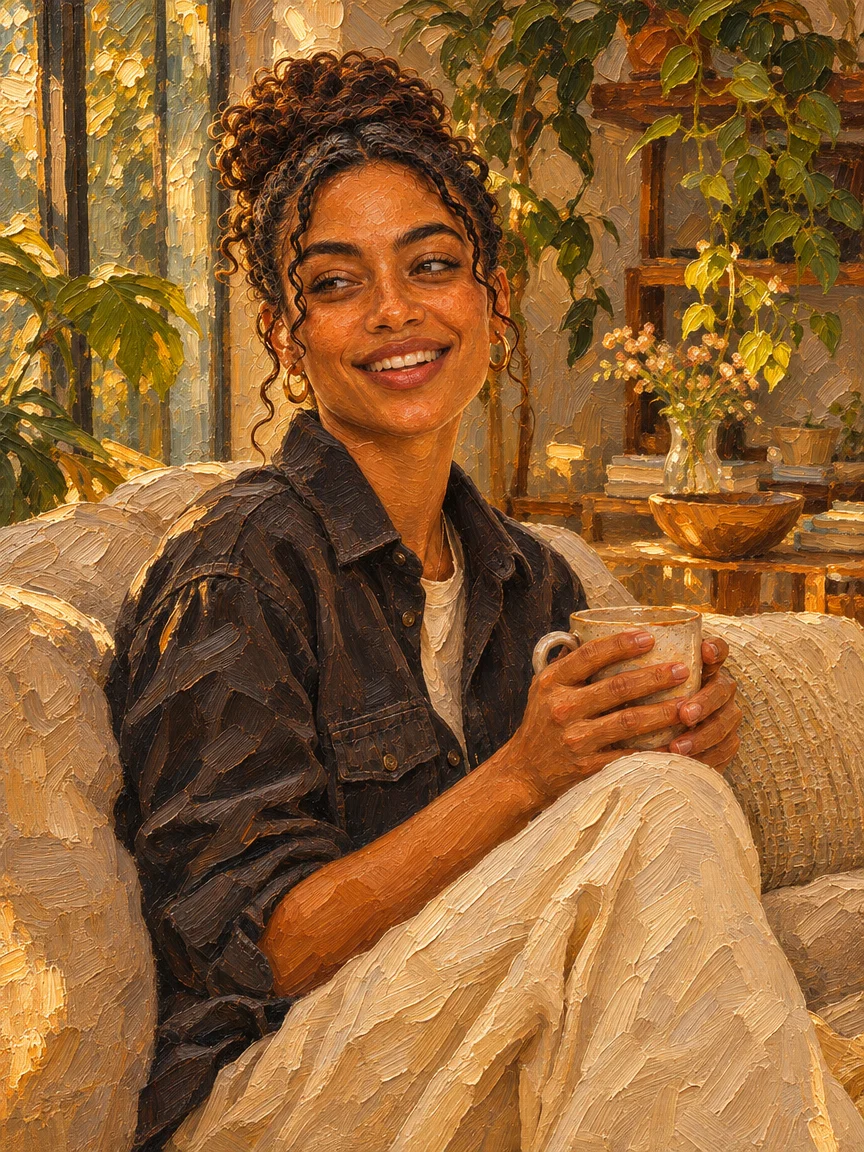
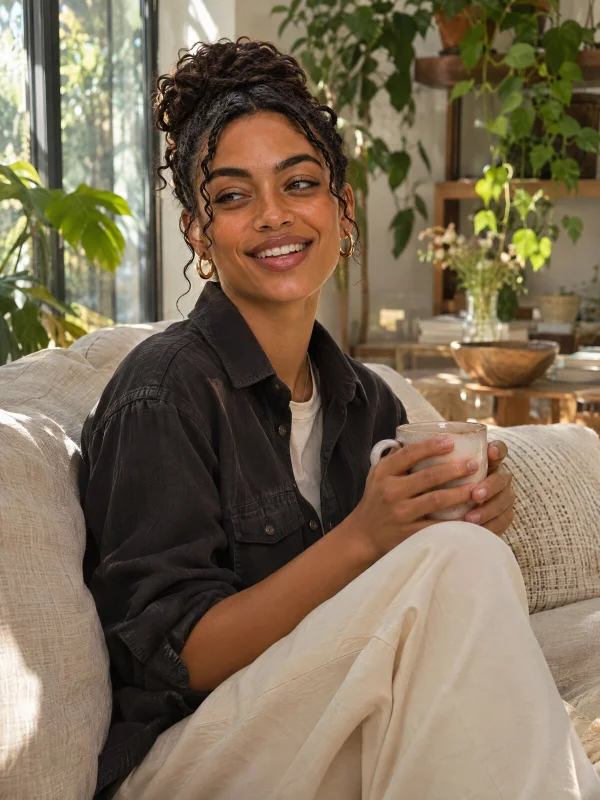
Upload a photo and name the new look. The Renoise Agent repaints the whole picture, keeps the people and layout, and makes the next version when you ask.
Opens in the Renoise Agent, where you can ask for the next version.
Real model output from this photo and one sentence — drag the handle to compare.
Thick brushstrokes and warm light over the whole frame. Her face, curls, mug and pose stay where they were.
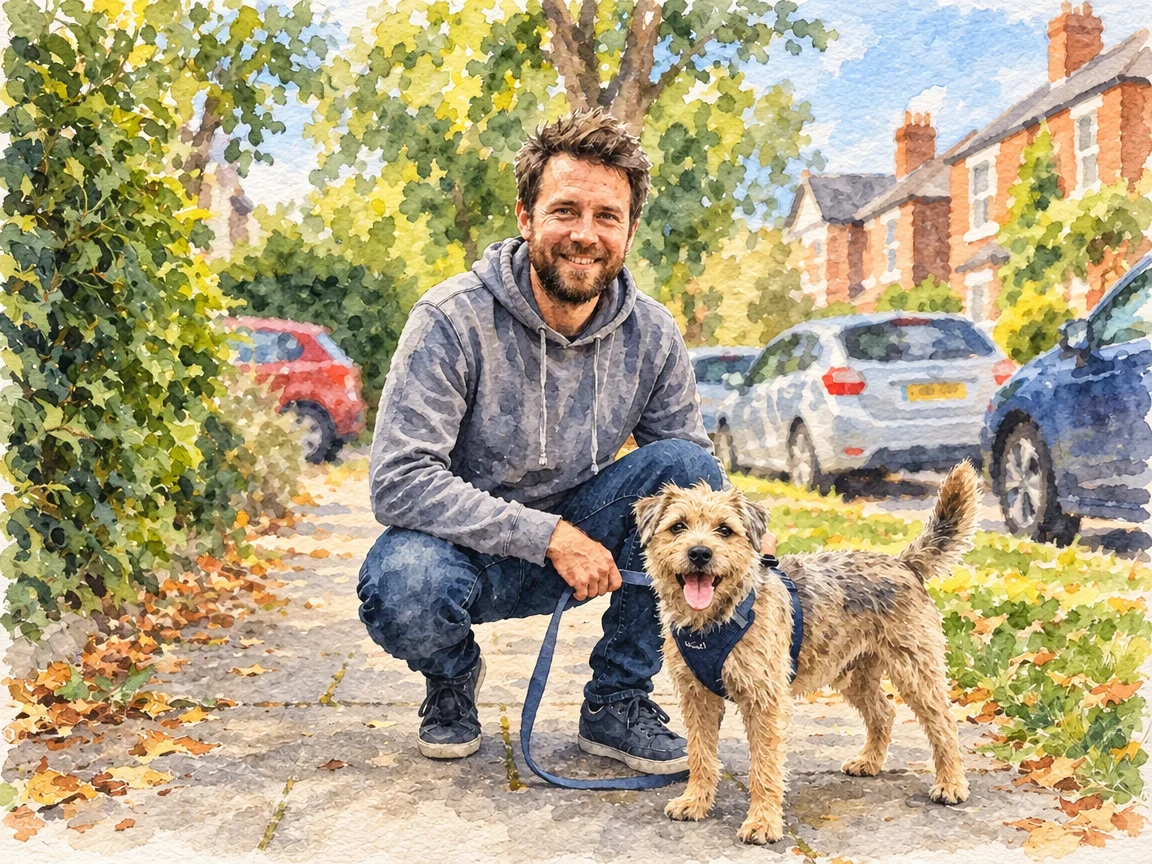
Add a watercolor as a second image. Only its technique carries over; the man and the station stay.
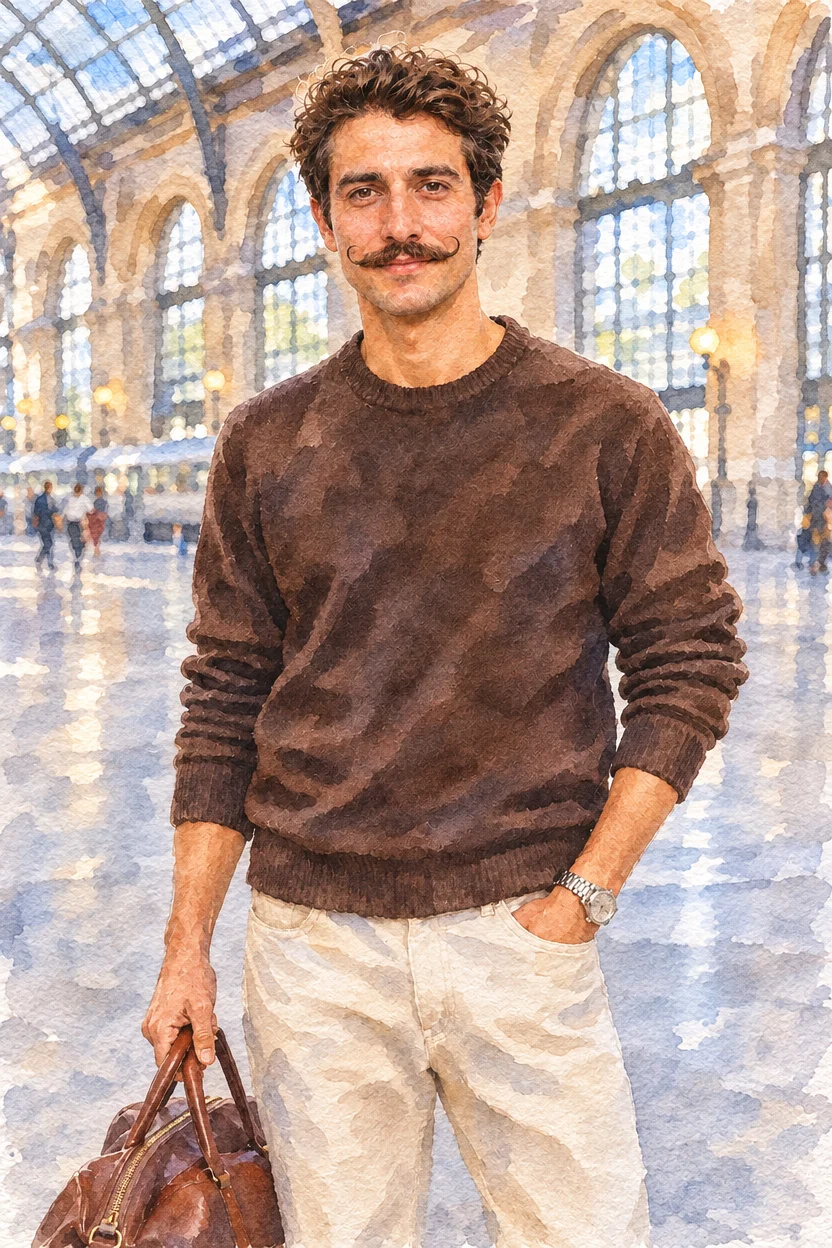
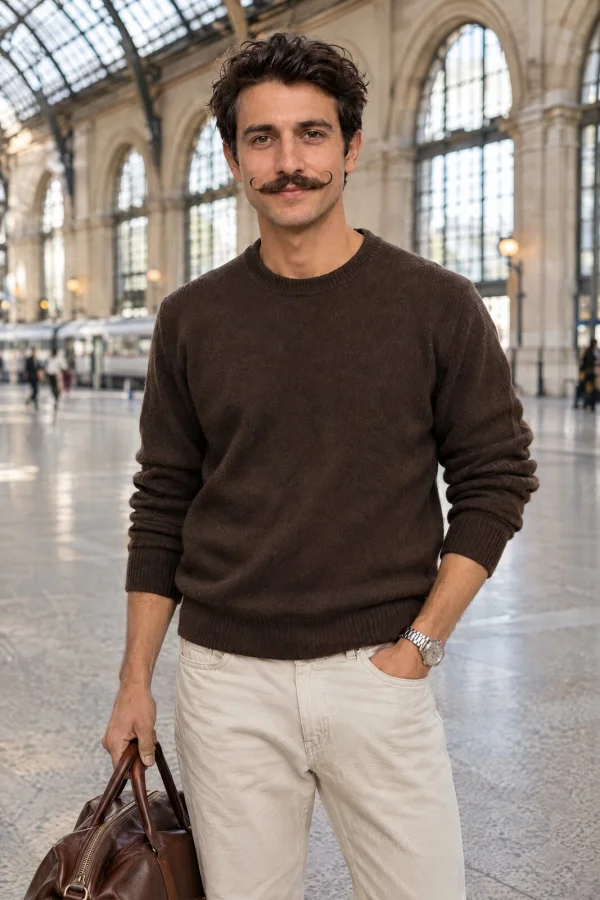
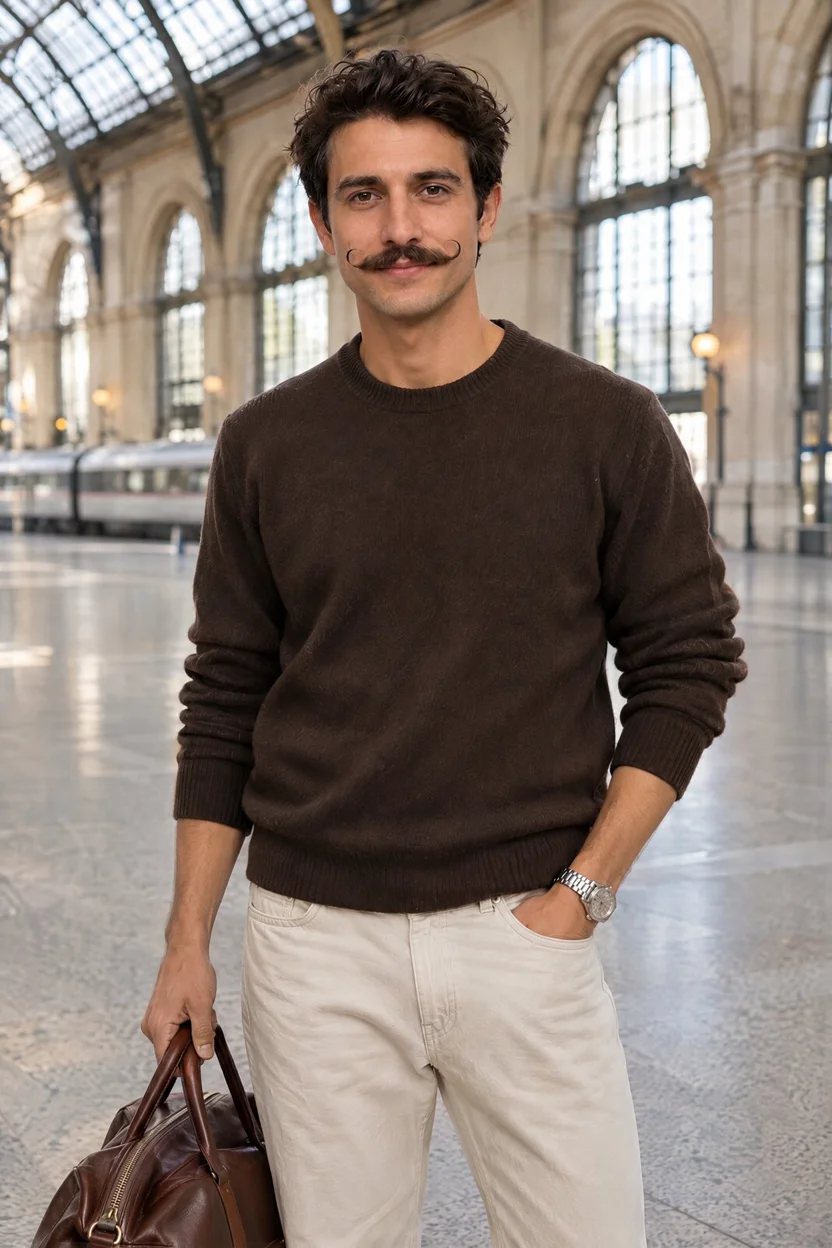
Ask for the passers-by to go. The floor and the train behind them are filled in; he stays the same.
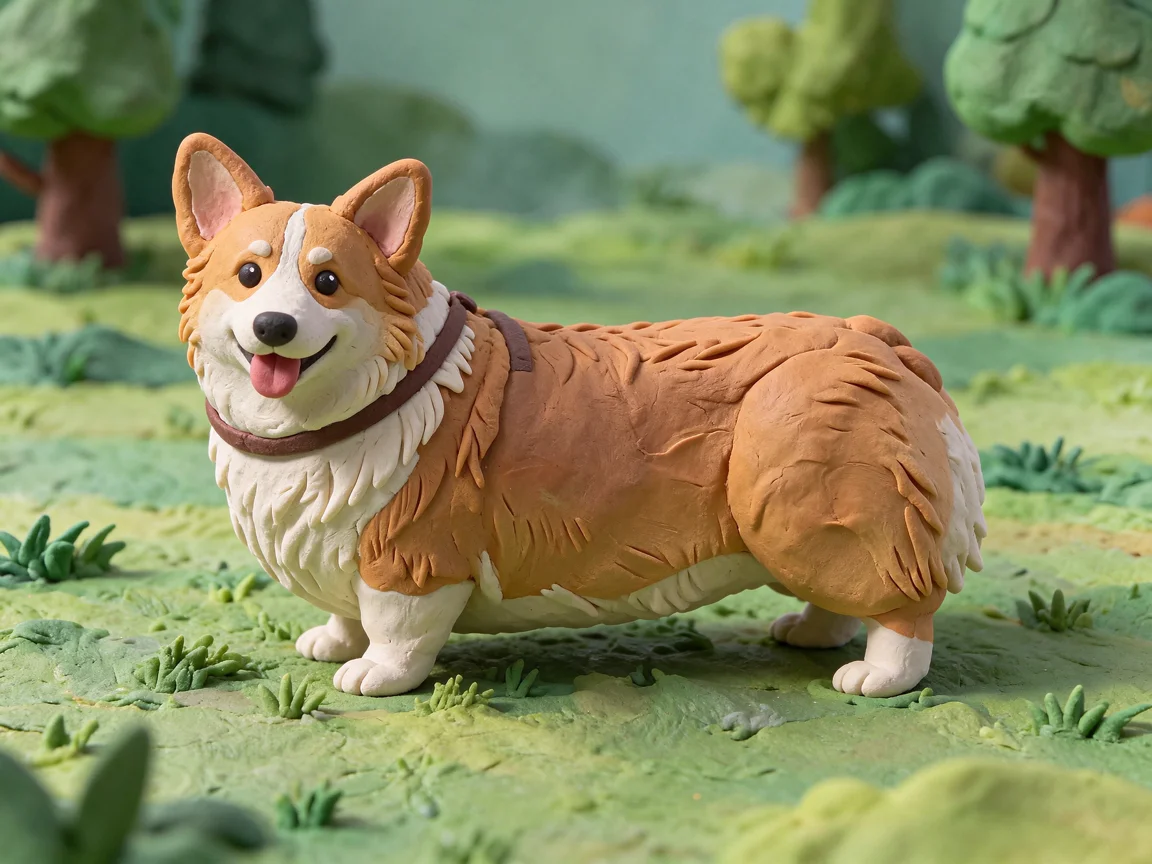
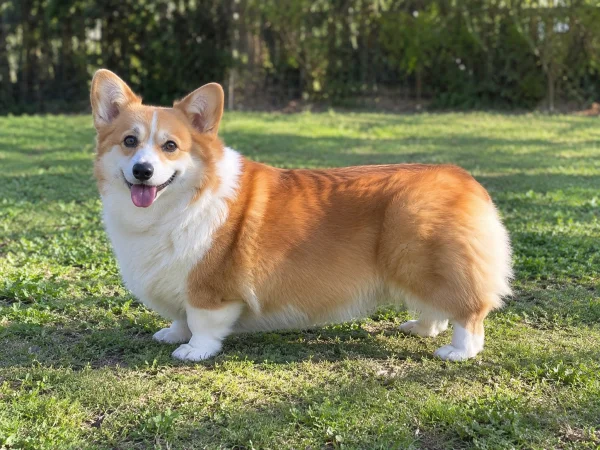
A corgi on the lawn becomes a plasticine stop-motion figure with the same coat, ears and grin.
GPT Image 2.6, Seedream 5.5 and Nano Banana 2.1 on the same credits.
Add a style or product image next to your photo; GPT Image 2.6 takes 16.
Ask for another filter, a stronger look or an upscale in the same chat.
Photos of real people go through. Use only photos you may edit.
Upload the photo above, write one sentence about the new look and what must stay the same, and click Restyle My Photo. The Renoise Agent opens with your photo, runs an image-to-image generation and returns the new picture in the chat, in under a minute to about 90 seconds in our tests. Ask for another version in the same chat, or download the result.
Starting from words only, with no photo? Use text to image AI.
JPG, PNG or WebP up to 20 MB. Add a second image if you want its style.
Name the filter or style, then what must stay: face, pose, layout.
Ask for the next version in the same chat, or save the result.
We gave the same portrait and the same oil painting sentence to three models, once each, at 1K. All three kept the face; they differ in how far the style reaches.
| In our test | GPT Image 2.6 | Seedream 5.5 | Nano Banana 2.1 |
|---|---|---|---|
| Credits per 1K image | 14 | 7 | 9 |
| Reference images | Up to 16 | Up to 10 | Up to 14 |
| Face and pose | ✓ Kept, and painted too | ✓ Closest likeness | ✓ Kept, features a bit rough |
| Style on the whole picture | Even, edge to edge | Strong on clothes and room, light on the face | Thickest paint, face included |
| Second image as style | ✓ Took only the technique | Not in this test | ✕ Added a beard to the man |
Source: Renoise model API and price quotes, plus our own test runs (2026-11-18).
Img2img is the name Stable Diffusion gave to the same idea: start from an existing picture instead of noise, add a prompt, and set a strength value that decides how far the result may drift from the original. Tools built on it still show that slider. Dezgo, for example, defaults to 80 percent and scales the input down to 512 pixels. A higher value means more of your prompt and less of your photo.
The models behind this page, GPT Image 2.6, Seedream 5.5 and Nano Banana 2.1, have no slider. They read the whole photo and follow a sentence, so the way to hold something in place is to name it: keep the face, the pose, the composition. In our test that was enough for all three to keep a portrait recognizable under a heavy oil painting filter. The limits are the usual ones for a full repaint. Small text and hands can shift, a style reference can leak details such as facial hair, and the frame can come back slightly tighter. When only one spot should change and the rest must stay pixel for pixel, the [AI photo editor](/features/ai-photo-editor) is the better fit, and the Renoise Canvas has Erase and Inpaint for an exact area.
Some looks have their own tools with presets: [photo to cartoon](/features/ai-photo-to-cartoon), the [AI anime generator](/features/ai-anime-generator), [sketch to image](/features/ai-sketch-to-image) and [AI room design](/features/ai-room-design). For crowds in a travel photo there is also a dedicated tool to [remove people from photos](/features/remove-people-from-photo).
What happens to an uploaded photo, in plain words.
Picking a file only previews it on your device. Not one byte is stored until you sign in and click generate.
Uploads land in your private library, never a public gallery, and re-running the same photo stores nothing new.
Remove uploads and results from your library whenever you want.
As of October 2026, 100,000+ creators in 170+ countries and regions use Renoise AI, an AI video, image and audio platform, to generate 300,000+ images and videos with 30+ models.
Source: Renoise internal data, March–October 2026. Figures are rounded down and updated quarterly. Last updated
Real feedback from creators who use Renoise AI to make videos, images and ads.
Renoise is pretty easy to use, with a clean and smooth interface. The results from Seedance 2.5 also feel noticeably smoother in action sequences.
Renoise Ai is a good tool for making ai videos and photos. it puts several Ai models in one place, so you don't need to use many different apps.
あまりAIツールを使ったりしたことなかったですが、キャラクターの固定や動画を続いて作成できて使いやすいです。これからどんどん進んでいくアップデートが楽しみです。
Renoise has been a great platform for AI creativity. The tools are easy to use, the experience is smooth, and it makes creating content more enjoyable and efficient. I really appreciate the work the team is doing and look forward to seeing more improvements. Highly recommended!
What I like about Renoise AI compared to other platforms: Fast generation speed: Slow generation takes up way too much time, but Renoise AI is surprisingly about 30% faster. Intuitive and user-friendly UI: Cheaply made platforms have terrible UIs that make me not even want to log in, but Renoise is very clean and convenient. Remembers my previous settings: It helpfully remembers my last workspace settings. Some odd platforms force you to re-adjust everything every single time you generate a video, which is extremely frustrating. Overall preference: For all these reasons, Renoise AI is definitely my preferred platform. Thank you!
Renoise is your go to one stop all for ai creators. all view and use all models in one place, for any type of content you have your mind on!
I have a creat experience with the app. Consistent characters but also unique. THere were some issues with storyline continuity and non-typical humanoid characters.
One plan unlocks every image model, plus the video and audio models. AI images from $0.03 per image.
For your first AI creations
per month
≈ 150 GPT Image 2 Generations
≈ 60 Seedance 2.0 videos
The agent takes your idea all the way to a finished cut.
Starter and Standard: production work in Director Mode uses credits by usage. Advanced: free.
No queue. Start as many paid generations as you want at once.
Content generated with Renoise.ai may be used commercially, subject to our Terms of Service
For creating every week
per month
≈ 450 GPT Image 2 Generations
≈ 180 Seedance 2.0 videos
The agent takes your idea all the way to a finished cut.
Starter and Standard: production work in Director Mode uses credits by usage. Advanced: free.
No queue. Start as many paid generations as you want at once.
Renoise Agent runs on frontier models from leading AI labs to plan your shots, write prompts, and pick the right model for each one. Chatting with the Agent is free on every plan.
Content generated with Renoise.ai may be used commercially, subject to our Terms of Service
For professional-scale production
per month
≈ 1,750 GPT Image 2 Generations
≈ 700 Seedance 2.0 videos
The agent takes your idea all the way to a finished cut.
Starter and Standard: production work in Director Mode uses credits by usage. Advanced: free.
No queue. Start as many paid generations as you want at once.
Renoise Agent runs on frontier models from leading AI labs to plan your shots, write prompts, and pick the right model for each one. Chatting with the Agent is free on every plan.
Content generated with Renoise.ai may be used commercially, subject to our Terms of Service
For your first AI creations
per month, billed annually
Save $48compared to monthly
≈ 150 GPT Image 2 Generations
≈ 60 Seedance 2.0 videos
The agent takes your idea all the way to a finished cut.
Starter and Standard: production work in Director Mode uses credits by usage. Advanced: free.
No queue. Start as many paid generations as you want at once.
Content generated with Renoise.ai may be used commercially, subject to our Terms of Service
For creating every week
per month, billed annually
Save $216compared to monthly
≈ 450 GPT Image 2 Generations
≈ 180 Seedance 2.0 videos
The agent takes your idea all the way to a finished cut.
Starter and Standard: production work in Director Mode uses credits by usage. Advanced: free.
No queue. Start as many paid generations as you want at once.
Renoise Agent runs on frontier models from leading AI labs to plan your shots, write prompts, and pick the right model for each one. Chatting with the Agent is free on every plan.
Content generated with Renoise.ai may be used commercially, subject to our Terms of Service
For professional-scale production
per month, billed annually
Save $960compared to monthly
≈ 1,750 GPT Image 2 Generations
≈ 700 Seedance 2.0 videos
The agent takes your idea all the way to a finished cut.
Starter and Standard: production work in Director Mode uses credits by usage. Advanced: free.
No queue. Start as many paid generations as you want at once.
Renoise Agent runs on frontier models from leading AI labs to plan your shots, write prompts, and pick the right model for each one. Chatting with the Agent is free on every plan.
Content generated with Renoise.ai may be used commercially, subject to our Terms of Service
Image to image AI takes a picture you already have plus a sentence and generates a new version of the whole picture, such as an oil painting or a clay figure, while keeping its people and layout. Editing a single spot is a different job.
No. Following us on X and YouTube earns 20 free credits, enough for two images with Seedream 5.5 at 7 credits each or one with GPT Image 2.6 at 14. After that each image is billed in credits; there is no free plan.
Img2img is the Stable Diffusion name for the same technique: an input image plus a prompt. Older tools control it with a strength slider; here you write what to keep instead, such as the face and pose.
Yes. Upload your photo and the style image, and say the second one is only for the style. In our test GPT Image 2.6 took only the watercolor technique and nothing from the reference scene.
In our test all three models kept the face under a heavy oil painting filter. Seedream 5.5 kept the closest likeness, and Nano Banana 2.1 made the features slightly rougher. Check close-ups before you use the result.
Yes. The Agent picks a model for the job, and you can name one in the chat: GPT Image 2.6, Nano Banana 2.1 or Seedream 5.5.
Image to image starts from your photo and keeps its people and layout. Text to image starts from words only. For that, use text to image AI.
Yes, that is what this page does: your photo goes in as the reference. To generate something new from a prompt alone, open the AI image generator with every image model.
Use image to image when the whole picture should change, like a new filter or medium. Use the AI photo editor when one thing should change and everything else stays as it is.
Only photos you own or are allowed to edit. A friend’s portrait, a public figure or a photographer’s work needs permission before you restyle it.
Upload a photo, name the look, and keep refining it with the Agent.