OpenAI’s newest image model. Still images up to 4K, animated GIFs up to 16 frames, 16 references.
GPT Image 2.6 key features
Every large image or loop below is one GPT Image 2.6 generation made in Renoise; the small insets show what went in.
Animated GIFs from a text prompt
Describe a motion and GPT Image 2.6 returns a looping GIF. This mascot is 9 frames at 512 × 512 and 100 ms per frame, with the same character and background in every frame, and the last frame flows back into the first.
Turn a product photo into a GIF loop
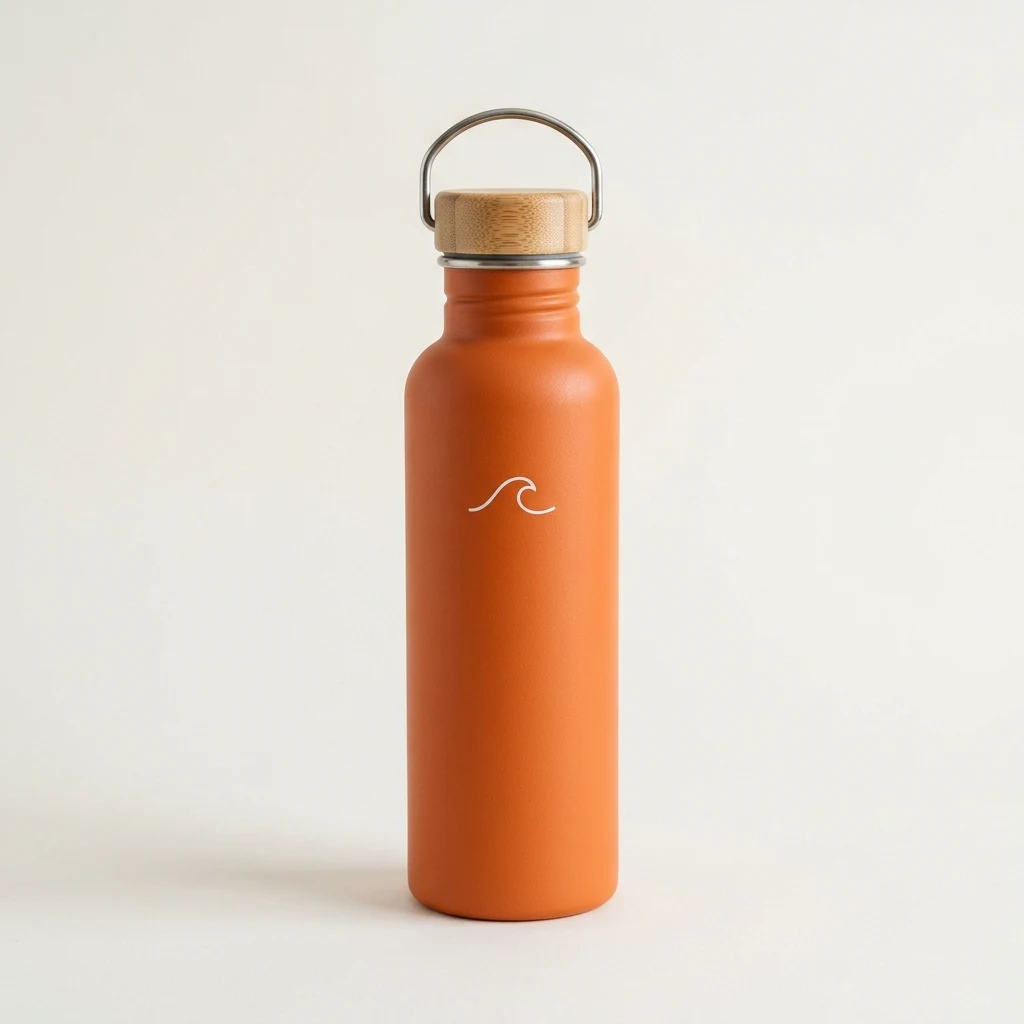
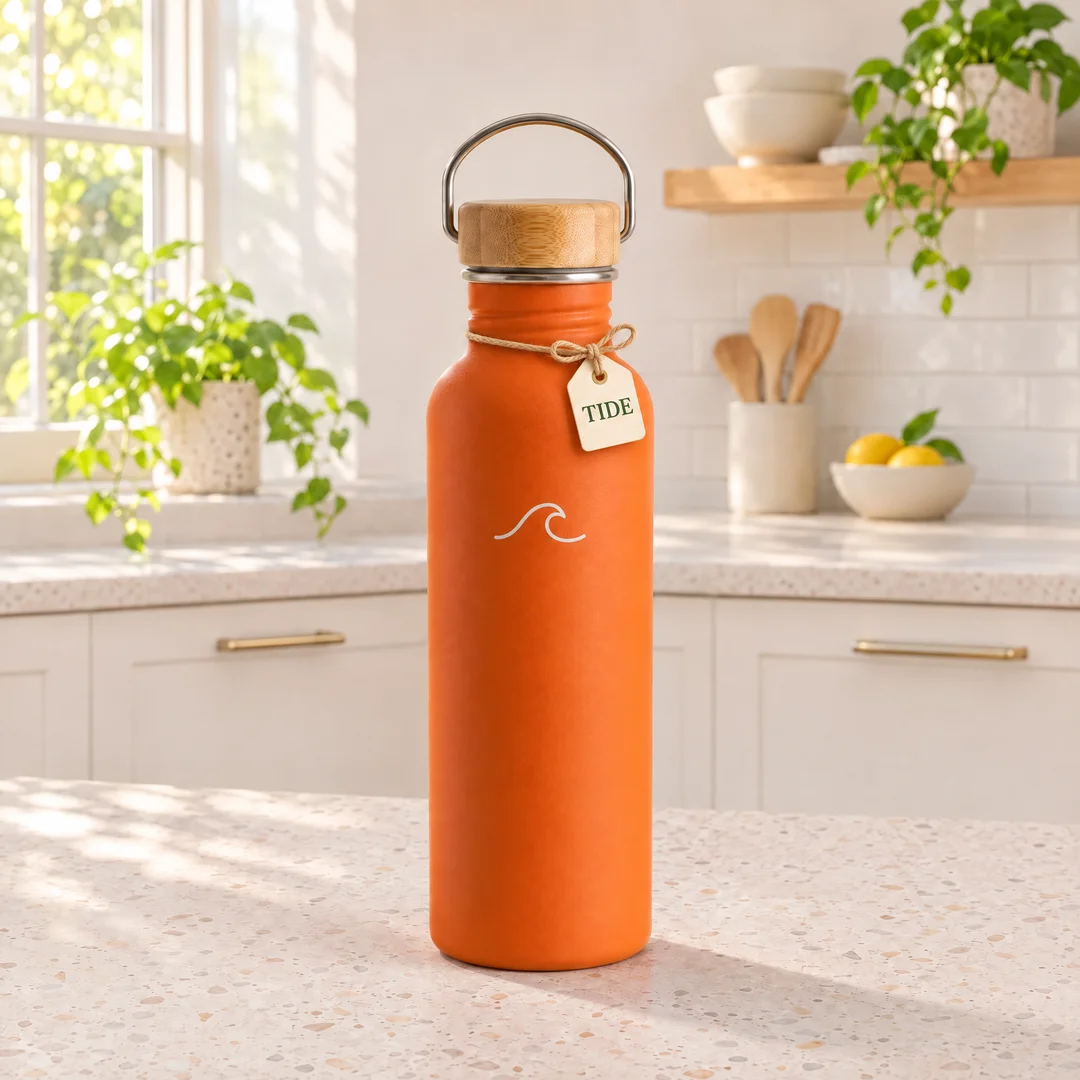
Add a reference and the GIF keeps it. Here one product photo became a 12-frame splash loop, and the bottle’s shape, bamboo lid, handle and wave logo stay the same in every frame. A GIF with references costs 39 credits.
Input
Consistent edits, round after round
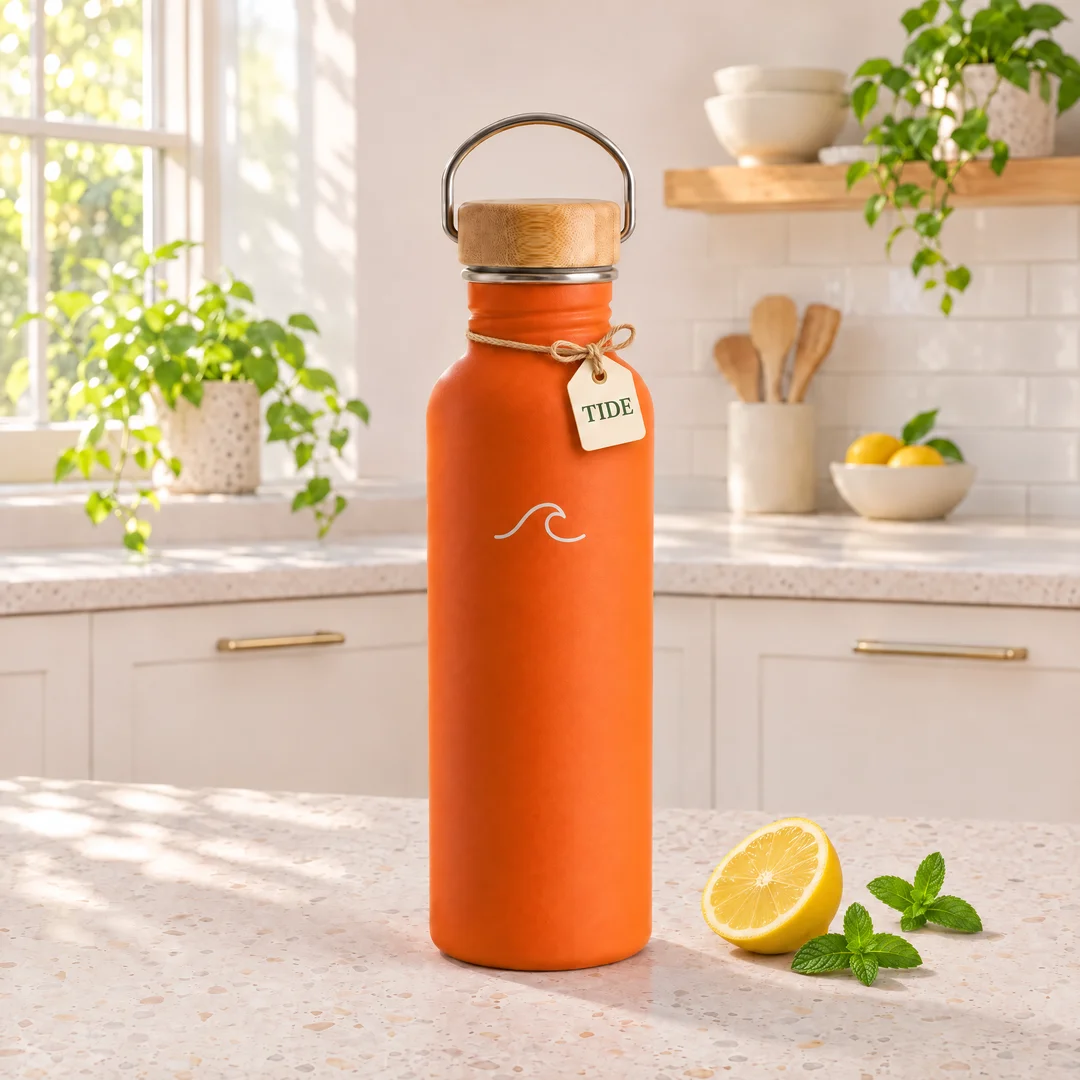
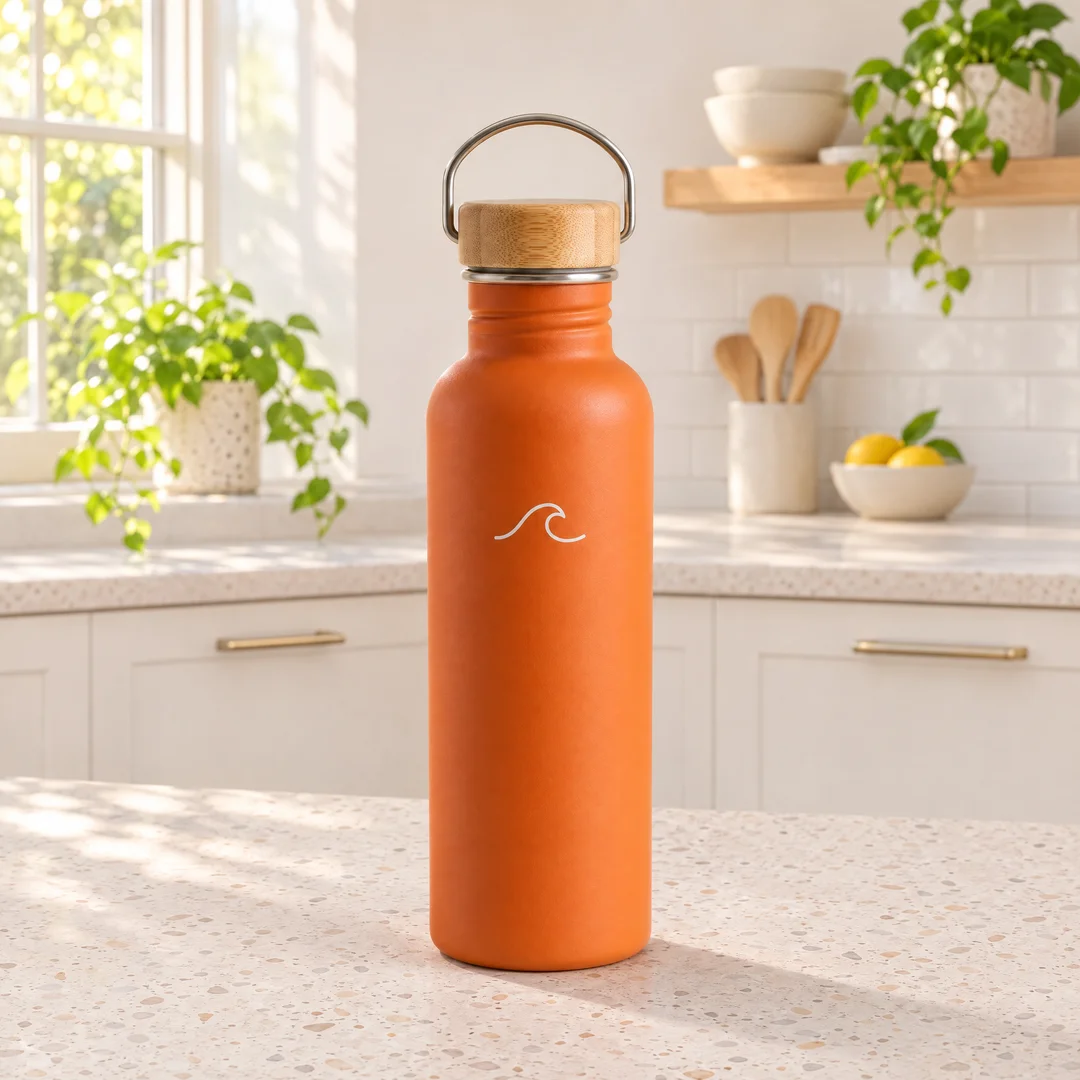
Change one thing per prompt and feed the result back in. Over three Sunburst rounds this bottle got a kitchen counter, then a TIDE neck tag, then a lemon and mint, and the logo, lid, light and framing never moved.
Input
Poster and product layouts
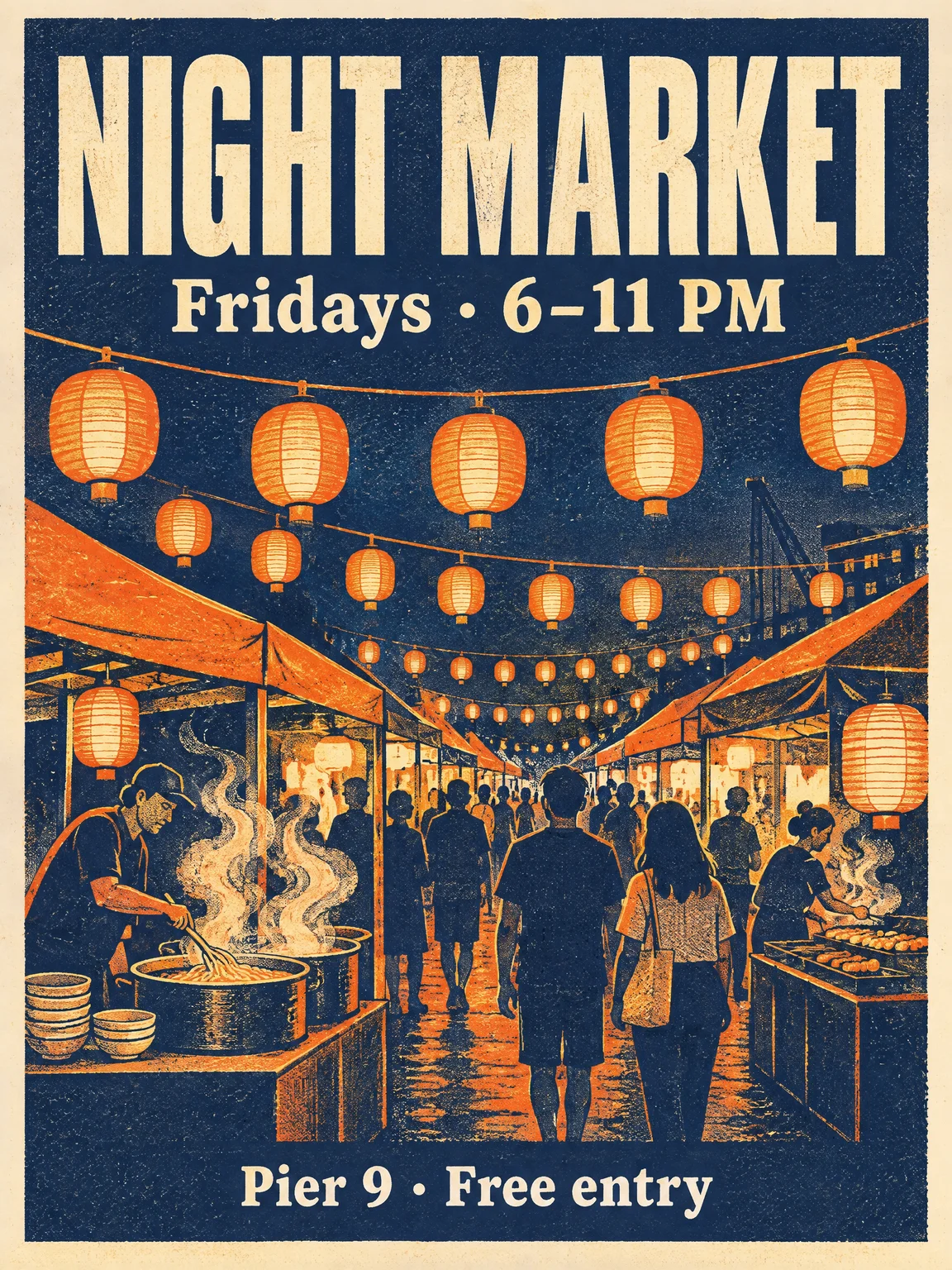
OpenAI says Flare lays out posters and product visuals better than before. This night market poster came from Flare in one run: three lines of copy spelled exactly as quoted, a clear headline hierarchy and an even grid.
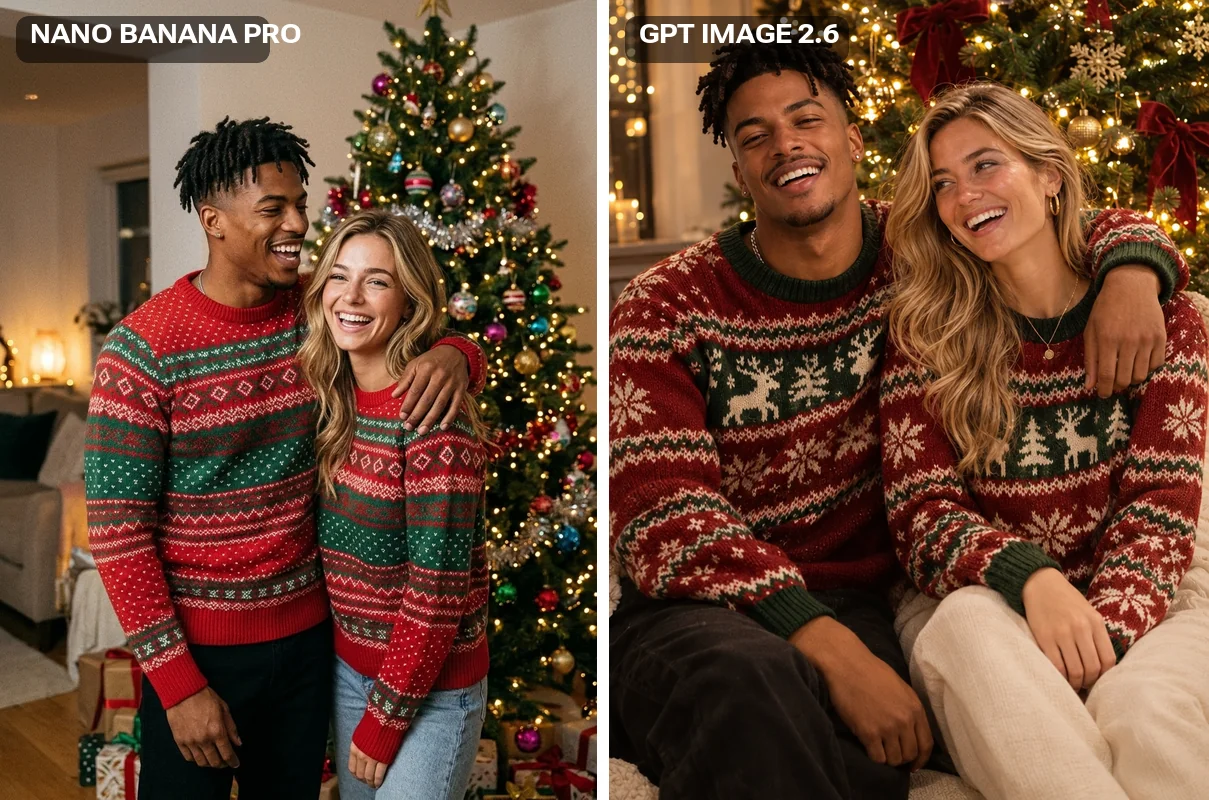
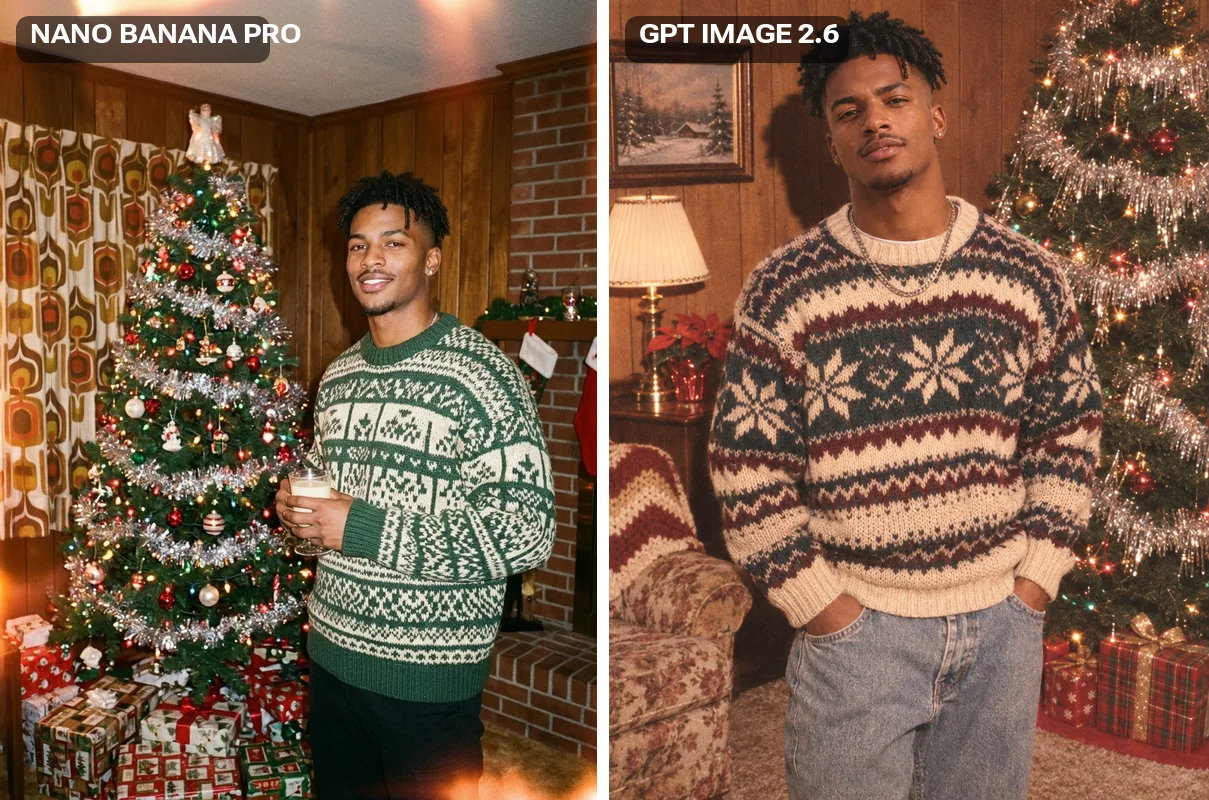
Upload up to 16 photos for a still image or a GIF and say what each one is. GPT Image 2.6 follows the wording closely: asked for matching sweaters on two people, it matched them, where Nano Banana Pro gave each a different pattern.
GPT Image 2.6 is OpenAI’s image generation and editing model, released on November 4, 2026, and called Images 2.6 in ChatGPT. The API has two models, Sunburst for detail and edit consistency and Flare for speed, and both can output animated GIFs.
Renoise has both on one subscription with 30+ other image and video models, in the Canvas, the Agent and the API. It is the default GPT Image model in Renoise.
Need Erase, Inpaint or Expand? Those tools run on GPT Image 2. Want 4K stills for fewer credits? GPT Image 2.5 is 28 credits at 4K.
GPT Image 2.6 at a glance
Animated output
GIF
2–16 frames, 7 frame sizes
Reference images
16
For still images and GIFs
Max still output
4K
1K · 2K · 4K in 8 ratios
Credits
24
A 2K image or a GIF, Sunburst or Flare
Specs as available in Renoise, checked November 11, 2026.
Images and GIFs made with GPT Image 2.6 in Renoise
GPT Image 2.6 output from plain prompts and reference photos, plus two same-prompt comparisons with Nano Banana Pro. GIFs are shown as looping video.
A Flare GIF at 288 × 512, 8 frames: the cat keeps its calico markings and flicks its tail.
An e-commerce hero shot
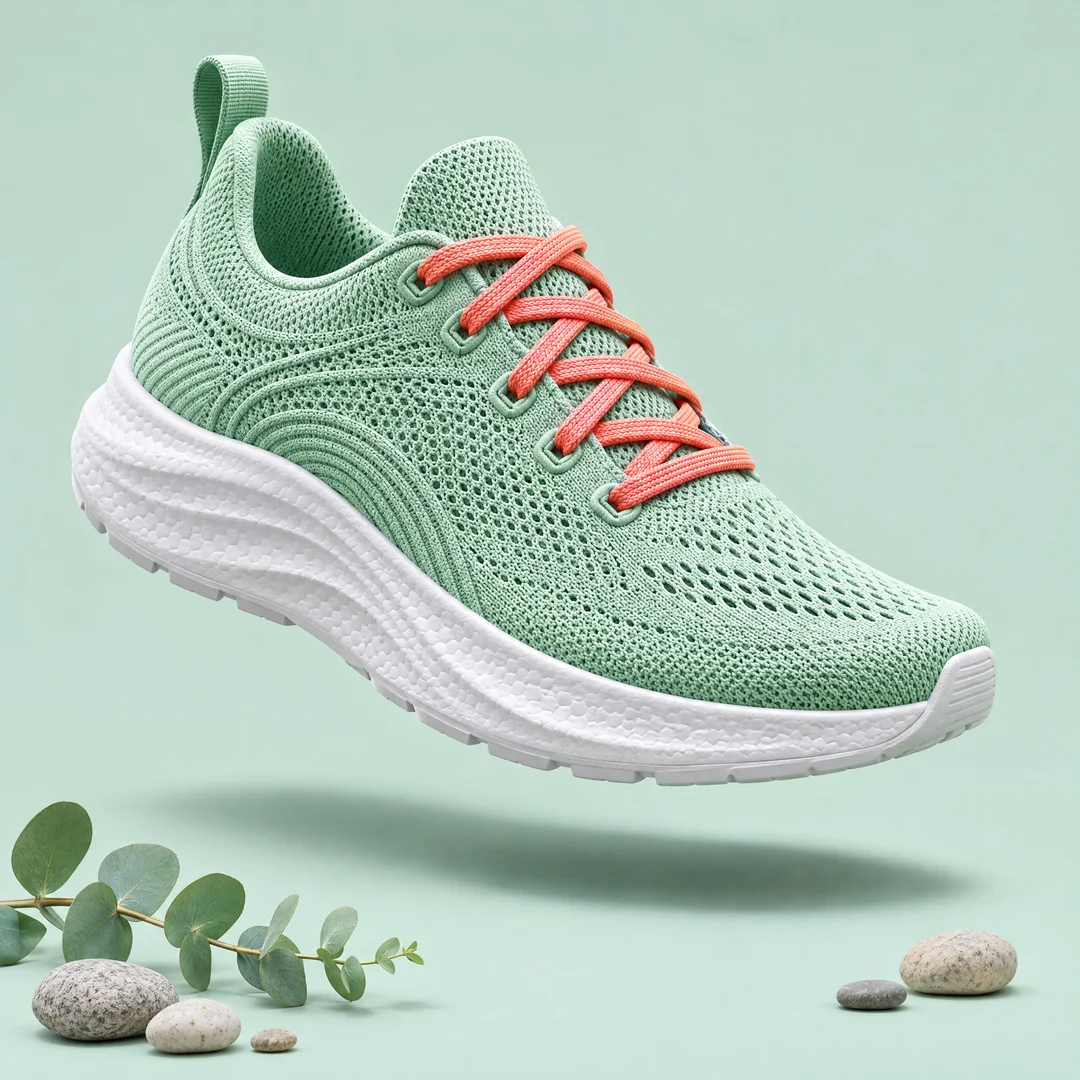
An unbranded knit running shoe floating over a mint backdrop, ready for a product page.
Food, shot from above
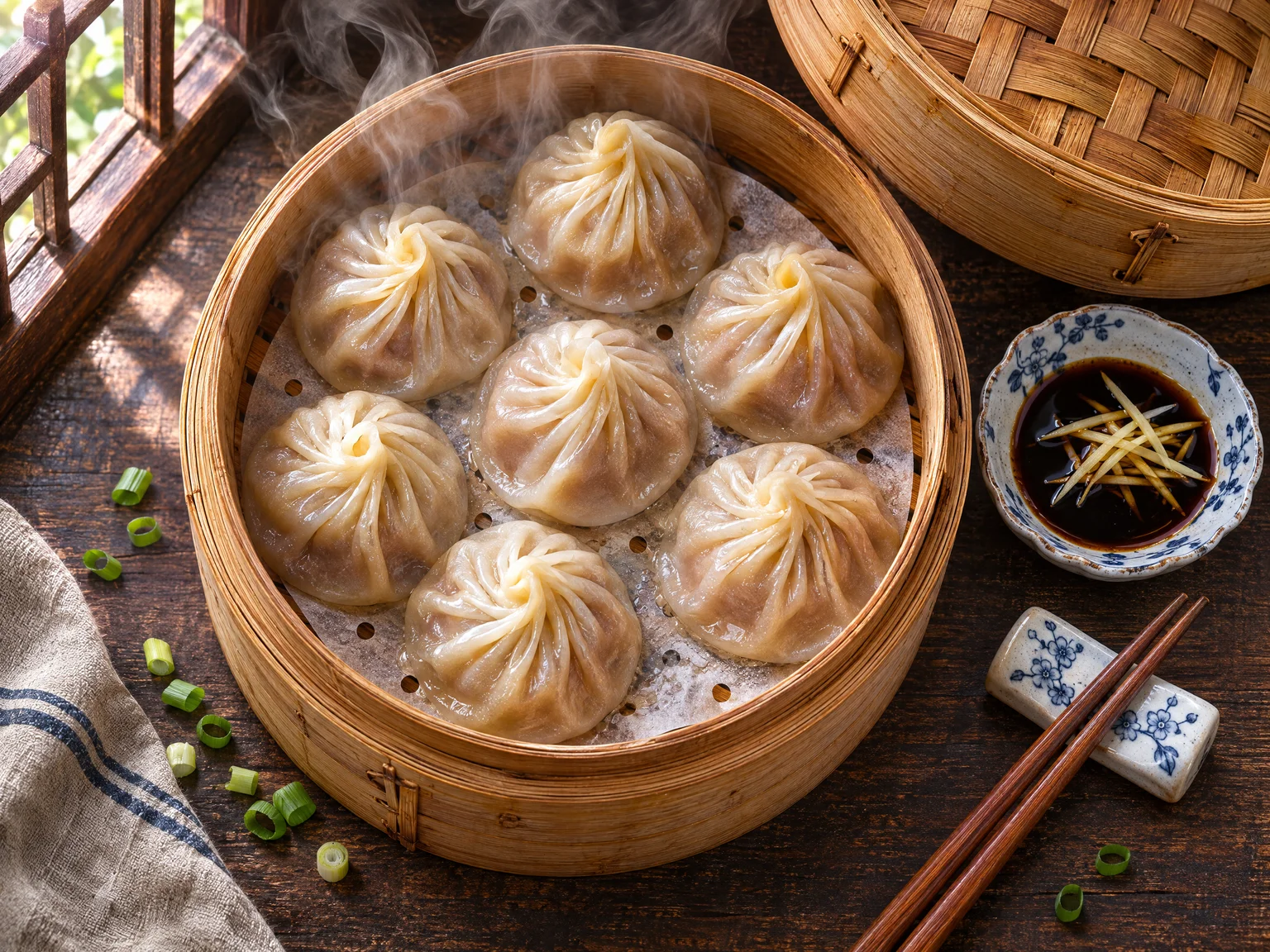
Soup dumplings in a bamboo steamer with steam, vinegar and ginger, at 2K in 4:3.
Same prompt, two models
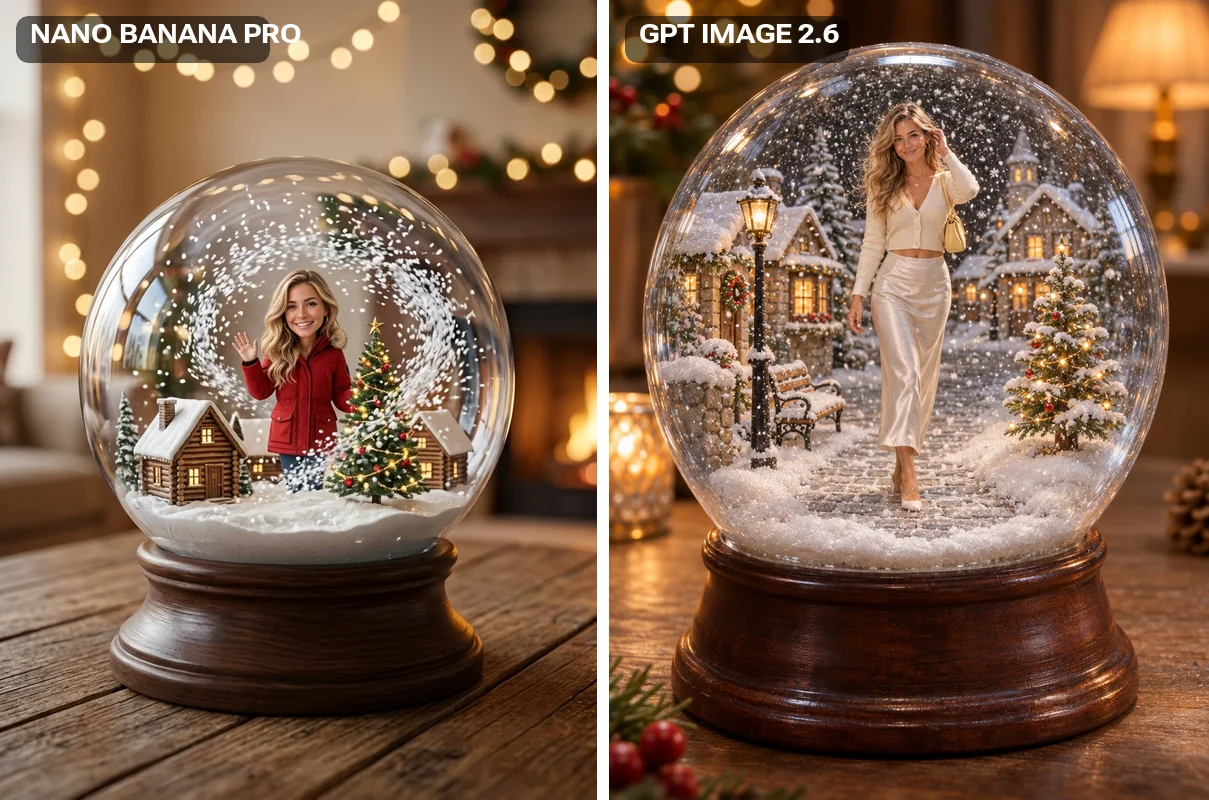
A tiny figure in a snow globe from one photo: Nano Banana Pro restyled her outfit; GPT Image 2.6 kept the one she wore.
A 90s album cover, kept to the photo
Same prompt and portrait on both models: GPT Image 2.6 gave the more convincing 90s film look and kept his chain necklace.
How to use GPT Image 2.6 in Renoise
Step 1
Pick Sunburst or Flare
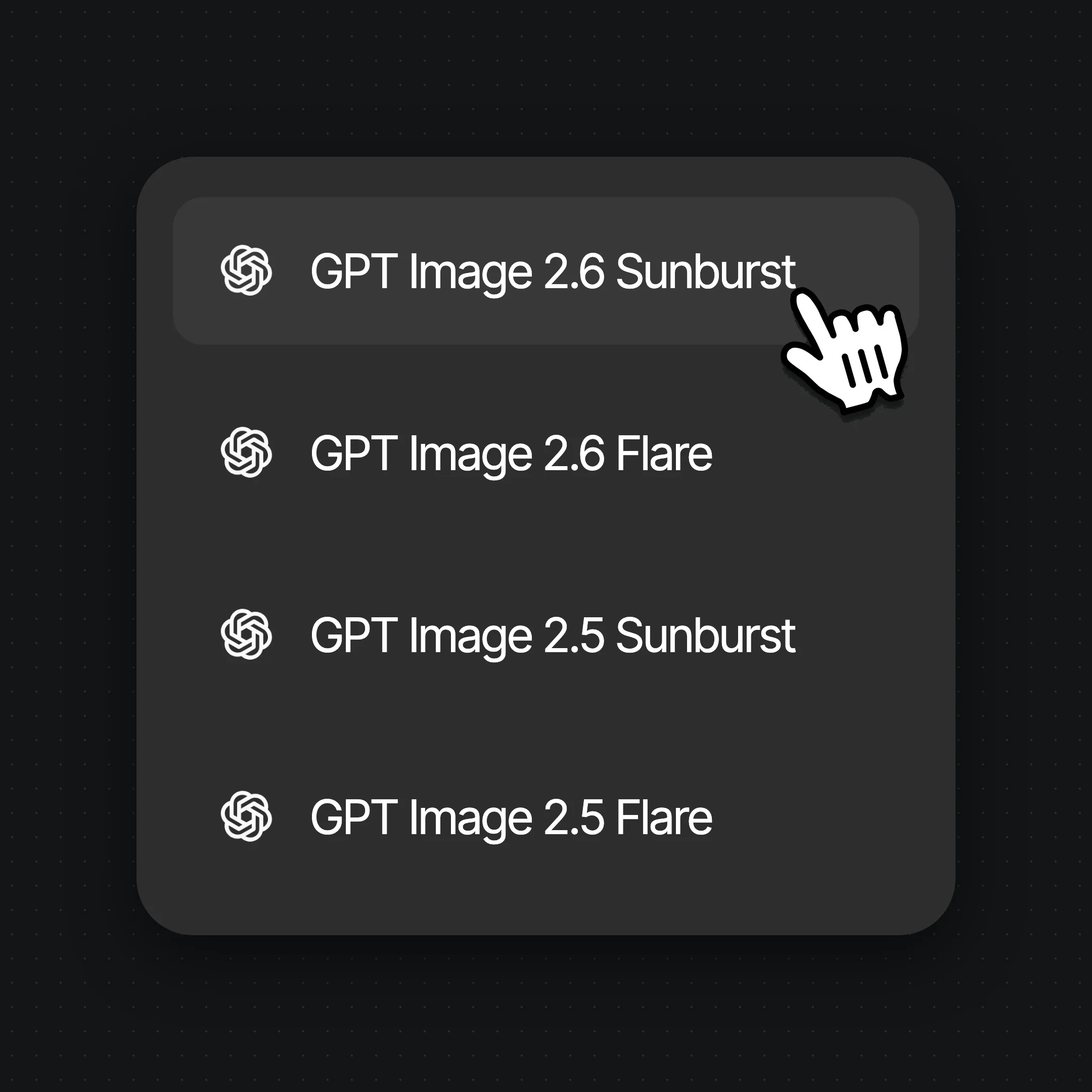
Open Images and choose GPT Image 2.6 Sunburst or GPT Image 2.6 Flare in the model menu. Both cost the same; Flare usually returns first, so it is the better place to try a prompt.
Step 2
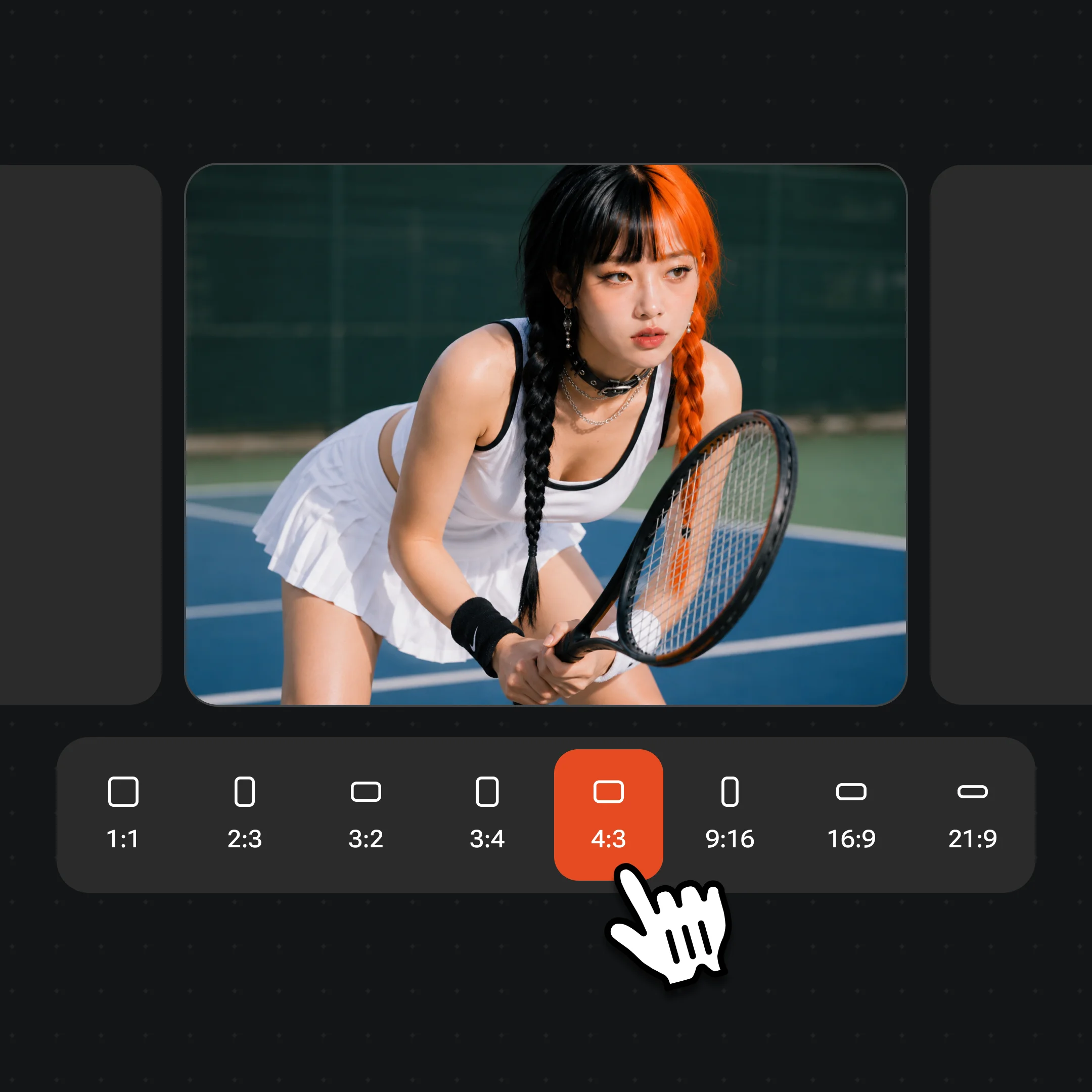
Choose Image or GIF in the ratio menu
For a still, pick one of 8 ratios and 1K, 2K or 4K. For a GIF, switch the same menu to GIF and set the frame size, frame count and frame time. Try motion at the default 288 × 288 first, then move to 512 × 512 or larger.
Step 3
Add references, describe the change, generate
Upload up to 16 images and name each one: “image 1 is the bottle, image 2 is the kitchen.” Say the one thing to change and what must stay. For a GIF, describe a small, repeatable motion and ask for the last frame to flow into the first.
From OpenAI’s launch to GPT Image 2.6 becoming the default GPT Image model in Renoise.
OpenAI releases Images 2.6
Images 2.6 rolls out in ChatGPT and Codex on every plan, and GPT Image 2.6 Sunburst and Flare land in the OpenAI API the same day, with GIF output.
Sunburst and Flare in Renoise
Both join the Renoise image picker ahead of GPT Image 2.5: still images at 1K, 2K and 4K, and GIFs with up to 16 reference images, in the Canvas, Agent, API, CLI and MCP.
Default GPT Image model
Asking Renoise for “GPT Image” without a version now uses GPT Image 2.6 Sunburst. GPT Image 2.5 and GPT Image 2 stay available by name.
Sources: OpenAI announcement and API docs, Renoise model list and integration records. Last updated
GPT Image 2.6 Sunburst vs Flare: which one to use
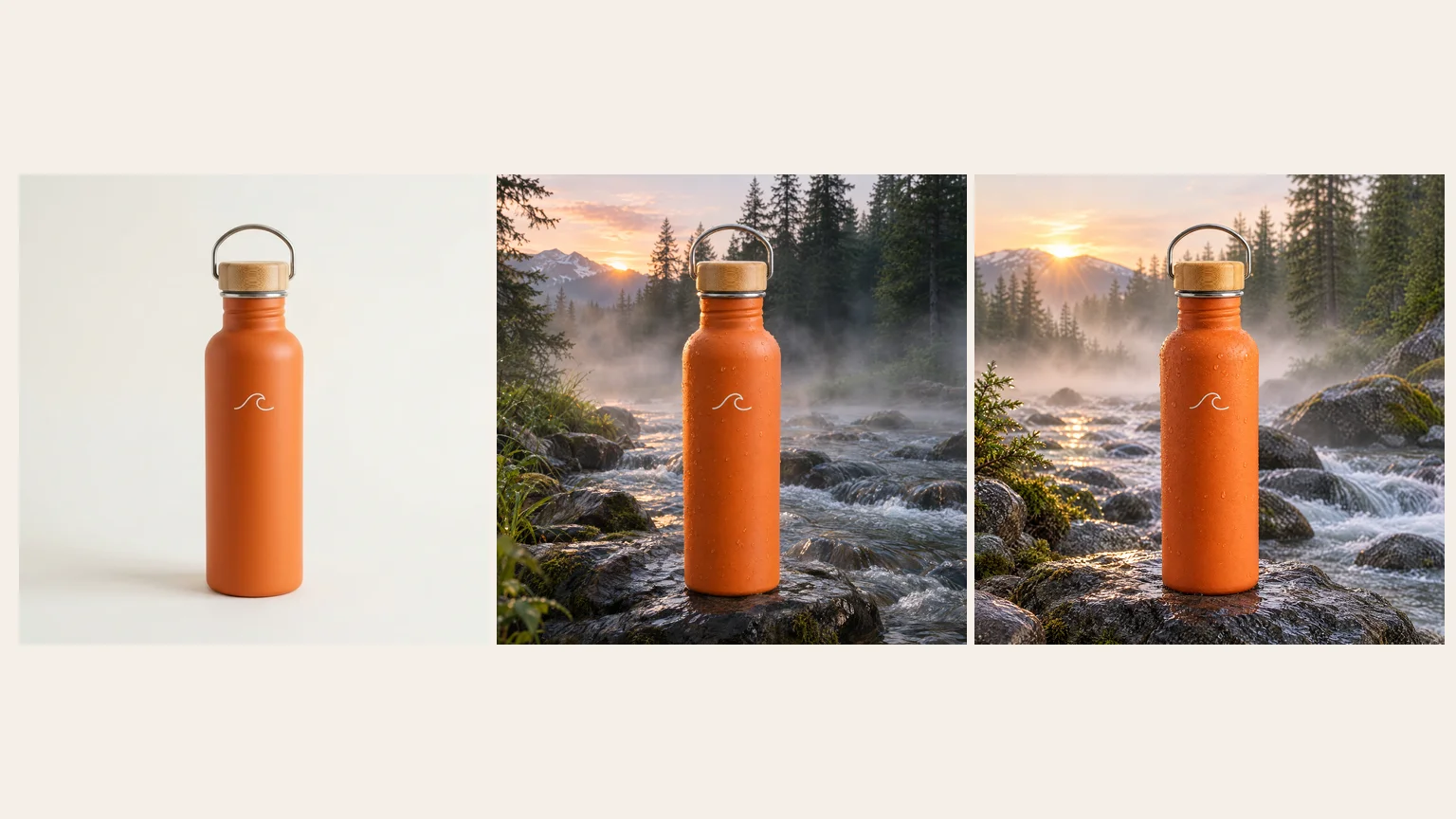
Same prompt, same reference, 2K 1:1, submitted at the same time: the reference, then Sunburst, then Flare.
One generation each, measured November 11, 2026: Flare 24 seconds, Sunburst 83 seconds.
01
Same specs and credits in Renoise
Both make 1K, 2K and 4K stills in 8 ratios and GIFs in 7 frame sizes, take up to 16 references, and cost 14, 24 or 39 credits per image. Pick on results, not budget.
02
Flare is the fast one
OpenAI positions Flare for speed and says it improves poster and product layouts. In our test it finished in 24 seconds against 83 for Sunburst, with practically the same edit.
03
Sunburst for detail and repeated edits
OpenAI says Sunburst gives higher quality and holds details more consistently across edits. Use it for packaging, labels and images you will edit several times.
04
Draft on Flare, finish on Sunburst
Iterate on Flare while the idea is moving, then rerun the prompt you settled on in Sunburst and keep the take that holds the details better. Try Flare.
GPT Image 2.6 vs GPT Image 2.5 vs Nano Banana 2.1
Three image models in the Renoise picker, compared on the limits Renoise exposes, not each vendor’s full spec sheet.
How GPT Image 2.6 compares with GPT Image 2.5 and Nano Banana 2.1 on resolution, GIF output, references, ratios and credits in Renoise
In Renoise
GPT Image 2.6 (Sunburst / Flare)
GPT Image 2.5 (Sunburst / Flare)
Nano Banana 2.1
Resolution
1K / 2K / 4K
1K / 2K / 4K
1K / 2K / 4K
Animated GIF
Yes, 2–16 frames, up to 960 × 960
No
No
Reference images
16, also for GIFs
16
14 (people ≤4)
Aspect ratios
8, up to 21:9
8, up to 21:9
14, incl. 1:4, 4:1, 1:8, 8:1
Credits · one image at 2K
24
23
13
Best for
GIFs, repeated edits, product detail
4K stills for fewer credits (28)
Extreme tall or wide ratios, cheaper 2K
Renoise model list and credit estimates (checked 2026-11-11).
As of October 2026, 100,000+ creators in 170+ countries and regions use Renoise AI, an AI video, image and audio platform, to generate 300,000+ images and videos with 30+ models.
Creators
100K+
Registered accounts on Renoise since March 2026
Countries and regions
170+
Where creators signed in from in the last 90 days
Images and videos generated
300K+
Completed generations, March–October 2026
AI models
30+
Seedance, Kling, GPT Image, Midjourney and more in one subscription
Source: Renoise internal data, March–October 2026. Figures are rounded down and updated quarterly. Last updated
What creators say about Renoise
Real feedback from creators who use Renoise AI to make videos, images and ads.
LLộc Bùi Nguyễn Vinh
Renoise is pretty easy to use, with a clean and smooth interface. The results from Seedance 2.5 also feel noticeably smoother in action sequences.
FFaith Joy Cloma
Renoise Ai is a good tool for making ai videos and photos. it puts several Ai models in one place, so you don't need to use many different apps.
Renoise has been a great platform for AI creativity. The tools are easy to use, the experience is smooth, and it makes creating content more enjoyable and efficient. I really appreciate the work the team is doing and look forward to seeing more improvements. Highly recommended!
Ssergio ramos
What I like about Renoise AI compared to other platforms: Fast generation speed: Slow generation takes up way too much time, but Renoise AI is surprisingly about 30% faster. Intuitive and user-friendly UI: Cheaply made platforms have terrible UIs that make me not even want to log in, but Renoise is very clean and convenient. Remembers my previous settings: It helpfully remembers my last workspace settings. Some odd platforms force you to re-adjust everything every single time you generate a video, which is extremely frustrating. Overall preference: For all these reasons, Renoise AI is definitely my preferred platform. Thank you!
ZZeus
Renoise is your go to one stop all for ai creators. all view and use all models in one place, for any type of content you have your mind on!
MMichał Reszka
I have a creat experience with the app. Consistent characters but also unique. THere were some issues with storyline continuity and non-typical humanoid characters.
LLộc Bùi Nguyễn Vinh
Renoise is pretty easy to use, with a clean and smooth interface. The results from Seedance 2.5 also feel noticeably smoother in action sequences.
FFaith Joy Cloma
Renoise Ai is a good tool for making ai videos and photos. it puts several Ai models in one place, so you don't need to use many different apps.
Renoise has been a great platform for AI creativity. The tools are easy to use, the experience is smooth, and it makes creating content more enjoyable and efficient. I really appreciate the work the team is doing and look forward to seeing more improvements. Highly recommended!
Ssergio ramos
What I like about Renoise AI compared to other platforms: Fast generation speed: Slow generation takes up way too much time, but Renoise AI is surprisingly about 30% faster. Intuitive and user-friendly UI: Cheaply made platforms have terrible UIs that make me not even want to log in, but Renoise is very clean and convenient. Remembers my previous settings: It helpfully remembers my last workspace settings. Some odd platforms force you to re-adjust everything every single time you generate a video, which is extremely frustrating. Overall preference: For all these reasons, Renoise AI is definitely my preferred platform. Thank you!
ZZeus
Renoise is your go to one stop all for ai creators. all view and use all models in one place, for any type of content you have your mind on!
MMichał Reszka
I have a creat experience with the app. Consistent characters but also unique. THere were some issues with storyline continuity and non-typical humanoid characters.
LLộc Bùi Nguyễn Vinh
Renoise is pretty easy to use, with a clean and smooth interface. The results from Seedance 2.5 also feel noticeably smoother in action sequences.
FFaith Joy Cloma
Renoise Ai is a good tool for making ai videos and photos. it puts several Ai models in one place, so you don't need to use many different apps.
Renoise has been a great platform for AI creativity. The tools are easy to use, the experience is smooth, and it makes creating content more enjoyable and efficient. I really appreciate the work the team is doing and look forward to seeing more improvements. Highly recommended!
Ssergio ramos
What I like about Renoise AI compared to other platforms: Fast generation speed: Slow generation takes up way too much time, but Renoise AI is surprisingly about 30% faster. Intuitive and user-friendly UI: Cheaply made platforms have terrible UIs that make me not even want to log in, but Renoise is very clean and convenient. Remembers my previous settings: It helpfully remembers my last workspace settings. Some odd platforms force you to re-adjust everything every single time you generate a video, which is extremely frustrating. Overall preference: For all these reasons, Renoise AI is definitely my preferred platform. Thank you!
ZZeus
Renoise is your go to one stop all for ai creators. all view and use all models in one place, for any type of content you have your mind on!
MMichał Reszka
I have a creat experience with the app. Consistent characters but also unique. THere were some issues with storyline continuity and non-typical humanoid characters.
LLộc Bùi Nguyễn Vinh
Renoise is pretty easy to use, with a clean and smooth interface. The results from Seedance 2.5 also feel noticeably smoother in action sequences.
FFaith Joy Cloma
Renoise Ai is a good tool for making ai videos and photos. it puts several Ai models in one place, so you don't need to use many different apps.
Renoise has been a great platform for AI creativity. The tools are easy to use, the experience is smooth, and it makes creating content more enjoyable and efficient. I really appreciate the work the team is doing and look forward to seeing more improvements. Highly recommended!
Ssergio ramos
What I like about Renoise AI compared to other platforms: Fast generation speed: Slow generation takes up way too much time, but Renoise AI is surprisingly about 30% faster. Intuitive and user-friendly UI: Cheaply made platforms have terrible UIs that make me not even want to log in, but Renoise is very clean and convenient. Remembers my previous settings: It helpfully remembers my last workspace settings. Some odd platforms force you to re-adjust everything every single time you generate a video, which is extremely frustrating. Overall preference: For all these reasons, Renoise AI is definitely my preferred platform. Thank you!
ZZeus
Renoise is your go to one stop all for ai creators. all view and use all models in one place, for any type of content you have your mind on!
MMichał Reszka
I have a creat experience with the app. Consistent characters but also unique. THere were some issues with storyline continuity and non-typical humanoid characters.
Choose your plan
One Renoise plan unlocks GPT Image 2.6 Sunburst, GPT Image 2.6 Flare and every other image and video model, billed per image or GIF from your plan credits.
The agent takes your idea all the way to a finished cut.
Edits and assembles your clips
Composites layers, text and effects
Converts formats for every platform
Starter and Standard: production work in Director Mode uses credits by usage. Advanced: free.
UNLIMITED GENS
MiniMax H3NO UNLIMITED
Seedance 2.0 MiniNO UNLIMITED
Seedream 5.0 ProNO UNLIMITED
✓Unlimited Concurrent Generations
No queue. Start as many paid generations as you want at once.
✓Renoise Agent (Beta) — chat to create
✓Frontier Agent model
Renoise Agent runs on frontier models from leading AI labs to plan your shots, write prompts, and pick the right model for each one. Chatting with the Agent is free on every plan.
✓Unlimited LLM Chats
✓Commercial Use
Content generated with Renoise.ai may be used commercially, subject to our Terms of Service
The agent takes your idea all the way to a finished cut.
Edits and assembles your clips
Composites layers, text and effects
Converts formats for every platform
Starter and Standard: production work in Director Mode uses credits by usage. Advanced: free.
UNLIMITED GENS
MiniMax H37-DAY UNLIMITED
Seedance 2.0 Mini7-DAY UNLIMITED
Seedream 5.0 Pro7-DAY UNLIMITED
Official Models
Available for 7 days each month, starting on your billing date
Generation speed may be limited
Not available in Renoise Agent, MCP or CLI
✓Unlimited Concurrent Generations
No queue. Start as many paid generations as you want at once.
✓Renoise Agent (Beta) — chat to create
✓Frontier Agent model
Renoise Agent runs on frontier models from leading AI labs to plan your shots, write prompts, and pick the right model for each one. Chatting with the Agent is free on every plan.
✓Unlimited LLM Chats
✓Commercial Use
Content generated with Renoise.ai may be used commercially, subject to our Terms of Service
The agent takes your idea all the way to a finished cut.
Edits and assembles your clips
Composites layers, text and effects
Converts formats for every platform
Starter and Standard: production work in Director Mode uses credits by usage. Advanced: free.
UNLIMITED GENS
MiniMax H32-DAY UNLIMITED
Seedance 2.0 Mini2-DAY UNLIMITED
Seedream 5.0 Pro2-DAY UNLIMITED
Official Models
Available for 2 days each month, starting on your billing date
Generation speed may be limited
Not available in Renoise Agent, MCP or CLI
✓Unlimited Concurrent Generations
No queue. Start as many paid generations as you want at once.
✓Renoise Agent (Beta) — chat to create
✓Frontier Agent model
Renoise Agent runs on frontier models from leading AI labs to plan your shots, write prompts, and pick the right model for each one. Chatting with the Agent is free on every plan.
✓Unlimited LLM Chats
✓Commercial Use
Content generated with Renoise.ai may be used commercially, subject to our Terms of Service
The agent takes your idea all the way to a finished cut.
Edits and assembles your clips
Composites layers, text and effects
Converts formats for every platform
Starter and Standard: production work in Director Mode uses credits by usage. Advanced: free.
UNLIMITED GENS
MiniMax H37-DAY UNLIMITED
Seedance 2.0 Mini7-DAY UNLIMITED
Seedream 5.0 Pro7-DAY UNLIMITED
Official Models
Available for 7 days each month, starting on your billing date
Generation speed may be limited
Not available in Renoise Agent, MCP or CLI
✓Unlimited Concurrent Generations
No queue. Start as many paid generations as you want at once.
✓Renoise Agent (Beta) — chat to create
✓Frontier Agent model
Renoise Agent runs on frontier models from leading AI labs to plan your shots, write prompts, and pick the right model for each one. Chatting with the Agent is free on every plan.
✓Unlimited LLM Chats
✓Commercial Use
Content generated with Renoise.ai may be used commercially, subject to our Terms of Service
✓Watermark-free exports
GPT Image 2.6 FAQ
1.Is GPT Image 2.6 out?
+
Yes. OpenAI released GPT Image 2.6 on November 4, 2026, as Images 2.6 in ChatGPT and Codex and as GPT Image 2.6 Sunburst and Flare in the API. Both models have been live in Renoise since November 5, 2026, in the Canvas, the Agent, the API, the CLI and MCP.
2.Is GPT Image 2.6 the same as ChatGPT Images 2.6?
+
They are the same release under different names. ChatGPT and Codex call it Images 2.6 and pick the model for you. In the API and in Renoise you choose between the two models directly: GPT Image 2.6 Sunburst for detail and repeated edits, and GPT Image 2.6 Flare for speed.
3.Can GPT Image 2.6 make GIFs?
+
Yes. In Renoise you pick one of 7 frame sizes from 288 × 288 to 960 × 960, 2 to 16 frames depending on the size, and a frame time from 20 ms to 2 seconds. GIFs can use up to 16 references but have no ratio or resolution setting. To loop a clip from your own photo instead, try the AI GIF generator.
4.Which is better, GPT Image 2.6 Sunburst or Flare?
+
Neither wins everywhere. OpenAI positions Sunburst for detail and consistency across edits and Flare for speed and layouts. In our same-prompt test Flare took 24 seconds and Sunburst 83, with nearly identical results. They cost the same in Renoise, so draft on Flare and finish on Sunburst.
5.How many reference images can GPT Image 2.6 use?
+
Up to 16 per generation in Renoise, for still images and for GIFs, in both Sunburst and Flare. Name each reference in the prompt (“image 1 is the face, image 2 is the jacket”) and say what must not change, so the model knows what to keep.
6.What resolution does GPT Image 2.6 support?
+
Still images come in 1K, 2K or 4K in 8 aspect ratios: 1:1, 3:2, 2:3, 3:4, 4:3, 16:9, 9:16 and 21:9. GIFs use frame sizes instead, up to 960 × 960 square or 512 × 288 and 288 × 512 for wide and tall loops.
7.Should I use GPT Image 2.6 or GPT Image 2.5?
+
Use GPT Image 2.6 for GIFs, repeated edits on one image, and posters. At 1K and 2K it costs only one credit more than 2.5. If you only need 4K stills, GPT Image 2.5 is 28 credits against 39 for 2.6, and OpenAI makes no text-rendering claim for either.
8.Can GPT Image 2.6 make SVGs in Renoise?
+
Not yet. OpenAI’s API offers SVG export, markup edits and a complexity setting, but Renoise does not expose them: it returns an opaque PNG or a GIF. For masked edits, the Erase, Inpaint and Expand tools run on GPT Image 2.
9.How much does GPT Image 2.6 cost?
+
In Renoise, a GPT Image 2.6 image costs 14 credits at 1K, 24 at 2K and 39 at 4K. A GIF costs 24 credits, or 39 when you add reference images. Sunburst and Flare cost the same. Credits come from your Renoise plan; see pricing for plans.
10.Is GPT Image 2.6 free?
+
No. GPT Image 2.6 is billed per image or GIF from the credits in your Renoise subscription, at the rates above, like every other model. It is not part of any free channel or Unlimited campaign, and Sunburst and Flare use the same rates.
11.Is there a GPT Image 2.6 API?
+
Yes. OpenAI offers both models in its API. Through Renoise you call `gpt-image-2.6-sunburst` or `gpt-image-2.6-flare` with the same API key, CLI and MCP you use for every other model; for a GIF, send `outputFormat: "gif"` with a frame size, frame count and frame duration.
12.Who makes GPT Image 2.6?
+
OpenAI makes GPT Image 2.6. Renoise does not train image models: it integrates Sunburst and Flare next to Nano Banana, Seedream, Midjourney and Grok Imagine. Images and GIFs made on paid Renoise plans carry no visible watermark and can be used in commercial work.
GPT Image 2.6 is in the Canvas.
Still images and GIFs, one model.
Generate with GPT Image 2.6 Sunburst or Flare in Renoise, with up to 16 references, and switch to any other image or video model in the same Canvas.