Native 4K output, with 1K for drafts
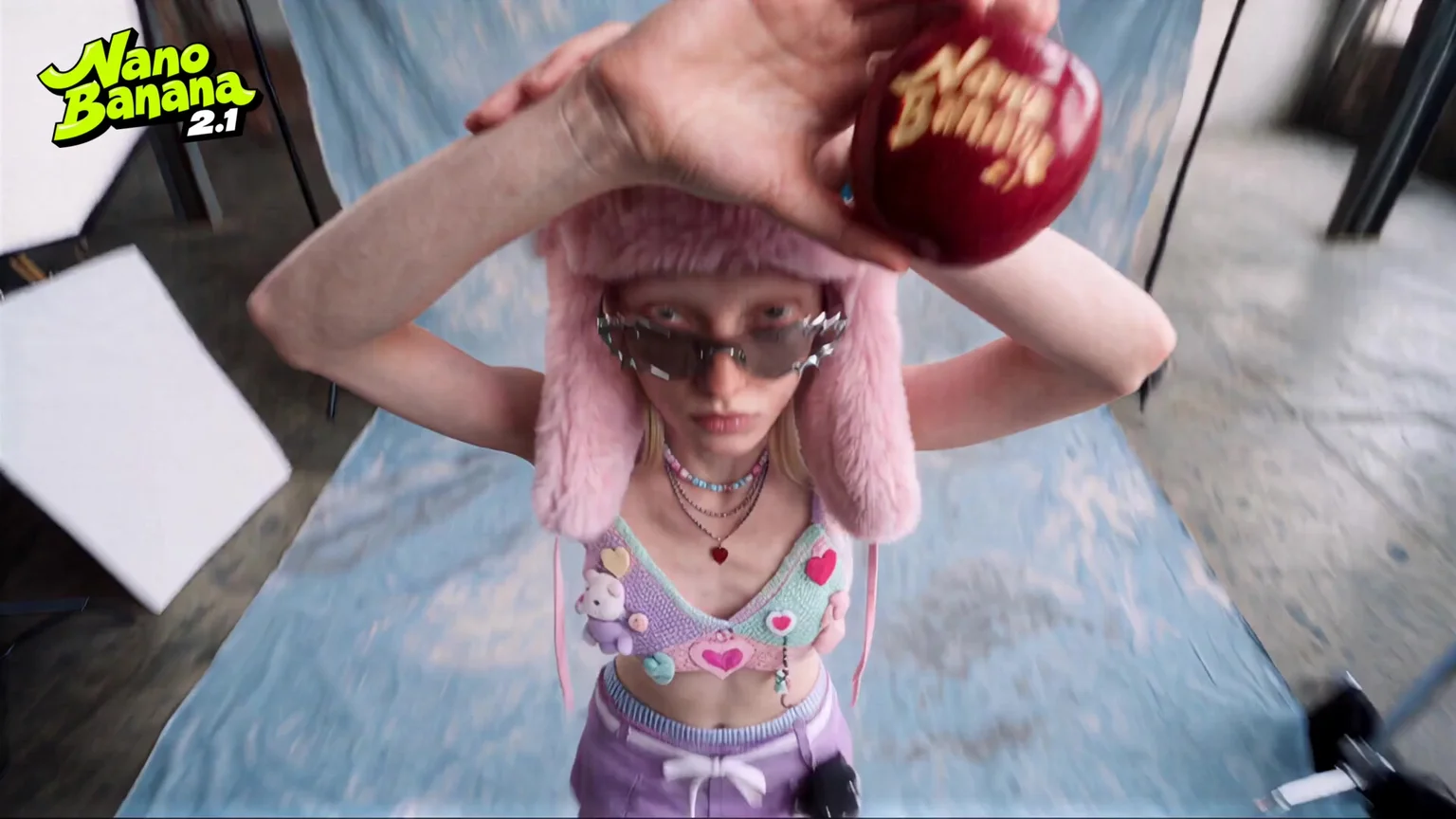
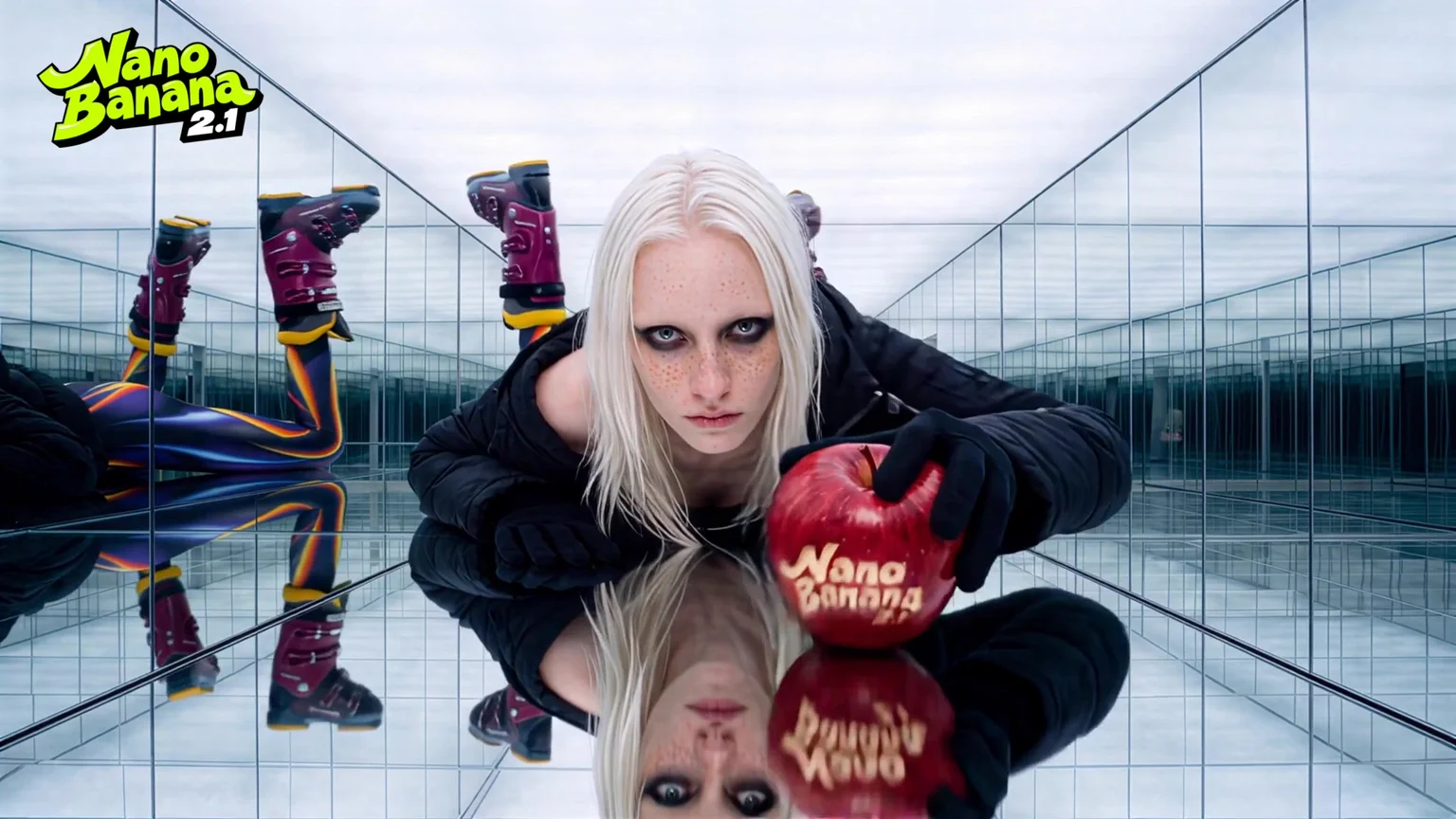
Pick 1K, 2K or 4K per image. Draft at 1K for 9 credits, then render the keeper at 4K for print, banners or a crop you can zoom into. Fabric, hair and the lettering carved into the apple stay sharp at full size.
Google’s current Nano Banana. Up to 14 reference images, 1K to 4K, and ratios from 1:8 to 8:1.
Rows 3–5 are single Nano Banana 2.1 generations made in Renoise at 2K. Rows 1–2 are stills from the Renoise launch film for the model.
Pick 1K, 2K or 4K per image. Draft at 1K for 9 credits, then render the keeper at 4K for print, banners or a crop you can zoom into. Fabric, hair and the lettering carved into the apple stay sharp at full size.
Add up to 14 reference images per prompt. Google says 2.1 keeps up to 4 characters and 10 objects consistent, so the same model and the same carved apple can move from a studio to a mirrored hall to a rooftop.
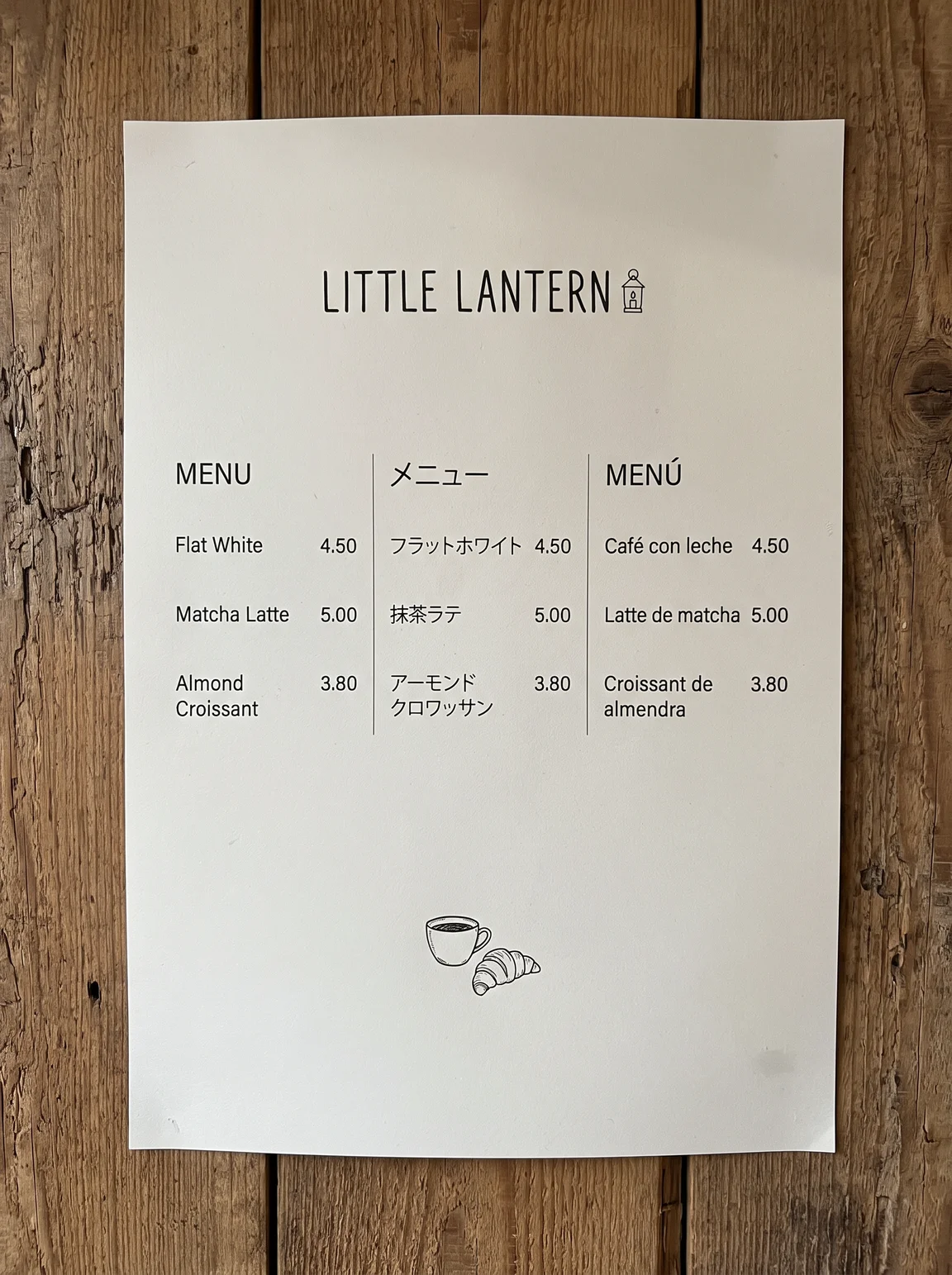
Put the exact words in quotes. This menu asked for English, Japanese and Spanish columns with prices, and every heading, item and price came out as written on the first run. Google lists text rendering as a main gain over Nano Banana 2.
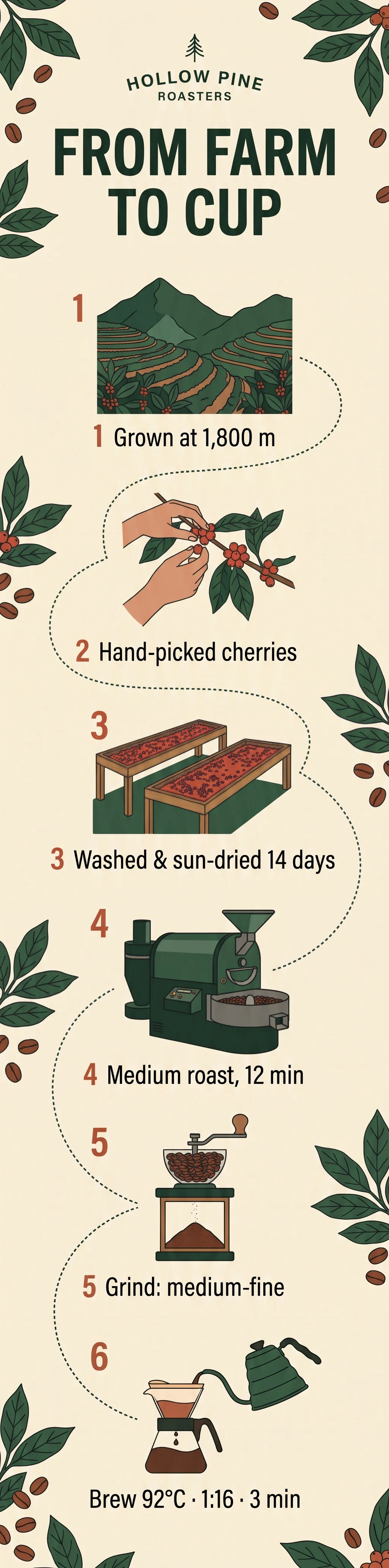
Google reports a large jump in infographic accuracy. One prompt gave this six-step farm-to-cup chart in 1:4, with numbered steps, drawings and all six lines of text, including 1,800 m and 92°C, spelled as asked.
Nano Banana 2.1 offers 14 ratios, including 1:4, 4:1, 1:8 and 8:1. Google says it fixed the tiling Nano Banana 2 could show on very wide frames. This 8:1 harbour skyline is one continuous scene with no repeated buildings.

Nano Banana 2.1 is Google DeepMind’s image generation and editing model, released on October 6, 2026. It is built on Gemini 3.6 Flash, replaces Nano Banana 2 (Gemini 3.1 Flash Image), and Google calls it the more efficient counterpart to Nano Banana Pro. In the Gemini API it is `gemini-nano-banana-2.1`.
In Renoise it has been available since October 13, 2026, in the Canvas, the API and the Agent plugin, on one subscription with 30+ other image and video models.
Need the same face across many shots or a print-ready layout? Try Nano Banana Pro. Need the cheapest 4K? Nano Banana 2 is 18 credits.
Specs and credits as available in Renoise, checked November 11, 2026.
Posters from the Renoise launch film, and two same-prompt comparisons with GPT Image 2.5.
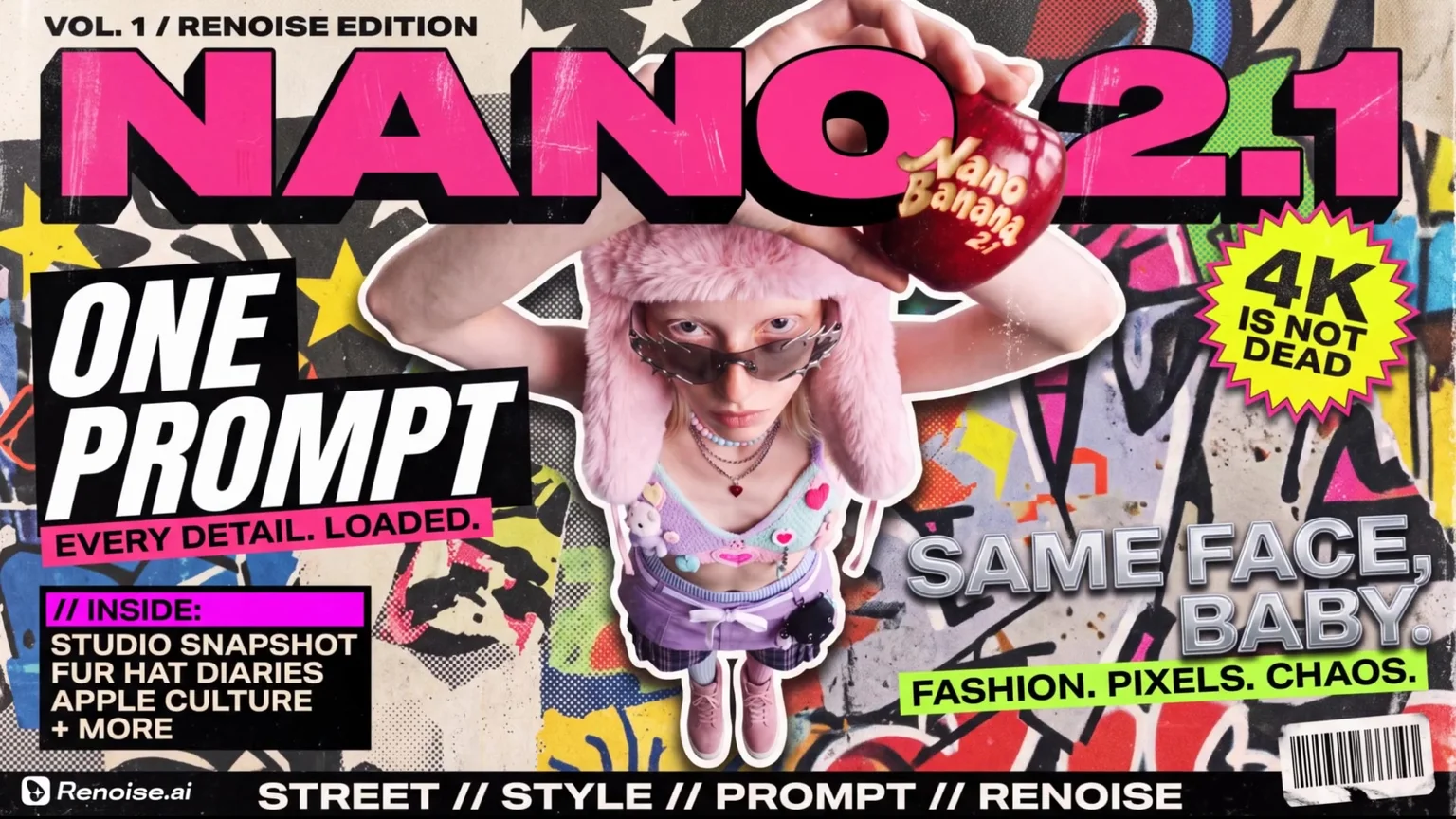
Masthead, cover lines, a sticker burst and a barcode around one character, from the launch film.
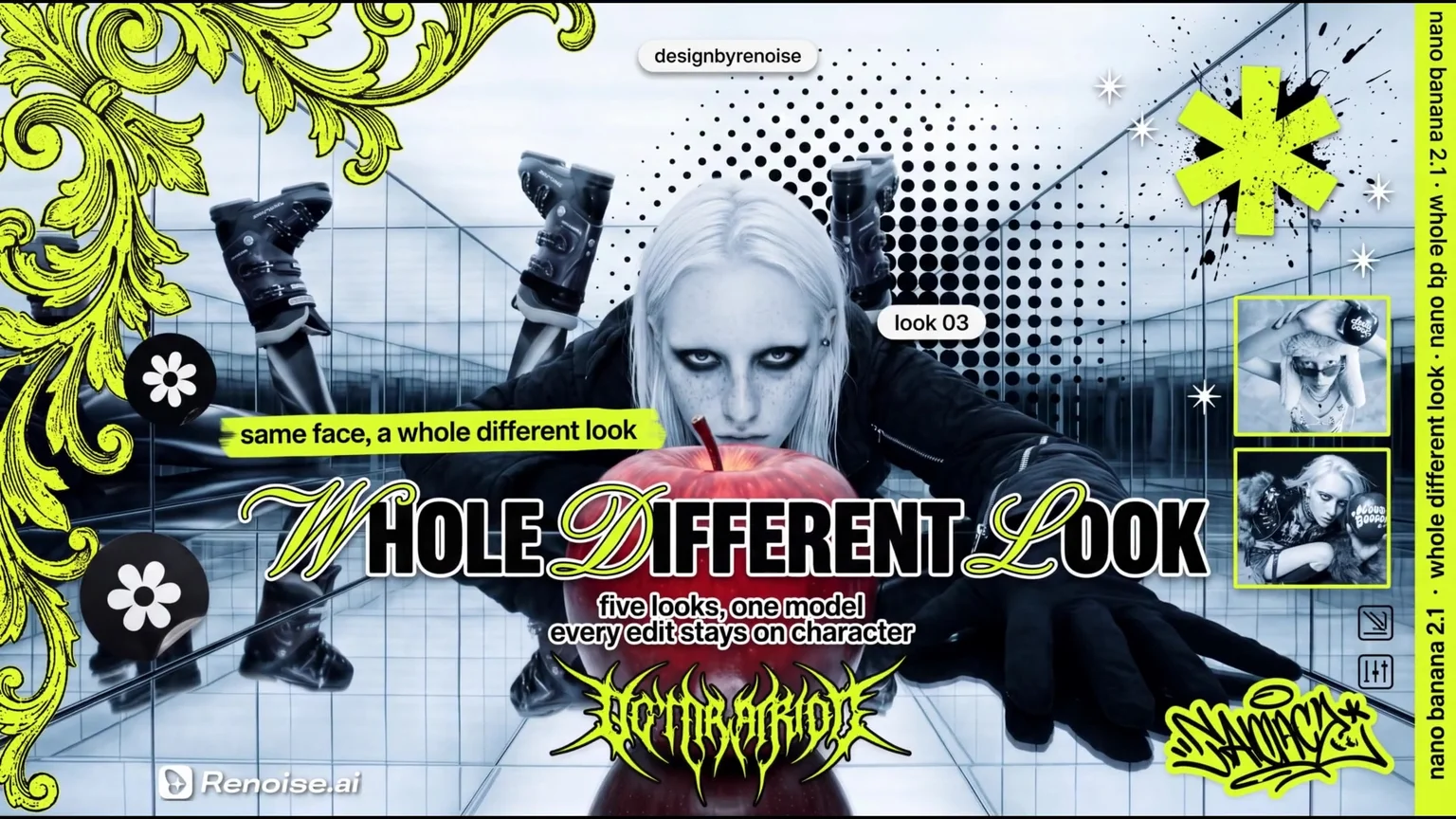
Ornament, halftone, script lettering and inset photos, keeping the model from the mirrored-hall shot.
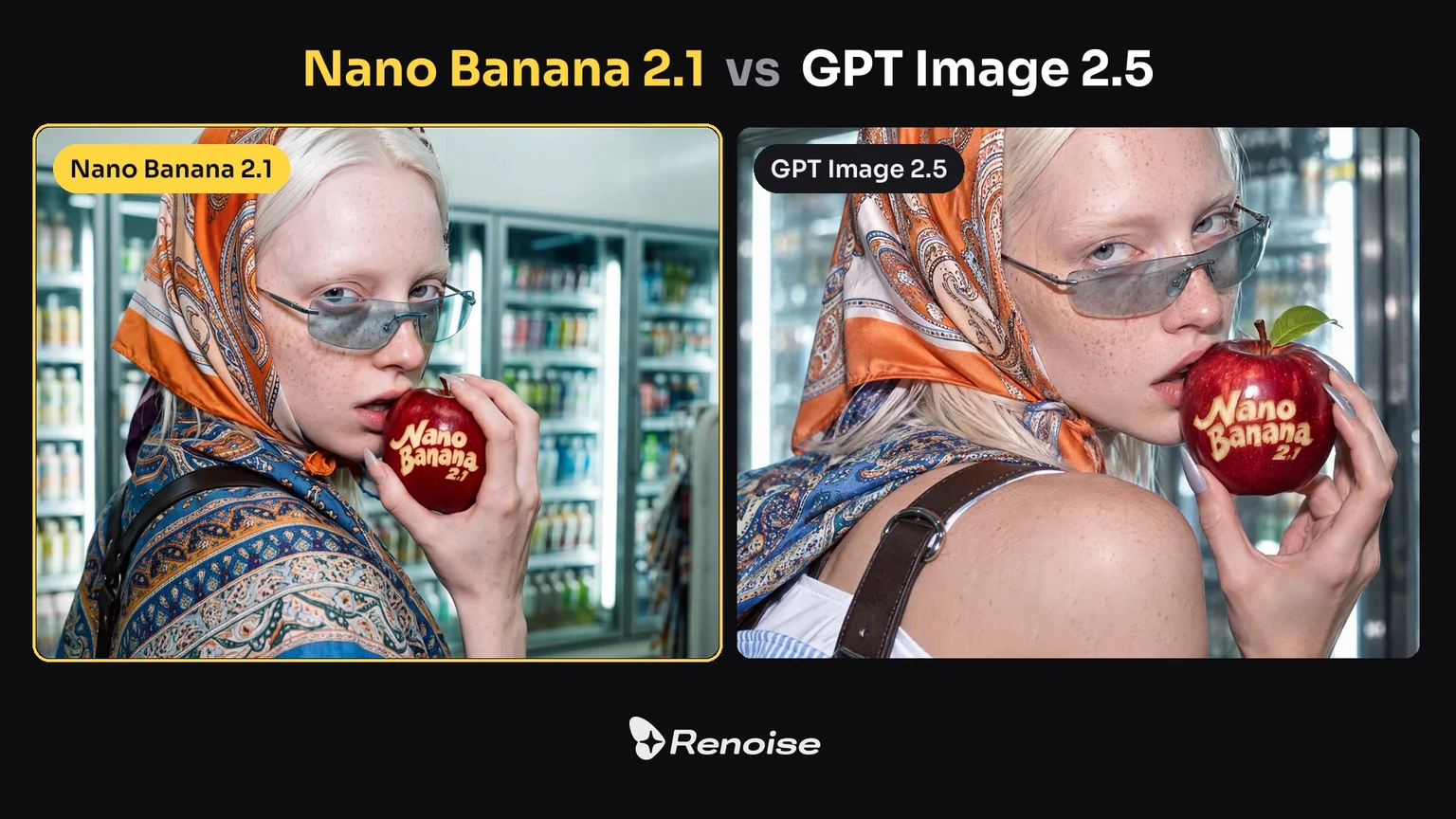
Same prompt. Nano Banana 2.1 (left) framed wider and kept the store in the shot.
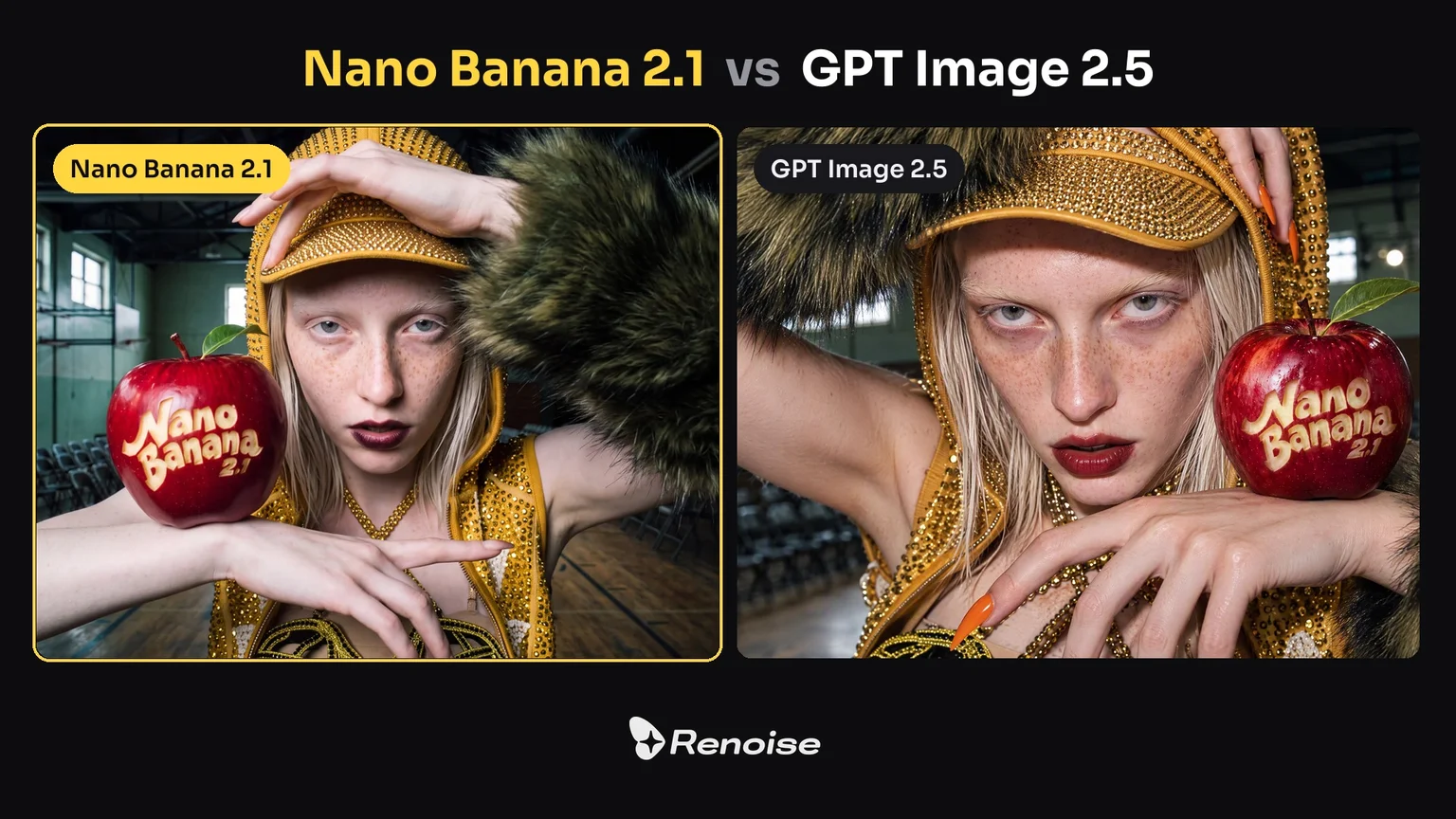
Same prompt. Both spelled the carved apple; Nano Banana 2.1 (left) shows more of the gym.
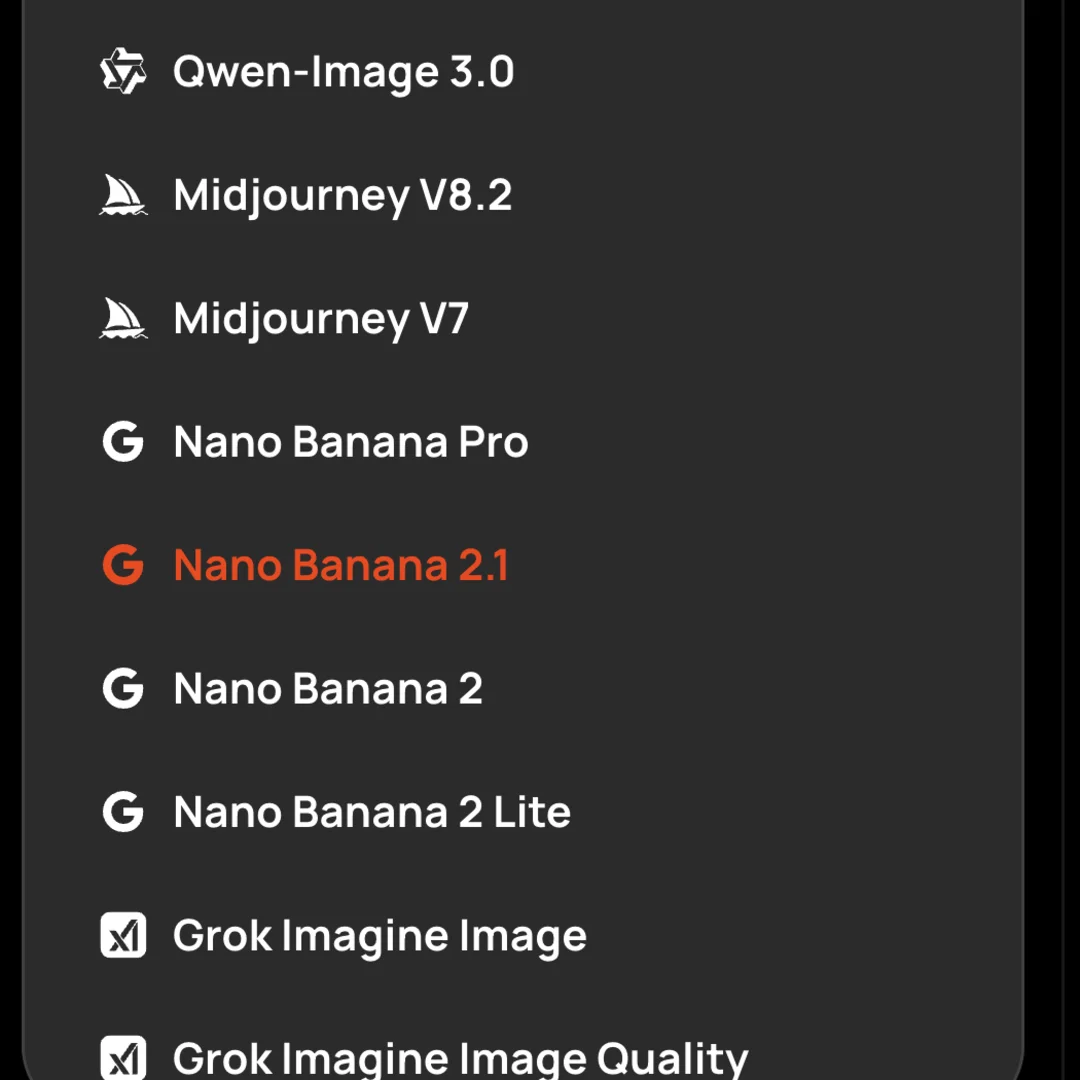
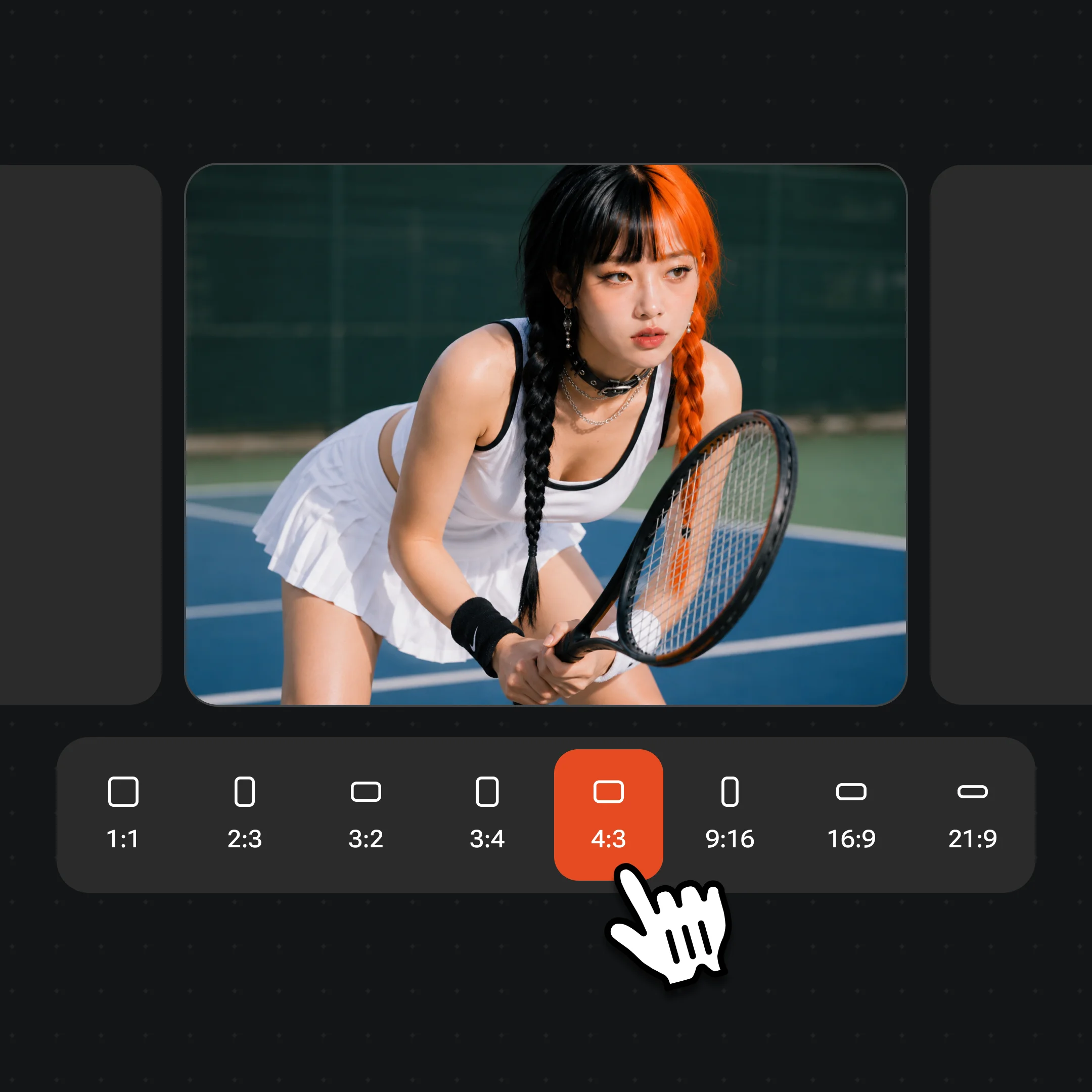
Open Images and choose Nano Banana 2.1 in the model menu. Start at 1K to test the idea, then switch to 2K or 4K. Pick any of 14 ratios, from 1:1 and 9:16 to 8:1 banners.
Upload up to 14 images and say what each is for: “image 1 is the model, image 2 is the bag.” Keep people to 4 or fewer, and put any words that must appear in quotes.
Reuse the result as the next reference and change one thing at a time. Users report that 2.1 likes to fill empty space, so say “leave the background plain” or “nothing else” when you want it clean.
From Nano Banana 2 to Nano Banana 2.1 in Renoise.
Google releases Nano Banana 2 (Gemini 3.1 Flash Image) as the fast default image model in the Gemini app.
Nano Banana 2.1 rolls out in the Gemini app, Search AI Mode, AI Studio and the Gemini API as `gemini-nano-banana-2.1`. Google marks Nano Banana 2 as deprecated in the API the same day.
Nano Banana 2.1 joins the Renoise image picker between Nano Banana Pro and Nano Banana 2, with 1K to 4K, 14 ratios and 14 references, in the Canvas, API, CLI and MCP.
Sources: Google DeepMind model card, Gemini API docs, Renoise model list and integration records. Last updated
One storefront prompt, 2K 9:16, one run each in Renoise: Nano Banana Pro, Nano Banana 2.1 and Nano Banana 2, left to right.
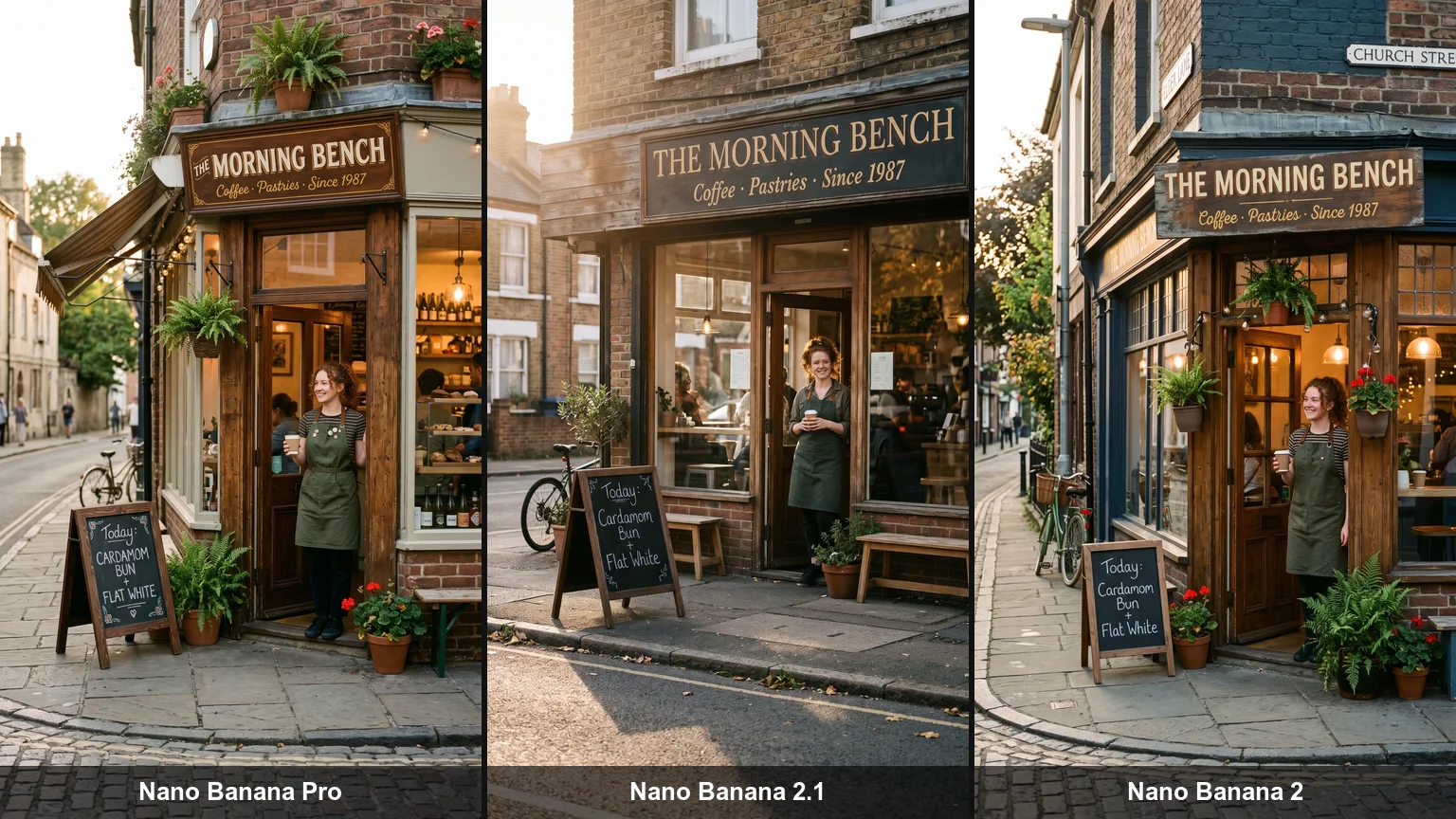
On Artificial Analysis’s text-to-image arena (October 27, 2026), Nano Banana 2.1 scored 1176 against 1118 for Pro and 1140 for Nano Banana 2. Arena placed it 5th for text-to-image at launch.
Side-by-side tests found Pro better at keeping one face across scenes and at print-ready layouts, and more convincing on scale and realism. Some users also say 2.1 can ignore precise instructions.
In Renoise, 2.1 costs 9 / 13 / 25 credits at 1K / 2K / 4K versus 16 / 16 / 28 for Pro, and accepts 14 references in the web app versus 5.
Google cites better text, infographics and multi-character consistency, and no tiling on wide 2K and 4K frames. Nano Banana 2 stays cheaper at 4K, 18 credits versus 25.
Four image models in the Renoise picker, compared on the limits Renoise exposes. All four output 1K, 2K and 4K.
| In Renoise | Nano Banana 2 | Nano Banana Pro | GPT Image 2.5 Sunburst | |
|---|---|---|---|---|
| Made by | OpenAI | |||
| Aspect ratios | 14, incl. 1:8 and 8:1 | 14, incl. 1:8 and 8:1 | 10, up to 21:9 | 8, up to 21:9 |
| Reference images (web app) | 14 (people ≤4) | 5 | 5 | 16 |
| Credits · one image at 2K | 13 | 12 | 16 | 23 |
| Credits · one image at 4K | 25 | 18 | 28 | 28 |
| Best for | Everyday work, many references, wide frames | The cheapest 4K | One face across shots, print-ready layouts | Long, structured prompts |
Renoise model list and credit estimates (checked 2026-11-11).
As of October 2026, 100,000+ creators in 170+ countries and regions use Renoise AI, an AI video, image and audio platform, to generate 300,000+ images and videos with 30+ models.
Source: Renoise internal data, March–October 2026. Figures are rounded down and updated quarterly. Last updated
Real feedback from creators who use Renoise AI to make videos, images and ads.
Renoise is pretty easy to use, with a clean and smooth interface. The results from Seedance 2.5 also feel noticeably smoother in action sequences.
Renoise Ai is a good tool for making ai videos and photos. it puts several Ai models in one place, so you don't need to use many different apps.
あまりAIツールを使ったりしたことなかったですが、キャラクターの固定や動画を続いて作成できて使いやすいです。これからどんどん進んでいくアップデートが楽しみです。
Renoise has been a great platform for AI creativity. The tools are easy to use, the experience is smooth, and it makes creating content more enjoyable and efficient. I really appreciate the work the team is doing and look forward to seeing more improvements. Highly recommended!
What I like about Renoise AI compared to other platforms: Fast generation speed: Slow generation takes up way too much time, but Renoise AI is surprisingly about 30% faster. Intuitive and user-friendly UI: Cheaply made platforms have terrible UIs that make me not even want to log in, but Renoise is very clean and convenient. Remembers my previous settings: It helpfully remembers my last workspace settings. Some odd platforms force you to re-adjust everything every single time you generate a video, which is extremely frustrating. Overall preference: For all these reasons, Renoise AI is definitely my preferred platform. Thank you!
Renoise is your go to one stop all for ai creators. all view and use all models in one place, for any type of content you have your mind on!
I have a creat experience with the app. Consistent characters but also unique. THere were some issues with storyline continuity and non-typical humanoid characters.
One Renoise plan unlocks Nano Banana 2.1 and every other image and video model, billed per image from your plan credits.
For your first AI creations
per month
≈ 150 GPT Image 2 Generations
≈ 60 Seedance 2.0 videos
The agent takes your idea all the way to a finished cut.
Starter and Standard: production work in Director Mode uses credits by usage. Advanced: free.
No queue. Start as many paid generations as you want at once.
Content generated with Renoise.ai may be used commercially, subject to our Terms of Service
For creating every week
per month
≈ 450 GPT Image 2 Generations
≈ 180 Seedance 2.0 videos
The agent takes your idea all the way to a finished cut.
Starter and Standard: production work in Director Mode uses credits by usage. Advanced: free.
No queue. Start as many paid generations as you want at once.
Renoise Agent runs on frontier models from leading AI labs to plan your shots, write prompts, and pick the right model for each one. Chatting with the Agent is free on every plan.
Content generated with Renoise.ai may be used commercially, subject to our Terms of Service
For professional-scale production
per month
≈ 1,750 GPT Image 2 Generations
≈ 700 Seedance 2.0 videos
The agent takes your idea all the way to a finished cut.
Starter and Standard: production work in Director Mode uses credits by usage. Advanced: free.
No queue. Start as many paid generations as you want at once.
Renoise Agent runs on frontier models from leading AI labs to plan your shots, write prompts, and pick the right model for each one. Chatting with the Agent is free on every plan.
Content generated with Renoise.ai may be used commercially, subject to our Terms of Service
For your first AI creations
per month, billed annually
Save $48compared to monthly
≈ 150 GPT Image 2 Generations
≈ 60 Seedance 2.0 videos
The agent takes your idea all the way to a finished cut.
Starter and Standard: production work in Director Mode uses credits by usage. Advanced: free.
No queue. Start as many paid generations as you want at once.
Content generated with Renoise.ai may be used commercially, subject to our Terms of Service
For creating every week
per month, billed annually
Save $216compared to monthly
≈ 450 GPT Image 2 Generations
≈ 180 Seedance 2.0 videos
The agent takes your idea all the way to a finished cut.
Starter and Standard: production work in Director Mode uses credits by usage. Advanced: free.
No queue. Start as many paid generations as you want at once.
Renoise Agent runs on frontier models from leading AI labs to plan your shots, write prompts, and pick the right model for each one. Chatting with the Agent is free on every plan.
Content generated with Renoise.ai may be used commercially, subject to our Terms of Service
For professional-scale production
per month, billed annually
Save $960compared to monthly
≈ 1,750 GPT Image 2 Generations
≈ 700 Seedance 2.0 videos
The agent takes your idea all the way to a finished cut.
Starter and Standard: production work in Director Mode uses credits by usage. Advanced: free.
No queue. Start as many paid generations as you want at once.
Renoise Agent runs on frontier models from leading AI labs to plan your shots, write prompts, and pick the right model for each one. Chatting with the Agent is free on every plan.
Content generated with Renoise.ai may be used commercially, subject to our Terms of Service
Yes. Google released Nano Banana 2.1 on October 6, 2026, in the Gemini app, Search AI Mode, AI Studio and the Gemini API. It has been live in Renoise since October 13, 2026, in the Canvas, the API, the CLI and MCP.
Google DeepMind. Nano Banana 2.1 is built on Gemini 3.6 Flash and follows Nano Banana 2 and Nano Banana Pro. Renoise does not train image models; it integrates Nano Banana 2.1. Images made on paid Renoise plans carry no visible watermark and can be used in commercial work.
Compared with Nano Banana 2, Google lists better text rendering and infographics, stronger consistency for several characters across edits, and clean wide panoramas at 2K and 4K without tiling. It also adds thinking levels in Google’s API; Renoise uses Google’s default.
Up to 14 per image in Renoise, including the web app. Keep people or characters to 4 or fewer, and name each reference in the prompt. Nano Banana 2 and Nano Banana Pro accept 5 references in the Renoise web app.
Yes. Nano Banana 2.1 outputs 1K, 2K or 4K in 14 aspect ratios: 1:1, 2:3, 3:2, 3:4, 4:3, 4:5, 5:4, 9:16, 16:9 and 21:9, plus the extreme 1:4, 4:1, 1:8 and 8:1 for banners and long infographics.
Google’s API supports mask-based edits, but Renoise does not offer mask editing for Nano Banana 2.1 yet. Instead, upload the image as a reference and describe the one change you want, naming what must stay the same.
In Renoise, one Nano Banana 2.1 image costs 9 credits at 1K, 13 at 2K and 25 at 4K. Nano Banana Pro costs 16, 16 and 28, and Nano Banana 2 costs 8, 12 and 18. Credits come from your Renoise plan; see pricing for plans.
Not in Renoise: each image is billed from the credits in your subscription, and 2.1 is not part of any free channel or Unlimited campaign. In Google’s Gemini app, 2.1 is for paid Google AI plans, while free users get Nano Banana 2.
Yes. Google’s Gemini API calls it `gemini-nano-banana-2.1`. Through Renoise, use the model name `nano-banana-2.1` with the same API key, CLI and MCP you use for every other image and video model, and the same credits.
Choose Nano Banana 2.1 for many references, extreme ratios and a lower price at 2K. Choose GPT Image 2.5 for long, structured prompts and up to 16 references. Both are in the same Renoise picker; see GPT Image 2.5.
Start with Nano Banana 2.1 for most work. Use Nano Banana Pro for the same face across shots or print-ready layouts, Nano Banana 2 for the cheapest 4K, and Nano Banana 2 Lite for 1K drafts at 4 credits.
Generate with Nano Banana 2.1 in Renoise, from 1:8 to 8:1, and switch to any other image or video model in the same Canvas.