GTA filter on a selfie
A dinner-table photo with a wine glass becomes chest-up key art. The handlebar mustache and the curls survive the brushwork.
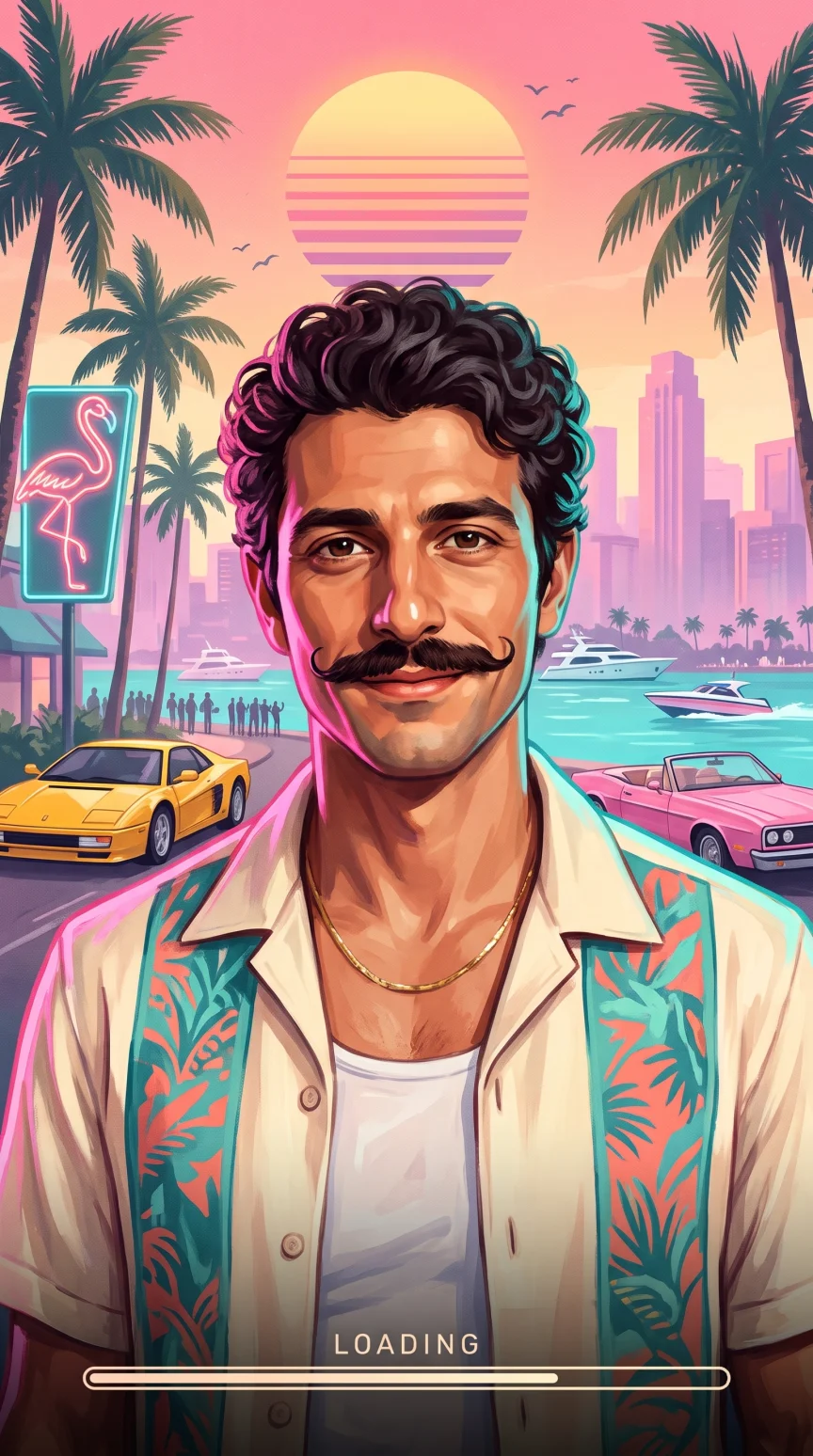
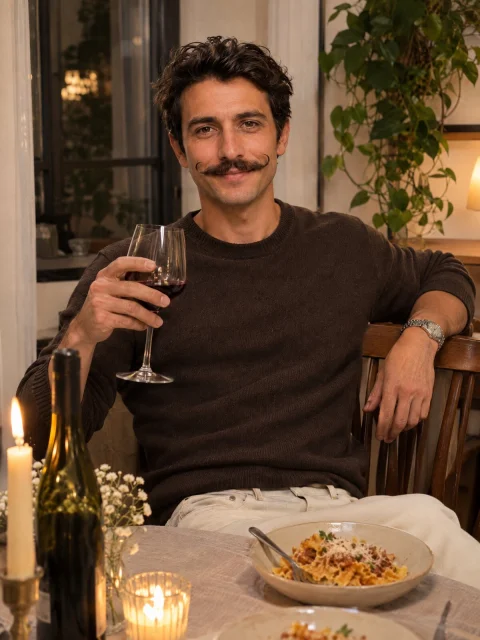
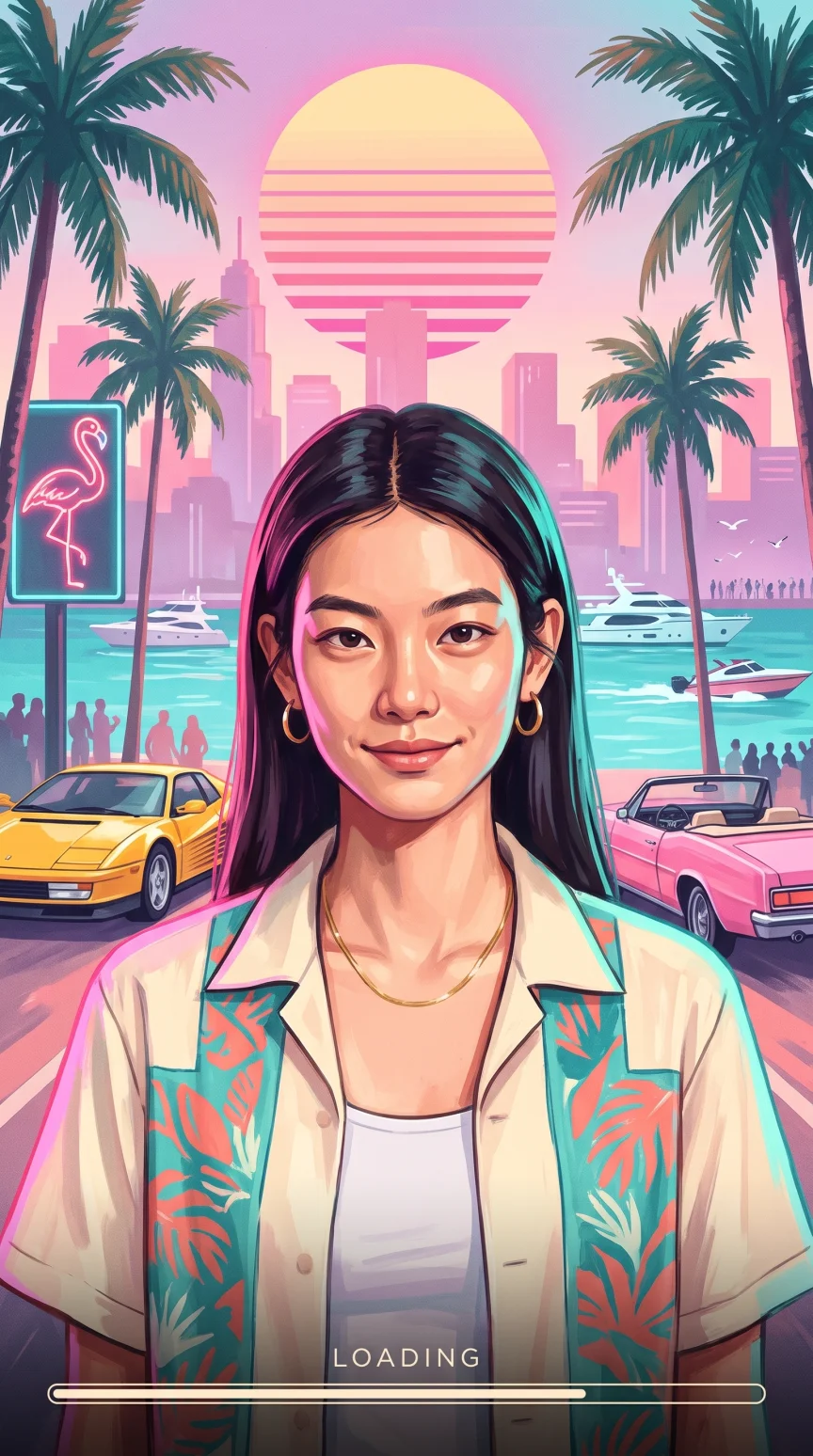
One photo in, one painted loading screen out. The Renoise Agent keeps your face and puts you on a sunset boulevard with palms, a pink convertible and a LOADING bar.
Opens in the Renoise Agent with your photo. It shows the credit cost before it generates.
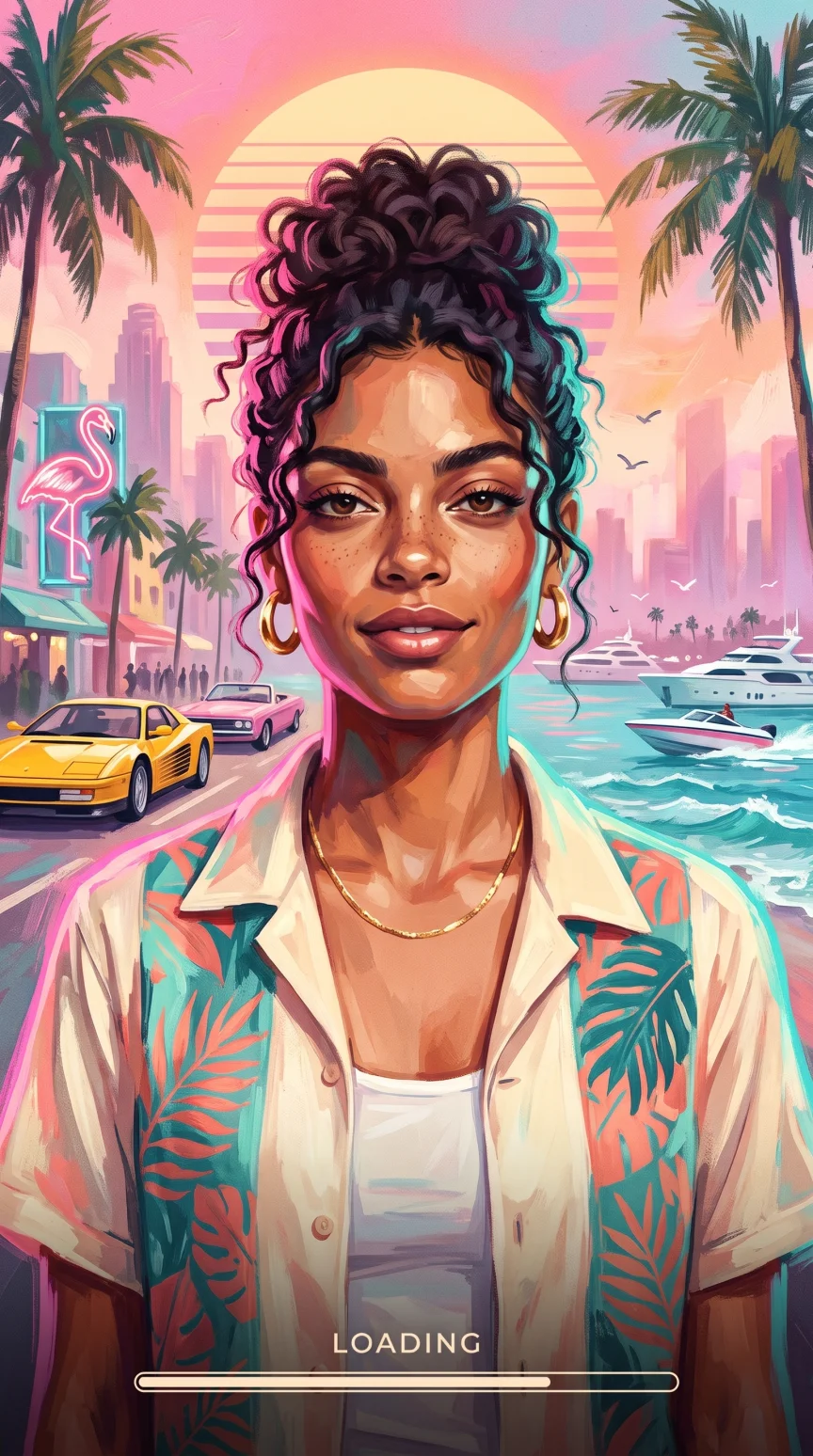
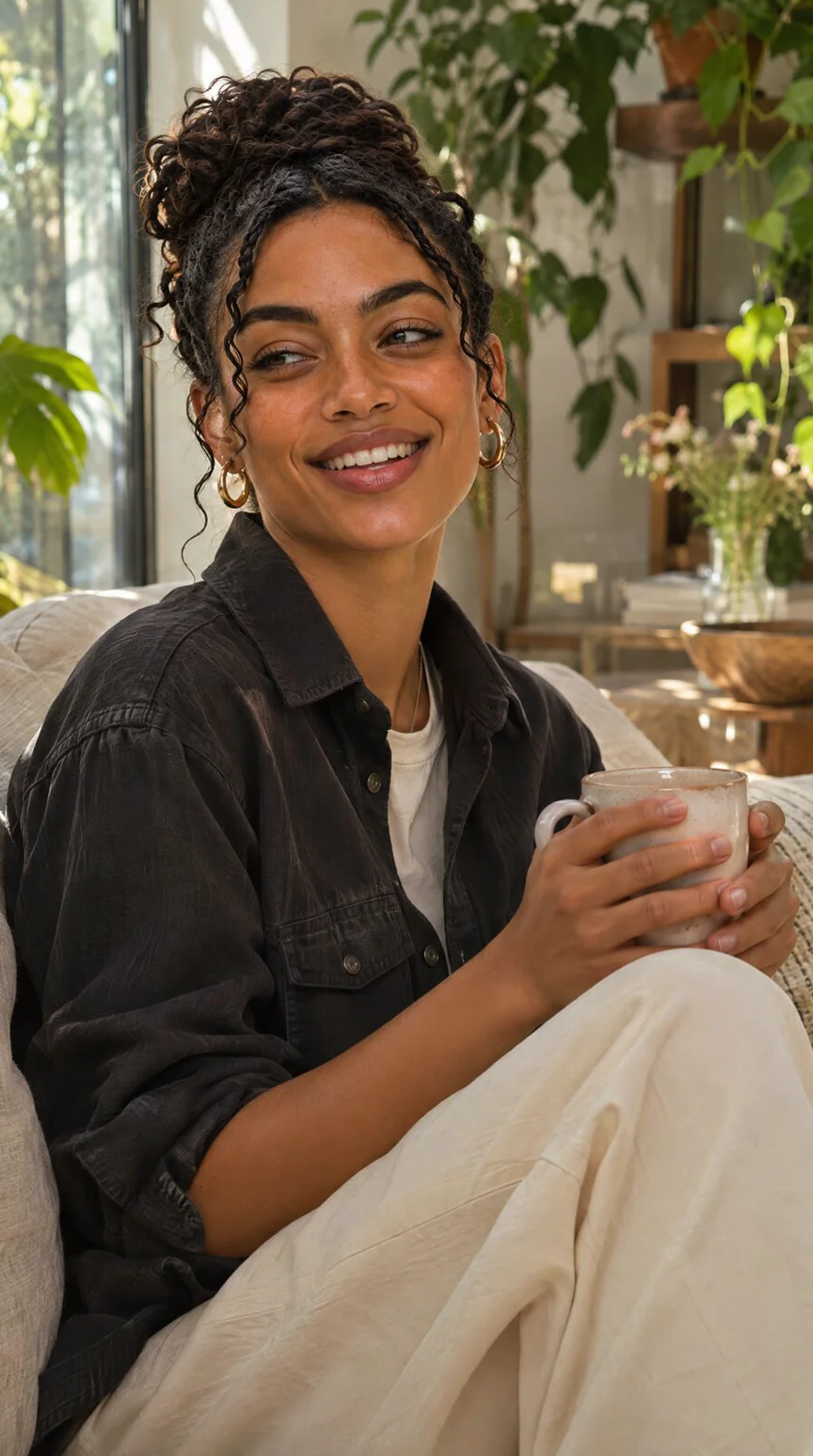
Real output from this one photo — drag the handle to compare.
Every still below is real output from one photo, unedited. The face comes from the photo; the outfit, the boulevard and the LOADING bar come from the filter.
A dinner-table photo with a wine glass becomes chest-up key art. The handlebar mustache and the curls survive the brushwork.
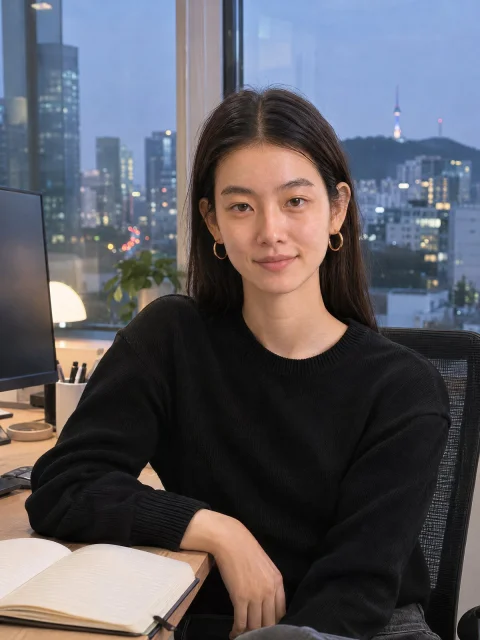
A desk photo at dusk turns into a 9:16 loading screen, ready as a phone wallpaper or a story. Hair parting and earrings stay put.
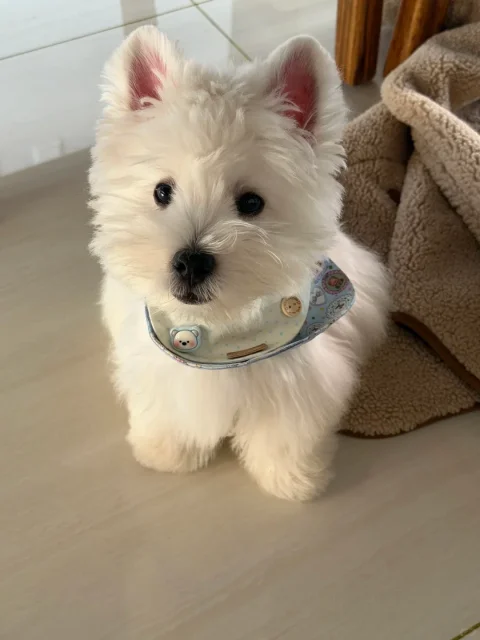
Pets get a video instead: an 11-second open-world clip in which your dog snatches a steak and earns two wanted stars. Ask the Agent for the pet version.
What you get on Renoise that a copied prompt does not give you.
The look, outfit, scene and LOADING bar are built into the template. You bring one photo.
The photo is the identity reference: face shape, eyes, skin tone, hair and facial hair carry over.
No GTA logo, brand names or other text land in the picture, so it is yours to post.
The same Agent makes the pet clip and other open-world videos from your photos.
Upload one clear photo of a face and the Renoise Agent paints that person into a 9:16 GTA 6-style loading screen: hand-painted key art on a pastel sunset boulevard, palms, a yellow sports car and a pink convertible, white yachts, a neon flamingo sign and a LOADING bar along the bottom. It runs on Nano Banana 2.1 at 2K, costs 13 credits a picture and takes about a minute.
Want it in 16:9, at night or in another outfit? Say so in the prompt; the Agent shows the price before it generates.
One photo and, if you want, one sentence. The Agent handles the prompt and the check at the end.
One JPG or PNG with your face clear and in light. Chest-up or waist-up works best; a phone photo is fine.
Keep the default prompt for the 9:16 sunset version, or add 16:9, a night scene or another outfit.
The Agent shows 13 credits, paints the image in about a minute, checks the face and LOADING bar, then hands you the PNG.
Most "GTA 6 filter" results are prompts you paste into a chatbot. Here is what changes when the prompt is built in. Our figures were measured on 25 November 2026.
| What you get | A copied prompt in a chatbot | |
|---|---|---|
| What you bring | One photo | One photo + a prompt you find and paste |
| Same look every time | ✓ fixed outfit, scene and palette | ✕ depends on the prompt and the model |
| Face check before delivery | ✓ | ✕ you check it yourself |
| LOADING bar, no logos | ✓ built in | Only if the prompt asks for it |
| Output | 9:16 PNG, 1536×2752 | Varies by tool |
| Turn it into video | ✓ same Agent, same chat | Depends on the chatbot |
The filter is a fixed template run by the Renoise Agent on Nano Banana 2.1, Google’s image model, at 2K. Your photo goes in as the identity reference; the template supplies everything else: an open cream short-sleeve shirt with teal-and-coral tropical panels over a white tank top and a thin gold chain, a chest-up pose with a half-smile, and the pastel waterfront at sunset behind you. The Agent writes one line describing your hair, skin tone and facial hair into the prompt, so the painting keeps them. Before it hands the picture over, it checks that the face matches the photo, that LOADING is spelled right and that no extra people or watermarks slipped in, and regenerates once if one did.
That is also the limit. One run paints one person, in 9:16, in that outfit and on that boulevard. A group photo, a different city or a different outfit are requests you add in the prompt, and the result then depends more on the model than on the template. Faces that are small, turned away or in shadow come back less like you. For every other picture idea, the AI image generator runs the same model and a dozen others without a template.
This page has no connection to Rockstar Games or Grand Theft Auto VI. "GTA" here describes a painted style that people search for, and the template keeps game logos, brand names and characters out of the picture. Use photos of yourself or of people who agreed to it, and not of children or public figures.
What happens to an upload on this page.
Picking a file only previews it on your device. Not one byte is stored until you sign in and click generate.
Uploads land in your private library, never a public gallery, and re-running the same photo stores nothing new.
Remove uploads and results from your library whenever you want.
As of October 2026, 100,000+ creators in 170+ countries and regions use Renoise AI, an AI video, image and audio platform, to generate 300,000+ images and videos with 30+ models.
Source: Renoise internal data, March–October 2026. Figures are rounded down and updated quarterly. Last updated
Real feedback from creators who use Renoise AI to make videos, images and ads.
Renoise is pretty easy to use, with a clean and smooth interface. The results from Seedance 2.5 also feel noticeably smoother in action sequences.
Renoise Ai is a good tool for making ai videos and photos. it puts several Ai models in one place, so you don't need to use many different apps.
あまりAIツールを使ったりしたことなかったですが、キャラクターの固定や動画を続いて作成できて使いやすいです。これからどんどん進んでいくアップデートが楽しみです。
Renoise has been a great platform for AI creativity. The tools are easy to use, the experience is smooth, and it makes creating content more enjoyable and efficient. I really appreciate the work the team is doing and look forward to seeing more improvements. Highly recommended!
What I like about Renoise AI compared to other platforms: Fast generation speed: Slow generation takes up way too much time, but Renoise AI is surprisingly about 30% faster. Intuitive and user-friendly UI: Cheaply made platforms have terrible UIs that make me not even want to log in, but Renoise is very clean and convenient. Remembers my previous settings: It helpfully remembers my last workspace settings. Some odd platforms force you to re-adjust everything every single time you generate a video, which is extremely frustrating. Overall preference: For all these reasons, Renoise AI is definitely my preferred platform. Thank you!
Renoise is your go to one stop all for ai creators. all view and use all models in one place, for any type of content you have your mind on!
I have a creat experience with the app. Consistent characters but also unique. THere were some issues with storyline continuity and non-typical humanoid characters.
One plan unlocks every image model, plus the video and audio models. AI images from $0.03 per image.
For your first AI creations
per month
≈ 150 GPT Image 2 Generations
≈ 60 Seedance 2.0 videos
The agent takes your idea all the way to a finished cut.
Starter and Standard: production work in Director Mode uses credits by usage. Advanced: free.
No queue. Start as many paid generations as you want at once.
Content generated with Renoise.ai may be used commercially, subject to our Terms of Service
For creating every week
per month
≈ 450 GPT Image 2 Generations
≈ 180 Seedance 2.0 videos
The agent takes your idea all the way to a finished cut.
Starter and Standard: production work in Director Mode uses credits by usage. Advanced: free.
No queue. Start as many paid generations as you want at once.
Content generated with Renoise.ai may be used commercially, subject to our Terms of Service
For professional-scale production
per month
≈ 1,750 GPT Image 2 Generations
≈ 700 Seedance 2.0 videos
The agent takes your idea all the way to a finished cut.
Starter and Standard: production work in Director Mode uses credits by usage. Advanced: free.
No queue. Start as many paid generations as you want at once.
Content generated with Renoise.ai may be used commercially, subject to our Terms of Service
For your first AI creations
per month, billed annually
Save $48compared to monthly
≈ 150 GPT Image 2 Generations
≈ 60 Seedance 2.0 videos
The agent takes your idea all the way to a finished cut.
Starter and Standard: production work in Director Mode uses credits by usage. Advanced: free.
No queue. Start as many paid generations as you want at once.
Content generated with Renoise.ai may be used commercially, subject to our Terms of Service
For creating every week
per month, billed annually
Save $216compared to monthly
≈ 450 GPT Image 2 Generations
≈ 180 Seedance 2.0 videos
The agent takes your idea all the way to a finished cut.
Starter and Standard: production work in Director Mode uses credits by usage. Advanced: free.
No queue. Start as many paid generations as you want at once.
Content generated with Renoise.ai may be used commercially, subject to our Terms of Service
For professional-scale production
per month, billed annually
Save $960compared to monthly
≈ 1,750 GPT Image 2 Generations
≈ 700 Seedance 2.0 videos
The agent takes your idea all the way to a finished cut.
Starter and Standard: production work in Director Mode uses credits by usage. Advanced: free.
No queue. Start as many paid generations as you want at once.
Content generated with Renoise.ai may be used commercially, subject to our Terms of Service
No. One loading screen is 13 credits on Nano Banana 2.1 at 2K, and the Agent shows that price before it generates. Credits come with every plan and in top-up packs, and the same balance runs every other model on the account.
An AI photo effect that repaints a person in the style of Grand Theft Auto cover and loading-screen art. Since GTA VI came out on 19 November 2026, people have used it to put themselves on a pastel Miami-style boulevard; this page does it from one photo.
No. The prompt is built into the template the Agent runs, including the outfit, the scene and the LOADING bar. You only add a sentence if you want something different, such as 16:9 or a night setting.
Yes. Ask the Agent for a video instead of a still. For pets there is an 11-second open-world clip in which your pet steals a steak; for people, ask it to animate your loading screen into a short clip with a video model. It shows the price before it generates.
The still template is made for a human face and dresses the subject in a tropical shirt. For a dog or cat, ask the Agent for the pet video, which keeps your pet as a pet.
It keeps face shape, eyes, eyebrows, nose, mouth, skin tone, facial hair and hairstyle; all three tests on this page passed on the first run. A clear, front-facing photo in good light gives the closest result.
Yes, in the prompt: name the outfit or the setting, such as a leather jacket or a neon night. The template is tuned for its own outfit and sunset boulevard, so changes look more varied from run to run.
No. Renoise is not affiliated with Rockstar Games. The filter paints a style inspired by the game’s cover art and keeps the GTA logo, brand names and game characters out of the picture.
Yes. The default is 9:16 for phones and stories; add "16:9 for a desktop wallpaper" to the prompt and the Agent paints the wide version.