Guide
AI Marketing for Small Businesses: Photos to Ads
AI marketing for small businesses becomes easier to act on when you start with a deliverable: a product image for your store, three openings for a social ad, or a matching set of campaign visuals. This guide focuses on that creative work—turning product references and a clear brief into images and videos you can review, adapt and publish.
The starting point is one product, one audience and one message. Below are published Renoise template previews, a generated bottle campaign, and a workflow for keeping the product recognizable across a campaign. The previews illustrate creative formats; they are not results from a paid advertising test.
What can AI marketing help a small business create?
AI marketing includes writing, creative production, analysis and automation. For a small ecommerce team, a useful first project is a campaign asset set: the images and videos that introduce one item and help a shopper understand it. You can check these outputs directly against your real product photos and approved copy.
Choose the first deliverable around the shopper's question. Someone who cannot tell what a product looks like needs a clear view. Someone who understands the item but cannot picture using it needs a demonstration. Someone comparing several options may need a collection layout.
| Shopper's question | Asset to make | What the viewer should see | What to check |
|---|---|---|---|
| What is this? | Product hero image | The complete item, at a useful scale | Shape, color, label and included pieces |
| Where would I use it? | Lifestyle image | One recognizable situation | Realistic scale and product placement |
| How does it work? | Short demonstration | A specific action and its visible result | Correct handling and physical behavior |
| Why should I keep watching? | Alternative video openings | A problem, an action or a revealing detail | A clear connection to the rest of the ad |
| What can I choose? | Collection carousel | Distinct products, colors or bundles | Correct SKU, variant and price mapping |
| What should I do next? | Offer graphic or closing frame | One offer and one next step | Dates, destination and approved terms |
For the image-making steps, use our product photography guide. For a video-first workflow, start with product videos.
Four Renoise templates for different marketing jobs
These are published template previews, with their original demonstration products and sample copy. They show the format you are choosing, not a promise that your product will produce the same result. Replace the demo's brand, claims and offer with your own brief.
Explain a use case with Product UGC Ad
The useful part of this preview is its sequence: a recognizable situation, the product entering the scene, then a closer view of the object. The fan has a job in the story. It is not simply placed beside a presenter reading a list of features.
Bring a clear product photo, its intended use and the facts the presenter may say. Describe a visible action, such as opening a lid or unfolding a stand. Avoid asking a generated scene to prove cooling performance, durability or another measured benefit.
Explore different directions with Three ad hooks
The three columns make creative differences visible: chrome and pastel graphics, a newspaper treatment, and a colorful mascot. Use this format when you are deciding how a product could be presented.
This is an exploration of several variables together. To learn specifically about an opening, keep the presenter, main demonstration, offer and closing frame the same. The UGC ad hooks guide explains that distinction and shows three generated openings for one example product.
Show details with UGC scrapbook review
A scrapbook layout can bring a close-up onto the screen while keeping the presenter visible. In this example, the inset changes from a product cutout to a texture view. The graphic earns its space by showing something the wider shot cannot.
For your own ad, supply the detail that matters: the seam of a bag, the clasp of a necklace or the contents of a kit. Write an explanation around that detail. Do not give an AI presenter a fabricated purchase history or a made-up review.
Build anticipation with Laser heist product ad
A stylized reveal is useful when the product's silhouette, finish or packaging can carry the scene. Here, the glass dome and red beams direct attention toward the headphones before the close-up.
Use the dramatic scene to introduce the item, then give shoppers a clear product view or a practical demonstration elsewhere in the campaign. A reveal establishes atmosphere; it does not explain every feature.
Plan one campaign before generating individual assets
For a worked example, we generated campaign assets for a fictional orange reusable bottle. Its brief includes a screw cap, a carry loop and a small white wave mark on its metal body. Every generation used the same existing Renoise product reference. The template previews above show their own products.
The audience is someone packing a work bag. The message is “part of your morning routine.” The plan does not claim a cooling duration, a leakproof rating or a particular environmental benefit.
| Deliverable | Composition | Copy or action | Relationship to the rest |
|---|---|---|---|
| Hero still | Bottle on a warm neutral surface | Product name beside it | Establishes the color and finish |
| Lifestyle still | Bottle beside a work bag and notebook | One short routine-focused headline | Introduces the use case |
| Detail still | Close view of the cap and carry loop | Identify the visible parts | Supplies a detail for the video |
| Short video | Pick up, fill, close and pack | One action per shot | Explains the routine |
| Three openings | A problem, a demo, a close-up question | Different first moments | Lead into the same video body |
| Channel versions | Recompose the approved assets | Keep the offer and destination consistent | Fit the website, feed and vertical placements |
The three product images we generated
We used Seedream 5.5 with the same product reference to make three different compositions. The original input is available beside each image. These are campaign concepts for a fictional item, not photographs proving product specifications.
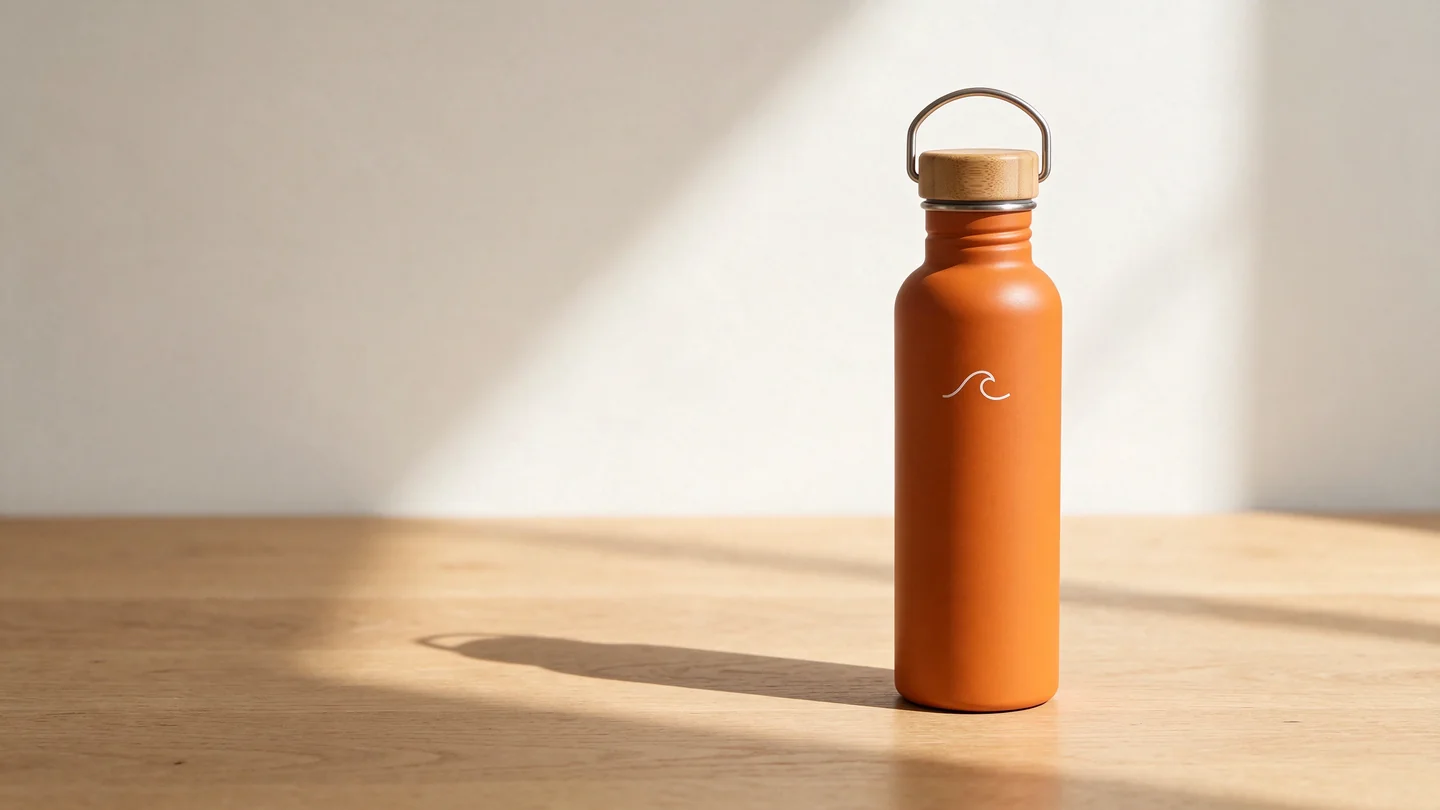
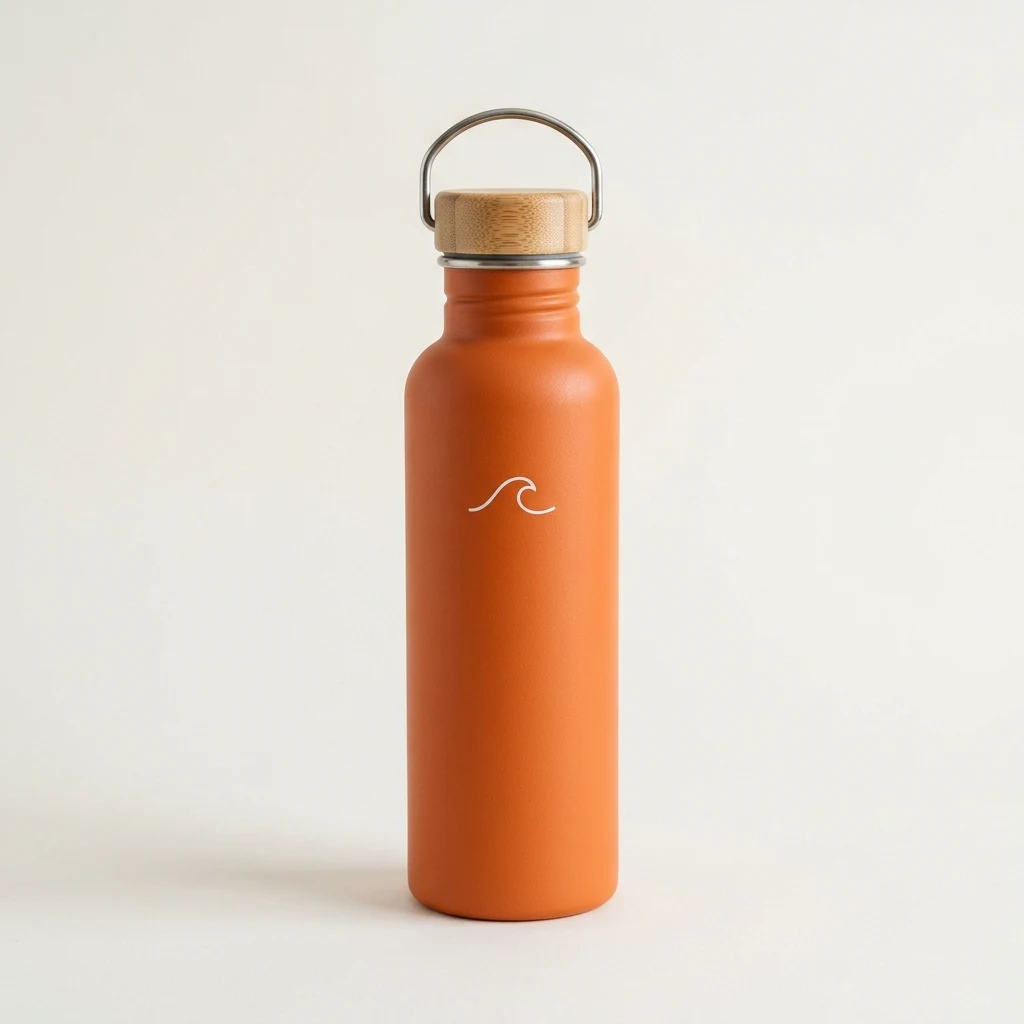
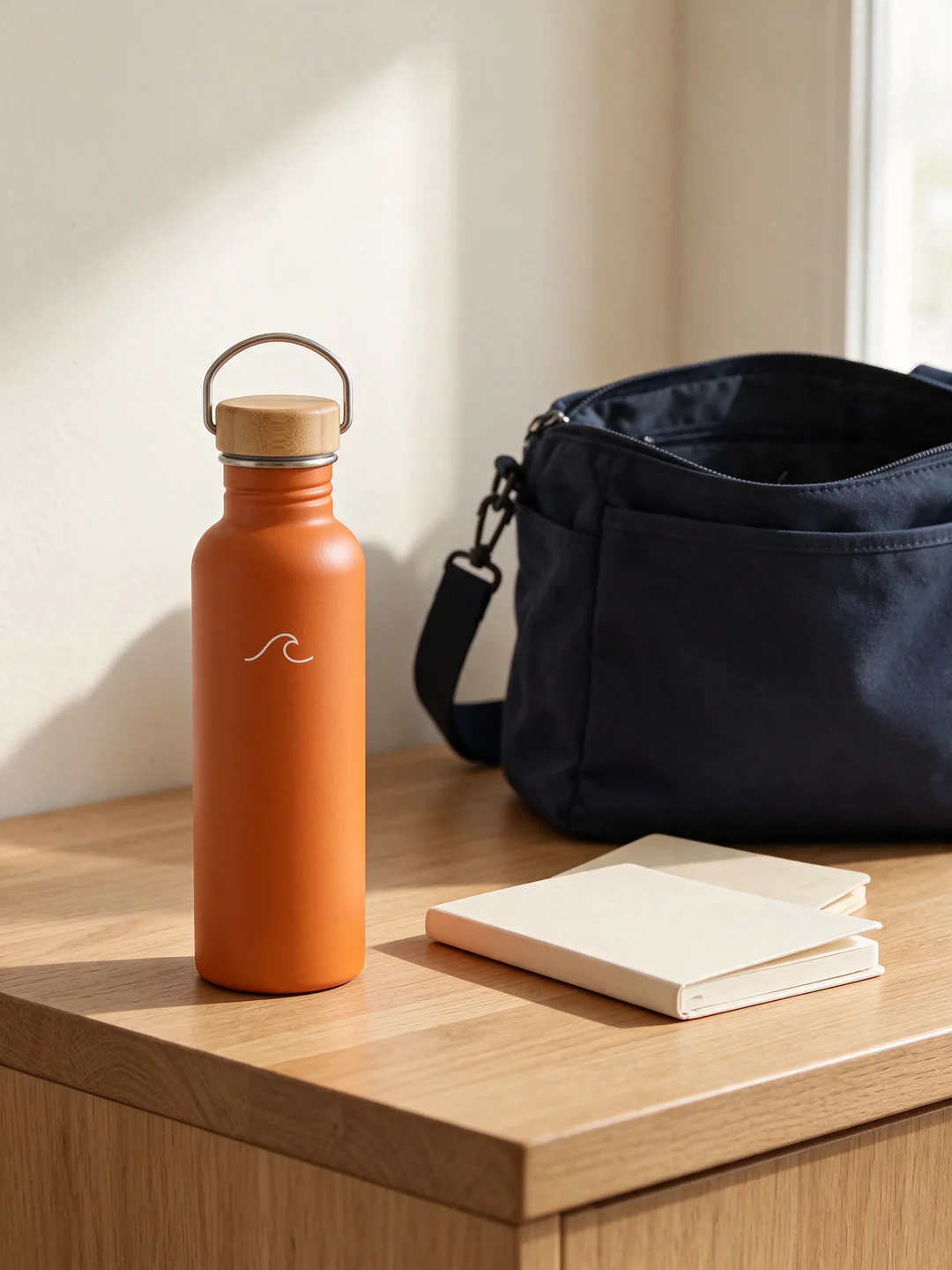
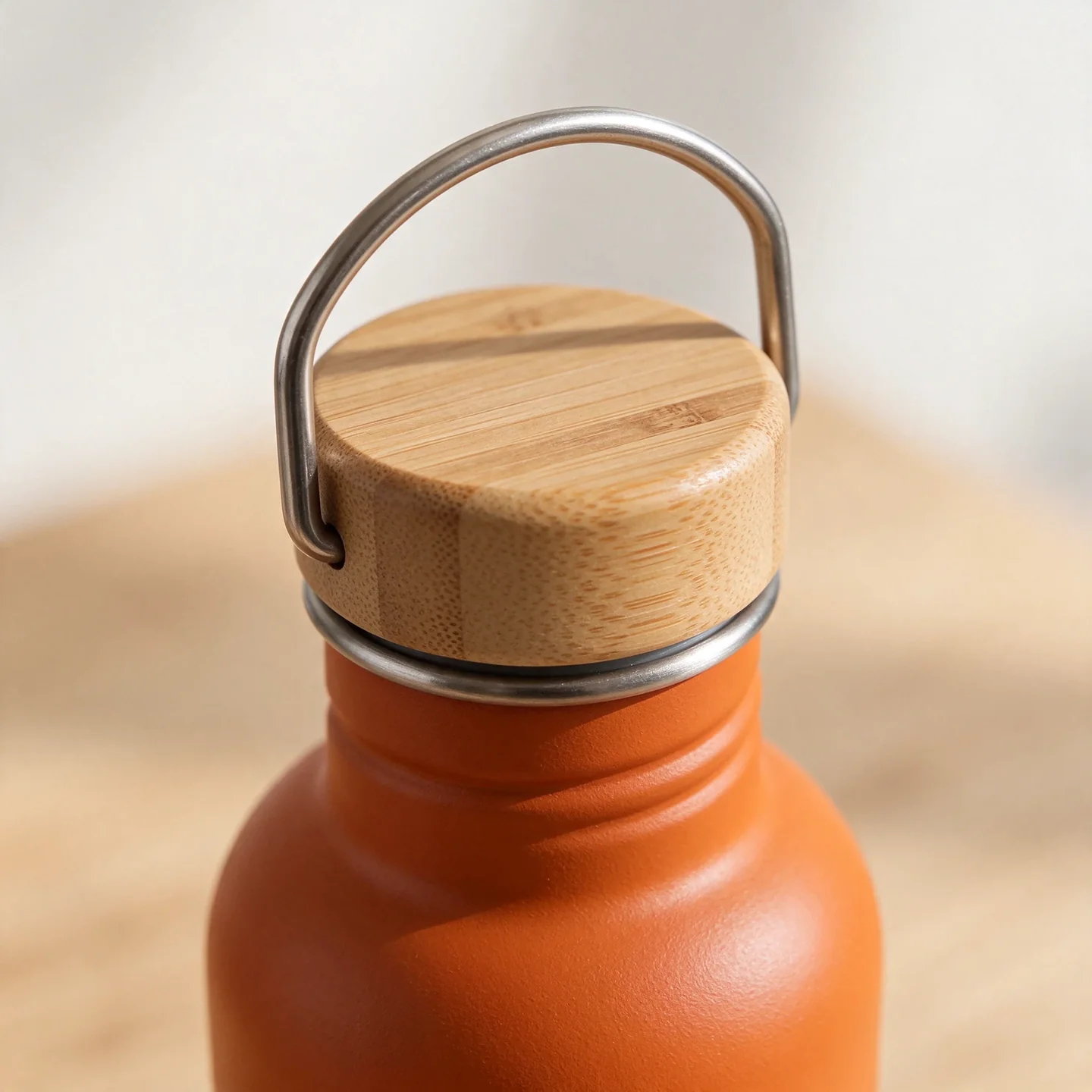
The set keeps the orange body, white wave mark and wood-colored cap recognizable. That is useful visual consistency, but it does not establish engineering accuracy. The close-up invents detail beyond what the single reference can confirm. A real campaign needs additional product photos for those checks.
From the same brief to a short ad
The opening shows water entering the bottle before the presenter closes it. The common body introduces the cap and carry loop, then shows the bottle going into a bag. We used a product-detail insert between those actions so the edit does not immediately repeat the cap-closing step. Watch all three openings and the specific continuity findings in the UGC ad hooks comparison.
The batch used 270 Renoise credits on November 17, 2026: three 2K-class Seedream 5.5 images at 10 credits each, three four-second Wan 3.0 videos at 48 each, and one eight-second Wan 3.0 body at 96. Video generation was native 720 × 1280 with audio. The same body was reused in all three edits. This is the recorded generation cost for this batch, not a fixed package price or a measure of advertising results; local editing time is separate.
Before generating, collect a front view, a side view and a close-up of any important mechanism. Add the official logo file, exact product name, confirmed offer and destination URL. Mark anything the model must not invent: accessories, extra colors, certifications or text on the label.
Build the assets in an order that limits rework
1. Approve one product image first
Start with a clean image that makes the product easy to inspect. Compare the cap, body, logo and proportions with the source photo. Keep the original reference attached when creating later variations; an attractive edited image can already contain a small mistake.
Separate image composition from copy placement when precision matters. A generated background can leave room for a headline, while your layout tool keeps the actual offer and logo editable.
2. Turn the selling point into a visible action
“Make it premium” does not tell a video model what to show. “Start on the carry loop, pull back to reveal the bottle, then place it beside a packed work bag” gives the scene an observable sequence.
For a social video, decide what happens at the beginning, what the middle demonstrates, and what the viewer should do at the end. TikTok's creative guidance recommends this hook, body and close structure.1 The exact pacing should follow the action and the words you need to communicate.
3. Make variations with a purpose
Name the variable before making another version. You might change the opening question, the setting or the presenter. A useful request says both what changes and what stays: “Keep the product and closing offer; replace the kitchen setup with a work-desk setup.”
Keep filenames and a small comparison sheet. Record the opening, presenter, product reference and CTA. That makes a later revision easier than trying to reconstruct which prompt produced which clip.
4. Compose for the placement
A wide website banner needs room for a headline and a real link. A vertical video needs the product and captions clear of the platform's controls. A carousel needs one job per card. Review each version at the size and crop in which someone will actually see it.
If a seasonal campaign is next, the Black Friday template gallery covers coordinated campaign visuals and four vertical video formats. Keep evergreen product images separate from dated offer graphics.
Review the creative before spending on distribution
Play every clip at normal speed and check its transitions. Then inspect the moments when a hand touches the product or the camera moves past a label. A still frame can look correct while the cap or lettering changes during the motion.
Use three review passes:
- Product: Does the item match the references? Does it behave as the real item would?
- Message: Can a new viewer understand the use case and next step? Are the words and offer accurate?
- Presentation: Are captions readable, speech natural and music low enough to hear the message?
These checks establish whether an asset is ready to try. They do not establish that it will sell. After publication, compare attention, clicks and the business outcome you selected. Use the same metric definitions across variants and keep a record of audience, placement and spend.
Budget for an approved set, not just a first output
Plan the number of source images, scenes and variations before submitting generation tasks. Include room for replacing a broken hand, a changed label or an unusable opening. Record generation costs and editing time separately so the team can see where the work goes.
Renoise generation uses credits; model, duration, resolution and references affect the quote. Check the current estimate before running the batch and use pricing for plan details. Start with the smallest set that answers your creative question, then expand the direction you can actually use.
Sources
- TikTok: Creative best practices, accessed November 17, 2026. Used for the hook, body and close structure; no platform performance statistics reproduced.
- Renoise public template catalog, checked November 17, 2026. Template names, entry points and published previews.