Alibaba’s image model for posters, infographics and UI mockups with small, legible text. Standard and Pro tiers, 1K or 2K, up to 3 references.
Qwen-Image 3.0 key features
Every large image here is a Qwen-Image 3.0 or 3.0 Pro generation made in Renoise at 2K; small insets show the inputs.
Dense infographics from one long prompt
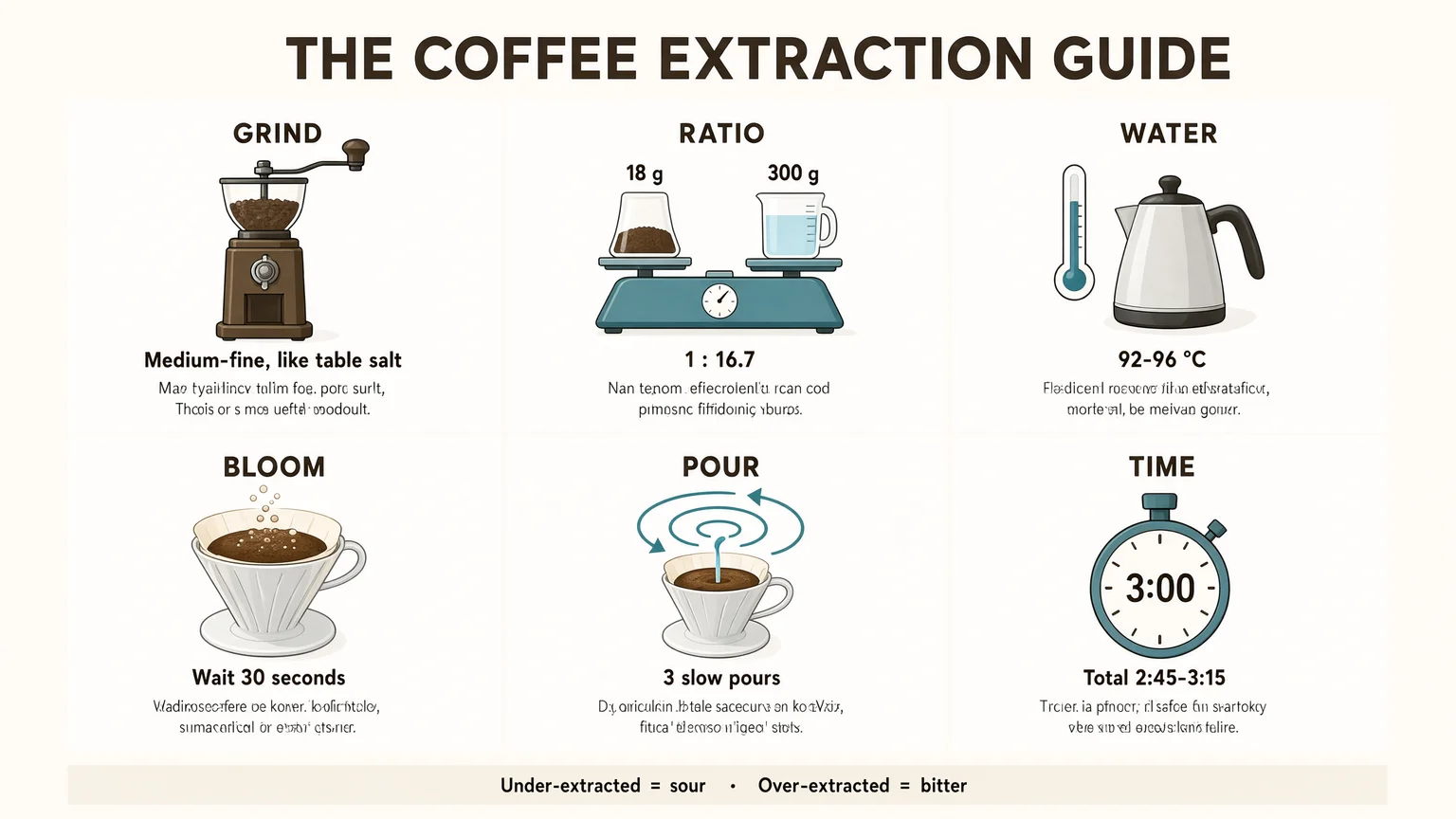
Alibaba built Qwen-Image 3.0 for prompts up to 4.5k tokens, so one brief can describe a whole layout. This six-panel coffee guide came from a single run: every title, number and caption we wrote in quotes landed in the right panel.
Small text in 12 languages on one image
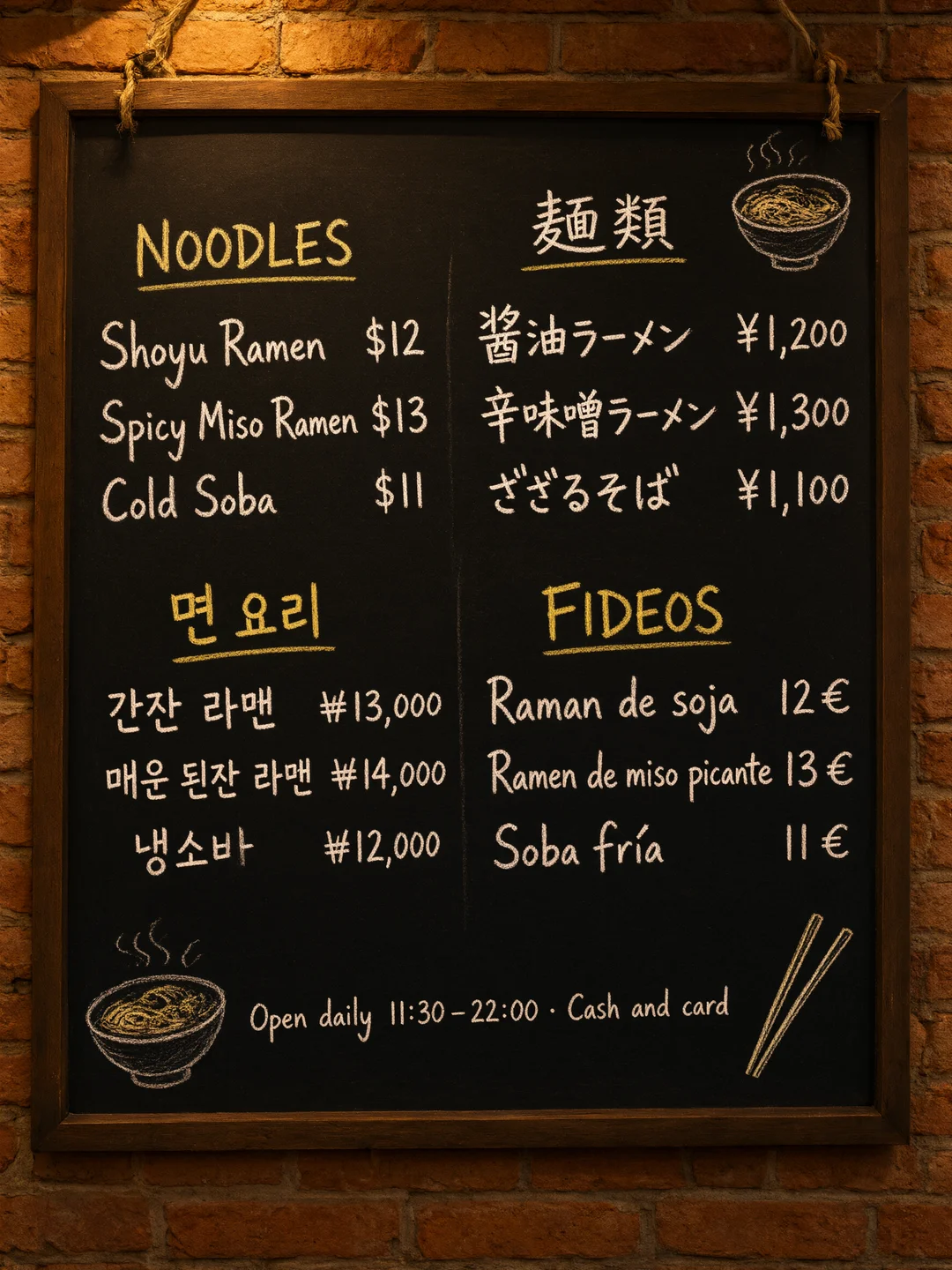
Alibaba says Qwen-Image 3.0 renders 12 languages natively. This chalkboard menu mixes English, Japanese, Korean and Spanish with prices in four currencies. Of 17 lines, 15 came out exactly as written; two had a one-letter slip.
UI and app screenshot mockups
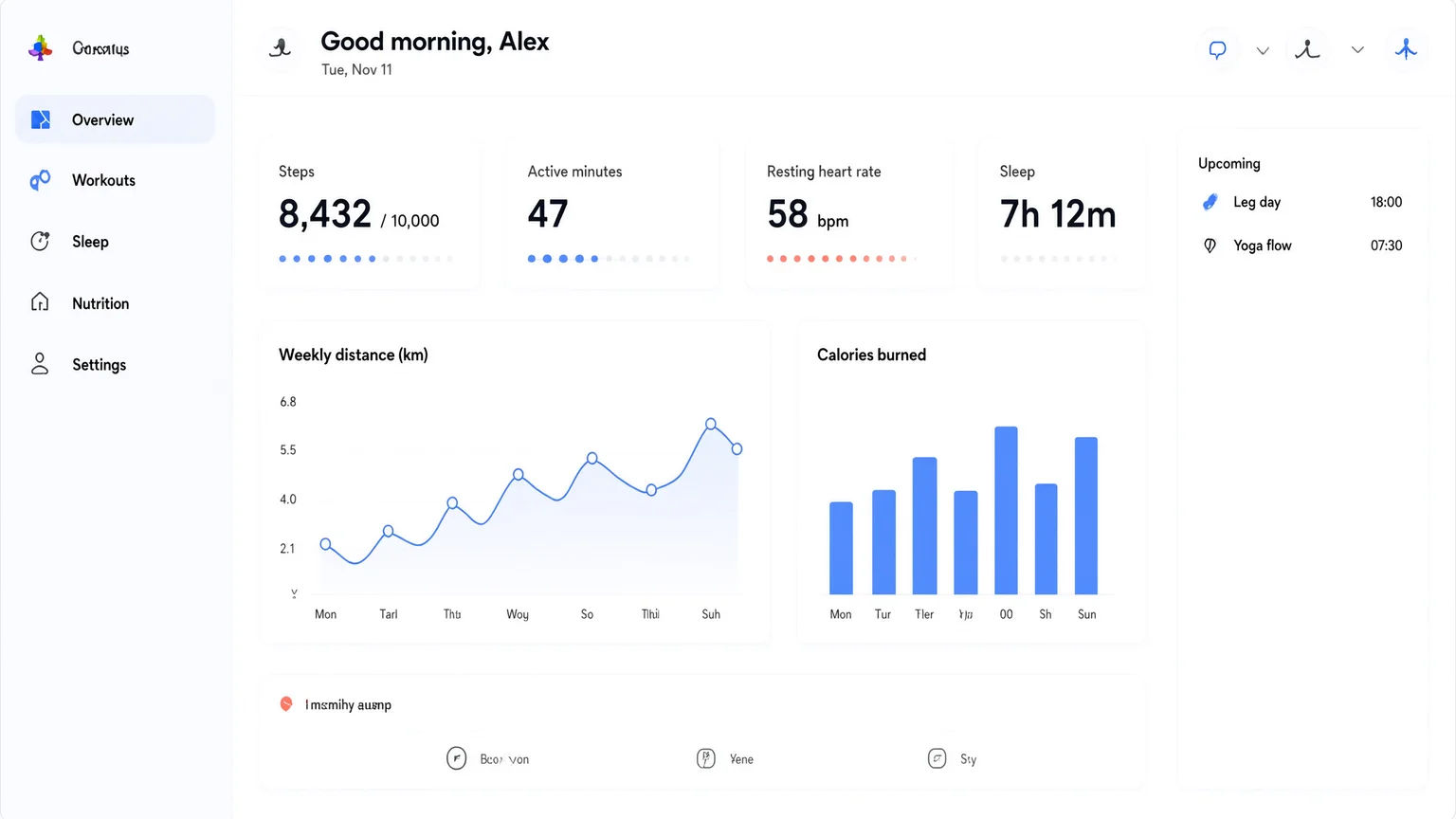
Qwen-Image 3.0 can draw web pages, apps and game screens. In this fitness dashboard every quoted label and number is right: steps, heart rate, sleep and the schedule. Chart axis labels we did not spell out came out as filler.
Realistic skin, hair and texture
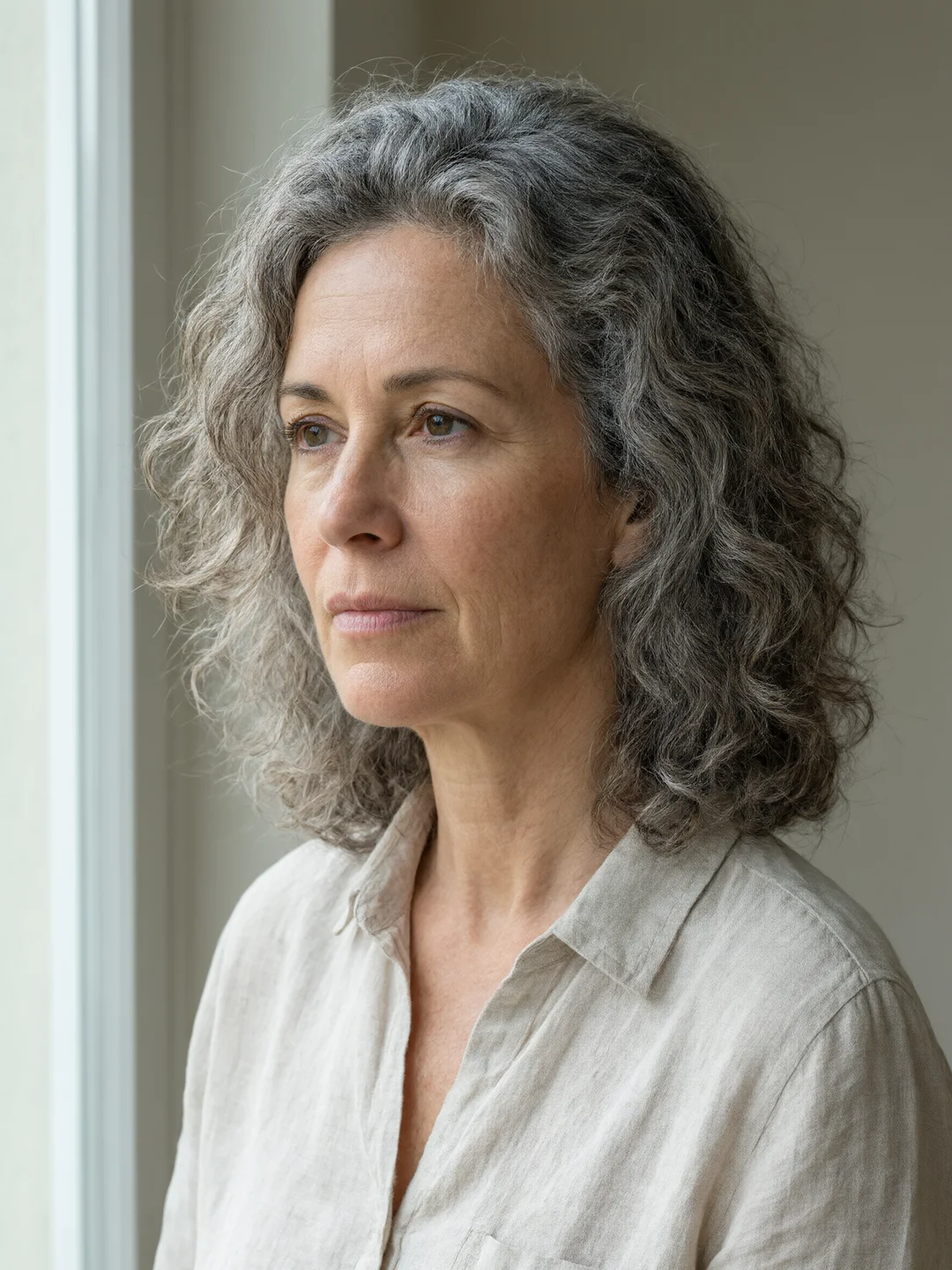
Alibaba says 3.0 renders pores and single hair strands close to photography. This window-light portrait came from the standard tier at 2K, prompt only: fine lines, freckles, flyaway curls and linen weave all read clearly.
Qwen image editing with up to 3 references
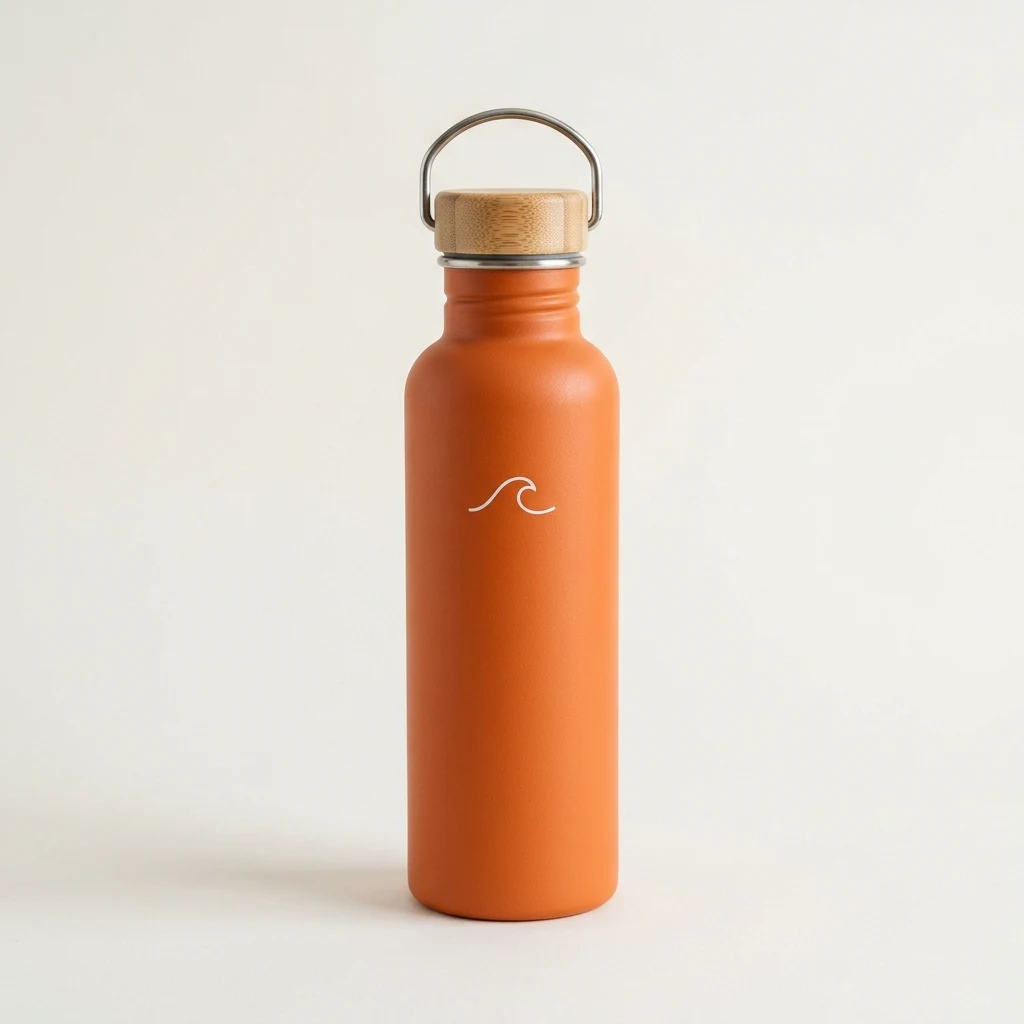
Add up to 3 images and refer to them as image 1, image 2 and image 3. This ad combined a portrait and a product photo into one lakeside scene with a quoted headline. There is no brush mask; you describe the change in words.
Qwen-Image 3.0 is the third-generation image generation and editing model from Alibaba’s Qwen team, released on July 21, 2026. Alibaba pitches it as “useful, not just good-looking”: prompts up to 4.5k tokens, text as small as 10px and 12 languages. It comes in two tiers, Qwen-Image 3.0 and the higher-priced Qwen-Image 3.0 Pro, and unlike Qwen-Image 1.0 it has no open weights.
In Renoise both tiers run on the Canvas, the API and the Agent plugin, on one subscription with 30+ other image and video models.
Need 4K or more than 3 references? Use GPT Image 2.6. Want to edit one image over many rounds? Use Seedream 5.5.
Qwen-Image 3.0 at a glance
Smallest legible text
10px
Alibaba’s claim for small type
Languages
12
Rendered natively, per Alibaba
Reference images
3
Per edit, both tiers
Credits per image
7
Standard tier, 1K or 2K; Pro is 9 or 16
Specs as available in Renoise, checked November 11, 2026; text size and languages per Alibaba.
Images made with Qwen-Image 3.0 in Renoise
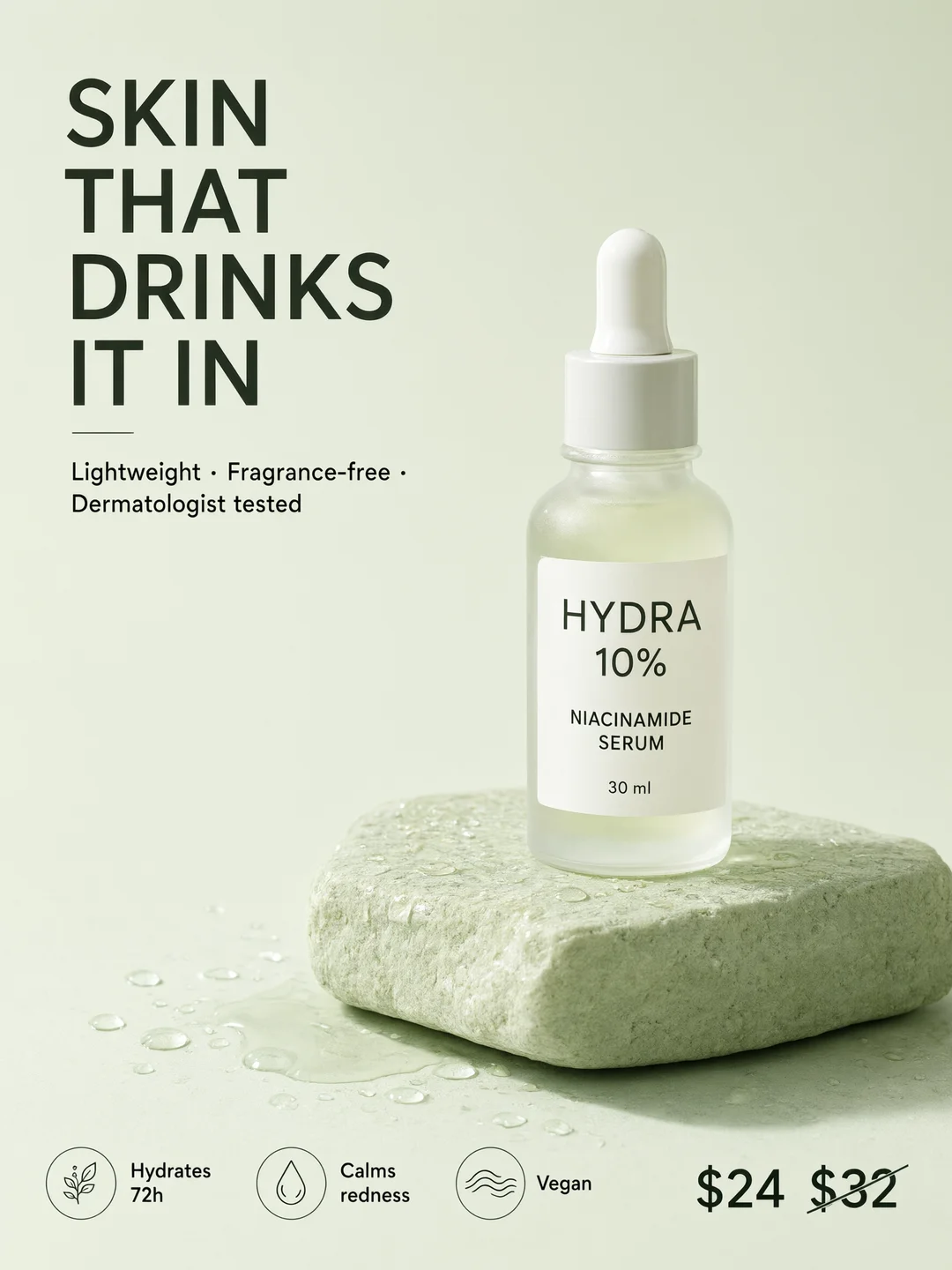
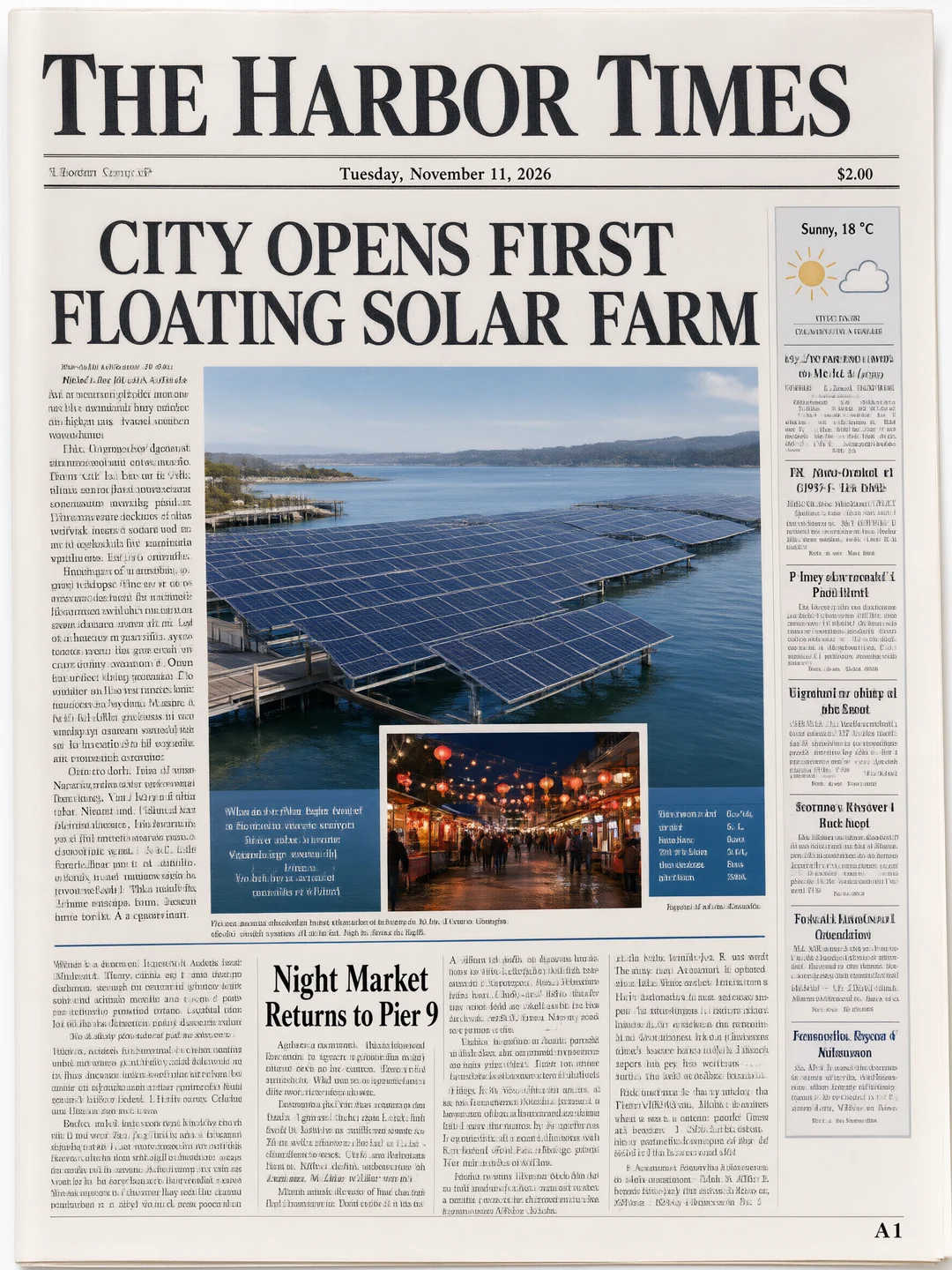
One prompt each at 2K, no retouching: product ads, print layouts, game art and pre-production.
Pro tier. Headline, label, three badges and a struck-through price, all as written.
A newspaper front page
Standard tier. Masthead, date, headlines and weather box are right; body columns are filler.
An original game screen
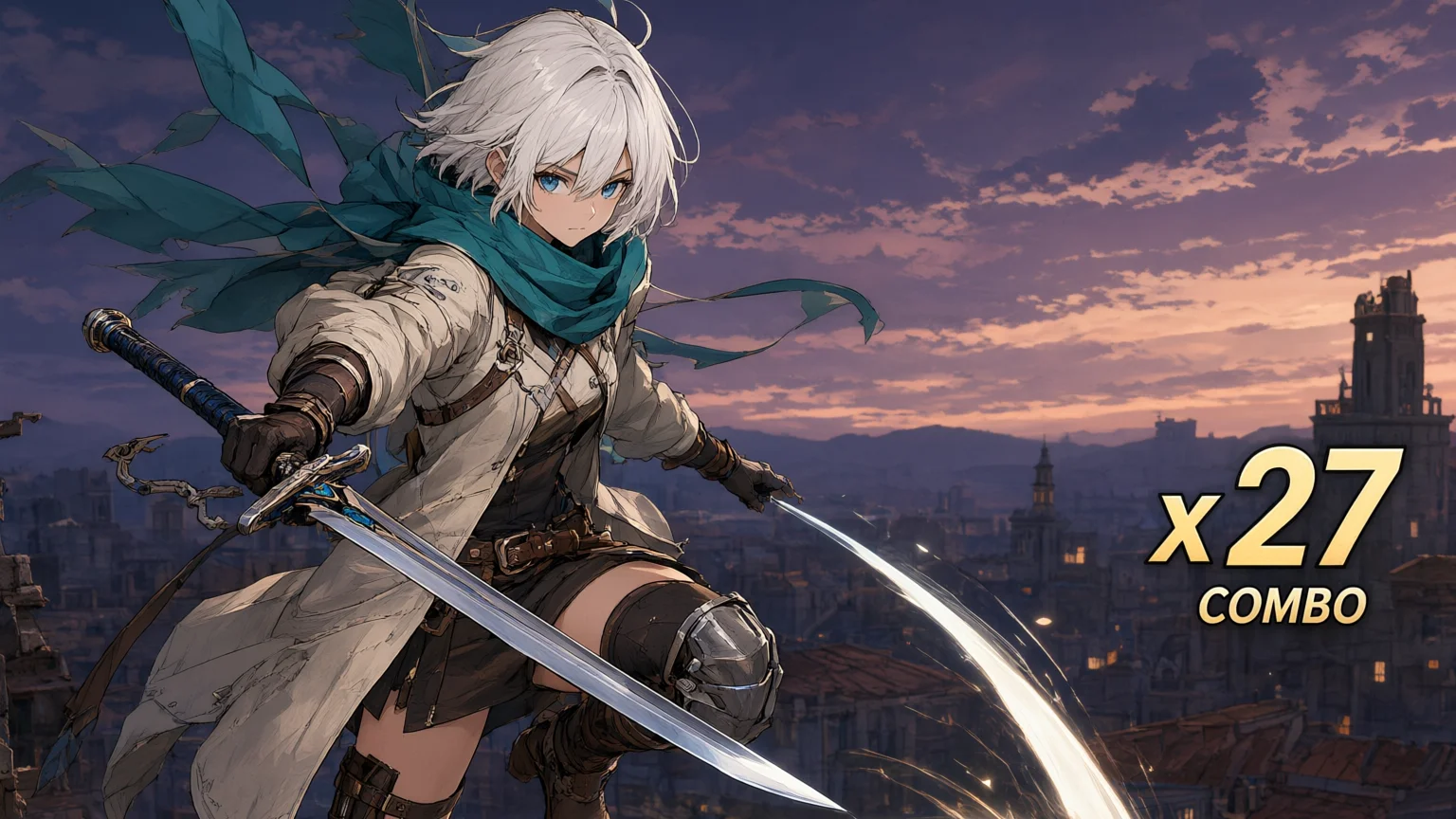
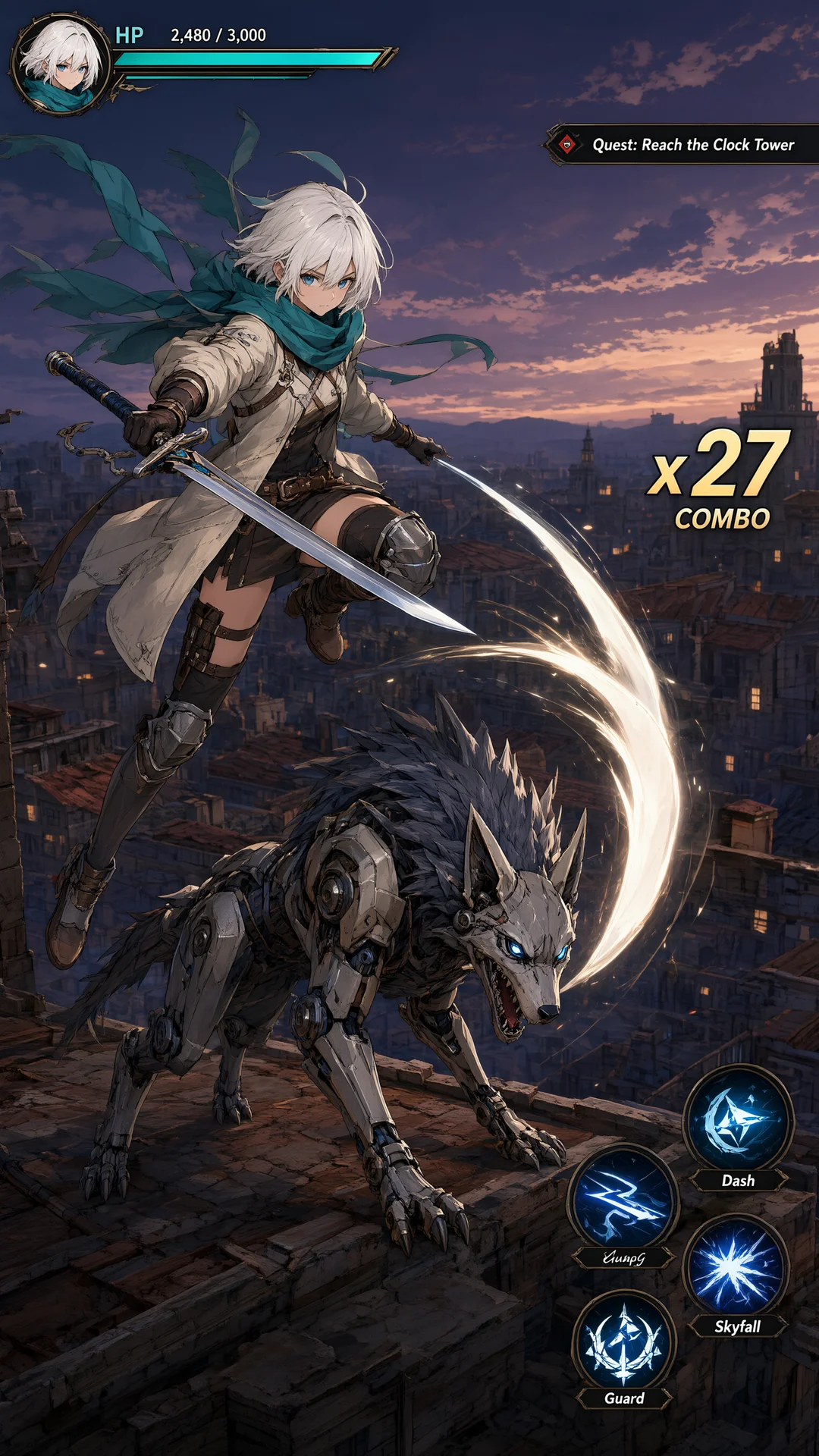
Pro tier. Character, enemy and HUD with health bar, combo counter and quest tracker.
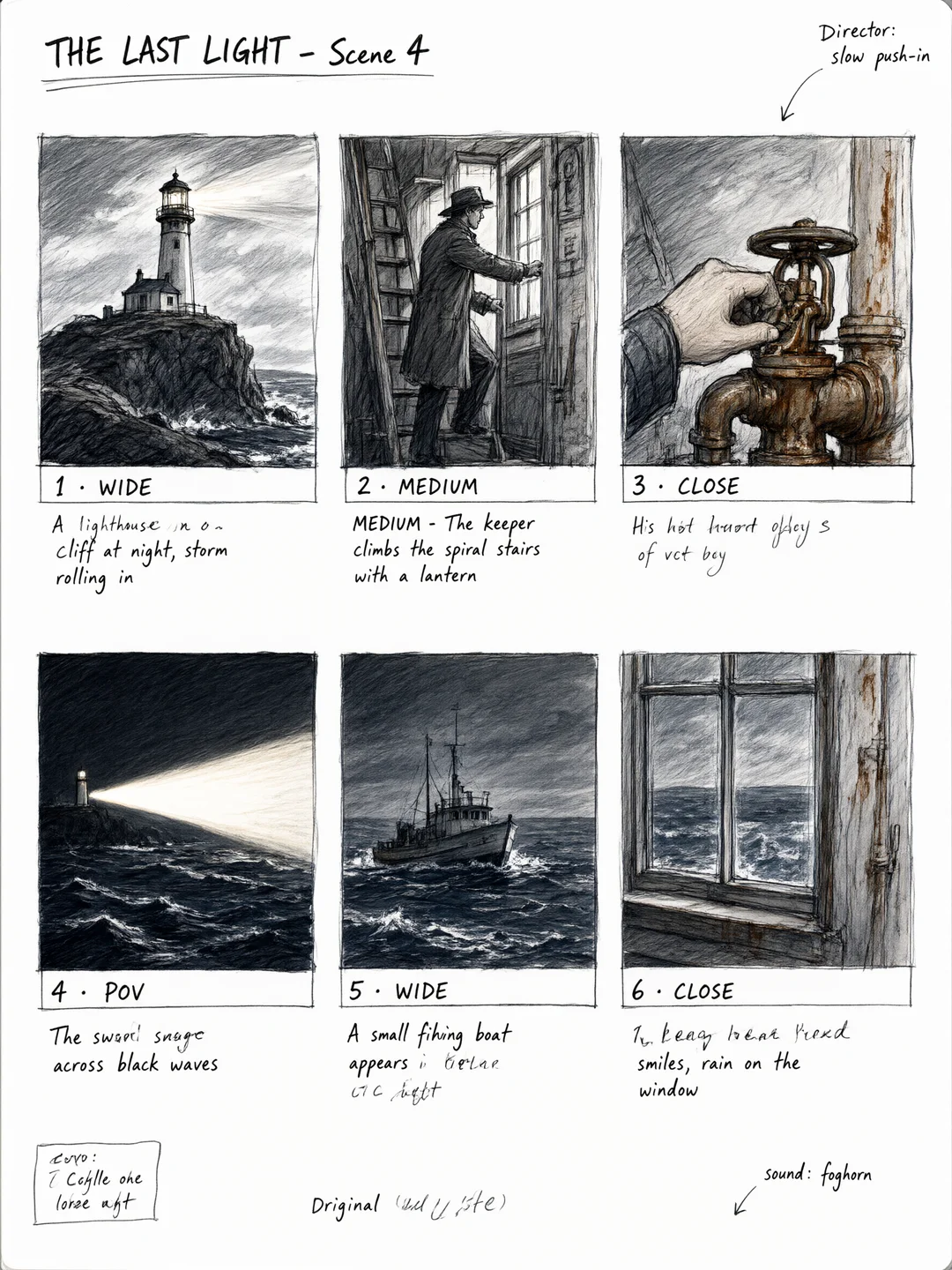
A storyboard sheet
Standard tier. Six pencil panels with shot numbers; some longer captions came out garbled.
How to use Qwen-Image 3.0 in Renoise
Step 1
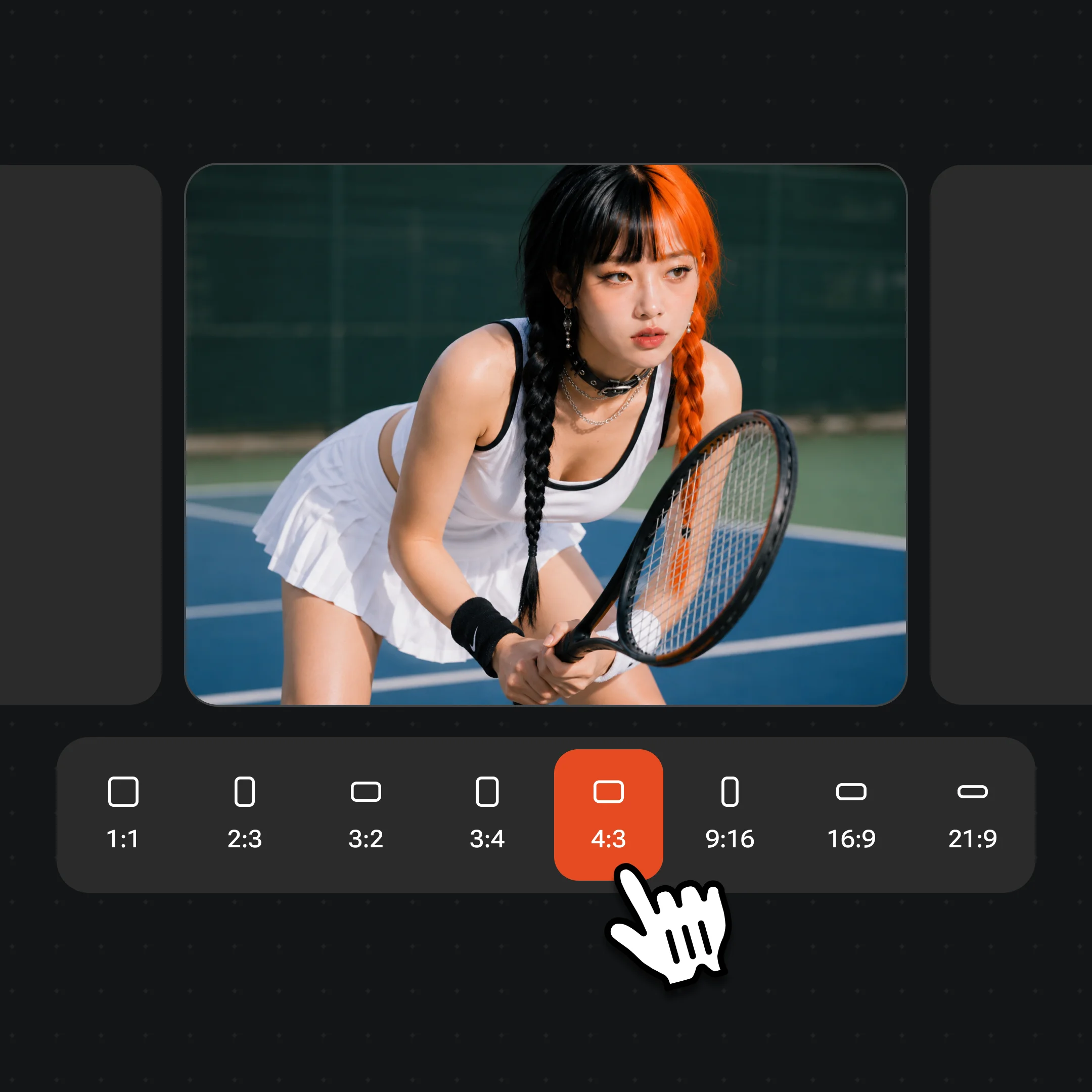
Pick Qwen-Image 3.0 or 3.0 Pro, a size and a ratio
Open Images and choose a tier in the model menu. Pick 1K or 2K and one of 8 ratios, from 1:1 and 9:16 to 21:9. The standard tier costs the same at 1K and 2K.
Step 2
Write the layout as a brief, with exact words in quotes
Describe the layout panel by panel and quote every word that must appear. Text you leave to the model becomes filler. To edit, upload up to 3 images and call them image 1, image 2 and image 3.
Step 3
Generate, check the small text, then refine
Zoom in and read every line before you publish. Fix a wrong word by running the result as image 1 with “change X to Y, keep everything else.”
From Qwen-Image 2.0 to Qwen-Image 3.0 and 3.0 Pro in Renoise.
Qwen-Image 2.0
Alibaba ships Qwen-Image 2.0, with a faster variant alongside it.
Alibaba announces Qwen-Image 3.0
The Qwen team releases Qwen-Image 3.0 with 4.5k-token prompts, 10px text and 12 languages, at first through an invite-only API and Qwen Chat. No weights are published.
Qwen-Image 2.1 open weights
Qwen releases Qwen-Image 2.1 as a 7B open-weights model under a research licence, separate from the closed 3.0 line.
Qwen-Image 3.0 and 3.0 Pro in Renoise
Both tiers join the Renoise image picker at 1K and 2K with up to 3 references, in the Canvas, API, CLI and MCP.
Sources: Qwen blog, Alibaba Cloud Model Studio, press coverage of Qwen-Image 2.0 and 2.1, Renoise integration records. Last updated
Qwen-Image 3.0 vs 3.0 Pro: which tier to use
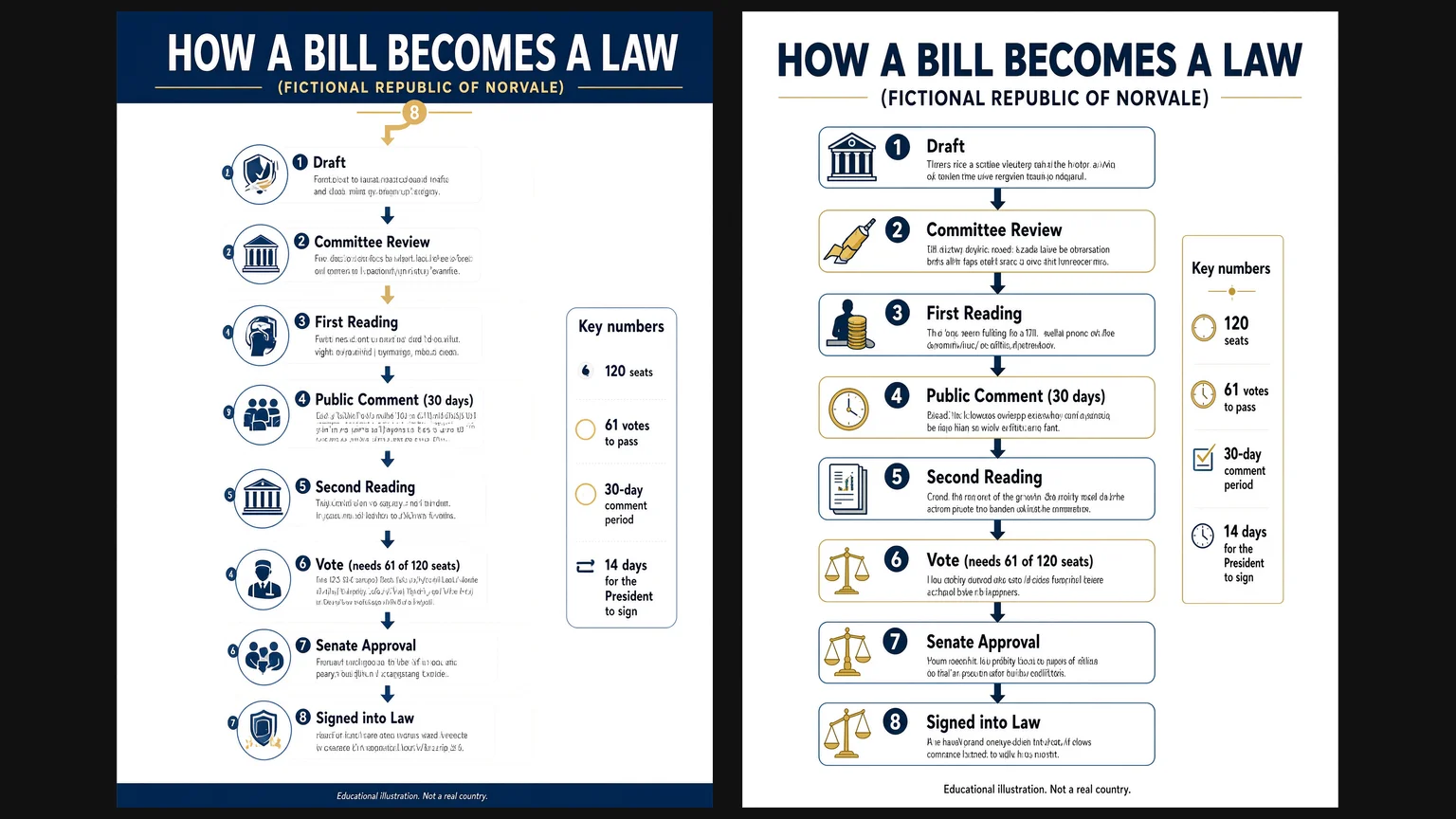
Same infographic prompt, 2K 3:4, one run each in Renoise: Qwen-Image 3.0 on the left, Qwen-Image 3.0 Pro on the right.
Both tiers spelled every quoted title and number; neither wrote readable body text. One standard run and four Pro runs, November 11, 2026.
01
Same features, different quality tier
In Renoise both tiers take the same prompts, 3 references, 1K or 2K and 8 ratios. Pro is the tier Alibaba prices higher and the one we used for most images on this page.
02
What our side-by-side showed
Both tiers got every quoted heading and number right. The standard run added stray, misnumbered badges; all four Pro runs kept the layout clean. Body text we did not write was filler on both.
03
Price: 7 credits flat vs 9 or 16
The standard tier is 7 credits at 1K or 2K. Pro is 9 at 1K and 16 at 2K, so draft on the standard tier and render finals on Pro.
04
How 3.0 relates to Qwen-Image 2.0 and 2.1
3.0 is the closed, hosted successor to 2.0 with longer prompts and smaller text. Qwen-Image 2.1 is a separate open-weights model for research use; Renoise runs 3.0, not 2.x.
Qwen-Image 3.0 vs Seedream 5.5 vs GPT Image 2.6
Both Qwen tiers next to two other image models in the Renoise picker, compared on the limits Renoise exposes, not each vendor’s full spec sheet.
How Qwen-Image 3.0 and 3.0 Pro compare with Seedream 5.5 and GPT Image 2.6 Sunburst on resolution, references and credits in Renoise
In Renoise
Qwen-Image 3.0
Qwen-Image 3.0 Pro
Seedream 5.5
GPT Image 2.6 Sunburst
Resolution
1K / 2K
1K / 2K
1K / 2K
1K / 2K / 4K
Aspect ratios
8, up to 21:9
8, up to 21:9
8, up to 21:9
8, up to 21:9
Reference images
3
3
10
16
Credits · one image at 1K
7
9
6
14
Credits · one image at 2K
7
16
6
24
Best for
Text-heavy drafts, 2K at no extra cost
Final posters, UI and game art
Editing one image over many rounds
4K and many references
Renoise model list and credit estimates (checked 2026-11-11).
As of October 2026, 100,000+ creators in 170+ countries and regions use Renoise AI, an AI video, image and audio platform, to generate 300,000+ images and videos with 30+ models.
Creators
100K+
Registered accounts on Renoise since March 2026
Countries and regions
170+
Where creators signed in from in the last 90 days
Images and videos generated
300K+
Completed generations, March–October 2026
AI models
30+
Seedance, Kling, GPT Image, Midjourney and more in one subscription
Source: Renoise internal data, March–October 2026. Figures are rounded down and updated quarterly. Last updated
What creators say about Renoise
Real feedback from creators who use Renoise AI to make videos, images and ads.
LLộc Bùi Nguyễn Vinh
Renoise is pretty easy to use, with a clean and smooth interface. The results from Seedance 2.5 also feel noticeably smoother in action sequences.
FFaith Joy Cloma
Renoise Ai is a good tool for making ai videos and photos. it puts several Ai models in one place, so you don't need to use many different apps.
Renoise has been a great platform for AI creativity. The tools are easy to use, the experience is smooth, and it makes creating content more enjoyable and efficient. I really appreciate the work the team is doing and look forward to seeing more improvements. Highly recommended!
Ssergio ramos
What I like about Renoise AI compared to other platforms: Fast generation speed: Slow generation takes up way too much time, but Renoise AI is surprisingly about 30% faster. Intuitive and user-friendly UI: Cheaply made platforms have terrible UIs that make me not even want to log in, but Renoise is very clean and convenient. Remembers my previous settings: It helpfully remembers my last workspace settings. Some odd platforms force you to re-adjust everything every single time you generate a video, which is extremely frustrating. Overall preference: For all these reasons, Renoise AI is definitely my preferred platform. Thank you!
ZZeus
Renoise is your go to one stop all for ai creators. all view and use all models in one place, for any type of content you have your mind on!
MMichał Reszka
I have a creat experience with the app. Consistent characters but also unique. THere were some issues with storyline continuity and non-typical humanoid characters.
LLộc Bùi Nguyễn Vinh
Renoise is pretty easy to use, with a clean and smooth interface. The results from Seedance 2.5 also feel noticeably smoother in action sequences.
FFaith Joy Cloma
Renoise Ai is a good tool for making ai videos and photos. it puts several Ai models in one place, so you don't need to use many different apps.
Renoise has been a great platform for AI creativity. The tools are easy to use, the experience is smooth, and it makes creating content more enjoyable and efficient. I really appreciate the work the team is doing and look forward to seeing more improvements. Highly recommended!
Ssergio ramos
What I like about Renoise AI compared to other platforms: Fast generation speed: Slow generation takes up way too much time, but Renoise AI is surprisingly about 30% faster. Intuitive and user-friendly UI: Cheaply made platforms have terrible UIs that make me not even want to log in, but Renoise is very clean and convenient. Remembers my previous settings: It helpfully remembers my last workspace settings. Some odd platforms force you to re-adjust everything every single time you generate a video, which is extremely frustrating. Overall preference: For all these reasons, Renoise AI is definitely my preferred platform. Thank you!
ZZeus
Renoise is your go to one stop all for ai creators. all view and use all models in one place, for any type of content you have your mind on!
MMichał Reszka
I have a creat experience with the app. Consistent characters but also unique. THere were some issues with storyline continuity and non-typical humanoid characters.
LLộc Bùi Nguyễn Vinh
Renoise is pretty easy to use, with a clean and smooth interface. The results from Seedance 2.5 also feel noticeably smoother in action sequences.
FFaith Joy Cloma
Renoise Ai is a good tool for making ai videos and photos. it puts several Ai models in one place, so you don't need to use many different apps.
Renoise has been a great platform for AI creativity. The tools are easy to use, the experience is smooth, and it makes creating content more enjoyable and efficient. I really appreciate the work the team is doing and look forward to seeing more improvements. Highly recommended!
Ssergio ramos
What I like about Renoise AI compared to other platforms: Fast generation speed: Slow generation takes up way too much time, but Renoise AI is surprisingly about 30% faster. Intuitive and user-friendly UI: Cheaply made platforms have terrible UIs that make me not even want to log in, but Renoise is very clean and convenient. Remembers my previous settings: It helpfully remembers my last workspace settings. Some odd platforms force you to re-adjust everything every single time you generate a video, which is extremely frustrating. Overall preference: For all these reasons, Renoise AI is definitely my preferred platform. Thank you!
ZZeus
Renoise is your go to one stop all for ai creators. all view and use all models in one place, for any type of content you have your mind on!
MMichał Reszka
I have a creat experience with the app. Consistent characters but also unique. THere were some issues with storyline continuity and non-typical humanoid characters.
LLộc Bùi Nguyễn Vinh
Renoise is pretty easy to use, with a clean and smooth interface. The results from Seedance 2.5 also feel noticeably smoother in action sequences.
FFaith Joy Cloma
Renoise Ai is a good tool for making ai videos and photos. it puts several Ai models in one place, so you don't need to use many different apps.
Renoise has been a great platform for AI creativity. The tools are easy to use, the experience is smooth, and it makes creating content more enjoyable and efficient. I really appreciate the work the team is doing and look forward to seeing more improvements. Highly recommended!
Ssergio ramos
What I like about Renoise AI compared to other platforms: Fast generation speed: Slow generation takes up way too much time, but Renoise AI is surprisingly about 30% faster. Intuitive and user-friendly UI: Cheaply made platforms have terrible UIs that make me not even want to log in, but Renoise is very clean and convenient. Remembers my previous settings: It helpfully remembers my last workspace settings. Some odd platforms force you to re-adjust everything every single time you generate a video, which is extremely frustrating. Overall preference: For all these reasons, Renoise AI is definitely my preferred platform. Thank you!
ZZeus
Renoise is your go to one stop all for ai creators. all view and use all models in one place, for any type of content you have your mind on!
MMichał Reszka
I have a creat experience with the app. Consistent characters but also unique. THere were some issues with storyline continuity and non-typical humanoid characters.
Choose your plan
One Renoise plan unlocks Qwen-Image 3.0, Qwen-Image 3.0 Pro and every other image and video model, billed per image from your plan credits.
The agent takes your idea all the way to a finished cut.
Edits and assembles your clips
Composites layers, text and effects
Converts formats for every platform
Starter and Standard: production work in Director Mode uses credits by usage. Advanced: free.
UNLIMITED GENS
MiniMax H3NO UNLIMITED
Seedance 2.0 MiniNO UNLIMITED
Seedream 5.0 ProNO UNLIMITED
✓Unlimited Concurrent Generations
No queue. Start as many paid generations as you want at once.
✓Renoise Agent (Beta) — chat to create
✓Frontier Agent model
Renoise Agent runs on frontier models from leading AI labs to plan your shots, write prompts, and pick the right model for each one. Chatting with the Agent is free on every plan.
✓Unlimited LLM Chats
✓Commercial Use
Content generated with Renoise.ai may be used commercially, subject to our Terms of Service
The agent takes your idea all the way to a finished cut.
Edits and assembles your clips
Composites layers, text and effects
Converts formats for every platform
Starter and Standard: production work in Director Mode uses credits by usage. Advanced: free.
UNLIMITED GENS
MiniMax H37-DAY UNLIMITED
Seedance 2.0 Mini7-DAY UNLIMITED
Seedream 5.0 Pro7-DAY UNLIMITED
Official Models
Available for 7 days each month, starting on your billing date
Generation speed may be limited
Not available in Renoise Agent, MCP or CLI
✓Unlimited Concurrent Generations
No queue. Start as many paid generations as you want at once.
✓Renoise Agent (Beta) — chat to create
✓Frontier Agent model
Renoise Agent runs on frontier models from leading AI labs to plan your shots, write prompts, and pick the right model for each one. Chatting with the Agent is free on every plan.
✓Unlimited LLM Chats
✓Commercial Use
Content generated with Renoise.ai may be used commercially, subject to our Terms of Service
The agent takes your idea all the way to a finished cut.
Edits and assembles your clips
Composites layers, text and effects
Converts formats for every platform
Starter and Standard: production work in Director Mode uses credits by usage. Advanced: free.
UNLIMITED GENS
MiniMax H32-DAY UNLIMITED
Seedance 2.0 Mini2-DAY UNLIMITED
Seedream 5.0 Pro2-DAY UNLIMITED
Official Models
Available for 2 days each month, starting on your billing date
Generation speed may be limited
Not available in Renoise Agent, MCP or CLI
✓Unlimited Concurrent Generations
No queue. Start as many paid generations as you want at once.
✓Renoise Agent (Beta) — chat to create
✓Frontier Agent model
Renoise Agent runs on frontier models from leading AI labs to plan your shots, write prompts, and pick the right model for each one. Chatting with the Agent is free on every plan.
✓Unlimited LLM Chats
✓Commercial Use
Content generated with Renoise.ai may be used commercially, subject to our Terms of Service
The agent takes your idea all the way to a finished cut.
Edits and assembles your clips
Composites layers, text and effects
Converts formats for every platform
Starter and Standard: production work in Director Mode uses credits by usage. Advanced: free.
UNLIMITED GENS
MiniMax H37-DAY UNLIMITED
Seedance 2.0 Mini7-DAY UNLIMITED
Seedream 5.0 Pro7-DAY UNLIMITED
Official Models
Available for 7 days each month, starting on your billing date
Generation speed may be limited
Not available in Renoise Agent, MCP or CLI
✓Unlimited Concurrent Generations
No queue. Start as many paid generations as you want at once.
✓Renoise Agent (Beta) — chat to create
✓Frontier Agent model
Renoise Agent runs on frontier models from leading AI labs to plan your shots, write prompts, and pick the right model for each one. Chatting with the Agent is free on every plan.
✓Unlimited LLM Chats
✓Commercial Use
Content generated with Renoise.ai may be used commercially, subject to our Terms of Service
✓Watermark-free exports
Qwen-Image 3.0 FAQ
1.Is Qwen-Image 3.0 out?
+
Yes. Alibaba’s Qwen team released Qwen-Image 3.0 on July 21, 2026, first through an invite-only API and Qwen Chat. Both Qwen-Image 3.0 and Qwen-Image 3.0 Pro have been live in Renoise since November 4, 2026, in the Canvas, the API, the CLI and MCP.
2.Who makes Qwen-Image 3.0?
+
Alibaba’s Qwen team, which also makes the Qwen language models. On Alibaba Cloud Model Studio the two tiers are listed as qwen-image-3.0 and qwen-image-3.0-pro. Renoise does not train image models; it integrates them. Images made on paid Renoise plans can be used in commercial work.
3.What is the difference between Qwen-Image 3.0 and 3.0 Pro?
+
They take the same inputs in Renoise: text, up to 3 references, 1K or 2K and 8 ratios. Pro is Alibaba’s higher-priced quality tier. In Renoise the standard tier costs 7 credits at either size; Pro costs 9 at 1K and 16 at 2K. Use the standard tier for drafts and Pro for finals.
4.Is Qwen-Image 3.0 open source?
+
No. Alibaba has not released weights, a licence or a technical report for Qwen-Image 3.0, so you cannot download it or run it locally. Qwen-Image 1.0 was open source, and Qwen-Image 2.1 has open weights under a research licence. Qwen-Image 3.0 runs only as a hosted model, including in Renoise.
5.How many reference images can Qwen-Image 3.0 use?
+
Up to 3 per image in Renoise, on both tiers. Refer to them as image 1, image 2 and image 3 and say what each is for. There is no brush mask; describe the change in words. For up to 10 references use Seedream 5.5.
6.Does Qwen-Image 3.0 support 4K?
+
No. Qwen-Image 3.0 and 3.0 Pro output 1K or 2K, in 1:1, 4:3, 3:4, 3:2, 2:3, 16:9, 9:16 and 21:9. For native 4K images use GPT Image 2.6 or Nano Banana 2.1, or upscale a Qwen image with the Upscale tool.
7.How good is Qwen-Image 3.0 at text?
+
Good when you spell the words out. Alibaba claims legible text down to 10px in 12 languages. In our tests quoted titles, labels and numbers came out right on almost every image, but longer handwritten captions on the standard tier slipped, and text the model invented was unreadable filler. Proofread before publishing.
8.How much does Qwen-Image 3.0 cost in Renoise?
+
Qwen-Image 3.0 costs 7 credits per image at 1K or 2K. Qwen-Image 3.0 Pro costs 9 credits at 1K and 16 at 2K. References do not change the price. For comparison, Seedream 5.5 is 6 credits and GPT Image 2.6 Sunburst is 24 at 2K. See pricing for plans.
9.Is Qwen-Image 3.0 free?
+
No. In Renoise, Qwen-Image 3.0 and 3.0 Pro are billed per image from the credits in your subscription, like every other model, and they are not part of any free channel or Unlimited campaign.
10.Is there a Qwen-Image 3.0 API?
+
Yes, through Renoise. Call `qwen-image-3.0` or `qwen-image-3.0-pro` with the same Renoise API key, CLI and MCP you use for every other image and video model, and pay in Renoise credits. Alibaba Cloud Model Studio also sells its own API with per-minute rate limits.
11.Qwen-Image 3.0 or GPT Image 2.6: which should I use?
+
Choose Qwen-Image 3.0 for dense layouts, mixed-language text and a lower price, especially at 2K. Choose GPT Image 2.6 for native 4K, up to 16 references or animated GIF output. Both are in the same Renoise picker; see GPT Image 2.5 for that model family.
Qwen-Image 3.0 is in the Canvas.
Long prompts, small text, one image.
Generate posters, infographics and UI mockups with Qwen-Image 3.0 or 3.0 Pro in Renoise, and switch to any other image or video model in the same Canvas.