Wedding photography concepts
Generate styled wedding photos — ceremony, portraits, details — from text descriptions.
Generate dreamy wedding photography, animate wedding photos into cinematic clips, and create wedding content — all with AI.
For AI wedding photography — generate styled wedding imagery from a text description using GPT Image 2 or Midjourney V7. For cinematic wedding videos — upload a wedding photo and animate it with Seedance 2.0 (veil blowing in wind, confetti falling, slow motion first dance). For concept planning — generate venue concepts, floral arrangements, and full wedding scenes before the big day. Everything runs in Renoise Canvas.
Want cinematic full-length wedding films? See the full AI Video guide
AI wedding content for every creative and planning purpose.
Generate styled wedding photos — ceremony, portraits, details — from text descriptions.
Animate your real wedding photos into cinematic video — flowing veil, falling petals, motion.
Visualize ceremony setups, tablescapes, and floral arrangements before booking or decorating.
Generate engagement and save-the-date imagery in your chosen aesthetic — romantic, minimal, editorial.
Create visual mood board content for color palettes, dress styles, and ceremony aesthetics.
Vertical 9:16 wedding Reels, social announcement graphics, and shareable wedding moments.
From concept to cinematic wedding content — in Renoise Canvas.

For generated wedding photos: describe the scene, style, and aesthetic — venue, lighting, season. For animated wedding video: upload your actual wedding photo to Canvas.

For photography: Midjourney V7 for editorial/romantic aesthetics, GPT Image 2 for precise compositions. For video: Seedance 2.0 to animate your wedding photos into cinematic clips.
Generate your wedding content, review the results, and export watermark-free on paid plans. Use 9:16 for Reels, 16:9 for presentations, and square for social posts.
Wedding photography concepts, animated clips, and venue visualizations generated with AI.
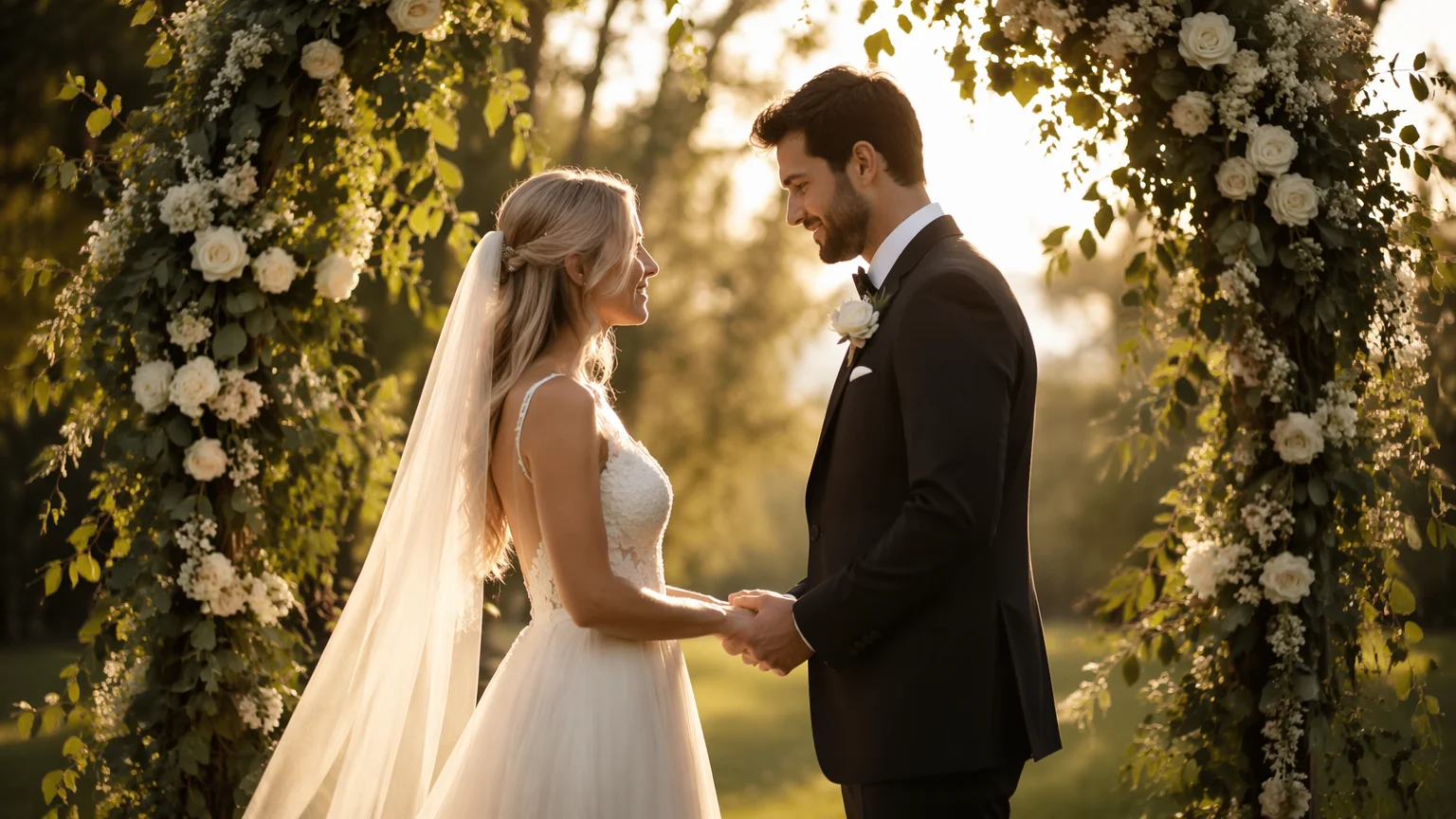
Romantic outdoor ceremony at golden hour — soft warm light, flowing dress, floral arch.
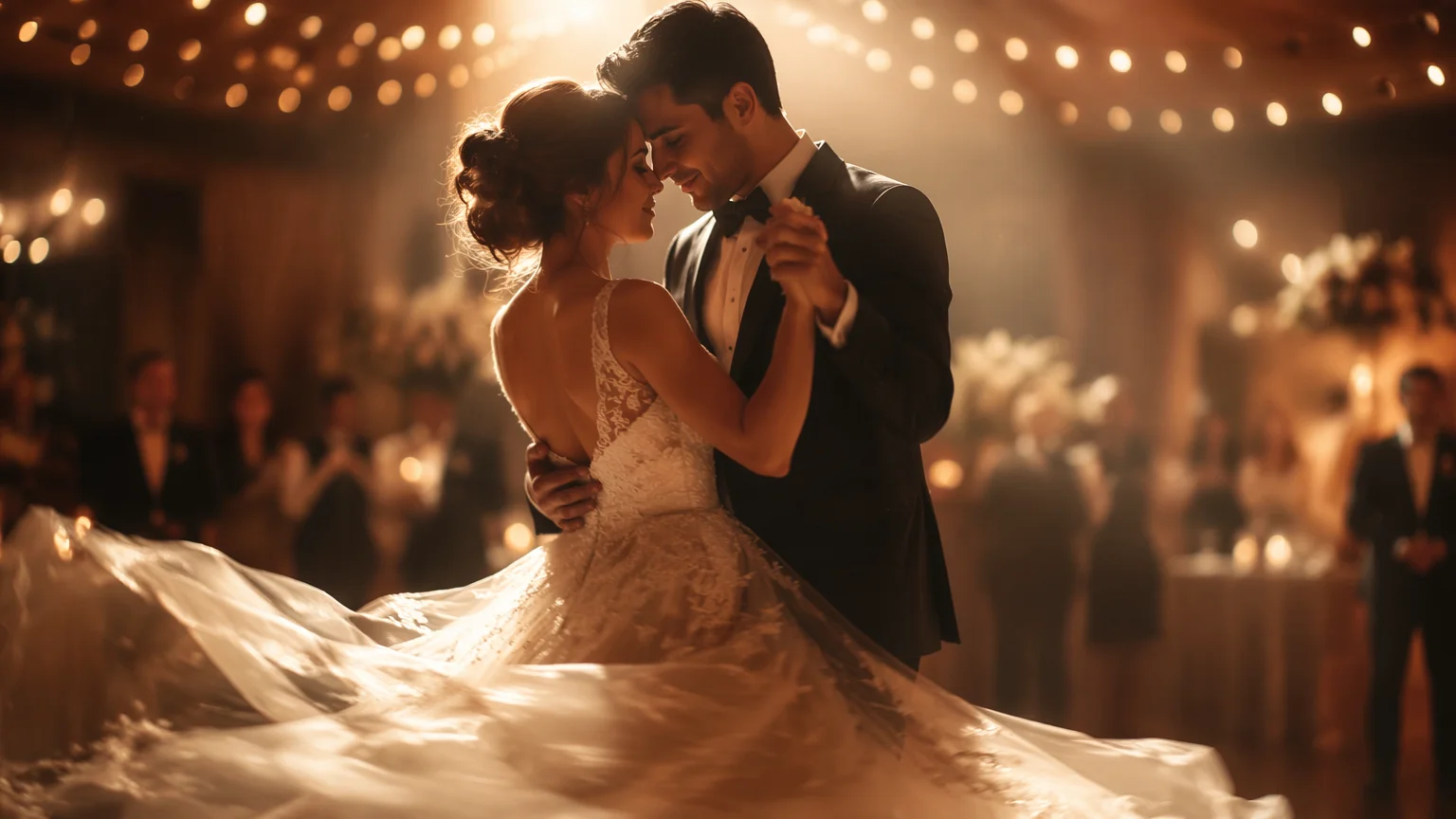
Wedding photo animated into a cinematic clip — gentle camera pan, soft bokeh, romantic movement.
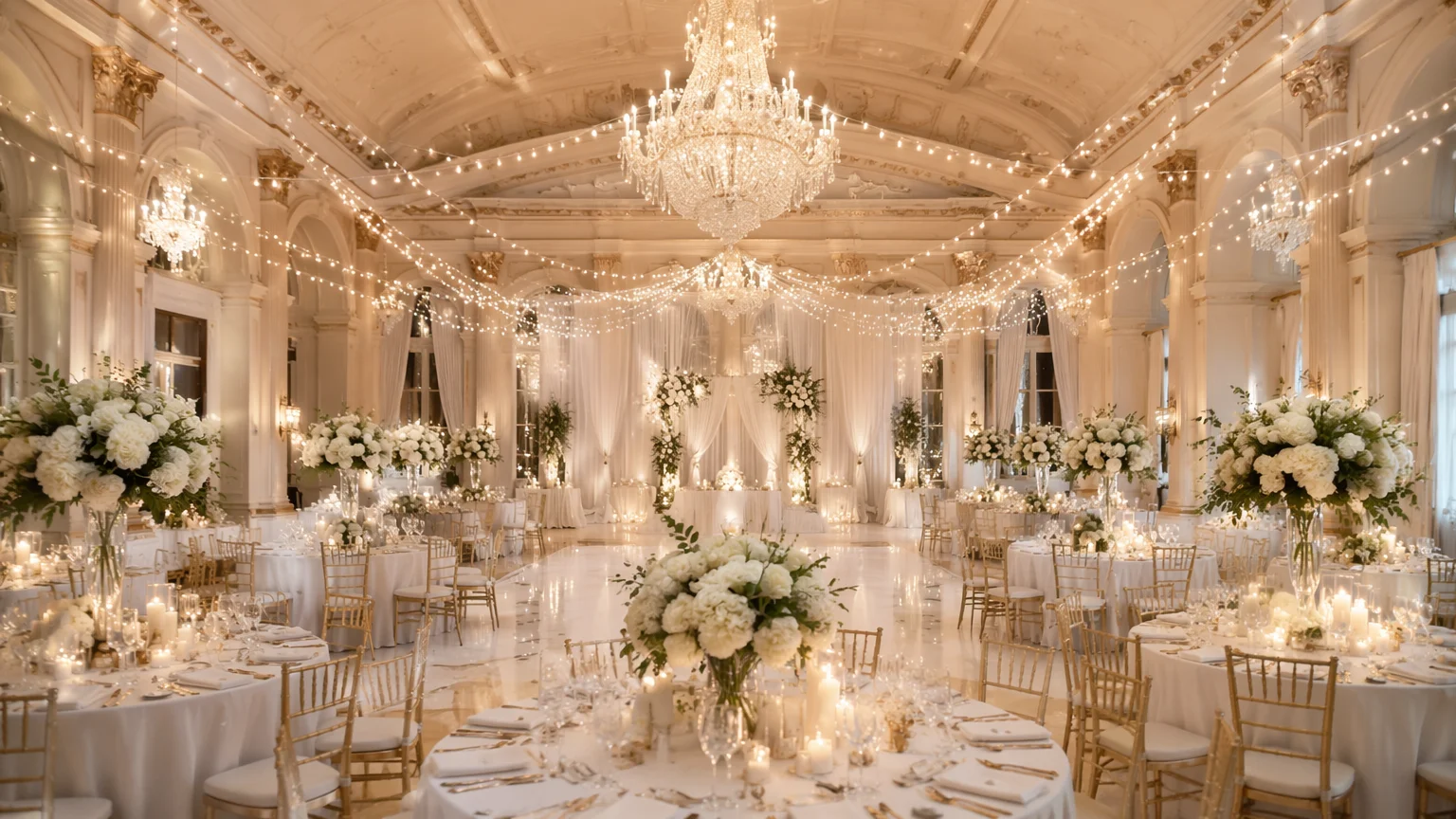
Elegant ballroom reception setup — table arrangements, floral centerpieces, and string lights.
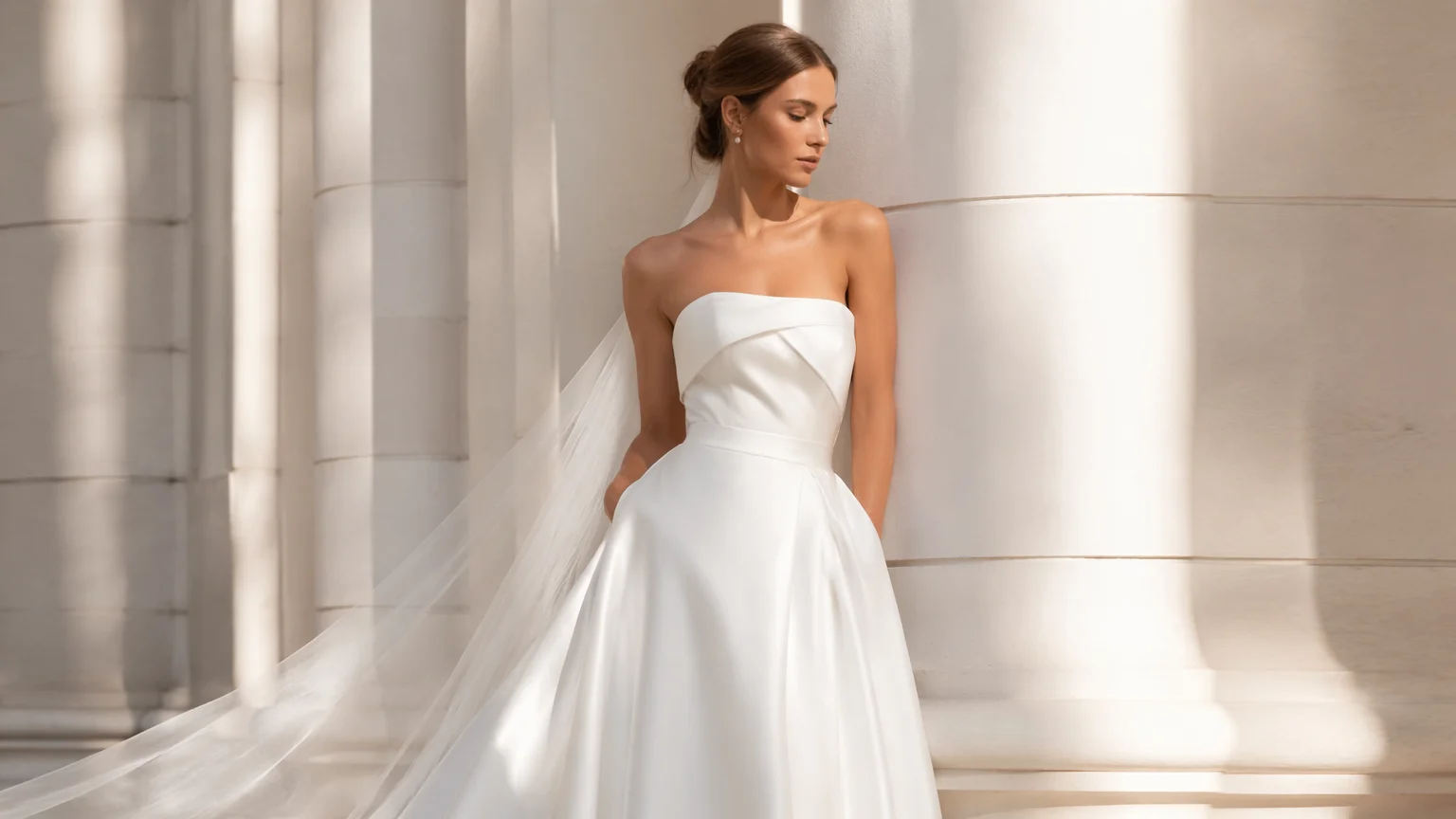
High-fashion bridal editorial portrait — clean, crisp, minimal styling with architectural backdrop.
Three models covering video animation and photography generation — all in Renoise Canvas.
| For wedding content | Seedance 2.0 (Recommended) | Midjourney V7 |
|---|---|---|
| Best for | Animating real wedding photos into video | Generating editorial wedding photography |
| Output type | Video clip (MP4) | Image (PNG/JPEG) |
| Romantic aesthetics | ✓ (motion-based) | ✓✓ (visual richness) |
| Photo to video | ✓✓ (primary use) | — |
| Venue concepts | — | ✓ (use GPT Image 2 or MJ) |
| Dress and floral detail | ✓ (in motion) | ✓✓ (visual detail) |
AI wedding content generation has two distinct use cases that are worth separating.
The first is concept planning before the wedding. Couples can generate visual references for ceremony aesthetics, venue setups, floral arrangements, and dress styles before making decisions. This is particularly valuable for destination weddings or non-traditional venues where you can't visit in person easily. Generate 10 variations of a tablescape concept and present them to the venue coordinator — it communicates vision clearly and quickly.
The second is creative enhancement of real wedding photos. After the wedding, Seedance 2.0 can animate a still portrait — make the veil billow gently, show confetti falling in slow motion, animate a bouquet toss. The output is a short cinematic clip (4–15s) that gives the photo a life it never had and is highly shareable as a Reel or social story. This type of "live photo" effect is consistently popular because it takes zero effort to film and makes existing stills feel dynamic.
For purely generative wedding photography (no real photos used), Midjourney V7 produces the richest editorial aesthetics — romantic bokeh, soft warm tones, fashion-forward compositions. GPT Image 2 is better when you have specific requirements: "a bride in a specific architectural setting", "a table with exactly these floral elements". Both can produce stunning wedding concept imagery from a detailed description.
Wedding content creation draws on video animation and image generation models.
ByteDance video model: animate wedding photos into cinematic clips with natural motion.
Rich editorial wedding photography aesthetics — romantic, soft, and visually stunning.
Precise image generation for specific venue concepts, details, and compositions.
Generate, animate, and export all wedding content in one visual workspace.
One plan unlocks Seedance 2.0, Midjourney V7, GPT Image 2, and every model in Renoise.
For first-time AI content creators
Billed $168 annually
Upgrade PlanSave $72/year
For creators shipping content every week.
Billed $504 annually
Upgrade PlanSave $216/year
For studios and pros producing at commercial scale.
Billed $1680 annually
Upgrade PlanSave $720/year
For first-time AI content creators
Billed monthly
Upgrade PlanFor creators shipping content every week.
Billed monthly
Upgrade PlanFor studios and pros producing at commercial scale.
Billed monthly
Upgrade PlanRenews automatically each year until canceled.
Renews automatically each month until canceled.
Animate wedding photos, generate concept imagery, and create shareable wedding Reels — watermark-free on paid plans.
Yes — upload your wedding photo to Renoise Canvas and use Seedance 2.0 to animate it. Describe the motion you want: "make the veil blow softly in the breeze", "show confetti gently falling", "add a slow cinematic zoom in". The result is a 4–15s clip ready to share as a Reel or Story.
Yes — describe the wedding scene, style, and aesthetic in detail and generate photography concepts from a text prompt. Useful for engagement content, pre-wedding mood boards, or creative wedding-themed photography. Midjourney V7 produces the richest romantic aesthetics for this use case.
Describe the venue setup in detail: "elegant ballroom with round tables, white linen, tall floral centerpieces with white roses and eucalyptus, warm string lights overhead, candlelight, soft evening ambience". GPT Image 2 tends to follow specific compositional requirements well; Midjourney V7 produces richer atmospheric results.
Use 9:16 (vertical) for Instagram Reels, TikTok, and YouTube Shorts — this is the standard for mobile-first wedding content. Use 16:9 for horizontal wedding video presentations or YouTube. Both are available in Renoise Canvas for Seedance 2.0.
Renoise does not restrict commercial use of outputs. Wedding photographers increasingly use AI-generated imagery for portfolio concepts, style samples, and marketing material. Confirm intended use aligns with your business context and platform terms.
AI wedding photography uses image models (GPT Image 2, Midjourney V7) to generate still wedding imagery from a text description. AI wedding video either animates a real wedding photo into a short clip (using Seedance 2.0) or generates new video footage of a wedding scene from text. Both are available in Renoise Canvas.
Your privacy is important to us
We use cookies to improve your experience and for marketing. Read our Cookie Notice.