LinkedIn headshots
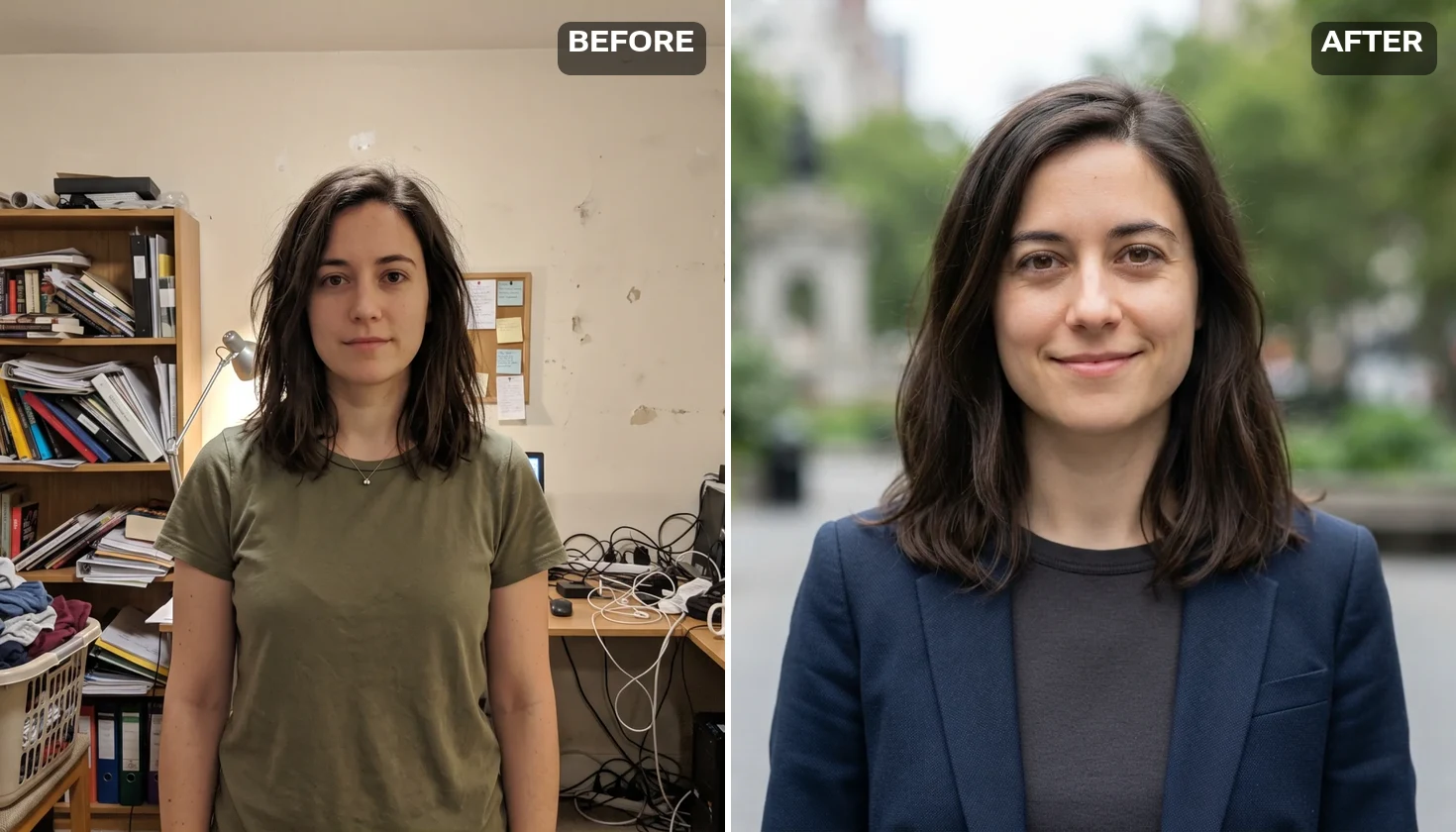
A kitchen selfie becomes an AI LinkedIn photo: office backdrop, blazer, soft window light, the same face.
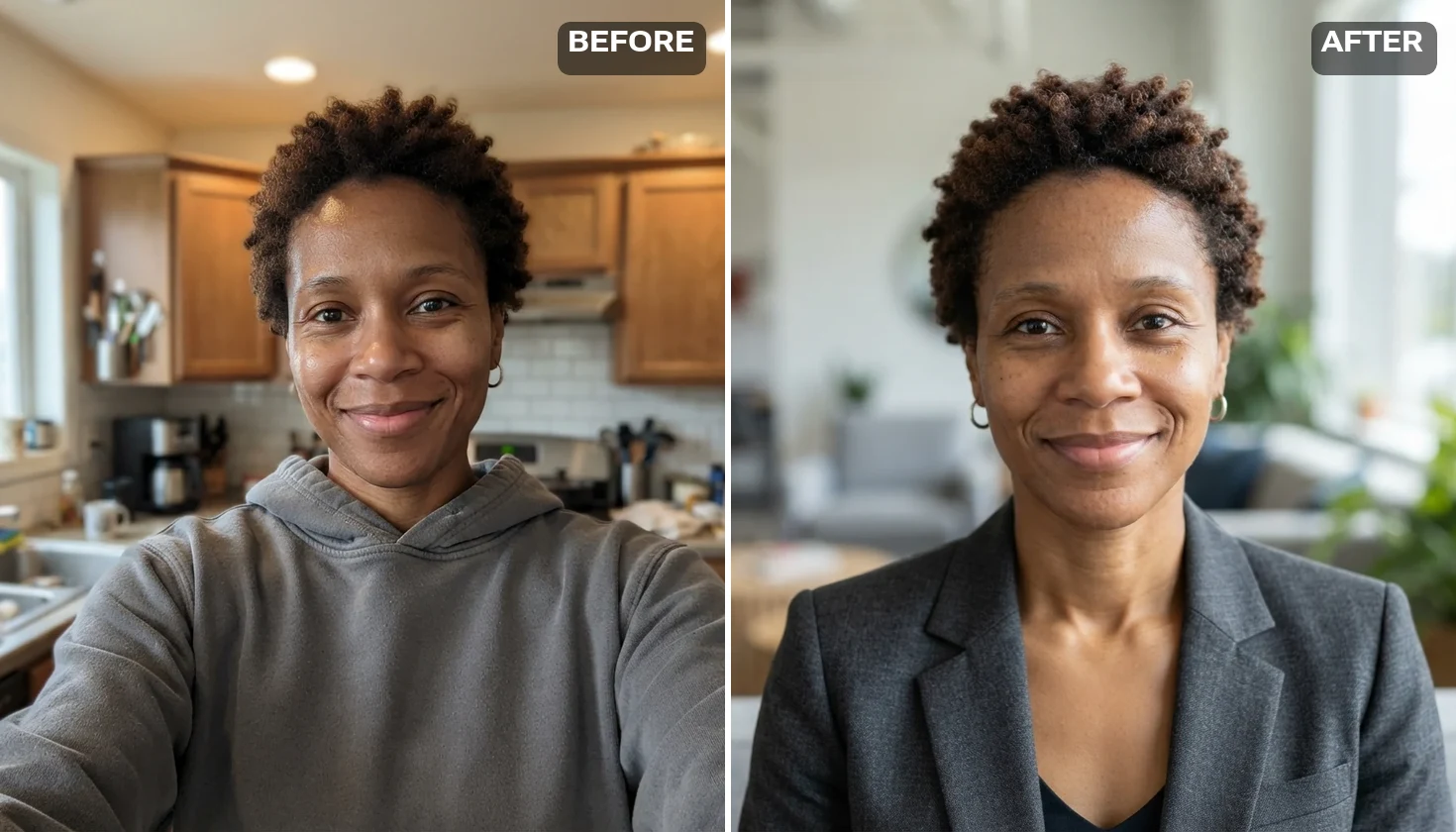
Upload one clear photo; get a studio, office or outdoor headshot.
Follow us and get 20 free credits — about 5 images
For your own photo, or photos you’re authorized to use. No celebrities or minors.
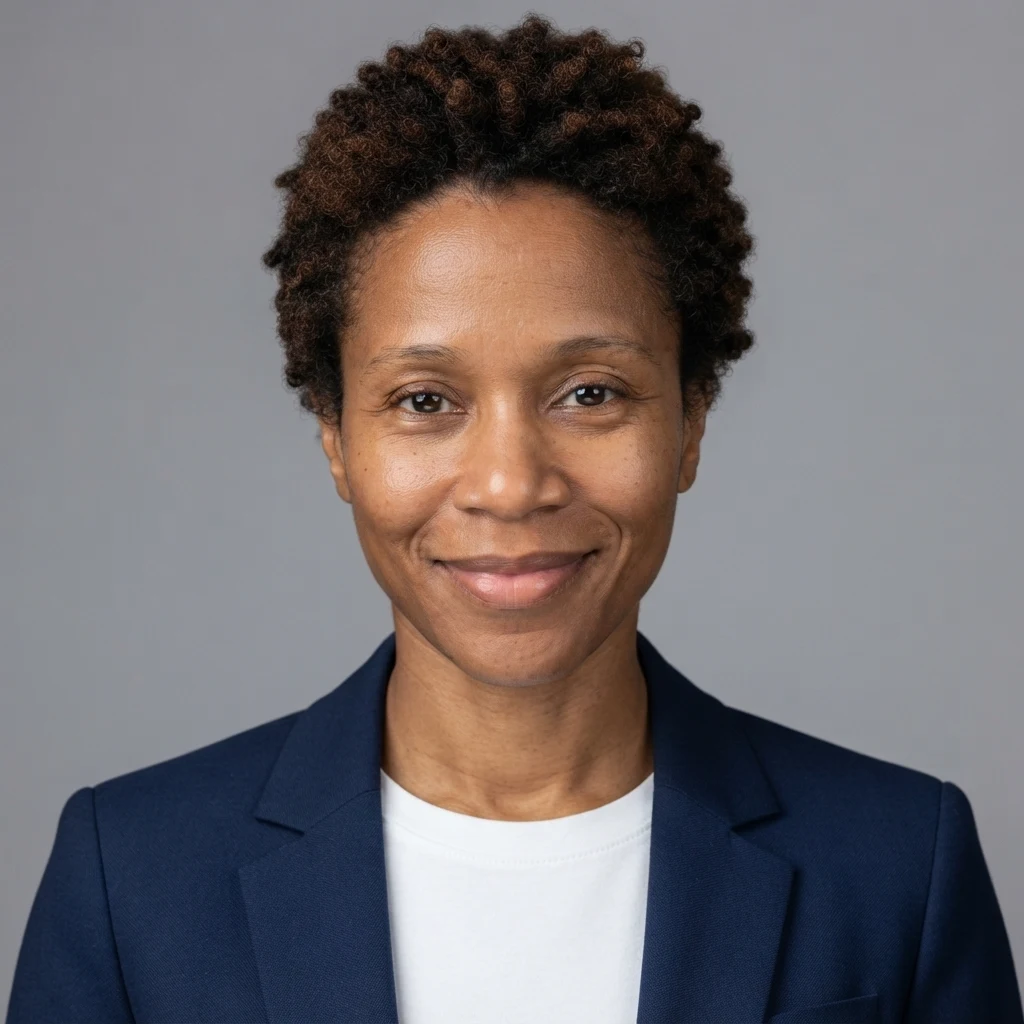
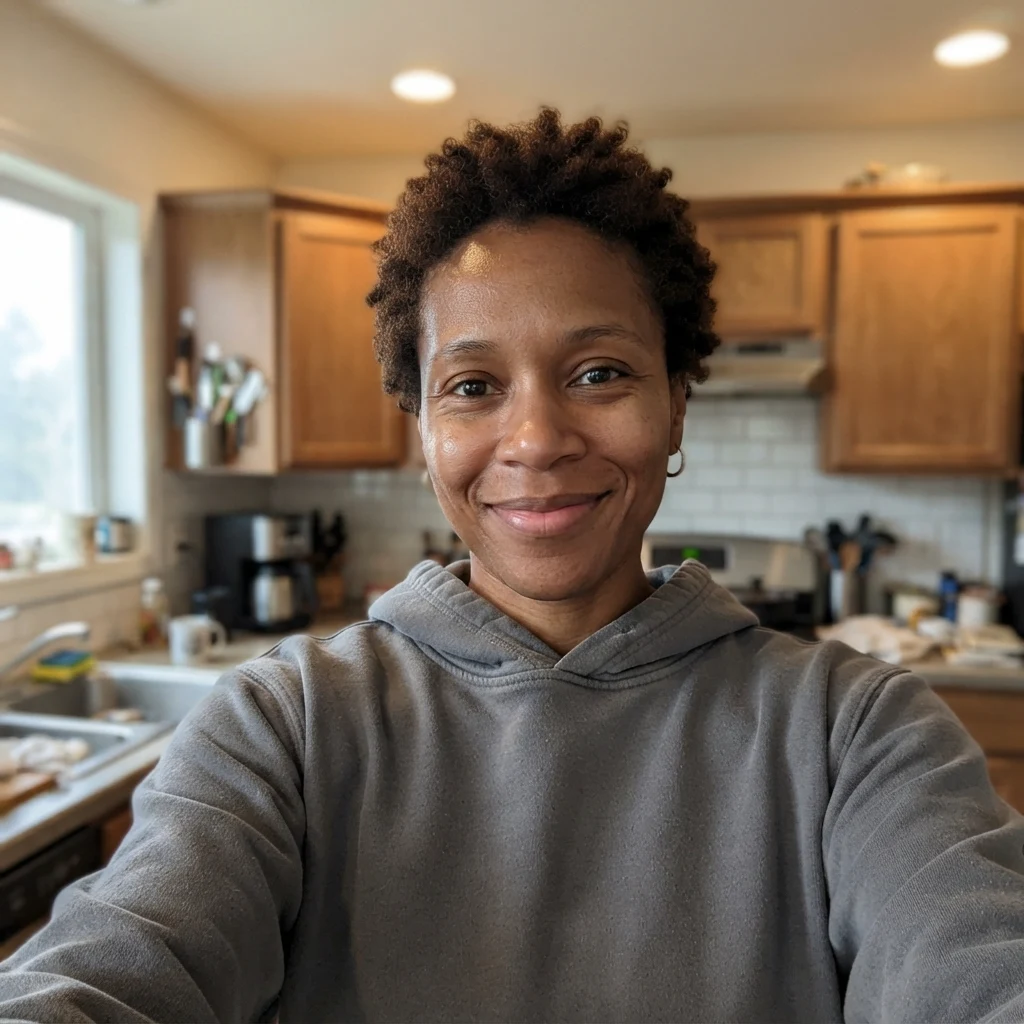
Real model output on an AI-generated fictional person — drag the handle to compare.
Subscribe for more credits and more models.
Four everyday jobs for a professional headshot. Every image is real output from this page, run on AI-generated fictional people.
A kitchen selfie becomes an AI LinkedIn photo: office backdrop, blazer, soft window light, the same face.
For a CV, keep it conservative: plain grey studio backdrop, dark jacket, relaxed expression, nothing distracting.
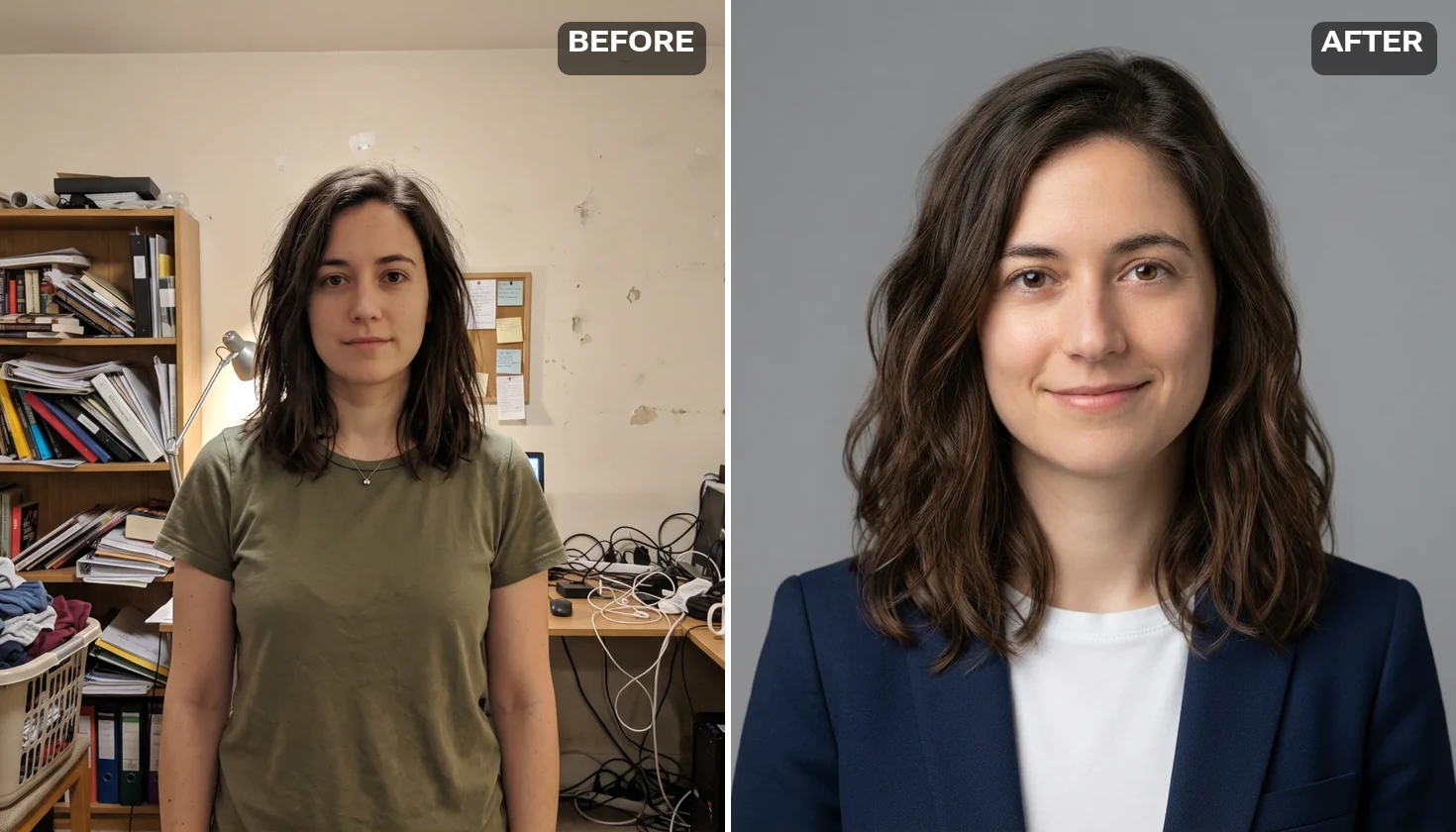
Run each colleague through the same look and the backdrop, light and framing match across the page.
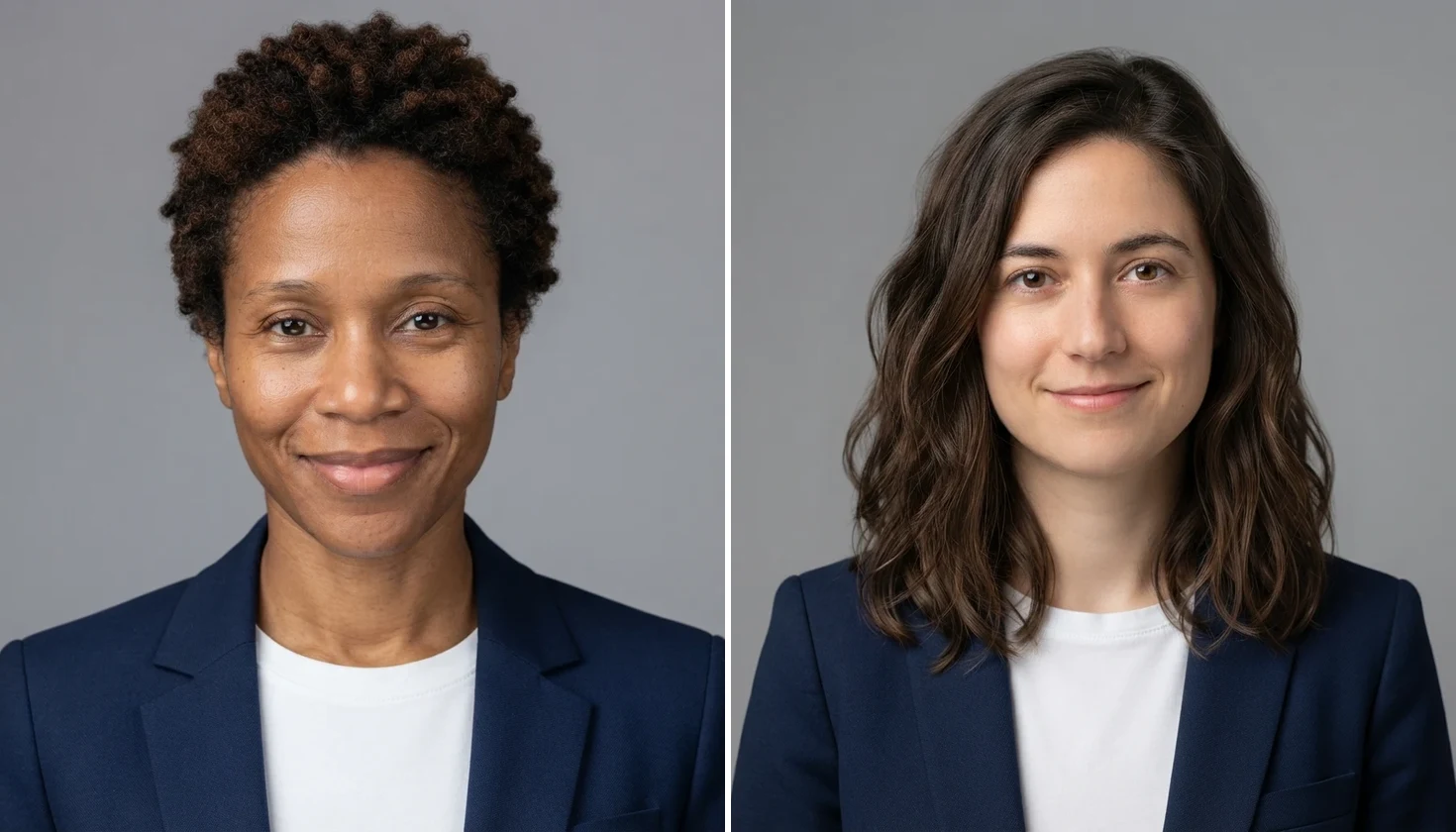
The outdoor look reads warmer for a conference bio or podcast page while staying professional.
Follow us on X and YouTube for 20 free credits: five headshots, then paid.
The image workspace has stronger models when one frame needs more detail.
Use your headshot as the opening frame of a short intro video.
Change a background, a hairstyle or an expression with sibling tools.
Upload one clear photo where your face fills a good part of the frame, pick a studio, office or outdoor look, and the AI headshot generator redraws everything around your face — suit, backdrop, lighting — as a square headshot. Nothing is trained on you and there is no batch to wait for: each headshot is one run. Following us on X and YouTube earns 20 free credits and a run uses 4, so your first five professional headshots are covered; after that, runs are paid from your credit balance.
Want lifestyle photos rather than a work headshot? Try the AI photoshoot
Everything happens in the tool at the top of this page.
Front-facing, face large in the frame, no sunglasses. An ordinary phone photo is fine.
Studio, Office or Outdoor. Add a suit colour or backdrop in the optional field if you want one.
Click Make My Headshot, check the 1024×1024 result, and run again if it is not you enough.
Three ways to get a professional headshot. The middle column describes the trained services that rank for this search, not one product.
| What you care about | This page (one photo) (Recommended) | Trained headshot service | Photographer session |
|---|---|---|---|
| Photos you provide | One | A set of selfies, often 4–40 | None — you sit for it |
| Before the first result | One run | Wait while a model trains on you | Book a slot, then wait for edits |
| How you pay | Credits per run; first five covered by a follow | A package price | A session fee |
| Same face across many looks | Varies run to run; pick the best | Built for a consistent set | It is a real photo |
| Small or distant face in the source | Comes back as someone else | Depends on the set you upload | Not applicable |
This is the question behind every professional headshot AI search, so here is what we measured instead of a promise. The tool runs a generative image-to-image pass on Nano Banana 2 Lite (Google). It is told to hold your face — shape, eyes, nose, mouth, skin tone, hair length and parting — and to rebuild everything else: backdrop, wardrobe, light, framing. It does not learn you; it redraws the one face it can see.
That is why the size of your face in the photo decides the result. On a phone selfie where the face filled roughly 40% of the frame, every run came back recognisably the same person, down to the curl pattern and hair texture. On a waist-up photo where the face was about 15% of the frame, most runs held, and before we pinned the hairstyle in the instruction one run in three turned shoulder-length hair into a short bob. On a distant shot where the face was about 20 pixels tall, the model had no identity to keep and invented one: the output was a polished headshot of someone else. That failure looks like a success, so check the face before you use it. We tested two fictional people, not a curve, so there is no pixel threshold to quote — only the rule that the more face you give it, the more of you comes back.
Practical advice follows from that. Crop to your head and shoulders before uploading, face the camera, and use even light. Run a look twice and keep the one that looks most like you; your five follow-credit runs are enough for that. Use the same look for everyone on a team page so the set matches. A headshot should look like you on a good day, so do not use it to change your age or features.
When one frame needs more fidelity or a larger file, open the image workspace: it has stronger models, including GPT Image 2 and Nano Banana Pro, at higher credit costs. In our side-by-side on the waist-up photo, GPT Image 2 kept hair texture and freckles more faithfully than the fast tier this page runs.
What happens to the photo you upload for a headshot.
Picking a file only previews it on your device. Not one byte is stored until you sign in and click generate.
Uploads land in your private library, never a public gallery, and re-running the same photo stores nothing new.
Remove uploads and results from your library whenever you want.
Unlock every image model — and the video models on the same canvas — on one plan.
For first-time AI content creators
Billed $168 annually
Upgrade PlanSave $72/year
For creators shipping content every week.
Billed $504 annually
Upgrade PlanSave $216/year
For studios and pros producing at commercial scale.
Billed $1680 annually
Upgrade PlanSave $720/year
For first-time AI content creators
Billed monthly
Upgrade PlanFor creators shipping content every week.
Billed monthly
Upgrade PlanFor studios and pros producing at commercial scale.
Billed monthly
Upgrade PlanRenews automatically each year until canceled.
Renews automatically each month until canceled.
Your first five headshots can be. Following us on X and YouTube earns 20 free credits, and one headshot on this page uses 4. The credits are shared across Renoise tools; once they are used, further runs are paid from your credit balance.
One. Pick a photo where your face is large, front-facing and evenly lit. Trained headshot services ask for a set of selfies because they learn your face first; this page redraws the single photo you upload.
If your face fills a good part of the photo, yes — that held on every run in our tests. Small or distant faces can come back as a different person, so crop to head and shoulders and run twice if unsure.
Many people do. What matters is that it still looks like you when someone meets you. Keep the face unchanged, pick the Studio or Office look, and check your employer’s or platform’s own guidance before using it.
A square 1024×1024 image, which suits profile photos and team pages. For print or a larger file, open the image workspace and use a higher-resolution model or an upscaler.
Yes. The three looks set the scene, and the optional field takes extra direction such as “charcoal suit, no tie” or “dark blue backdrop.” Keep it short; the face instructions stay the same whatever you add.
No. Official ID and passport photos usually must be unedited and follow strict rules set by the issuing authority. Use this AI headshot generator for profiles, resumes and bios, and a compliant photo service for documents.
Only with their permission. Use your own photo or one you are authorized to use. Never upload a celebrity, public figure or minor, and follow the laws where you live.
Trained apps take a set of selfies, train on them, then return a large batch. This page takes one photo and returns one headshot per run, so you can start immediately but may need to pick between runs.
The one whose output still looks like you. Compare likeness first, then how many photos it needs, how long it takes, what it costs per headshot and the file you get. Test with your own photo rather than a sample gallery.
Upload one photo, pick a look, and compare the result.


