Black hair to honey blonde, same cut
Black waves to honey blonde with darker roots. Length, side part and dark brows stay; the waves come out smoother.
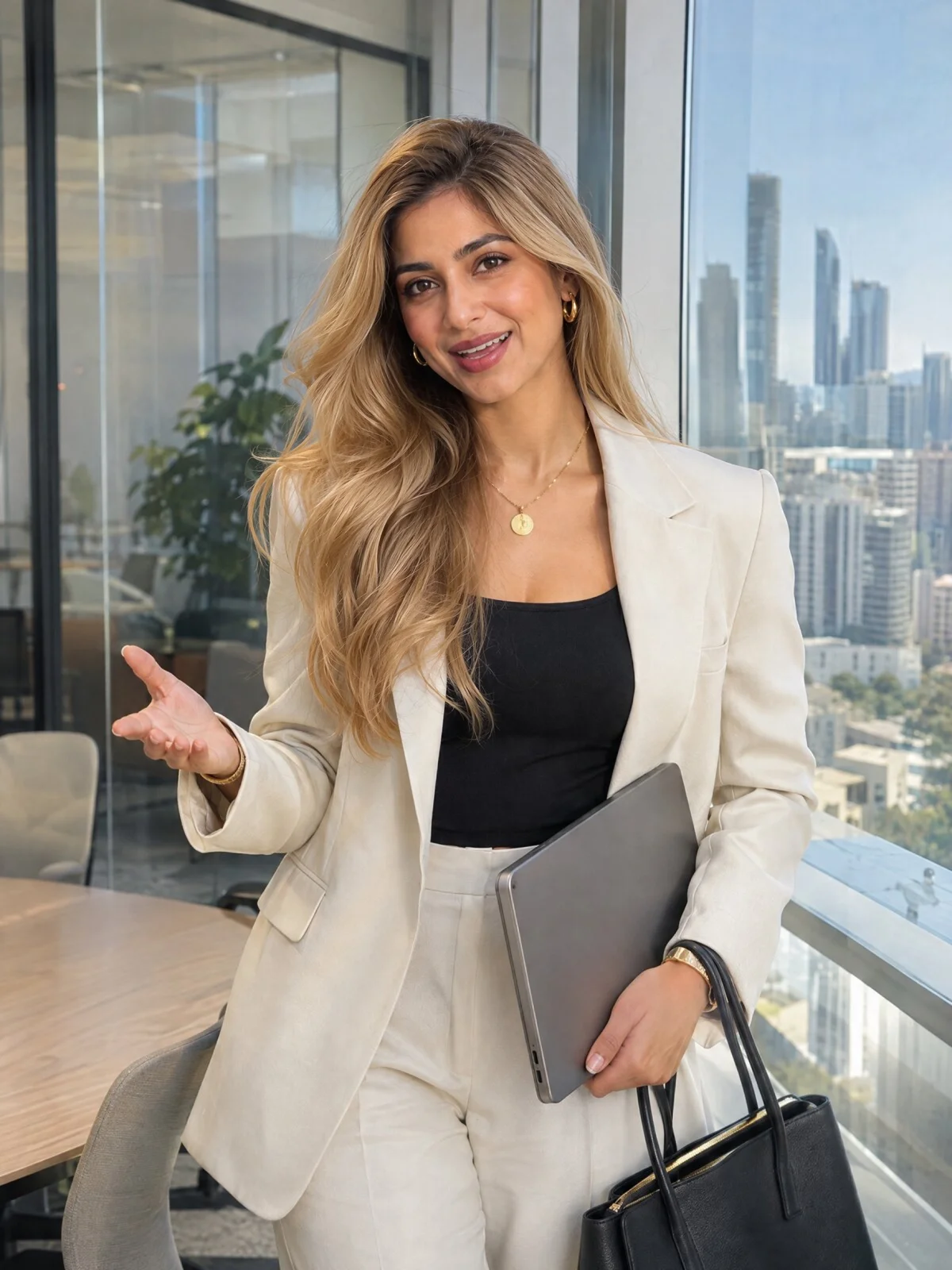
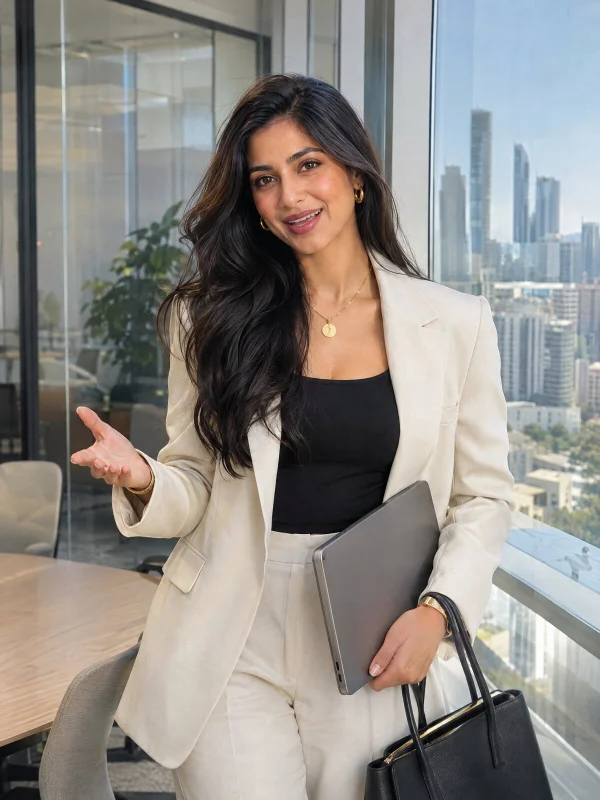
Upload one photo and name a shade. The Renoise Agent recolors your hair and leaves the cut, length, curls, brows and beard as they are.
Opens in the Renoise Agent, where you can go a shade lighter or darker on the same photo.
Real model output from this photo and one sentence — drag the handle to compare.
Black waves to honey blonde with darker roots. Length, side part and dark brows stay; the waves come out smoother.
Brown curls to cool ash silver. The curl pattern holds, and the beard and eyebrows stay brown.
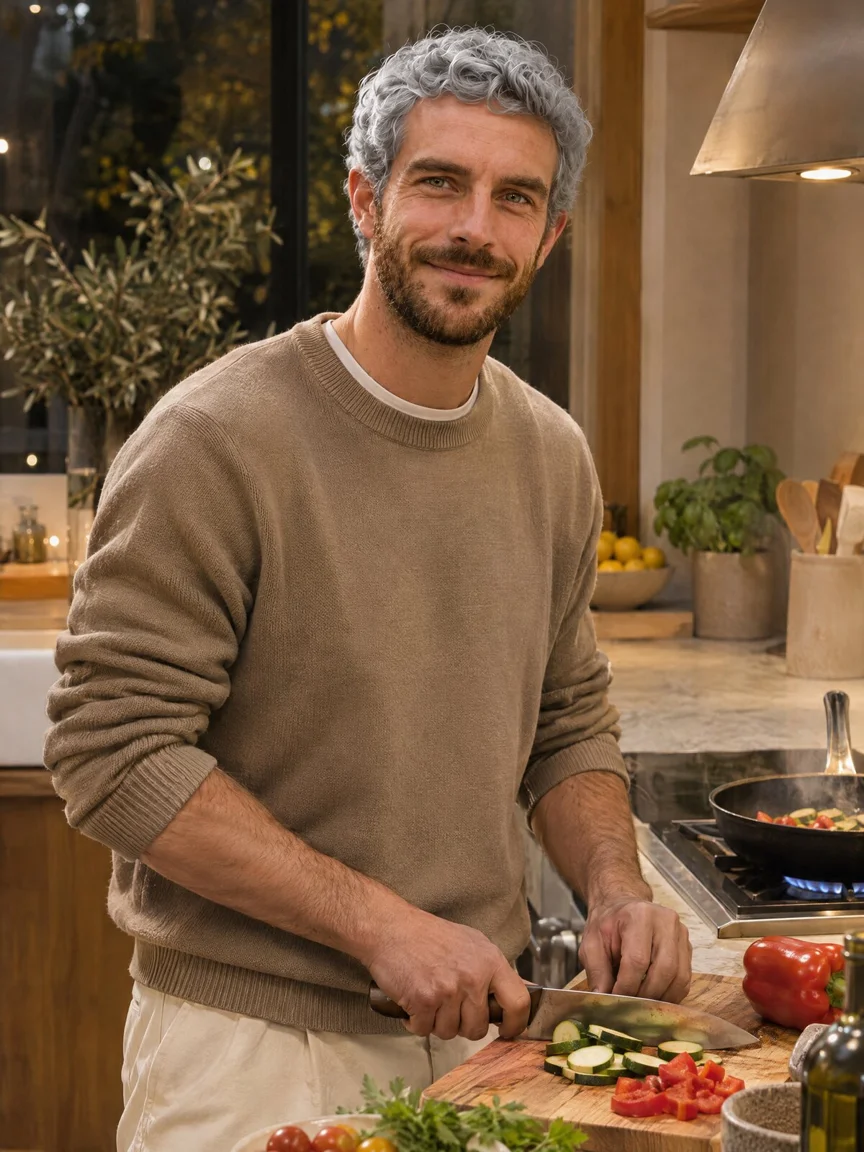
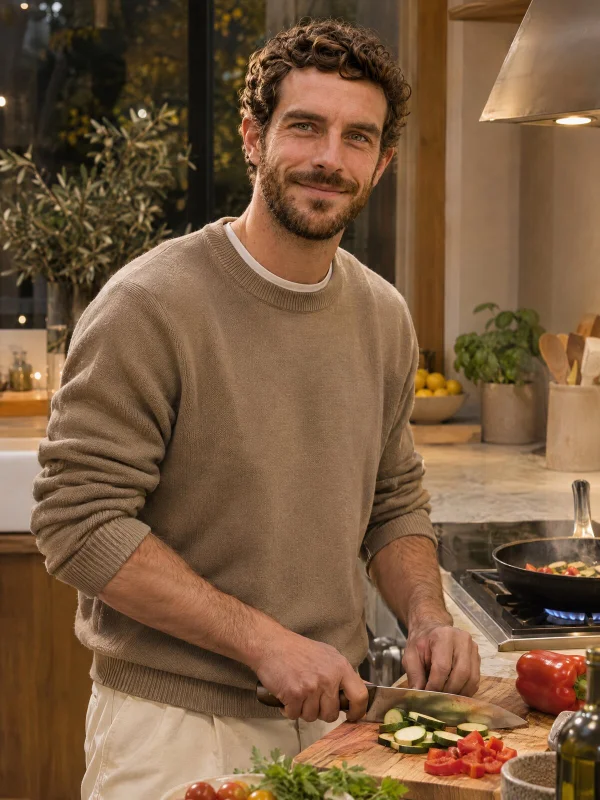
Red curls to soft pastel pink. Length, volume and freckles stay; the curls relax a little and the brows lighten.
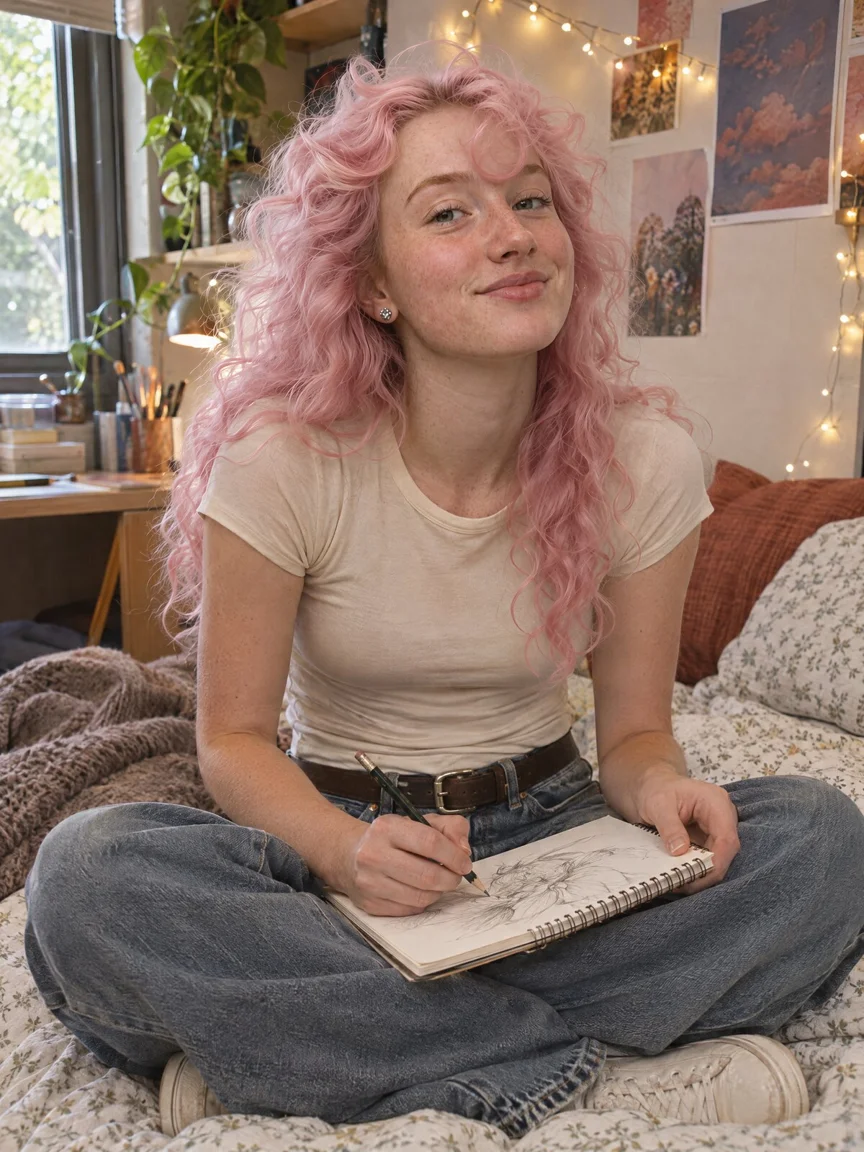
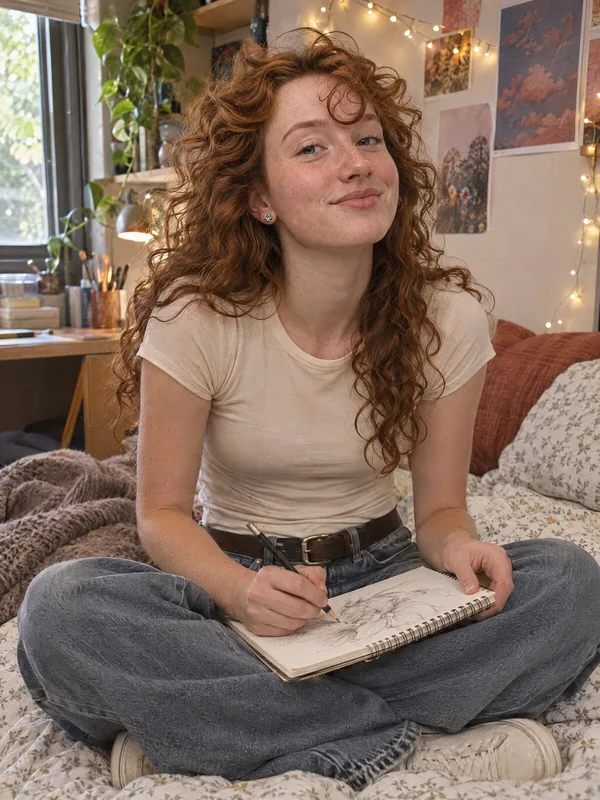
The cut, length and curl pattern stay. Brows and beard keep their color.
Name a color in plain words, not a box number: honey, ash, copper, pastel.
Ask for a shade lighter or darker roots, one message each.
A selfie from your camera roll is enough. No live camera needed.
Upload a clear photo above, name the shade you want and click Try My New Color. The Renoise Agent recolors only your hair, so the cut, length, curl pattern and eyebrows stay as they were. Our examples on this page came from Seedream 5.5; at 1K one image costs 7 credits. Ask for another shade in the same chat to compare.
Want a new cut as well as a new color? Open the AI hairstyle changer.
One person, face forward, hair fully in the frame. JPG, PNG or WebP up to 20 MB.
Pick Ash silver, Copper red or Caramel balayage, or write your own color and what must stay.
Drag to compare, download, or ask for a shade lighter or darker in the same chat.
Dye brands’ try-on tools preview their own shades, and app filters paint color over a live camera. This page redraws the hair in a photo you already have.
| What you get | This hair color changer | Brand hair color try-on | Instagram & TikTok filters |
|---|---|---|---|
| Works on a photo you already have | ✓ Any photo you upload | Often a selfie or live camera | ✕ Live camera |
| Any shade, described in words | ✓ Including fashion colors | ✕ That brand’s range | ✕ One look per filter |
| Balayage or darker roots on request | ✓ Describe it | Depends on the brand | ✕ |
| Matches a box dye you can buy | ✕ Not tied to a product | ✓ That is its job | ✕ |
| Result you can download | ✓ Full-size image | Depends on the tool | Inside the app |
| Cost | Credits per image | Free on the brand’s site | Free in the app |
Sources: Google results for “hair color try on” and “hair color filter” (accessed 2026-11-26) for the try-on and filter categories; our own test runs (2026-11-26).
A preview answers the first question, whether a shade suits your face and skin, in a minute instead of a salon appointment. It does not tell you what it takes to get there. Going from black or dark brown to blonde in real life means lifting the color first, often over more than one session, and the hair can turn brassy on the way. The model skips all of that and shows the finished shade.
It also cannot see your hair's condition. Porosity, earlier dye and gray strands all change how the same color lands, so two people asking for the same honey blonde end up with different results. Take the preview to your stylist as a reference, say whether you want all-over color, balayage or roots kept, and let them choose the formula.
In our test runs the hair color changed and the cut stayed, with three small side effects worth knowing: the model tends to tidy the strands (the waves came out smoother, and pastel pink curls relaxed a little), the frame can end up slightly wider than the original, and eyebrows can lighten with very pale shades. If something shifts, say so in the chat, for example "keep the messy texture" or "keep my brows dark", and the Agent runs it again. A hair colour changer is only as good as the photo: one person, face forward and all of the hair in frame works best. For other image models, open AI image.
What happens to an uploaded photo, in plain words.
Picking a file only previews it on your device. Not one byte is stored until you sign in and click generate.
Uploads land in your private library, never a public gallery, and re-running the same photo stores nothing new.
Remove uploads and results from your library whenever you want.
As of October 2026, 100,000+ creators in 170+ countries and regions use Renoise AI, an AI video, image and audio platform, to generate 300,000+ images and videos with 30+ models.
Source: Renoise internal data, March–October 2026. Figures are rounded down and updated quarterly. Last updated
Real feedback from creators who use Renoise AI to make videos, images and ads.
Renoise is pretty easy to use, with a clean and smooth interface. The results from Seedance 2.5 also feel noticeably smoother in action sequences.
Renoise Ai is a good tool for making ai videos and photos. it puts several Ai models in one place, so you don't need to use many different apps.
あまりAIツールを使ったりしたことなかったですが、キャラクターの固定や動画を続いて作成できて使いやすいです。これからどんどん進んでいくアップデートが楽しみです。
Renoise has been a great platform for AI creativity. The tools are easy to use, the experience is smooth, and it makes creating content more enjoyable and efficient. I really appreciate the work the team is doing and look forward to seeing more improvements. Highly recommended!
What I like about Renoise AI compared to other platforms: Fast generation speed: Slow generation takes up way too much time, but Renoise AI is surprisingly about 30% faster. Intuitive and user-friendly UI: Cheaply made platforms have terrible UIs that make me not even want to log in, but Renoise is very clean and convenient. Remembers my previous settings: It helpfully remembers my last workspace settings. Some odd platforms force you to re-adjust everything every single time you generate a video, which is extremely frustrating. Overall preference: For all these reasons, Renoise AI is definitely my preferred platform. Thank you!
Renoise is your go to one stop all for ai creators. all view and use all models in one place, for any type of content you have your mind on!
I have a creat experience with the app. Consistent characters but also unique. THere were some issues with storyline continuity and non-typical humanoid characters.
Credits work across every tool — upscaling, image editing and the video models.
For your first AI creations
per month
≈ 150 GPT Image 2 Generations
≈ 60 Seedance 2.0 videos
The agent takes your idea all the way to a finished cut.
Starter and Standard: production work in Director Mode uses credits by usage. Advanced: free.
No queue. Start as many paid generations as you want at once.
Content generated with Renoise.ai may be used commercially, subject to our Terms of Service
For creating every week
per month
≈ 450 GPT Image 2 Generations
≈ 180 Seedance 2.0 videos
The agent takes your idea all the way to a finished cut.
Starter and Standard: production work in Director Mode uses credits by usage. Advanced: free.
No queue. Start as many paid generations as you want at once.
Content generated with Renoise.ai may be used commercially, subject to our Terms of Service
For professional-scale production
per month
≈ 1,750 GPT Image 2 Generations
≈ 700 Seedance 2.0 videos
The agent takes your idea all the way to a finished cut.
Starter and Standard: production work in Director Mode uses credits by usage. Advanced: free.
No queue. Start as many paid generations as you want at once.
Content generated with Renoise.ai may be used commercially, subject to our Terms of Service
For your first AI creations
per month, billed annually
Save $48compared to monthly
≈ 150 GPT Image 2 Generations
≈ 60 Seedance 2.0 videos
The agent takes your idea all the way to a finished cut.
Starter and Standard: production work in Director Mode uses credits by usage. Advanced: free.
No queue. Start as many paid generations as you want at once.
Content generated with Renoise.ai may be used commercially, subject to our Terms of Service
For creating every week
per month, billed annually
Save $216compared to monthly
≈ 450 GPT Image 2 Generations
≈ 180 Seedance 2.0 videos
The agent takes your idea all the way to a finished cut.
Starter and Standard: production work in Director Mode uses credits by usage. Advanced: free.
No queue. Start as many paid generations as you want at once.
Content generated with Renoise.ai may be used commercially, subject to our Terms of Service
For professional-scale production
per month, billed annually
Save $960compared to monthly
≈ 1,750 GPT Image 2 Generations
≈ 700 Seedance 2.0 videos
The agent takes your idea all the way to a finished cut.
Starter and Standard: production work in Director Mode uses credits by usage. Advanced: free.
No queue. Start as many paid generations as you want at once.
Content generated with Renoise.ai may be used commercially, subject to our Terms of Service
Upload your photo and ask for cool ash silver or salt-and-pepper gray. In our test the curls turned silver while the beard and eyebrows stayed brown. Ask in the chat if you want the beard gray too.
Not on its own. It does not judge your skin tone or pick a color for you. What it does well is show two or three shades on the same photo side by side, so you and your stylist can compare.
No. Those are live camera effects inside the apps. This page redraws the hair in a photo you already have, and you can download the result and post it anywhere.
Yes, our first example goes from long black waves to honey blonde. A real salon result needs the dark color lifted first, often in more than one session, so ask your stylist what your hair can take.
Not the cut: length, part, curls, brows and beard stayed in our tests. Expect small side effects: strands come out tidier, the frame can widen a little, and very pale shades can lighten the brows.
Yes, describe it in the prompt, for example "caramel balayage from mid-length down, keep my dark roots". The Caramel balayage button fills in that kind of request for you.
No. You sign in, and each image costs credits: 7 with Seedream 5.5 at 1K, the model behind our examples. Credits come with every plan, and a failed run is refunded.
Only with their permission. Use your own photo or one you are authorized to use, and do not upload photos of children or public figures. Follow your local laws.
Try two or three colors on one photo, then show your stylist.