Guide
How to Make Anime with Claude
You can make a whole anime episode by asking Claude for it in one line. Claude cannot render video by itself, but once Renoise is connected it can write the script, plan the cuts, pick a video model and generate the clips from the chat. This guide follows our Japanese video tutorial step by step: connect Renoise, add the Anime Series Maker skill, attach two character sheets, and type the story.
What you need before you start
- A Claude account. The connector works in claude.ai and in the Claude desktop app.
- A Renoise account with credits. Connecting is free, but every clip is generated by Renoise and spends credits at the same price as on the website. See pricing.
- One character sheet per character. Front, side and back views plus a few expressions. If you have none, make them first with Renoise's image models (the AI character generator does this from a description).
Step 1: Connect Renoise to Claude
Open renoise.ai/mcp and choose Claude at the top. There are two ways to connect; either works.
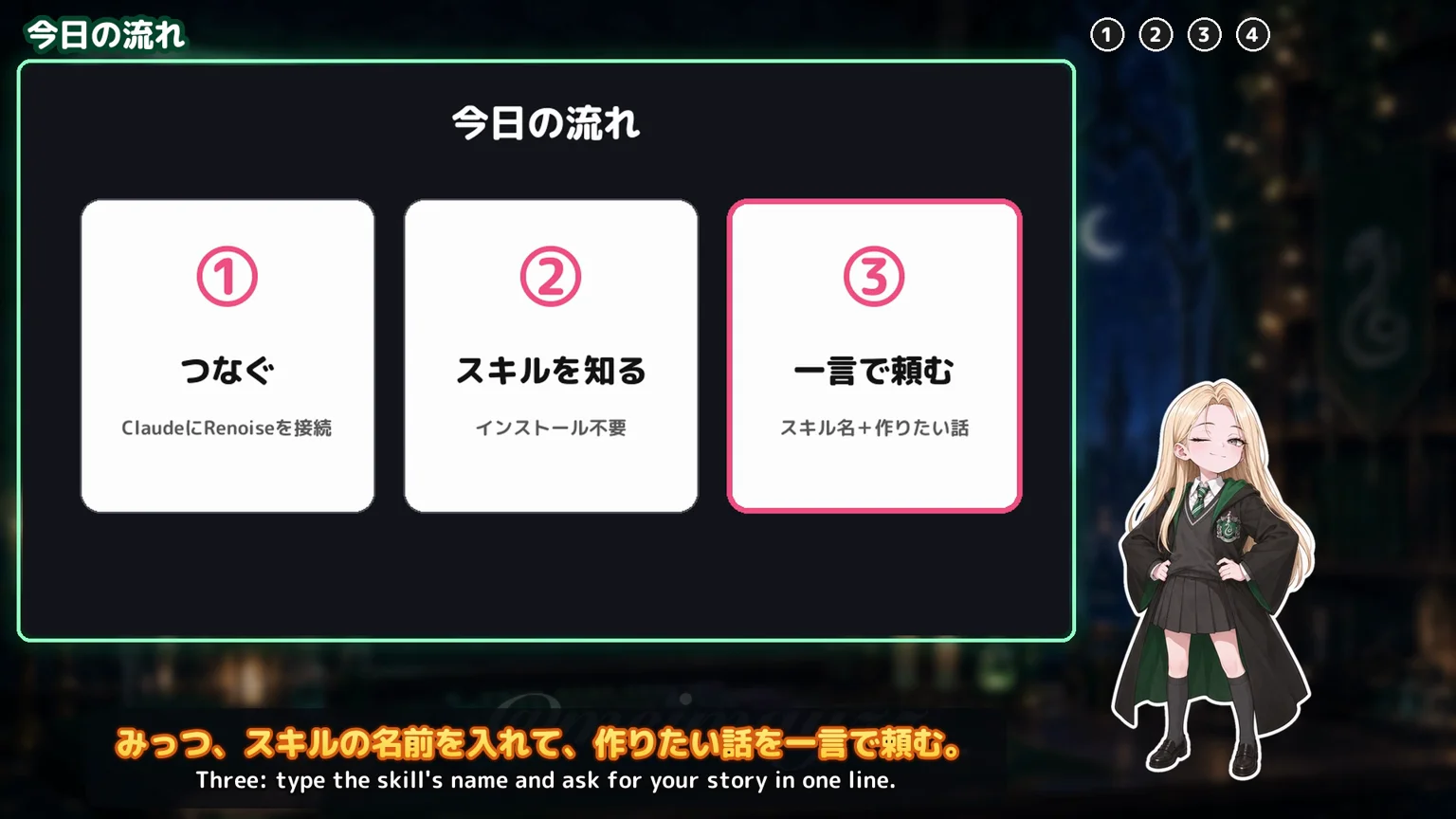
Way 1: Add to Claude.
- Click Add to Claude. Claude's connector settings open with the name and URL already filled in.
- Click Add. Renoise now appears in your connector list.
- Click Connect next to Renoise. A Renoise page opens: sign in and click Allow. No API key is needed.
Way 2: Copy prompt. Click Copy prompt, paste it into a Claude chat and send. Claude tells you where to click at each step, and once you have signed in it checks your account and credits for you.
To confirm the connection, open the + menu in a chat and check that Renoise is switched on, then ask: "Tell me my account and credits." If Claude answers with your balance, you are connected. A connector added on claude.ai also shows up in the Claude desktop app. In Claude Code or Codex, install the Renoise plugin instead; the steps are on the same page.
Step 2: Use the Anime Series Maker skill
A skill is a saved workflow that Claude follows. Anime Series Maker turns two or three character sheets and one line of story into a finished anime episode of 15 to 90 seconds, then keeps the same cast for the next one. It writes the script and the shot list, chooses the model, checks every clip and edits the cut.
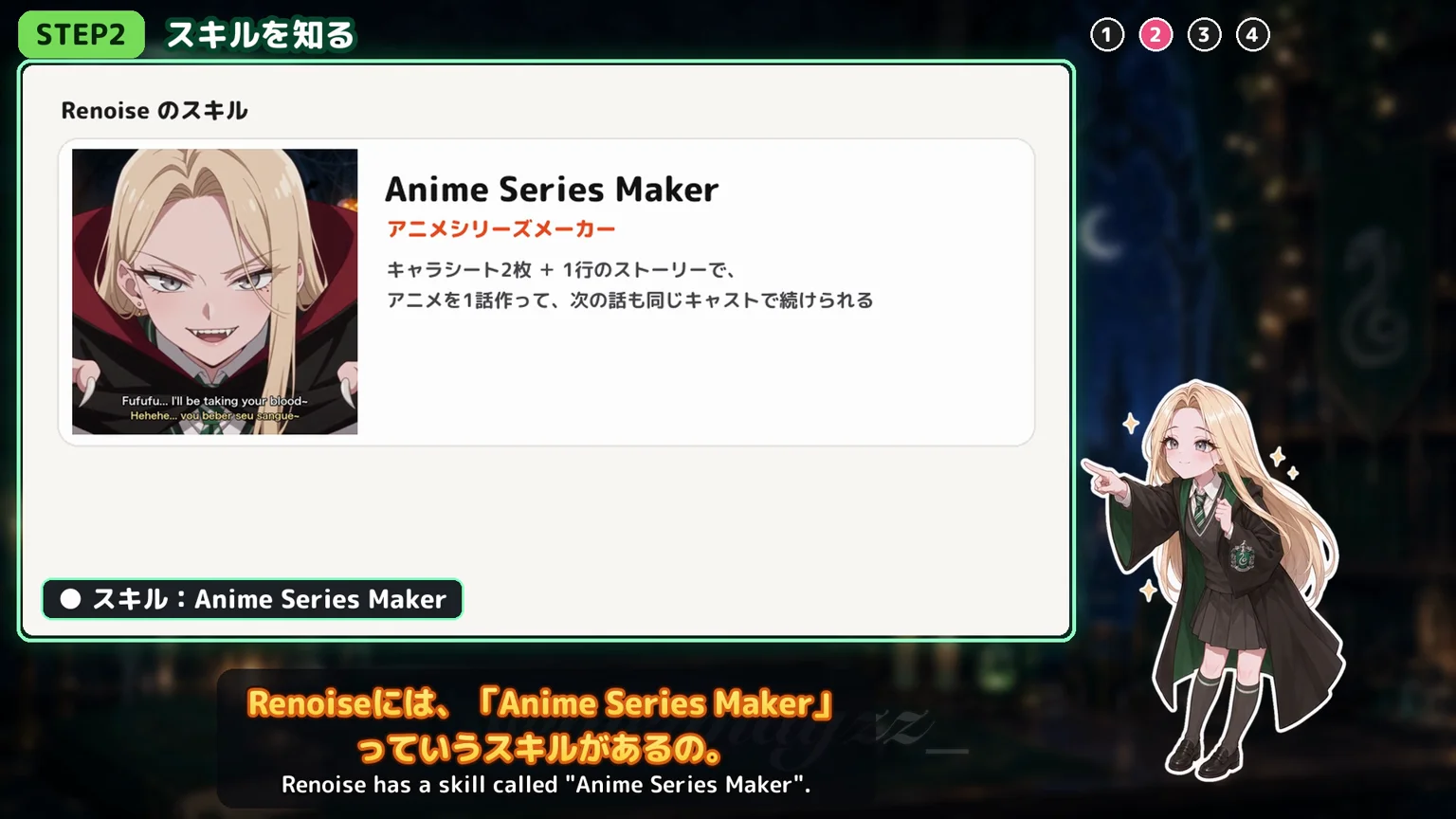
There is nothing to install. Once Renoise is connected, put the skill's name in your message and Claude loads it. Naming the skill is the important part: without it, Claude makes a one-off clip instead of following the episode workflow.
Step 3: Prepare one character sheet per character
Consistency comes from the sheet. A video model starts every clip from scratch, so the only way to keep the same face from cut 1 to episode 10 is to give it the same picture every time. A good sheet shows:
- the character from the front, side and back, full body;
- a few expressions (neutral, angry, embarrassed, smug);
- the features that must never change, stated plainly: in our case, straight blonde hair and grey eyes.
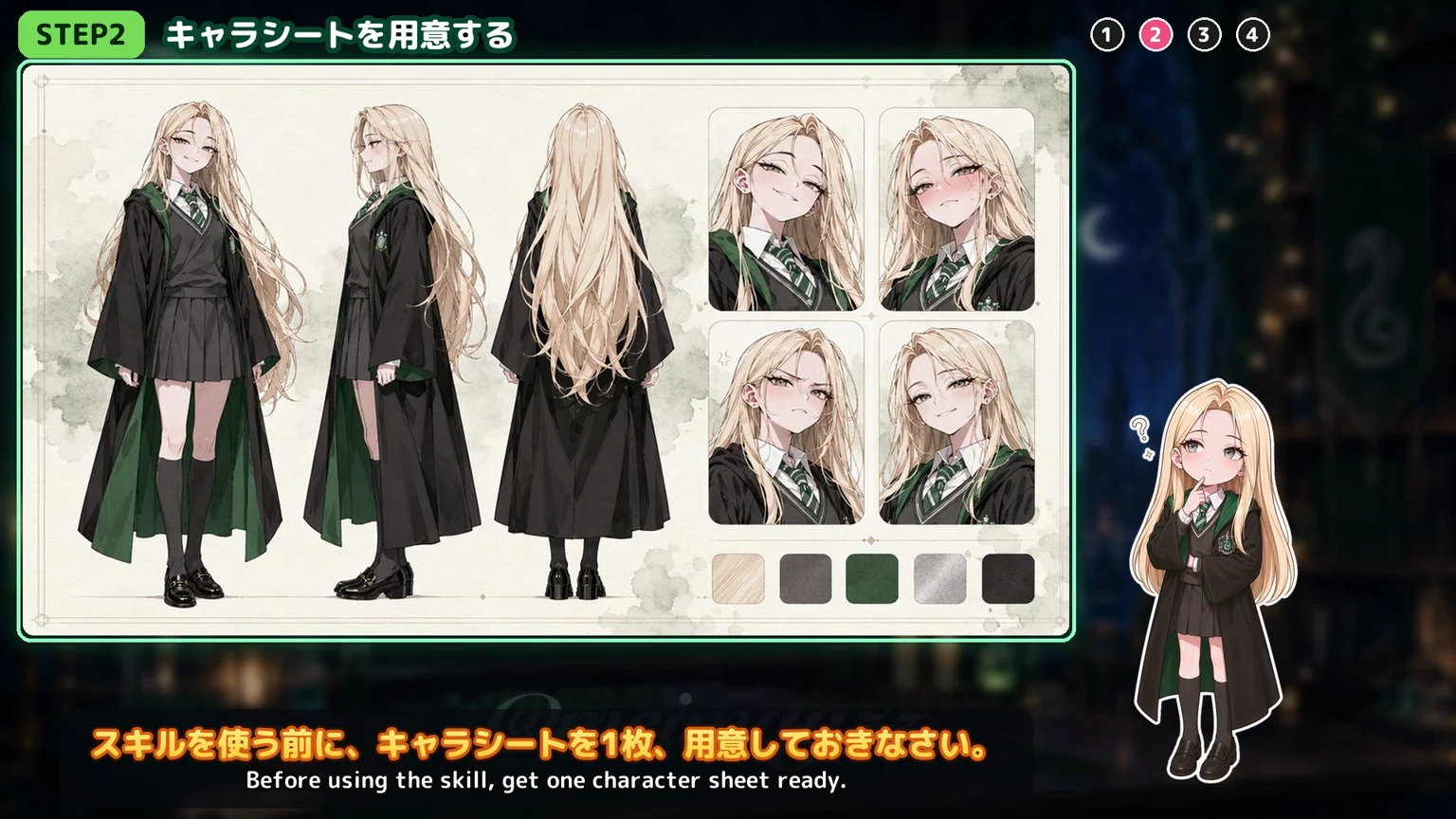
Make one sheet for each character in the episode. Two characters is the sweet spot: enough for a story, few enough that the model keeps both faces straight. For more on why sheets work, see our character consistency guide.
Step 4: Ask for the episode in one line
Attach the two sheets in a new chat and type one line that names the skill, the story and the length:
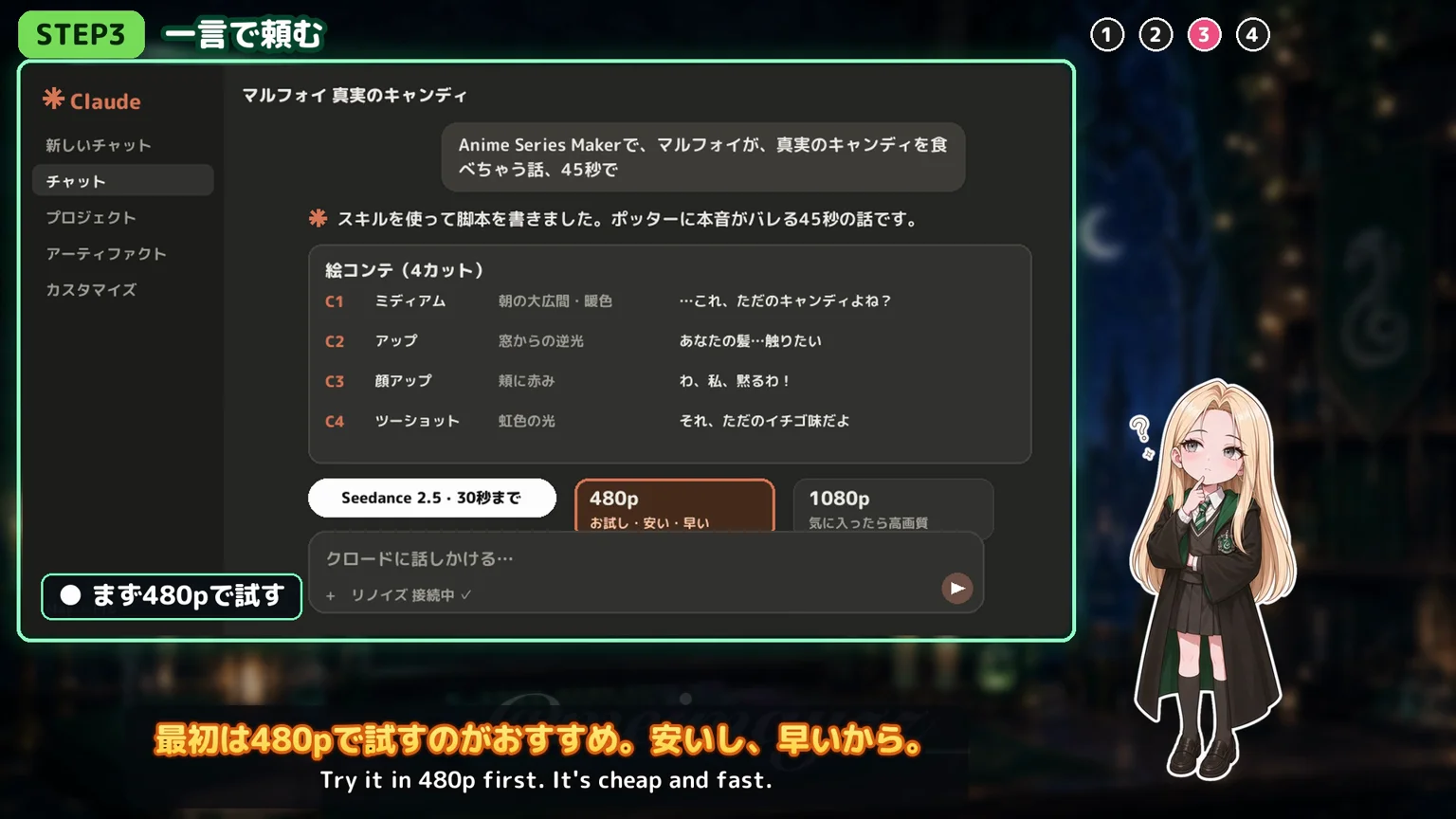
Use Anime Series Maker: a 45-second story where she eats a truth candy and blurts out how she really feels.
That is the whole prompt. Claude takes it from there:
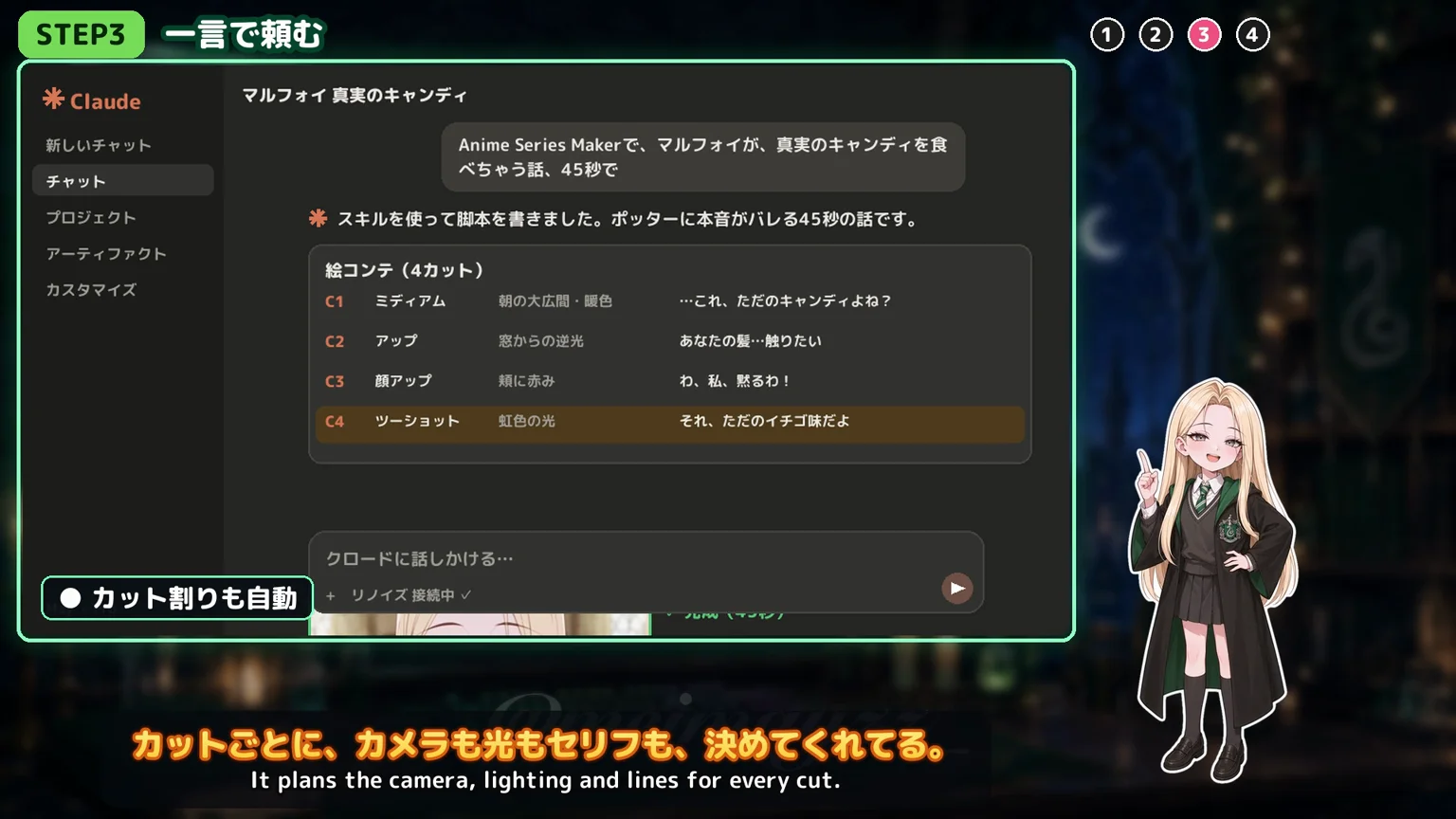
- Script. A short story with a beginning, a twist and an ending, with the dialogue written out in character.
- Shot list. Each cut gets a place, a camera move, lighting and a line. Ours had four cuts: finding the candy in a dining hall, the confession slipping out, a close-up of her red face, and a friend giving the secret away.
- Model. Seedance 2.5, which makes up to 30 seconds per generation with dialogue and sound in the same pass. A 45-second episode is made in two parts.
- Quote. Claude shows the credit cost before anything runs. Nothing is spent until you say OK.
- Generation. Say "OK" and the clips render. The finished episode appears in the chat.
Draft at 480p first. It is the cheapest and fastest setting. When the story and the faces are right, ask Claude to remake the same episode in higher quality.
Step 5: Fix one cut, then make the next episode
Editing is also a sentence. To change a shot, say what is wrong and where:
Make her face redder in cut 3.
Claude regenerates only the part that contains that cut, not the whole episode, so you do not pay twice for the cuts that already work.
When the episode is done, say "make the next episode". The skill keeps the same sheets, the same art style and the same voices, and avoids repeating a premise you have already used. That is how the series in the video gets a new episode every day.
How much does an episode cost?
Seedance 2.5 is priced per second. List prices on Renoise as of November 23, 2026:
| Length | 480p (draft) | 1080p (final) |
|---|---|---|
| 10 seconds | 160 credits | 720 credits |
| 15 seconds | 240 credits | 1,080 credits |
| 30 seconds | 480 credits | 2,160 credits |
| 45-second episode | about 720 credits | about 3,240 credits |
A retake of one part costs that part again. Claude quotes the total before each generation, so you always see the number first. How credits convert to money depends on your plan; see pricing and our AI video cost guide.
Claude or the Renoise web Agent?
Both make the same episode with the same models. Use Claude if you already plan your work there and want the episode to come out of the same conversation. If you would rather not set up a connector, the Renoise web Agent does it in the browser: attach the sheets, describe the scene in one sentence, and the Agent writes the full prompt for you. We walk through that in how to make AI anime without writing a prompt.