Prompts
AI Christmas Photo Prompts That Keep Your Face
Most AI Christmas photo prompts online come with stock pictures or with images nobody says how they made. We ran all 12 prompts below on the same set of photos, with Nano Banana Pro (Google's image model in the Gemini app) and GPT Image (OpenAI's family, which ChatGPT uses), so every picture here is a real output next to the photo that went in.
How to use these prompts in ChatGPT, Gemini or Renoise
Every prompt is written to be pasted as is, after you attach the photo it mentions.
- ChatGPT: start a chat, attach your photo (or both photos for the two-person prompts) and paste the prompt. ChatGPT draws images with OpenAI's GPT Image models and does not show which version answered you.[1]
- Gemini: open the Gemini app, choose Create images and attach your photo. Google says Nano Banana Pro is used when you pick the Thinking model; on the free tier it falls back to the original Nano Banana after a limited quota.[2]
- Renoise: upload your photo in the AI Christmas photo tool and paste the prompt into the box, or open the image workspace and pick a model yourself.
Each prompt ends with "Vertical 3:4". Change it to 9:16 for Stories and Reels, 4:5 for an Instagram post, or 1:1 for a profile picture. Upload only photos of yourself or of adults who agreed to it.
The three lines that keep your face
Every person prompt in this post ends with the same three sentences. If you write your own Christmas prompt, copy these to the end of it:
Keep my face exactly as it is in my photo: same face shape, eyes, nose, mouth,
skin tone and hair. Do not add any other people or animals. No text, letters or
logos anywhere in the image.
The face line names the features one by one. "Keep my face" alone leaves the model free to redraw the parts you did not name.
"Do not add any other people or animals" is there because of a real failure. When we tested two-person fireside scenes for our Christmas photo tool, the model added a spaniel that was in neither photo. With this line, the reruns came back clean.
"No text" stops the model from writing "Merry Christmas" across your photo. It is not enough on its own for objects that usually carry words, as the stockings in prompt 7 show.
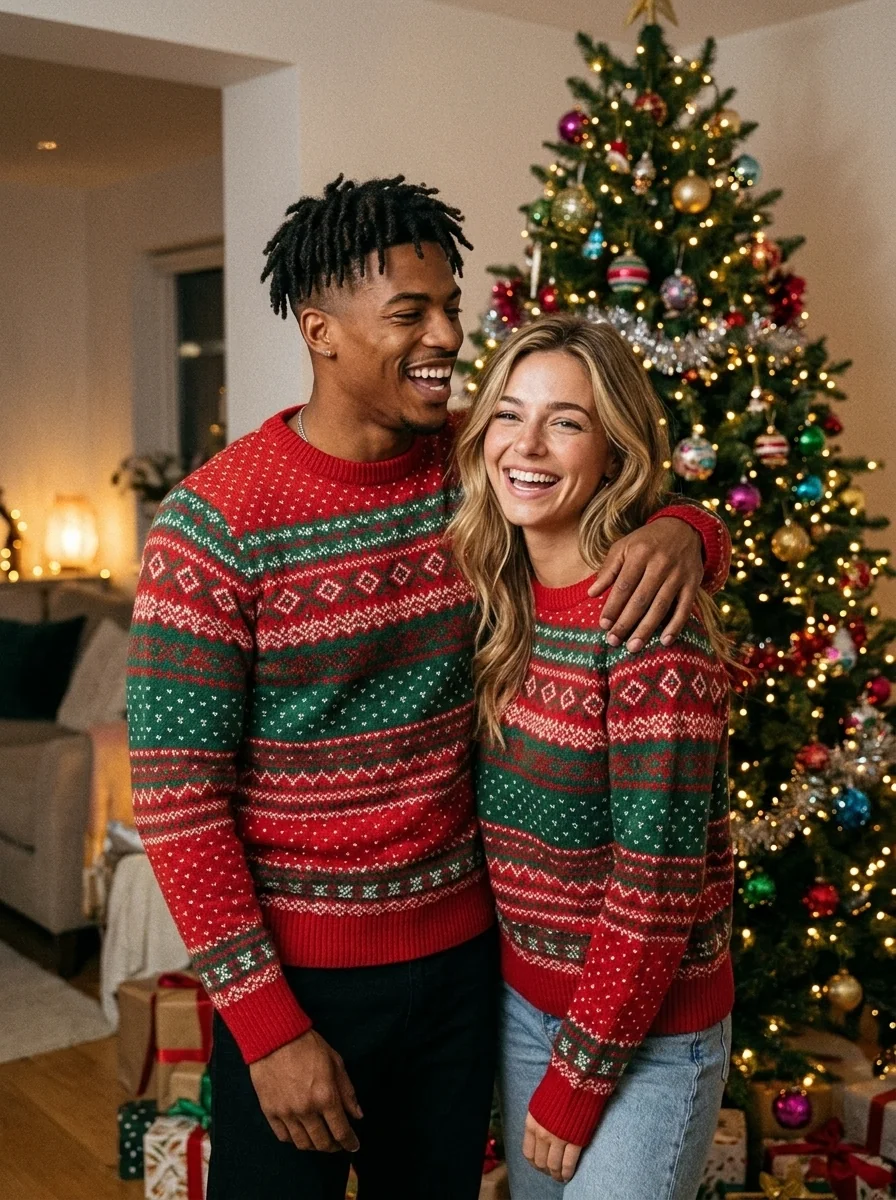
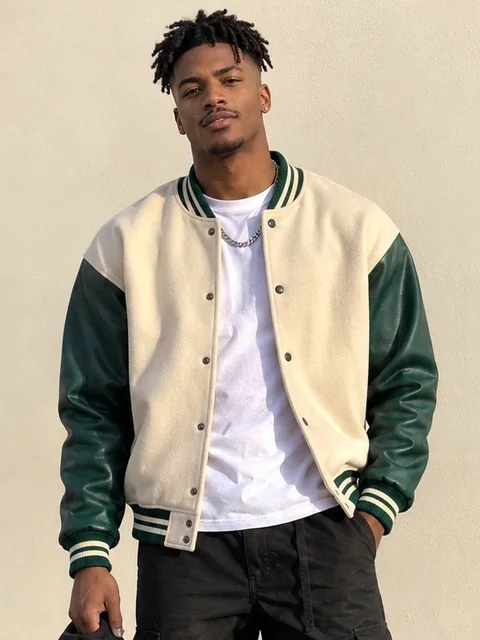
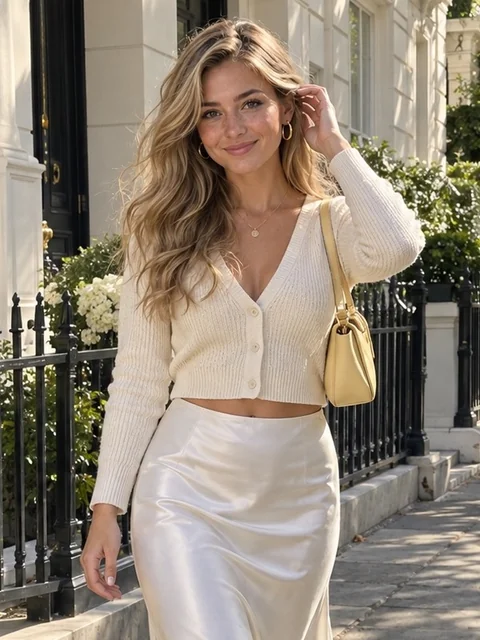
The photo matters as much as the prompt. Our source photos were full-length street shots, so we cropped each one to the waist before uploading. In an earlier test, a face about 20 pixels tall came back as a different person.
Solo Christmas portrait prompts
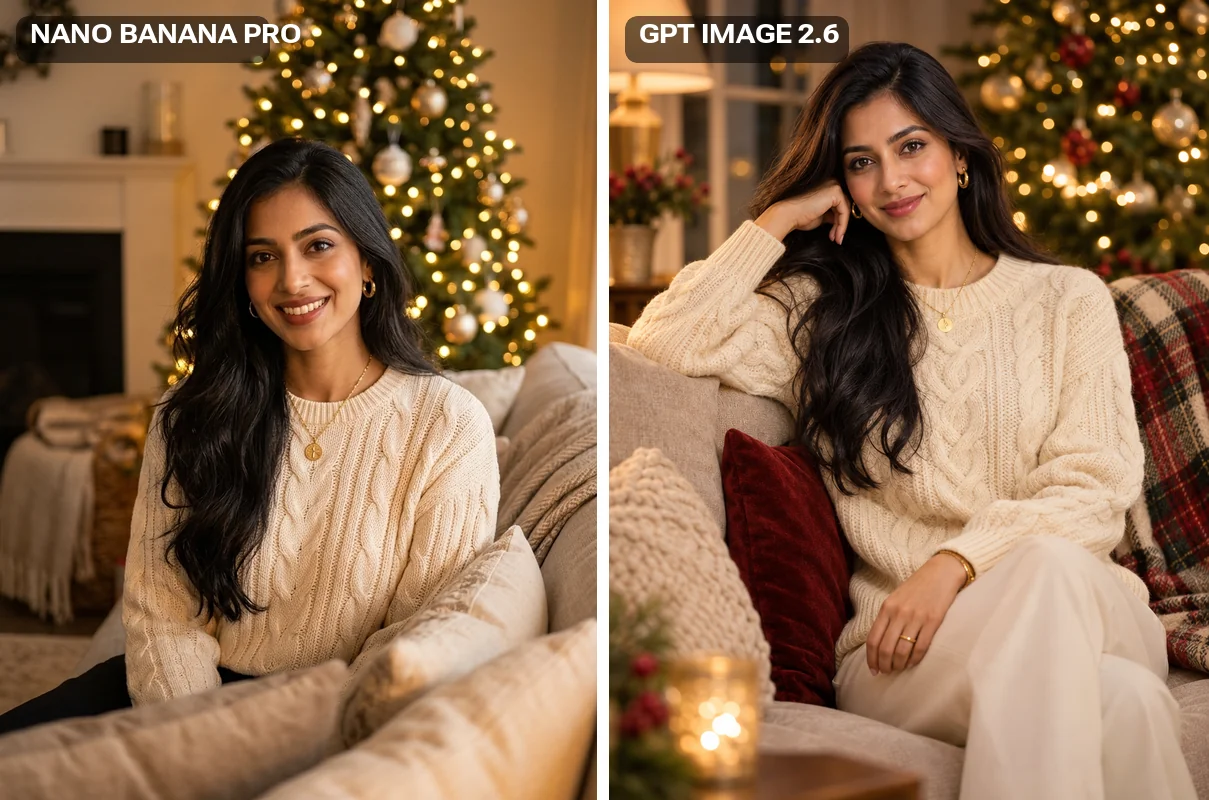
1. Cozy living room by the tree
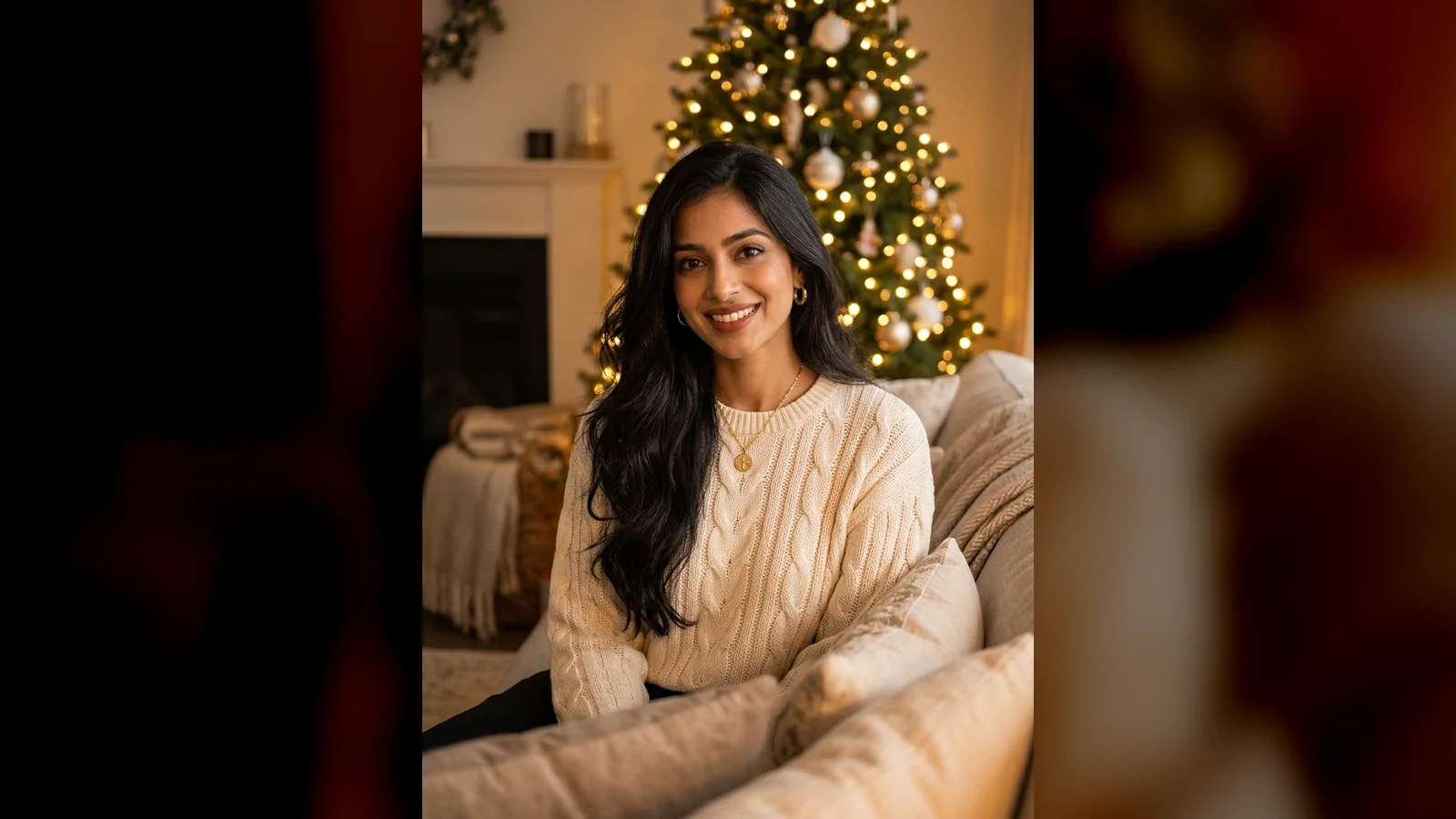
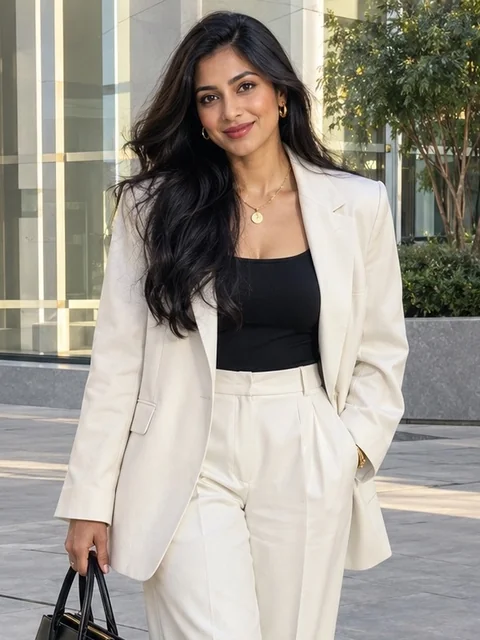
The "50mm lens with shallow depth of field" part is what turns the tree into soft bokeh and keeps your face as the sharpest thing in the frame.
2. Snowy street at dusk
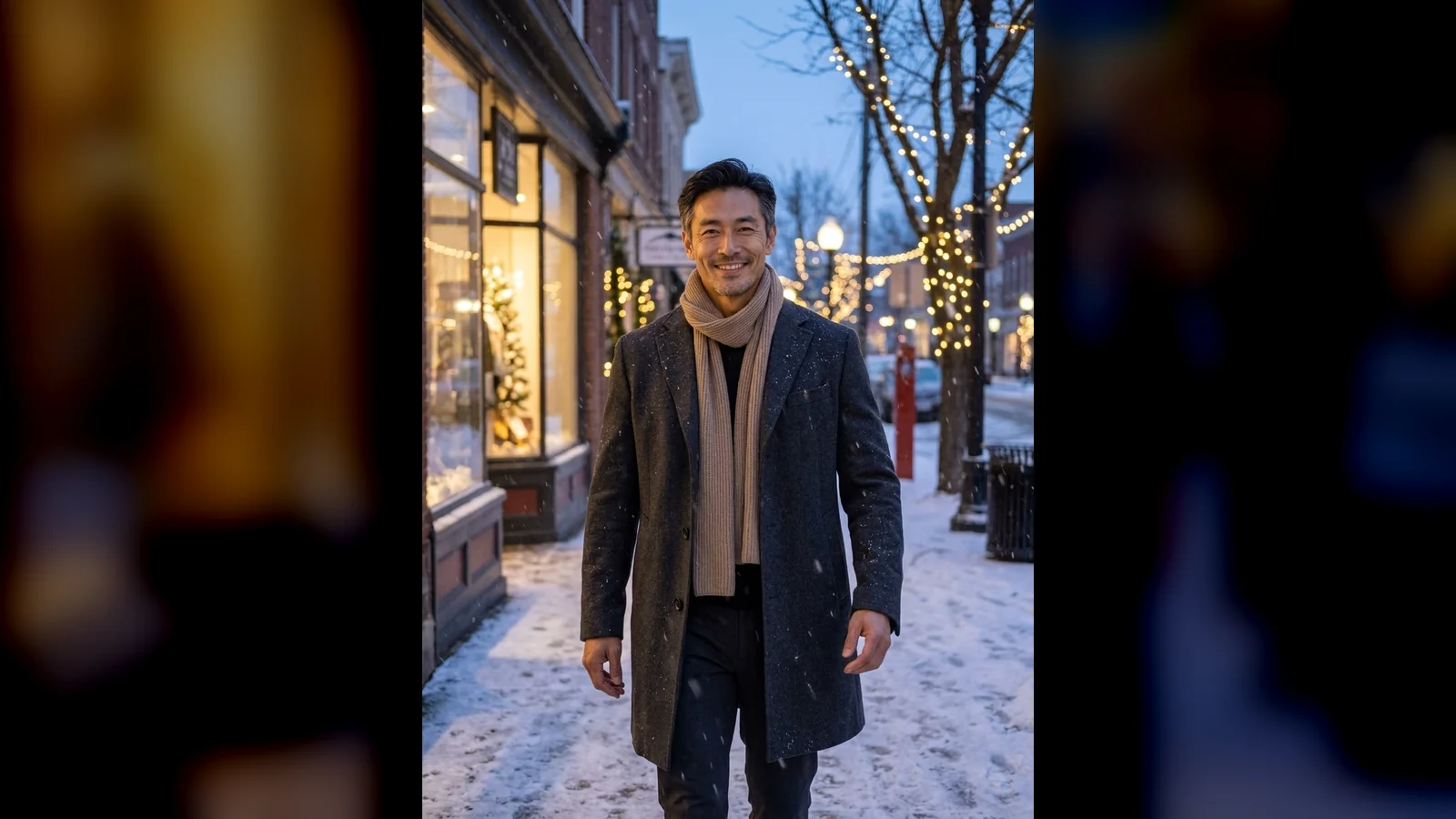
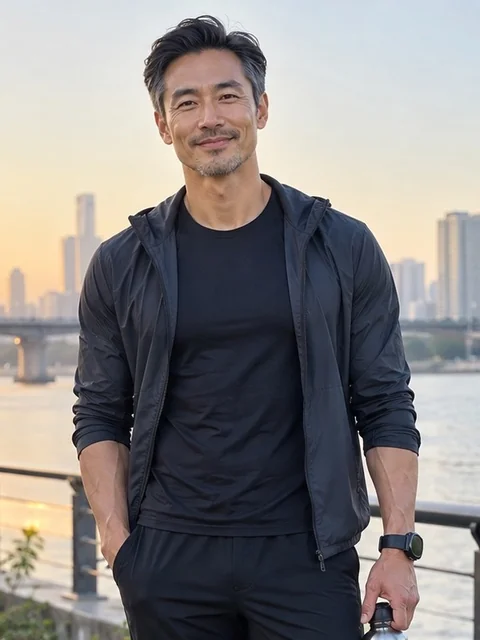
"Cool blue evening with warm highlights" gives the blue-hour look with lit shop windows. Ask for "from the waist up" if you want your face larger.
3. Christmas morning in pajamas
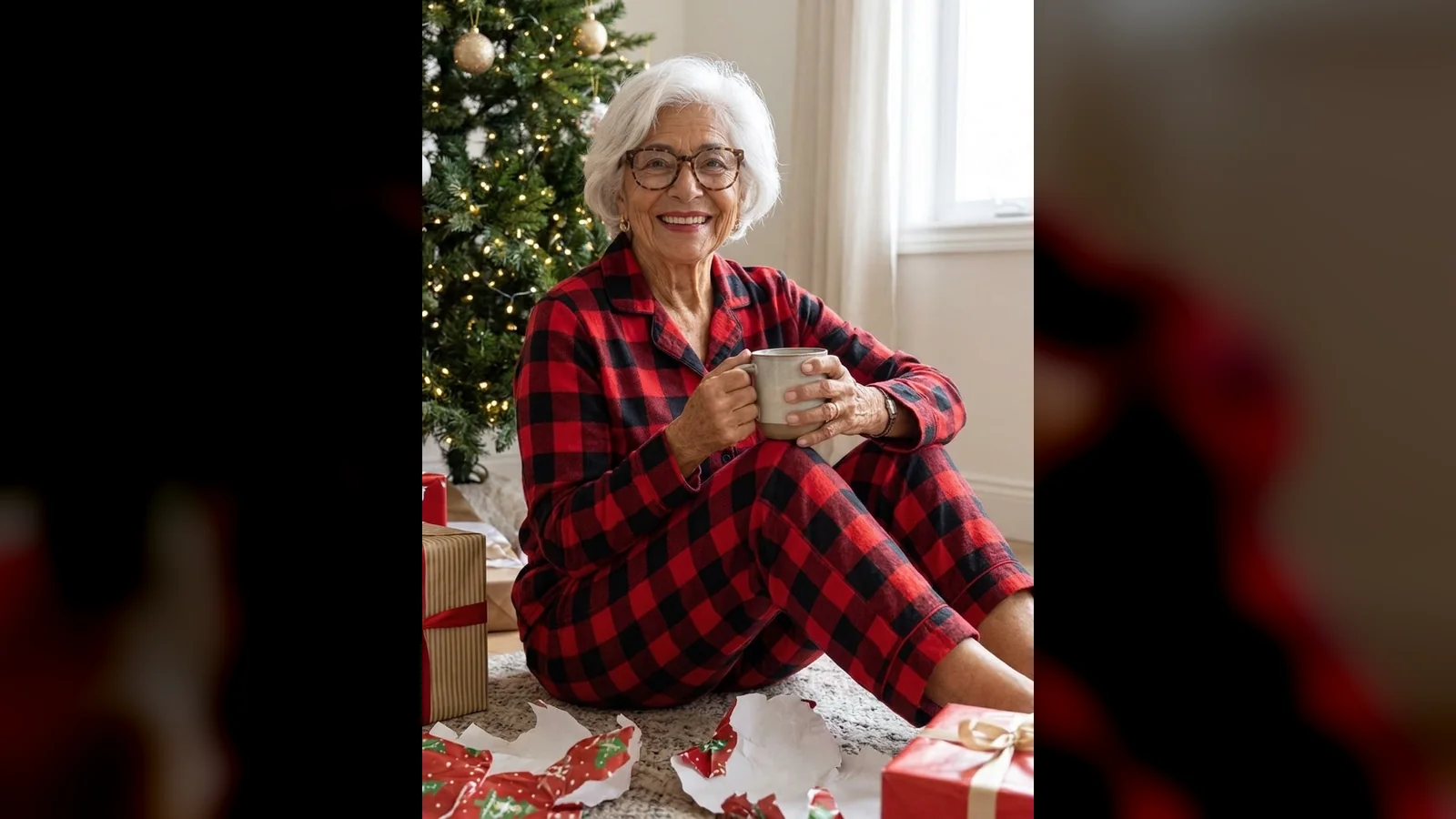
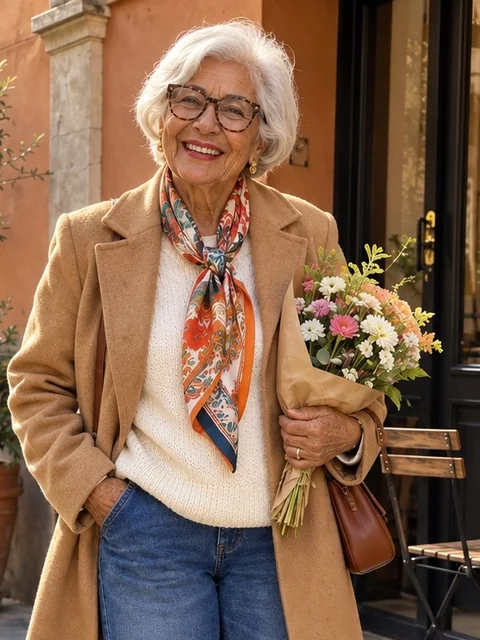
Her glasses and white hair came through unchanged. "Torn gift paper" is the detail that makes it look like a real morning rather than a staged set.
Couple and friends Christmas prompts
For these, attach both photos. They should be two separate photos of two adults; the model puts them in one frame.
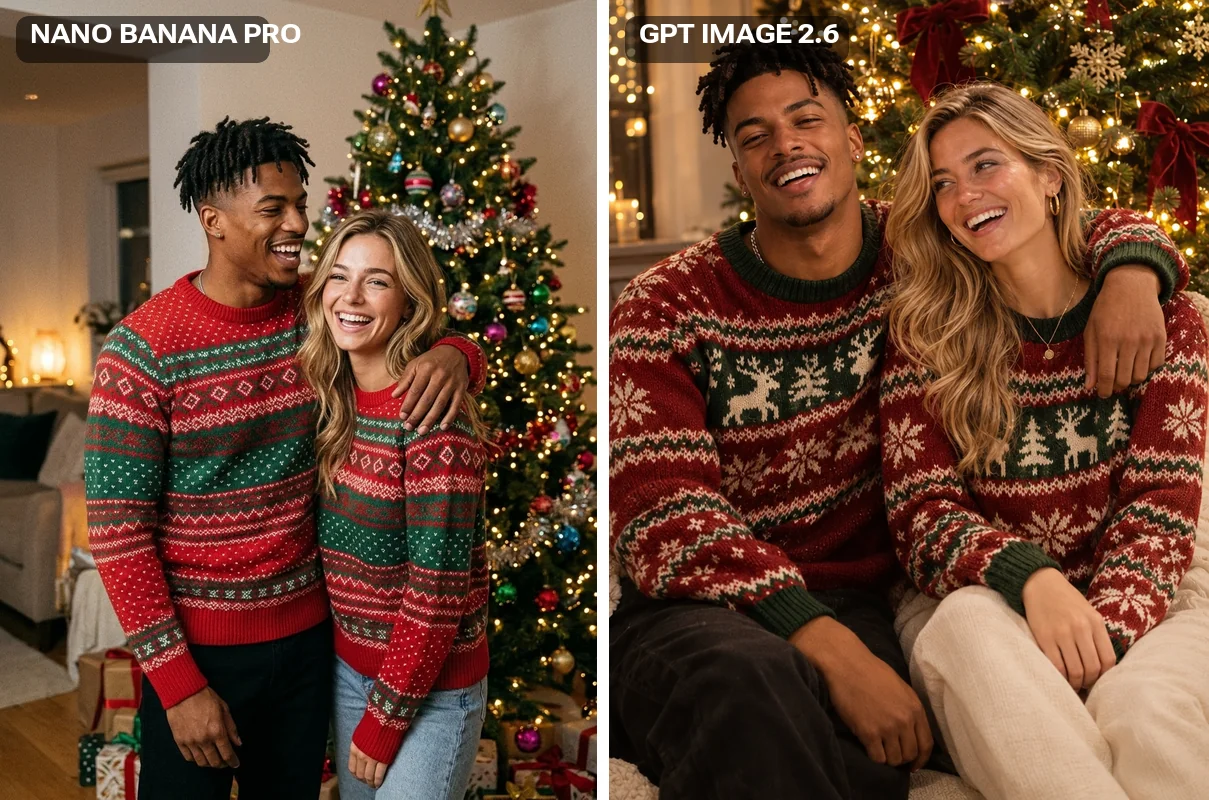
4. Matching sweaters by the tree
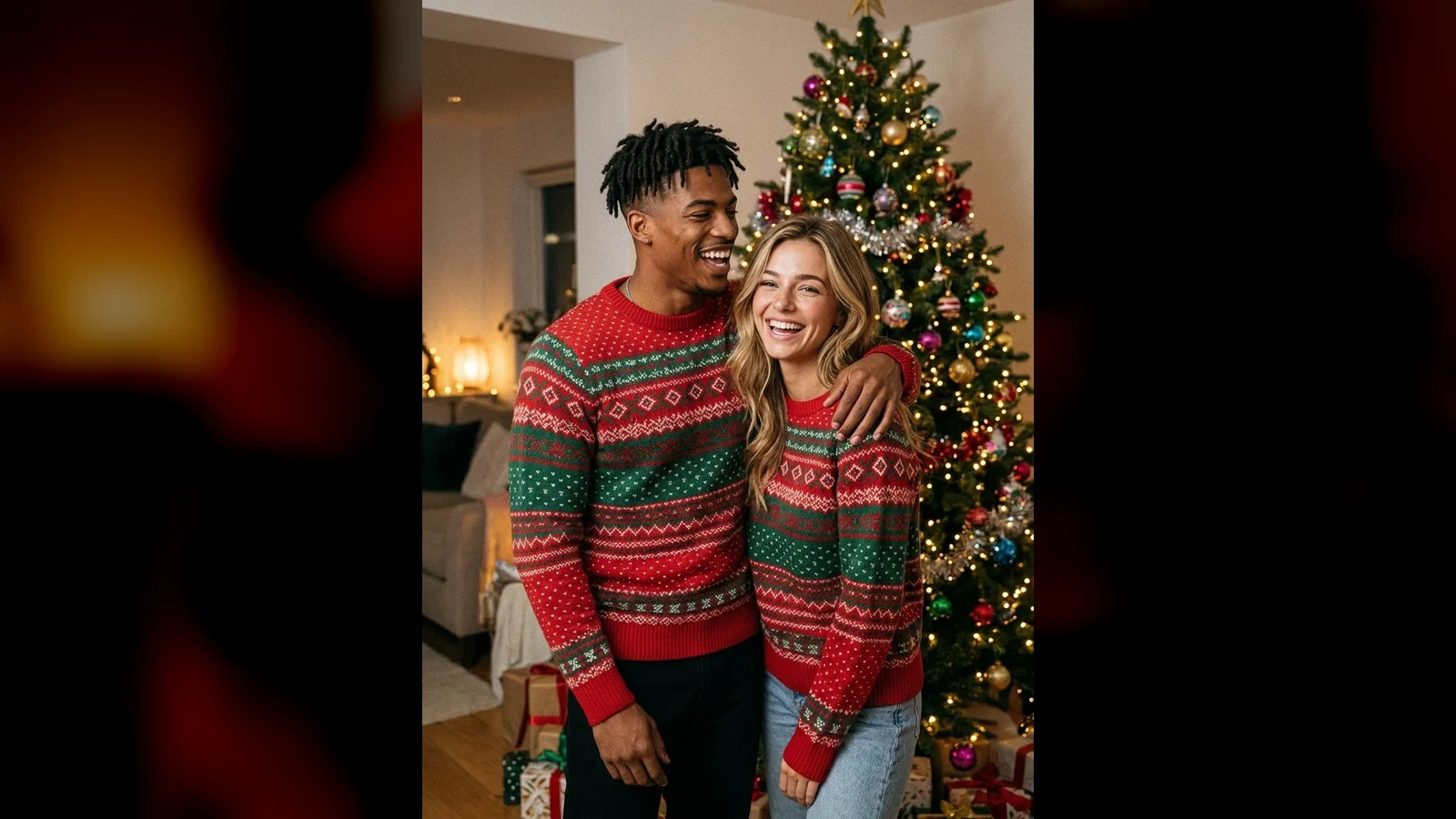
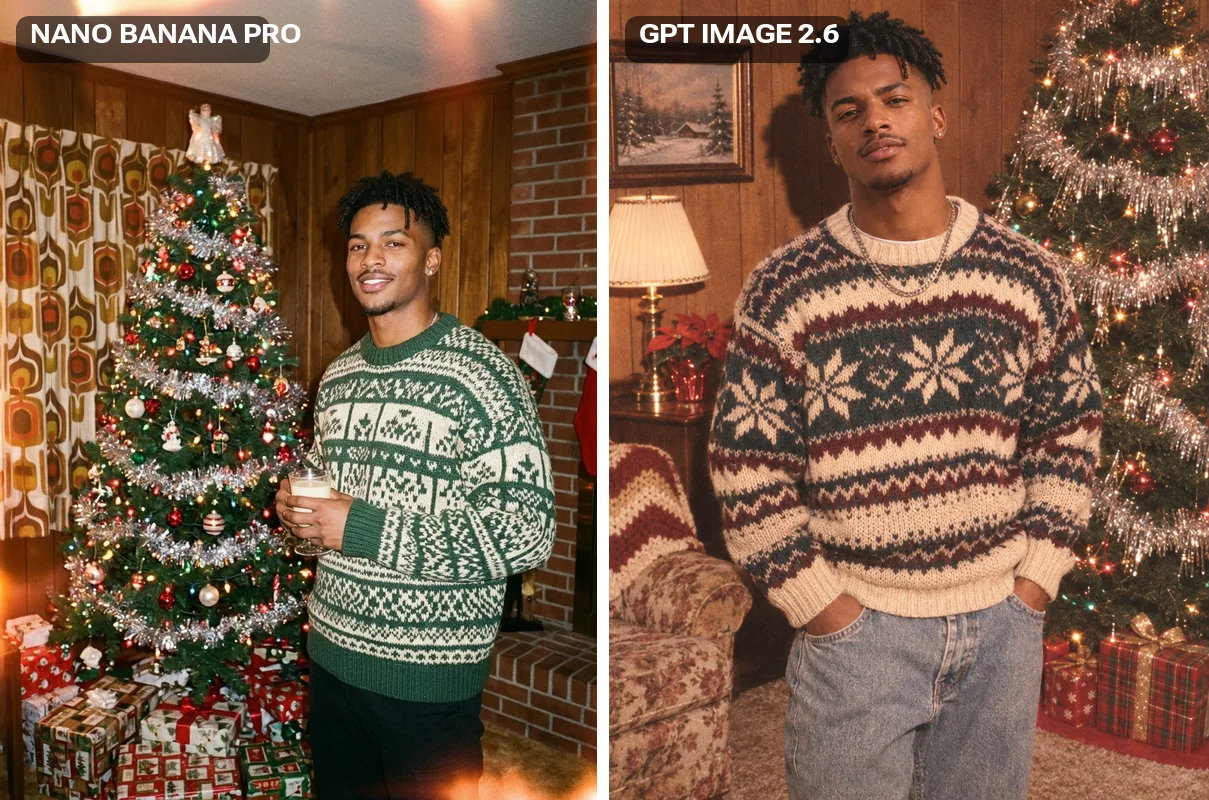
Both faces held, but the sweaters do not actually match: Nano Banana Pro gave them two different patterns. GPT Image matched them exactly (see the comparison below). If matching matters, describe the one pattern: "both wearing the same red sweater with a white reindeer pattern".
5. Ice skating at night
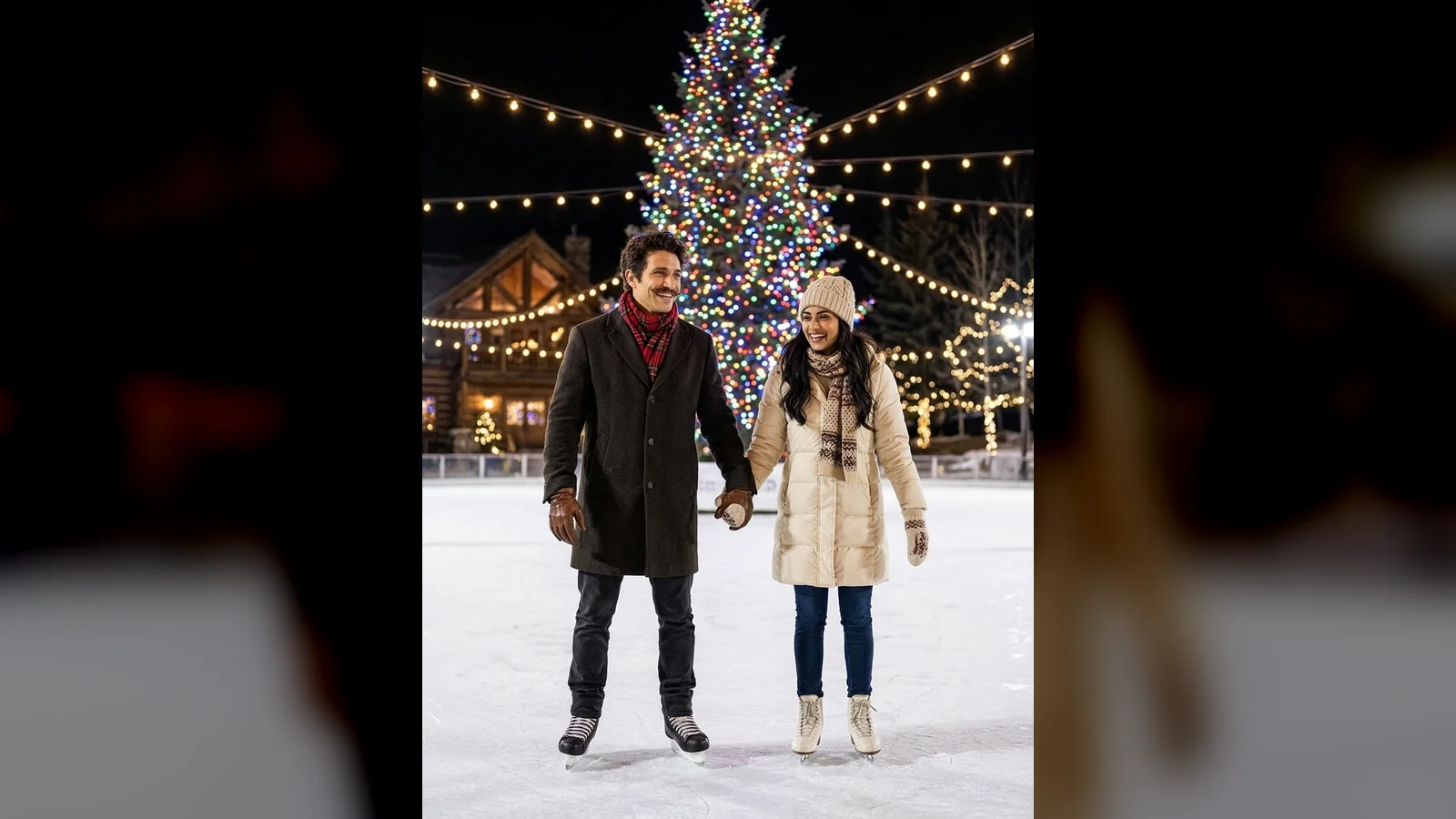
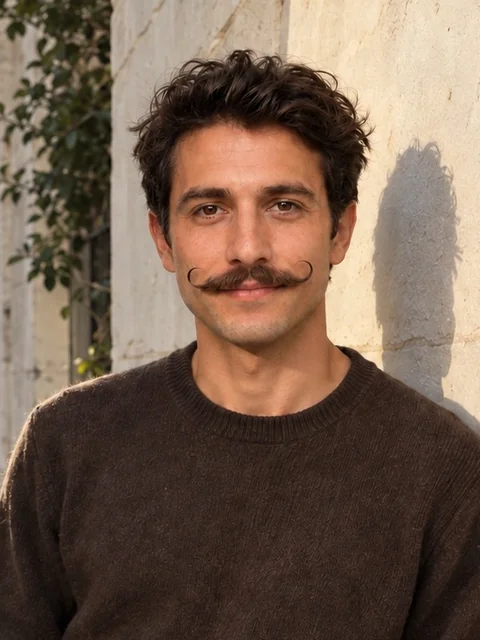
Skating needs the whole body in the frame, so faces end up small. It works as a scene; it is not the prompt for a close portrait.
6. Christmas party Polaroid
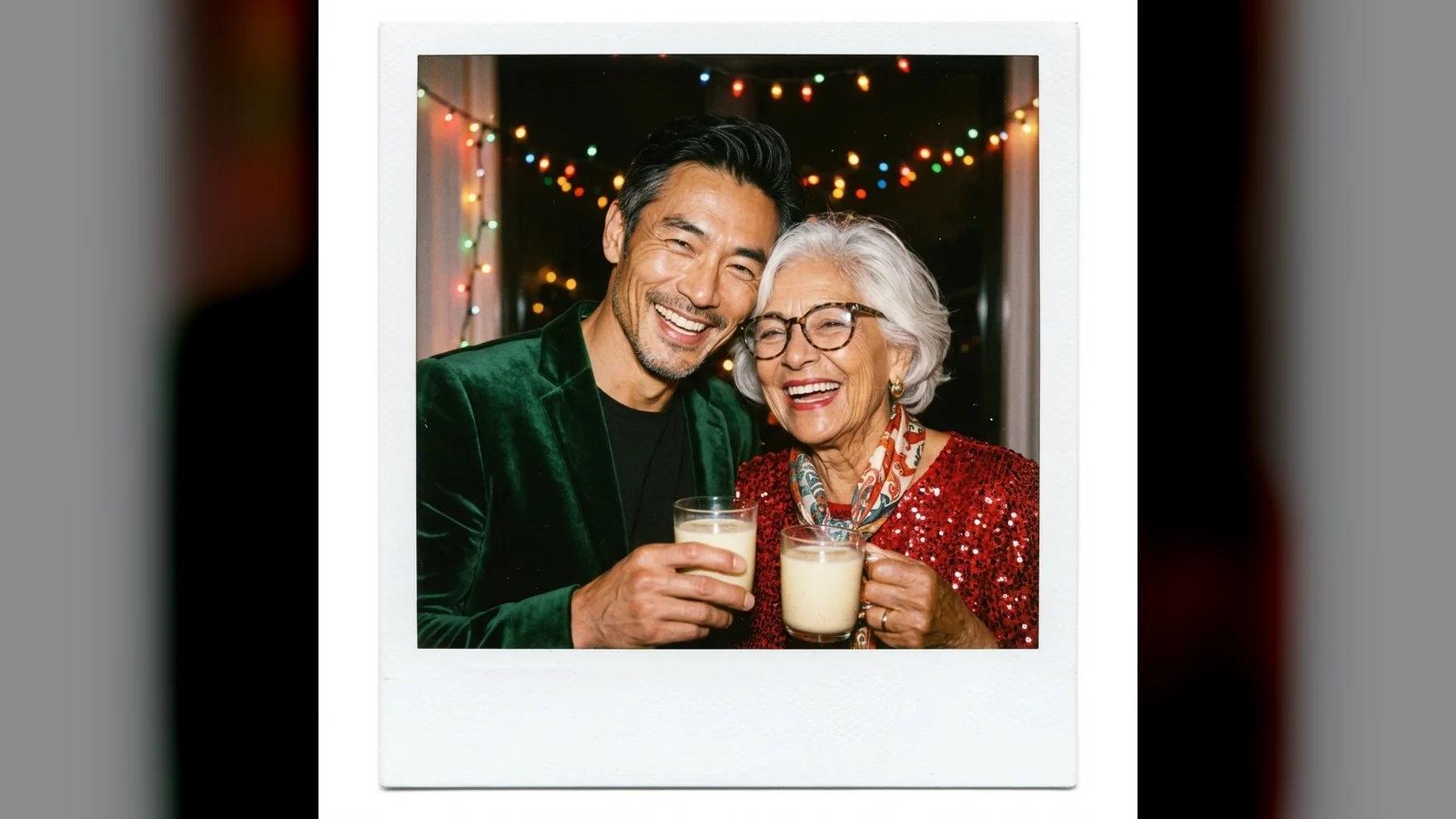
"Direct on-camera flash, slightly overexposed" is what sells it as a party snapshot. "Thick blank bottom border" keeps the model from writing a caption on the frame.
Pet Christmas photo prompts
7. You and your dog by the fireplace
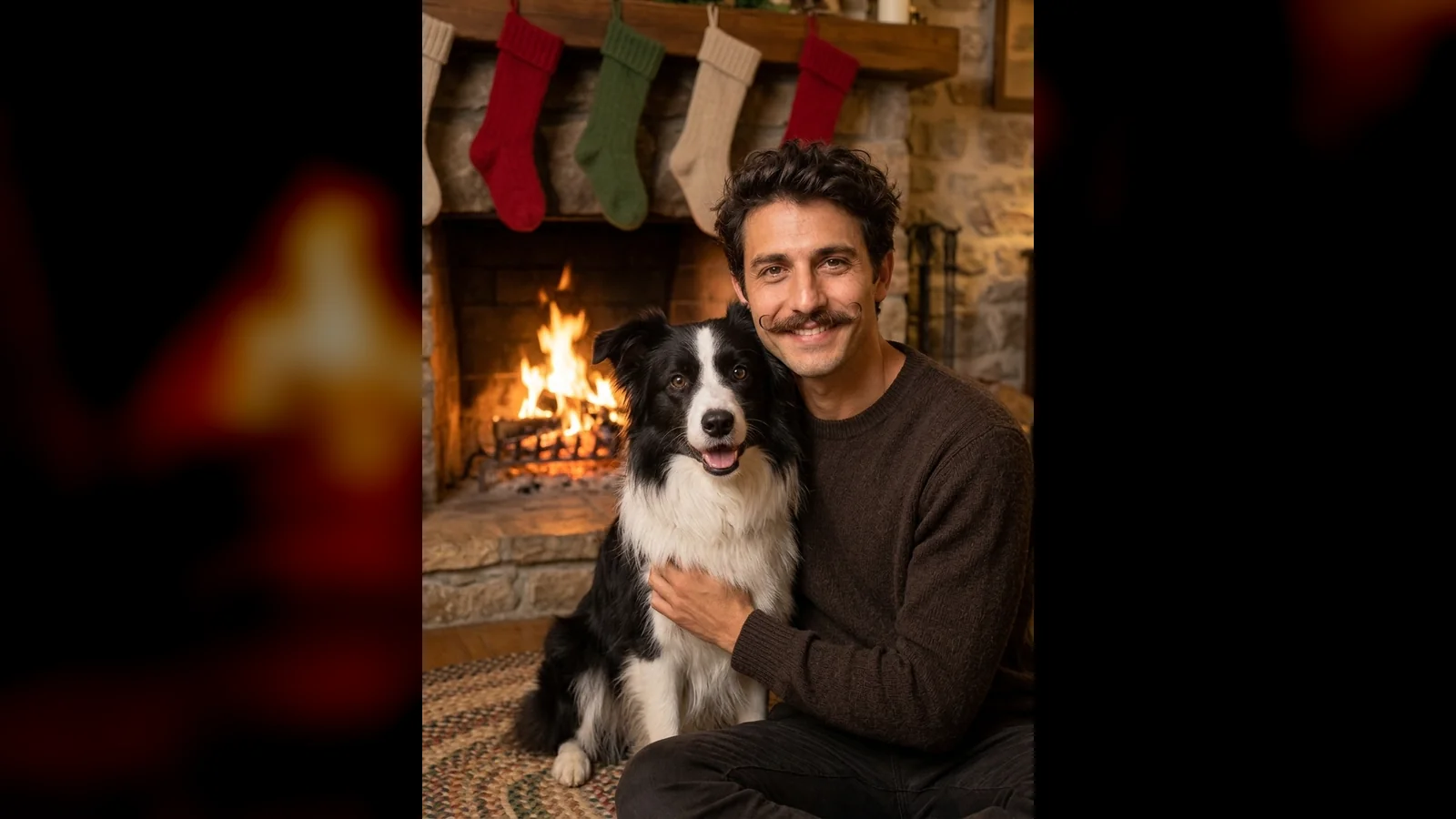
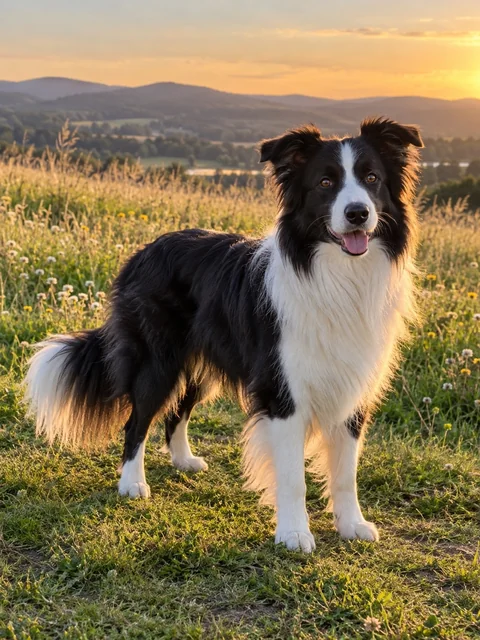
The dog's black-and-white markings matched the photo. Name the breed details you care about in the prompt ("exact breed, coat colour and markings"). The phrase "plain knit stockings with no names" was added after our first run; see what went wrong below.
8. Your cat in a Santa hat
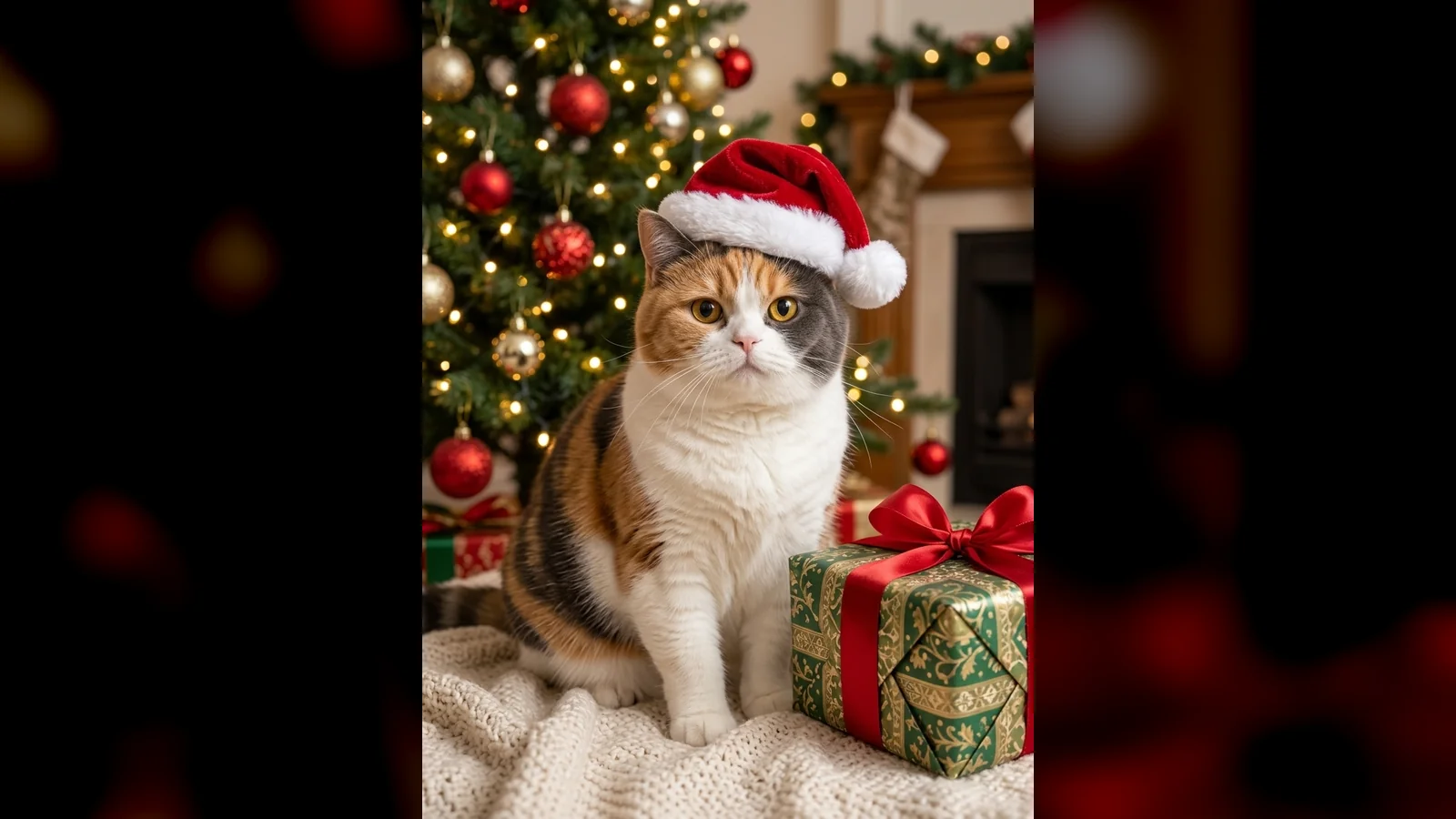
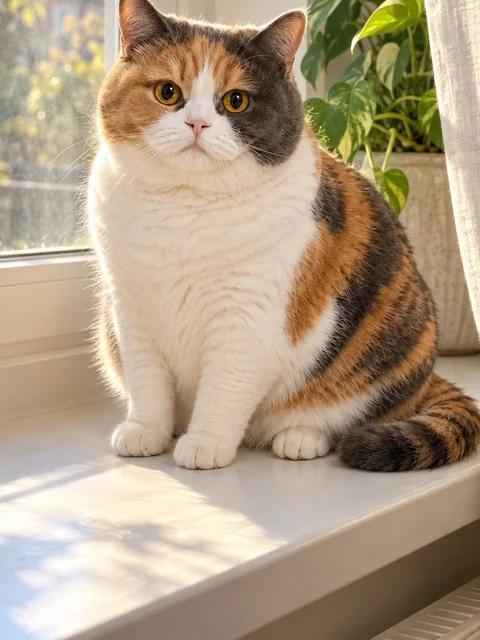
With no person in the picture, a hat is fine. On people we leave hats out, because a hat changes the hairline and makes a face harder to recognise.
Trend prompts: snow globe, candy cane and 90s film
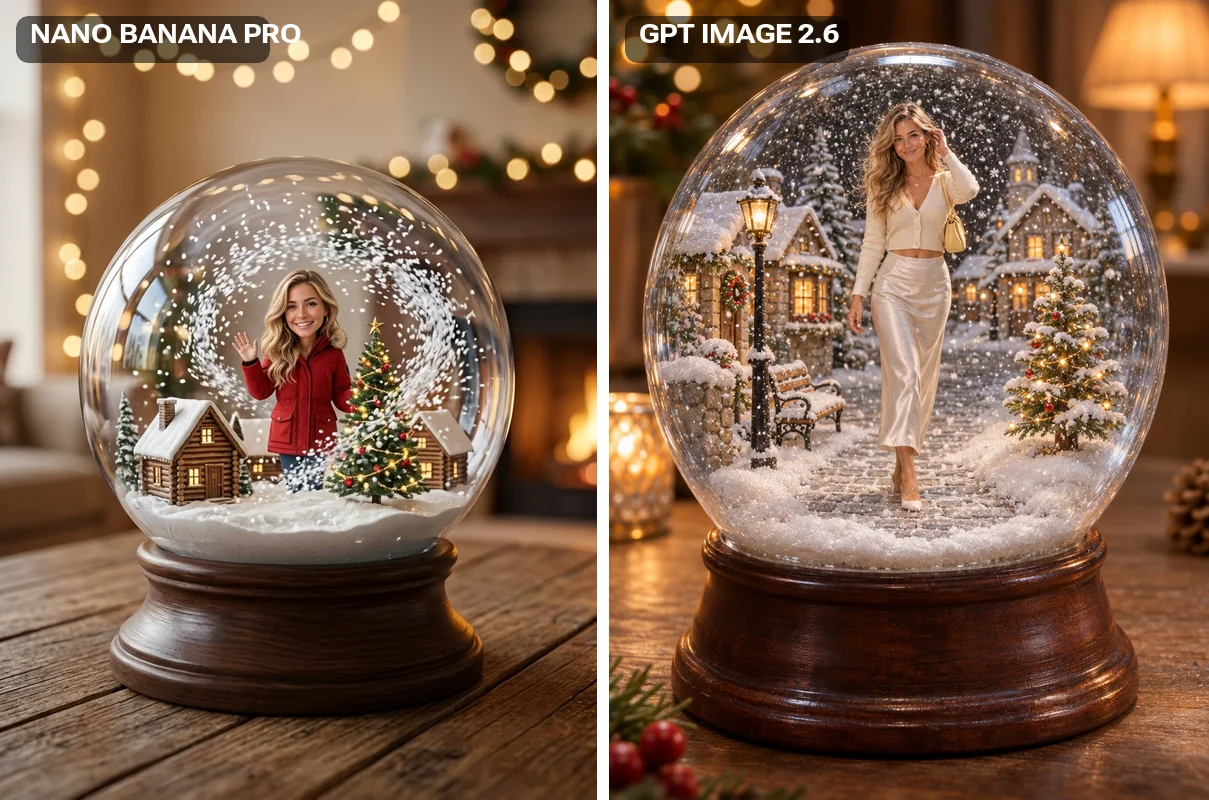
9. You inside a snow globe
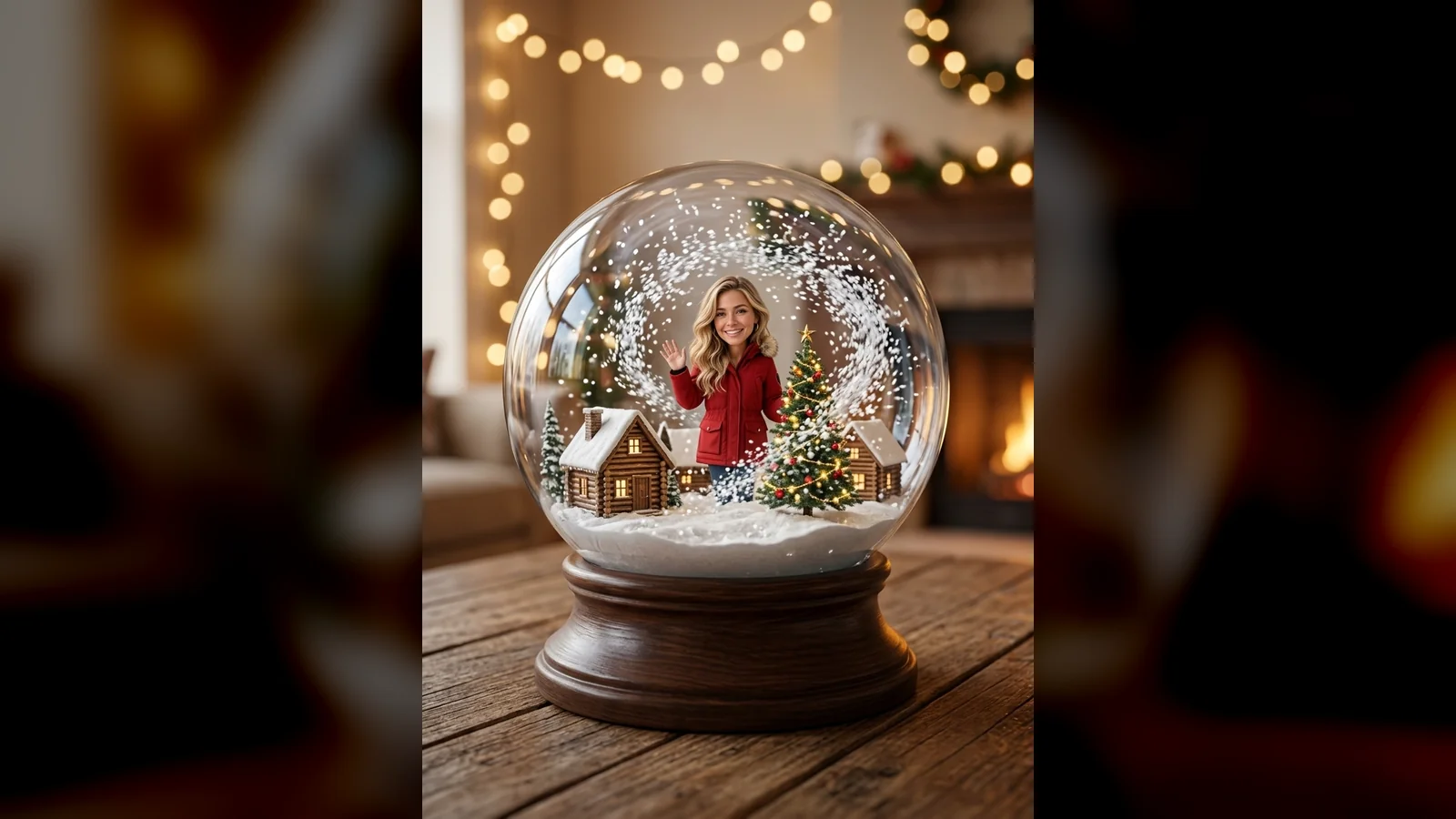
The snow globe appeared in most of last December's prompt lists. The figure inside is small, so expect a likeness, not a portrait.
10. Candy cane lollipop portrait
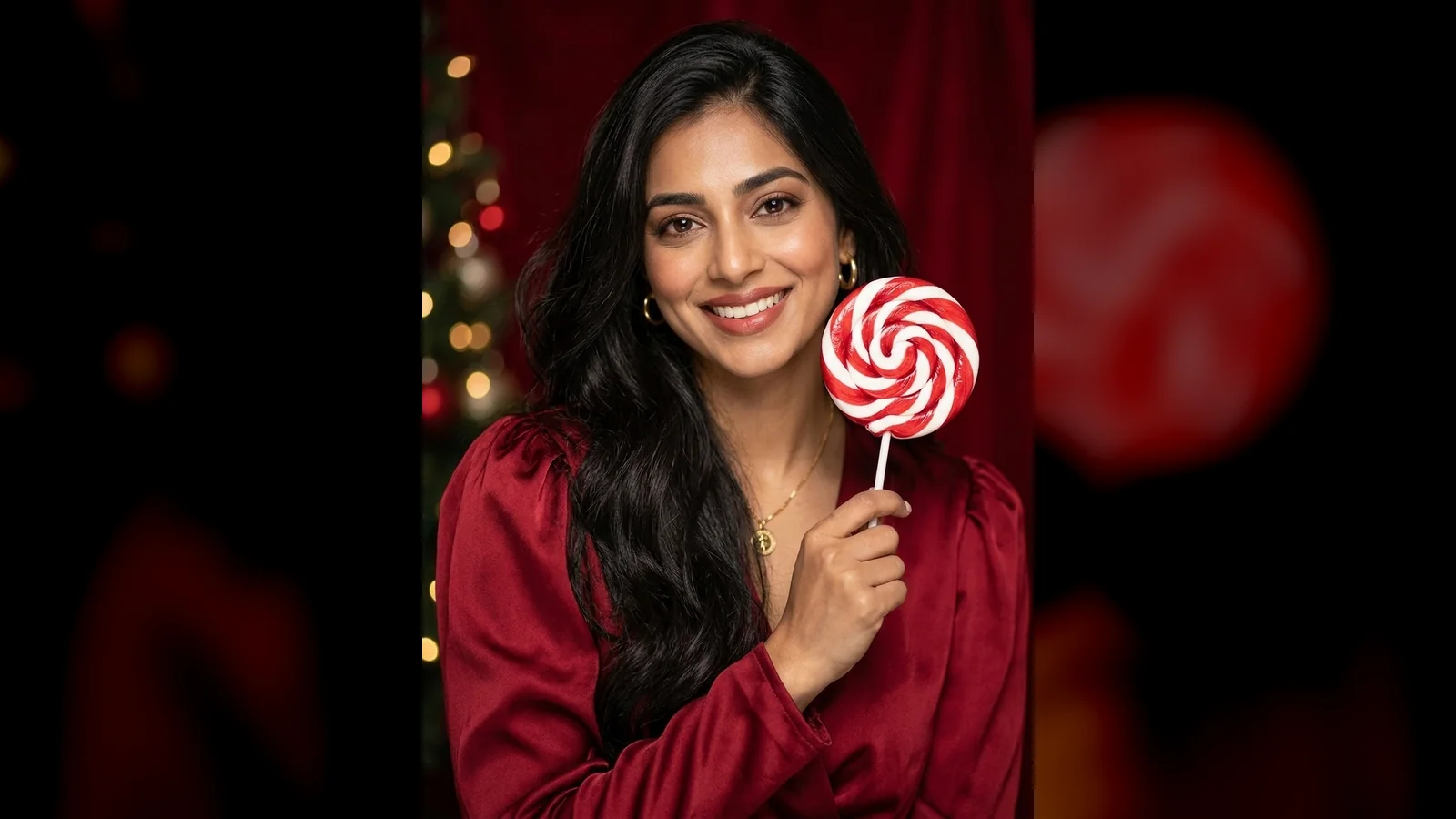
Keep the wording to "studio portrait". Asking for a magazine-cover style can make an image model draw a fake masthead, which is text you do not want on your face.
11. 1990s family-album snapshot
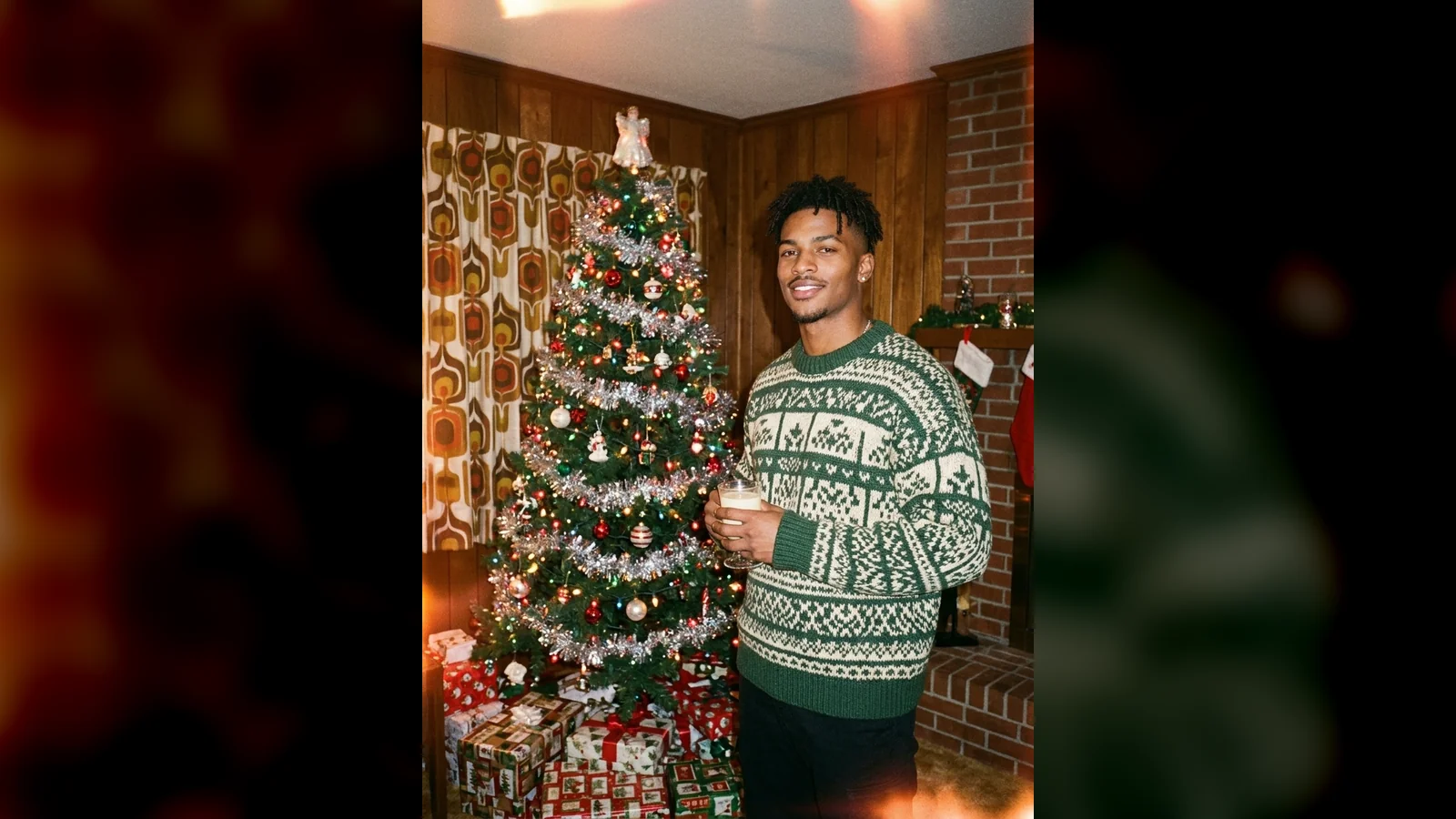
"With no date stamp" is there because old film cameras often printed an orange date in the corner, and a model imitating film can copy it. That date counts as text.
Christmas card prompt
12. Card portrait with room for your greeting
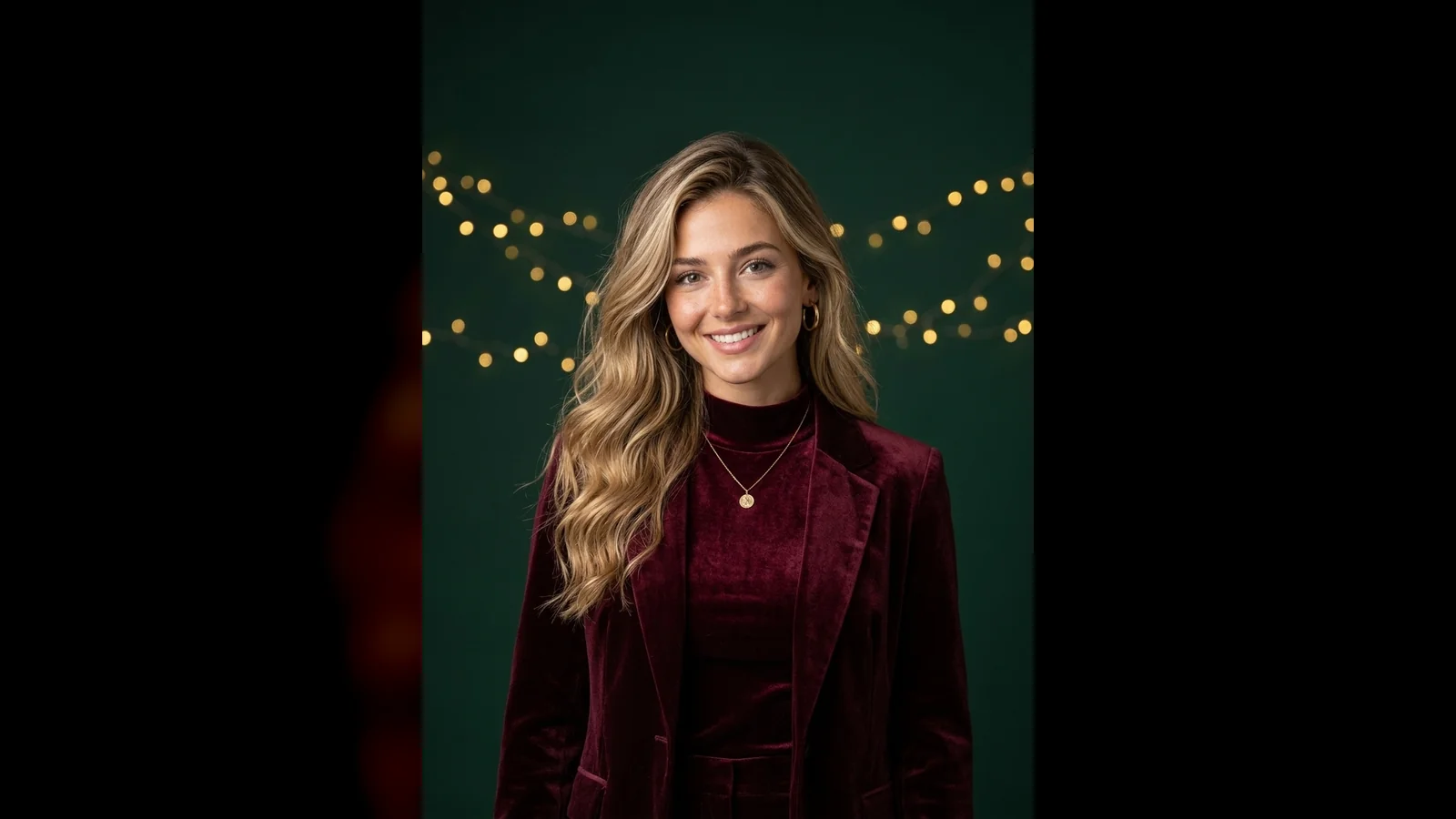
Do not ask the image model to write "Merry Christmas". Generate the photo clean and add the words in a card or design app, where the spelling and font are under your control.
ChatGPT vs Gemini: the same Christmas prompt on both
We ran prompts 1, 4, 9 and 11 a second time on GPT Image 2.6 Sunburst, the default GPT Image model on Renoise, with nothing changed. Nano Banana Pro is on the left, GPT Image on the right.
| Nano Banana Pro (Gemini) | GPT Image 2.6 (ChatGPT's family) | |
|---|---|---|
| Face from the photo | Kept in all four | Kept in all four |
| Follows exact wording | Loosely ("matching" sweaters came back different) | Literally (identical sweaters) |
| Outfit from your photo | Replaced with one that fits the scene | Often kept, down to a necklace or a handbag |
| Retro looks | Cleaner, more modern | More convincing film feel |
| Time per image on Renoise | Under 45 seconds | Under 45 seconds |
| Price on Renoise, 1K | 16 credits | 14 credits |
The practical rule: if you want the scene to dress you, use Gemini or Nano Banana Pro. If you want the photo to stay closer to what you uploaded, or the prompt is very specific, GPT Image follows it more closely. Your ChatGPT or Gemini app may be on a different model version than the ones we ran, so treat this as a direction, not a guarantee.
What went wrong in our tests
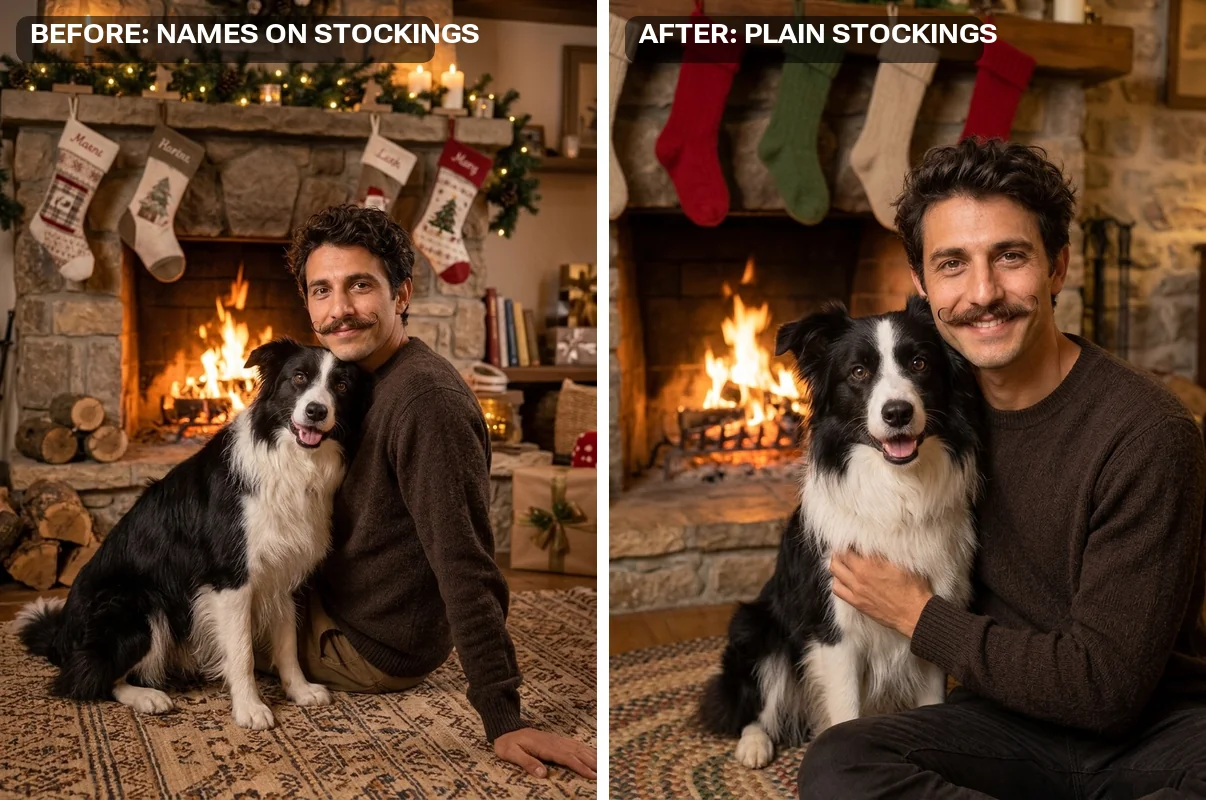
- Names on the stockings. The first run of prompt 7 embroidered made-up names on every stocking, even with "no text" in the prompt. The model links stockings with names. Describing the object as "plain knit stockings with no names" fixed it.
- "Matching" ignored. Nano Banana Pro gave the couple two different sweaters. Describe the exact design you want both people to wear.
- Small faces. Ice skating and the snow globe put the people far from the camera. If being recognisable matters, ask for "from the waist up".
- An extra animal. In earlier testing a two-person fireside scene gained a dog nobody uploaded. "Do not add any other people or animals" stopped it.
- Your old outfit coming along. GPT Image kept the street clothes from the input in the snow globe. Name the outfit you want if the original clothes do not fit the scene.
What was the AI Christmas photo trend?
In December 2025 people pasted shared prompts and a selfie into Gemini and ChatGPT to turn themselves into Christmas portraits. US Google searches for "ai christmas photo" peaked between December 14 and 27, at roughly 14 times the usual level of "ai headshot generator", then dropped to almost nothing after New Year.[3] "chatgpt christmas photo prompt" reached about 33,100 US searches that December.[3] The looks that spread were the ones in this post: snow globes, candy-cane lollipops, Polaroids and cozy living rooms by the tree. In 2026 the searches started climbing again in early November.
Sources
- OpenAI, Introducing ChatGPT Images 2.5. Our explainer: ChatGPT Images 2.5 explained.
- Google, Introducing Nano Banana Pro: availability in the Gemini app.
- Renoise measurements, 2026-11-09: Google Trends (US, weekly) and Google search volumes via DataForSEO.