Model explainer
ChatGPT Images 2.5, Explained
OpenAI shipped ChatGPT Images 2.5 on September 8, 2026, and within a day the feeds were full of it. The interesting part is what people are already making with it — but first, the short and accurate version of what this release actually is, because most of the coverage gets two things wrong.
What it is
One release, two names. Inside ChatGPT it’s just ChatGPT Images 2.5 — no model picker, you generate an image and you’re using it. In the API it ships as two models: GPT-Image-2.5 Flare, the small fast one, which OpenAI says matches GPT Image 2’s quality at roughly half the latency, and GPT-Image-2.5 Sunburst, the base model, which OpenAI says beats GPT Image 2 on quality but takes longer. There is no single model called “gpt-image-2.5”.
Which one are you actually using?
Images 2.5 rolled out gradually, and ChatGPT does not label which model drew your picture. @aiwarts found the cleanest test, and it takes one prompt: ask for a native transparent background. Transparency is an official feature on 2.5; on GPT Image 2 it was only ever a preview, and in his testing 2 would not return a real one.
Generate a 1024x1024 PNG: a white cup on a fully transparent background.
No green screen, no cut-out, no white fill.
Then tell me: 1) is the transparency native? 2) the file path
A file with a real alpha channel means 2.5. A white rectangle painted to look like a cut-out means you are still on 2.
What changed — and what didn’t
| Images 2.5 | GPT Image 2 | |
|---|---|---|
| Editing precision | Edits only what you asked for | Baseline |
| Multi-turn edits | Hold up without degrading | Drift over rounds |
| Reference fidelity | Subjects stay recognizable | Baseline |
| Speed | Up to 50% faster | Baseline |
| Max resolution | Up to 4K | Up to 4K |
| Reference images | Up to 16 | Up to 16 |
| Aspect ratios | 1:3 to 3:1 | Same |
| Text rendering | No improvement claimed | Baseline |
This is a control release, not a resolution release. Every hard limit people assume moved — image size, reference count, output shapes — sits exactly where it was. What improved is restraint: swapping one element while the subject, composition and surroundings survive, and holding that steady across a long editing conversation.
The thing nobody claims: there is no line anywhere in OpenAI’s announcement about better text or typography, and their developer docs still list text rendering as a limitation for GPT Image models generally — “the model can still struggle with precise text placement and clarity.” Keep that in mind when you read the demos below, because this is exactly where real-world testing gets interesting.
What it costs
The per-token price didn’t change. What changed is that the tier names mean different things now:
| You ask for | On GPT Image 2 | On Images 2.5 |
|---|---|---|
medium | $0.0527 | $0.0132 |
high | $0.2107 | $0.0527 |
max | — | $0.2107 |
API cost per 1024×1024 image, from OpenAI’s pricing calculator.
2.5’s max is what 2’s high used to be. Send the same high request to the new model and you pay a quarter as much — for a lower tier than you got before.
What OpenAI is showing off
OpenAI opened the announcement with a number worth pausing on: people create more than 3 billion images a week across ChatGPT Images and the GPT-Image API models.
The demo set built around 2.5 is worth reading for what it leaves out. Nearly every entry starts from a photo you already have — re-dressing a portrait, making a bed, compositing a group shot, rotating one object across a dozen turns. Barely any of it is “type a sentence, get a picture”. The pitch is editing. Then independent testers got hold of it, and the picture got more interesting.
The one edit that proves the point
Simon Willison ran the cleanest demonstration of what “precision editing” actually means. He took a real line chart — OpenAI’s own internal coding-agent usage data — and sent a single instruction to gpt-image-2.5-sunburst:
add a raccoon scientist studying the chart thoughtfully
The raccoon shows up. The axes, gridlines and data curve survive intact. That is the entire pitch in one image: you can add something to a picture without the model quietly rewriting the parts you needed to keep.
Speed is the change people actually feel
The most convincing number of launch day didn’t come from OpenAI. A developer building an AI UI-design tool posted his production baseline on Hacker News:
“I've generated around 50k images with gpt-image-2 via api, the average latency has held at around 104s… images are coming in at around 35-40s.”
Fifty thousand images is a real baseline, not a benchmark. 104s down to 35–40s is a larger gain than OpenAI's own “up to 50%” claim, measured on a workload he was already running.
Manus, one of the companies that shipped with 2.5 on day one, published the only vendor figure of its own: Flare at “two to four times the speed” of GPT-Image-2. Three numbers, three different tests — treat them as evidence that it got meaningfully faster, not as a spec.
Where it lands on the leaderboards
Arena's community voting put both new models on top within a day — with a caveat almost nobody is repeating:
| Leaderboard | Sunburst | Flare | GPT Image 2 (medium) |
|---|---|---|---|
| Text-to-image | 1421 ±13 | 1399 ±13 | 1381 ±4 |
| Image edit | 1520 ±9 | 1491 ±9 | 1461 ±3 |
Both 2.5 entries are still flagged Preliminary. Sunburst's text-to-image score rests on about 3,100 votes; GPT Image 2's sits on more than 78,000. Two orders of magnitude separate them, which is why the error bars are three times wider. First place on day two is a signal, not a settled result — check back in a few weeks.
Two new ways in: Sketch and Templates
These arrived alongside the model and are ChatGPT-only — they're interface features, not model capabilities, so they don't exist in the API and no other platform inherits them by adding 2.5.
Sketch lets you draw the thing you can't describe. You type @Sketch, get a drawing canvas, scribble a rough shape, and the model treats your drawing as a reference rather than something to trace over.
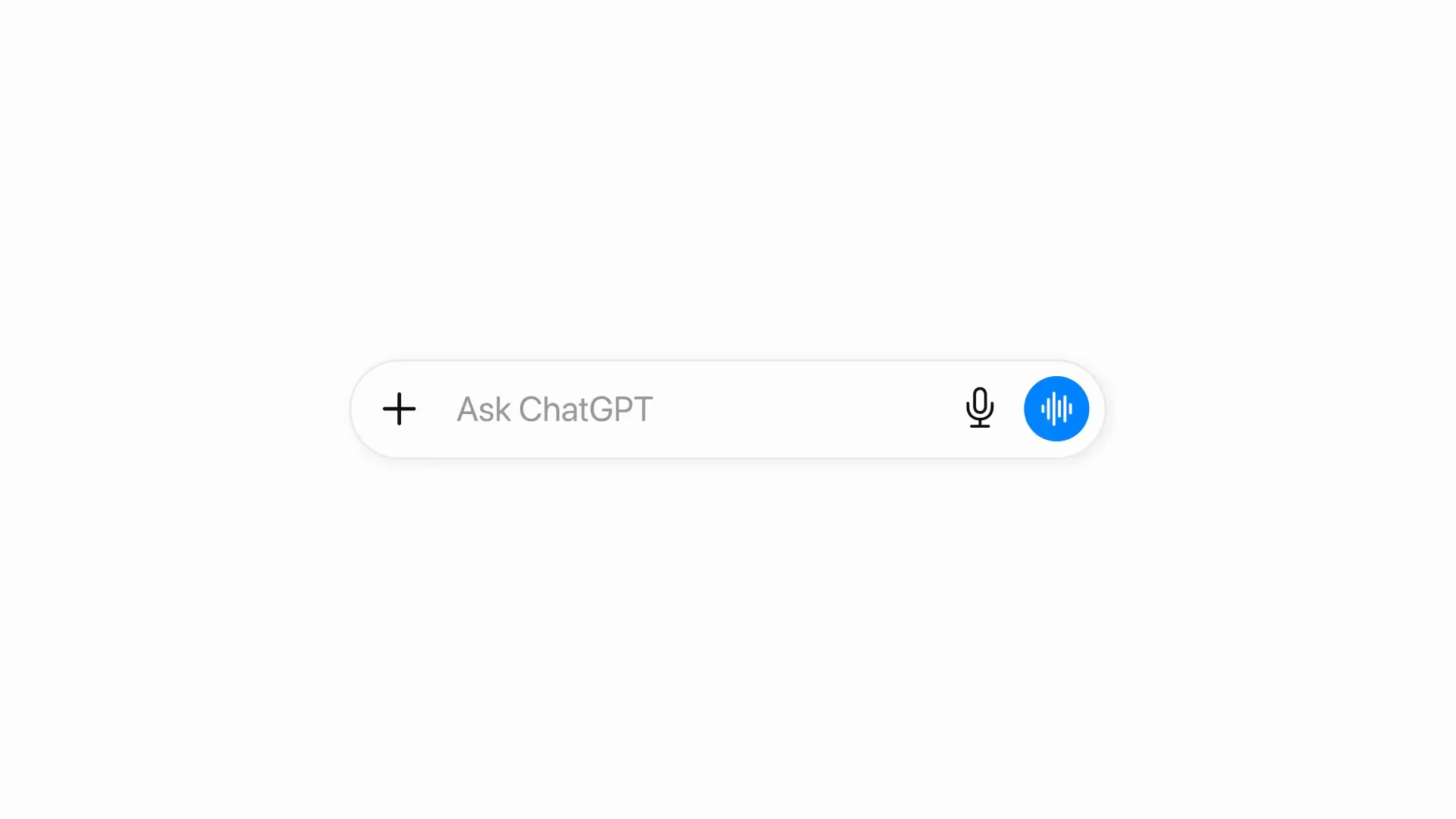
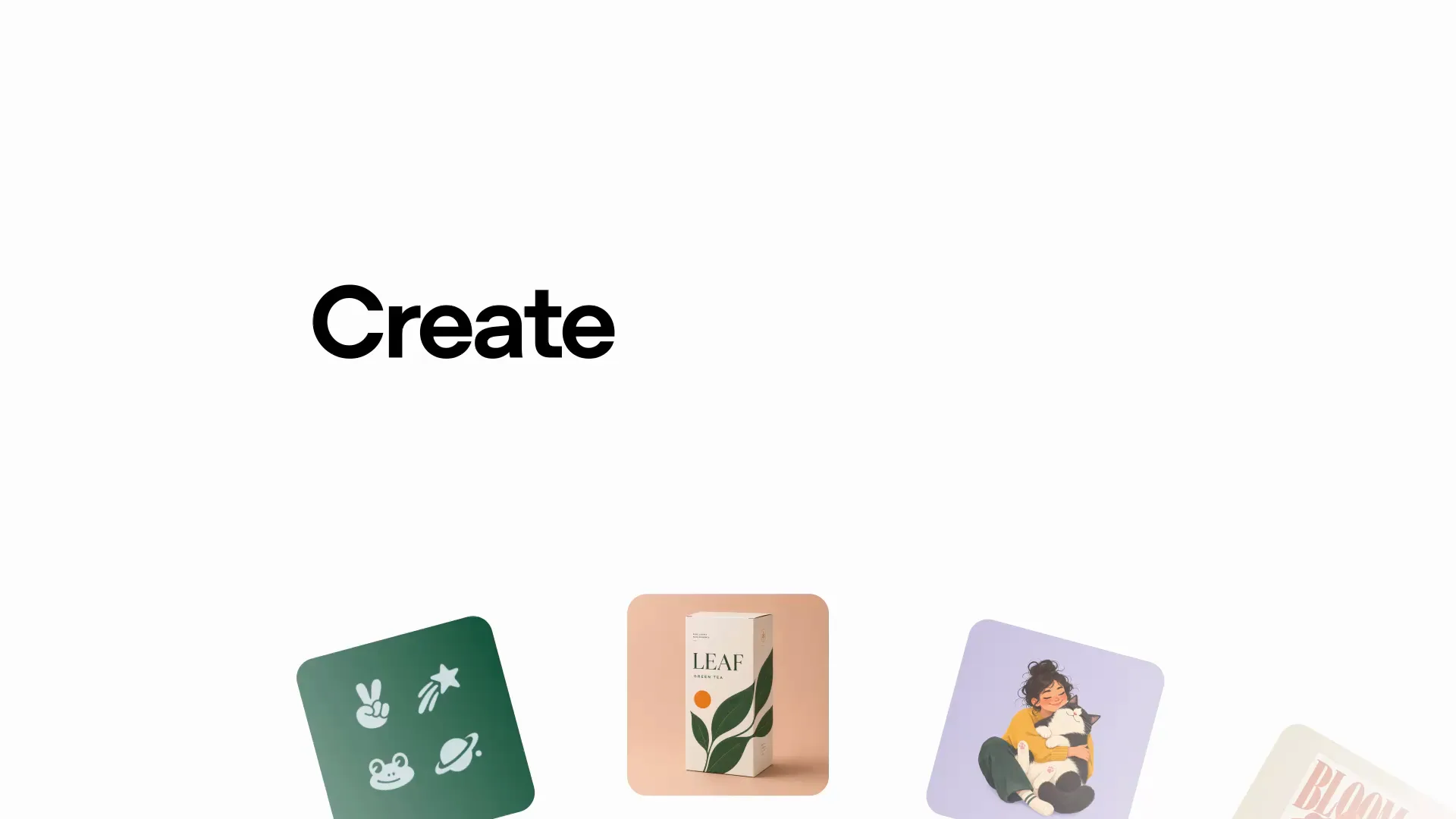
Templates gives you starting points where you fill in what the piece needs to say instead of writing a full prompt. The first batch runs to fifteen: poster, interior design, logo, illustration, headshot, icon, product shot, merch, infographic, flyer, book cover, app mockup, packaging, ad and video cover. They are not in the composer — you open the + menu and choose to create an image first. Templates aren't available in Work mode yet.
Two access details cost people time on launch day, both from @aiwarts's write-up. Sketch is web-only: he mentioned @Sketch in Codex more than a dozen times, updated and restarted, and never got it — the drawing canvas simply is not there. And picking a template changes the prompt ChatGPT sends for you, which is why template output arrives with a more detailed setup than the same request typed cold.
The third interface feature is the one that gets least attention: you can now annotate the image itself — drop a mark on the spot you want changed instead of describing where it is. He marked a point under a character's right eye asking for a mole, and got it on the first try. When a scene is crowded, pointing beats writing “under the right eye, about a third of the way down.”
TechRadar's reviewer rated the new editing toolbar — markup, comment, remove background, erase, resize — as the feature he'd actually keep using, above the model upgrade itself.
Multi-turn editing, stress-tested
The claim that edits stop degrading over a long conversation is the hardest one to verify from a demo, so OpenAI built a deliberately boring test for it: rotate a cube, over and over, and watch whether it stays the same cube.
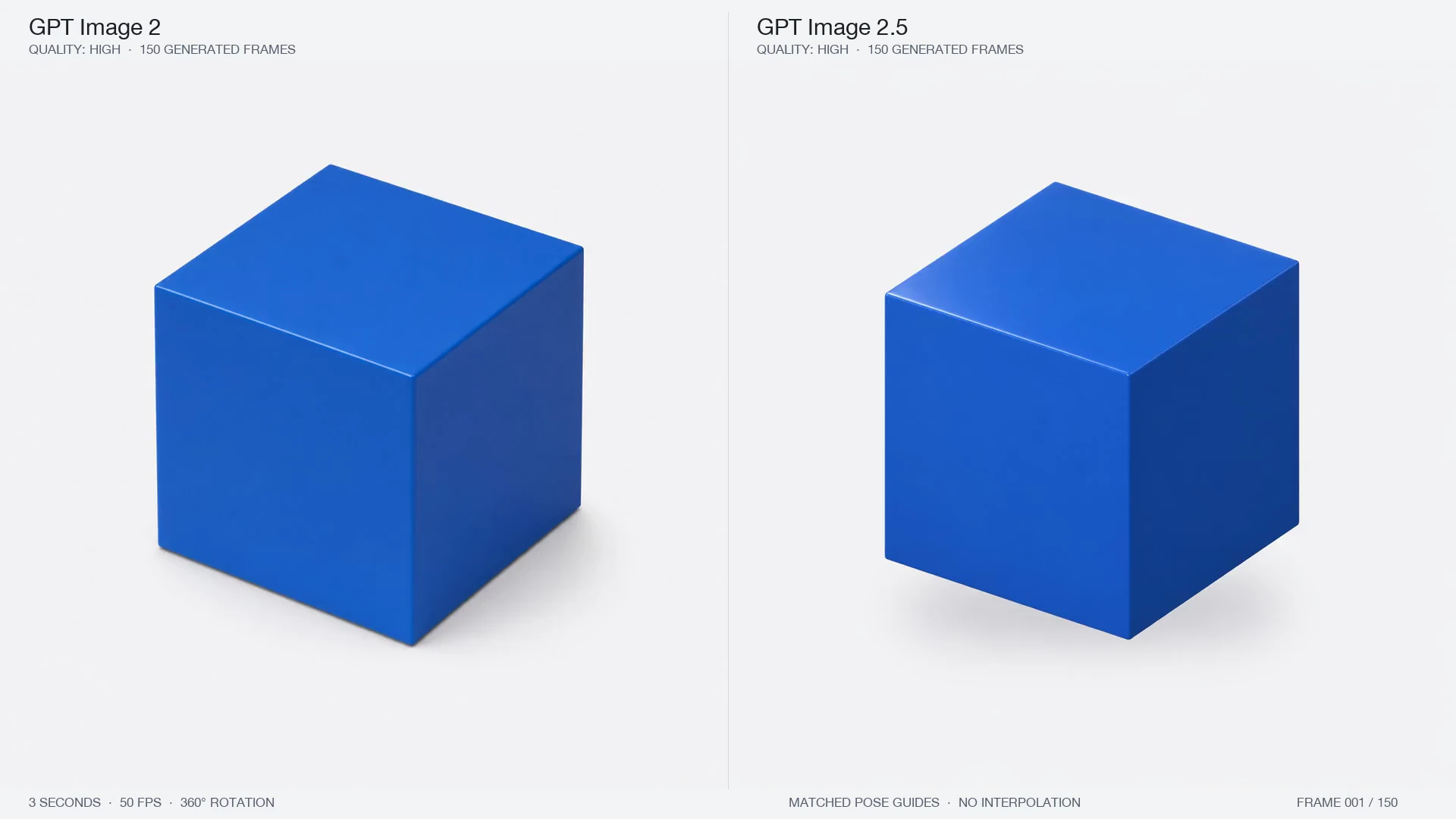
One Hacker News commenter pushed back on exactly this: a cube is a simple object, and “for complex scenes — people, wide environments — edited many times over, whether it holds up as well as this example, you'd have to test.” Fair. Independent creator Paul Solt ran a 150-frame version inside Codex and walked through where it does and doesn't hold:
The most careful public test of this came from @AdrianPunk115, who generated one desk photo and then edited it four times in a row, publishing every prompt. Round one: make the mug matte black, everything else fixed. Round two: delete only the middle sticky note of three, without letting the other two close the gap. Round three: add a silver teaspoon to the right of the black mug, parallel to the laptop edge. Round four: swap the succulent for a glass vase with three white tulips.
All four landed, and each round explicitly restated the previous rounds' results — “the mug must still be black, the pink sticky note must still be gone.” That repetition is the technique, not decoration.
What makes his test worth more than the cube demo is that he measured the parts he didn't ask to change: structural similarity between consecutive images ran about 0.87 to 0.99 in the untouched regions. High, not identical. His own reading is the honest one — the objects and composition survive, but some surface texture gets repainted every round. That supports “you can keep working on one image”, not “unselected pixels are frozen”. Pixel-exact product compositing, logo protection and strict brand colour still belong in design software.
OpenAI's prompting guide says the same thing in one line: “Start with one output, inspect it, and use it as the next input. Keep each follow-up narrow so you can see which change helped.”
Text rendering: the claim nobody made, and nobody proved
Remember that OpenAI never said 2.5 renders text better. The independent testing bears that out — and this is the most misreported part of the launch.
Matthew Berman ran the only systematic, unsponsored A/B comparison I could find: six posts putting both models against the same layout prompts. 2.5 won on readability, but his own summary is blunt:
“gpt image 2 could already spell. but the bar is raised for composition, semantic understanding, props, layout heirarchy, negative space.”
That is a different claim from “text got fixed.” The gain is layout intelligence, not spelling.
A community A/B makes the distinction concrete. @aivoxyy pushed one long editorial brief through both models — same café scene, same instruction to letter the cup and the chalkboards.
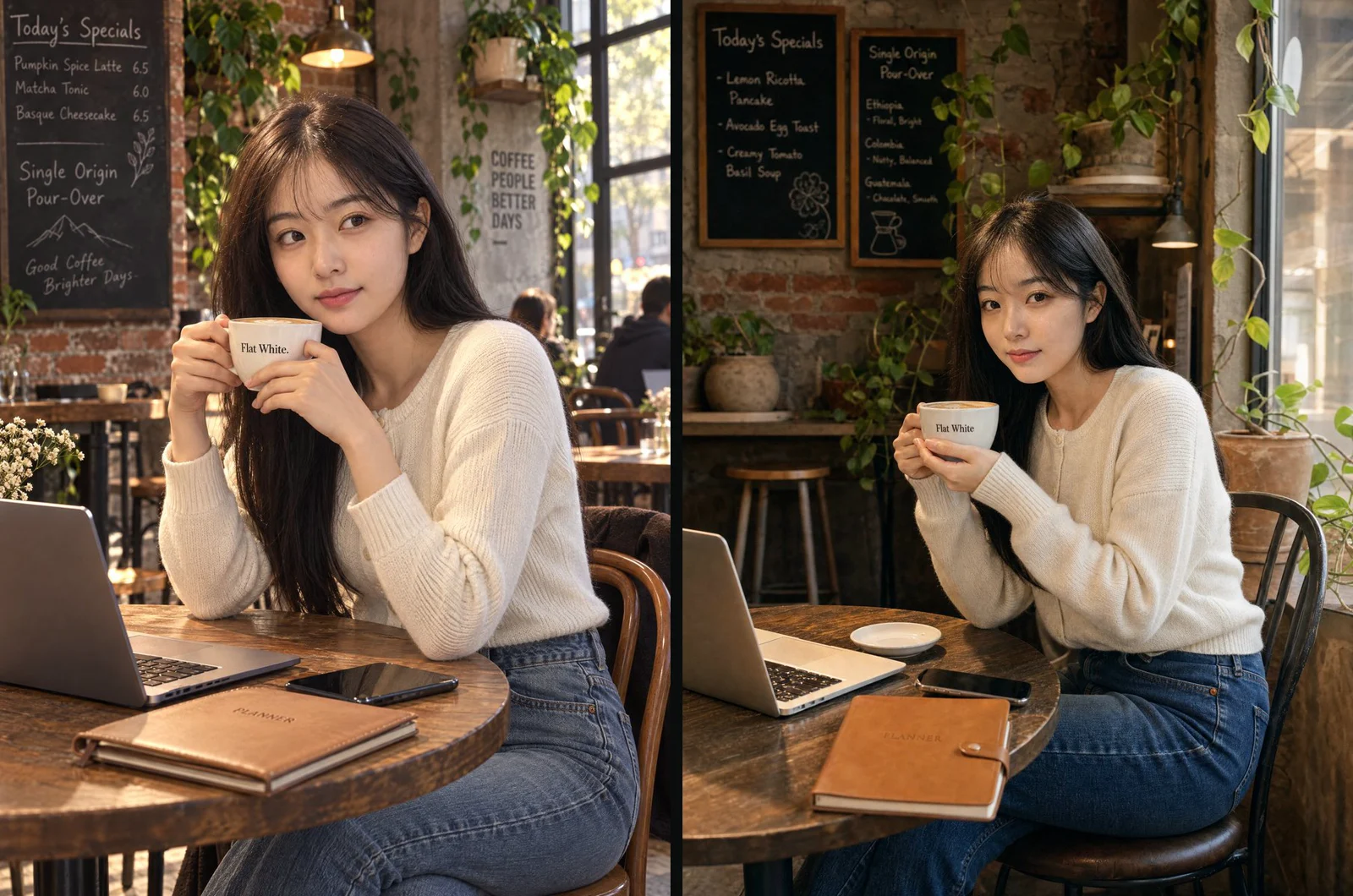
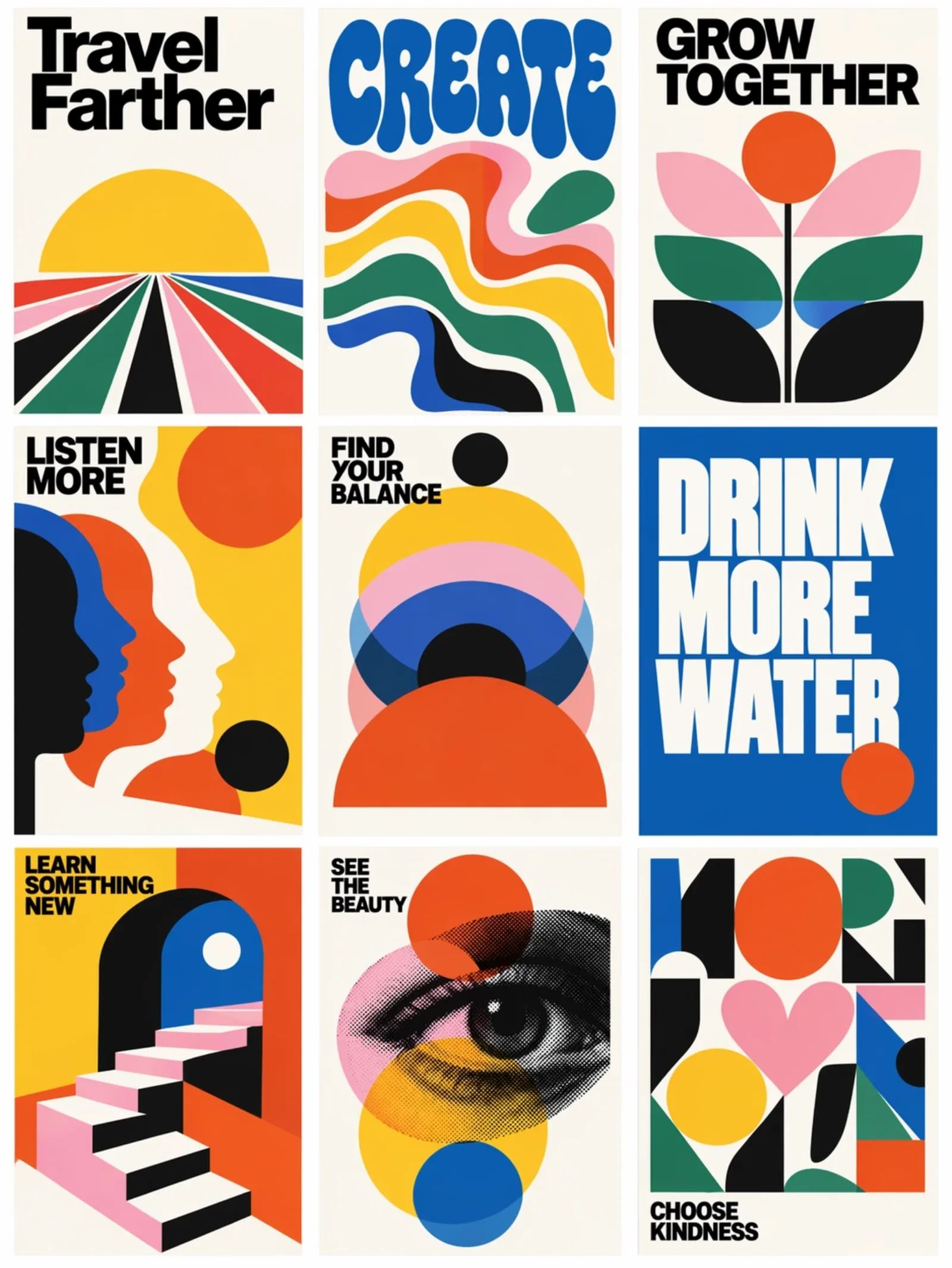
Evidence pointing the other way exists too. The same developer with the 50,000-image baseline noticed the fine stuff got worse: “the microglyphs… they're kinda blurry / not straight.” A Reddit tester got Mercantile rendered as Merchantile on a book cover. And the accounts posting about “flawless text rendering” were largely running paid partnerships — one enthusiastic follow-up let the real boundary slip: “clean, readable, 3-4 words max.”
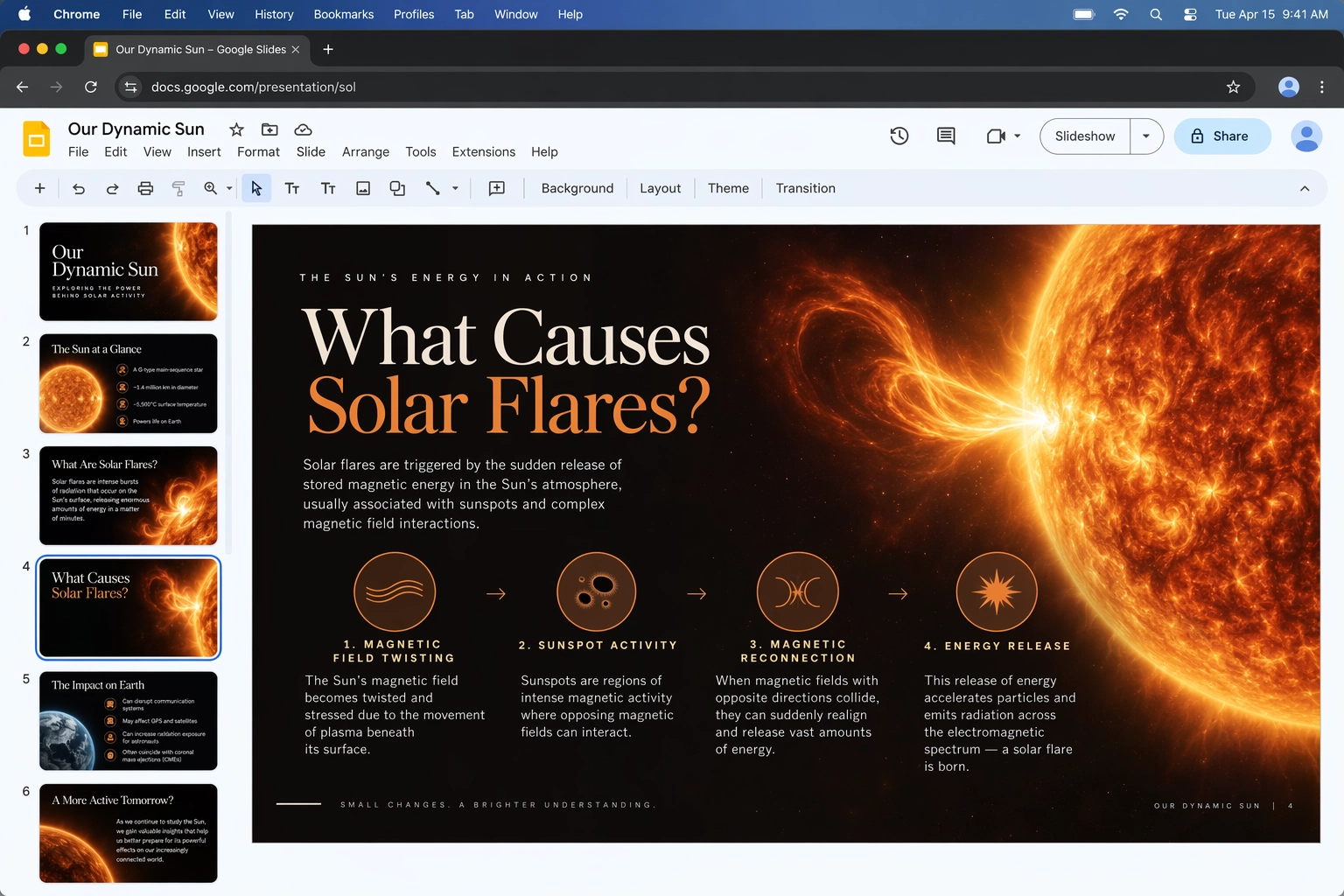
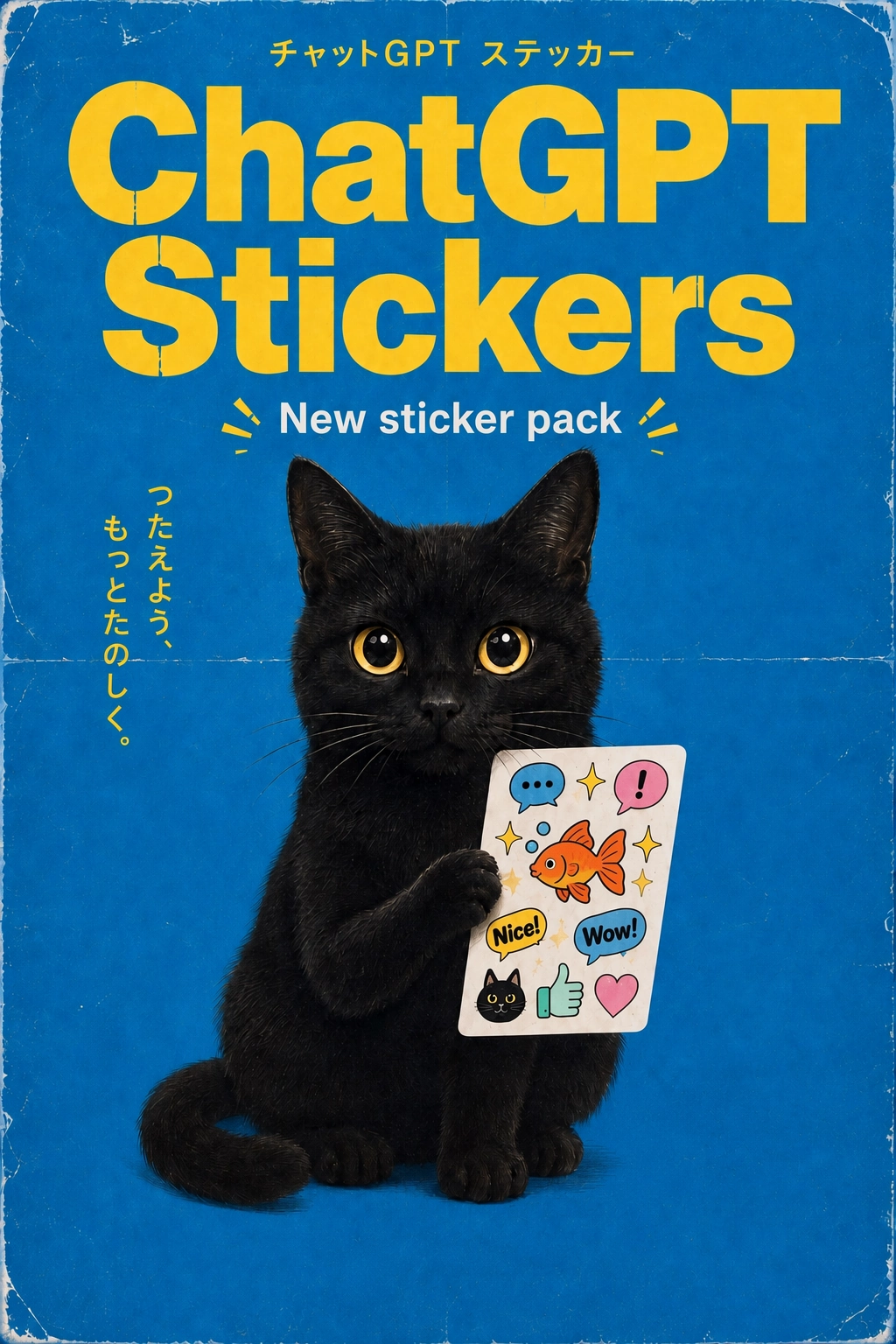
That last phrase is the honest summary of the whole topic. Short text is reliable. Dense text isn’t. Neither of those really changed in 2.5. If your work is a poster with a headline, you’re fine. If it’s a menu, a spec sheet or a course page, budget for a human typesetting pass.
Prompts worth stealing
Before the examples: OpenAI published a prompting guide for 2.5, and three of its rules explain why the good launch-day prompts worked. @0xkyne walked through it in Chinese if you want the long version.
Say what the image is for, before what is in it. “Name the subject and intended use, such as a product photograph, advertisement, or diagram. Specify the composition, aspect ratio, and important placement constraints.” A bottle shot for a marketplace listing and the same bottle on a promo poster are different images — the poster needs empty space reserved for the headline, and reserving it afterwards is much harder than asking for it up front.
Describe what is visible, not the vibe. “Name materials, lighting, colors, and the visual medium.” Premium is not a specification; brushed metal, soft falloff, low-saturation palette, coarse paper are. The guide also warns that camera and lens names are “cues for appearance, not a guarantee of exact physical simulation” — and it is worth checking your own prompt for contradictions, because candid phone snapshot and flawless retouched skin cancel each other out.
For text, quote it and count it. “Quote the required copy and tell the model how many times it should appear.” OpenAI's own worked example ends with a line most people leave out: “Render the tagline exactly once, clearly and legibly, integrated into the ad layout. No extra text, no watermarks, no unrelated logos.” Spell out brand names character by character if they are unusual.
With that in mind, four launch-day prompts worth copying, all from testers who published their exact input:
1. Add something without disturbing the data. Simon Willison's chart edit is one line against a reference image:
add a raccoon scientist studying the chart thoughtfully
The value isn't the raccoon — it's the test. Feed it a chart, a screenshot or a diagram where you'd immediately notice corruption, and you learn more about a model's editing discipline in one shot than from any gallery.
2. The oldest benchmark in the business. One Hacker News user went back to the prompt from Stable Diffusion's Wikipedia page:
a photograph of an astronaut riding a horse
then pushed it to “horse on the moon.” It took him several tries earlier in the day before he got there — a useful reminder that the first attempt failing doesn't mean the model can't.
3. Turn a phone photo into a menu shot. Another commenter took a genuinely unglamorous photo — a cheeseburger meatloaf with potato wedges, shot on a phone — and asked for menu-grade photography without changing what was actually on the plate. That constraint is the whole trick, and it's the version of “product photography” that doesn't misrepresent the product.
4. One portrait, eight pins, four short strings. @miratechtool turned a single reference photo into an enamel pin collection. The prompt is mostly counting and quoting:
Create a hyper-realistic enamel pin collection in a vertical 4:5 composition on a dark textured
background. Design exactly 8 separate premium pins with polished gold-metal outlines...
The main medium-sized center pin is a portrait of [CHARACTER], preserving the reference image's
recognizable face, hairstyle, skin tone, expression, clothing, and key features...
Add 1 small name pin reading "[NAME]" and 1 small personality-word pin reading "[WORD]"...
No city names or specific landmarks, no duplicated pins, no clutter, no random text, no misspellings.
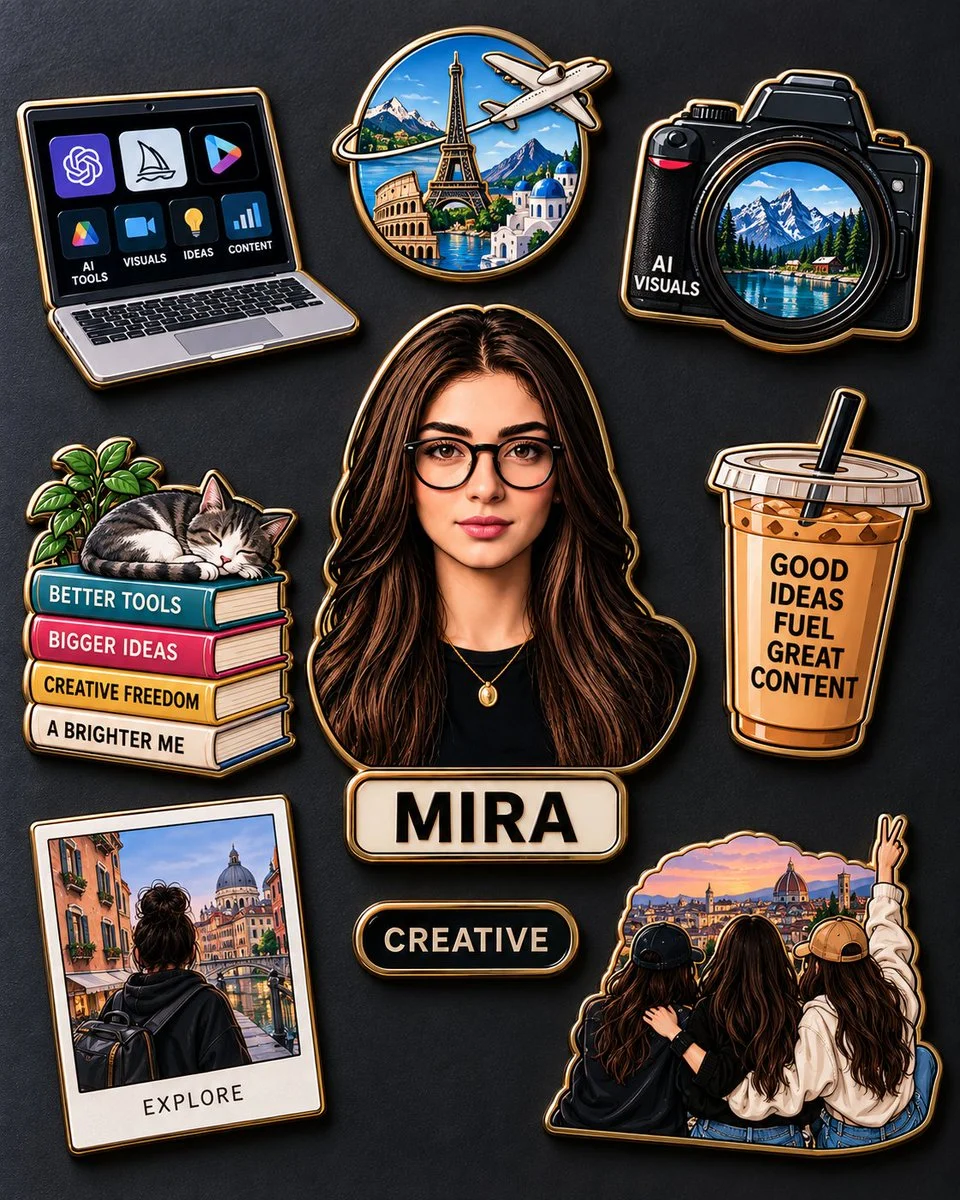
Every constraint in that prompt is a failure someone hit first: the pin count drifts, invented landmarks turn up, the same pin repeats. Naming them is cheaper than re-rolling.
The pattern under all four: start from something real, keep the change small and specific, and pick a subject where you'd spot a lie immediately. That's the workflow 2.5 is built for, and it's a better way to evaluate it than generating fresh images from scratch.
Where it still falls down
Launch-day Hacker News is the least flattering and most useful reading available on this model.
Edit fidelity is still not best in class. One developer: “I've also found the OpenAI image models to lose fine detail on image edits compared to Nano Banana or Flux models which faithfully retain input source image geometry and details… it sounds similar to previous OpenAI image models.”
The noise-gradient artifact isn’t fixed. Asked directly whether it had been, a commenter pointed at OpenAI’s own demo video: “doesn't look like it, looking at the motocross photo.”
The official demos don’t survive close reading. On the composite party photo: “the minuscule details are being lost, like the teeth structure of the guy in the middle or the fact that the guy on the left is holding the cup with three fingers.” And on the re-dressed portrait that leads OpenAI's own demo set: “The shoulders of ChatGPT's output are just wrong… it's not him.” Both are OpenAI's showcase images, picked by OpenAI.
Style transfer got worse, not better. OpenAI lists closer adherence to a requested visual style as an improvement, but @aiwarts, re-running a public set of his own prompt cases through both models, came out the other way: on stylization he preferred GPT Image 2's results to 2.5's. His logo cases went the other way — same composition, visibly sharper on 2.5 — so this is a per-task regression, not a verdict. Worth a side-by-side before you migrate a style-dependent workflow.
Moderation is still the loudest complaint, carried over unchanged from 2.0 — one user notes that simply rendering a gun in a scene gets the request flagged.
One myth worth killing early
A widely-shared post claimed 2.5’s API rates are twice those of GPT-Image-2. They aren’t. Both 2.5 models bill at $30 per million image output tokens, $8 per million image input and $5 per million text input — the same rates GPT-Image-2 carried before launch, as OpenAI’s pricing page shows. What changed is the token count per quality tier, which is why a like-for-like request gets cheaper, not more expensive.
The 24-hour verdict
TechRadar’s Graham Barlow spent a day with it and landed roughly where the careful testers did:
“All in all these improvements are welcome, if not groundbreaking. I can see why they didn't call this Images 3.0.”
That reads about right.
Where you can use it today
Images 2.5 rolled out to ChatGPT on every tier — free and paid — across web, iOS and Android, with existing image-generation limits unchanged. In the API, both Flare and Sunburst are live with no waitlist. Several third-party platforms picked it up on day one.
Can you use it in Renoise?
Yes — both variants are live, listed ahead of GPT Image 2 in the image model picker: GPT Image 2.5 Sunburst and GPT Image 2.5 Flare. Each one generates from a prompt or from up to three reference photos, at 1K, 2K or 4K across eight aspect ratios, billed per generation from your plan credits — and they sit next to Nano Banana Pro, Seedream and the rest of the lineup, so an image can move between models without leaving your project. The model page has the full specs, and the prompt library collects the prompts creators are getting these results from, each with the image it produced.
Two things to know before switching everything over. The reference cap here is three, not OpenAI’s sixteen: if the job is fusing a large reference set, GPT Image 2 is still the entry you want, and it is not going anywhere. And Renoise’s Erase, Inpaint and Expand tools still run on GPT Image 2 — 2.5 edits by instruction instead, which is the whole point of the release.
To be clear about sourcing: every OpenAI spec above is theirs, from the announcement, model pages and pricing calculator. The limits in this section are ours.
See it for yourself
Every claim above comes from something you can open:
- OpenAI — Introducing ChatGPT Images 2.5 · model pricing
- Simon Willison — the raccoon-on-a-chart edit
- Matthew Berman — six-post A/B comparison against GPT Image 2
- Hacker News launch thread — 50,000-image latency baseline · blurrier microglyphs · edit fidelity vs Nano Banana and Flux · noise gradient · detail loss in the party photo · the costume demo · moderation
- TechRadar — Graham Barlow’s 24-hour hands-on
- Hands-on write-ups — @AdrianPunk115 (four-round editing test with every prompt published, plus sketch, infographic, transparent PNG and template runs) · @aiwarts (rollout detection, Sketch and Templates access, annotation editing, A/B against a public prompt set) · @0xkyne (Chinese digest of OpenAI's prompting guide)
- OpenAI — GPT Image 2.5 prompting guide
- Arena — text-to-image leaderboard · image edit leaderboard (both 2.5 entries still marked Preliminary)