Men’s buzz cut that keeps the full beard
Curly shoulder-length hair down to a #2. The beard is untouched, the ears show and the hairline keeps its shape.


How would you look with a buzz cut? Upload one photo and the Renoise Agent cuts the hair on your own face to the length you name. Beard, ears and hairline stay yours.
Opens in the Renoise Agent, where you can try another length on the same photo.
Real model output from this photo and one sentence — drag the handle to compare.
Curly shoulder-length hair down to a #2. The beard is untouched, the ears show and the hairline keeps its shape.
Long blonde waves cut to a #2 that stays blonde. Her ears, earrings and neckline were drawn in where the hair used to be.


Shoulder-length locs become a #2 on top that fades to skin at the sides. The coily texture stays.
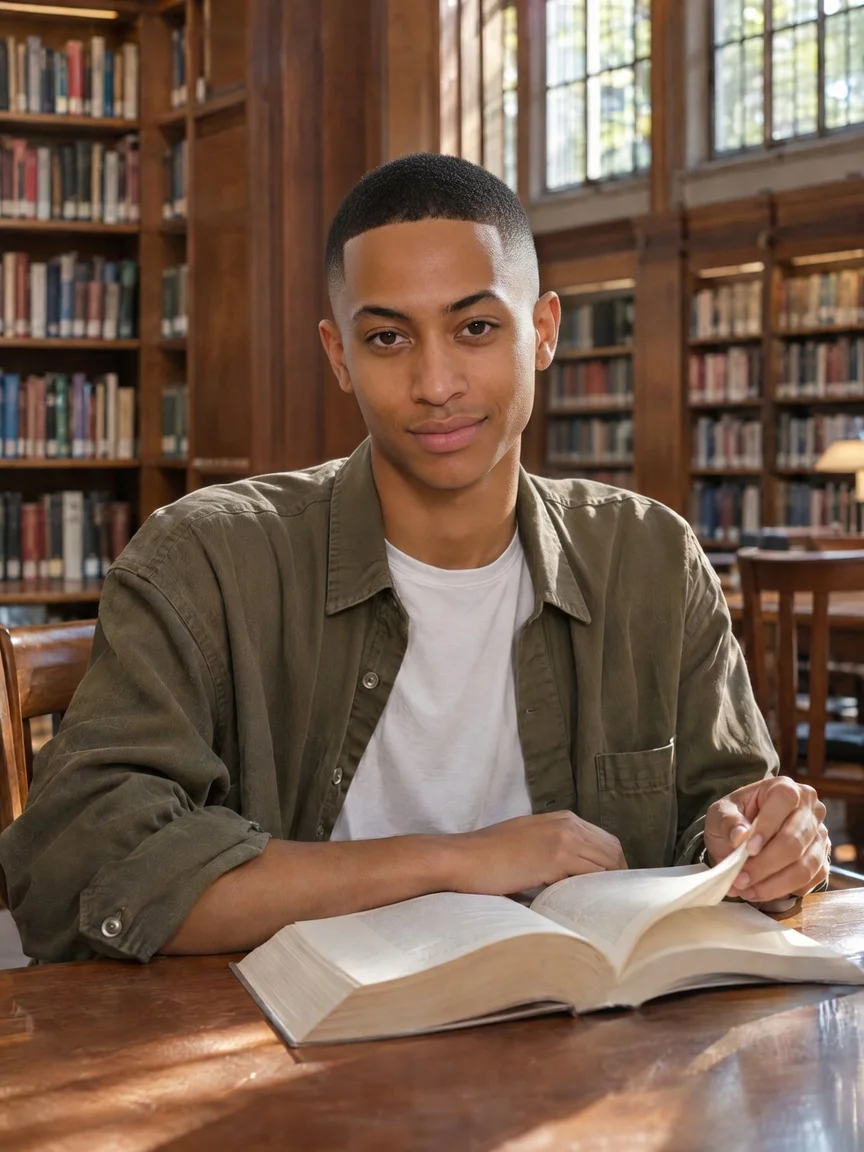
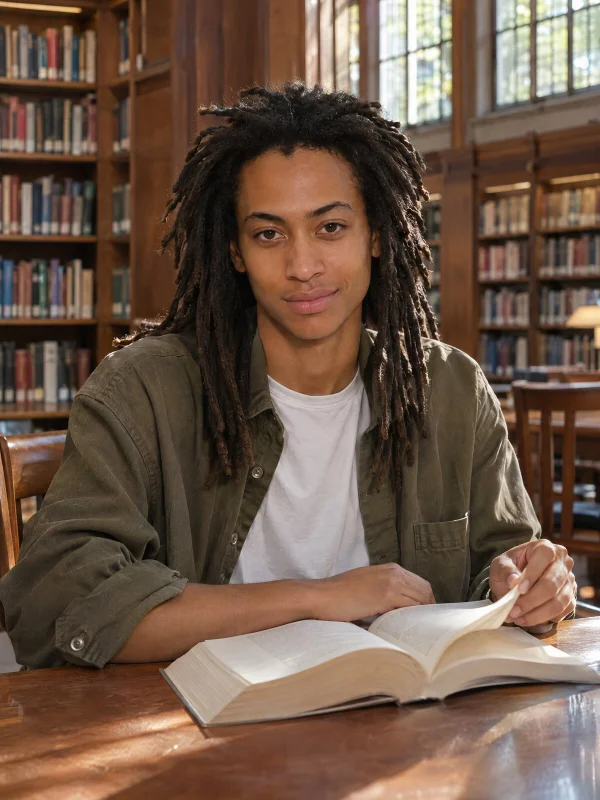
Name #1, #4, a fade or a bleached buzz in plain words.
Only the hair on your head changes. Face, beard and background stay put.
Ask for a longer guard or a fade on the same photo, one message each.
A selfie from your camera roll is enough. No live camera needed.
Upload a front-facing photo above, name the guard length and click Try My Buzz Cut. The Renoise Agent redraws only the hair on your head at that length, so you see the cut on your own face, ears and hairline before you sit in the barber’s chair. In our tests one look took under a minute. Ask for another length in the same chat to compare.
Want to compare a buzz cut with bobs, curls or bangs? Open the AI hairstyle changer.
One person, face forward, hairline and ears visible. JPG, PNG or WebP up to 20 MB.
Pick Short #1, Longer #4 or a fade, or write your own guard number or color.
Download the preview, or ask for the next length in the same chat.
Social lenses draw a buzz cut over your live camera. This page redraws the hair in a photo you already have.
| What you get | This buzz cut filter | Social app lens | Clippers at home |
|---|---|---|---|
| Works on an old photo | ✓ Any photo you upload | ✕ Live camera only | ✕ |
| Pick the guard length | ✓ #1, #2, #4 or your own | ✕ One fixed look per lens | ✓ |
| Keeps your beard | ✓ Unless you ask to shave it | Depends on the lens | ✓ |
| Undo it | ✓ Just a picture | ✓ Close the lens | ✕ Wait for it to grow back |
| Cost | Credits per image | Free in the app | Price of a clipper |
Sources: Snap Lens Creator Rewards, “Buzz Cut Fade” community lens (ar.snap.com, accessed 2026-11-18); our own test runs (2026-11-18).
A buzz cut filter answers the questions people actually have before they shave: how the face reads without hair framing it, how the ears look once they show, and whether a beard still works. In our test photos the beard stayed hair for hair, the ears came out natural and the hairline followed its original line.
What it cannot see is what is under the hair. The shape of your skull, any bumps, scars or a double crown are invisible in a photo with long hair, so the model draws a plausible head, not yours. A fringe that covers the forehead means the hairline is a guess too. Long hair is the hardest case: the ears, earrings and neckline behind it are drawn in. The model matters here. Seedream 5.5 kept our blonde test photo blonde, while the cheaper Grok Imagine Image turned the same hair dark brown even when told not to, so if a color shifts, ask the Agent to run it again with Seedream 5.5.
Take the preview to the barber as a reference, not a promise, and ask for a number. Wahl lists its #1 comb at 3 mm (1/8 inch) and its #4 at 13 mm (1/2 inch); with no comb the blade leaves under a millimeter. If a buzz is not short enough, the [bald filter](/features/bald-filter) shows the fully shaved version.
What happens to an uploaded photo, in plain words.
Picking a file only previews it on your device. Not one byte is stored until you sign in and click generate.
Uploads land in your private library, never a public gallery, and re-running the same photo stores nothing new.
Remove uploads and results from your library whenever you want.
As of October 2026, 100,000+ creators in 170+ countries and regions use Renoise AI, an AI video, image and audio platform, to generate 300,000+ images and videos with 30+ models.
Source: Renoise internal data, March–October 2026. Figures are rounded down and updated quarterly. Last updated
Real feedback from creators who use Renoise AI to make videos, images and ads.
Renoise is pretty easy to use, with a clean and smooth interface. The results from Seedance 2.5 also feel noticeably smoother in action sequences.
Renoise Ai is a good tool for making ai videos and photos. it puts several Ai models in one place, so you don't need to use many different apps.
あまりAIツールを使ったりしたことなかったですが、キャラクターの固定や動画を続いて作成できて使いやすいです。これからどんどん進んでいくアップデートが楽しみです。
Renoise has been a great platform for AI creativity. The tools are easy to use, the experience is smooth, and it makes creating content more enjoyable and efficient. I really appreciate the work the team is doing and look forward to seeing more improvements. Highly recommended!
What I like about Renoise AI compared to other platforms: Fast generation speed: Slow generation takes up way too much time, but Renoise AI is surprisingly about 30% faster. Intuitive and user-friendly UI: Cheaply made platforms have terrible UIs that make me not even want to log in, but Renoise is very clean and convenient. Remembers my previous settings: It helpfully remembers my last workspace settings. Some odd platforms force you to re-adjust everything every single time you generate a video, which is extremely frustrating. Overall preference: For all these reasons, Renoise AI is definitely my preferred platform. Thank you!
Renoise is your go to one stop all for ai creators. all view and use all models in one place, for any type of content you have your mind on!
I have a creat experience with the app. Consistent characters but also unique. THere were some issues with storyline continuity and non-typical humanoid characters.
Credits work across every tool — upscaling, image editing and the video models.
For your first AI creations
per month
≈ 150 GPT Image 2 Generations
≈ 60 Seedance 2.0 videos
The agent takes your idea all the way to a finished cut.
Starter and Standard: production work in Director Mode uses credits by usage. Advanced: free.
No queue. Start as many paid generations as you want at once.
Content generated with Renoise.ai may be used commercially, subject to our Terms of Service
For creating every week
per month
≈ 450 GPT Image 2 Generations
≈ 180 Seedance 2.0 videos
The agent takes your idea all the way to a finished cut.
Starter and Standard: production work in Director Mode uses credits by usage. Advanced: free.
No queue. Start as many paid generations as you want at once.
Renoise Agent runs on frontier models from leading AI labs to plan your shots, write prompts, and pick the right model for each one. Chatting with the Agent is free on every plan.
Content generated with Renoise.ai may be used commercially, subject to our Terms of Service
For professional-scale production
per month
≈ 1,750 GPT Image 2 Generations
≈ 700 Seedance 2.0 videos
The agent takes your idea all the way to a finished cut.
Starter and Standard: production work in Director Mode uses credits by usage. Advanced: free.
No queue. Start as many paid generations as you want at once.
Renoise Agent runs on frontier models from leading AI labs to plan your shots, write prompts, and pick the right model for each one. Chatting with the Agent is free on every plan.
Content generated with Renoise.ai may be used commercially, subject to our Terms of Service
For your first AI creations
per month, billed annually
Save $48compared to monthly
≈ 150 GPT Image 2 Generations
≈ 60 Seedance 2.0 videos
The agent takes your idea all the way to a finished cut.
Starter and Standard: production work in Director Mode uses credits by usage. Advanced: free.
No queue. Start as many paid generations as you want at once.
Content generated with Renoise.ai may be used commercially, subject to our Terms of Service
For creating every week
per month, billed annually
Save $216compared to monthly
≈ 450 GPT Image 2 Generations
≈ 180 Seedance 2.0 videos
The agent takes your idea all the way to a finished cut.
Starter and Standard: production work in Director Mode uses credits by usage. Advanced: free.
No queue. Start as many paid generations as you want at once.
Renoise Agent runs on frontier models from leading AI labs to plan your shots, write prompts, and pick the right model for each one. Chatting with the Agent is free on every plan.
Content generated with Renoise.ai may be used commercially, subject to our Terms of Service
For professional-scale production
per month, billed annually
Save $960compared to monthly
≈ 1,750 GPT Image 2 Generations
≈ 700 Seedance 2.0 videos
The agent takes your idea all the way to a finished cut.
Starter and Standard: production work in Director Mode uses credits by usage. Advanced: free.
No queue. Start as many paid generations as you want at once.
Renoise Agent runs on frontier models from leading AI labs to plan your shots, write prompts, and pick the right model for each one. Chatting with the Agent is free on every plan.
Content generated with Renoise.ai may be used commercially, subject to our Terms of Service
No. TikTok, Snapchat and Instagram filters are live camera effects. This page redraws the hair in a photo you already have, and you can download the result and post it anywhere, TikTok included.
No. It runs in the browser on a phone or a computer. You need to sign in before the Agent makes the preview, so it is not a no-sign-up tool.
Try two lengths on the same photo, such as a #1 and a #4, and look at your ears, hairline and jaw. The preview cannot show bumps or scars under your hair, so treat it as a first look.
Most people ask for a #2. Wahl lists its #1 comb at 3 mm and its #4 at 13 mm, so #2 sits between a close buzz and a soft one. Give your barber the number, not just the picture.
Yes. Our long-hair test came out with natural ears, earrings and neckline. Those areas were hidden by hair, so the model drew them in. Check them before you share the picture.
Yes. The default prompt asks to keep the beard, and it stayed intact in our tests. To see the clean-shaven version, ask for it in the chat or try the bald filter.
No. Each look is one image: 7 credits with Seedream 5.5 at 1K, the model that kept hair color in our tests. Credits come with every plan, and a failed run is refunded.
No. Your head shape, crown and scalp color are drawn by the model from one photo. Use the preview to decide on a length and to show your barber, not as an exact result.
Only with their permission. Do not upload photos of children or public figures. A friend who agreed to see their buzz cut is fine.
Try two guard lengths on the same photo and keep the one you’d book.