Explainer
Higgsfield Genjutsu Explained: What It Does and What It Costs
Higgsfield Genjutsu is a video-to-video tool: you give it a clip you already have, tell it what to change, and it rebuilds that part while the motion, camera and timing stay as filmed. This guide covers what it does, how its three versions differ, what a 15-second clip costs at each resolution, what is and is not public about it, and what held and what slipped when we ran the same kind of edit ourselves.
What is Higgsfield Genjutsu?
Genjutsu takes one existing video and rebuilds a chosen part of it. Higgsfield's own description is that it can change "the person in the shot, the setting, or an object in the frame" while "everything else stays exactly as filmed". It accepts real footage and AI-generated video alike.
That makes it a different job from the two things it is often confused with:
- Text-to-video or image-to-video starts from nothing and invents the movement. Genjutsu keeps the movement of a clip that already exists, so a dance, a stunt or a camera move survives the change.
- A face swap changes only the face. Genjutsu can replace the whole person, including hair, body and clothes, or leave the person alone and change a product, a car or the weather.
Higgsfield launched it on 31 August 2026, added Genjutsu Lite on 20 October and updated its published prices on 2 November. In September the tool also rode the Hotel Lobby trend, where people moved the moves of a well-known music performance onto their own photos; if that is what brought you here, the Hotel Lobby AI page explains that trend on its own.
Motion Transfer vs Object Swap vs Genjutsu Lite
The three versions differ in what they change and how much control you get.
| Motion Transfer | Object Swap | Genjutsu Lite | |
|---|---|---|---|
| What changes | A new character or a rebuilt scene | One element: a product, prop, outfit or person | Whatever your references show, chosen automatically |
| What stays | Motion, timing, camera work | Everything around the swapped element | Motion and shot structure |
| Reference images | Up to 30 | Up to 30 | Up to 10 |
| Output | Up to 1080p | Up to 1080p | 720p or 1080p |
| You pick the mode | Yes | Yes | No |
| Extra | 20 ready-made styles, or your own image as a style | — | Also on Higgsfield's API, MCP, CLI and plugins |
Motion Transfer
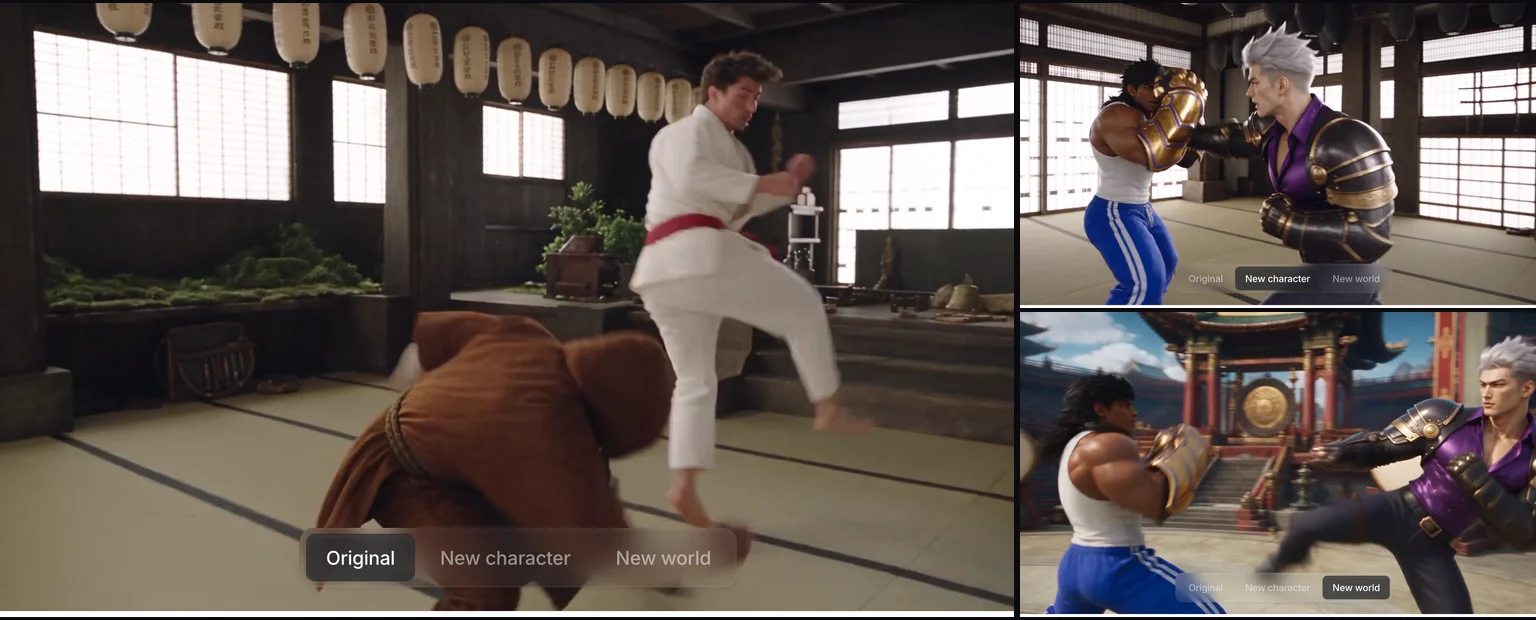
Motion Transfer reads the movement out of your clip and puts it on something new: a different character, a rebuilt location, or a whole new look. Its Style option is the part people share most. Pick one of 20 preset styles, such as hand-painted cel animation, felt puppet stop motion or retro game 3D, or upload an image to use as the style, and every frame takes that look while the motion and framing stay put.
Object Swap
Object Swap is the narrower tool. You point it at one thing, such as the bottle in someone's hand, a jacket or a car, and it replaces that while leaving the rest of the shot alone. It is the mode for ad variations: one take of a product clip, several products.
Genjutsu Lite
Lite drops the choice between the two modes. You upload the clip and up to 10 references and it decides what to change. It is cheaper at 1080p, does not offer 480p, and Higgsfield also offers it through its API, MCP connector, CLI and plugins, priced separately in the API console.
What you need: inputs and limits
| Setting | Higgsfield's published limit |
|---|---|
| Source video | 1 clip, 4 to 30 seconds |
| Reference images | Up to 30 per generation (10 on Lite) |
| Prompt | Optional: a short description, or a preset alone |
| Presets | 30+ |
| Styles (Motion Transfer) | 20 ready-made, or a custom style from your own image |
| Output resolution | Up to 1080p |
The 30-second cap is the one that shapes real projects. A longer video has to be cut into pieces of up to 30 seconds, processed one by one and joined afterward, and each piece is a separate charge.
How much does Higgsfield Genjutsu cost?
Genjutsu is priced by length and resolution. These are Higgsfield's figures for a 15-second clip. The dollar amounts are Higgsfield's own conversion at $49 per 1,000 credits, which is its Plus plan paid monthly.
| 15-second clip | 480p | 720p | 1080p |
|---|---|---|---|
| Motion Transfer | 45 credits, ~$2.21 | 105 credits, ~$5.15 | 300 credits, ~$14.70 |
| Object Swap | 48 credits, ~$2.35 | 112 credits, ~$5.49 | 320 credits, ~$15.68 |
| Genjutsu Lite | — | 96 credits, ~$4.70 | 192 credits, ~$9.41 |
Three things change what you actually pay:
- Resolution is the big lever. 1080p costs nearly three times 720p on Motion Transfer. Most people test at 480p and only re-run the take they keep at a higher resolution.
- Tries multiply the price. A finished generation is charged whether or not you like it. Five 1080p versions of one 15-second idea is about $73 at the rates above.
- Your account may differ. Higgsfield's page says the exact cost is shown on the Generate button and "your account may show a lower price". Plan prices also moved between September and October, so older articles quote different numbers.
Can you use Higgsfield Genjutsu for free?
Not in a way you can rely on. Higgsfield's Free plan does not include video generation; its pricing page lists it for limited image generation only, and we found no standing free trial for Genjutsu itself. Higgsfield has run time-limited offers for new users, so check its pricing page on the day.
People also search for a "Higgsfield Genjutsu APK". Higgsfield's Genjutsu pages point to the browser at higgsfield.ai and its API, and do not mention an Android download. An APK from another site cannot give you free Genjutsu runs, because the generation happens on Higgsfield's servers and is charged to an account; treat any such file as unsafe.
What model does Genjutsu use?
Higgsfield does not say. Its Genjutsu page and its Genjutsu guide describe what the tool does but never name the video model behind it. Some third-party reviews guess Seedance 2.5, ByteDance's model with a video-edit mode that fits this kind of job, but that is a guess, and Higgsfield could run different models for Motion Transfer, Object Swap and Lite.
What you can read from the published specs is the shape of the model's limits: a 4 to 30 second source, up to 1080p, and a price that climbs steeply with resolution.
How to use Higgsfield Genjutsu
Higgsfield's workflow has five steps: choose Motion Transfer or Object Swap, upload one clip of 4 to 30 seconds, add reference images if you need them, pick a preset or write a short description, then generate and compare the result with the source.
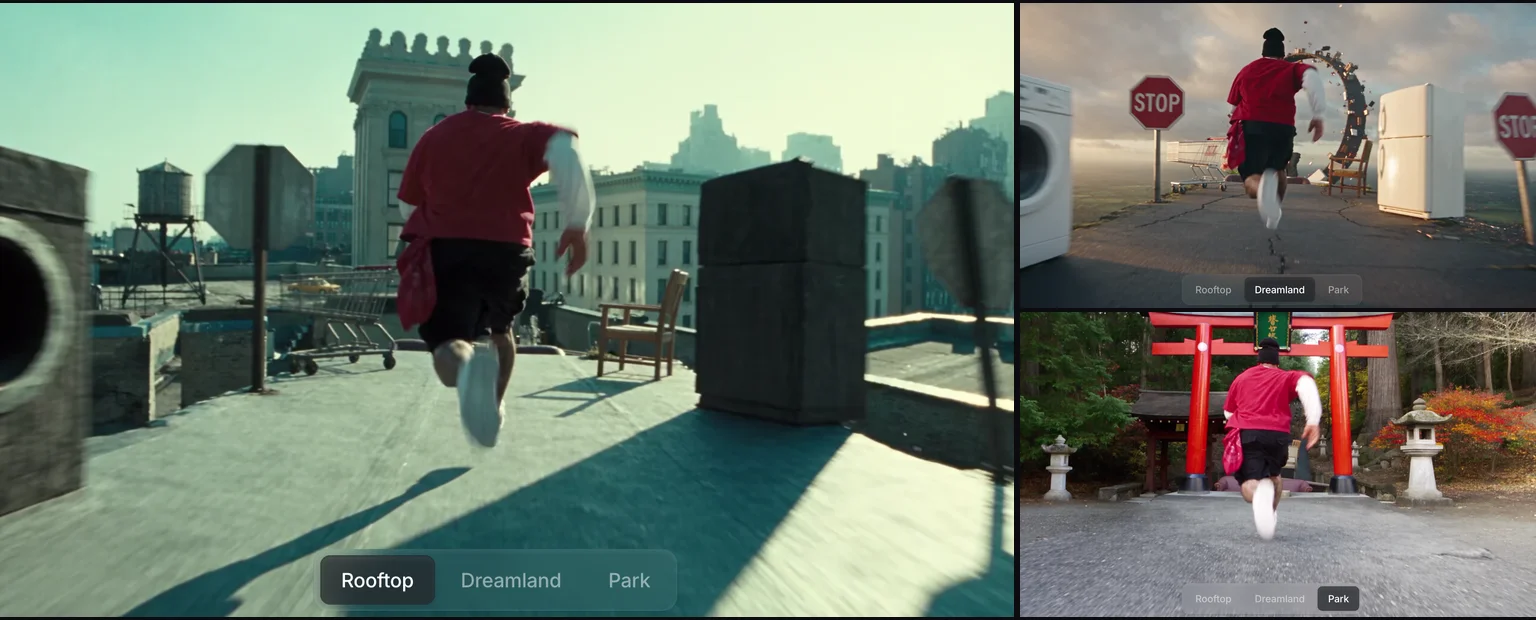
The steps are simple. What decides the result is what you upload and what you say:
- Say what changes and what stays. "Replace the man with the woman in my photo; keep the crocodile, every camera move and the timing" gives the model a narrow job. "Make it cooler with me in it" invites it to restage the clip.
- Use a full-body photo to change the whole person. A head-and-shoulders photo tends to change the face and hair and leave the original clothes.
- Name every shot an object appears in. A product that is in four shots has to change in all four, including close-ups and the moment it hits the ground.
- Pick clean source footage. One clear subject, steady framing and few fast turns away from the camera are where these edits hold up best.
What held and what slipped when we ran the same edits
We do not have Higgsfield's numbers on quality, so we ran the same kind of job on Renoise: keep a clip's motion and camera, change the person or the product. These are not Genjutsu tests. They show what this type of edit gets right and where it still slips, which is the same question you will face with Genjutsu.
Recasting the lead in a 15-second action scene. The source is our own clip of a man running from a giant crocodile into a field of carnivorous plants. We asked for the woman in one photo to take his place.
What held: all seven shots followed the source, from the log jump to the giant flower swallowing the crocodile, and her face, hair and clothes all came from the photo. What slipped: framing and timing were close to the source but not frame-for-frame, because this model follows a reference clip rather than editing it.
Swapping the products in a slow-motion ad. The source is a 15-second street ad where a woman slips and three products fly in slow motion. We asked for a new woman, a croissant instead of a waffle, iced matcha instead of iced coffee and a tea tin instead of a coffee bag.
What held: the woman, the matcha, the tea tin and the green spill on the pavement all changed, and the slip, the street and the macro shots stayed. What slipped: the waffle stayed a waffle, the bottle logo printed on the original cup carried over onto the new cup and the tin, and two product cards came back misspelled. Printed text and logos are the weakest part of this kind of edit; check every frame before you post.
Swapping one animal for another. Same dance, same park, same headband, a different dog.
The steps line up beat for beat. Animals are forgiving subjects: there is no face to recognise and no text to get wrong, which is why pet swaps are the easiest results to get right on the first try.
Doing the same on Renoise
Renoise does this kind of edit through its Agent with the Viral Video Remake skill: upload the clip and a photo, say what to swap, and the Agent writes the plan and quotes the credits before anything runs. The Genjutsu AI page asks it for Seedance 2.0, which follows a source clip of up to 15 seconds; for longer clips or an edit on the footage itself, ask for a Seedance 2.5 video edit.
What it adds is no separate Higgsfield subscription, a quote for your exact clip before the run, and the rest of the job in the same conversation: trimming, captions, a voice-over or a new version. Plans and credits are on the pricing page.
If you want to try it on your own clip, the Genjutsu AI page opens the Agent with the remake skill already attached. For the face only, use the AI video face swap. For a wider look at how Renoise and Higgsfield compare, see Higgsfield alternative.
Sources
- Higgsfield, Meet Higgsfield Genjutsu: How It Works and What You Get, published 31 August 2026, updated 2 November 2026, accessed 12 November 2026: modes, limits, Lite, prices.
- Higgsfield, Genjutsu, accessed 12 November 2026: landing page and demo screenshots.
- Higgsfield, Pricing, accessed 28 October 2026: Free plan scope.
- Renoise runs, 12 November 2026: Wan 3.0 tasks 488630 and 488631.