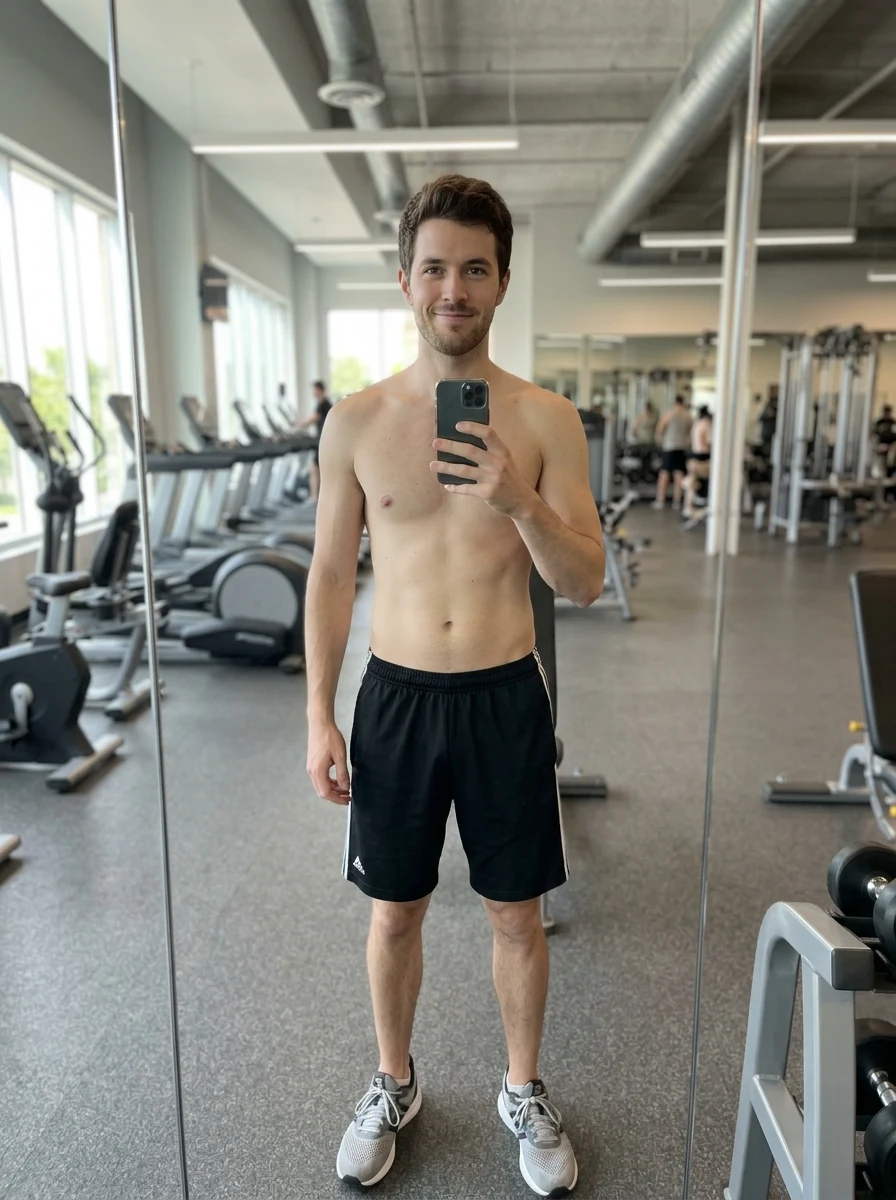
Before
The uploaded photo: slim untrained build, thin arms, flat undefined stomach.
Upload one photo and get the same picture with more muscle — your face, clothes, pose and background stay exactly as they were. Your first five edits are free after you follow us.
Follow us and get 20 free credits — about 5 images
For photos of yourself or people who agreed to appear.
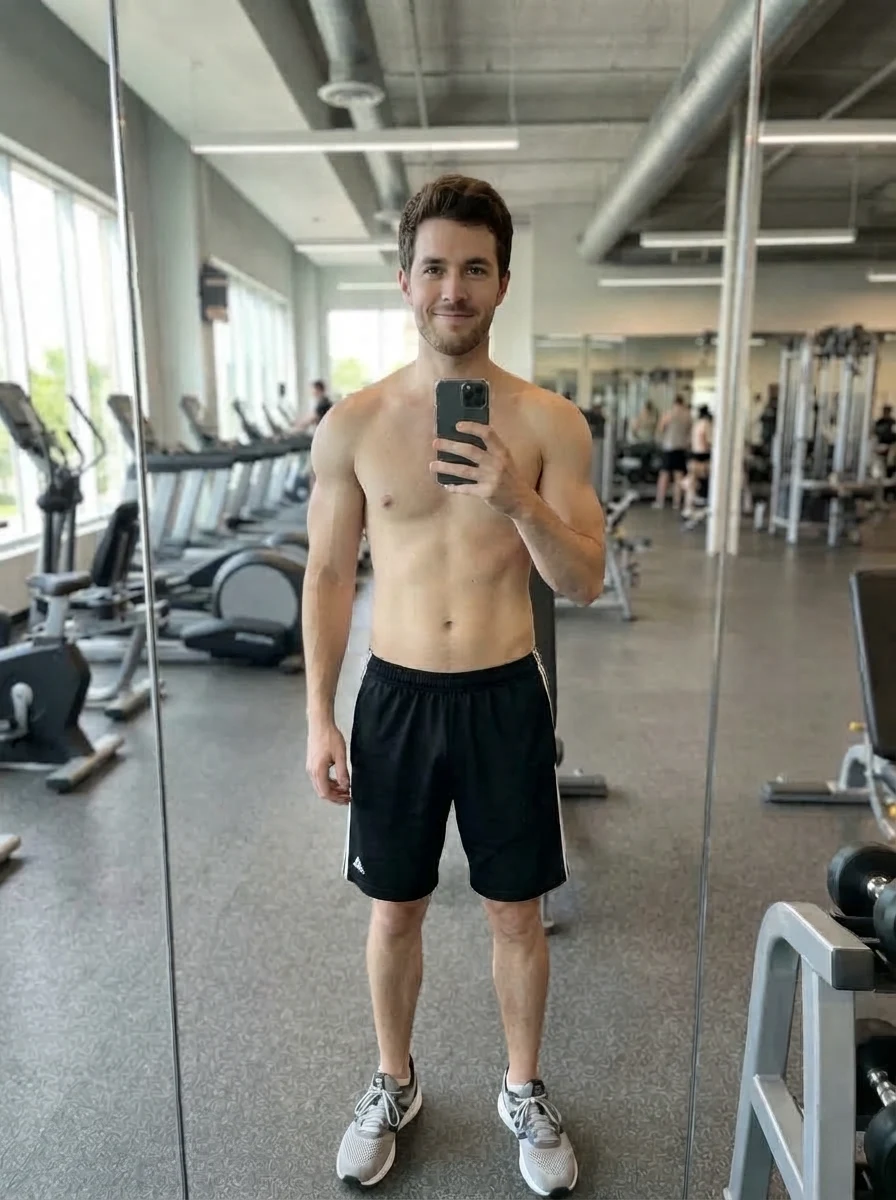
Real model output on an AI-generated fictional person — drag the handle to compare.
Subscribe for more credits and more models.
The pills are genuinely different results rather than one result at three strengths. All of these came from the same uploaded photo of an AI-generated fictional person. At 4 credits a run, trying two and keeping the better one is the intended way to use this page.
The uploaded photo: slim untrained build, thin arms, flat undefined stomach.
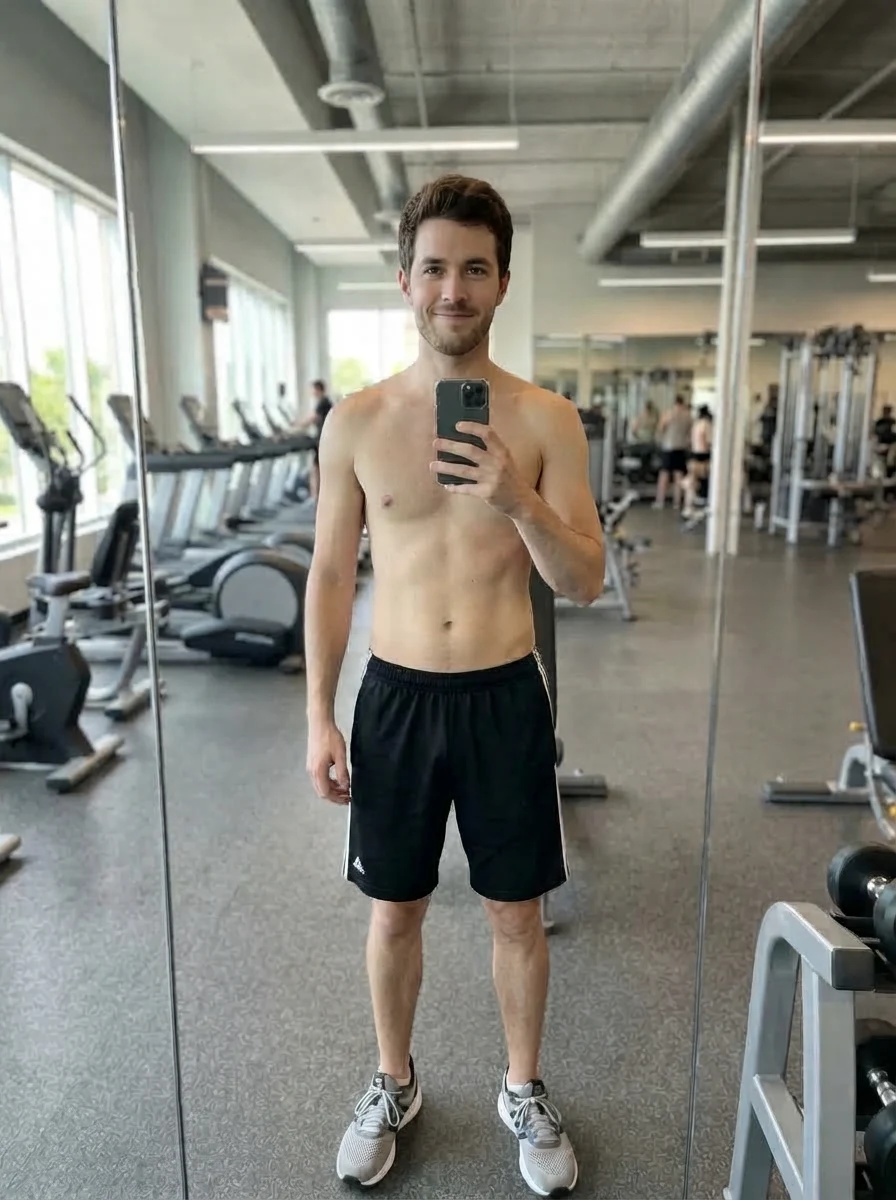
Adds definition without changing the silhouette much — the one most people actually want.
The default, and the most convincing: noticeably bigger arms and shoulders, a defined chest.
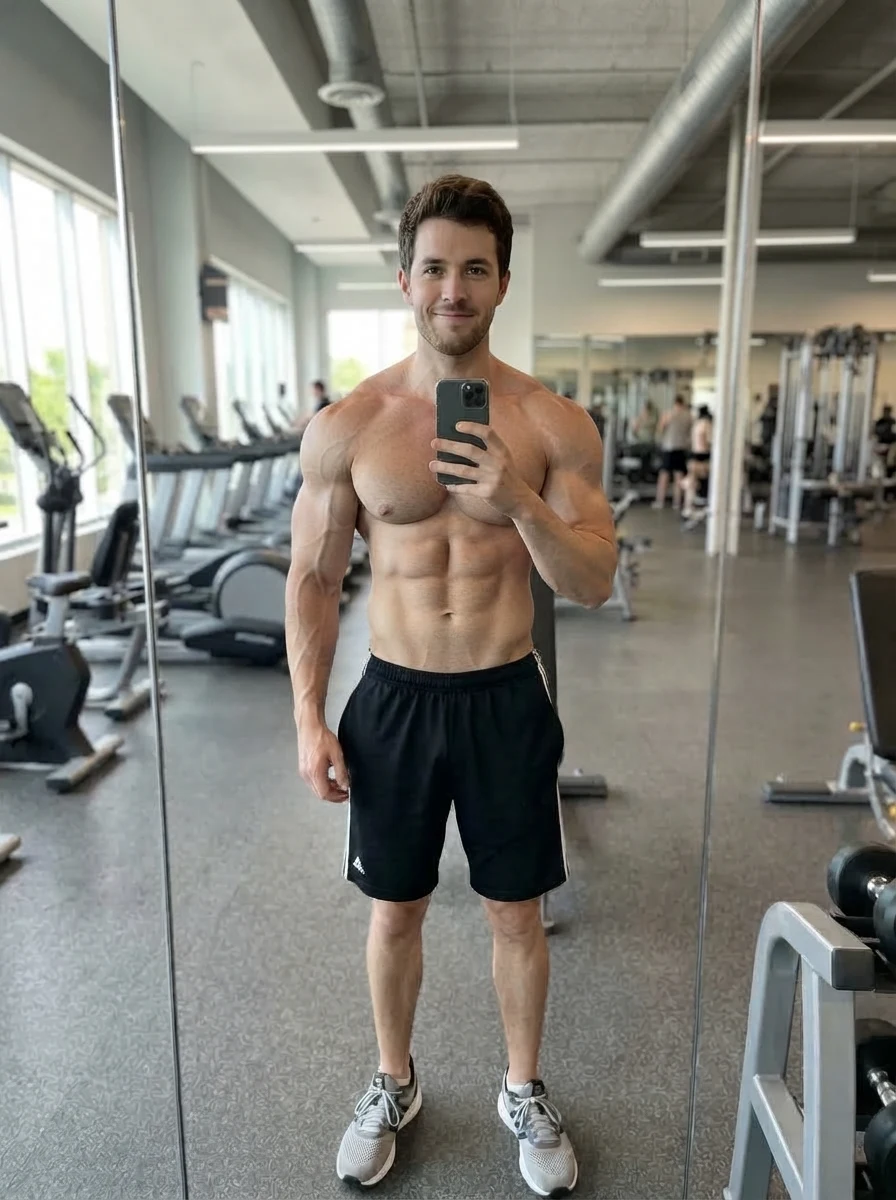
Deliberately over the top — it reads as an edit, which is fine when the edit is the joke.
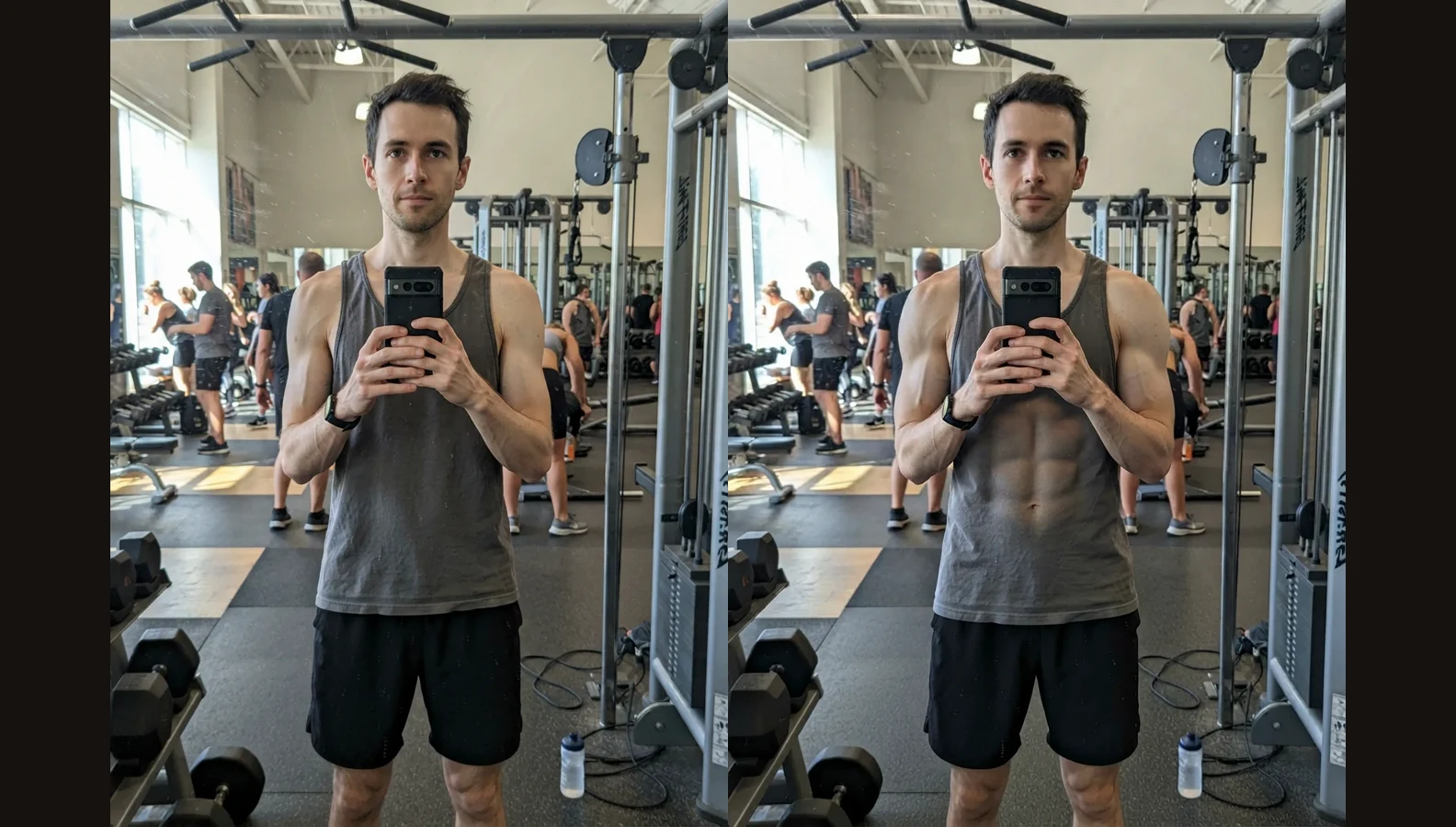
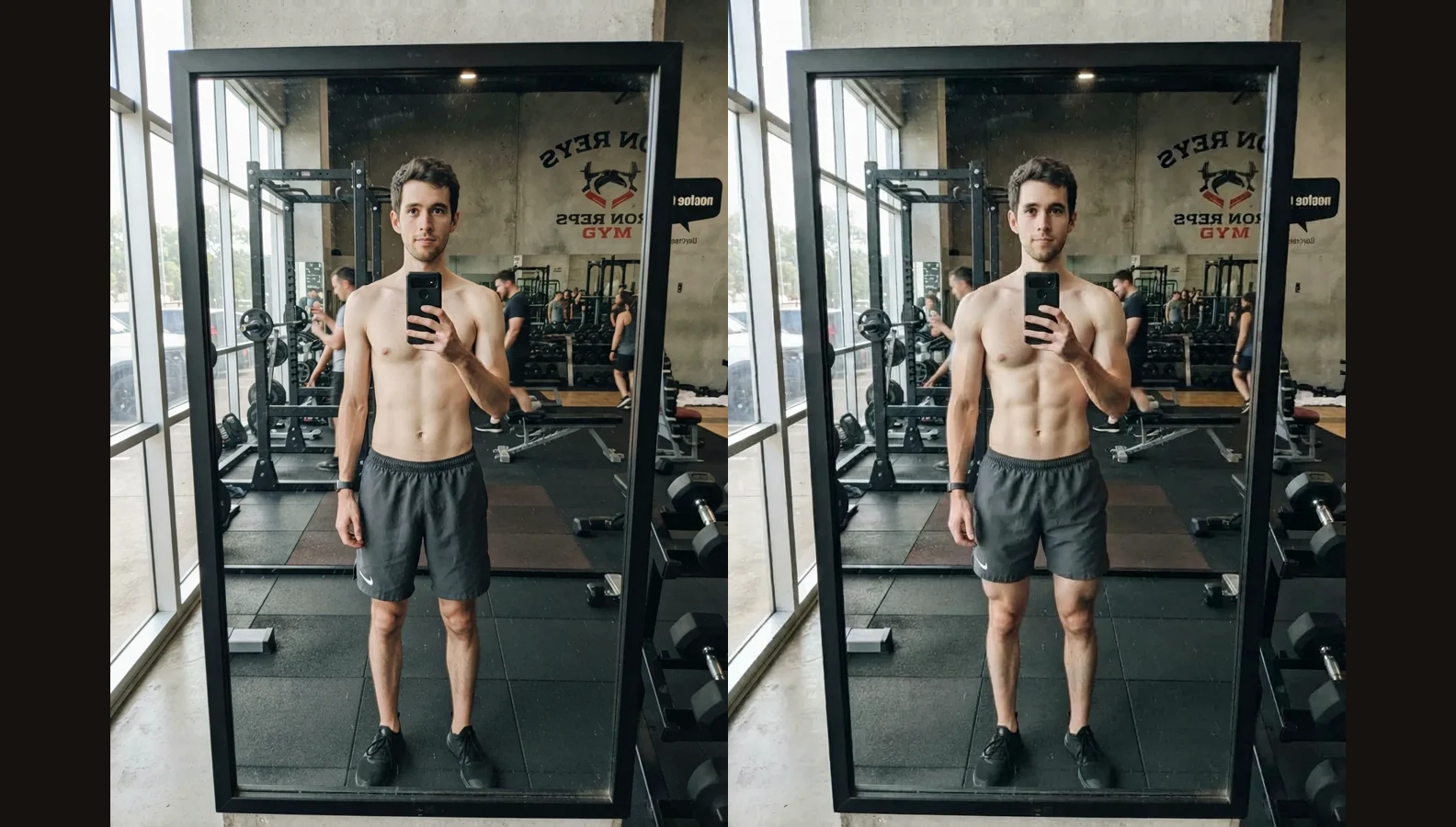
Which photo you upload decides where the muscle lands. Both rows are real output on AI-generated fictional people.
Arms, shoulders and chest fill out and the sleeves drape differently, which reads correctly. Note the stomach: asked for definition, the model treats the midsection as visible skin, so on a loose tank top it draws the abs through the fabric.
Give the model skin to work with and the definition lands where it belongs, with no fabric artefact. Face, hair, watch, gym background and the direction of the light all came back unchanged — that fidelity is the product.
What the account behind this page gets you, beyond this one tool.
No subscription to start. Following us earns 20 credits and an edit here spends 4 of them.
The same balance runs every tool and every model on the account — nothing is ring-fenced to this page.
Nano Banana 2 and Pro, GPT Image 2, Midjourney V7, Seedream and Grok Image, on one account.
The edited photo can go straight into a video tool without leaving the account or paying twice.
Upload one photo, pick how much muscle you want, and this AI muscle generator returns the same picture with a bigger build — arms, shoulders and chest reshaped while your face, clothing, pose, background and lighting stay exactly as they were. It takes a few seconds. Following us on X and YouTube earns 20 free credits and an edit here costs 4, so your first five are free.
Want the change to show in your abs? Read which photo to upload
One photo, one pill, one button. The picture you get back is the picture you uploaded, edited.
Arms and torso visible, reasonably lit, the person large enough in frame to see. A full-length shot from across a room leaves little to reshape.
Toned, athletic or bodybuilder. The pill is the whole instruction — there is nothing to write, and the rules that keep your face intact are applied either way.
The edit comes back in seconds, next to the original so you can see exactly what changed. Download it, or run another build from the same photo.
The same edit in a photo editor means selecting, warping and repainting light — and the giveaway is always the background.
| What it takes | Manual retouching | |
|---|---|---|
| Retouching skill needed | ✓ | — |
| Time per photo | 20 minutes up | Seconds |
| Background and light survive | If you are careful | Held by the instruction |
| Try a second build | Start over | 4 credits |
| First five free | — | ✓ |
Use photos of yourself, or of people who agreed to be edited. Reshaping somebody else's body and posting it is a thing done to a person, not just to a file. Never use photos of minors.
Face compliance runs automatically on every generation, which is why nothing has to be registered first. An automated check is a floor rather than permission: it cannot know whether the person in your photo agreed. That judgement is yours, both for making the edit and for sharing it.
What happens to an upload on this page.
Picking a file only previews it on your device. Not one byte is stored until you sign in and click generate.
Uploads land in your private library, never a public gallery, and re-running the same photo stores nothing new.
Remove uploads and results from your library whenever you want.
As of October 2026, 100,000+ creators in 170+ countries and regions use Renoise AI, an AI video, image and audio platform, to generate 300,000+ images and videos with 30+ models.
Source: Renoise internal data, March–October 2026. Figures are rounded down and updated quarterly. Last updated
Real feedback from creators who use Renoise AI to make videos, images and ads.
Renoise is pretty easy to use, with a clean and smooth interface. The results from Seedance 2.5 also feel noticeably smoother in action sequences.
Renoise Ai is a good tool for making ai videos and photos. it puts several Ai models in one place, so you don't need to use many different apps.
あまりAIツールを使ったりしたことなかったですが、キャラクターの固定や動画を続いて作成できて使いやすいです。これからどんどん進んでいくアップデートが楽しみです。
Renoise has been a great platform for AI creativity. The tools are easy to use, the experience is smooth, and it makes creating content more enjoyable and efficient. I really appreciate the work the team is doing and look forward to seeing more improvements. Highly recommended!
What I like about Renoise AI compared to other platforms: Fast generation speed: Slow generation takes up way too much time, but Renoise AI is surprisingly about 30% faster. Intuitive and user-friendly UI: Cheaply made platforms have terrible UIs that make me not even want to log in, but Renoise is very clean and convenient. Remembers my previous settings: It helpfully remembers my last workspace settings. Some odd platforms force you to re-adjust everything every single time you generate a video, which is extremely frustrating. Overall preference: For all these reasons, Renoise AI is definitely my preferred platform. Thank you!
Renoise is your go to one stop all for ai creators. all view and use all models in one place, for any type of content you have your mind on!
I have a creat experience with the app. Consistent characters but also unique. THere were some issues with storyline continuity and non-typical humanoid characters.
One plan unlocks Nano Banana, GPT Image 2 and every other image model.
For first-time AI content creators
Billed $168 annually
Upgrade PlanSave $72/year
For creators shipping content every week.
Billed $504 annually
Upgrade PlanSave $216/year
For studios and pros producing at commercial scale.
Billed $1680 annually
Upgrade PlanSave $720/year
For first-time AI content creators
Billed monthly
Upgrade PlanFor creators shipping content every week.
Billed monthly
Upgrade PlanFor studios and pros producing at commercial scale.
Billed monthly
Upgrade PlanRenews automatically each year until canceled.
Renews automatically each month until canceled.
Your first five edits are free. Following us on X and YouTube earns 20 credits and an edit here costs 4 at list price. After that each edit is billed per generation — there is no free plan and no trial period.
Yes, and that is the point of the instruction it sends. In our own runs the face, hair, skin tone, clothing colour, pose, background and lighting all came back unchanged; only the body shape moved. A small, blurry or heavily shadowed face gives the model less to hold onto.
Because the model treats the midsection as visible skin when it is asked for definition, so a loose top gets the muscle drawn on top of it. Use a tight-fitting or shirtless photo for abs; for arms, shoulders and chest, loose clothing is fine.
Not from this page. The instruction here only adds muscle, and the reverse edit has not been tested well enough to promise. The image surface, where you write your own instruction, is the place to try it.
Crop to the person you mean first. The instruction does not name a subject, so on a photo with several people which one changes is a coin flip — and group shots have not been tested here.
Yes, as long as the person is large enough in the frame for the arms and torso to be readable. Full-length shots taken from far away have very few pixels of arm to work with, and the result tends to look soft.
The useful test is not how muscular the output looks but how much of your photo survives. A tool that hands back a gym model with your haircut has not done the job. This one is instructed to hold the face, clothing, pose, background and light and change only the body, which is what makes the result usable as a picture of you.
No. This is a photo editor, not a prediction. It changes a picture and makes no claim about bodies, training or outcomes.


