2–30s clips with native audio, up to 1080P and 20 references. Standard and Prime, by Alibaba.
Wan 3.0 key features
Every clip below is real Wan 3.0 output made in Renoise. Most are muted; the dialogue row plays its sound on hover.
Generate a 30-second shot in one pass
Pick any whole second from 2 to 30. This night-time obstacle race is one 30-second generation: the runner keeps her split orange-and-black braids, the same swimsuit and the same course from the first jump to the last climb, with no stitching between clips.
Reference-to-video with images, video and audio
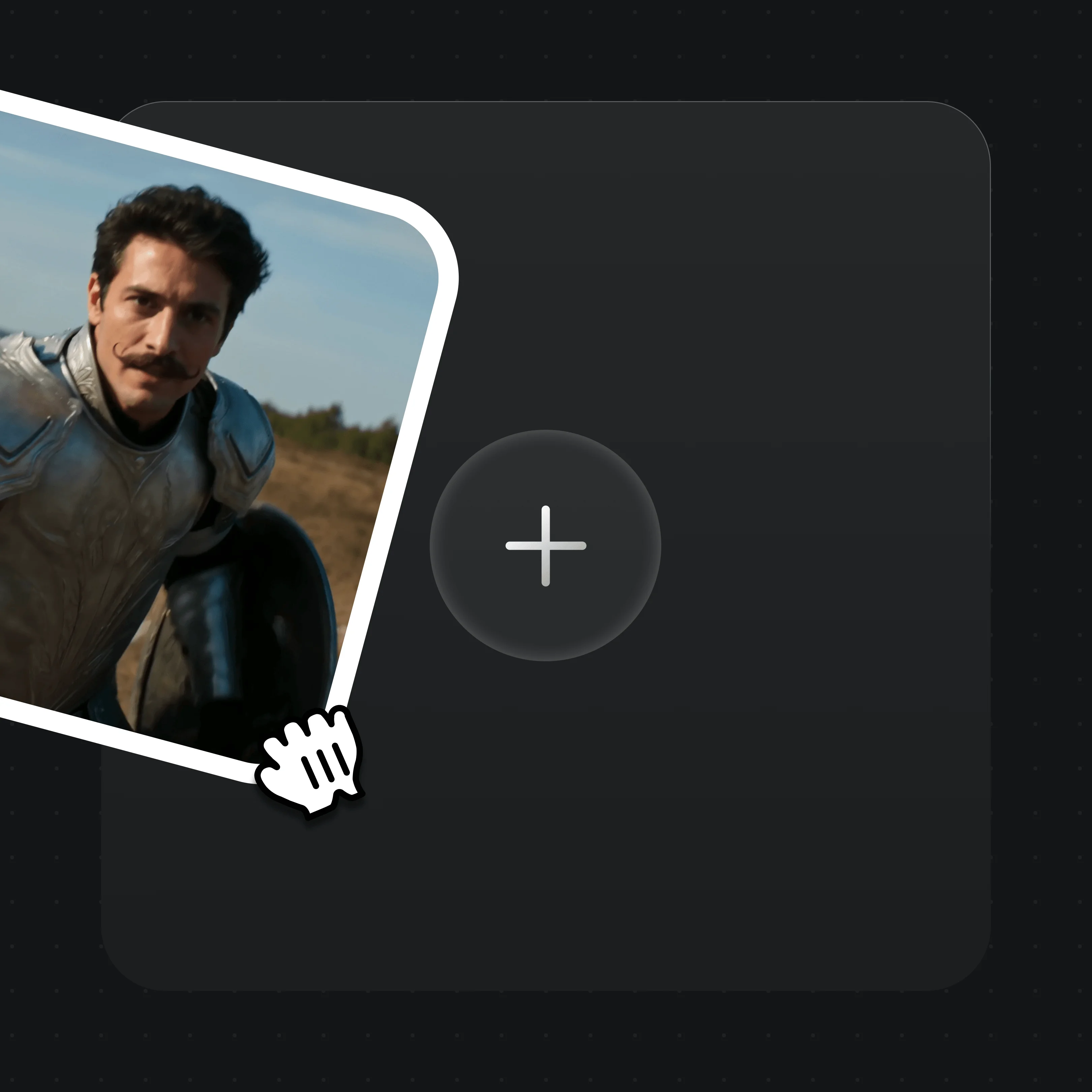
Add up to 10 images, 5 videos and 5 audio clips, 20 in all, and name each with @ in the prompt. Reference video can run 15 seconds in total. Here a 15-second performance clip and its audio set the moves and timing, and two photos set who performs them.
Animate between a first and last frame
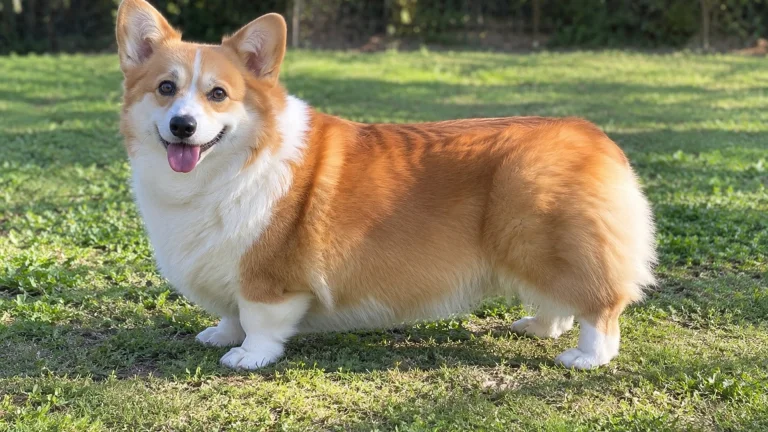
Give Wan 3.0 a first frame, or a first and a last frame, and describe what happens between them. The ratio follows your images. Here a photo of a corgi on a lawn becomes a sprint and a mid-air catch; Wan chose to add a cut halfway on its own.
Input
Native dialogue and sound you can switch off
Dialogue, sound effects and music come out with the picture. Audio is on by default; turn it off when you plan to score the clip yourself. In this farmhouse argument the lines, the breathing and the shift from anger to tears are all generated in one pass.
Text to video, from 2 seconds up
A single sentence is enough to start: this pour-over shot came from a one-line brief. Clips can be as short as 2 seconds, which suits loops, stingers and transitions, and every ratio from 9:16 to 21:9 is available.
Wan 3.0 is Alibaba’s video model from its Wan (Tongyi Wanxiang) team, officially released on August 24, 2026. It makes 2–30s clips with native audio at up to 1080P from text, a first and last frame, or up to 20 image, video and audio references. Wan 3.0 Prime is the same model tuned for speed.
In Renoise both versions share one plan with 30+ other models. Use them in the Canvas, the Videos page, the Agent, or from Claude Code and Codex.
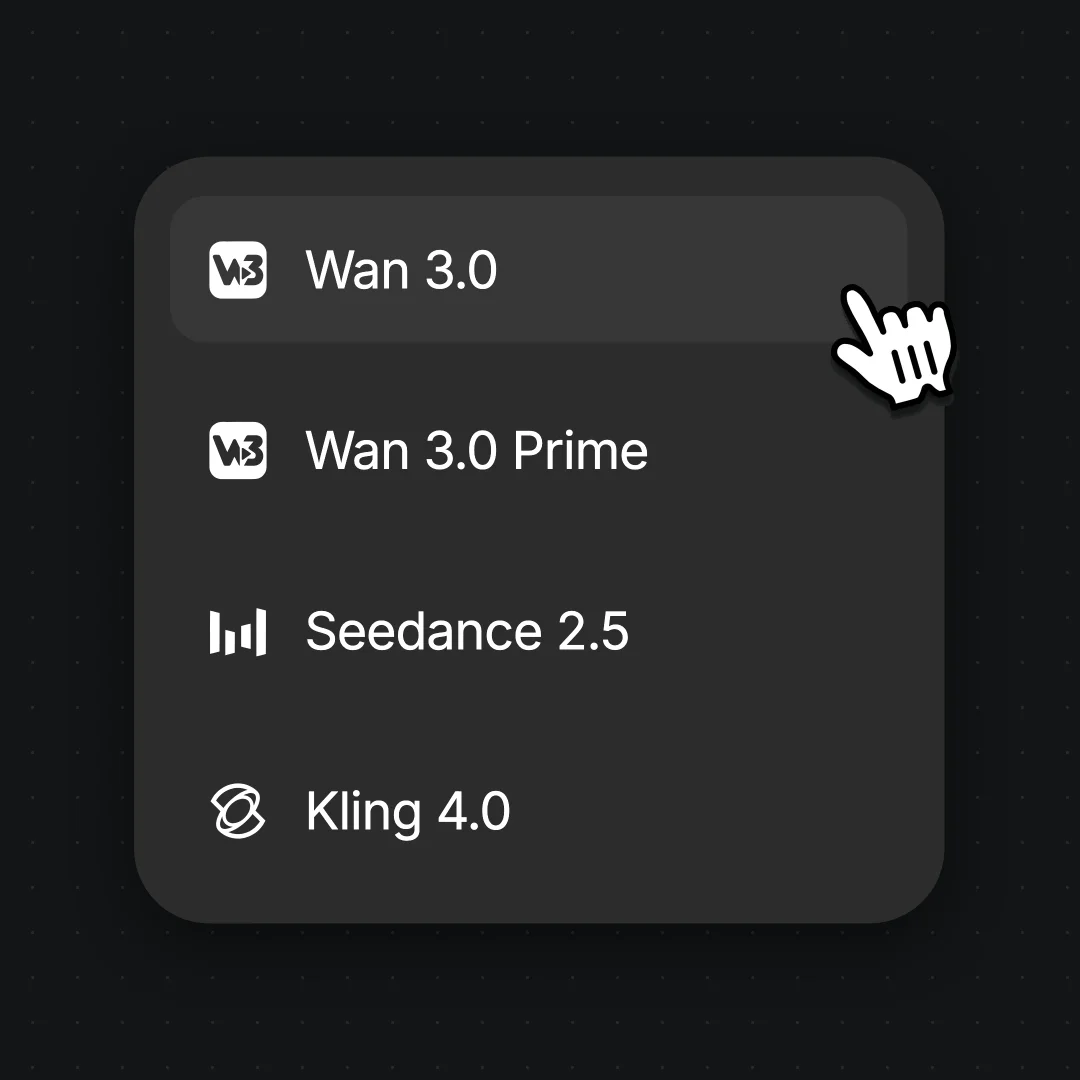
Open Videos or a Canvas video node and choose Wan 3.0 in the model menu. Choose Wan 3.0 Prime instead when someone is waiting on the result.
Step 2
Add frames or references and write the shot
Use Start/End Frames for a first and last frame, or Multi-shot for references; the two cannot be mixed. Tag each reference with @ and say its job. Write the action in time beats (“0–5s: …”), put dialogue in quotes and name the sounds you want.
Step 3
Set length and quality, then generate
Choose 2–30 seconds, a ratio and 480P, 720P or 1080P, and switch audio off if you do not need it. Draft at 480P, then run the keeper at 1080P and export the MP4.
Alibaba Cloud opens a public beta of Wan 3.0, with 30-second generation and document input.
Official release
Wan 3.0 and Wan 3.0 Prime launch on wan.video, Alibaba Cloud Model Studio and Qwen Cloud as a closed, API-only model.
Live in Renoise
Wan 3.0 and Wan 3.0 Prime join the Renoise model menu at 480P, 720P and 1080P, with clips of 2–30 seconds.
Halloween Unlimited
Standard and Advanced subscribers got Unlimited Wan 3.0 at 480P and 720P, which ran until November 3, 2026, 00:00 Beijing time.
The Agent’s budget pick
The Renoise Agent starts choosing Wan 3.0 on its own for short, low-cost shots that do not need editing or many references.
Sources: Alibaba Cloud Model Studio, Alibaba_Wan on X, Renoise model list and release records. Last updated
Wan 3.0 vs Wan 3.0 Prime vs Seedance 2.5
All three are in the same Renoise menu. Same prompt, Wan 3.0 on the left and Seedance 2.5 on the right.
One prompt, two models, generated by the Renoise team.
01
Prime buys speed, not quality
Wan 3.0 Prime has the same lengths, resolutions and reference limits as Wan 3.0 and is faster on long, high-resolution jobs. It costs 50% more: 90 credits for 5 seconds at 720P against 60.
02
Wan 3.0 costs about a third of Seedance 2.5
Five seconds at 720P is 60 credits on Wan 3.0 and 160 on Seedance 2.5; a 30-second 1080P clip is 720 against 2,160. That makes Wan 3.0 the cheaper way to draft and iterate.
03
Seedance 2.5 still wins on references and editing
Seedance 2.5 takes up to 50 references and can edit or extend an existing clip. Wan 3.0 takes 20 and only generates new clips.
04
Where reviewers say Wan 3.0 falls short
Independent testers report weaker lip sync than Seedance 2.5 and camera cuts the prompt did not ask for. Check close-up dialogue before committing to a long run.
Wan 3.0, Prime, Seedance 2.5 and Seedance 2.0 Mini side by side
Four video models in the Renoise menu, compared on the limits Renoise exposes, not each vendor’s full spec sheet.
How Wan 3.0 compares with Wan 3.0 Prime, Seedance 2.5 and Seedance 2.0 Mini on length, resolution, inputs and credits in Renoise
In Renoise
Wan 3.0
Wan 3.0 Prime
Seedance 2.5
Seedance 2.0 Mini
Clip length
2–30s, any second
2–30s, any second
4–30s, any second
4–15s, any second
Max resolution
1080P
1080P
1080P
720P
References
10 images, 5 videos, 5 audio
10 images, 5 videos, 5 audio
30 images, 10 videos, 10 audio
9 images, 3 videos, 3 audio
First and last frame
Yes
Yes
Yes
No
Credits · 5s at 720P
60
90
160
50
Best for
Cheap drafts and finals up to 30s
The same, when speed matters
Many references, editing, extension
Low-cost short clips up to 15s
Renoise model list and credit estimates (checked 2026-11-11).
As of October 2026, 100,000+ creators in 170+ countries and regions use Renoise AI, an AI video, image and audio platform, to generate 300,000+ images and videos with 30+ models.
Creators
100K+
Registered accounts on Renoise since March 2026
Countries and regions
170+
Where creators signed in from in the last 90 days
Images and videos generated
300K+
Completed generations, March–October 2026
AI models
30+
Seedance, Kling, GPT Image, Midjourney and more in one subscription
Source: Renoise internal data, March–October 2026. Figures are rounded down and updated quarterly. Last updated
What creators say about Renoise
Real feedback from creators who use Renoise AI to make videos, images and ads.
LLộc Bùi Nguyễn Vinh
Renoise is pretty easy to use, with a clean and smooth interface. The results from Seedance 2.5 also feel noticeably smoother in action sequences.
FFaith Joy Cloma
Renoise Ai is a good tool for making ai videos and photos. it puts several Ai models in one place, so you don't need to use many different apps.
Renoise has been a great platform for AI creativity. The tools are easy to use, the experience is smooth, and it makes creating content more enjoyable and efficient. I really appreciate the work the team is doing and look forward to seeing more improvements. Highly recommended!
Ssergio ramos
What I like about Renoise AI compared to other platforms: Fast generation speed: Slow generation takes up way too much time, but Renoise AI is surprisingly about 30% faster. Intuitive and user-friendly UI: Cheaply made platforms have terrible UIs that make me not even want to log in, but Renoise is very clean and convenient. Remembers my previous settings: It helpfully remembers my last workspace settings. Some odd platforms force you to re-adjust everything every single time you generate a video, which is extremely frustrating. Overall preference: For all these reasons, Renoise AI is definitely my preferred platform. Thank you!
ZZeus
Renoise is your go to one stop all for ai creators. all view and use all models in one place, for any type of content you have your mind on!
MMichał Reszka
I have a creat experience with the app. Consistent characters but also unique. THere were some issues with storyline continuity and non-typical humanoid characters.
LLộc Bùi Nguyễn Vinh
Renoise is pretty easy to use, with a clean and smooth interface. The results from Seedance 2.5 also feel noticeably smoother in action sequences.
FFaith Joy Cloma
Renoise Ai is a good tool for making ai videos and photos. it puts several Ai models in one place, so you don't need to use many different apps.
Renoise has been a great platform for AI creativity. The tools are easy to use, the experience is smooth, and it makes creating content more enjoyable and efficient. I really appreciate the work the team is doing and look forward to seeing more improvements. Highly recommended!
Ssergio ramos
What I like about Renoise AI compared to other platforms: Fast generation speed: Slow generation takes up way too much time, but Renoise AI is surprisingly about 30% faster. Intuitive and user-friendly UI: Cheaply made platforms have terrible UIs that make me not even want to log in, but Renoise is very clean and convenient. Remembers my previous settings: It helpfully remembers my last workspace settings. Some odd platforms force you to re-adjust everything every single time you generate a video, which is extremely frustrating. Overall preference: For all these reasons, Renoise AI is definitely my preferred platform. Thank you!
ZZeus
Renoise is your go to one stop all for ai creators. all view and use all models in one place, for any type of content you have your mind on!
MMichał Reszka
I have a creat experience with the app. Consistent characters but also unique. THere were some issues with storyline continuity and non-typical humanoid characters.
LLộc Bùi Nguyễn Vinh
Renoise is pretty easy to use, with a clean and smooth interface. The results from Seedance 2.5 also feel noticeably smoother in action sequences.
FFaith Joy Cloma
Renoise Ai is a good tool for making ai videos and photos. it puts several Ai models in one place, so you don't need to use many different apps.
Renoise has been a great platform for AI creativity. The tools are easy to use, the experience is smooth, and it makes creating content more enjoyable and efficient. I really appreciate the work the team is doing and look forward to seeing more improvements. Highly recommended!
Ssergio ramos
What I like about Renoise AI compared to other platforms: Fast generation speed: Slow generation takes up way too much time, but Renoise AI is surprisingly about 30% faster. Intuitive and user-friendly UI: Cheaply made platforms have terrible UIs that make me not even want to log in, but Renoise is very clean and convenient. Remembers my previous settings: It helpfully remembers my last workspace settings. Some odd platforms force you to re-adjust everything every single time you generate a video, which is extremely frustrating. Overall preference: For all these reasons, Renoise AI is definitely my preferred platform. Thank you!
ZZeus
Renoise is your go to one stop all for ai creators. all view and use all models in one place, for any type of content you have your mind on!
MMichał Reszka
I have a creat experience with the app. Consistent characters but also unique. THere were some issues with storyline continuity and non-typical humanoid characters.
LLộc Bùi Nguyễn Vinh
Renoise is pretty easy to use, with a clean and smooth interface. The results from Seedance 2.5 also feel noticeably smoother in action sequences.
FFaith Joy Cloma
Renoise Ai is a good tool for making ai videos and photos. it puts several Ai models in one place, so you don't need to use many different apps.
Renoise has been a great platform for AI creativity. The tools are easy to use, the experience is smooth, and it makes creating content more enjoyable and efficient. I really appreciate the work the team is doing and look forward to seeing more improvements. Highly recommended!
Ssergio ramos
What I like about Renoise AI compared to other platforms: Fast generation speed: Slow generation takes up way too much time, but Renoise AI is surprisingly about 30% faster. Intuitive and user-friendly UI: Cheaply made platforms have terrible UIs that make me not even want to log in, but Renoise is very clean and convenient. Remembers my previous settings: It helpfully remembers my last workspace settings. Some odd platforms force you to re-adjust everything every single time you generate a video, which is extremely frustrating. Overall preference: For all these reasons, Renoise AI is definitely my preferred platform. Thank you!
ZZeus
Renoise is your go to one stop all for ai creators. all view and use all models in one place, for any type of content you have your mind on!
MMichał Reszka
I have a creat experience with the app. Consistent characters but also unique. THere were some issues with storyline continuity and non-typical humanoid characters.
Choose your plan
One Renoise plan unlocks Wan 3.0, Wan 3.0 Prime and every other video and image model, billed per generation from your plan credits.
The agent takes your idea all the way to a finished cut.
Edits and assembles your clips
Composites layers, text and effects
Converts formats for every platform
Starter and Standard: production work in Director Mode uses credits by usage. Advanced: free.
UNLIMITED GENS
MiniMax H3NO UNLIMITED
Seedance 2.0 MiniNO UNLIMITED
Seedream 5.0 ProNO UNLIMITED
✓Unlimited Concurrent Generations
No queue. Start as many paid generations as you want at once.
✓Renoise Agent (Beta) — chat to create
✓Frontier Agent model
Renoise Agent runs on frontier models from leading AI labs to plan your shots, write prompts, and pick the right model for each one. Chatting with the Agent is free on every plan.
✓Unlimited LLM Chats
✓Commercial Use
Content generated with Renoise.ai may be used commercially, subject to our Terms of Service
The agent takes your idea all the way to a finished cut.
Edits and assembles your clips
Composites layers, text and effects
Converts formats for every platform
Starter and Standard: production work in Director Mode uses credits by usage. Advanced: free.
UNLIMITED GENS
MiniMax H37-DAY UNLIMITED
Seedance 2.0 Mini7-DAY UNLIMITED
Seedream 5.0 Pro7-DAY UNLIMITED
Official Models
Available for 7 days each month, starting on your billing date
Generation speed may be limited
Not available in Renoise Agent, MCP or CLI
✓Unlimited Concurrent Generations
No queue. Start as many paid generations as you want at once.
✓Renoise Agent (Beta) — chat to create
✓Frontier Agent model
Renoise Agent runs on frontier models from leading AI labs to plan your shots, write prompts, and pick the right model for each one. Chatting with the Agent is free on every plan.
✓Unlimited LLM Chats
✓Commercial Use
Content generated with Renoise.ai may be used commercially, subject to our Terms of Service
The agent takes your idea all the way to a finished cut.
Edits and assembles your clips
Composites layers, text and effects
Converts formats for every platform
Starter and Standard: production work in Director Mode uses credits by usage. Advanced: free.
UNLIMITED GENS
MiniMax H32-DAY UNLIMITED
Seedance 2.0 Mini2-DAY UNLIMITED
Seedream 5.0 Pro2-DAY UNLIMITED
Official Models
Available for 2 days each month, starting on your billing date
Generation speed may be limited
Not available in Renoise Agent, MCP or CLI
✓Unlimited Concurrent Generations
No queue. Start as many paid generations as you want at once.
✓Renoise Agent (Beta) — chat to create
✓Frontier Agent model
Renoise Agent runs on frontier models from leading AI labs to plan your shots, write prompts, and pick the right model for each one. Chatting with the Agent is free on every plan.
✓Unlimited LLM Chats
✓Commercial Use
Content generated with Renoise.ai may be used commercially, subject to our Terms of Service
The agent takes your idea all the way to a finished cut.
Edits and assembles your clips
Composites layers, text and effects
Converts formats for every platform
Starter and Standard: production work in Director Mode uses credits by usage. Advanced: free.
UNLIMITED GENS
MiniMax H37-DAY UNLIMITED
Seedance 2.0 Mini7-DAY UNLIMITED
Seedream 5.0 Pro7-DAY UNLIMITED
Official Models
Available for 7 days each month, starting on your billing date
Generation speed may be limited
Not available in Renoise Agent, MCP or CLI
✓Unlimited Concurrent Generations
No queue. Start as many paid generations as you want at once.
✓Renoise Agent (Beta) — chat to create
✓Frontier Agent model
Renoise Agent runs on frontier models from leading AI labs to plan your shots, write prompts, and pick the right model for each one. Chatting with the Agent is free on every plan.
✓Unlimited LLM Chats
✓Commercial Use
Content generated with Renoise.ai may be used commercially, subject to our Terms of Service
✓Watermark-free exports
Wan 3.0 FAQ
1.Is Wan 3.0 out yet?
+
Yes. Alibaba opened a public beta on August 6, 2026 and officially released Wan 3.0 and Wan 3.0 Prime on August 24. Both have been live in Renoise since September 22, 2026, in the Canvas, the Videos page, the Agent, the API, the CLI and MCP.
2.Is Wan 3.0 open source?
+
No. Alibaba released Wan 3.0 as a closed model available only through its API and apps, so there are no weights to download, run locally or load in ComfyUI. The last Wan release with open weights was Wan 2.2. In Renoise you use Wan 3.0 in the browser or through the API.
3.How many references does Wan 3.0 support?
+
Up to 20 in one task: 10 images, 5 videos and 5 audio clips. Reference videos can run 15 seconds in total, and reference video plus output cannot pass 30 seconds. Audio can be the only reference. A first or last frame cannot be combined with references.
4.Does Wan 3.0 support 4K?
+
No. Wan 3.0 and Wan 3.0 Prime output 480P, 720P or 1080P, and 1080P is 24 credits per second on Wan 3.0. For native 4K, use Seedance 2.0 in 4K, or upscale a finished clip.
5.Can Wan 3.0 edit or extend a video?
+
Not in Renoise. Alibaba’s API has editing and extension modes, but Renoise only exposes Wan 3.0 for new generations: text, frames or references. To change part of a clip or add time before or after it, use Seedance 2.5, which does both.
6.Can Wan 3.0 turn a document or web page into a video?
+
Alibaba’s own Wan 3.0 accepts one document (PDF, Word, PowerPoint, Excel, Markdown) or one public web page as a source. Renoise does not pass documents to Wan 3.0, so describe the content you want in the prompt, or add the key images and clips as references.
7.How much does Wan 3.0 cost?
+
In Renoise, Wan 3.0 costs 6 credits per second at 480P, 12 at 720P and 24 at 1080P; Wan 3.0 Prime costs 9, 18 and 36. Reference video seconds bill at the same rate. A 5-second 720P clip is 60 credits on Wan 3.0. See pricing for plans.
8.Is Wan 3.0 free?
+
No. Wan 3.0 and Wan 3.0 Prime are billed per generation from the credits in your Renoise subscription, at the rates above, like every other model.
9.Is Unlimited Wan 3.0 still available?
+
No. Unlimited Wan 3.0 was a Halloween offer for Renoise Standard and Advanced subscribers, at 480P and 720P only, that ran from October 27 until 00:00 Beijing time on November 3, 2026. Wan 3.0 Prime was not included. It has ended, and Wan 3.0 is billed in credits per generation.
10.Is there a Wan 3.0 API?
+
Yes. Alibaba sells it through Alibaba Cloud Model Studio and Qwen Cloud. In Renoise, call `wan3.0-video` or `wan3.0-video-prime` with the same API key, CLI and MCP you use for every other model. API tasks are billed in credits.
11.Can I use Wan 3.0 videos commercially?
+
Yes. Videos you make on a paid Renoise plan are watermark-free and can be used in ads, product pages and client work. Real faces are only for people whose likeness you are authorized to use; do not generate public figures or minors, and follow local law.
12.Who makes Wan 3.0?
+
Wan 3.0 is made by Alibaba’s Wan team, also known as Tongyi Wanxiang (通义万相), which also runs it on wan.video (see Renoise vs Wan). Renoise does not train video models: it integrates Wan 3.0 next to Seedance 2.5, Kling 4.0 and others on one plan.
Wan 3.0 is in the Canvas.
30 seconds with sound, in one pass.
Generate from text, frames or references with Wan 3.0 or Wan 3.0 Prime in Renoise, and switch to Seedance 2.5 shot by shot when you need to edit.