Turn one photo, or up to 15 images and 3 voice clips, into 3–16s video with sound, up to 4K.
Vidu Q4 key features
Every clip below is a Vidu Q4 generation the Renoise team made for this page at 1080p, one take each, with the inputs shown in the corner. Hover a clip with sound to hear it.
Reference-to-video with up to 15 images
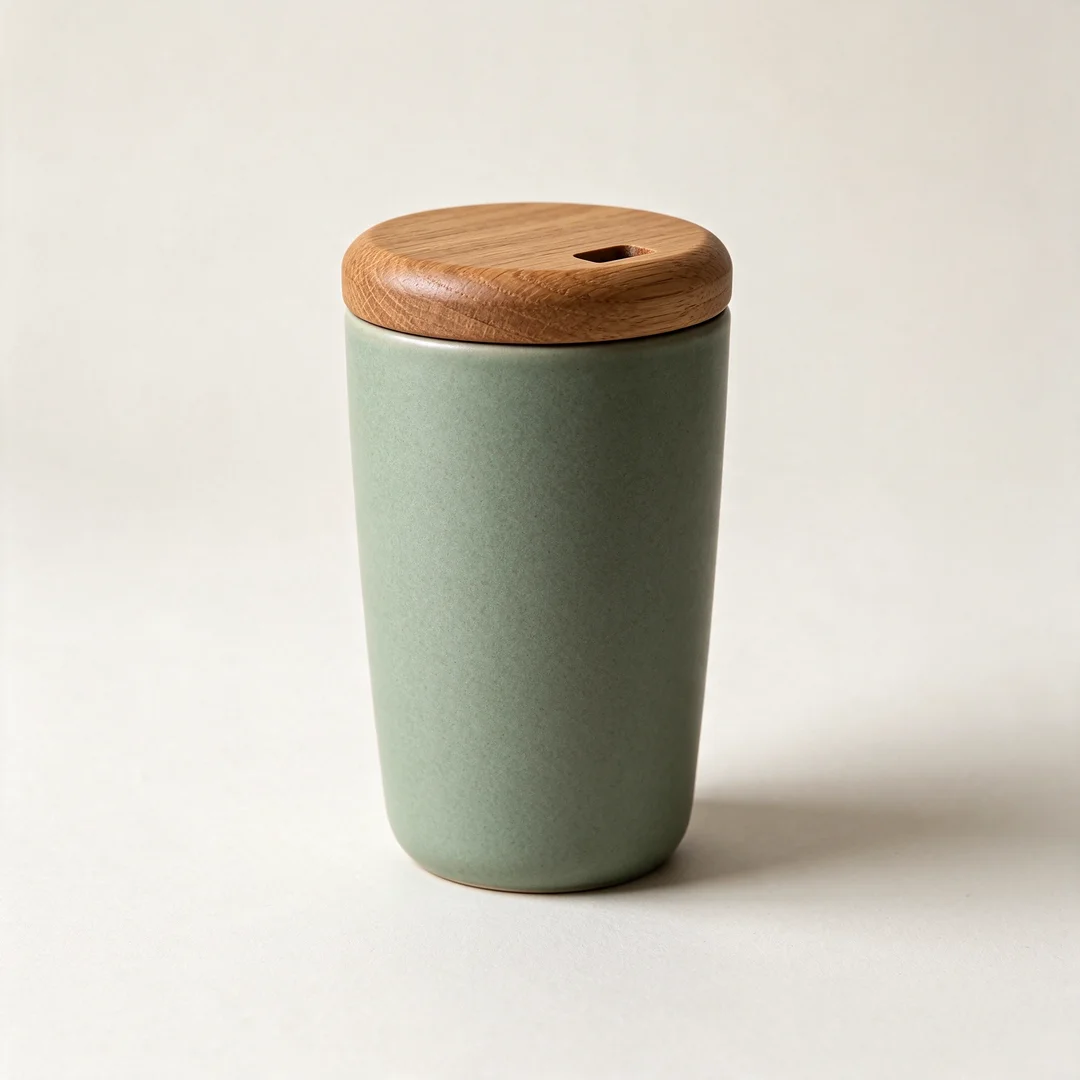
Give Vidu Q4 up to 15 reference images, people, products, places or a style, and it builds one shot around them while keeping each recognizable. Shown: a portrait and a product photo become an 8-second kitchen scene with the same woman and the same tumbler.
Input
Voice references with lip-synced dialogue
Add up to 3 audio clips next to your images and Vidu Q4 speaks in that voice, with lip movement matched to the line you write. Shown: one photo and a 3-second voice sample turn into a café vlog intro with a brand-new line.
Input
Image-to-video for fast action
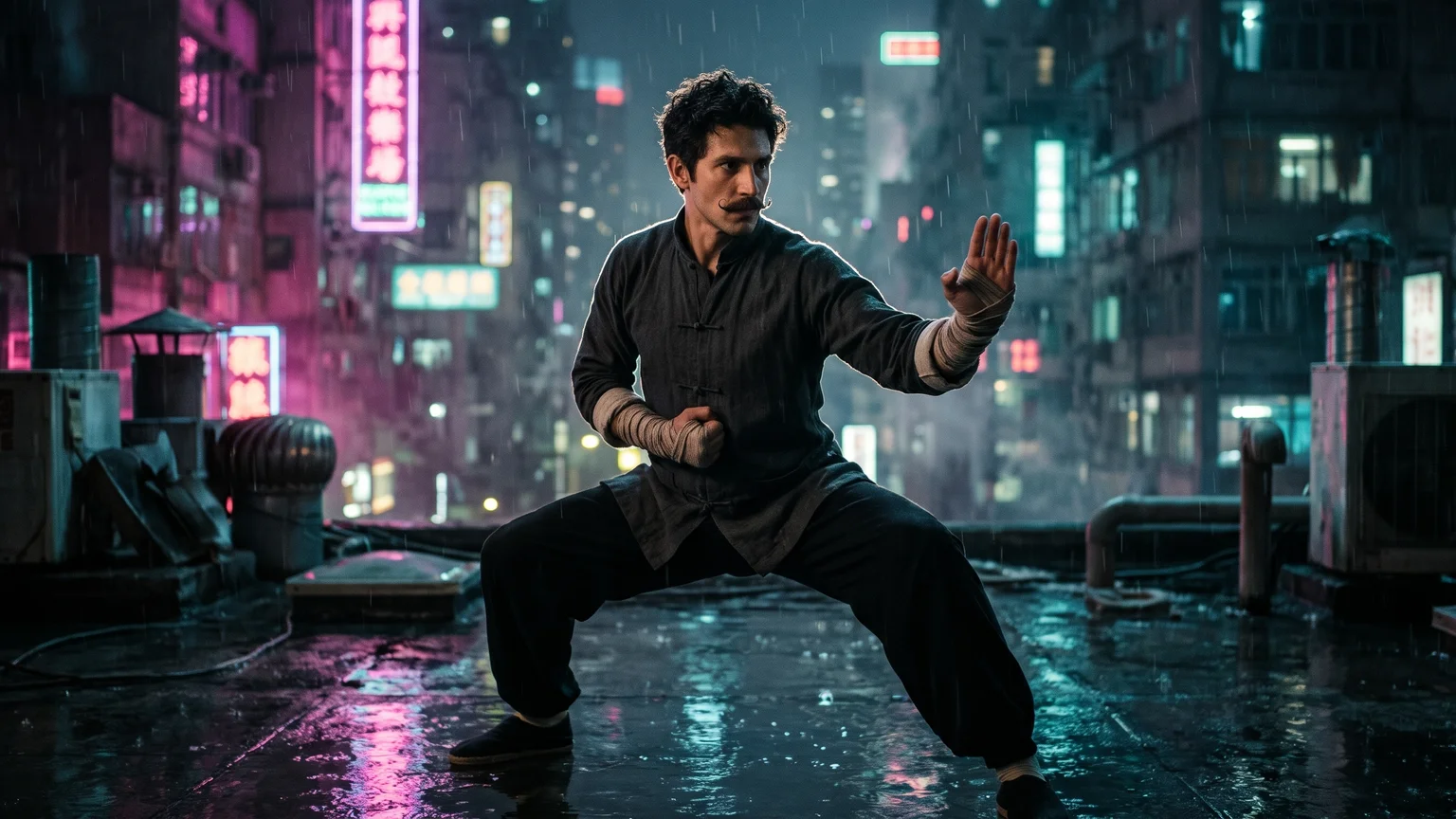
Start from one frame and Vidu Q4 animates it at the frame’s own aspect ratio. ShengShu tuned Q4 for martial arts, running and fights with fewer deformations. Shown: a rooftop still becomes a high kick and a return to guard in the rain.
Input
Explosions, smoke and particle effects
Vidu Q4 renders fireballs, smoke, sparks and dust together with the sound of them, because audio is always generated with the picture. Shown: a still of a desert fuel depot turned into a fireball, rolling smoke, flying sparks and a dust wave.
Vidu Q4 is ShengShu Technology’s image-driven AI video model with native audio, released as Vidu Q4 Preview on October 7, 2026. It turns one first frame, or 1–15 reference images plus up to 3 voice clips, into a 3–16 second clip at 540P, 720P, 1080P, 2K or 4K. It does not do text-to-video.
In Renoise, Vidu Q4 sits next to Seedance, Kling, MiniMax and more than 30 other models on one subscription, in the Videos page, the Canvas, the Agent, and the API and CLI.
Only have a text prompt, or need a shot longer than 16 seconds? Use Seedance 2.5.
Vidu Q4 at a glance
Max resolution
4K
540P, 720P, 1080P, 2K or 4K; 2K and 4K in 10-bit
Clip length
3–16s
Any whole second, in one generation
References
15 + 3
Up to 15 images and 3 voice clips
Starting price
9 cr/s
540P; 19 at 720P, 24 at 1080P
Specs as available in Renoise, checked November 11, 2026. 10-bit per ShengShu.
How to use Vidu Q4 in Renoise
Step 1
Choose Vidu Q4 and a mode
Open Videos and pick Vidu Q4. Use Start Frame to animate one image, or Multi-shot to combine up to 15 reference images and 3 voice clips. The two modes don’t mix, and every Vidu Q4 task needs at least one image.
Step 2
Write motion, camera and lines
Say what each reference is (“Image 1 is the woman, Image 2 is the tumbler, Audio 1 is her voice”), then the action, the camera move and any dialogue in quotes. Describe the sound you want too; Vidu Q4 always generates audio.
03
Step 3
Pick resolution and length, then generate
Choose 540P to 4K and 3–16 seconds; in Multi-shot also 16:9, 9:16 or 1:1. Test the motion at 540P first: short clips take a few minutes, while a 16-second 1080P clip can take about half an hour and 4K longer.
A 5-second clip costs 120 credits at 1080P on Vidu Q4, against 190 on Kling 4.0 Omni and 360 on Seedance 2.5, and Vidu Q4 also offers 2K and 4K.
02
Pick Vidu Q4 when the voice matters
It takes up to 3 voice clips beside 15 images, so a character can speak in a voice you supply. Kling 4.0 Omni takes no audio references.
03
Use Seedance 2.5 or Kling 4.0 for text-only or 30-second shots
Vidu Q4 needs an image and stops at 16 seconds. Seedance 2.5 and Kling 4.0 take plain text and run to 30 seconds.
04
Use MiniMax H3 for first and last frames on a budget
MiniMax H3 also generates sound, takes first and last frames and reference videos, and costs 60 credits for 5 seconds at 768p; it stops at 2K and 15 seconds.
How many creators use Renoise?
As of October 2026, 100,000+ creators in 170+ countries and regions use Renoise AI, an AI video, image and audio platform, to generate 300,000+ images and videos with 30+ models.
Creators
100K+
Registered accounts on Renoise since March 2026
Countries and regions
170+
Where creators signed in from in the last 90 days
Images and videos generated
300K+
Completed generations, March–October 2026
AI models
30+
Seedance, Kling, GPT Image, Midjourney and more in one subscription
Source: Renoise internal data, March–October 2026. Figures are rounded down and updated quarterly. Last updated
What creators say about Renoise
Real feedback from creators who use Renoise AI to make videos, images and ads.
LLộc Bùi Nguyễn Vinh
Renoise is pretty easy to use, with a clean and smooth interface. The results from Seedance 2.5 also feel noticeably smoother in action sequences.
FFaith Joy Cloma
Renoise Ai is a good tool for making ai videos and photos. it puts several Ai models in one place, so you don't need to use many different apps.
Renoise has been a great platform for AI creativity. The tools are easy to use, the experience is smooth, and it makes creating content more enjoyable and efficient. I really appreciate the work the team is doing and look forward to seeing more improvements. Highly recommended!
Ssergio ramos
What I like about Renoise AI compared to other platforms: Fast generation speed: Slow generation takes up way too much time, but Renoise AI is surprisingly about 30% faster. Intuitive and user-friendly UI: Cheaply made platforms have terrible UIs that make me not even want to log in, but Renoise is very clean and convenient. Remembers my previous settings: It helpfully remembers my last workspace settings. Some odd platforms force you to re-adjust everything every single time you generate a video, which is extremely frustrating. Overall preference: For all these reasons, Renoise AI is definitely my preferred platform. Thank you!
ZZeus
Renoise is your go to one stop all for ai creators. all view and use all models in one place, for any type of content you have your mind on!
MMichał Reszka
I have a creat experience with the app. Consistent characters but also unique. THere were some issues with storyline continuity and non-typical humanoid characters.
LLộc Bùi Nguyễn Vinh
Renoise is pretty easy to use, with a clean and smooth interface. The results from Seedance 2.5 also feel noticeably smoother in action sequences.
FFaith Joy Cloma
Renoise Ai is a good tool for making ai videos and photos. it puts several Ai models in one place, so you don't need to use many different apps.
Renoise has been a great platform for AI creativity. The tools are easy to use, the experience is smooth, and it makes creating content more enjoyable and efficient. I really appreciate the work the team is doing and look forward to seeing more improvements. Highly recommended!
Ssergio ramos
What I like about Renoise AI compared to other platforms: Fast generation speed: Slow generation takes up way too much time, but Renoise AI is surprisingly about 30% faster. Intuitive and user-friendly UI: Cheaply made platforms have terrible UIs that make me not even want to log in, but Renoise is very clean and convenient. Remembers my previous settings: It helpfully remembers my last workspace settings. Some odd platforms force you to re-adjust everything every single time you generate a video, which is extremely frustrating. Overall preference: For all these reasons, Renoise AI is definitely my preferred platform. Thank you!
ZZeus
Renoise is your go to one stop all for ai creators. all view and use all models in one place, for any type of content you have your mind on!
MMichał Reszka
I have a creat experience with the app. Consistent characters but also unique. THere were some issues with storyline continuity and non-typical humanoid characters.
LLộc Bùi Nguyễn Vinh
Renoise is pretty easy to use, with a clean and smooth interface. The results from Seedance 2.5 also feel noticeably smoother in action sequences.
FFaith Joy Cloma
Renoise Ai is a good tool for making ai videos and photos. it puts several Ai models in one place, so you don't need to use many different apps.
Renoise has been a great platform for AI creativity. The tools are easy to use, the experience is smooth, and it makes creating content more enjoyable and efficient. I really appreciate the work the team is doing and look forward to seeing more improvements. Highly recommended!
Ssergio ramos
What I like about Renoise AI compared to other platforms: Fast generation speed: Slow generation takes up way too much time, but Renoise AI is surprisingly about 30% faster. Intuitive and user-friendly UI: Cheaply made platforms have terrible UIs that make me not even want to log in, but Renoise is very clean and convenient. Remembers my previous settings: It helpfully remembers my last workspace settings. Some odd platforms force you to re-adjust everything every single time you generate a video, which is extremely frustrating. Overall preference: For all these reasons, Renoise AI is definitely my preferred platform. Thank you!
ZZeus
Renoise is your go to one stop all for ai creators. all view and use all models in one place, for any type of content you have your mind on!
MMichał Reszka
I have a creat experience with the app. Consistent characters but also unique. THere were some issues with storyline continuity and non-typical humanoid characters.
LLộc Bùi Nguyễn Vinh
Renoise is pretty easy to use, with a clean and smooth interface. The results from Seedance 2.5 also feel noticeably smoother in action sequences.
FFaith Joy Cloma
Renoise Ai is a good tool for making ai videos and photos. it puts several Ai models in one place, so you don't need to use many different apps.
Renoise has been a great platform for AI creativity. The tools are easy to use, the experience is smooth, and it makes creating content more enjoyable and efficient. I really appreciate the work the team is doing and look forward to seeing more improvements. Highly recommended!
Ssergio ramos
What I like about Renoise AI compared to other platforms: Fast generation speed: Slow generation takes up way too much time, but Renoise AI is surprisingly about 30% faster. Intuitive and user-friendly UI: Cheaply made platforms have terrible UIs that make me not even want to log in, but Renoise is very clean and convenient. Remembers my previous settings: It helpfully remembers my last workspace settings. Some odd platforms force you to re-adjust everything every single time you generate a video, which is extremely frustrating. Overall preference: For all these reasons, Renoise AI is definitely my preferred platform. Thank you!
ZZeus
Renoise is your go to one stop all for ai creators. all view and use all models in one place, for any type of content you have your mind on!
MMichał Reszka
I have a creat experience with the app. Consistent characters but also unique. THere were some issues with storyline continuity and non-typical humanoid characters.
Choose your plan
One Renoise plan unlocks Vidu Q4 and every other video and image model, billed per generation from your plan credits.
The agent takes your idea all the way to a finished cut.
Edits and assembles your clips
Composites layers, text and effects
Converts formats for every platform
Starter and Standard: production work in Director Mode uses credits by usage. Advanced: free.
UNLIMITED GENS
MiniMax H3NO UNLIMITED
Seedance 2.0 MiniNO UNLIMITED
Seedream 5.0 ProNO UNLIMITED
✓Unlimited Concurrent Generations
No queue. Start as many paid generations as you want at once.
✓Renoise Agent (Beta) — chat to create
✓Frontier Agent model
Renoise Agent runs on frontier models from leading AI labs to plan your shots, write prompts, and pick the right model for each one. Chatting with the Agent is free on every plan.
✓Unlimited LLM Chats
✓Commercial Use
Content generated with Renoise.ai may be used commercially, subject to our Terms of Service
The agent takes your idea all the way to a finished cut.
Edits and assembles your clips
Composites layers, text and effects
Converts formats for every platform
Starter and Standard: production work in Director Mode uses credits by usage. Advanced: free.
UNLIMITED GENS
MiniMax H37-DAY UNLIMITED
Seedance 2.0 Mini7-DAY UNLIMITED
Seedream 5.0 Pro7-DAY UNLIMITED
Official Models
Available for 7 days each month, starting on your billing date
Generation speed may be limited
Not available in Renoise Agent, MCP or CLI
✓Unlimited Concurrent Generations
No queue. Start as many paid generations as you want at once.
✓Renoise Agent (Beta) — chat to create
✓Frontier Agent model
Renoise Agent runs on frontier models from leading AI labs to plan your shots, write prompts, and pick the right model for each one. Chatting with the Agent is free on every plan.
✓Unlimited LLM Chats
✓Commercial Use
Content generated with Renoise.ai may be used commercially, subject to our Terms of Service
The agent takes your idea all the way to a finished cut.
Edits and assembles your clips
Composites layers, text and effects
Converts formats for every platform
Starter and Standard: production work in Director Mode uses credits by usage. Advanced: free.
UNLIMITED GENS
MiniMax H32-DAY UNLIMITED
Seedance 2.0 Mini2-DAY UNLIMITED
Seedream 5.0 Pro2-DAY UNLIMITED
Official Models
Available for 2 days each month, starting on your billing date
Generation speed may be limited
Not available in Renoise Agent, MCP or CLI
✓Unlimited Concurrent Generations
No queue. Start as many paid generations as you want at once.
✓Renoise Agent (Beta) — chat to create
✓Frontier Agent model
Renoise Agent runs on frontier models from leading AI labs to plan your shots, write prompts, and pick the right model for each one. Chatting with the Agent is free on every plan.
✓Unlimited LLM Chats
✓Commercial Use
Content generated with Renoise.ai may be used commercially, subject to our Terms of Service
The agent takes your idea all the way to a finished cut.
Edits and assembles your clips
Composites layers, text and effects
Converts formats for every platform
Starter and Standard: production work in Director Mode uses credits by usage. Advanced: free.
UNLIMITED GENS
MiniMax H37-DAY UNLIMITED
Seedance 2.0 Mini7-DAY UNLIMITED
Seedream 5.0 Pro7-DAY UNLIMITED
Official Models
Available for 7 days each month, starting on your billing date
Generation speed may be limited
Not available in Renoise Agent, MCP or CLI
✓Unlimited Concurrent Generations
No queue. Start as many paid generations as you want at once.
✓Renoise Agent (Beta) — chat to create
✓Frontier Agent model
Renoise Agent runs on frontier models from leading AI labs to plan your shots, write prompts, and pick the right model for each one. Chatting with the Agent is free on every plan.
✓Unlimited LLM Chats
✓Commercial Use
Content generated with Renoise.ai may be used commercially, subject to our Terms of Service
✓Watermark-free exports
Vidu Q4 FAQ
1.Is Vidu Q4 out yet?
+
Yes. ShengShu released Vidu Q4 Preview on October 7, 2026, on its own web app and API, and Vidu Q4 has been live in Renoise since October 13, 2026, with 540P, 2K and 4K added on October 15. ShengShu has not given a date for the full Q4 release.
2.Is Vidu Q4 the same as Vidu Q4 Preview?
+
Yes. ShengShu’s current release is called Vidu Q4 Preview, and that is the model behind Vidu Q4 in Renoise; Renoise just drops the word Preview from the picker. When ShengShu ships the full Q4, the same Renoise entry will move to it.
3.Can Vidu Q4 do text-to-video?
+
No. Every Vidu Q4 generation needs at least one image: either one first frame, or 1–15 reference images. A prompt with no image is rejected before any credits are charged. For text-only video, use Seedance 2.5 or Kling 4.0, or make a first frame with an image model and animate it with Vidu Q4.
4.How long can a Vidu Q4 video be?
+
Any whole number of seconds from 3 to 16, in both Start Frame and Multi-shot mode, at every resolution. For a longer piece, chain several Vidu Q4 shots in the Canvas, or use Seedance 2.5 or Kling 4.0, which run up to 30 seconds per clip.
5.Does Vidu Q4 support 4K?
+
Yes. Vidu Q4 renders natively at 540P, 720P, 1080P, 2K and 4K in Renoise, and ShengShu says 2K and 4K come in 10-bit color. 4K costs 78 credits per second and is the slowest tier, so test the motion at 540P or 720P first.
6.How many reference images can Vidu Q4 use?
+
Up to 15 reference images plus up to 3 audio clips in Multi-shot mode, or exactly one first frame in Start Frame mode. The two modes can’t be combined. Vidu Q4 takes no last frame, no reference video and no audio without an image.
7.Does Vidu Q4 generate sound?
+
Yes, always. Vidu Q4 generates dialogue, ambience and sound effects together with the picture, and in Renoise the audio can’t be switched off. Put the lines in quotes and describe the sounds you want; if you need a silent clip, mute it when you edit.
8.How much does Vidu Q4 cost in Renoise?
+
Vidu Q4 is billed per second: 9 credits at 540P, 19 at 720P, 24 at 1080P, 38 at 2K and 78 at 4K. A 5-second clip is 45 credits at 540P, 95 at 720P and 120 at 1080P. References add nothing. See pricing for plans.
9.Why does Vidu Q4 take so long?
+
Vidu Q4 is one of the slower video models in Renoise. Short clips finish in a few minutes, but a 16-second 1080P clip or a task with many references can take about half an hour, and 2K and 4K take longer. You can keep working in the Canvas while it runs.
10.Who makes Vidu Q4, and can I use it commercially?
+
Vidu Q4 is made by ShengShu Technology, the company behind Vidu. Renoise does not train video models; it runs Vidu Q4 next to Seedance, Kling and others. You own your output, and content made in Renoise can be used commercially, subject to the Terms of Service. Use only faces and voices you have the rights to.
Vidu Q4 is in Renoise.
One photo in, 4K video with sound out.
Animate a frame or combine up to 15 images and 3 voice clips with Vidu Q4, then switch to Seedance 2.5 or Kling 4.0 shot by shot in the same Canvas.