Guide
Fable 5.2 Video and Image Prompts, Tested
Claude Fable 5.2 came out on November 9, 2026, and the first thing a lot of creators asked was whether it writes better video and image prompts. We tested it the simple way: one short brief, sent to the model as-is, and the same brief rewritten into a prompt by Fable 5.2 in Claude Code. Then we ran both on Wan 3.0 for video and GPT Image 2.5 for images.
Can Claude Fable 5.2 generate images or video?
No. Anthropic describes Fable 5.2 as a model "for demanding reasoning and long-horizon agentic work" (What's new in Claude Fable 5.2): it reads text and images and writes text. When people post "Fable 5.2 videos", they mean one of two things. Either Fable wrote code that renders the frames (Three.js, Blender, motion graphics), or Fable wrote a prompt and handed it to a video model.
This post is about the second kind. In Claude Code you can connect a video and image service so Fable 5.2 can submit its own prompts; our setup used the Renoise plugin, covered in how to generate video inside Claude.
Set up Fable 5.2 to write prompts in Claude Code
Three steps, all from Anthropic's and Renoise's docs:
- Switch the model. Run
/model fable, or start withclaude --model fable. Fable 5.2 needs Claude Code v2.1.321 or later and is not the default model on any plan (Claude Code model configuration). Runclaude updateif/modeldoesn't list it. - Add a generator. For Renoise:
claude plugin marketplace add renoise-ai/renoise-plugins-official, thenclaude plugin install renoise@renoise-plugins-official, then sign in through/mcp. - Ask for the prompt, then the render. You can stop at the prompt and paste it anywhere, or let Claude submit it. Renoise shows the credit cost and waits for your OK before it generates.
Two separate bills apply. Fable 5.2 usage counts against your Claude plan, or Anthropic usage credits depending on your plan and seat. Generation draws Renoise credits.
Fable 5.2 video prompts, tested on Wan 3.0
The brief: "An 8-second product shot of a ceramic pour-over coffee dripper for a social ad." We sent that sentence straight to Wan 3.0 (16:9, 720p, 8 seconds), then asked Fable 5.2 to write a Wan 3.0 prompt from it and sent its answer unedited. Each clip cost 96 credits. The clips below play muted; Wan 3.0 also generated sound for both.
The brief sent as-is
A pleasant, slow orbit from top-down to side view, and nothing happens. The dripper has no filter, no grounds and no water, yet coffee drips out of it. Usable as b-roll, not as an ad.
The prompt Fable 5.2 wrote
Fable turned "product shot for a social ad" into a scene with a beat: the kettle comes in, the pour circles, the grounds bloom, the camera pushes in, the kettle leaves. Wan 3.0 followed almost all of it. The slip: coffee is already running into the carafe in the first second, before any water has been poured. Fable described the order of events; the video model didn't keep it.
Another creator saw the same pattern on Seedance
Creator @Iancu_ai compared Opus 5.5 and Fable 5.2 writing a Seedance prompt for the same anime short, with the same three reference images and one take each. In his notes, Fable opened every shot line with a fixed framing ("RED FRAME, flat red screen" or "Dark hall"), two of its four red frames came out as pure black cut-outs, and the character, designed with four bone limbs, got six in two shots. He called it "not a clean win", and pointed out that Fable had seen his earlier runs before writing.
A different workflow from @Gorden_Sun: Fable 5.2 built a grey-box 3D animation in code, then called a video model's API to turn it into character animation. That's the same split as above. Fable plans and writes; a generation model renders.
Fable 5.2 image prompts: exact text is the win
The brief: "A launch poster for a cold brew coffee called "Northline" with the headline "Brewed for 18 hours"." Same test on GPT Image 2.5 Sunburst, 3:4, 1k. Each image cost 13 credits.
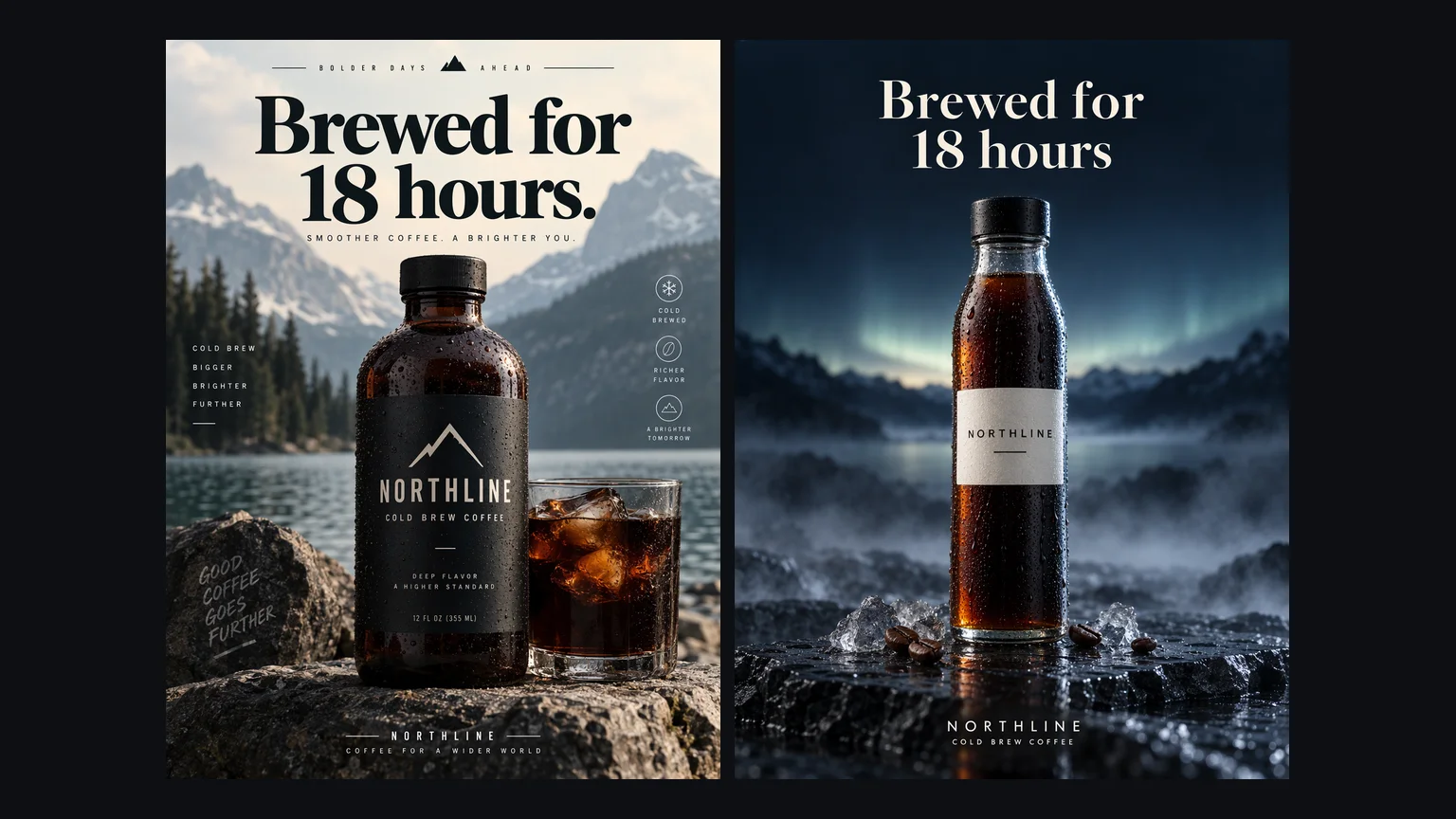
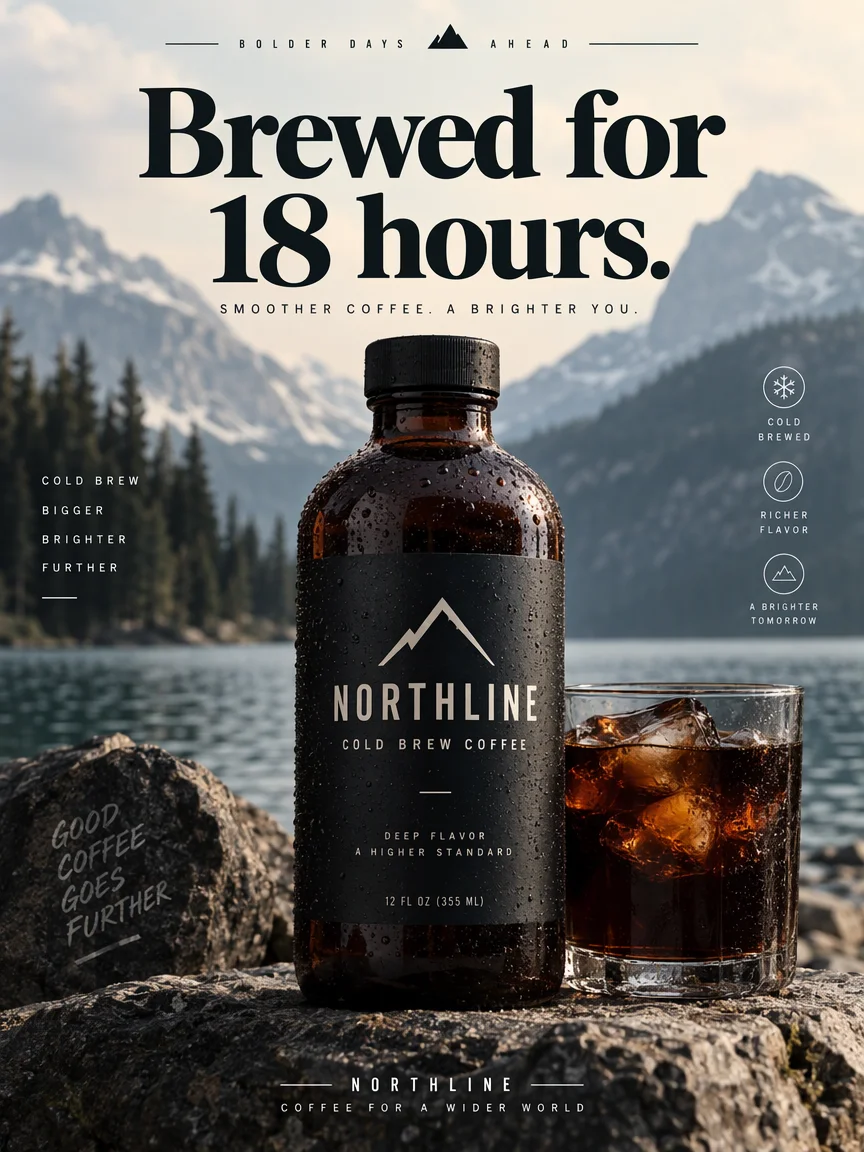
Good-looking, and full of words nobody wrote. The model filled the gaps with its own copy: "BOLDER DAYS AHEAD", "SMOOTHER COFFEE. A BRIGHTER YOU.", "GOOD COFFEE GOES FURTHER", a fake 12 fl oz size, a bullet list and three icons. It even added a full stop to the headline. For a real brand, every one of those lines is something legal or marketing would have to approve.
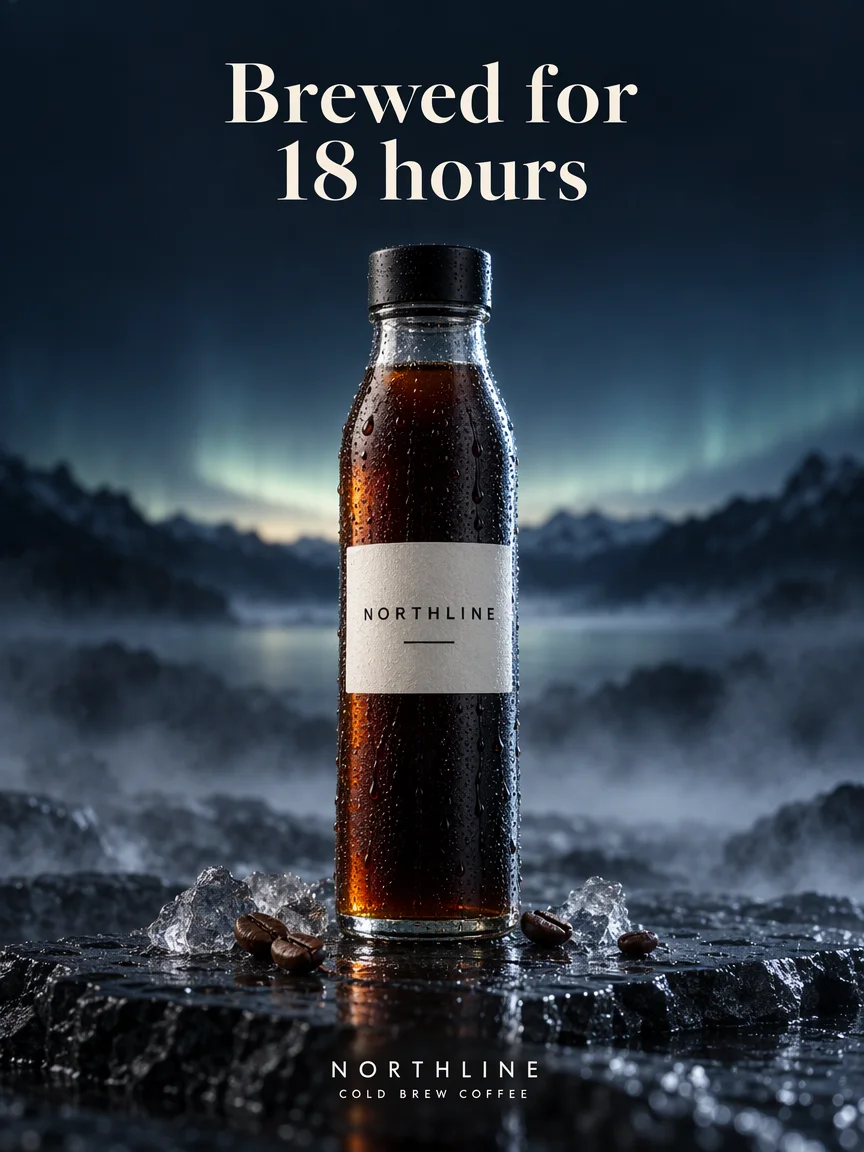
Every word on the poster is one the prompt asked for, placed where it asked, with the headline broken across two lines exactly as written. Two things to notice. Fable read "Northline" as a mood and built the whole palette around northern light, which is a creative call you might not want. And it added a line of its own, "Cold Brew Coffee", which the model then rendered faithfully. Read the prompt before you run it.
A Claude prompt for AI video you can copy
This is the exact instruction we gave Fable 5.2. Swap the model name, the brief and the settings:
Write a prompt for the Wan 3.0 text-to-video model.

Brief: An 8-second product shot of a ceramic pour-over coffee dripper for a social ad.

Settings: 16:9, 720p, 8 seconds, one generation.
Return only the final prompt, in English, ready to paste into the model. No explanations.
What made the difference in our runs:
- Name the target model. Fable wrote the video prompt as one continuous shot with an audio line, and the image prompt as a layout spec with a typography section. Different models want different shapes.
- Give the settings. Duration and aspect ratio let it pace the action ("in the final two seconds…") and place the text.
- Ask for the prompt only. Otherwise you get advice around the prompt and have to cut it out.
- Add one line for what must not change. We didn't, and Fable invented the "Cold Brew Coffee" line. "Use only the text in the brief" would have prevented it.
What the Claude Fable 5.2 prompting guide changes here
Anthropic's Prompting Claude Fable 5.2 guide is written for agents and code, but three points carry over to prompt writing:
- Effort. The guide suggests medium for interactive work and notes that at high and above the model thinks before almost every reply. A one-paragraph prompt rarely needs more than medium.
- Approve in words. It recommends saying exactly what you approve, for example "Yes, generate the 8-second version", rather than "go". That matters when Claude can spend credits for you.
- Describe the outcome. Claude Code's own docs advise handing Fable the result you want and letting it plan the path. Our briefs were one sentence on purpose; Fable filled in shots, light and sound.
What it cost
| Run | Model and settings | Renoise credits |
|---|---|---|
| Video A, brief only | Wan 3.0, 720p, 8 s, 16:9 | 96 |
| Video B, Fable 5.2 prompt | Wan 3.0, 720p, 8 s, 16:9 | 96 |
| Image A, brief only | GPT Image 2.5 Sunburst, 1k, 3:4 | 13 |
| Image B, Fable 5.2 prompt | GPT Image 2.5 Sunburst, 1k, 3:4 | 13 |
| Total | 218 |
A longer prompt costs the same credits as a short one; the price follows the model, resolution and length. Fable 5.2's tokens for writing the two prompts are billed by Anthropic, not Renoise. For multi-shot scenes and long, reference-heavy clips we use Seedance 2.5 instead of Wan 3.0, at a higher per-second price.