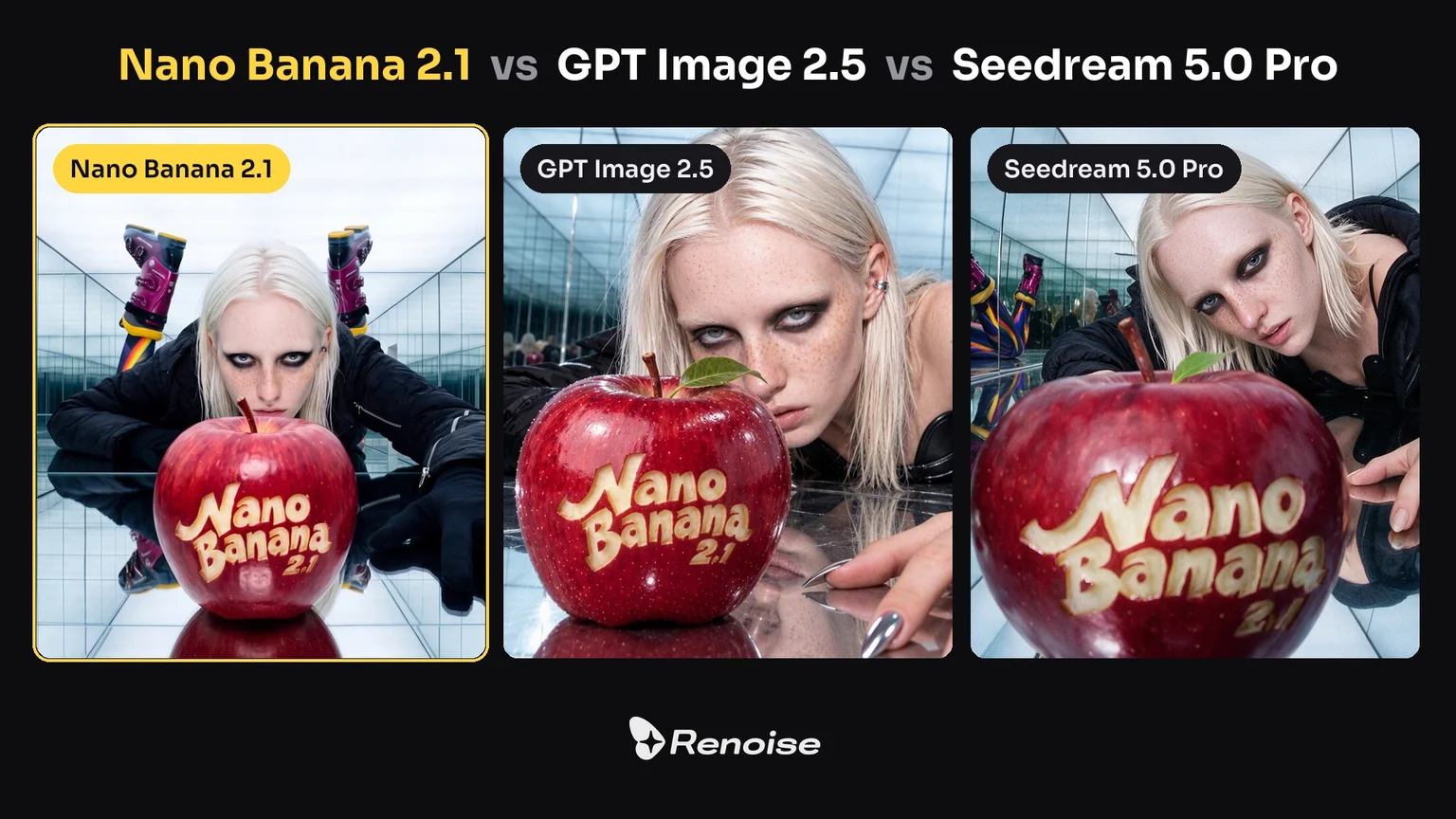
OpenAI 는 2026년 9월 8일 GPT Image 2.5 를 공개했습니다. ChatGPT 에서는 ChatGPT Images 2.5 라는 이름으로 보이고, API 에서는 GPT-Image-2.5 Flare 와 GPT-Image-2.5 Sunburst 두 개의 모델로 제공됩니다. Flare 는 작고 빠른 모델로, OpenAI 는 그 품질을 GPT Image 2 와 비슷한 수준이라고 설명합니다. Sunburst 는 기본 모델로, 더 높은 품질을 내는 대신 생성이 느리며 편집 정밀도가 가장 중요한 작업을 겨냥합니다.
이번 업그레이드의 핵심은 통제력입니다. OpenAI 가 직접 밝힌 목록은 이렇습니다. 요청한 부분만 바뀌는 편집, 여러 번 주고받아도 흐트러지지 않는 편집 지시, 레퍼런스 사진 속 인물을 알아볼 수 있게 유지, 지정한 비주얼 스타일에 더 가깝게 따라가기, 복잡한 레이아웃에서의 더 정확한 디테일, 그리고 최대 50% 짧아진 지연 시간. 해상도와 화면 비율은 GPT Image 2 와 동일하며, 텍스트 렌더링이 좋아졌다는 주장은 OpenAI 가 하지 않았습니다.
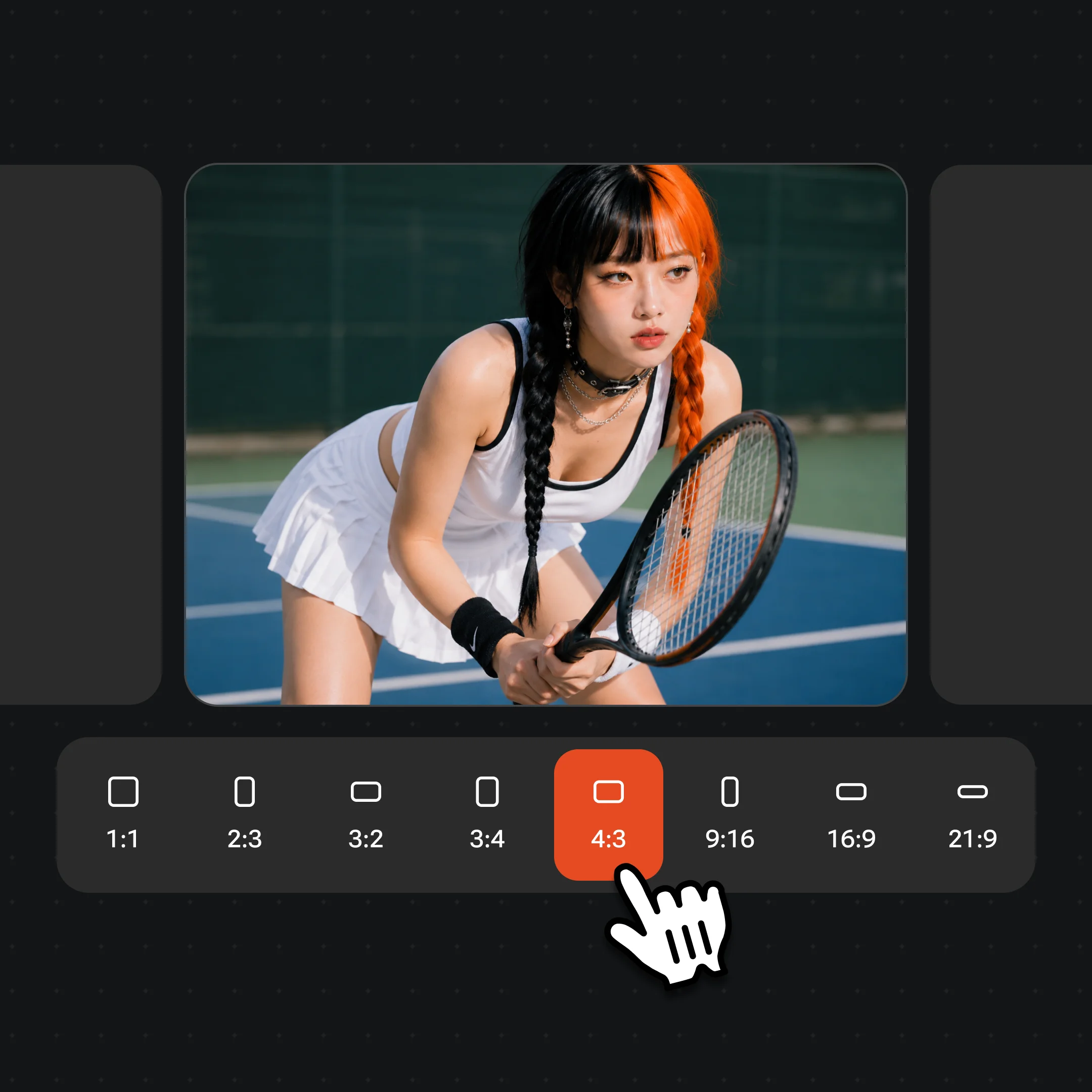
Renoise 는 두 변형 모두를 이미지 모델 선택기에 담았고, GPT Image 2 보다 앞에 배치했습니다. 각각 프롬프트만으로도, 레퍼런스 사진 최대 16장과 함께도 생성할 수 있으며, 8종 화면 비율에서 1K · 2K · 4K 로 출력하고 생성 건당 플랜 크레딧이 차감됩니다. GPT Image 2 도 그대로 남아 있고, 지우기 · 부분 수정 · 이미지 확장 도구는 여전히 GPT Image 2 위에서 돌아갑니다.
2026년 9월 8일
공식 출시
ChatGPT Images 2.5 가 전 ChatGPT 등급에 배포되고, 같은 날 Flare 와 Sunburst 가 Images API 에 올라왔습니다.
2026년 9월 8일
한 번의 출시, 두 개의 변형
OpenAI 는 API 에서 모델을 둘로 나눴습니다. 편집 정밀도는 Sunburst, 빠른 일상 생성은 Flare.
2026년 9월 11일
Renoise 에 들어온 GPT Image 2.5
Sunburst 와 Flare 가 Renoise 이미지 모델 선택기에 GPT Image 2 보다 앞자리로 합류, 1K / 2K / 4K 지원.
GPT Image 2.5 vs. GPT Image 2
두 모델 모두 Renoise 선택기에 있습니다. 갈아타야 하는 업그레이드가 아니라 쓰임이 다른 도구이고, 구형이 내려가지도 않습니다.
Renoise has been a great platform for AI creativity. The tools are easy to use, the experience is smooth, and it makes creating content more enjoyable and efficient. I really appreciate the work the team is doing and look forward to seeing more improvements. Highly recommended!
Ssergio ramos
What I like about Renoise AI compared to other platforms: Fast generation speed: Slow generation takes up way too much time, but Renoise AI is surprisingly about 30% faster. Intuitive and user-friendly UI: Cheaply made platforms have terrible UIs that make me not even want to log in, but Renoise is very clean and convenient. Remembers my previous settings: It helpfully remembers my last workspace settings. Some odd platforms force you to re-adjust everything every single time you generate a video, which is extremely frustrating. Overall preference: For all these reasons, Renoise AI is definitely my preferred platform. Thank you!
ZZeus
Renoise is your go to one stop all for ai creators. all view and use all models in one place, for any type of content you have your mind on!
MMichał Reszka
I have a creat experience with the app. Consistent characters but also unique. THere were some issues with storyline continuity and non-typical humanoid characters.
LLộc Bùi Nguyễn Vinh
Renoise is pretty easy to use, with a clean and smooth interface. The results from Seedance 2.5 also feel noticeably smoother in action sequences.
FFaith Joy Cloma
Renoise Ai is a good tool for making ai videos and photos. it puts several Ai models in one place, so you don't need to use many different apps.
Renoise has been a great platform for AI creativity. The tools are easy to use, the experience is smooth, and it makes creating content more enjoyable and efficient. I really appreciate the work the team is doing and look forward to seeing more improvements. Highly recommended!
Ssergio ramos
What I like about Renoise AI compared to other platforms: Fast generation speed: Slow generation takes up way too much time, but Renoise AI is surprisingly about 30% faster. Intuitive and user-friendly UI: Cheaply made platforms have terrible UIs that make me not even want to log in, but Renoise is very clean and convenient. Remembers my previous settings: It helpfully remembers my last workspace settings. Some odd platforms force you to re-adjust everything every single time you generate a video, which is extremely frustrating. Overall preference: For all these reasons, Renoise AI is definitely my preferred platform. Thank you!
ZZeus
Renoise is your go to one stop all for ai creators. all view and use all models in one place, for any type of content you have your mind on!
MMichał Reszka
I have a creat experience with the app. Consistent characters but also unique. THere were some issues with storyline continuity and non-typical humanoid characters.
LLộc Bùi Nguyễn Vinh
Renoise is pretty easy to use, with a clean and smooth interface. The results from Seedance 2.5 also feel noticeably smoother in action sequences.
FFaith Joy Cloma
Renoise Ai is a good tool for making ai videos and photos. it puts several Ai models in one place, so you don't need to use many different apps.
Renoise has been a great platform for AI creativity. The tools are easy to use, the experience is smooth, and it makes creating content more enjoyable and efficient. I really appreciate the work the team is doing and look forward to seeing more improvements. Highly recommended!
Ssergio ramos
What I like about Renoise AI compared to other platforms: Fast generation speed: Slow generation takes up way too much time, but Renoise AI is surprisingly about 30% faster. Intuitive and user-friendly UI: Cheaply made platforms have terrible UIs that make me not even want to log in, but Renoise is very clean and convenient. Remembers my previous settings: It helpfully remembers my last workspace settings. Some odd platforms force you to re-adjust everything every single time you generate a video, which is extremely frustrating. Overall preference: For all these reasons, Renoise AI is definitely my preferred platform. Thank you!
ZZeus
Renoise is your go to one stop all for ai creators. all view and use all models in one place, for any type of content you have your mind on!
MMichał Reszka
I have a creat experience with the app. Consistent characters but also unique. THere were some issues with storyline continuity and non-typical humanoid characters.
LLộc Bùi Nguyễn Vinh
Renoise is pretty easy to use, with a clean and smooth interface. The results from Seedance 2.5 also feel noticeably smoother in action sequences.
FFaith Joy Cloma
Renoise Ai is a good tool for making ai videos and photos. it puts several Ai models in one place, so you don't need to use many different apps.
Renoise has been a great platform for AI creativity. The tools are easy to use, the experience is smooth, and it makes creating content more enjoyable and efficient. I really appreciate the work the team is doing and look forward to seeing more improvements. Highly recommended!
Ssergio ramos
What I like about Renoise AI compared to other platforms: Fast generation speed: Slow generation takes up way too much time, but Renoise AI is surprisingly about 30% faster. Intuitive and user-friendly UI: Cheaply made platforms have terrible UIs that make me not even want to log in, but Renoise is very clean and convenient. Remembers my previous settings: It helpfully remembers my last workspace settings. Some odd platforms force you to re-adjust everything every single time you generate a video, which is extremely frustrating. Overall preference: For all these reasons, Renoise AI is definitely my preferred platform. Thank you!
ZZeus
Renoise is your go to one stop all for ai creators. all view and use all models in one place, for any type of content you have your mind on!
MMichał Reszka
I have a creat experience with the app. Consistent characters but also unique. THere were some issues with storyline continuity and non-typical humanoid characters.
플랜 선택
하나의 Renoise 플랜으로 GPT Image 2.5 Sunburst 와 Flare, 그리고 나머지 모든 모델까지.
네, 같은 세대입니다. OpenAI 가 2026년 9월 8일에 공개했고, ChatGPT 안에서는 ChatGPT Images 2.5, API 에서는 GPT-Image-2.5 Flare 와 Sunburst 라는 이름으로 제공됩니다. Renoise 에서는 두 변형 모두 이미지 모델 선택기에 항목으로 들어가 있습니다.
2.Flare 와 Sunburst 는 무엇이 다른가요?
+
Flare 는 작고 빠른 모델로, OpenAI 는 이미지 품질이 GPT Image 2 와 비슷한 수준이면서 대기 시간은 최대 50% 짧다고 설명합니다. Sunburst 는 기본 모델로 GPT Image 2 보다 품질이 높고 생성 시간은 더 길며, 정밀함이 가장 중요한 편집을 위해 만들어졌습니다. Renoise 는 Sunburst 를 먼저 보여주고, 둘의 비용은 같습니다.
3.GPT Image 2.5 에서 새로워진 건 무엇인가요?
+
통제력입니다. 요청한 부분만 바뀌고 그 편집이 여러 턴에 걸쳐 유지되며, 레퍼런스 사진 속 인물을 알아볼 수 있게 남기고, 지정한 비주얼 스타일을 더 가깝게 따라가며, 복잡한 레이아웃의 디테일이 더 정확해지고, 생성 속도가 최대 50% 빨라졌습니다. 해상도 상한은 달라지지 않았습니다.
4.GPT Image 2.5 는 이미지 안 한글 텍스트를 더 잘 그리나요?
+
OpenAI 는 그런 주장을 하지 않았습니다. 발표에는 텍스트 렌더링 언급이 없고, 개발자 문서는 여전히 정확한 텍스트 배치를 GPT Image 계열의 한계로 적어 두고 있습니다. 짧은 헤드라인은 안정적이지만 촘촘한 문구는 확인이 필요합니다. 글자가 많이 들어가는 작업이라면 Renoise 안에서는 Nano Banana Pro 가 더 나은 선택입니다.
5.GPT Image 2.5 는 어떤 해상도를 지원하나요?
+
Renoise 에서는 1:1 부터 21:9 까지 8종 화면 비율에서 1K, 2K, 4K 중에 고릅니다. OpenAI API 자체는 한 변을 3840픽셀, 전체를 8.3메가픽셀까지로 제한하며 2560 × 1440 을 넘는 크기는 실험적이라고 표시합니다.
6.레퍼런스 이미지는 몇 장까지 올릴 수 있나요?
+
Renoise 에서는 두 변형 모두 생성당 최대 16장입니다. OpenAI API, 그리고 Renoise 의 GPT Image 2 항목과 같은 한도입니다. Renoise 는 GPT Image 2.5 를 3장 한도로 출시했다가 2026년 9월 18일 16장으로 늘렸습니다.
7.GPT Image 2.5 로 객체를 지우거나 인페인팅할 수 있나요?
+
전용 도구로는 안 됩니다. Renoise 의 지우기 · 부분 수정 · 이미지 확장 도구는 GPT Image 2 위에서 돌아갑니다. GPT Image 2.5 는 대신 지시로 편집합니다. 사진을 올리고 바꿀 한 가지를 설명하면 나머지는 건드리지 않습니다.
8.GPT Image 2.5 는 비용이 얼마인가요?
+
Renoise 에서 GPT Image 2.5 이미지 한 장은 1K 13크레딧, 2K 23크레딧, 4K 28크레딧이며 Sunburst 와 Flare 모두 같습니다. 크레딧은 Renoise 플랜에서 차감되고, GPT Image 2 는 8, 16, 26크레딧입니다.
9.GPT Image 2 는 이제 없어지나요?
+
아닙니다. 2026년 10월 27일 기준 OpenAI 의 지원 종료 안내 페이지에는 gpt-image-2 와 2.5 두 모델 모두 종료 일정이 없습니다. 다만 이전 세대 GPT Image 모델의 대체 모델로는 이제 2.5 모델들을 안내하고 있습니다. Renoise 에서는 2.5 두 변형과 나란히 선택기에 남아 있으며, 이미지 편집 도구를 돌리는 모델도 여전히 GPT Image 2 입니다.
10.GPT Image 2.5 는 누가 만들었나요?
+
OpenAI 입니다. Renoise 는 이 모델을 Nano Banana Pro, Seedream 5.0, Midjourney, Grok Imagine 과 함께 하나의 플랜 안에 통합해 제공합니다. Renoise 는 이미지 모델을 직접 학습시키지 않습니다.