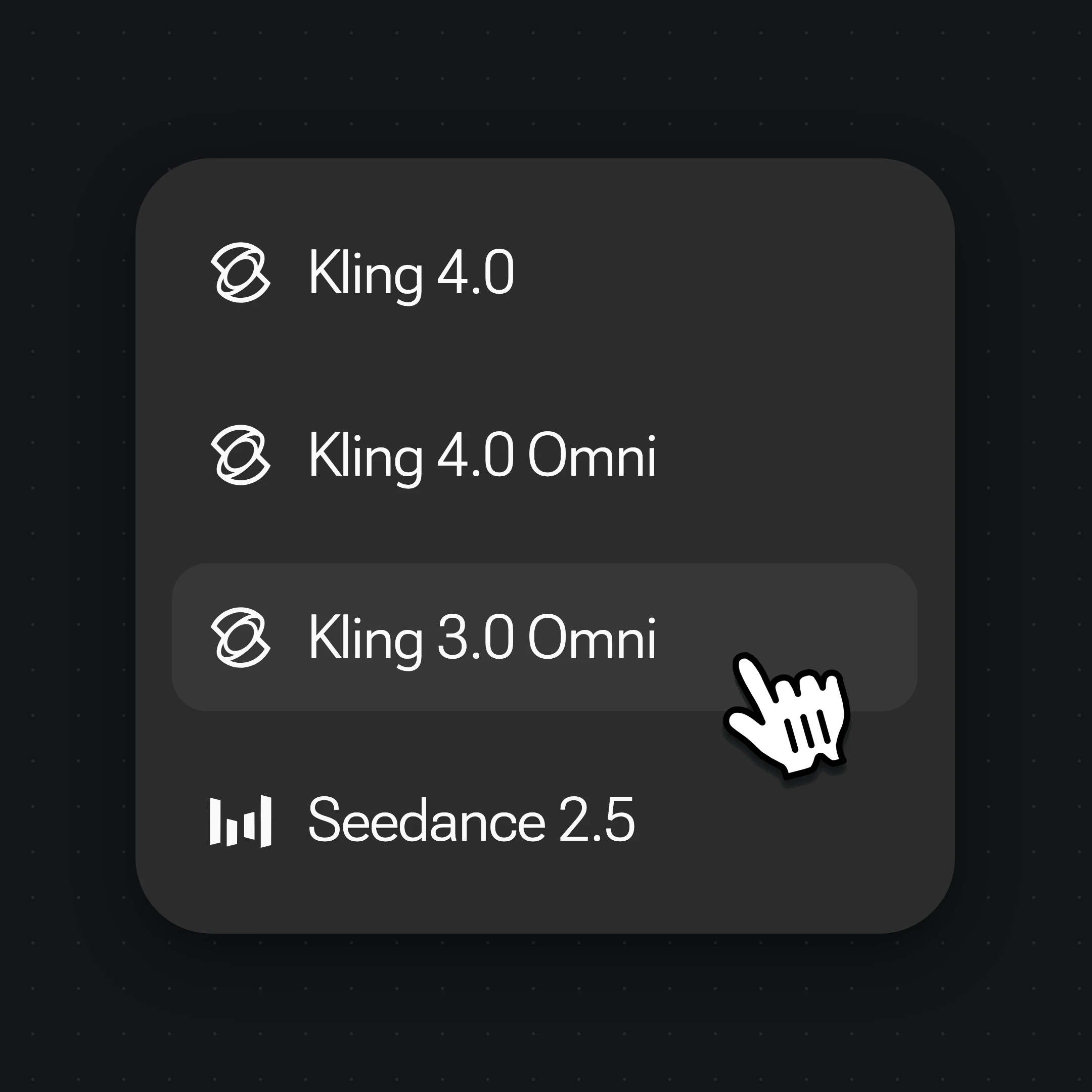
Beide laufen in Renoise – wähle pro Shot, keinen Gewinner. Greif zu Kling 3.0 Omni für günstigere Clips mit Dialog; zu Seedance 2.0 für natives 4K, 21:9-Framing und Audio-Referenzen.
Stand Oktober 2026 nutzen über 100.000 Creator in mehr als 170 Ländern und Regionen Renoise AI, eine KI-Plattform für Video, Bild und Audio, und haben mit über 30 Modellen mehr als 300.000 Bilder und Videos generiert.
Creator
100K+
Registrierte Konten bei Renoise seit März 2026
Länder und Regionen
170+
Von wo sich Creator in den letzten 90 Tagen angemeldet haben
Generierte Bilder und Videos
300K+
Abgeschlossene Generierungen, März–Oktober 2026
KI-Modelle
30+
Seedance, Kling, GPT Image, Midjourney und mehr in einem Abo
Quelle: interne Daten von Renoise, März–Oktober 2026. Die Zahlen sind abgerundet und werden vierteljährlich aktualisiert. Zuletzt aktualisiert
Was Creator über Renoise sagen
Echtes Feedback von Creatorn, die mit Renoise AI Videos, Bilder und Anzeigen erstellen.
LLộc Bùi Nguyễn Vinh
Renoise is pretty easy to use, with a clean and smooth interface. The results from Seedance 2.5 also feel noticeably smoother in action sequences.
FFaith Joy Cloma
Renoise Ai is a good tool for making ai videos and photos. it puts several Ai models in one place, so you don't need to use many different apps.
Renoise has been a great platform for AI creativity. The tools are easy to use, the experience is smooth, and it makes creating content more enjoyable and efficient. I really appreciate the work the team is doing and look forward to seeing more improvements. Highly recommended!
Ssergio ramos
What I like about Renoise AI compared to other platforms: Fast generation speed: Slow generation takes up way too much time, but Renoise AI is surprisingly about 30% faster. Intuitive and user-friendly UI: Cheaply made platforms have terrible UIs that make me not even want to log in, but Renoise is very clean and convenient. Remembers my previous settings: It helpfully remembers my last workspace settings. Some odd platforms force you to re-adjust everything every single time you generate a video, which is extremely frustrating. Overall preference: For all these reasons, Renoise AI is definitely my preferred platform. Thank you!
ZZeus
Renoise is your go to one stop all for ai creators. all view and use all models in one place, for any type of content you have your mind on!
MMichał Reszka
I have a creat experience with the app. Consistent characters but also unique. THere were some issues with storyline continuity and non-typical humanoid characters.
LLộc Bùi Nguyễn Vinh
Renoise is pretty easy to use, with a clean and smooth interface. The results from Seedance 2.5 also feel noticeably smoother in action sequences.
FFaith Joy Cloma
Renoise Ai is a good tool for making ai videos and photos. it puts several Ai models in one place, so you don't need to use many different apps.
Renoise has been a great platform for AI creativity. The tools are easy to use, the experience is smooth, and it makes creating content more enjoyable and efficient. I really appreciate the work the team is doing and look forward to seeing more improvements. Highly recommended!
Ssergio ramos
What I like about Renoise AI compared to other platforms: Fast generation speed: Slow generation takes up way too much time, but Renoise AI is surprisingly about 30% faster. Intuitive and user-friendly UI: Cheaply made platforms have terrible UIs that make me not even want to log in, but Renoise is very clean and convenient. Remembers my previous settings: It helpfully remembers my last workspace settings. Some odd platforms force you to re-adjust everything every single time you generate a video, which is extremely frustrating. Overall preference: For all these reasons, Renoise AI is definitely my preferred platform. Thank you!
ZZeus
Renoise is your go to one stop all for ai creators. all view and use all models in one place, for any type of content you have your mind on!
MMichał Reszka
I have a creat experience with the app. Consistent characters but also unique. THere were some issues with storyline continuity and non-typical humanoid characters.
LLộc Bùi Nguyễn Vinh
Renoise is pretty easy to use, with a clean and smooth interface. The results from Seedance 2.5 also feel noticeably smoother in action sequences.
FFaith Joy Cloma
Renoise Ai is a good tool for making ai videos and photos. it puts several Ai models in one place, so you don't need to use many different apps.
Renoise has been a great platform for AI creativity. The tools are easy to use, the experience is smooth, and it makes creating content more enjoyable and efficient. I really appreciate the work the team is doing and look forward to seeing more improvements. Highly recommended!
Ssergio ramos
What I like about Renoise AI compared to other platforms: Fast generation speed: Slow generation takes up way too much time, but Renoise AI is surprisingly about 30% faster. Intuitive and user-friendly UI: Cheaply made platforms have terrible UIs that make me not even want to log in, but Renoise is very clean and convenient. Remembers my previous settings: It helpfully remembers my last workspace settings. Some odd platforms force you to re-adjust everything every single time you generate a video, which is extremely frustrating. Overall preference: For all these reasons, Renoise AI is definitely my preferred platform. Thank you!
ZZeus
Renoise is your go to one stop all for ai creators. all view and use all models in one place, for any type of content you have your mind on!
MMichał Reszka
I have a creat experience with the app. Consistent characters but also unique. THere were some issues with storyline continuity and non-typical humanoid characters.
LLộc Bùi Nguyễn Vinh
Renoise is pretty easy to use, with a clean and smooth interface. The results from Seedance 2.5 also feel noticeably smoother in action sequences.
FFaith Joy Cloma
Renoise Ai is a good tool for making ai videos and photos. it puts several Ai models in one place, so you don't need to use many different apps.
Renoise has been a great platform for AI creativity. The tools are easy to use, the experience is smooth, and it makes creating content more enjoyable and efficient. I really appreciate the work the team is doing and look forward to seeing more improvements. Highly recommended!
Ssergio ramos
What I like about Renoise AI compared to other platforms: Fast generation speed: Slow generation takes up way too much time, but Renoise AI is surprisingly about 30% faster. Intuitive and user-friendly UI: Cheaply made platforms have terrible UIs that make me not even want to log in, but Renoise is very clean and convenient. Remembers my previous settings: It helpfully remembers my last workspace settings. Some odd platforms force you to re-adjust everything every single time you generate a video, which is extremely frustrating. Overall preference: For all these reasons, Renoise AI is definitely my preferred platform. Thank you!
ZZeus
Renoise is your go to one stop all for ai creators. all view and use all models in one place, for any type of content you have your mind on!
MMichał Reszka
I have a creat experience with the app. Consistent characters but also unique. THere were some issues with storyline continuity and non-typical humanoid characters.
Wählen Sie Ihren Plan
Schalte Kling 3.0 Omni und jedes andere Modell mit einem Renoise-Plan frei.
Der Agent bringt deine Idee bis zum fertigen Video.
Schneidet und montiert deine Clips
Kombiniert Ebenen, Text und Effekte
Konvertiert Formate für jede Plattform
Starter und Standard: Produktionsarbeit im Director Mode verbraucht Credits nach Nutzung. Advanced: kostenlos.
UNBEGRENZTE GENERIERUNGEN
MiniMax H3NICHT UNBEGRENZT
Seedance 2.0 MiniNICHT UNBEGRENZT
Seedream 5.0 ProNICHT UNBEGRENZT
✓Unbegrenzt viele gleichzeitige Generierungen
Keine Warteschlange. Starte beliebig viele bezahlte Generierungen gleichzeitig.
✓Renoise Agent (Beta) – im Chat erstellen
✓Frontier-Modell für den Agent
Renoise Agent nutzt Frontier-Modelle führender KI-Labore, um deine Shots zu planen, Prompts zu schreiben und für jeden Shot das passende Modell auszuwählen. Der Chat mit dem Agent ist in jedem Tarif kostenlos.
✓Unbegrenzte LLM-Chats
✓Kommerzielle Nutzung
Mit Renoise.ai erstellte Inhalte dürfen vorbehaltlich unserer Nutzungsbedingungen kommerziell genutzt werden
Der Agent bringt deine Idee bis zum fertigen Video.
Schneidet und montiert deine Clips
Kombiniert Ebenen, Text und Effekte
Konvertiert Formate für jede Plattform
Starter und Standard: Produktionsarbeit im Director Mode verbraucht Credits nach Nutzung. Advanced: kostenlos.
UNBEGRENZTE GENERIERUNGEN
MiniMax H37 TAGE UNBEGRENZT
Seedance 2.0 Mini7 TAGE UNBEGRENZT
Seedream 5.0 Pro7 TAGE UNBEGRENZT
Offizielle Modelle
Jeden Monat ab deinem Abrechnungsdatum für 7 Tage verfügbar
Die Generierungsgeschwindigkeit kann begrenzt sein
Nicht verfügbar in Renoise Agent, MCP oder CLI
✓Unbegrenzt viele gleichzeitige Generierungen
Keine Warteschlange. Starte beliebig viele bezahlte Generierungen gleichzeitig.
✓Renoise Agent (Beta) – im Chat erstellen
✓Frontier-Modell für den Agent
Renoise Agent nutzt Frontier-Modelle führender KI-Labore, um deine Shots zu planen, Prompts zu schreiben und für jeden Shot das passende Modell auszuwählen. Der Chat mit dem Agent ist in jedem Tarif kostenlos.
✓Unbegrenzte LLM-Chats
✓Kommerzielle Nutzung
Mit Renoise.ai erstellte Inhalte dürfen vorbehaltlich unserer Nutzungsbedingungen kommerziell genutzt werden
Der Agent bringt deine Idee bis zum fertigen Video.
Schneidet und montiert deine Clips
Kombiniert Ebenen, Text und Effekte
Konvertiert Formate für jede Plattform
Starter und Standard: Produktionsarbeit im Director Mode verbraucht Credits nach Nutzung. Advanced: kostenlos.
UNBEGRENZTE GENERIERUNGEN
MiniMax H32 TAGE UNBEGRENZT
Seedance 2.0 Mini2 TAGE UNBEGRENZT
Seedream 5.0 Pro2 TAGE UNBEGRENZT
Offizielle Modelle
Jeden Monat ab deinem Abrechnungsdatum für 2 Tage verfügbar
Die Generierungsgeschwindigkeit kann begrenzt sein
Nicht verfügbar in Renoise Agent, MCP oder CLI
✓Unbegrenzt viele gleichzeitige Generierungen
Keine Warteschlange. Starte beliebig viele bezahlte Generierungen gleichzeitig.
✓Renoise Agent (Beta) – im Chat erstellen
✓Frontier-Modell für den Agent
Renoise Agent nutzt Frontier-Modelle führender KI-Labore, um deine Shots zu planen, Prompts zu schreiben und für jeden Shot das passende Modell auszuwählen. Der Chat mit dem Agent ist in jedem Tarif kostenlos.
✓Unbegrenzte LLM-Chats
✓Kommerzielle Nutzung
Mit Renoise.ai erstellte Inhalte dürfen vorbehaltlich unserer Nutzungsbedingungen kommerziell genutzt werden
Der Agent bringt deine Idee bis zum fertigen Video.
Schneidet und montiert deine Clips
Kombiniert Ebenen, Text und Effekte
Konvertiert Formate für jede Plattform
Starter und Standard: Produktionsarbeit im Director Mode verbraucht Credits nach Nutzung. Advanced: kostenlos.
UNBEGRENZTE GENERIERUNGEN
MiniMax H37 TAGE UNBEGRENZT
Seedance 2.0 Mini7 TAGE UNBEGRENZT
Seedream 5.0 Pro7 TAGE UNBEGRENZT
Offizielle Modelle
Jeden Monat ab deinem Abrechnungsdatum für 7 Tage verfügbar
Die Generierungsgeschwindigkeit kann begrenzt sein
Nicht verfügbar in Renoise Agent, MCP oder CLI
✓Unbegrenzt viele gleichzeitige Generierungen
Keine Warteschlange. Starte beliebig viele bezahlte Generierungen gleichzeitig.
✓Renoise Agent (Beta) – im Chat erstellen
✓Frontier-Modell für den Agent
Renoise Agent nutzt Frontier-Modelle führender KI-Labore, um deine Shots zu planen, Prompts zu schreiben und für jeden Shot das passende Modell auszuwählen. Der Chat mit dem Agent ist in jedem Tarif kostenlos.
✓Unbegrenzte LLM-Chats
✓Kommerzielle Nutzung
Mit Renoise.ai erstellte Inhalte dürfen vorbehaltlich unserer Nutzungsbedingungen kommerziell genutzt werden
✓Export ohne Wasserzeichen
Kling 3.0 Omni
in Renoise nutzen.
Natives Lipsync, Clips bis 15 Sekunden und weitere Modelle in einem Canvas.
Ja. Seit dem 23. Oktober 2026 sind Kling 4.0 und Kling 4.0 Omni in Renoise verfügbar – mit Clips von 3–30 Sekunden und bis zu 4K. Mehr dazu auf der Kling-4.0-Seite. Kling 3.0 Omni bleibt in der Modellauswahl.
2.Wer entwickelt Kling 3.0?
+
Kling wird von Kuaishou entwickelt. Renoise integriert Kling 3.0 Omni neben Kling 4.0, Seedance 2.0 / 2.5, Nano Banana 2 / Pro, GPT Image 2 und Midjourney – Renoise trainiert Videomodelle nicht selbst.
3.Was ist Kling 3.0 Omni?
+
Kuaishous multimodales Videomodell aus der Kling-3.0-Serie, veröffentlicht im Februar 2026. Es nimmt Text, bis zu 7 Referenzbilder, ein Referenzvideo oder First/Last-Frames und erzeugt 3–15-Sekunden-Clips bis 1080p mit nativem Audio und Lipsync. In Renoise ist es ein Modell auf einem gemeinsamen Canvas.
4.Macht Kling 3.0 Lipsync?
+
Ja. Lipsync ist in Kling 3.0 Omni nativ: Figuren sprechen synchron zu dem Dialog, den das Modell aus deinem Prompt erzeugt. Eine eigene Audiospur nimmt Renoise für dieses Modell nicht an.
5.Wie lang kann ein Kling-Clip sein?
+
Jeder Clip läuft 3 bis 15 Sekunden, bzw. bis zu 10 Sekunden, wenn du ein Referenzvideo einbeziehst. Generierte Videoclips lassen sich direkt in Renoise bearbeiten und trimmen.
6.Unterstützt Kling Bild-zu-Video?
+
Ja. Nutze bis zu sieben Referenzbilder, ein First- oder Last-Frame oder ein Referenzvideo (mit bis zu 4 Bildern), um den Shot zu steuern.
7.Kann ich das Gesicht einer echten Person mit Kling verwenden?
+
Nur ein Gesicht, für das du autorisiert bist: Du brauchst die Freigabe der Person für ihr Bildnis. Erzeuge keine Personen des öffentlichen Lebens, Prominente oder Minderjährige und halte dich an lokale Gesetze.
8.Gibt Kling 3.0 4K aus?
+
Nein. Kling 3.0 Omni gibt in 720p oder 1080p aus. Für 4K-Video in Renoise nimm Kling 4.0; dessen 2K- und 4K-Stufen sind hochskalierte Ausgabe.
9.Kling 3.0 oder Seedance 2.0 – welches soll ich wählen?
+
Greif zu Kling 3.0 Omni für günstigere Clips mit Dialog (16 statt 20 Credits pro Sekunde bei 720p); zu Seedance 2.0 für natives 4K, 21:9-Framing oder mehr Referenz-Inputs inklusive Audio. Beide leben auf demselben Canvas, du kannst pro Shot wechseln.
By Renoise AILast reviewed Models verified: Kling 3.0 Omni